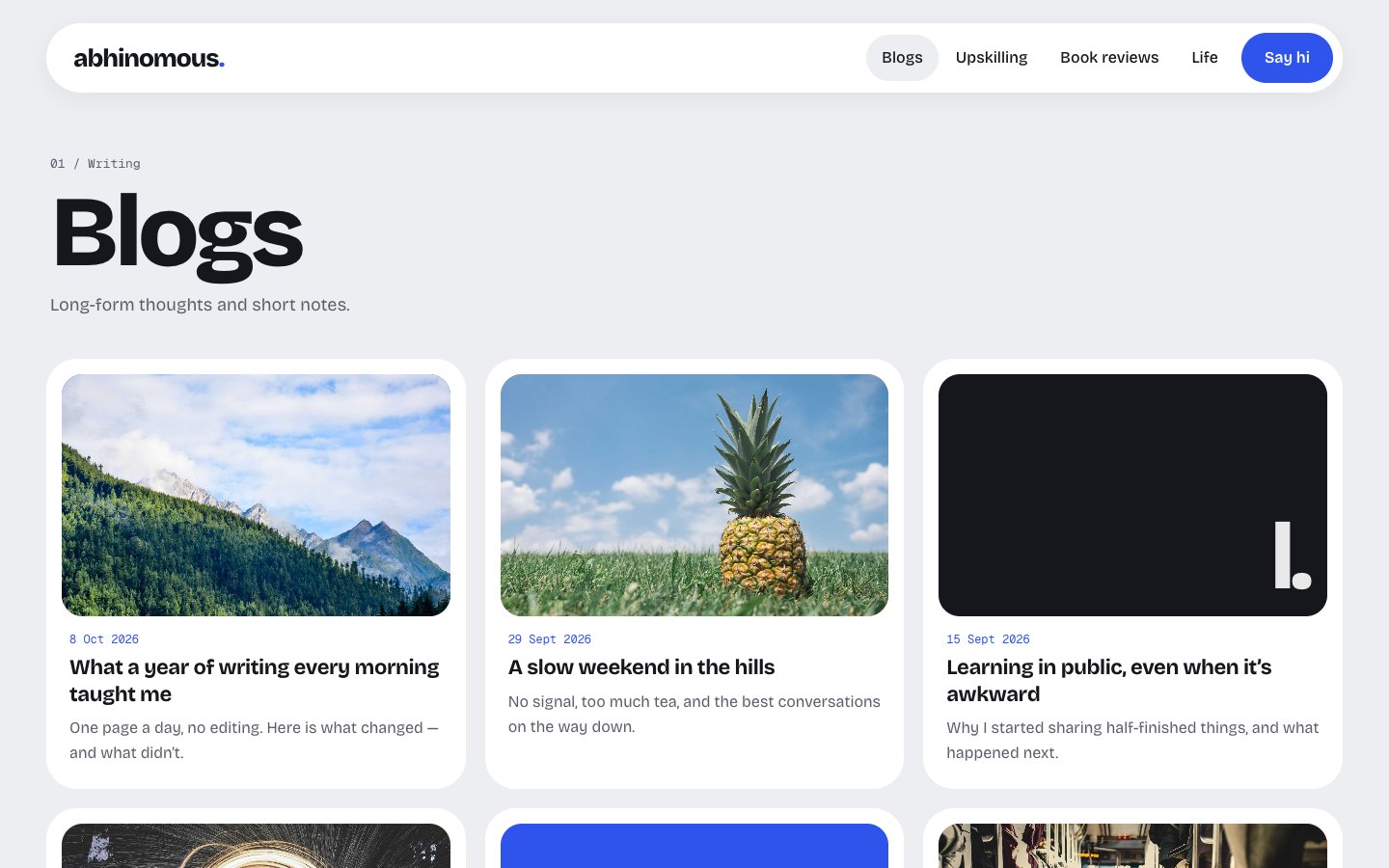
Static React site with content stored in Supabase, no need to run your own server
ViteReactAdmin dashboardPortfolioBlog
abhinomous — Vite Admin dashboard Template
By SuTechs
abhinomous is a static personal site template built with Vite and React, featuring blogs, book reviews, a learning log and life photos, with content stored in Supabase and authored through a hidden /goku/ admin panel.
Explore the design
Compare the page layouts and mobile experience. Open any screenshot for a closer look.
Author preview
Author-provided preview
Preview provided in the project README.
One original preview is available. Open the full image to inspect the design.
Screenshots show visual appearance; interactive behavior may differ.
Recorded 2026-10-11View source
What stands out
A quick read of the recorded project description.
Built-in hidden admin panel at /goku/, with rich text editor, image uploads, drafts and homepage settings
Local test mode: npm run dev runs the entire site and admin panel with in-browser mock data, no Supabase account required
Access control implemented via Supabase Row Level Security, sign-ups disabled, only users in the admins table can write
Includes static hosting rewrite configurations for Apache, Netlify, Cloudflare Pages and GitHub Pages
Provides a GitHub Actions deployment workflow and a keep-alive workflow that periodically pings the database
Template Details
abhinomous is Abhishek Kumar's personal site, also released as a reusable template. The site is a static React application, with the frontend built using Vite and content stored in Supabase. Visitors read published content directly from the browser, with no need to run your own server.
The page structure includes: Home (an avatar that tilts with the mouse, recent posts, a weekly quote and entry points to each section), Blog (a three-column post grid and post detail pages), Book Reviews (a cover bookshelf with star ratings, automatically generated when no cover is available), Upskilling (a GitHub-style daily learning grid, plus in-progress and completed lists), and Life, lately (a Polaroid-style photo log). The admin panel is located at /goku/, logs in with email and password, and provides a rich text editor, image uploads, drafts, bulk photo uploads from a phone, and homepage settings (bio, quote, social links, avatar). All pages and the admin panel are mobile-friendly.
Local development offers a test mode: npm run dev runs the entire site and admin panel in the browser using a mock Supabase and sample data, so you can try it without registering for Supabase. In this mode, additions, deletions and edits are saved only in the current browser, and the sample data can be restored via Reset test data in the admin panel. Sample photos come from picsum.photos and require an internet connection.
Connecting real data requires creating your own Supabase project, running supabase/schema.sql to create tables and set access rules and the media storage bucket, disabling sign-ups, manually creating an admin user and adding them to the public.admins table, then writing the project URL and publishable key into .env. The build output is static files in the dist/ directory, deployable to any static host; directly accessing paths like /blogs/my-post requires the host to return index.html for unknown paths, and the repository includes corresponding configurations for Apache, Netlify/Cloudflare Pages and GitHub Pages. The README also describes an automated deployment process for Hostinger, and using GitHub Actions to periodically ping the database to prevent a free Supabase project from sleeping.
Permissions are controlled by database Row Level Security: anyone can read published content, and only users in public.admins can read drafts, write or upload images; sign-ups are disabled. The admin panel entry is not linked within the site, carries noindex and is not listed in robots.txt, but the README clearly states that this is only a supplementary measure and that the real protection comes from database rules.
ViteReactAdmin panelPortfolioBlog
Is it right for your project?
Use Cases
- Building a personal site with blogs, book reviews, learning records and a photo log
- Needing a writing admin panel that is not exposed in site links and can only be logged into by the author
- Wanting the site to be statically hosted, but content to be edited online via Supabase without rebuilding
- Trying out the entire site and admin panel locally without a Supabase account
- Deploying the template to Hostinger or another static host and binding a custom domain
Suitable For
- Developers who want to use Supabase as a content backend and host a personal site statically
- Individual authors who need multiple content sections such as blogs, book reviews, a learning log and a photo log
- Users who can create a Supabase project, run SQL and configure environment variables themselves
- Projects that accept using a Supabase publishable key in the browser and rely on database rules for permission control
Getting started & customization
Use these recorded setup notes alongside the repository instructions for your chosen version.
- 1
Requires Node.js 20.19 or higher; after cloning the repository, run npm install and npm run dev to enter local test mode
- 2
Connecting real data requires creating a Supabase project, running supabase/schema.sql in the SQL Editor, and disabling Allow new users to sign up
- 3
Manually create an admin user in Authentication and check Auto Confirm User, then insert that user into the public.admins table
- 4
Write the Supabase project URL and publishable key into .env (you can copy from .env.example); the README emphasizes not using the secret / service_role key
- 5
npm run build generates static files in dist/; when deploying, the host must return index.html for unknown paths, and the repository includes configuration files for common hosting platforms
License & source material
Usage conditions & limitations
Free to use · keep license noticeThis entry covers the free version under the MIT license in the public repository; the free scope is the code of that version and does not imply that external services or third-party assets are free.
Must comply with when using
- The code of this version may be used, modified, used commercially and distributed free of charge.
- When distributing copies or substantial portions of the code, retain the original author's copyright notice and the full MIT license notice.
- The code is provided as is; warranties and limitations of liability are governed by the original license and applicable law.
Additional costs & items to verify
- Demo images, fonts, icons and other third-party assets must be checked against their respective licenses and cannot be judged solely by the code's MIT license.
- External services such as domains, hosting, databases, payments or AI may incur separate charges.
- Using real data requires creating a Supabase project as an external service backend; both site content and the admin panel depend on this third-party service.
- Sign-ups must be disabled in Supabase; only manually created admin accounts can log into the admin panel, and ordinary visitors cannot register themselves.
- The admin account must be manually created in the Supabase console with Auto Confirm User checked; it cannot be registered through the site itself.
- The Supabase project URL and publishable key must be written into .env environment variables; building and running depend on this configuration.
- Only the publishable key may be used; the secret / service_role key must not be used anywhere in the project, and permissions rely entirely on database rules.
- Production builds must provide a .env configuration for a real Supabase; without it the build fails, and a formal site cannot be generated independently of Supabase.
- When deploying to static hosting, unknown paths must be configured to return index.html; otherwise directly accessing deep links such as articles will fail.
- The release script depends on the GitHub CLI and requires a clean working tree on the main branch; otherwise the version release cannot be completed.
- Free Supabase projects pause after long inactivity, so a keep-alive workflow that periodically pings the database is needed to maintain availability.
- Sample photos in local test mode come from picsum.photos and require an internet connection to load.
View Original Text Basis
Permission is hereby granted, free of charge
Original License Text
Create a free project at [supabase.com](https://supabase.com).
Original README
**Authentication → Sign In / Providers:** turn **off** "Allow new users to sign up".
Original README
**Authentication → Users → Add user → Create new user:** enter the admin's email and password, and tick **Auto Confirm User**.
Original README
**Project Settings → API Keys:** copy the project URL and the **publishable** key into `.env`:
Original README
> Use only the **publishable** key. It's built into the site's JavaScript, so anyone can see it, and Supabase designed it for exactly that: the database rules decide what it can do. **Never** use the secret / `service_role` key anywhere in this project.
Original README
`npm run build` creates a static site in `dist/`. It always uses the real Supabase from `.env`, and refuses to build without it.
Original README
Links that open a page directly, like `/blogs/my-post`, need the host to serve `index.html` for unknown paths, and `dist/` ships the config for the common hosts:
Original README
It needs the [GitHub CLI](https://cli.github.com) and a clean working tree on `main`.
Original README
Free Supabase projects pause after a stretch with no activity. The [keep-awake workflow](.github/workflows/keep-supabase-awake.yml) pings the database twice a week.
Original README
https://github.com/SuTechs/abhinomous/blob/main/LICENSEhttps://github.com/SuTechs/abhinomous/blob/main/README.mdThe dummy photos load from picsum.photos, so they need an internet connection.
Original README
Compiled by DeepSeek based on repository license and README ·2026-10-11. Results only cover the materials read; dependencies, images, fonts, and subsequent term changes are subject to their respective original texts.
Project checks & description sources
Template Information
- Source platforms
- GitHub
- Documentation and maintenance reference score
- More documented · 85 / 100
- Technologies
- Vite · React
- Website type
- Admin dashboard · Portfolio · Blog
How this score is calculated
Our heuristic uses license records (up to 30), a demo link (12), a preview (10), stars (15), recorded maintenance (15), description completeness (8), feature records (5) and classification data (5). It is not a code, security or performance test, or a Google score. A link does not establish tested functionality.
What to verify for this project
- Repository update recorded
- 2026-10-11
- Screenshot last checked
- 2026-10-11
A demo link is listed. Check it with your own content and viewport sizes; its presence does not confirm that forms, authentication or payments work.
The catalog identifies Vite as the primary stack. Check the actual dependency manifest and lockfile for versions and hosting requirements. These notes use recorded metadata, not a code audit or a deployment test.
Use a selection guide →How this description was prepared
AI-assisted description based on catalog records and repository material. Repository authors are not automatically the reviewers of this description.
Review declaration: [email protected] · 2026-10-13
Inspect the recorded source material
SHA-256: f3305672bd3e048c1b7f1cc0f4b282254d0aeae6a2f314feea7a8836e2aa948a
2026-10-11T18:30:09.340Z
Source file / repository<div align="center">
# abhinomous<span>.</span>
**A personal site for blogs, book reviews, learning logs and life photos, with a private admin to write it all.**
[**abhinomous.com**](https://abhinomous.com) · [Quick start](#quick-start) · [Make it yours](#make-it-yours) · [Deploy](#deploy)
[](https://github.com/SuTechs/abhinomous/actions/workflows/ci.yml)
[](LICENSE)
<img src="docs/screenshots/home.jpg" alt="Abhinomous homepage: a blue hero card with a 3D-style avatar, recent posts and a quote" width="100%">
</div>
Abhinomous is the personal site of Abhishek Kumar, built as a template anyone can reuse. It's a fast static site with a bento-style design. Content lives in [Supabase](https://supabase.com), and the owner writes it from a hidden admin page. There's no server to run: build once, upload anywhere.
## What's inside
- **Homepage:** a big avatar that tilts with the mouse, recent posts, a quote of the week, and tiles for every section.
- **Blogs:** a 3-column grid of posts, plus post pages with a banner image and comfortable reading typography.
- **Book reviews:** a bookshelf of covers with star ratings. Books without a cover get a generated one.
- **Upskilling:** a GitHub-style learning log (one square per day) and lists of what's in progress and what's done.
- **Life, lately:** a polaroid photo log.
- **Admin at `/goku/`:** email + password login (no sign-ups), a rich-text editor with image uploads, drafts, bulk photo upload from a phone, and homepage settings (intro, quote, social links, avatar).
- **Works on phones:** every page and the admin are responsive.
- **Local test mode:** `npm run dev` runs the whole site and admin on dummy data in your browser. No Supabase account is needed to try it.
<table>
<tr>
<td><img src="docs/screenshots/blogs.jpg" alt="Blog list"></td>
<td><img src="docs/screenshots/post.jpg" alt="Blog post"></td>
<td><img src="docs/screenshots/books.jpg" alt="Book reviews"></td>
</tr>
<tr>
<td align="center">Blogs</td>
<td align="center">Post</td>
<td align="center">Book reviews</td>
</tr>
<tr>
<td><img src="docs/screenshots/upskilling.jpg" alt="Upskilling learning log"></td>
<td><img src="docs/screenshots/life.jpg" alt="Life, lately photo log"></td>
<td><img src="docs/screenshots/admin-editor.jpg" alt="Admin post editor"></td>
</tr>
<tr>
<td align="center">Upskilling</td>
<td align="center">Life, lately</td>
<td align="center">Admin editor</td>
</tr>
</table>
<img src="docs/screenshots/mobile.jpg" alt="The homepage, a blog post, the upskilling page and the admin on a phone" width="100%">
## Quick start
You need [Node.js](https://nodejs.org) 20.19 or newer.
```bash
git clone https://github.com/SuTechs/abhinomous.git
cd abhinomous
npm install
npm run dev
```
Open http://localhost:5173 for the site and http://localhost:5173/goku/ for the admin. Click **Sign in as test admin** to log in.
This is **local test mode**, which works like this:
- The site runs on a small in-browser stand-in for Supabase ([`src/lib/mock/`](src/lib/mock)), filled with [dummy content](src/lib/mock/seed.ts).
- Anything you add, edit, upload or delete is saved in that browser only. **Reset test data** in the admin header restores the dummy data.
- It follows the same rules as the real database: visitors never see drafts, and only a signed-in admin can make changes.
- The dummy photos load from picsum.photos, so they need an internet connection.
## Make it yours
| What | Where |
| --- | --- |
| Name, site title, wordmark, description | [`src/site.config.ts`](src/site.config.ts) |
| Intro line, quote, social links, email, avatar | Admin → **Homepage** (stored in Supabase) |
| Colours and fonts | `@theme` in [`src/styles.css`](src/styles.css) |
| Placeholder avatar | [`public/avatar.svg`](public/avatar.svg), used until you upload one in the admin |
| Admin address (`/goku/`) | Rename the `goku/` folder and its entry in [`vite.config.ts`](vite.config.ts) |
| Dummy content for local test mode | [`src/lib/mock/seed.ts`](src/lib/mock/seed.ts) |
## Set up Supabase
1. Create a free project at [supabase.com](https://supabase.com).
2. **SQL Editor → New query:** paste [`supabase/schema.sql`](supabase/schema.sql) and click **Run**. This creates the tables, the access rules and a `media` bucket for images. It's safe to run again after updates.
3. **Authentication → Sign In / Providers:** turn **off** "Allow new users to sign up".
4. **Authentication → Users → Add user → Create new user:** enter the admin's email and password, and tick **Auto Confirm User**.
5. **SQL Editor:** make that user an admin:
```sql
insert into public.admins (user_id) select id from auth.users where email = '[email protected]';
```
6. **Project Settings → API Keys:** copy the project URL and the **publishable** key into `.env`:
```bash
cp .env.example .env
```
7. Run against the real database:
```bash
npm run prod
```
> [!IMPORTANT]
> Use only the **publishable** key. It's built into the site's JavaScript, so anyone can see it, and Supabase designed it for exactly that: the database rules decide what it can do. **Never** use the secret / `service_role` key anywhere in this project.
## Deploy
`npm run build` creates a static site in `dist/`. It always uses the real Supabase from `.env`, and refuses to build without it.
### Hostinger, with auto-deploy (how abhinomous.com runs)
Every push to `main` runs the [Deploy workflow](.github/workflows/deploy.yml). It builds the site and publishes it to the `deploy` branch, and Hostinger pulls that branch. No GitHub account linking is needed.
1. **GitHub → your repo → Settings → Secrets and variables → Actions:** add `VITE_SUPABASE_URL` and `VITE_SUPABASE_PUBLISHABLE_KEY`. The next push to `main` (or **Actions → Deploy → Run workflow**) creates the `deploy` branch.
2. **hPanel → Websites → Create website → PHP/HTML website.** Make sure its `public_html` folder is empty; delete Hostinger's default file in File Manager if there is one.
3. **Website → Advanced → Git:**
- Repository: `https://github.com/<you>/<repo>.git`
- Branch: `deploy`
- Install path: leave empty
- Click **Create**, then **Deploy**.
4. **Same page → Auto deployment:** copy the webhook URL and add it under **GitHub → Settings → Webhooks → Add webhook** (payload URL only, defaults for the rest).
5. Connect your domain.
The two values are used when the site is built: if you change a secret, re-run the Deploy workflow.
### Any other static host
Upload the contents of `dist/`. Links that open a page directly, like `/blogs/my-post`, need the host to serve `index.html` for unknown paths, and `dist/` ships the config for the common hosts:
- `.htaccess` for Apache, Hostinger and cPanel
- `_redirects` for Netlify and Cloudflare Pages
- `404.html` for GitHub Pages and similar
## Releasing
```bash
npm run release # 0.1.0 → 0.1.1
npm run release -- minor # 0.1.0 → 0.2.0
```
The script checks the site builds, bumps the version, tags it, and pushes `main`; the Deploy workflow then publishes the site. It also creates a [GitHub Release](https://github.com/SuTechs/abhinomous/releases) with notes. It needs the [GitHub CLI](https://cli.github.com) and a clean working tree on `main`.
## Scripts
| Command | What it does |
| --- | --- |
| `npm run dev` | Local test mode: dummy data, test admin, no Supabase needed |
| `npm run prod` | Dev server against the real Supabase in `.env` |
| `npm run build` | Production build into `dist/` (needs `.env`) |
| `npm run preview` | Serves the production build locally |
| `npm run typecheck` | TypeScript check |
| `npm run release` | Version, tag, push and GitHub Release |
## How it works
```mermaid
flowchart LR
V[Visitor] -->|reads the static site| H[Static host]
V -->|reads published content| S[(Supabase)]
A[Admin at /goku/] -->|signs in, writes, uploads| S
```
- The site is a static React app. It talks to Supabase from the browser using the publishable key.
- **Row Level Security** does the guarding:
- Anyone can read published posts, reviews and photos, the skills list, the learning log and the homepage settings.
- Only users listed in `public.admins` can read drafts, write anything or upload images. The check runs in a private database function the API doesn't expose.
- Sign-ups are off, so nobody else can get an account.
- The `/goku/` admin is not linked anywhere, has `noindex`, and isn't listed in `robots.txt`. That's only a courtesy, though; the database rules are the real protection.
- The admin is a separate page, so visitors never download the editor.
## Project layout
```
index.html public site entry
goku/index.html admin entry (noindex)
src/site.config.ts your name, title and description
src/site/ public site: tiny router, components, pages
src/admin/ admin: login, editors (Tiptap), image upload
src/lib/ Supabase client, types, queries
src/lib/mock/ local test mode: in-browser stand-in + dummy data
supabase/schema.sql tables, access rules, storage bucket
public/ avatar, favicon, robots.txt, host redirect files
scripts/ build helpers and the release script
.github/workflows/ CI, deploy, keep-Supabase-awake
```
**Built with:** [React 19](https://react.dev) · [Vite](https://vite.dev) · [Tailwind CSS 4](https://tailwindcss.com) · [Supabase](https://supabase.com) · [Tiptap](https://tiptap.dev) · [Bricolage Grotesque](https://fonts.google.com/specimen/Bricolage+Grotesque) & [Geist Mono](https://fonts.google.com/specimen/Geist+Mono)
## Keeping Supabase awake
Free Supabase projects pause after a stretch with no activity. The [keep-awake workflow](.github/workflows/keep-supabase-awake.yml) pings the database twice a week. It uses the same two repository secrets as the Deploy workflow, so once deploys work, it works too.
## License
[MIT](LICENSE). Use it for your own site: fork it, change [`src/site.config.ts`](src/site.config.ts), and make it yours. A link back is appreciated but not required.
Explore similar templates
Compare previews and descriptions within the same stack and category.

kiaalap
Kiaalap is a free, open-source admin template from Colorlib for education, online courses, and school management.
Vite · Admin dashboard

react-vite-admin
A backend management starter built on Vite and React, integrating Recoil, React Query, TypeScript, and Axios, with Ant Design-style interface screenshots. Suitable as a starting point for management-side projects, licensed under MIT, with Chinese documentation and common scripts.
Vite · Admin dashboard
admin-antd-react
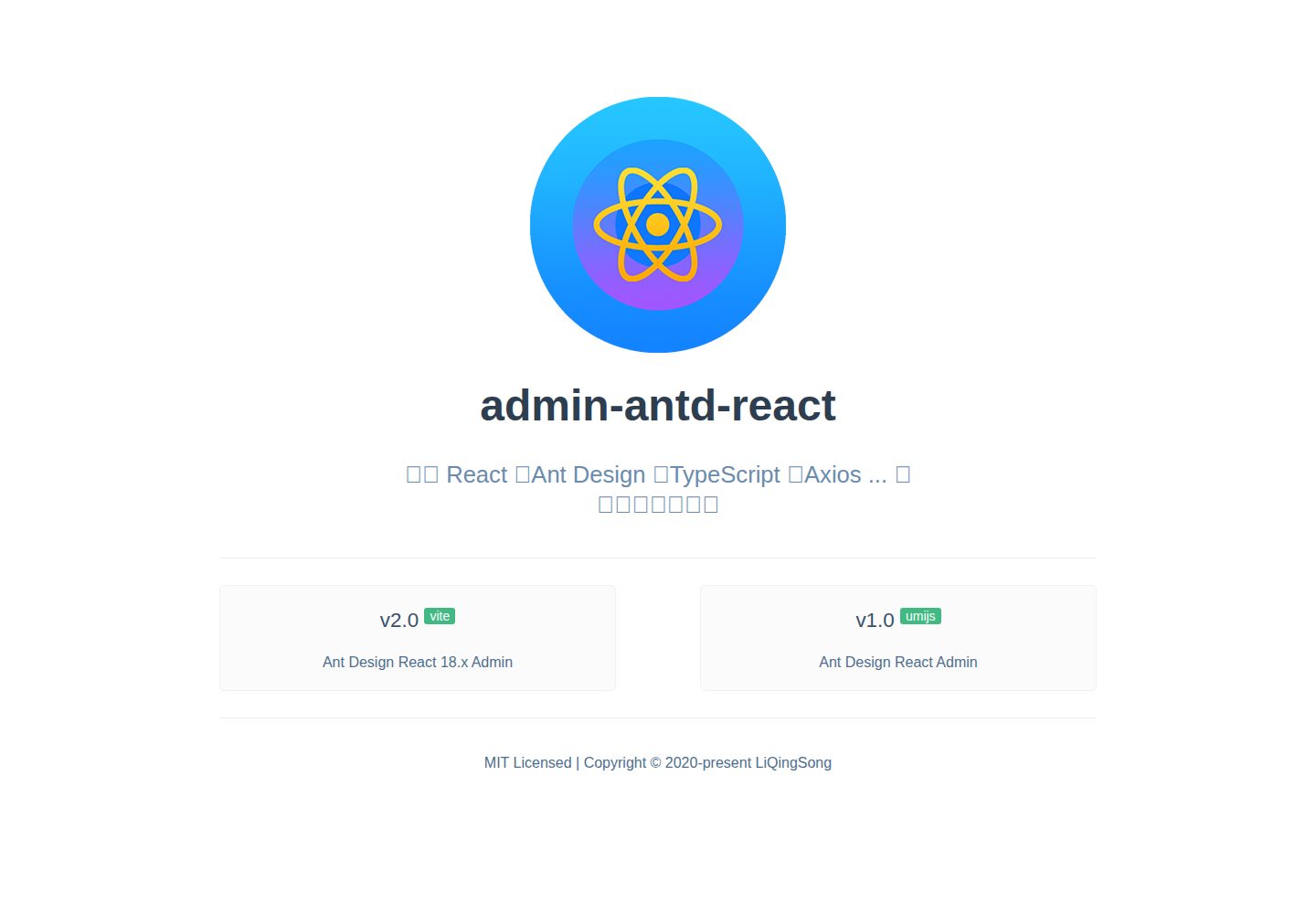
A Vite + React 18 admin template using Ant Design and Recoil, with login, logout, and registration flows; page, button, and permission configuration verification; internationalization; dynamic sidebar and breadcrumbs; Svg Sprite icons; Mock data; and list, form, and detail page examples.
Vite · Admin dashboard
arco-admin-template
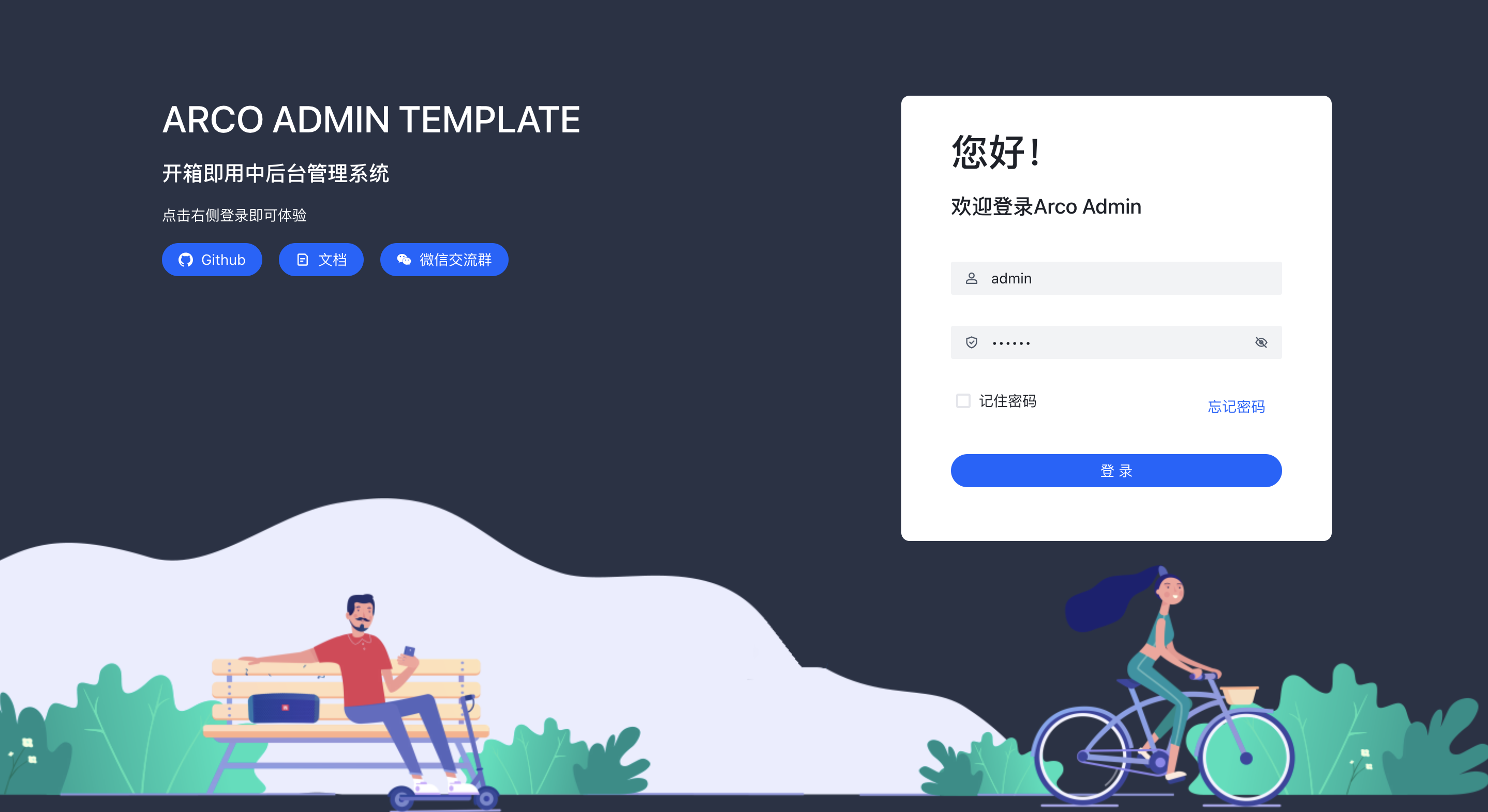
A Vite + React mid-to-back-office template using Arco Design, react-router-dom v6, mockjs, and less, with internationalization, theme customization, and light/dark switching. Includes login, dashboard, resource, component examples, settings, and 404 pages.
Vite · Admin dashboard
super-admin
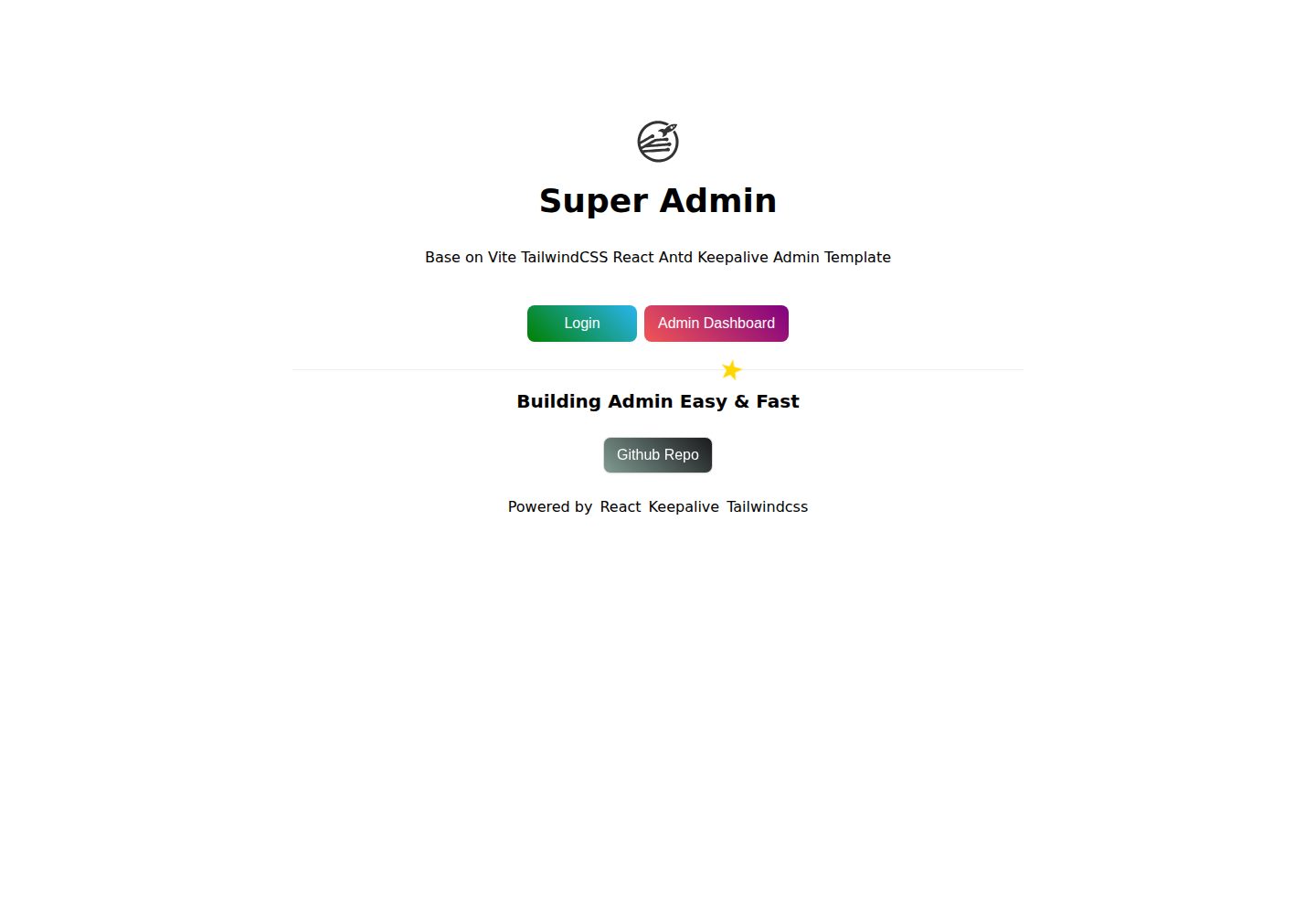
A React, Vite, and Antd admin template that implements multi-tab route caching similar to Vue keepalive and route-based permission control.
Vite · Admin dashboard
react-vite-tailwind-typescript-firebase-auth-template
A starter template for backend applications using Vite, React, TypeScript, TailwindCSS, and Firebase Auth, featuring login and dashboard interfaces. Requires your own Firebase project and credentials in .env; no backend logic included.
Vite · Admin dashboard