PulsePoint reactivity: implements reactive interactions on the browser side using APIs such as pp.state, pp.effect, and pp.ref.
ReactAdmin dashboard
create-prisma-php-app — React Admin dashboard Template
By TheSteelNinjaCode
Prisma PHP is a full-stack PHP framework offering PulsePoint reactivity, PHPX components, a Prisma-style ORM, and file-based routing, with projects created via npx create-prisma-php-app.
Explore the design
Compare the page layouts and mobile experience. Open any screenshot for a closer look.
Desktop homepage1 / 2
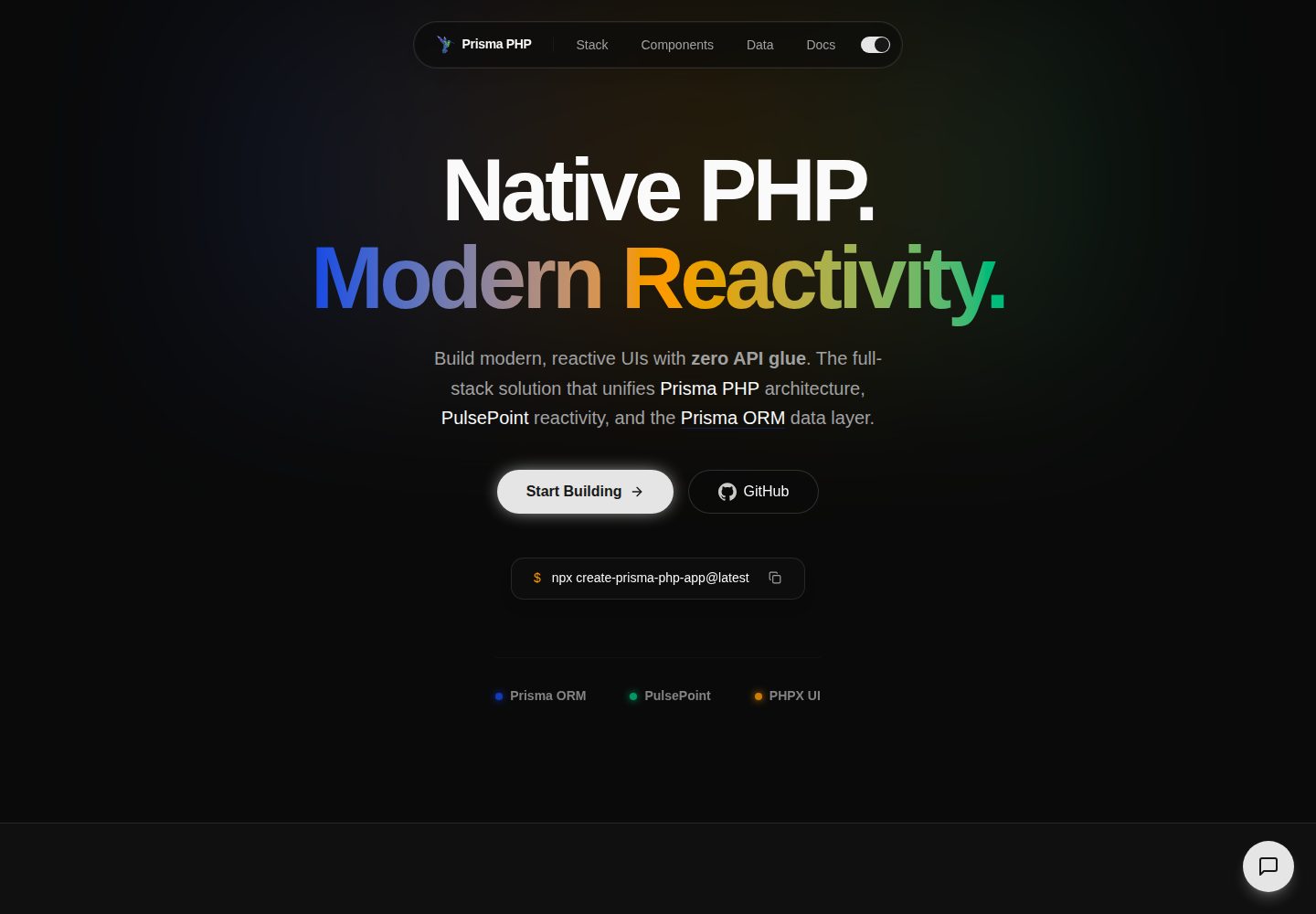
Desktop captureTop of page
Actual screenshot captured by the server browser.
All pages & views 2
Screenshots show visual appearance; interactive behavior may differ.
Recorded 2026-10-13View source
What stands out
A quick read of the recorded project description.
Frontend RPC: calls PHP functions marked with #[Exposed] via pp.rpc(...), supporting JSON input/output, SSE streaming responses, and HTTP status errors.
Named socket real-time communication: pp.socket(...) provides persistent bidirectional messaging, backed by a Ratchet-based socket server, including per-socket authentication, origin checks, and rate limiting.
Prisma PHP ORM: provides schema-first, type-safe database access, paired with schema.prisma and migrations.
File routing and special route files: conventions such as index.php, layout.php, route.php, loading.php, not-found.php, and error.php.
Built-in testing and CLI: the root tests/ directory uses PHPUnit and runs via npm run test; the CLI supports creating apps, starter kits, and optional features.
Template Details
Prisma PHP is a full-stack PHP framework that combines native PHP, PulsePoint reactivity, PHPX components, and a Prisma-style ORM. It creates projects via npx create-prisma-php-app@latest and starts the development server with npm run dev. The framework provides file-based routing, frontend RPC calls, named socket real-time communication, built-in authentication patterns, CSRF protection, a PHPUnit test suite, and CLI scaffolding. The prisma-php.json file in the project root is the sole basis for enabling features and configuring the local environment; the README cautions against assuming a feature is enabled unless that file confirms it. The README does not provide the framework's specific version number, performance data, or statements about production readiness.
ReactBackend
Is it right for your project?
Use Cases
- Creating a new full-stack PHP application, generating the project structure with npx create-prisma-php-app@latest my-app.
- Building interfaces with real-time features, such as chat, presence, or live feeds, using pp.socket and the Ratchet socket server.
- Implementing frontend-backend data interaction by calling #[Exposed] PHP functions via pp.rpc, with support for streaming responses and uploads.
- Adding authentication and authorization to an application using built-in sessions, route protection, RBAC, credential authentication, and provider login patterns.
- Writing and running application-level tests in the root tests/ directory using PHPUnit and executing them via npm run test.
Suitable For
- Full-stack developers familiar with PHP who want a modern reactive frontend model.
- PHP projects that need schema-first, type-safe database access.
- Applications that need integrated capabilities such as file routing, RPC, and real-time sockets.
- Teams using AI-assisted development and adhering to the constraints in AGENTS.md and prisma-php.json.
Getting started & customization
Use these recorded setup notes alongside the repository instructions for your chosen version.
- 1
Requires Node.js 22.x or higher, PHP 8.2 or higher, Composer 2.x or higher, and XAMPP or another local PHP environment.
- 2
When using XAMPP on Windows, it is recommended to enable extension=zip in php.ini so that Composer dependencies install correctly.
- 3
Create a project with npx create-prisma-php-app@latest my-app, then run npm run dev to start the development server.
- 4
The prisma-php.json file in the project root is the sole basis for enabling features and configuring the local environment; do not assume unconfirmed features are enabled.
- 5
The installed documentation is located at node_modules/prisma-php/dist/docs and should be the primary documentation source for the current project version.
License & source material
Usage conditions & limitations
Free to use · keep license noticeThis listing covers the free version under the MIT license in the public repository; the free scope is the code of that version and does not imply that external services or third-party assets are free.
Must comply with when using
- Free use, modification, commercial use, and distribution of that version's code are permitted.
- When distributing copies or substantial portions of the code, retain the original author's copyright notice and the full MIT license notice.
- The code is provided as is; warranties and limitations of liability are governed by the original license and applicable law.
Additional costs & items to verify
- Demo images, fonts, icons, and other third-party assets must be checked against their respective licenses and cannot be judged solely by the code's MIT license.
- External services such as domains, hosting, databases, payments, or AI may incur separate charges.
- Node.js 22.x or higher is required to create and run the project.
- PHP 8.2 or higher is required.
- Composer 2.x or higher is required.
- XAMPP or another local PHP environment is required.
- When using XAMPP on Windows, it is recommended to enable extension=zip in php.ini so that Composer dependencies install correctly.
- Do not assume a feature is enabled unless prisma-php.json confirms it.
View Original Text Basis
Permission is hereby granted, free of charge
Original License Text
- Node.js 22.x or higher
Original README
- PHP 8.2 or higher
Original README
- Composer 2.x or higher
Original README
- XAMPP or another local PHP environment
Original README
If you are using XAMPP on Windows, enabling `extension=zip` in `php.ini` is recommended so Composer dependencies install correctly.
Original README
https://github.com/TheSteelNinjaCode/create-prisma-php-app/blob/main/LICENSE.txthttps://github.com/TheSteelNinjaCode/create-prisma-php-app/blob/main/README.mdDo not assume a feature is enabled unless `prisma-php.json` confirms it.
Original README
Compiled by DeepSeek based on repository license and README ·2026-10-13. Results only cover the materials read; dependencies, images, fonts, and subsequent term changes are subject to their respective original texts.
Project checks & description sources
Template Information
- Source platforms
- GitHub
- Documentation and maintenance reference score
- More documented · 80 / 100
- Technologies
- React
- Website type
- Admin dashboard
How this score is calculated
Our heuristic uses license records (up to 30), a demo link (12), a preview (10), stars (15), recorded maintenance (15), description completeness (8), feature records (5) and classification data (5). It is not a code, security or performance test, or a Google score. A link does not establish tested functionality.
What to verify for this project
- Repository update recorded
- 2026-08-31
- Screenshot last checked
- 2026-10-13
A demo link is listed. Check it with your own content and viewport sizes; its presence does not confirm that forms, authentication or payments work.
The catalog identifies React as the primary stack. Check the actual dependency manifest and lockfile for versions and hosting requirements. These notes use recorded metadata, not a code audit or a deployment test.
Use a selection guide →How this description was prepared
AI-assisted description based on catalog records and repository material. Repository authors are not automatically the reviewers of this description.
Review declaration: codex-user-requested-batch-review-20261015 · 2026-10-15
Inspect the recorded source material
SHA-256: f8e03830c16a8e9e1a202e225db2d2ce66d799a73f5c30186d5299e888c65fa0
2026-10-13T22:37:04.384Z
Source file / repository# Prisma PHP Prisma PHP is a modern full-stack PHP framework that combines native PHP, PulsePoint reactivity, PHPX components, and a Prisma-inspired ORM into one cohesive developer experience. Build reactive interfaces with a server-first mental model, structured routing, type-safe data access, and a project layout designed for real applications. ## Getting Started Create a new Prisma PHP project: ```bash npx create-prisma-php-app@latest my-app ``` Start the development server: ```bash npm run dev ``` Open the local app in your browser after the dev server starts. ## Prerequisites Before creating a Prisma PHP project, make sure you have: - Node.js 22.x or higher - PHP 8.2 or higher - Composer 2.x or higher - XAMPP or another local PHP environment If you are using XAMPP on Windows, enabling `extension=zip` in `php.ini` is recommended so Composer dependencies install correctly. ## What Prisma PHP Includes Prisma PHP brings together the core pieces needed to build full-stack PHP apps: - **Native PHP + modern reactivity** with PulsePoint - **Direct RPC from the frontend** with `pp.rpc(...)` calling `#[Exposed]` PHP functions — JSON in, JSON out, SSE streaming when the function yields, and framework failures reported as real HTTP statuses - **Named sockets for realtime** with `pp.socket(...)` — long-lived bidirectional messaging (chat, presence, live feeds) served by a Ratchet-based socket server with per-socket auth, origin checks, and rate limits - **PHPX component system** for reusable UI composition - **Prisma PHP ORM** for schema-first, type-safe database access - **Built-in authentication patterns** for sessions, route protection, RBAC, credentials auth, and provider login - **Hardened request pipeline** with double-submit CSRF (`pp_csrf` cookie family), origin validation, content-type checks, and per-function rate limiting - **File-based routing** with clear route file conventions - **App-level test suite** with PHPUnit in a root `tests/` directory, run with `npm run test`, feature-aware via `prisma-php.json` - **CLI scaffolding** for new apps, starter kits, and optional features - **Flexible deployment options** for local development and production workflows ## Common Create Commands Create a default full-stack app: ```bash npx create-prisma-php-app@latest my-app ``` Create a project with common options: ```bash npx create-prisma-php-app@latest my-app --tailwindcss --typescript ``` Use a starter kit: ```bash npx create-prisma-php-app my-app --starter-kit=fullstack ``` Other documented flags may include capabilities such as WebSocket support, MCP support, backend-only mode, Swagger docs, and Prisma integration depending on the installed version. ## Documentation Prisma PHP ships with local documentation for the installed project version. The installed docs live here: ```txt node_modules/prisma-php/dist/docs ``` Treat these installed docs as the primary documentation source for the current project version. You can also explore the public docs site: ```txt https://prismaphp.tsnc.tech/ ``` ## AI Quick Start If you are using AI-assisted development in a Prisma PHP project: 1. Read `./prisma-php.json` first. 2. Read the installed docs in `node_modules/prisma-php/dist/docs`. 3. Read `AGENTS.md` for task-routing rules, framework constraints, and code-generation guidance. 4. Inspect `vendor/tsnc/prisma-php/src` only when the docs do not answer the task. ## Project Capability Manifest Prisma PHP uses `prisma-php.json` at the repository root as the source of truth for enabled framework features and local environment configuration. Use it to verify capabilities such as: - Tailwind CSS support - backend-only mode - Prisma ORM support - Swagger docs - WebSocket support - MCP support - TypeScript support - local development paths and BrowserSync settings Do not assume a feature is enabled unless `prisma-php.json` confirms it. ## Documentation Map Use these docs as the main entry points for common work: - `index.md` for the general documentation entry point - `project-structure.md` for project structure, route placement, and file conventions - `layouts-and-pages.md` for pages, layouts, nested routes, and dynamic routes - `components.md` for PHPX components, props, children, fragments, icons, buttons, and composition - `fetching-data.md` for `pp.rpc(...)`, `#[Exposed]`, streaming, and the RPC error contract - `websocket.md` for named sockets, `pp.socket(...)`, `SocketRegistry`, and the realtime wire contract - `bootstrap-runtime.md` for the runtime init order, PulsePoint wire headers, and the `pp_csrf` CSRF contract - `testing.md` for the root `tests/` directory, `npm run test`, and feature-gated tests - `prisma-php-orm.md` for Prisma ORM, `schema.prisma`, migrations, and generated PHP classes - `authentication.md` for auth strategy, sessions, RBAC, credentials auth, and provider flows - `file-manager.md` for uploads, `multipart/form-data`, `$_FILES`, and `PP\FileManager\UploadFile` - `route-handlers.md` for `route.php`, JSON responses, and direct server handlers - `error-handling.md` for expected errors, `error.php`, `not-found.php`, and validation failures - `caching.md` for cache behavior and `CacheHandler` - `metadata-and-og-images.md` for metadata, title, description, icons, and head behavior - `pulsepoint.md` for PulsePoint runtime usage and reactivity patterns - `upgrading.md` for feature enablement and project update workflows ## Recommended Development Approach When working in Prisma PHP: - prefer the installed Prisma PHP docs over assumptions from other frameworks - use `AGENTS.md` as the strict AI operating guide - inspect nearby project files before generating new framework-specific code - inspect framework internals only when the installed docs are not enough ## Route and File Conventions Prisma PHP uses file-based routing with special route files such as: - `index.php` for rendered UI routes - `layout.php` for shared UI wrappers - `route.php` for direct handlers such as JSON or API-style endpoints - `loading.php` for loading UI - `not-found.php` for route-level not-found UI - `error.php` for route-level or app-level error UI For task-specific route decision rules and framework generation rules, read `AGENTS.md`. ## PulsePoint and Frontend Reactivity Prisma PHP uses PulsePoint for browser-side reactivity and as the wire between the page and PHP. When working with runtime features such as: - `pp.state` - `pp.effect` - `pp.ref` - `pp.rpc` for frontend-to-PHP calls (with streaming, uploads, and redirects) - `pp.socket` for named-socket realtime messaging - `pp-for` - `pp-spread` - `pp-ref` read the installed Prisma PHP docs for the current version first, then consult: ```txt https://pulsepoint.tsnc.tech/llms ``` ## Project Structure A generated Prisma PHP project typically includes folders like these: ```text prisma-php-project/ ├── prisma/ # schema, migrations, seed files ├── public/ # public entry point and assets ├── settings/ # project configuration ├── src/ # application source code ├── tests/ # app-level PHPUnit tests (npm run test) ├── package.json # frontend/dev scripts ├── composer.json # PHP dependencies ├── phpunit.xml # test suite configuration └── prisma-php.json # Prisma PHP project capability manifest ``` ## Testing App tests live in the root `tests/` directory and run with: ```bash npm run test ``` The suite runs PHPUnit on the PHP binary configured in `prisma-php.json`, uses a deterministic test environment (the real `.env` is never loaded), and is feature-aware: tests for optional features such as WebSocket skip cleanly when the feature is disabled in `prisma-php.json`. Read `testing.md` in the installed docs and the project's `tests/README.md` for the full contract. ## Updating Existing Projects When enabling features or syncing framework-managed project files: 1. Update `prisma-php.json` first. 2. Read `upgrading.md` in the installed docs. 3. Run the documented project update workflow for the current version. ## Learn More Start with the installed docs for the current project version, use the topic-specific markdown guides for focused work, and rely on `AGENTS.md` when strict AI generation rules are needed.
Explore similar templates
Compare previews and descriptions within the same stack and category.
ant-design-pro
Ant Design Pro is an enterprise-grade React admin scaffold built on React 19, Umi Max 4, and antd 6 with TypeScript.
React · Admin dashboard

coreui-free-react-admin-template
CoreUI's free React admin template, built on React and the CoreUI component library, provides dashboard layouts, sidebar navigation, routing, and example views. It includes .cursorrules, ARCHITECTURE.md, and DEVELOPMENT.md context files, plus JSDoc comments and PropTypes, to support AI-assisted development.
React · Admin dashboard

fastapi-react
A Cookiecutter template for FastAPI + React (TypeScript) full-stack projects, integrating PostgreSQL, SQLAlchemy, Alembic, Celery, Redis, JWT authentication, a react-admin admin panel, and a Docker Compose development environment with Nginx reverse proxy.
React · Admin dashboard

react-antd-admin-template
A React + Ant Design admin template for mid- and back-office products, with built-in login/logout, dynamic routing, permission checks, and user management.
React · Admin dashboard

react-saas-template
A React and Material-UI template for SaaS or admin websites, offering dashboard, chart, blog, payment, and file upload components. It uses Create-React-App, React-Router, Recharts, React-Stripe-js, React-Dropzone, and React-Cropper, with theme colors centralized in src/theme.js.
React · Admin dashboard

react-material-admin
React Material Admin is an MIT-licensed React admin template by Flatlogic, built on Material-UI. It provides dashboards, charts, tables, authentication, profile, and notification pages, with three color themes and responsive layouts.
React · Admin dashboard