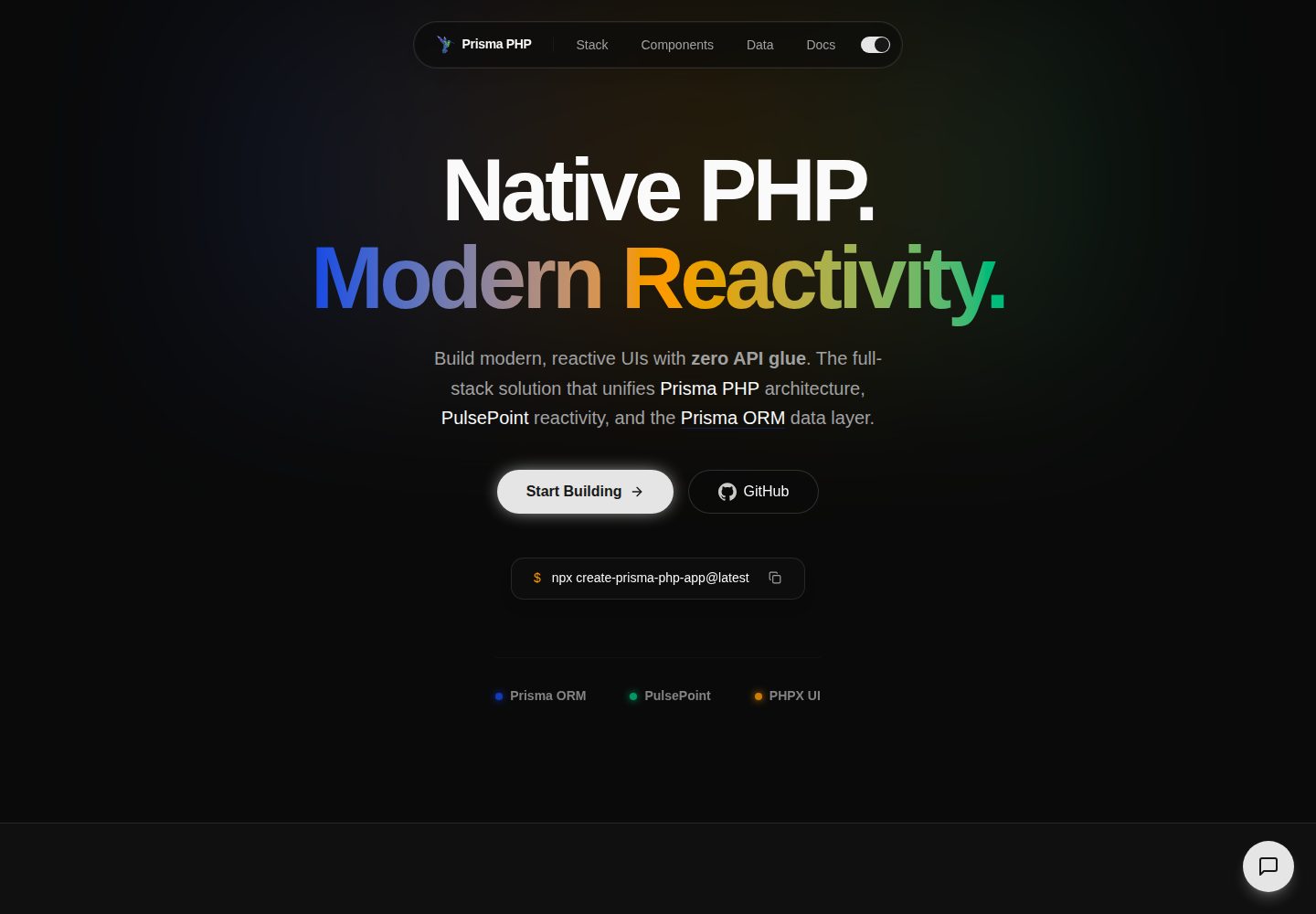
PulsePoint 响应式:使用 pp.state、pp.effect、pp.ref 等 API 在浏览器端实现响应式交互。
React后台
create-prisma-php-app — React 后台模板
作者 TheSteelNinjaCode
Prisma PHP 是一个全栈 PHP 框架,提供 PulsePoint 响应式、PHPX 组件、Prisma 风格 ORM 和文件路由,通过 npx create-prisma-php-app 创建项目。
看看你的网站会是什么样
浏览真实页面截图,比较内容排版与手机效果。点击下方缩略图切换,放大查看整页细节。
全部页面与视图 2
截图用于了解视觉与布局,交互效果请以实际项目为准。
采集于 2026-10-13查看来源
值得关注的模板亮点
从已有项目资料中,快速了解它的特点。
前端 RPC:通过 pp.rpc(...) 调用带 #[Exposed] 的 PHP 函数,支持 JSON 输入输出、SSE 流式响应和 HTTP 状态错误。
命名套接字实时通信:pp.socket(...) 提供长连接双向消息,由基于 Ratchet 的套接字服务器支持,含按套接字认证、来源检查和速率限制。
Prisma PHP ORM:提供 schema-first、类型安全的数据库访问,配合 schema.prisma 和迁移。
文件路由与特殊路由文件:index.php、layout.php、route.php、loading.php、not-found.php、error.php 等约定。
内置测试与 CLI:根目录 tests/ 使用 PHPUnit 并通过 npm run test 运行,CLI 支持创建应用、starter kit 和可选功能。
模板详细介绍
Prisma PHP 是一个全栈 PHP 框架,将原生 PHP、PulsePoint 响应式、PHPX 组件和 Prisma 风格 ORM 组合在一起。它通过 npx create-prisma-php-app@latest 创建项目,使用 npm run dev 启动开发服务器。框架提供基于文件的路由、前端 RPC 调用、命名套接字实时通信、内置认证模式、CSRF 防护、PHPUnit 测试套件和 CLI 脚手架。项目根目录的 prisma-php.json 是启用功能和本地环境配置的唯一依据,README 提醒不要假设某项功能已启用,除非该文件确认。README 未提供框架的具体版本号、性能数据或生产就绪程度的说明。
React后台
适合你的项目吗?
适用场景
- 创建新的全栈 PHP 应用,使用 npx create-prisma-php-app@latest my-app 生成项目结构。
- 构建带实时功能的界面,例如聊天、在线状态或实时信息流,使用 pp.socket 和 Ratchet 套接字服务器。
- 实现前后端数据交互,通过 pp.rpc 调用 #[Exposed] PHP 函数,支持流式响应和上传。
- 为应用添加认证与授权,使用内置的会话、路由保护、RBAC、凭据认证和提供方登录模式。
- 编写和运行应用级测试,在根 tests/ 目录使用 PHPUnit 并通过 npm run test 执行。
适合人群
- 熟悉 PHP 并希望使用现代响应式前端模型的全栈开发者。
- 需要 schema-first、类型安全数据库访问的 PHP 项目。
- 需要文件路由、RPC 和实时套接字等集成能力的应用。
- 使用 AI 辅助开发并遵循 AGENTS.md 和 prisma-php.json 约束的团队。
上手与定制指南
结合仓库当前版本的说明,按下面的资料检查内容、配置与运行要求。
- 1
需要 Node.js 22.x 或更高版本、PHP 8.2 或更高版本、Composer 2.x 或更高版本,以及 XAMPP 或其他本地 PHP 环境。
- 2
在 Windows 上使用 XAMPP 时,建议在 php.ini 中启用 extension=zip,以便 Composer 依赖正确安装。
- 3
使用 npx create-prisma-php-app@latest my-app 创建项目,然后运行 npm run dev 启动开发服务器。
- 4
项目根目录的 prisma-php.json 是启用功能和本地环境配置的唯一依据,不要假设未确认的功能已启用。
- 5
安装的文档位于 node_modules/prisma-php/dist/docs,应作为当前项目版本的主要文档来源。
授权与来源资料
使用条件与限制
免费使用 · 保留许可声明本次收录的是公开仓库中采用 MIT 许可的免费版本;免费范围为该版本代码,不代表外部服务或第三方素材免费。
使用时需要遵守
- 允许免费使用、修改、商用和分发该版本代码。
- 分发代码副本或实质性部分时,保留原作者版权声明和完整 MIT 许可声明。
- 代码按现状提供;担保与责任限制以原许可证及适用法律为准。
额外费用与待核对事项
- 演示图片、字体、图标及其他第三方素材需按各自许可核对,不能仅凭代码的 MIT 许可判断。
- 域名、托管、数据库、支付或 AI 等外部服务可能另外收费。
- 需要 Node.js 22.x 或更高版本才能创建和运行项目。
- 需要 PHP 8.2 或更高版本。
- 需要 Composer 2.x 或更高版本。
- 需要 XAMPP 或其他本地 PHP 环境。
- 在 Windows 上使用 XAMPP 时,建议在 php.ini 中启用 extension=zip,以便 Composer 依赖正确安装。
- 不要假设某项功能已启用,除非 prisma-php.json 确认。
查看原文依据
Permission is hereby granted, free of charge
许可证原文
- Node.js 22.x or higher
README 原文
- PHP 8.2 or higher
README 原文
- Composer 2.x or higher
README 原文
- XAMPP or another local PHP environment
README 原文
If you are using XAMPP on Windows, enabling `extension=zip` in `php.ini` is recommended so Composer dependencies install correctly.
README 原文
https://github.com/TheSteelNinjaCode/create-prisma-php-app/blob/main/LICENSE.txthttps://github.com/TheSteelNinjaCode/create-prisma-php-app/blob/main/README.mdDo not assume a feature is enabled unless `prisma-php.json` confirms it.
README 原文
DeepSeek 根据仓库许可证和 README 整理 ·2026-10-13。结果仅覆盖已读取资料,依赖、图片、字体及后续条款变更以各自原文为准。
项目核对记录与介绍依据
模板资料
- 来源平台
- GitHub
- 资料与维护参考分
- 资料较完整 · 80 / 100
- 技术栈
- React
- 网站类型
- 后台
这个分数如何计算
本站按许可资料(最高30分)、演示链接(12分)、预览图(10分)、Star数(15分)、记录的维护时间(15分)、描述完整度(8分)、功能记录(5分)和分类资料(5分)计算。它不是代码、安全或性能测试,也不是 Google 评分;有链接不代表已实测可用。
这个项目需要核对什么
- 记录的仓库更新时间
- 2026-08-31
- 截图检查日期
- 2026-10-13
已收录演示链接。请用你的内容与屏幕尺寸检查;有演示不代表表单、认证或支付已经可用。
目录记录的主要技术栈是 React。请通过依赖清单和锁文件核对实际版本与托管要求。这些说明基于收录资料,不代表代码审计或部署实测。
查看具体选型方法 →介绍的制作与核对状态
介绍由 AI 辅助整理目录与仓库资料。仓库作者不等于这篇介绍的审核者。
审核声明: codex-user-requested-batch-review-20261015 · 2026-10-15
查看当时使用的来源资料
SHA-256: f8e03830c16a8e9e1a202e225db2d2ce66d799a73f5c30186d5299e888c65fa0
2026-10-13T22:37:04.384Z
来源文件 / 仓库# Prisma PHP Prisma PHP is a modern full-stack PHP framework that combines native PHP, PulsePoint reactivity, PHPX components, and a Prisma-inspired ORM into one cohesive developer experience. Build reactive interfaces with a server-first mental model, structured routing, type-safe data access, and a project layout designed for real applications. ## Getting Started Create a new Prisma PHP project: ```bash npx create-prisma-php-app@latest my-app ``` Start the development server: ```bash npm run dev ``` Open the local app in your browser after the dev server starts. ## Prerequisites Before creating a Prisma PHP project, make sure you have: - Node.js 22.x or higher - PHP 8.2 or higher - Composer 2.x or higher - XAMPP or another local PHP environment If you are using XAMPP on Windows, enabling `extension=zip` in `php.ini` is recommended so Composer dependencies install correctly. ## What Prisma PHP Includes Prisma PHP brings together the core pieces needed to build full-stack PHP apps: - **Native PHP + modern reactivity** with PulsePoint - **Direct RPC from the frontend** with `pp.rpc(...)` calling `#[Exposed]` PHP functions — JSON in, JSON out, SSE streaming when the function yields, and framework failures reported as real HTTP statuses - **Named sockets for realtime** with `pp.socket(...)` — long-lived bidirectional messaging (chat, presence, live feeds) served by a Ratchet-based socket server with per-socket auth, origin checks, and rate limits - **PHPX component system** for reusable UI composition - **Prisma PHP ORM** for schema-first, type-safe database access - **Built-in authentication patterns** for sessions, route protection, RBAC, credentials auth, and provider login - **Hardened request pipeline** with double-submit CSRF (`pp_csrf` cookie family), origin validation, content-type checks, and per-function rate limiting - **File-based routing** with clear route file conventions - **App-level test suite** with PHPUnit in a root `tests/` directory, run with `npm run test`, feature-aware via `prisma-php.json` - **CLI scaffolding** for new apps, starter kits, and optional features - **Flexible deployment options** for local development and production workflows ## Common Create Commands Create a default full-stack app: ```bash npx create-prisma-php-app@latest my-app ``` Create a project with common options: ```bash npx create-prisma-php-app@latest my-app --tailwindcss --typescript ``` Use a starter kit: ```bash npx create-prisma-php-app my-app --starter-kit=fullstack ``` Other documented flags may include capabilities such as WebSocket support, MCP support, backend-only mode, Swagger docs, and Prisma integration depending on the installed version. ## Documentation Prisma PHP ships with local documentation for the installed project version. The installed docs live here: ```txt node_modules/prisma-php/dist/docs ``` Treat these installed docs as the primary documentation source for the current project version. You can also explore the public docs site: ```txt https://prismaphp.tsnc.tech/ ``` ## AI Quick Start If you are using AI-assisted development in a Prisma PHP project: 1. Read `./prisma-php.json` first. 2. Read the installed docs in `node_modules/prisma-php/dist/docs`. 3. Read `AGENTS.md` for task-routing rules, framework constraints, and code-generation guidance. 4. Inspect `vendor/tsnc/prisma-php/src` only when the docs do not answer the task. ## Project Capability Manifest Prisma PHP uses `prisma-php.json` at the repository root as the source of truth for enabled framework features and local environment configuration. Use it to verify capabilities such as: - Tailwind CSS support - backend-only mode - Prisma ORM support - Swagger docs - WebSocket support - MCP support - TypeScript support - local development paths and BrowserSync settings Do not assume a feature is enabled unless `prisma-php.json` confirms it. ## Documentation Map Use these docs as the main entry points for common work: - `index.md` for the general documentation entry point - `project-structure.md` for project structure, route placement, and file conventions - `layouts-and-pages.md` for pages, layouts, nested routes, and dynamic routes - `components.md` for PHPX components, props, children, fragments, icons, buttons, and composition - `fetching-data.md` for `pp.rpc(...)`, `#[Exposed]`, streaming, and the RPC error contract - `websocket.md` for named sockets, `pp.socket(...)`, `SocketRegistry`, and the realtime wire contract - `bootstrap-runtime.md` for the runtime init order, PulsePoint wire headers, and the `pp_csrf` CSRF contract - `testing.md` for the root `tests/` directory, `npm run test`, and feature-gated tests - `prisma-php-orm.md` for Prisma ORM, `schema.prisma`, migrations, and generated PHP classes - `authentication.md` for auth strategy, sessions, RBAC, credentials auth, and provider flows - `file-manager.md` for uploads, `multipart/form-data`, `$_FILES`, and `PP\FileManager\UploadFile` - `route-handlers.md` for `route.php`, JSON responses, and direct server handlers - `error-handling.md` for expected errors, `error.php`, `not-found.php`, and validation failures - `caching.md` for cache behavior and `CacheHandler` - `metadata-and-og-images.md` for metadata, title, description, icons, and head behavior - `pulsepoint.md` for PulsePoint runtime usage and reactivity patterns - `upgrading.md` for feature enablement and project update workflows ## Recommended Development Approach When working in Prisma PHP: - prefer the installed Prisma PHP docs over assumptions from other frameworks - use `AGENTS.md` as the strict AI operating guide - inspect nearby project files before generating new framework-specific code - inspect framework internals only when the installed docs are not enough ## Route and File Conventions Prisma PHP uses file-based routing with special route files such as: - `index.php` for rendered UI routes - `layout.php` for shared UI wrappers - `route.php` for direct handlers such as JSON or API-style endpoints - `loading.php` for loading UI - `not-found.php` for route-level not-found UI - `error.php` for route-level or app-level error UI For task-specific route decision rules and framework generation rules, read `AGENTS.md`. ## PulsePoint and Frontend Reactivity Prisma PHP uses PulsePoint for browser-side reactivity and as the wire between the page and PHP. When working with runtime features such as: - `pp.state` - `pp.effect` - `pp.ref` - `pp.rpc` for frontend-to-PHP calls (with streaming, uploads, and redirects) - `pp.socket` for named-socket realtime messaging - `pp-for` - `pp-spread` - `pp-ref` read the installed Prisma PHP docs for the current version first, then consult: ```txt https://pulsepoint.tsnc.tech/llms ``` ## Project Structure A generated Prisma PHP project typically includes folders like these: ```text prisma-php-project/ ├── prisma/ # schema, migrations, seed files ├── public/ # public entry point and assets ├── settings/ # project configuration ├── src/ # application source code ├── tests/ # app-level PHPUnit tests (npm run test) ├── package.json # frontend/dev scripts ├── composer.json # PHP dependencies ├── phpunit.xml # test suite configuration └── prisma-php.json # Prisma PHP project capability manifest ``` ## Testing App tests live in the root `tests/` directory and run with: ```bash npm run test ``` The suite runs PHPUnit on the PHP binary configured in `prisma-php.json`, uses a deterministic test environment (the real `.env` is never loaded), and is feature-aware: tests for optional features such as WebSocket skip cleanly when the feature is disabled in `prisma-php.json`. Read `testing.md` in the installed docs and the project's `tests/README.md` for the full contract. ## Updating Existing Projects When enabling features or syncing framework-managed project files: 1. Update `prisma-php.json` first. 2. Read `upgrading.md` in the installed docs. 3. Run the documented project update workflow for the current version. ## Learn More Start with the installed docs for the current project version, use the topic-specific markdown guides for focused work, and rely on `AGENTS.md` when strict AI generation rules are needed.
看看同类模板
对比同技术栈与用途的模板,找到更适合的视觉与内容结构。
ant-design-pro
Ant Design Pro 是 Ant Design 官方推出的企业级中后台前端脚手架,基于 React 19、Umi Max 4 和 antd 6 构建,内置 TypeScript 支持。
React · 后台

coreui-free-react-admin-template
Free React Admin & Dashboard Template Built for AI-Assisted Development
React · 后台

fastapi-react
fastapi-react 是一个基于 Cookiecutter 的模板,用于快速搭建 FastAPI 与 React(TypeScript)的全栈项目。
React · 后台

react-antd-admin-template
一个基于React+Antd的后台管理模版,在线预览https://nlrx-wjc.github.io/react-antd-admin-template/
React · 后台

react-saas-template
🌊 Template for building an SaaS / admin website using React + Material-UI
React · 后台

react-material-admin
☄️React Material Admin is a React template built with Material-UI
React · 后台