Articles are stored as .mdx files in the articles directory, supporting top-level and nested subdirectories, and are uniformly exposed as a flat list through the API
Next.jsReactBlog
nextjs-mdx-blog-template — Next.js Blog Template
By turbo-guacamole
An MDX blog template built on Next.js. Articles are stored as .mdx files in the articles directory, with API routes providing pagination, tags, and single-article endpoints. The frontend renders with react-markdown and highlights code with highlight.js.
Explore the design
Compare the page layouts and mobile experience. Open any screenshot for a closer look.
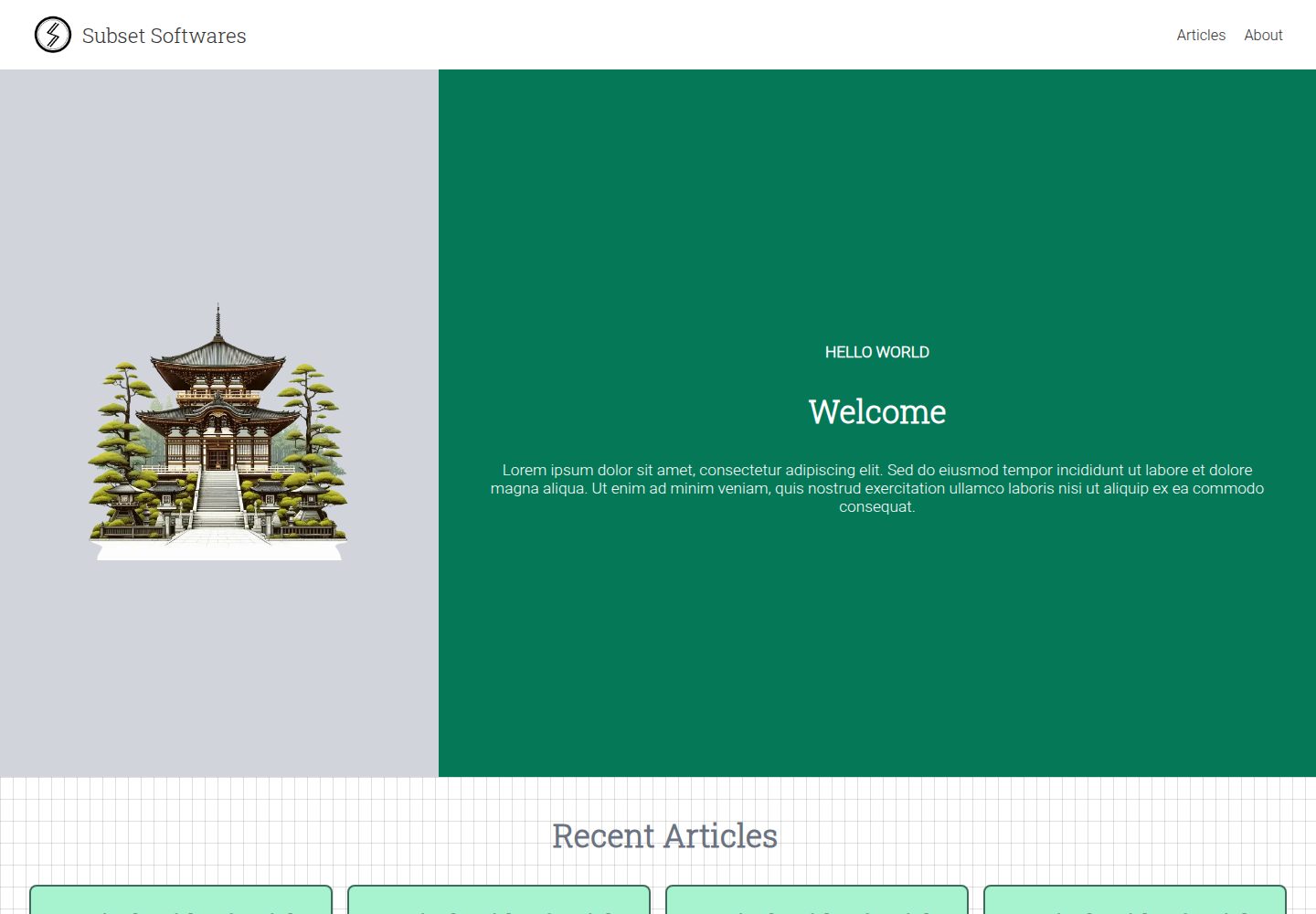
Desktop homepage1 / 3
Desktop captureTop of page
Actual screenshot captured by the server browser.
All pages & views 3
Screenshots show visual appearance; interactive behavior may differ.
Recorded 2026-10-13View source
What stands out
A quick read of the recorded project description.
Uses gray-matter to extract meta (title, summary, publishedDate, tags) from MDX
Provides API endpoints for paginated articles, recent articles, single article by slug, tag aggregation, popular tags, and paginated articles by tag
Article bodies are rendered with react-markdown, and code highlighting uses highlight.js
Includes a scripts/generate_mdx.js script that can batch-generate sample MDX files with a specified count and starting index
Template Details
This template is built with Next.js. Article source files are .mdx files in the articles directory, supporting both top-level files and nested storage in subdirectories such as by year. All articles are exposed as a flat list through API endpoints. The article data structure given in the README includes meta (title, summary, publishedDate, tags), content, and slug, where meta is parsed from the MDX file by gray-matter. API endpoints include: /api/articles returns articles with pagination; /api/articles/recent returns the most recent N articles, where N is controlled by the RECENT_ARTICLES_COUNT variable; /api/article/[slug] returns a single article by slug; /api/tags aggregates the unique tags of all articles and their occurrence counts; /api/tags/popular returns the top N tags, where N is controlled by TOP_TAGS_LIMIT; /api/tag/[tag] returns articles by tag with pagination. The article body renders the content field via react-markdown, and code highlighting uses highlight.js. The README does not describe the page routing structure, styling approach, deployment method, testing, or performance-related information. The repository is created with npx create-next-app@latest --ts, does not use Tailwind CSS, the src directory, or the App Router, and additionally installs gray-matter.
Next.jsBlog
Is it right for your project?
Use Cases
- Blog projects that need to use MDX files as the content source and read article lists and details through APIs
- Sites that want to browse articles by tag and obtain tag occurrence counts and popular tags
- Blogs that need to display article lists with pagination and display articles by tag with pagination
- Blogs that need to render code blocks in Markdown content and perform syntax highlighting
Suitable For
- Developers familiar with Next.js and TypeScript who want to manage blog content as files
- Projects that need to build their own blog frontend pages based on API routes
- Personal or team blogs that want to write articles in MDX and retain front matter metadata
Getting started & customization
Use these recorded setup notes alongside the repository instructions for your chosen version.
- 1
Create the project with npx create-next-app@latest --ts, select ESLint during creation, and do not use Tailwind CSS, the src directory, or the App Router
- 2
Install gray-matter to read metadata from MDX files: npm install gray-matter
- 3
Place articles in the articles directory; subdirectories can be nested, for example articles/2023/article-one.mdx or articles/top-level.mdx
- 4
You can use node ./scripts/generate_mdx.js <output_directory> <number_of_files> [starting_index] to generate sample MDX files
- 5
The number of recent articles is controlled by RECENT_ARTICLES_COUNT, and the number of popular tags is controlled by TOP_TAGS_LIMIT
License & source material
Usage conditions & limitations
Free to use · keep license noticeThis entry covers the free version under the MIT license in a public repository; the free scope is the code of this version and does not mean that external services or third-party assets are free.
Must comply with when using
- You are allowed to use, modify, commercially use, and distribute the code of this version for free.
- When distributing copies or substantial portions of the code, retain the original author's copyright notice and the complete MIT license notice.
- The code is provided as is; warranties and limitations of liability are governed by the original license and applicable law.
Additional costs & items to verify
- Demo images, fonts, icons, and other third-party assets must be checked against their respective licenses and cannot be judged solely by the code's MIT license.
- External services such as domains, hosting, databases, payments, or AI may incur additional charges.
View Original Text Basis
Compiled by DeepSeek based on repository license and README ·2026-10-13. Results only cover the materials read; dependencies, images, fonts, and subsequent term changes are subject to their respective original texts.
Project checks & description sources
Template Information
- Source platforms
- GitHub
- Documentation and maintenance reference score
- Partly documented · 65 / 100
- Technologies
- Next.js · React
- Website type
- Blog
How this score is calculated
Our heuristic uses license records (up to 30), a demo link (12), a preview (10), stars (15), recorded maintenance (15), description completeness (8), feature records (5) and classification data (5). It is not a code, security or performance test, or a Google score. A link does not establish tested functionality.
What to verify for this project
- Repository update recorded
- 2023-12-09
- Screenshot last checked
- 2026-10-13
A demo link is listed. Check it with your own content and viewport sizes; its presence does not confirm that forms, authentication or payments work.
The catalog identifies Next.js as the primary stack. Check the actual dependency manifest and lockfile for versions and hosting requirements. These notes use recorded metadata, not a code audit or a deployment test.
Use a selection guide →How this description was prepared
AI-assisted description based on catalog records and repository material. Repository authors are not automatically the reviewers of this description.
Review declaration: codex-user-requested-batch-review-20261015 · 2026-10-15
Inspect the recorded source material
SHA-256: a0140387bf7b68e667712b8dc28575691fa9c0f145130b8647ace4e7f2d67a66
2026-10-13T23:25:34.949Z
Source file / repository# NextJs MDX Blog Template
## Screenshots


## Getting Started
This project uses MDX pages within the `/articles` directory:
```
your-project
├── articles
│ └── 2023
│ └── article-one.mdx
│ └── 2023
│ └── article-two.mdx
│ └── top-level.mdx
└── package.json
```
All articles, top level or nested within sub-directories will be exposed as a flat list through **api endpoints**.
### Types
We extract params from the `mdx` file using `gray-matter` package and its exposed as `meta` object on the article data.
```ts
type Article = {
meta: {
title: string;
summary: string;
publishedDate: string;
tags: string;
};
content: string;
slug: string;
};
type ArticlesPageResult = {
articles: Article[];
page: number;
limit: number;
totalPages: number;
};
```
### /api/articles
The `/api/articles` endpoint returns articles based on pagination. So we get data in the form of `ArticlesPageResult`.
```ts
{
articles: Article[];
page: number;
limit: number;
totalPages: number;
};
```
### /api/articles/recent
This endpoint returns recent `N` articles where N is based on `RECENT_ARTICLES_COUNT` variable.
```ts
Array<{
meta: {
title: string;
summary: string;
publishedDate: string;
tags: string;
};
content: string;
slug: string;
}>;
```
### /api/article/[slug]
This endpoing returns the article based on the slug matching from the list of articles.
```ts
{
meta: {
title: string;
summary: string;
publishedDate: string;
tags: string;
}
content: string;
slug: string;
}
```
### /api/tags
This api looks for all the articles and collects the unique tags from them. While doing so we also capture the number of occurances. So the api returns the result in the following form.
```ts
Array<{ tag: string; count: number }>;
```
### /api/tags/popular
This api is an extension of `/api/tags` api and returns `N` tags where N is `TOP_TAGS_LIMIT`.
```ts
Array<{ tag: string; count: number }>;
```
### /api/tag/[tag]
This api returns all the articles which has a given tag. Since this is a pagination based api, the result of this api is similar to `/api/articles`.
```ts
{
articles: Article[];
page: number;
limit: number;
totalPages: number;
};
```
## Rendering of the articles
Each article is rendered using the `content` property from the `Article`.
```ts
{
meta: {
title: string;
summary: string;
publishedDate: string;
tags: string;
}
// This property is used for rendering
content: string;
slug: string;
}
```
### react-markdown package
We use the `react-markdown` package to render the markdown content.
```ts
import Markdown from "react-markdown";
<Markdown className="markdown-preview">{article.content}</Markdown>;
```
### highlight.js
We use `highlight.js` package to highlight the code within the markdown after its rendered.
```ts
import hljs from "highlight.js";
```
## How this repo was created
```sh
npx create-next-app@latest --ts
```
- What is your project named? `nextjs-mdx-blog-template`
- Would you like to use ESLint? `Yes`
- Would you like to use Tailwind CSS? `No`
- Would you like to use `src/` directory? `No`
- Would you like to use App Router? (recommended) `No`
- Would you like to customize the default import alias (@/\*)? `No`
To read meta data information from the mdx files, we use `gray-matter` npm package.
```sh
npm install gray-matter
```
## Generating dummy mdx files
Usage: `node ./scripts/generate_mdx.js <output_directory> <number_of_files> [starting_index]`
```sh
node ./scripts/generate_mdx.js articles/2023 100
node ./scripts/generate_mdx.js articles/2024 100 101
```
NOTE: Last argument is for number starting index.
Explore similar templates
Compare previews and descriptions within the same stack and category.

tailwind-nextjs-starter-blog
A Next.js and Tailwind CSS blog starter template using Contentlayer for Markdown/MDX, with built-in SEO, code highlighting, and tags. It targets personal technical blogs and migration from Jekyll/Hugo to React, and supports one-click Vercel deployment.
Next.js · Blog

Nextjs-tailwindcss-blog-template
A Next.js blog styled with Tailwind CSS. The current branch processes Markdown with Velite; the earlier Contentlayer setup is retained in a separate historical branch.
Next.js · Blog

Next-js-Blog-Boilerplate
A blog starter built on Next.js 12 and Tailwind CSS 3, integrating TypeScript, ESLint, Prettier, and PostCSS.
Next.js · Blog

nextjs-blog-theme
A Next.js 15 and Tailwind CSS 4.x blog starter by Netlify, designed by Bejamas, with MDX support, dark/light theme switching, and environment-variable configuration. It includes a visual setup wizard for deploying to Netlify and manages content via local .mdx files.
Next.js · Blog

blog
A personal blog forked from Timlrx's tailwind-nextjs-starter-blog, built with Next.js, React, and Tailwind CSS. Content is stored as Markdown/MDX under data/, with site, author, navigation, and project data in separate files.
Next.js · Blog

tailnext
Tailnext is a free, open-source template built on the Next.js 14 App Router and Tailwind CSS, created by the onWidget team.
Next.js · Blog