文章以 .mdx 文件存放在 articles 目录,支持顶层与嵌套子目录,统一以扁平列表通过 API 暴露
Next.jsReact博客
nextjs-mdx-blog-template — Next.js 博客模板
作者 turbo-guacamole
基于 Next.js 的 MDX 博客模板,文章以 .mdx 文件存放在 articles 目录,通过 API 路由提供分页、标签与单篇内容接口,前端用 react-markdown 渲染并用 highlight.js 高亮代码。
看看你的网站会是什么样
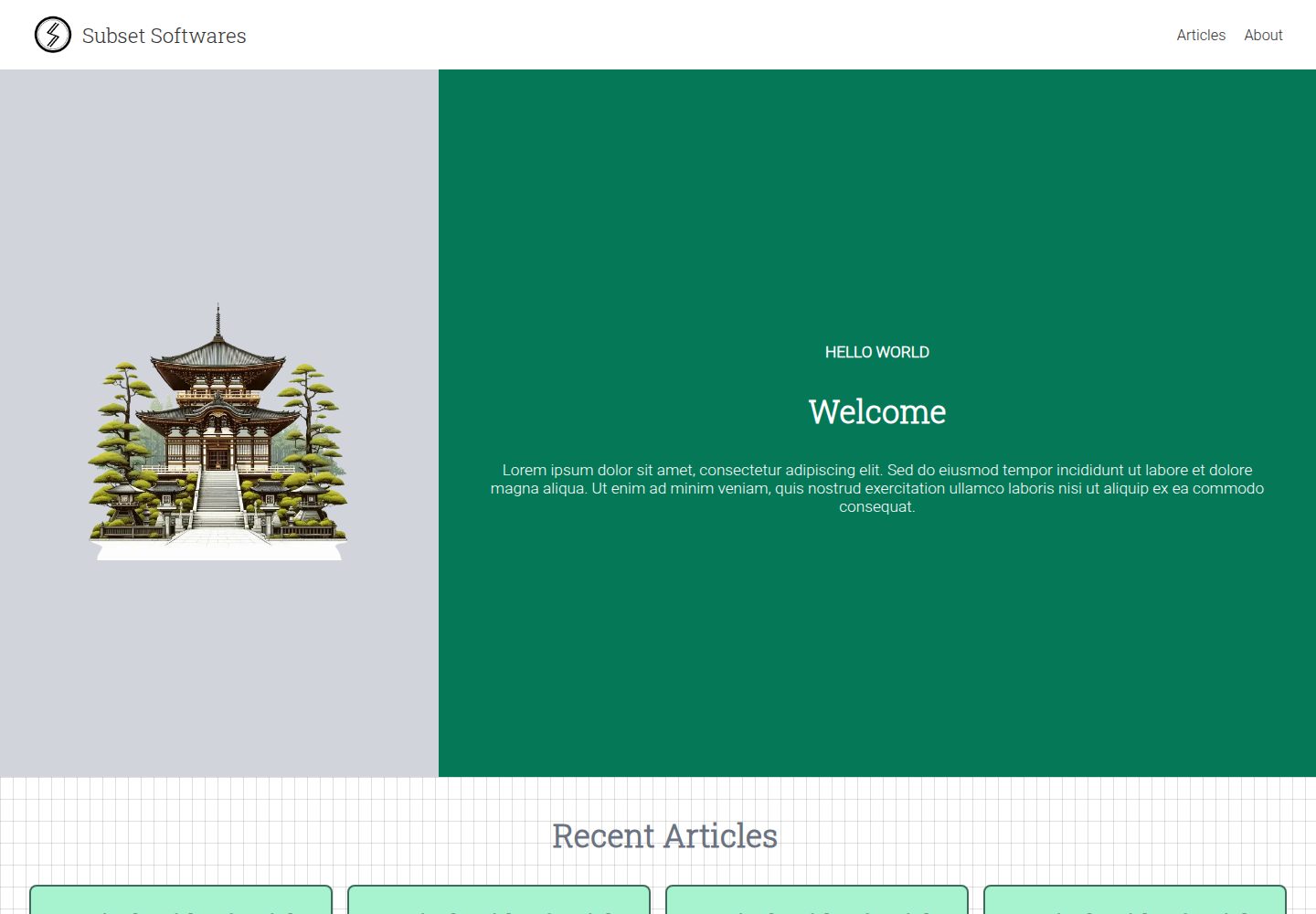
浏览真实页面截图,比较内容排版与手机效果。点击下方缩略图切换,放大查看整页细节。
全部页面与视图 3
截图用于了解视觉与布局,交互效果请以实际项目为准。
采集于 2026-10-13查看来源
值得关注的模板亮点
从已有项目资料中,快速了解它的特点。
使用 gray-matter 从 MDX 提取 meta(title、summary、publishedDate、tags)
提供分页文章、最近文章、单篇 slug、标签汇总、热门标签、按标签分页等 API 端点
文章正文使用 react-markdown 渲染,代码高亮使用 highlight.js
附带 scripts/generate_mdx.js 脚本,可批量生成指定数量与起始索引的示例 MDX 文件
模板详细介绍
该模板使用 Next.js 构建,文章源文件为 articles 目录下的 .mdx 文件,支持顶层文件与按年份等子目录嵌套存放,所有文章通过 API 端点以扁平列表形式暴露。README 给出的文章数据结构包含 meta(title、summary、publishedDate、tags)、content 和 slug,其中 meta 由 gray-matter 从 MDX 文件解析。API 端点包括:/api/articles 按分页返回文章;/api/articles/recent 返回最近 N 篇,N 由 RECENT_ARTICLES_COUNT 变量控制;/api/article/[slug] 按 slug 返回单篇;/api/tags 汇总所有文章的唯一标签及出现次数;/api/tags/popular 返回前 N 个标签,N 由 TOP_TAGS_LIMIT 控制;/api/tag/[tag] 按标签分页返回文章。文章正文通过 react-markdown 渲染 content 字段,代码高亮使用 highlight.js。README 未说明页面路由结构、样式方案、部署方式、测试或性能相关信息;仓库创建方式为 npx create-next-app@latest --ts,未使用 Tailwind CSS、src 目录和 App Router,并额外安装了 gray-matter。
Next.js博客
适合你的项目吗?
适用场景
- 需要以 MDX 文件作为内容源、通过 API 读取文章列表与详情的博客项目
- 希望按标签浏览文章并获取标签出现次数与热门标签的站点
- 需要分页展示文章列表与按标签分页展示文章的博客
- 需要在 Markdown 内容中渲染代码块并进行语法高亮的博客
适合人群
- 熟悉 Next.js 与 TypeScript、希望以文件方式管理博客内容的开发者
- 需要基于 API 路由自行搭建博客前端页面的项目
- 希望用 MDX 编写文章并保留 front matter 元数据的个人或团队博客
上手与定制指南
结合仓库当前版本的说明,按下面的资料检查内容、配置与运行要求。
- 1
使用 npx create-next-app@latest --ts 创建项目,创建时选择 ESLint,不使用 Tailwind CSS、src 目录和 App Router
- 2
安装 gray-matter 用于从 MDX 文件读取元数据:npm install gray-matter
- 3
文章放在 articles 目录,可嵌套子目录,例如 articles/2023/article-one.mdx 或 articles/top-level.mdx
- 4
可用 node ./scripts/generate_mdx.js <output_directory> <number_of_files> [starting_index] 生成示例 MDX 文件
- 5
最近文章数量由 RECENT_ARTICLES_COUNT 控制,热门标签数量由 TOP_TAGS_LIMIT 控制
授权与来源资料
使用条件与限制
免费使用 · 保留许可声明本次收录的是公开仓库中采用 MIT 许可的免费版本;免费范围为该版本代码,不代表外部服务或第三方素材免费。
使用时需要遵守
- 允许免费使用、修改、商用和分发该版本代码。
- 分发代码副本或实质性部分时,保留原作者版权声明和完整 MIT 许可声明。
- 代码按现状提供;担保与责任限制以原许可证及适用法律为准。
额外费用与待核对事项
- 演示图片、字体、图标及其他第三方素材需按各自许可核对,不能仅凭代码的 MIT 许可判断。
- 域名、托管、数据库、支付或 AI 等外部服务可能另外收费。
查看原文依据
https://github.com/turbo-guacamole/nextjs-mdx-blog-template/blob/main/LICENSE.txthttps://github.com/turbo-guacamole/nextjs-mdx-blog-template/blob/main/README.mdPermission is hereby granted, free of charge
许可证原文
DeepSeek 根据仓库许可证和 README 整理 ·2026-10-13。结果仅覆盖已读取资料,依赖、图片、字体及后续条款变更以各自原文为准。
项目核对记录与介绍依据
模板资料
- 来源平台
- GitHub
- 资料与维护参考分
- 资料一般 · 65 / 100
- 技术栈
- Next.js · React
- 网站类型
- 博客
这个分数如何计算
本站按许可资料(最高30分)、演示链接(12分)、预览图(10分)、Star数(15分)、记录的维护时间(15分)、描述完整度(8分)、功能记录(5分)和分类资料(5分)计算。它不是代码、安全或性能测试,也不是 Google 评分;有链接不代表已实测可用。
这个项目需要核对什么
- 记录的仓库更新时间
- 2023-12-09
- 截图检查日期
- 2026-10-13
已收录演示链接。请用你的内容与屏幕尺寸检查;有演示不代表表单、认证或支付已经可用。
目录记录的主要技术栈是 Next.js。请通过依赖清单和锁文件核对实际版本与托管要求。这些说明基于收录资料,不代表代码审计或部署实测。
查看具体选型方法 →介绍的制作与核对状态
介绍由 AI 辅助整理目录与仓库资料。仓库作者不等于这篇介绍的审核者。
审核声明: codex-user-requested-batch-review-20261015 · 2026-10-15
查看当时使用的来源资料
SHA-256: a0140387bf7b68e667712b8dc28575691fa9c0f145130b8647ace4e7f2d67a66
2026-10-13T23:25:34.949Z
来源文件 / 仓库# NextJs MDX Blog Template
## Screenshots


## Getting Started
This project uses MDX pages within the `/articles` directory:
```
your-project
├── articles
│ └── 2023
│ └── article-one.mdx
│ └── 2023
│ └── article-two.mdx
│ └── top-level.mdx
└── package.json
```
All articles, top level or nested within sub-directories will be exposed as a flat list through **api endpoints**.
### Types
We extract params from the `mdx` file using `gray-matter` package and its exposed as `meta` object on the article data.
```ts
type Article = {
meta: {
title: string;
summary: string;
publishedDate: string;
tags: string;
};
content: string;
slug: string;
};
type ArticlesPageResult = {
articles: Article[];
page: number;
limit: number;
totalPages: number;
};
```
### /api/articles
The `/api/articles` endpoint returns articles based on pagination. So we get data in the form of `ArticlesPageResult`.
```ts
{
articles: Article[];
page: number;
limit: number;
totalPages: number;
};
```
### /api/articles/recent
This endpoint returns recent `N` articles where N is based on `RECENT_ARTICLES_COUNT` variable.
```ts
Array<{
meta: {
title: string;
summary: string;
publishedDate: string;
tags: string;
};
content: string;
slug: string;
}>;
```
### /api/article/[slug]
This endpoing returns the article based on the slug matching from the list of articles.
```ts
{
meta: {
title: string;
summary: string;
publishedDate: string;
tags: string;
}
content: string;
slug: string;
}
```
### /api/tags
This api looks for all the articles and collects the unique tags from them. While doing so we also capture the number of occurances. So the api returns the result in the following form.
```ts
Array<{ tag: string; count: number }>;
```
### /api/tags/popular
This api is an extension of `/api/tags` api and returns `N` tags where N is `TOP_TAGS_LIMIT`.
```ts
Array<{ tag: string; count: number }>;
```
### /api/tag/[tag]
This api returns all the articles which has a given tag. Since this is a pagination based api, the result of this api is similar to `/api/articles`.
```ts
{
articles: Article[];
page: number;
limit: number;
totalPages: number;
};
```
## Rendering of the articles
Each article is rendered using the `content` property from the `Article`.
```ts
{
meta: {
title: string;
summary: string;
publishedDate: string;
tags: string;
}
// This property is used for rendering
content: string;
slug: string;
}
```
### react-markdown package
We use the `react-markdown` package to render the markdown content.
```ts
import Markdown from "react-markdown";
<Markdown className="markdown-preview">{article.content}</Markdown>;
```
### highlight.js
We use `highlight.js` package to highlight the code within the markdown after its rendered.
```ts
import hljs from "highlight.js";
```
## How this repo was created
```sh
npx create-next-app@latest --ts
```
- What is your project named? `nextjs-mdx-blog-template`
- Would you like to use ESLint? `Yes`
- Would you like to use Tailwind CSS? `No`
- Would you like to use `src/` directory? `No`
- Would you like to use App Router? (recommended) `No`
- Would you like to customize the default import alias (@/\*)? `No`
To read meta data information from the mdx files, we use `gray-matter` npm package.
```sh
npm install gray-matter
```
## Generating dummy mdx files
Usage: `node ./scripts/generate_mdx.js <output_directory> <number_of_files> [starting_index]`
```sh
node ./scripts/generate_mdx.js articles/2023 100
node ./scripts/generate_mdx.js articles/2024 100 101
```
NOTE: Last argument is for number starting index.
看看同类模板
对比同技术栈与用途的模板,找到更适合的视觉与内容结构。

tailwind-nextjs-starter-blog
tailwind-nextjs-starter-blog 是一个面向个人技术博客的 Next.js 与 Tailwind CSS 启动模板,其 v2 版本基于 App Router 与 React Server Comp…
Next.js · 博客

Nextjs-tailwindcss-blog-template
使用 Tailwind CSS 的 Next.js 博客。当前分支通过 Velite 处理 Markdown,早期 Contentlayer 实现保留在单独的历史分支中。
Next.js · 博客

Next-js-Blog-Boilerplate
Next-js-Blog-Boilerplate 是一套面向个人与技术博客的启动代码,基于 Next.js 12 与 Tailwind CSS 3 构建,同时集成了 TypeScript、ESLint、Prettier …
Next.js · 博客

nextjs-blog-theme
nextjs-blog-theme 是 Netlify 团队维护的一个博客启动模板,基于 Next.js 15(Pages Router)和 Tailwind CSS 4.x 构建,设计由 Bejamas 机构完成。
Next.js · 博客

blog
🚀 My personal blog made with Tailwind CSS and NextJS. Template from Timlrx. Feel free to fork, follow and use…
Next.js · 博客

tailnext
Tailnext 是一个基于 Next.js 14 App Router 和 Tailwind CSS 的免费开源模板,由 onWidget 团队创建并维护。
Next.js · 博客