Uses the OpenID Connect Authorization Code flow, with PKCE S256 for browser clients and no client secret
LaravelStarter
laravel-oidc-auth-starter — Laravel Starter Template
By Tuurio
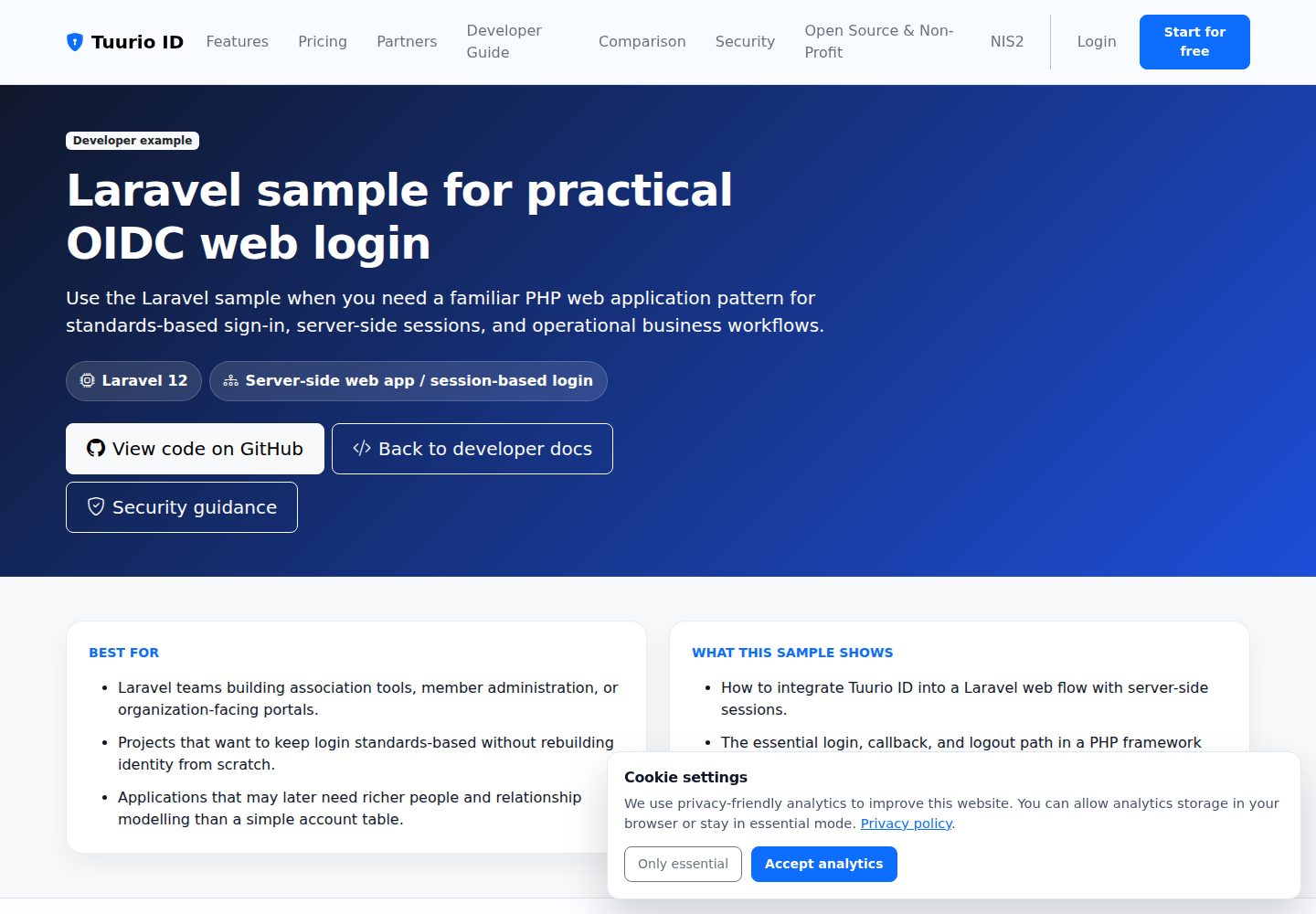
A Laravel-based Tuurio ID authentication sample project demonstrating the OpenID Connect Authorization Code flow, session login, protected routes, logout, and webhook reception.
Explore the design
Compare the page layouts and mobile experience. Open any screenshot for a closer look.
Desktop homepage1 / 3
Desktop captureTop of page
Actual screenshot captured by the server browser.
All pages & views 3
Screenshots show visual appearance; interactive behavior may differ.
Recorded 2026-10-14View source
What stands out
A quick read of the recorded project description.
Provides complete login and logout examples via /login, /auth/callback, /logout, and /logout/callback
Tokens are stored in the Laravel session and UserInfo is rendered
Provides a POST /webhooks/tuurio endpoint that validates the configured API key request header before logging events
Requires PHP 8.2+ and Composer; the README states that no Node.js or Vite build step is needed
Generated by syncing from the upstream Tuurio/auth_samples sample; fixes should be submitted upstream
Template Details
This is a Laravel authentication starter template for integrating Tuurio ID OpenID Connect login. The README states that it uses the Authorization Code flow, with PKCE S256 for browser and native clients and no client secret, and that redirect and post-logout redirect URIs must match exactly. The sample includes /login to initiate authorization, /auth/callback to exchange the authorization code and store tokens in the Laravel session, /logout to call the provider logout endpoint, /logout/callback to confirm the local session has been cleared, and POST /webhooks/tuurio to validate the API key request header and log events.
The runtime requires PHP 8.2+, uses Composer for dependency management, and the README explicitly states that no Node.js or Vite build step is needed. Verification commands are composer install, copying .env.example, generating the application key, and running php artisan test. The project is generated by syncing the Laravel sample from upstream Tuurio/auth_samples, and the README recommends submitting implementation fixes upstream to avoid being overwritten by the next sync.
The README does not provide information on production deployment, performance, concurrency handling, or integrations other than Tuurio ID; the webhook section only states that events are written to storage/logs/laravel.log and notes that after deployment, TUURIO_WEBHOOK_URL and TUURIO_WEBHOOK_LISTEN_PATH must be kept consistent with the actual routes.
LaravelStarter
Is it right for your project?
Use Cases
- Integrating Tuurio ID OIDC login and session management into a Laravel project
- Referencing implementations of protected routes and RP-initiated logout
- Building a server-side endpoint that receives Tuurio webhooks and validates the API key request header
- Using as Laravel sample code for learning the Authorization Code + PKCE flow
Suitable For
- Developers using Laravel who want to integrate Tuurio ID authentication
- Teams needing reference examples for OIDC login, logout, and webhook validation
- Projects that already have a PHP 8.2+ and Composer environment
Getting started & customization
Use these recorded setup notes alongside the repository instructions for your chosen version.
- 1
The quick start command provided in the README is npx [email protected] init --framework laravel --project-dir . --auth browser --yes --output json --campaign github_laravel --no-open --no-wait; review it yourself before running
- 2
Local run: copy .env.example to .env, run composer install, run php artisan key:generate, then start with php artisan serve --host=127.0.0.1 --port=8000
- 3
In the Tuurio client, configure Redirect URI http://localhost:8000/auth/callback and Post-logout Redirect URI http://localhost:8000/logout/callback
- 4
Fill in .env keys such as TUURIO_ISSUER, TUURIO_CLIENT_ID, TUURIO_REDIRECT_URI, and TUURIO_SCOPE as described in the README; webhook-related keys must match the tenant configuration
- 5
Do not paste credentials, client secrets, authorization codes, tokens, or session cookies into conversations; browser and native apps are public clients and should not include a client secret
License & source material
Usage conditions & limitations
Free to use · keep license noticeThis entry covers the free version of the public repository under the Apache-2.0 license; the free scope is the code of that version and does not mean external services or third-party assets are free.
Must comply with when using
- Free use, modification, commercial use, and distribution are permitted; when distributing, include the Apache-2.0 license.
- Modified files must prominently indicate changes and retain relevant copyright, patent, trademark, and attribution notices.
- If the original project includes a NOTICE file, applicable attribution notices in it must be retained when distributing derivative works.
- The license includes an applicable contributor patent grant; initiating patent litigation as described in the license terminates that patent grant, and no trademark rights are granted.
- The code is provided as-is; warranties and limitations of liability are governed by the original license and applicable law.
Additional costs & items to verify
- Demo images, fonts, icons, and other third-party assets must be checked against their respective licenses; they cannot be judged solely by the code's Apache-2.0 license.
- External services such as domains, hosting, databases, payments, or AI may incur separate charges.
- This template is generated by syncing the Laravel sample from upstream Tuurio/auth_samples; the README recommends submitting implementation fixes upstream, otherwise they may be overwritten by the next sync release.
- The quick start depends on running the Tuurio configuration command npx [email protected]; you must review and approve that command yourself.
- You must complete a secure browser handoff flow yourself to finish Tuurio ID configuration.
- Do not paste credentials, client secrets, authorization codes, tokens, session cookies, or environment file contents into conversations; browser and native apps are public clients and should not include a client secret.
- A Tuurio ID tenant issuer URL (TUURIO_ISSUER) is required to run the authentication flow.
- The Tuurio client secret TUURIO_CLIENT_SECRET must be filled in .env.
- The webhook endpoint requires TUURIO_WEBHOOK_API_KEY to be configured in order to pass request header validation.
- If the configuration flow generates a live webhook, .env will contain endpoint metadata that must be kept consistent with the tenant configuration.
- If configured before deployment with only a placeholder domain, update the webhook endpoint in the Tuurio admin console once the final URL is determined.
- Do not expose the webhook route without validating the configured API key request header; ensure TUURIO_WEBHOOK_API_KEY_HEADER and TUURIO_WEBHOOK_API_KEY match the tenant configuration.
View Original Text Basis
no-charge, royalty-free, irrevocable copyright license
Original License Text
> Generated from [`Tuurio/auth_samples/auth_samples_laravel`](https://github.com/Tuurio/auth_samples/tree/main/auth_samples_laravel). Submit implementation fixes upstream so they are not replaced by the next synchronized release.
Original README
npx [email protected] init --framework laravel --project-dir . --auth browser --yes --output json --campaign github_laravel --no-open --no-wait
Original README
4. Approve the exact command, then complete the secure browser handoff yourself.
Original README
Never paste credentials, client secrets, authorization codes, tokens, session cookies, or environment-file contents into an agent chat. Browser and native applications are public clients and must not contain a client secret.
Original README
TUURIO_ISSUER=https://<tenantId>.id.tuurio.com
Original README
TUURIO_CLIENT_SECRET=YOUR_CLIENT_SECRET
Original README
TUURIO_WEBHOOK_API_KEY=
Original README
- If provisioning generated a live webhook for you, the `.env` already contains the endpoint metadata
Original README
- If you provisioned the sample before deployment and only had a placeholder domain, update the webhook endpoint in the Tuurio admin after the final URL is known.
Original README
https://github.com/Tuurio/laravel-oidc-auth-starter/blob/main/LICENSEhttps://github.com/Tuurio/laravel-oidc-auth-starter/blob/main/README.md- Do not expose the webhook route without checking the configured API key header. This sample expects `TUURIO_WEBHOOK_API_KEY_HEADER` and `TUURIO_WEBHOOK_API_KEY` to be set consistently with the tenant webhook configuration.
Original README
Compiled by DeepSeek based on repository license and README ·2026-10-14. Results only cover the materials read; dependencies, images, fonts, and subsequent term changes are subject to their respective original texts.
Project checks & description sources
Template Information
- Source platforms
- GitHub
- Documentation and maintenance reference score
- More documented · 80 / 100
- Technologies
- Laravel
- Website type
- Starter
How this score is calculated
Our heuristic uses license records (up to 30), a demo link (12), a preview (10), stars (15), recorded maintenance (15), description completeness (8), feature records (5) and classification data (5). It is not a code, security or performance test, or a Google score. A link does not establish tested functionality.
What to verify for this project
- Repository update recorded
- 2026-08-08
- Screenshot last checked
- 2026-10-14
A demo link is listed. Check it with your own content and viewport sizes; its presence does not confirm that forms, authentication or payments work.
The catalog identifies Laravel as the primary stack. Check the actual dependency manifest and lockfile for versions and hosting requirements. These notes use recorded metadata, not a code audit or a deployment test.
Use a selection guide →How this description was prepared
AI-assisted description based on catalog records and repository material. Repository authors are not automatically the reviewers of this description.
Review declaration: codex-user-requested-batch-review-20261017 · 2026-10-16
Inspect the recorded source material
SHA-256: 48eb959b6e7ca49d8d4dc3c5f5734e11dd99893e0e27d293e677af5ad80e373b
2026-10-14T05:04:59.785Z
Source file / repository# Laravel OIDC Auth Starter Laravel authentication starter for Tuurio ID with sessions, protected routes, logout, and OpenID Connect Authorization Code flow. [](https://github.com/Tuurio/laravel-oidc-auth-starter/actions/workflows/verify.yml)  > Generated from [`Tuurio/auth_samples/auth_samples_laravel`](https://github.com/Tuurio/auth_samples/tree/main/auth_samples_laravel). Submit implementation fixes upstream so they are not replaced by the next synchronized release. ## What you get - Standards-based OpenID Connect authentication with framework-native integration. - Exact redirect and post-logout redirect handling. - Protected-route and logout examples. - A reviewed, pinned Tuurio provisioning workflow. ## Quickstart 1. Create a repository with **Use this template** or clone this repository. 2. Follow the framework-specific prerequisites below. 3. Review and run this pinned provisioning command: ```bash npx [email protected] init --framework laravel --project-dir . --auth browser --yes --output json --campaign github_laravel --no-open --no-wait ``` 4. Approve the exact command, then complete the secure browser handoff yourself. 5. Run the build and verify one real sign-in and sign-out. Never paste credentials, client secrets, authorization codes, tokens, session cookies, or environment-file contents into an agent chat. Browser and native applications are public clients and must not contain a client secret. ## Runtime and verification - Runtime: PHP 8.2+ - Package manager: Composer - Verification: `composer install --no-interaction && cp .env.example .env && php artisan key:generate && php artisan test` ## Security model This starter uses OpenID Connect Authorization Code flow. Browser and native clients use PKCE S256 and contain no client secret. Redirect and post-logout redirect URIs must match exactly. Identity comes from the established OIDC integration or an authenticated UserInfo request; decoded JWT payloads are never treated as validation. Keep generated local environment files ignored and never commit tokens or credentials. ## Framework instructions # Tuurio Auth Laravel Demo A server-rendered Laravel sample that signs in with OIDC, keeps tokens in the Laravel session, renders UserInfo, supports RP-initiated logout, and exposes a webhook endpoint with API key header validation. ## Integration guide - Detailed integration guide: [Laravel example page](https://id.tuurio.com/public/developers/examples/laravel) - General developer docs: [Tuurio ID developers](https://id.tuurio.com/public/developers) ## Setup ```bash cd auth_samples_laravel cp .env.example .env composer install php artisan key:generate php artisan serve --host=127.0.0.1 --port=8000 ``` Open `http://localhost:8000`. No Node.js or Vite build step is required. ## Required client URLs Configure your Tuurio client with these redirect URLs: ```text Redirect URI: http://localhost:8000/auth/callback Post-logout Redirect URI: http://localhost:8000/logout/callback ``` ## `.env` keys ```env TUURIO_ISSUER=https://<tenantId>.id.tuurio.com TUURIO_CLIENT_ID=laravel-demo TUURIO_CLIENT_SECRET=YOUR_CLIENT_SECRET TUURIO_REDIRECT_URI=http://localhost:8000/auth/callback TUURIO_POST_LOGOUT_REDIRECT_URI=http://localhost:8000/logout/callback TUURIO_SCOPE=openid profile email TUURIO_WEBHOOK_ID= TUURIO_WEBHOOK_URL= TUURIO_WEBHOOK_EDIT_URL= TUURIO_WEBHOOK_SIGNING_SECRET= TUURIO_WEBHOOK_LISTEN_PATH=/webhooks/tuurio TUURIO_WEBHOOK_API_KEY_HEADER=X-Tuurio-Webhook-Key TUURIO_WEBHOOK_API_KEY= ``` ## What is included - `/login` starts Authorization Code + PKCE - `/auth/callback` exchanges the code and stores tokens in the Laravel session - `/logout` calls the provider logout endpoint with `client_id + post_logout_redirect_uri` - `/logout/callback` confirms the local session is gone - `POST /webhooks/tuurio` validates the configured API key header and logs incoming events ## Webhook notes - Incoming webhook payloads are logged to `storage/logs/laravel.log` - The sample validates the configured API key header before accepting the event - If provisioning generated a live webhook for you, the `.env` already contains the endpoint metadata ## Webhook deployment notes - If your deployed app already has a stable public URL, set `TUURIO_WEBHOOK_URL` to that final endpoint and keep `TUURIO_WEBHOOK_LISTEN_PATH` aligned with your Laravel route. - If you provisioned the sample before deployment and only had a placeholder domain, update the webhook endpoint in the Tuurio admin after the final URL is known. - Keep `TUURIO_WEBHOOK_EDIT_URL` if provisioning filled it in. It points back to the webhook configuration you may need to adjust later. - Do not expose the webhook route without checking the configured API key header. This sample expects `TUURIO_WEBHOOK_API_KEY_HEADER` and `TUURIO_WEBHOOK_API_KEY` to be set consistently with the tenant webhook configuration. ## License Licensed under the Apache License, Version 2.0. See [`LICENSE`](./LICENSE).
Explore similar templates
Compare previews and descriptions within the same stack and category.

sage
Sage is a WordPress starter theme maintained by Roots, using Laravel Blade components and templates, Vite builds, Tailwind CSS, and built-in block editor support.
Laravel · Starter

wave
Wave is an open-source SaaS starter kit built on Laravel and released under the MIT license.
Laravel · SaaS

filament-starter
A Laravel TALL stack starter template maintained by Log1x, with a preconfigured Filament admin panel and plugins including Curator, Gravatar, Exceptions, Jobs Monitor, Breezy, Peek, and Logger.
Laravel · Starter

electrik
Electrik is a Laravel SaaS starter kit installed as a Composer package, with authentication, teams, Stripe subscription billing, and the Slate 3 interface under the Electrik\ namespace rather than copied into App\.
Laravel · SaaS

php-saas
php-saas is a Laravel-based SaaS starter positioned as an everything-included kit. It generates new projects via a global Composer command and includes authentication with two-factor, API tokens, Stripe and Paddle billing, and project, team, and organization management.
Laravel · SaaS

filament-jetstream
A Laravel starter kit that implements Jetstream-like authentication and account features using Filament's native panels and components. It includes login, registration, two-factor authentication, session management, user profiles, and optional teams and API tokens.
Laravel · Starter