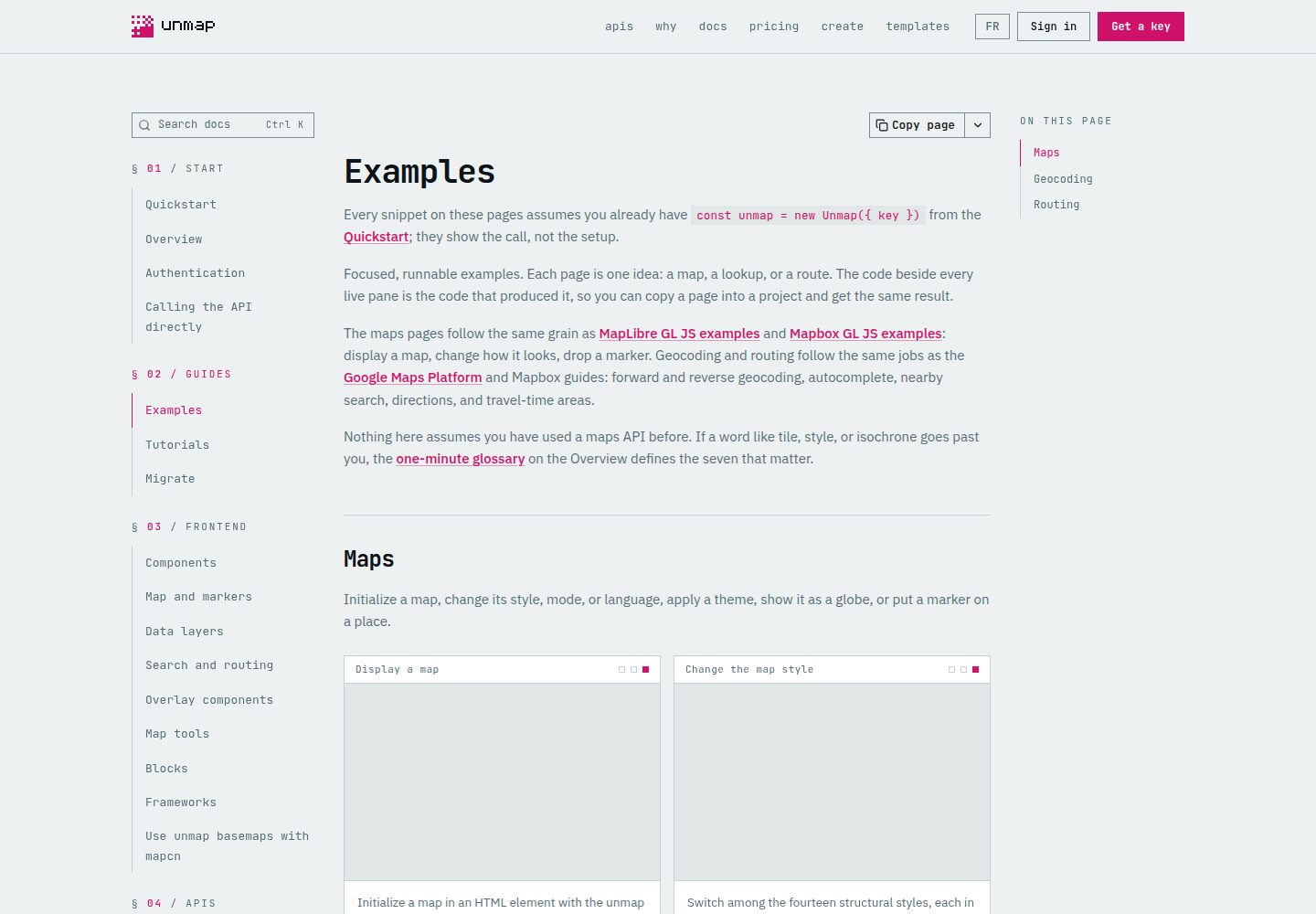
Divided by tech stack into four independent tracks: plain TypeScript/Vite, Next.js/React, Nuxt/Vue, and framework-free HTML, each with its own installation and startup that do not affect one another
Next.jsNuxtVueReactDocumentation
examples — Next.js Documentation Template
By unmap-dev
The official Unmap examples repository provides runnable API examples, map templates, and React/Vue page blocks, covering Next.js, Nuxt, Vue, React, and plain TypeScript and HTML scenarios.
Explore the design
Compare the page layouts and mobile experience. Open any screenshot for a closer look.
Desktop homepage1 / 2
Desktop captureTop of page
Actual screenshot captured by the server browser.
All pages & views 2
Screenshots show visual appearance; interactive behavior may differ.
Recorded 2026-10-11View source
What stands out
A quick read of the recorded project description.
The Next.js/React track includes 12 map examples, 4 templates, and 9 page blocks; the Nuxt/Vue track includes 9 page blocks
The HTML + GeoJSON templates require no dependency installation and provide English and French downloadable files with accompanying GeoJSON
CATALOG.md lists all examples with links to source code and documentation guides, so you can quickly find a starting point by purpose
Provides AGENTS.md and AGENT_PROMPT.md to help coding agents scaffold an app based on the nearest example
Each track provides its own check command to validate types and builds, and no API key is required
Template Details
This repository organizes the API examples, templates, and front-end UI blocks from the Unmap documentation into directly runnable versions, so you can get a map working first and then copy the source into your own project. The content is split into several independent tracks by tech stack: the plain TypeScript/Vite track contains 25 API examples, the Next.js/React track contains 12 map examples, 4 templates, and 9 page blocks, the Nuxt/Vue track contains 9 page blocks, and there are also framework-free HTML + GeoJSON templates (in English and French versions). The CATALOG.md at the repository root lists all entries with links to source code and guides.
Before use, you need Git, Node.js 24 or later, and a browser key, and you must allow the corresponding origin domain in the Unmap console. Framework tracks all use pnpm 10.29.3, and you install only the track you need. Plain TypeScript examples can be run by pasting the key into the page, or configured via .env.local; the Next.js and Nuxt tracks read NEXT_PUBLIC_UNMAP_KEY and NUXT_PUBLIC_UNMAP_KEY respectively; HTML templates require manually replacing YOUR_UNMAP_API_KEY in the file.
The repository also provides AGENTS.md and AGENT_PROMPT.md, so coding agents can scaffold an app based on the nearest example. Check commands are divided by track (sdk, next, and nuxt each have their own check), and a full workspace check additionally validates directory and source integrity; these checks do not require an API key.
Important limitations: the basemap covers the whole world, but search and routing currently cover Canada only; some Legal Land and Energy examples depend on add-ons; third-party assets such as demo data, fonts, and icons in the examples retain their own licenses and attribution requirements and must be checked separately; browser-side environment variables are visible in the delivered app and should be used with origin restrictions, while server-side credentials must stay on the server.
Next.jsNuxtVueReactDocumentation
Is it right for your project?
Use Cases
- Place a map on a page, or implement basic map capabilities such as place search and routing
- Build a store locator or local guide page
- Draw your own geographic data with GeoJSON, or create a chapter-based geographic narrative page
- Install map components and their dependencies via the registry in an existing shadcn project
- Copy example code from the documentation into an existing Next.js, Nuxt, Vue, or React app
Suitable For
- Developers already using Next.js, Nuxt, Vue, or React who need to add map functionality
- Teams that want to run examples before deciding on a technical approach
- Static site projects that need a framework-free HTML template to embed a map quickly
- Developers using coding agents to scaffold map apps from examples
Getting started & customization
Use these recorded setup notes alongside the repository instructions for your chosen version.
- 1
Prepare Git, Node.js 24 or later, and a browser key, and allow the corresponding origin (such as http://localhost:3000) in the Unmap console
- 2
Framework tracks use pnpm 10.29.3; install only the track you need from the repository root, for example pnpm --filter unmap-examples-next install --frozen-lockfile
- 3
The Next.js and Nuxt tracks require copying .env.example and setting NEXT_PUBLIC_UNMAP_KEY or NUXT_PUBLIC_UNMAP_KEY respectively; the plain TypeScript track can also have the key pasted into the page
- 4
HTML templates require locally replacing YOUR_UNMAP_API_KEY in the file, and configured copies should not be committed to Git
- 5
The map container needs a height and the MapLibre CSS must be imported; coordinates use [longitude, latitude] order
License & source material
Usage conditions & limitations
Free to use · keep license noticeThis entry covers the free version of the public repository under the MIT license; the free scope is the code in this version and does not mean external services or third-party assets are free.
Must comply with when using
- You may use, modify, commercialize, and distribute the code in this version for free.
- When distributing copies or substantial portions of the code, retain the original author's copyright notice and the full MIT license notice.
- The code is provided as is; warranties and limitations of liability are governed by the original license and applicable law.
Additional costs & items to verify
- Demo images, fonts, icons, and other third-party assets must be checked against their own licenses and cannot be judged solely by the code's MIT license.
- External services such as domains, hosting, databases, payments, or AI may incur separate charges.
- Before use, you need Git, Node.js 24 or later, and you must allow the browser key for the corresponding origin domain in the Unmap console, otherwise the map will not load.
- Running the map for the first time requires network access to the SDK CDN and API; offline environments cannot use it.
- Framework tracks must use pnpm 10.29.3; a version mismatch may cause installation or startup failure.
- Some Legal Land and Energy examples depend on add-ons, which must be enabled on the key before they can run.
- The basemap covers the whole world, but search and routing cover Canada only.
- Browser-side environment variables are visible in the delivered app and must be used with origin restrictions; server-side credentials must stay on the server.
- Using the hosted API requires a key and is subject to its terms of service and quotas.
- Example data and dependencies retain their own attribution and licenses, which must be checked separately and are not licensed together with the repository's MIT license.
- HTML templates require locally replacing YOUR_UNMAP_API_KEY, and configured copies should be excluded from Git or have the key restored before committing.
View Original Text Basis
Permission is hereby granted, free of charge
Original License Text
Have **Git, Node.js 24+, and a browser key** ready. Allow **`http://localhost:3003`** on the key in the dashboard.
Original README
The first map needs an internet connection to the SDK CDN and API.
Original README
Use **pnpm 10.29.3** for the framework starters.
Original README
Some Legal Land and Energy examples need add-ons. Check the linked guide before choosing them as a first example.
Original README
The basemap is worldwide; search and routing cover Canada.
Original README
Browser environment variables are visible in the delivered app; use origin restrictions and keep server credentials server-side.
Original README
Hosted API use requires a key and follows its service terms and quotas.
Original README
Sample data and dependencies retain their own attribution and licenses.
Original README
https://github.com/unmap-dev/examples/blob/main/LICENSEhttps://github.com/unmap-dev/examples/blob/main/README.mdReplace `YOUR_UNMAP_API_KEY` locally in the chosen HTML file before refreshing. Keep your configured copy outside Git or revert the key before committing.
Original README
Compiled by DeepSeek based on repository license and README ·2026-10-11. Results only cover the materials read; dependencies, images, fonts, and subsequent term changes are subject to their respective original texts.
Project checks & description sources
Template Information
- Source platforms
- GitHub
- Documentation and maintenance reference score
- More documented · 85 / 100
- Technologies
- Next.js · Nuxt · Vue · React
- Website type
- Documentation
How this score is calculated
Our heuristic uses license records (up to 30), a demo link (12), a preview (10), stars (15), recorded maintenance (15), description completeness (8), feature records (5) and classification data (5). It is not a code, security or performance test, or a Google score. A link does not establish tested functionality.
What to verify for this project
- Repository update recorded
- 2026-10-10
- Screenshot last checked
- 2026-10-11
A demo link is listed. Check it with your own content and viewport sizes; its presence does not confirm that forms, authentication or payments work.
The catalog identifies Next.js as the primary stack. Check the actual dependency manifest and lockfile for versions and hosting requirements. These notes use recorded metadata, not a code audit or a deployment test.
Use a selection guide →How this description was prepared
AI-assisted description based on catalog records and repository material. Repository authors are not automatically the reviewers of this description.
Review declaration: [email protected] · 2026-10-11
Inspect the recorded source material
SHA-256: df1c7fc4692a584fe59b569ec9bc0a9198d6dee92e570cf6d02895720ec88b48
2026-10-11T02:06:25.831Z
Source file / repository# Unmap examples, templates & blocks Start with a working map, then copy the source into your project. These are runnable versions of the [API examples](https://unmap.dev/docs/guides/examples), [templates](https://unmap.dev/templates), and [UI blocks](https://unmap.dev/docs/frontend/blocks) in Unmap's docs. [Complete catalog](CATALOG.md) · [Get a browser key](https://unmap.dev/dashboard) · [SDK source](https://github.com/unmap-dev/sdk-js) · [Full Maps app](https://github.com/unmap-dev/maps) · [Agent prompt](AGENT_PROMPT.md) ## First map in under 60 seconds · no install Have **Git, Node.js 24+, and a browser key** ready. Allow **`http://localhost:3003`** on the key in the dashboard. You can try a map, search, and directions without installing any dependencies: ```sh git clone --depth 1 https://github.com/unmap-dev/examples.git cd examples node scripts/serve.mjs quickstart 3003 ``` Open **[localhost:3003/basic-map.html](http://localhost:3003/basic-map.html)**, paste your browser key, and click **Run example**. You should see Calgary. The key stays in page memory and is not saved. Edit [`quickstart/example.js`](quickstart/example.js), refresh, and make it yours. `Ctrl+C` stops the server. The 60-second target assumes these prerequisites and a key are ready. The first map needs an internet connection to the SDK CDN and API. Framework installs download more dependencies; install only the lane you need below. ## Choose a starter Use **pnpm 10.29.3** for the framework starters. Enable your installed Corepack with `corepack enable`, or install that version using your normal Node setup. Run the following commands from the repository root. | Starter | What's included | Install only this lane | Start | URL | | --- | --- | --- | --- | --- | | Plain TypeScript / Vite | 25 API examples | `pnpm --filter unmap-examples-sdk install --frozen-lockfile` | `pnpm dev:sdk` | http://localhost:3002 | | Next.js / React | 12 map examples, 4 templates, 9 page blocks | `pnpm --filter unmap-examples-next install --frozen-lockfile` | `pnpm dev:next` | http://localhost:3000 | | Nuxt / Vue | 9 page blocks | `pnpm --filter unmap-examples-nuxt install --frozen-lockfile` | `pnpm dev:nuxt` | http://localhost:3001 | | HTML + GeoJSON | 3 downloadable templates, English and French | No install | `node scripts/serve.mjs html 3003` | http://localhost:3003 | Each framework opens a catalog linking its examples. Allow the exact origin for your chosen starter on your browser key. ### Plain TypeScript · fastest editable API examples ```sh pnpm --filter unmap-examples-sdk install --frozen-lockfile pnpm dev:sdk ``` Open **[Display a map](http://localhost:3002/examples/display-a-map/)**, paste your key in the page, and press **Run example**. No environment file is needed. Edit [`sdk/examples/display-a-map/main.ts`](sdk/examples/display-a-map/main.ts); Vite reloads it automatically. Each example's directory includes the original docs and its printed snippet. For a key shared across examples, copy [`sdk/.env.example`](sdk/.env.example) to `sdk/.env.local`, set `VITE_UNMAP_KEY`, and restart. A configured environment key takes precedence over the page input. ### Next.js / React ```sh pnpm --filter unmap-examples-next install --frozen-lockfile cp next/.env.example next/.env.local ``` Set `NEXT_PUBLIC_UNMAP_KEY` in `next/.env.local`, then run `pnpm dev:next`. Open **[Store locator](http://localhost:3000/store-locator/)** or **[Markers](http://localhost:3000/map-markers/)**. The page entry is [`next/app/store-locator/page.tsx`](next/app/store-locator/page.tsx); its block is [`next/components/ui/store-locator.tsx`](next/components/ui/store-locator.tsx). ### Nuxt / Vue ```sh pnpm --filter unmap-examples-nuxt install --frozen-lockfile cp nuxt/.env.example nuxt/.env ``` Set `NUXT_PUBLIC_UNMAP_KEY` in `nuxt/.env`, then run `pnpm dev:nuxt`. Open **[Store locator](http://localhost:3001/store-locator)**. Start editing [`nuxt/app/pages/store-locator.vue`](nuxt/app/pages/store-locator.vue), or the block in [`nuxt/app/components/ui/store-locator`](nuxt/app/components/ui/store-locator). ### Downloadable HTML templates Serve `html/` with the command in the table. The files are the docs' actual downloads, with no framework dependencies. Replace `YOUR_UNMAP_API_KEY` locally in the chosen HTML file before refreshing. Keep your configured copy outside Git or revert the key before committing. For a demo that accepts the key in the page instead, use `quickstart/`. Each template has `en.html`, `fr.html`, and matching GeoJSON under `html/<template>/`. Edit the data embedded in the HTML when changing the rendered locations; the GeoJSON file is a matching download for use in other projects. ## Find the right starting point | You want to… | Start here | | --- | --- | | Put a map on a page | [`sdk/examples/display-a-map`](sdk/examples/display-a-map) | | Search Canadian places | [`sdk/examples/search-for-a-place`](sdk/examples/search-for-a-place) | | Calculate directions | [`sdk/examples/get-directions`](sdk/examples/get-directions) | | Plot your own GeoJSON | [`next/app/map-geojson/page.tsx`](next/app/map-geojson/page.tsx) | | Build a branch finder | [`next/app/store-locator/page.tsx`](next/app/store-locator/page.tsx) / [`nuxt/app/pages/store-locator.vue`](nuxt/app/pages/store-locator.vue) | | Publish a local guide | [`next/app/local-guide/page.tsx`](next/app/local-guide/page.tsx) / [`html/local-guide`](html/local-guide) | | Tell a geographic story | [`next/app/map-story/page.tsx`](next/app/map-story/page.tsx) | | Explore every example | [CATALOG.md](CATALOG.md), with source and guide links | ## Copy an example into your app 1. Choose the closest entry in [CATALOG.md](CATALOG.md) and open its guide. 2. Copy the page and its imported map components, `lib` helpers, and sample data. The repository includes those dependencies so you can edit them. 3. Install the `@unmap/*` packages used by that example. Use the same MapLibre version for the renderer and worker; copy the lane's worker setup if your app does not already have it. 4. Import MapLibre CSS once and preserve the registry CSS required by the copied components. Give the map a height and use **[longitude, latitude]** coordinates. 5. Replace demonstration data with your own data, preserve applicable attribution, and use your app's browser key configuration. For an existing shadcn project, the [registry installation guide](https://unmap.dev/docs/frontend/map) can install components and their dependencies directly. Sample data attribution is in [DATA.md](DATA.md); copied UI license notices are in [THIRD_PARTY.md](THIRD_PARTY.md). Gallery components accept `lang="fr"`; HTML templates include separate French downloads. Some Legal Land and Energy examples need add-ons. Check the linked guide before choosing them as a first example. The map story may request routes or travel-time areas as chapters open. ## Build with an agent Paste this into your clone, fork, or existing app: ```text Use https://github.com/unmap-dev/examples to build [describe my use case]. Read README.md, AGENTS.md, and CATALOG.md. Choose the nearest example for my existing framework; install only that lane. Reuse its components and helpers, keep attribution, and replace sample data only as needed. Keep my browser key in ignored environment configuration or the demo's page input. Configure MapLibre CSS, its matching worker, map height, and lifecycle cleanup. Run the chosen lane's checks, start the app, and report the URL and setup steps. ``` [AGENT_PROMPT.md](AGENT_PROMPT.md) includes a more detailed prompt and completion criteria. [AGENTS.md](AGENTS.md) provides repository instructions for compatible agents. ## Check your changes For one starter, use its focused check: ```sh pnpm --dir sdk check # TypeScript + production build pnpm --dir next check # TypeScript + static Next.js build pnpm --dir nuxt check # Vue types + static Nuxt build ``` To work on all starters, install the whole workspace with `pnpm install --frozen-lockfile`, then run `pnpm check`. This also verifies catalog and source integrity. Checks require no API key; live maps and requests do. The full workspace workflow is separate from the quickstart. ## Troubleshooting | Symptom | Fix | | --- | --- | | Framework catalog loads, map does not | Set the key in that lane's file above and restart; plain TypeScript also accepts a page input. | | Key / origin rejected | Allow the exact `http://localhost:<port>` origin. `127.0.0.1` needs a separate allowed origin. | | Blank map / controls misplaced | Give the map a height and import MapLibre CSS. | | Worker 404 | Start with the supplied dev script so the matching worker is copied to `public/maplibre/`. | | Layer denied | Enable the required add-on on your key, or choose a basic example. | | pnpm / dev command missing | Use pnpm 10.29.3 in the repo root and install the selected lane first. | | Port already used | Stop the other process or change the lane's port; update your allowed origin too. | The basemap is worldwide; search and routing cover Canada. Browser environment variables are visible in the delivered app; use origin restrictions and keep server credentials server-side. ## Contributing and license [Issues](https://github.com/unmap-dev/examples/issues) and pull requests are welcome; see [CONTRIBUTING.md](CONTRIBUTING.md). These verified snapshots come from the product repository's docs and registry. Maintainers backport accepted upstream changes there before the next sync. Your own fork can be customized normally. Source is [MIT](LICENSE). Sample data and dependencies retain their own attribution and licenses. Hosted API use requires a key and follows its service terms and quotas.
Explore similar templates
Compare previews and descriptions within the same stack and category.

nextjs-prisma-boilerplate
A production-grade full stack starter built on Next.js 12, React 18, Prisma 4, and Postgres, with layered frontend and backend architecture, Jest and Cypress testing, next-auth authentication, Docker and Gitpod development environments, GitHub Actions CI/CD, and Traefik-based production deployment.
Next.js · Documentation

rubix-documents
A Next.js and React documentation site starter template for product docs, technical manuals and knowledge bases.
Next.js · Documentation
lil-docs-template
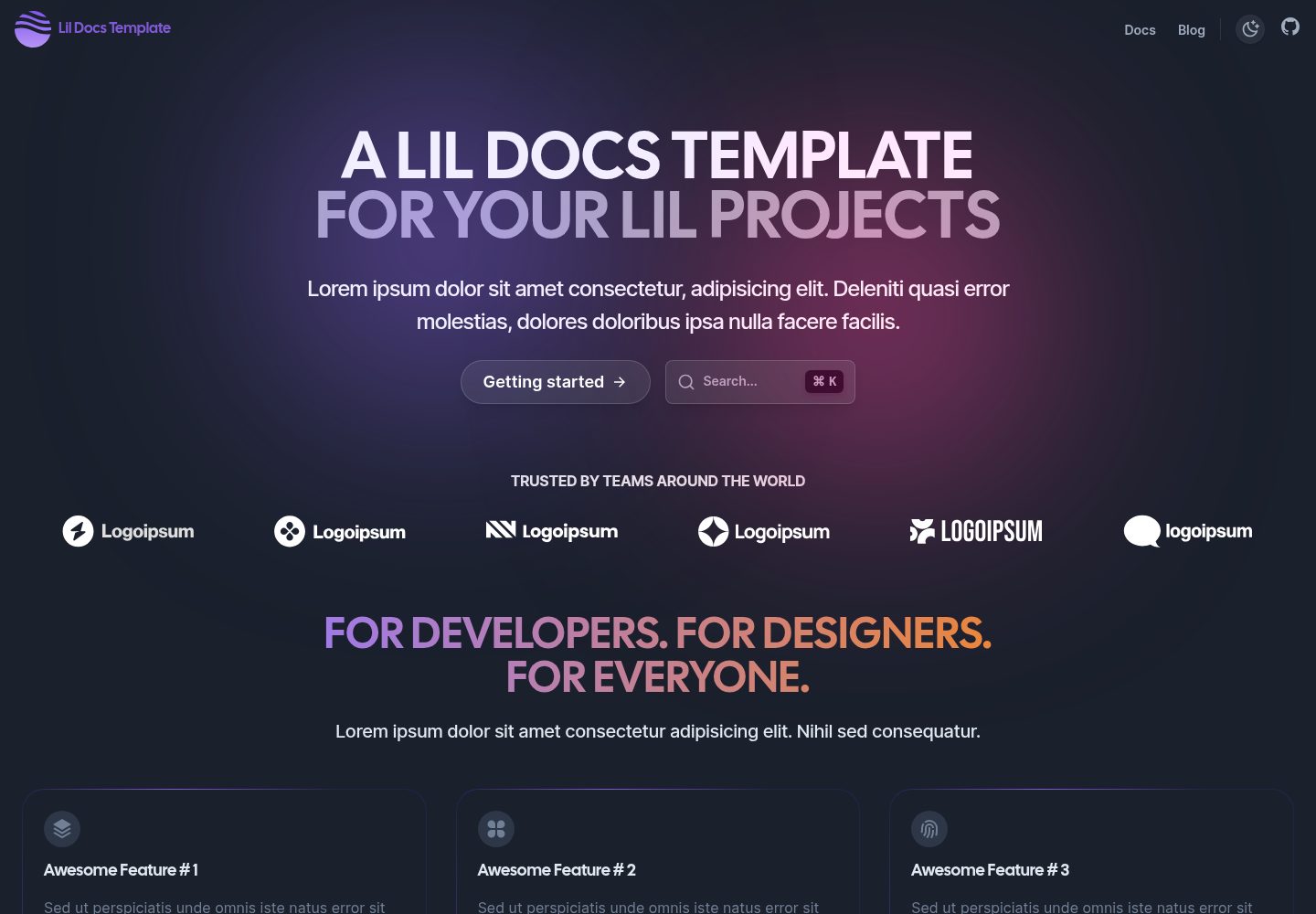
A lightweight documentation site template for small projects, built with Next.js, TypeScript, Chakra UI, and ContentLayer. It supports MDX content, light/dark mode, and SEO configuration, and offers a one-click Vercel deploy.
Next.js · Documentation
next-app-nextra-template
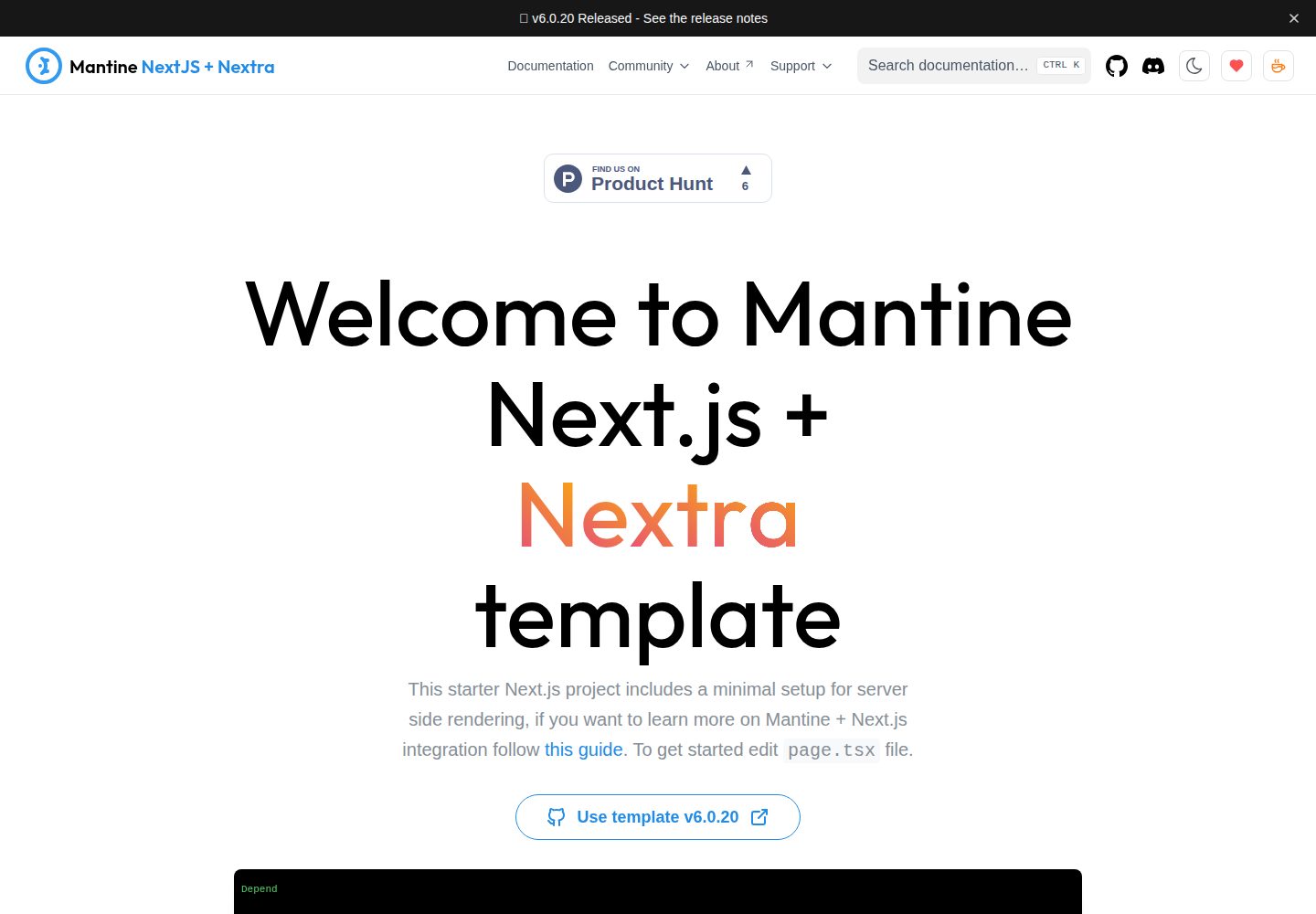
A documentation site template combining Next.js App Router, Mantine, and Nextra in one project, with synchronized dark mode, Pagefind search, Storybook, Jest, and GitHub Release Notes integration. Suitable for teams maintaining both a product application and its documentation.
Next.js · Documentation
docs-template
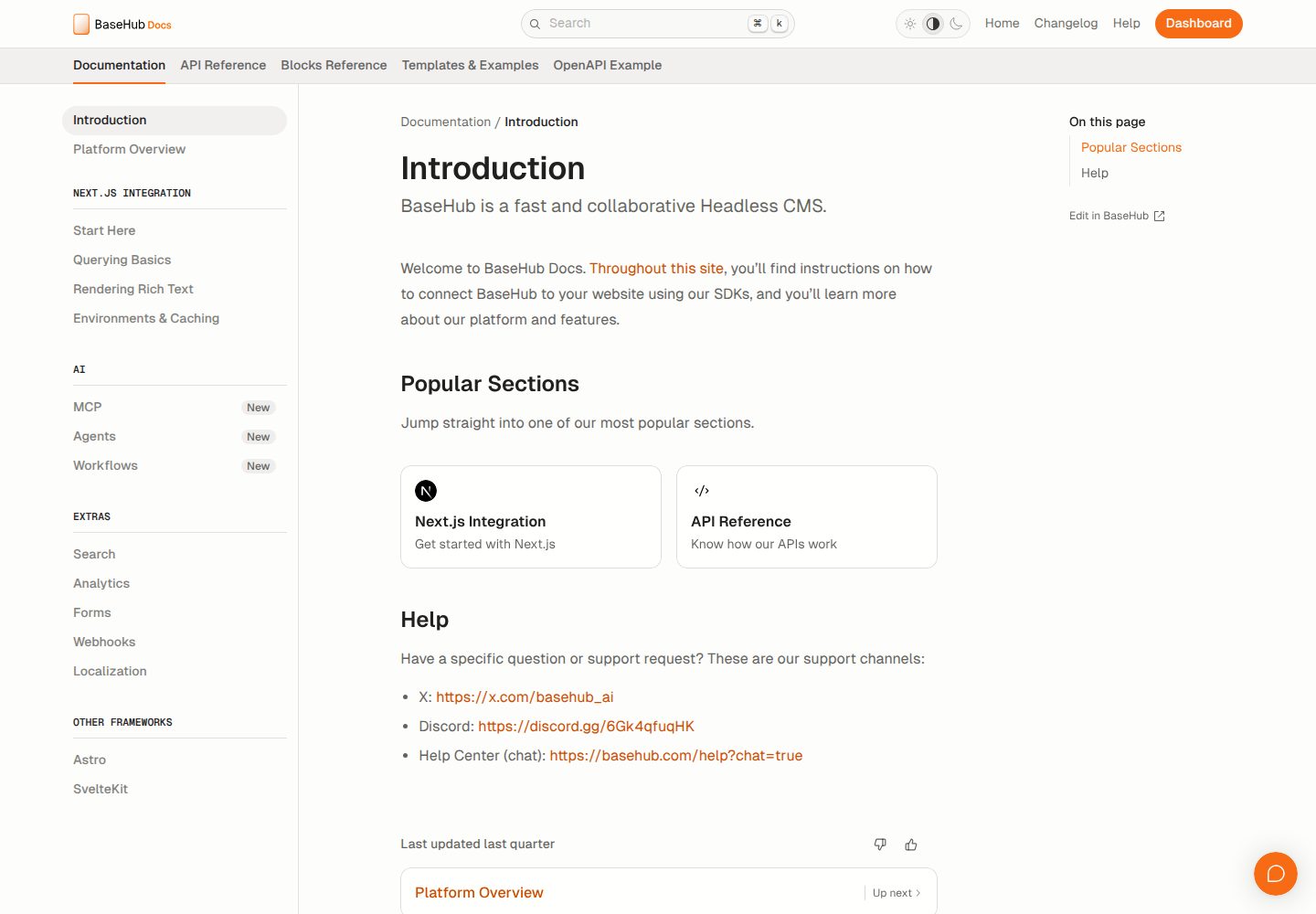
A documentation website template built with Next.js, Radix Themes, and BaseHub. Content is edited in BaseHub, so documentation can be maintained without code changes.
Next.js · Documentation
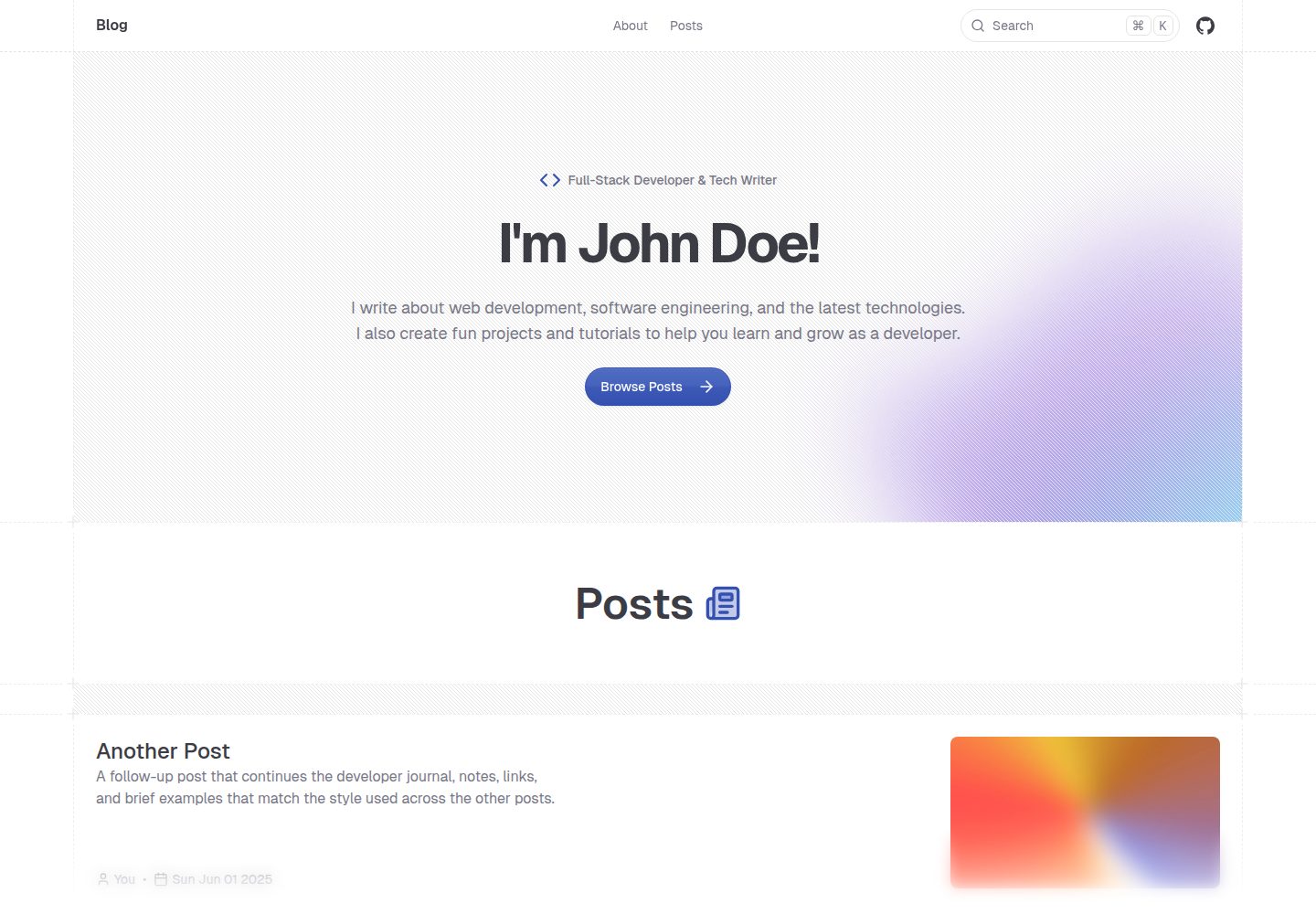
shadcn-blog
A Next.js 15 blog template that renders MDX articles from content/blog/ with Fumadocs, built on shadcn/ui and Tailwind CSS.
Next.js · Blog