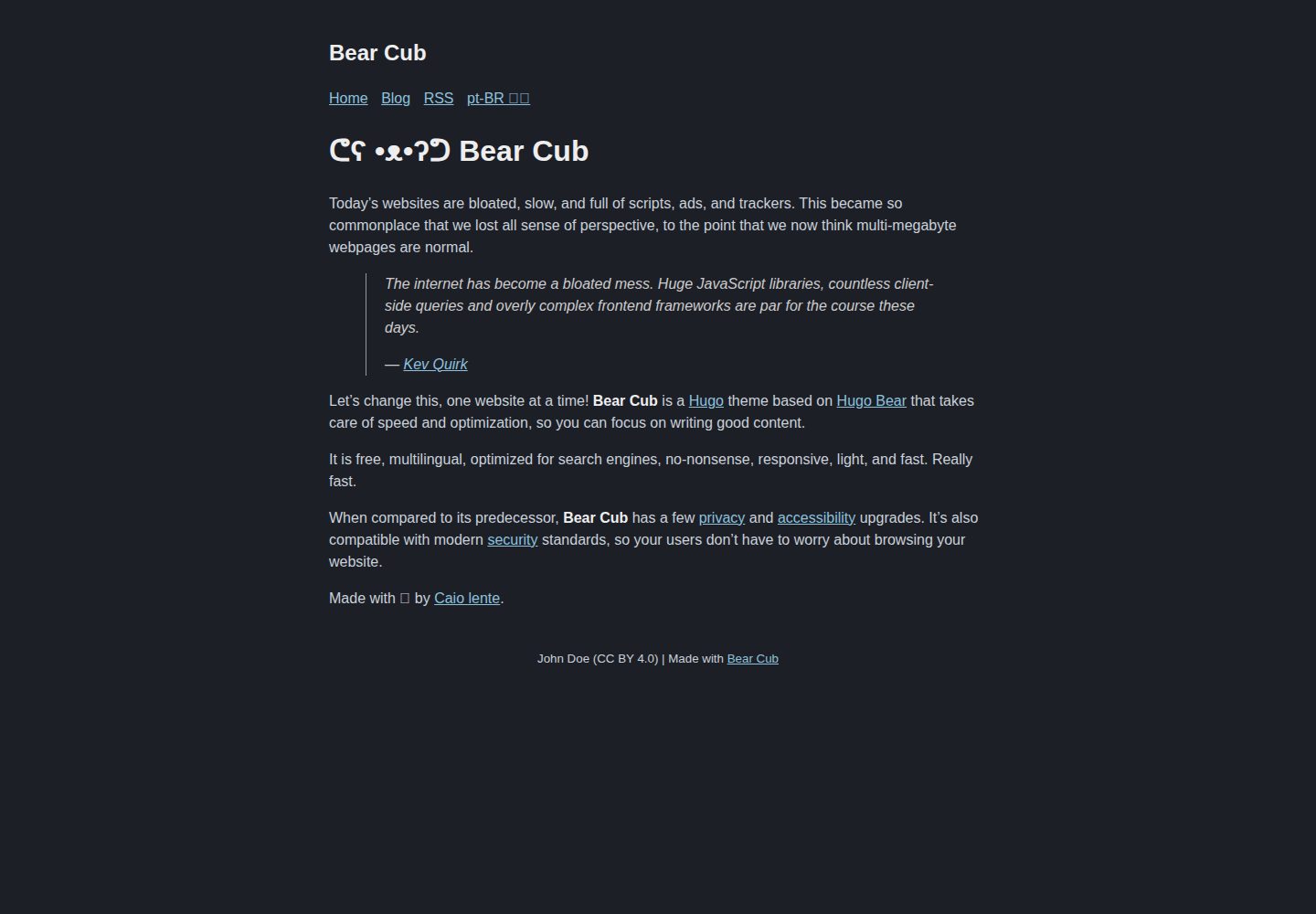
A lightweight blog theme based on Bear Blog and Hugo Bear Blog, with pages primarily focused on text content
HugoBlog
hugo-bearcub — Hugo Blog Template
By VallariAg
Bear Cub is a Hugo blog theme based on Bear Blog and Hugo Bear Blog, emphasizing no scripts, no inline styles, and multilingual support, suitable for text-focused personal blogs.
Explore the design
Compare the page layouts and mobile experience. Open any screenshot for a closer look.
Desktop homepage1 / 3
Desktop captureTop of page
Actual screenshot captured by the server browser.
All pages & views 3
Screenshots show visual appearance; interactive behavior may differ.
Recorded 2026-10-02View source
What stands out
A quick read of the recorded project description.
No JavaScript and no inline styles; syntax highlighting styles are loaded based on whether the page contains code blocks
Supports multilingual sites, allowing separate content directories for different languages and handling translation toggle buttons for untranslated pages
Provides a full-text RSS template, skip link, email reply button, and absfigure shortcode
Includes experimental options: single-page CSS, herman alternative style, and dynamic social card generation
Template Details
Bear Cub is a Hugo blog theme whose design references Bear Blog and Hugo Bear Blog. The theme itself uses no JavaScript and has no inline styles; page structure is primarily text content, and it provides RSS feed output.
In terms of content organization, the theme supports multilingual sites: you can configure separate content directories for different languages and generate translation toggle buttons; when a page lacks a corresponding translation, it can be shown as disabled or hidden directly via the hideUntranslated parameter. Additionally, the theme supports using the link field in an article's front matter to make an empty article act as a link to a static file, and render: false can be used to avoid rendering blank articles.
The theme also includes several optional features: a full-text RSS template, a skip link to jump to the main content, a "reply via email" button generated at the end of articles (which can be disabled per article with hideReply), the absfigure shortcode, and experimental single-page CSS, on-demand loading of syntax highlighting styles, an alternative style called herman, and dynamic social card generation based on the title. The behavior of these experimental features is subject to the repository documentation, and whether they are suitable for a production site must be evaluated on your own.
The theme is configured via hugo.toml, where you can set the site description, favicon, share image, date format, social metadata, and author information. The repository uses the MIT license, and the demo site is hosted on GitHub Pages.
HugoBlog
Is it right for your project?
Use Cases
- Building a personal text-focused blog centered on articles
- Blogs that need to provide multilingual content for the same site
- Static sites that want pages not to depend on JavaScript
- Blogs that need full-text RSS output for readers to subscribe to
Suitable For
- Developers building static blogs with Hugo
- Site authors who prefer pages without scripts and inline styles
- Writers who need multilingual blogs and RSS subscriptions
- Users who want to centrally configure site parameters via hugo.toml
Getting started & customization
Use these recorded setup notes alongside the repository instructions for your chosen version.
- 1
First create an empty site following the Hugo quick start, then clone the theme as a Git submodule into the themes directory
- 2
Add theme = "hugo-bearcub" to the site configuration file
- 3
Refer to the hugo.toml in the repository's exampleSite to configure multilingual settings, social metadata, and author information
- 4
Third-party assets such as demo images, fonts, and icons must be checked separately under their respective licenses
- 5
Before using experimental features (single-page CSS, herman style, dynamic social cards), read the repository documentation first
License & source material
Usage conditions & limitations
Free to use · keep license noticeThis entry covers the free version under the MIT license in the public repository; the free scope is the code of that version and does not mean that external services or third-party assets are free.
Must comply with when using
- You are allowed to freely use, modify, commercialize, and distribute the code of this version.
- When distributing copies or substantial portions of the code, retain the original author's copyright notice and the complete MIT license notice.
- The code is provided as is; warranties and limitations of liability are governed by the original license and applicable law.
Additional costs & items to verify
- Demo images, fonts, icons, and other third-party assets must be checked under their respective licenses and cannot be judged solely by the code's MIT license.
- External services such as domains, hosting, databases, payments, or AI may incur separate charges.
- If you want to further improve the Mozilla Observatory score, you need to add certain HTTP response headers yourself in the configuration of your hosting service (such as Netlify or Cloudflare Pages); this is additional configuration completed by the deployer and is not available out of the box with the theme.
- The official demo site is hosted on GitHub Pages, and the author cannot control its Content Security Policy, so the demo site's CSP performance does not represent the actual security policy of a self-hosted deployment.
- The email reply button feature requires you to provide an email address in the configuration before it is generated; if no email is provided, the button will not appear, and the button can be disabled per article with hideReply.
- Dynamic social card generation is an experimental feature; it generates cards based on the title only when an article has no preview image, its behavior may change between versions, and you must evaluate it yourself before using it in production.
- Single-page CSS is an experimental feature; you need to write a CSS file yourself in the assets directory and reference it in the article's front matter via the style field, and you should read the repository documentation before use.
- The herman alternative style is an experimental feature; it is enabled only by setting the themeStyle parameter to "herman", and this style originates from the Blogster Minimal theme made for Astro by Herman Martinus.
- Conditional loading of syntax highlighting styles is an experimental feature; syntax.css is loaded only when the current page actually contains code blocks, otherwise the style file is not loaded.
View Original Text Basis
Permission is hereby granted, free of charge
Original License Text
If you want to improve your [Mozilla Observatory](https://observatory.mozilla.org/) score even further, you should be able to simply add a few headers to your hosting service's configuration (e.g. [Netlify](https://docs.netlify.com/routing/headers/) or [Cloudflare Pages](https://developers.cloudflare.com/pages/platform/headers/)) and never have to think about it again.
Original README
[**Bear Cub**'s demo](https://clente.github.io/hugo-bearcub/) is hosted on GitHub and therefore I'm not in control of its [Content Security Policy](https://infosec.mozilla.org/guidelines/web_security#content-security-policy).
Original README
Reply by email: if you supply an email address, the theme creates a "Reply to this post by email" button at the end of every post
Original README
Dynamic social card generation (EXPERIMENTAL): if you don't add preview images to a post, this template will generate one based on the title.
Original README
Single-use CSS (EXPERIMENTAL): you can add some styles to a single page by writing the CSS you need in `assets/{custom_css}.css` and then including `style: "{custom_css}.css"` in the [front matter](https://gohugo.io/content-management/front-matter/) of said page.
Original README
Alternative "Herman" style (EXPERIMENTAL): if you want to check out a more modern CSS style, you can change the `themeStyle` parameter to `"herman"` in order to activate [Herman Martinus's](https://herman.bearblog.dev/) version of the [Blogster Minimal](https://blogster-minimal.netlify.app/) theme for [Astro](https://astro.build/).
Original README
https://github.com/VallariAg/hugo-bearcub/blob/main/LICENSEhttps://github.com/VallariAg/hugo-bearcub/blob/main/README.mdConditional CSS (EXPERIMENTAL): since **Bear Cub** does syntax highlighting without inline styles (see `hugo.toml` for more information), it only load its `syntax.css` if, and only if, a code block is actually present in the current page.
Original README
Compiled by DeepSeek based on repository license and README ·2026-10-04. Results only cover the materials read; dependencies, images, fonts, and subsequent term changes are subject to their respective original texts.
Project checks & description sources
Template Information
- Source platforms
- GitHub
- Documentation and maintenance reference score
- Partly documented · 66 / 100
- Technologies
- Hugo
- Website type
- Blog
How this score is calculated
Our heuristic uses license records (up to 30), a demo link (12), a preview (10), stars (15), recorded maintenance (15), description completeness (8), feature records (5) and classification data (5). It is not a code, security or performance test, or a Google score. A link does not establish tested functionality.
What to verify for this project
- Repository update recorded
- 2025-02-22
- Screenshot last checked
- 2026-10-04
A demo link is listed. Check it with your own content and viewport sizes; its presence does not confirm that forms, authentication or payments work.
The catalog identifies Hugo as the primary stack. Check the actual dependency manifest and lockfile for versions and hosting requirements. These notes use recorded metadata, not a code audit or a deployment test.
Use a selection guide →How this description was prepared
AI-assisted description based on catalog records and repository material. Repository authors are not automatically the reviewers of this description.
Review declaration: [email protected] · 2026-10-05
Inspect the recorded source material
SHA-256: 5c7c50ccadf458b40deae50fa2842a04e275b76fd62d9b298d7959ba233761a6
2026-10-04T21:25:35.667Z
Source file / repository# ᕦʕ •ᴥ•ʔᕤ Bear Cub
[](https://github.com/clente/hugo-bearcub/actions/workflows/gh-pages.yml)
[](https://github.com/clente/hugo-bearcub/blob/main/LICENSE)
## Overview
🐻 A lightweight [Hugo](https://gohugo.io/) theme based on [Bear
Blog](https://bearblog.dev) and [Hugo Bear
Blog](https://github.com/janraasch/hugo-bearblog).
**Bear Cub** takes care of speed and optimization, so you can focus on writing
good content. It is free, multilingual, optimized for search engines,
no-nonsense, responsive, light, and fast. Really fast.
## Installation
Follow Hugo's [quick start](https://gohugo.io/getting-started/quick-start/) to
create an empty website and then clone **Bear Cub** into the themes directory as
a [Git submodule](https://git-scm.com/book/en/v2/Git-Tools-Submodules):
```sh
git submodule add https://github.com/clente/hugo-bearcub themes/hugo-bearcub
```
To finish off, append a line to the site configuration file:
```sh
echo 'theme = "hugo-bearcub"' >> hugo.toml
```
## Features
Like [Bear Blog](https://bearblog.dev), this theme:
- Is free and open source
- Looks great on any device
- Makes tiny (~5kb), optimized, and awesome pages
- Has no trackers, ads, or scripts
- Automatically generates an RSS feed
But that's not all! **Bear Cub** is also...
### Accessible
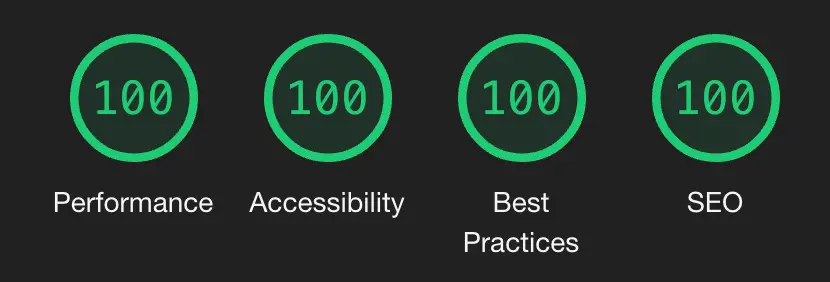
**Bear Cub** has a few accessibility upgrades when compared to its predecessors.
The color palette has been overhauled to make sure everything is
[readable](https://web.dev/color-and-contrast-accessibility/) for users with low
vision impairments or color deficiencies, and some interactive elements were
made bigger to facilitate [clicking](https://web.dev/accessible-tap-targets/)
for users with a motor impairment.
These small changes mean that **Bear Cub** passes Google's [PageSpeed
test](https://pagespeed.web.dev/report?url=https%3A%2F%2Fclente.github.io%2Fhugo-bearcub%2F)
with flying colors.
### Secure
[**Bear Cub**'s demo](https://clente.github.io/hugo-bearcub/) is hosted on GitHub
and therefore I'm not in control of its [Content Security
Policy](https://infosec.mozilla.org/guidelines/web_security#content-security-policy).
However, the theme itself was made with security in mind: there are no inline
styles and it uses no JavaScript at all.
If you want to improve your [Mozilla
Observatory](https://observatory.mozilla.org/) score even further, you should be
able to simply add a few headers to your hosting service's configuration (e.g.
[Netlify](https://docs.netlify.com/routing/headers/) or [Cloudflare
Pages](https://developers.cloudflare.com/pages/platform/headers/)) and never
have to think about it again. My `_headers` file, for example, looks like this:
```
/*
X-Content-Type-Options: nosniff
Strict-Transport-Security: "max-age=31536000; includeSubDomains; preload" env=HTTPS
Cache-Control: max-age=31536000, public
X-Frame-Options: deny
Referrer-Policy: no-referrer
Feature-Policy: microphone 'none'; payment 'none'; geolocation 'none'; midi 'none'; sync-xhr 'none'; camera 'none'; magnetometer 'none'; gyroscope 'none'
Content-Security-Policy: default-src 'none'; manifest-src 'self'; font-src 'self'; img-src 'self'; style-src 'self'; form-action 'none'; frame-ancestors 'none'; base-uri 'none'
X-XSS-Protection: 1; mode=block
```
### Multilingual
If you need to write a blog that supports more than one language, **Bear Cub**
has you covered! Check out the demo's [`hugo.toml`
file](https://github.com/clente/hugo-bearcub/blob/main/exampleSite/hugo.toml)
for a sample of how you can setup multilingual support.
By default, the theme creates a translation button that gets disabled when the
current page is only available in any other language. You can also choose to
hide this button (instead of disabling it) by setting `hideUntranslated =
true`.
### More
Every once in a while, as I keep using **Bear Cub**, I notice that there is some
functionality missing. Currently, these are the "advanced features" that I have
already implemented:
- Full-text RSS feed: an enhanced RSS feed template that includes the (properly
encoded) full content of your posts in the feed itself.
- Static content: you can create empty blog entries that act as links to static
files by including `link: "{url}"` in a post's [front
matter](https://gohugo.io/content-management/front-matter/). You can also add
`render: false` to your [build
options](https://gohugo.io/content-management/build-options/#readout) to avoid
rendering blank posts.
- Skip link: a "skip to main content" link that is temporarily invisible, but
can be focused by people who need a keyboard to navigate the web (see [PR
#5](https://github.com/clente/hugo-bearcub/pull/5) by
[@2kool4idkwhat](https://github.com/2kool4idkwhat) for more information).
- Reply by email: if you supply an email address, the theme creates a "Reply to
this post by email" button at the end of every post (see Kev Quirk's [original
implementation](https://kevquirk.com/adding-the-post-title-to-my-reply-by-email-button)).
This button can be suppressed on a case-by-case by setting `hideReply: true`
in a post's [front matter](https://gohugo.io/content-management/front-matter/)
(see [PR #18](https://github.com/clente/hugo-bearcub/pull/18) by
[@chrsmutti](https://github.com/chrsmutti)).
- `absfigure` shortcode: a shortcut to use the `figure` shortcode that also
converts relative URLs into absolute URLs by using the `absURL` function.
- Single-use CSS (EXPERIMENTAL): you can add some styles to a single page by
writing the CSS you need in `assets/{custom_css}.css` and then including
`style: "{custom_css}.css"` in the [front
matter](https://gohugo.io/content-management/front-matter/) of said page.
- Conditional CSS (EXPERIMENTAL): since **Bear Cub** does syntax highlighting
without inline styles (see `hugo.toml` for more information), it only load its
`syntax.css` if, and only if, a code block is actually present in the current
page.
- Alternative "Herman" style (EXPERIMENTAL): if you want to check out a more
modern CSS style, you can change the `themeStyle` parameter to `"herman"` in
order to activate [Herman Martinus's](https://herman.bearblog.dev/) version of
the [Blogster Minimal](https://blogster-minimal.netlify.app/) theme for
[Astro](https://astro.build/).
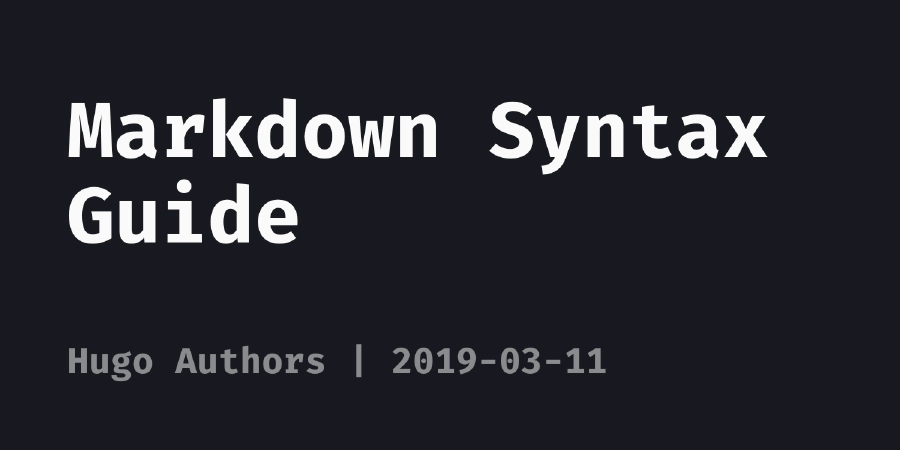
- Dynamic social card generation (EXPERIMENTAL): if you don't add preview images
to a post, this template will generate one based on the title. You can see an
example below.
## Configuration
**Bear Cub** can be customized with a `hugo.toml` file. Check out the
[configuration](https://github.com/clente/hugo-bearcub/blob/main/exampleSite/hugo.toml)
of the [demo](https://clente.github.io/hugo-bearcub/) for more information.
```toml
# Basic config
baseURL = "https://example.com"
theme = "hugo-bearcub"
copyright = "John Doe (CC BY 4.0)"
defaultContentLanguage = "en"
# Generate a nice robots.txt for SEO
enableRobotsTXT = true
# Setup syntax highlighting without inline styles. For more information about
# why you'd want to avoid inline styles, see
# https://developer.mozilla.org/en-US/docs/Web/HTTP/Headers/Content-Security-Policy/style-src#unsafe_inline_styles
[markup]
[markup.highlight]
lineNos = true
lineNumbersInTable = false
# This allows Bear Cub to use a variation of Dracula that is more accessible
# to people with poor eyesight. For more information about color contrast
# and accessibility, see https://web.dev/color-and-contrast-accessibility/
noClasses = false
# Multilingual mode config. More for information about how to setup translation,
# see https://gohugo.io/content-management/multilingual/
[languages]
[languages.en]
title = "Bear Cub"
languageName = "en-US 🇺🇸"
LanguageCode = "en-US"
contentDir = "content"
[languages.en.params]
madeWith = "Made with [Bear Cub](https://github.com/clente/hugo-bearcub)"
[languages.pt]
title = "Bear Cub"
languageName = "pt-BR 🇧🇷"
LanguageCode = "pt-BR"
contentDir = "content.pt"
[languages.pt.params]
madeWith = "Feito com [Bear Cub](https://github.com/clente/hugo-bearcub)"
[params]
# The description of your website
description = "Bear Cub Demo"
# The path to your favicon
favicon = "images/favicon.png"
# These images will show up when services want to generate a preview of a link
# to your site. Ignored if `generateSocialCard = true`. For more information
# about previews, see https://gohugo.io/templates/internal#twitter-cards and
# https://gohugo.io/templates/internal#open-graph
images = ["images/share.webp"]
# This title is used as the site_name on the Hugo's internal opengraph
# structured data template
title = "Bear Cub"
# Dates are displayed following the format below. For more information about
# formatting, see https://gohugo.io/functions/format/
dateFormat = "2006-01-02"
# If your blog is multilingual but you haven't translated a page, this theme
# will create a disabled link. By setting `hideUntranslated` to true, you can
# have the theme simply not show any link
hideUntranslated = false
# (EXPERIMENTAL) This theme has two options for its CSS styles: "original" and
# "herman". The former is what you see on Bear Cub's demo (an optimized
# version of Hugo Bear Blog), while the latter has a more modern look based on
# Herman Martinus's version of the Blogster Minimal theme for Astro.
themeStyle = "original"
# (EXPERIMENTAL) This theme is capable of dynamically generating social cards
# for posts that don't have `images` defined in their front matter; By setting
# `generateSocialCard` to false, you can prevent this behavior. For more
# information see layouts/partials/social_card.html
generateSocialCard = true
# Social media. Delete any item you aren't using to make sure it won't show up
# in your website's metadata.
[params.social]
twitter = "example" # Twitter handle (without '@')
facebook_admin = "0000000000" # Facebook Page Admin ID
# Author metadata. This is mostly used for the RSS feed of your site, but the
# email is also added to the footer of each post. You can hide the "reply to"
# link by using a `hideReply` param in front matter.
[params.author]
name = "John Doe" # Your name as shown in the RSS feed metadata
email = "[email protected]" # Added to the footer so readers can reply to posts
```
## Contributing
If you come across any problems while using **Bear Cub**, you can file an
[issue](https://github.com/clente/hugo-bearcub/issues) or create a [pull
request](https://github.com/clente/hugo-bearcub/pulls).
Explore similar templates
Compare previews and descriptions within the same stack and category.

hugo-PaperMod
A fast, clean, responsive Hugo theme for blogs and lightweight portfolios, with three layout modes (Regular, Home-Info, Profile), automatic and manual light/dark themes, Fuse.js client-side search, multilingual support, and built-in Open Graph, Twitter Cards, and Schema.org data.
Hugo · Portfolio

LoveIt
LoveIt is a clean, elegant, and feature-rich Hugo blog theme derived from LeaveIt and KeepIt, MIT-licensed. It offers light/dark modes, responsive layout, multilingual support, and search via Lunr.js or Algolia.
Hugo · Blog

hugo-coder
hugo-coder is a minimalist Hugo blog theme maintained by luizdepra under the MIT license. It provides a clean, text-focused blog appearance, configuration documentation in the docs directory, and a complete exampleSite with hugo.toml.
Hugo · Blog

blowfish
Blowfish is a Hugo personal website and blog theme built with Tailwind CSS 4, focused on lightness, simplicity, and content-first presentation.
Hugo · Blog

hugo-paper
hugo-paper is a simple, clean, and customizable Hugo blog theme configured through config.toml or hugo.toml.
Hugo · Blog

hextra
Hextra is a Hugo theme for documentation and blog sites, built on Hugo and Tailwind CSS with design referencing Nextra.
Hugo · Documentation