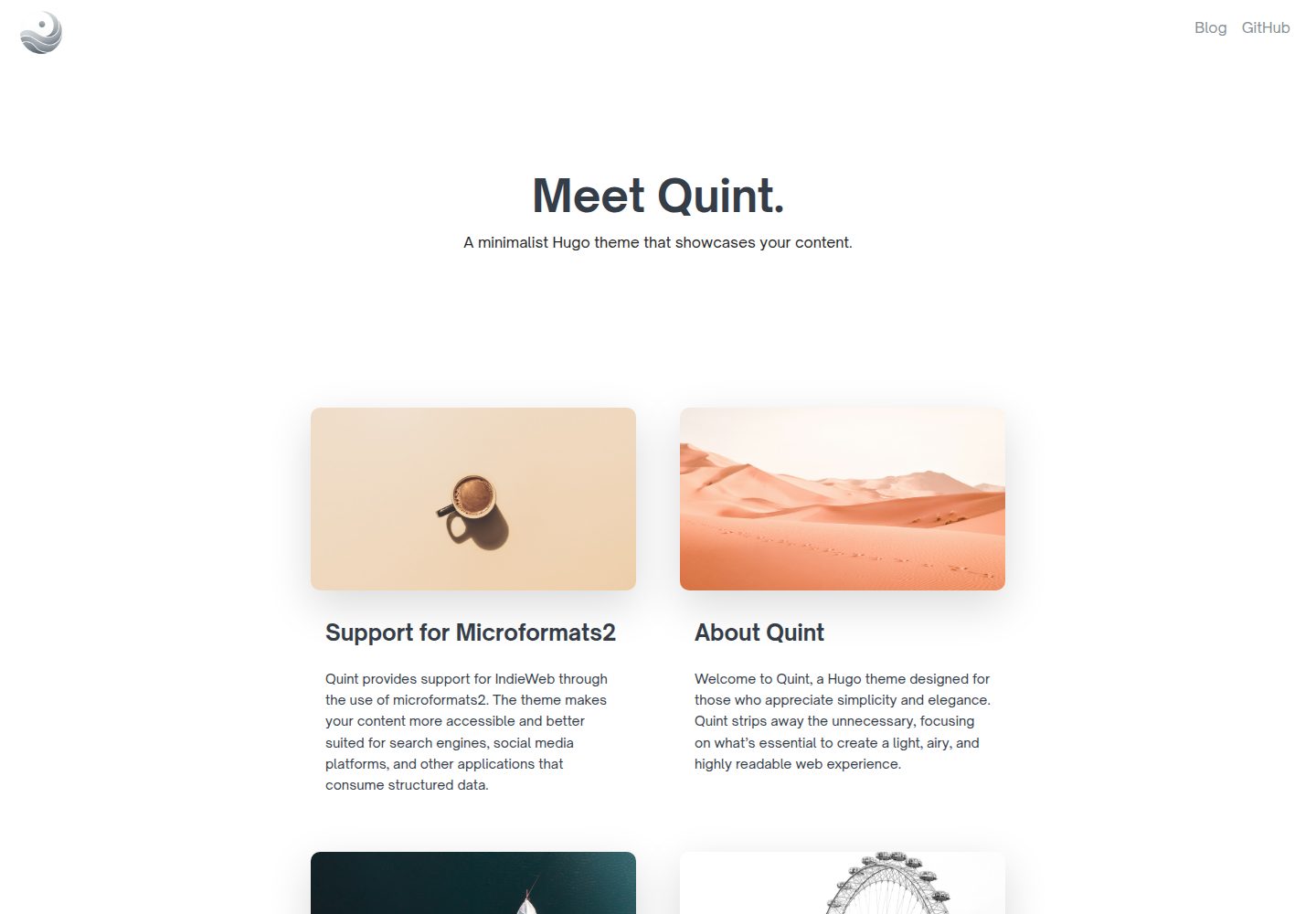
Minimalist design prioritizing content readability and reducing distracting page elements
HugoTool Site
hugo-theme-quint — Hugo Tool Template
By victoriadrake
Quint is a minimalist theme for the Hugo static site generator that emphasizes content readability, with built-in light and dark modes, responsive layout, image banners, Lunr.js site search, and social icons.
Explore the design
Compare the page layouts and mobile experience. Open any screenshot for a closer look.
Desktop homepage1 / 3
Desktop captureTop of page
Actual screenshot captured by the server browser.
All pages & views 3
Screenshots show visual appearance; interactive behavior may differ.
Recorded 2026-10-03View source
What stands out
A quick read of the recorded project description.
Automatic light and dark mode switching that follows the visitor's browser or device settings
Responsive layout adapting to both mobile and desktop
Built-in minimalist image banner; when no image is specified, one is randomly selected from the theme's image directory
Static site search based on Lunr.js
Configurable social media icon links in the footer
Template Details
Quint is a Hugo theme published on Hugo Themes, authored by victoriadrake, with the repository under the MIT license. The theme is positioned as minimalist, designed to reduce distractions and highlight content reading, suitable for placing article content at the center of the page.
In terms of features, the theme provides automatic light and dark mode switching that follows the browser or device settings, a responsive layout that adapts to both mobile and desktop, a built-in minimalist image banner, static site search based on Lunr.js, and social media icon links configurable in the footer.
Usage follows the standard Hugo theme workflow: add the repository as a git submodule to the site's themes/quint directory, set theme to quint in hugo.toml, hugo.yaml, or hugo.json, then run hugo server for local preview. The author also provides a quint-demo repository as a starter template and a Netlify one-click deploy entry.
For customization, custom CSS can be introduced via the params.css configuration; creating a file with the same name in the project directory can override any layout of the theme, for example copying the theme's layouts/index.html to the site directory and then adding or removing partials to adjust homepage sections. For image banners, if the page or post front matter does not specify an image, the theme randomly selects an image from themes/quint/static/images as the banner, with the random range controlled by params.numImages; you can replace or expand the images and update that value accordingly.
Limitations to note: the README's to-do list shows that code block copy buttons, Chroma syntax highlighting, Hugo asset pipeline (bundling, fingerprinting, minification), multilingual support, and breadcrumb navigation are not yet implemented; these are planned features rather than existing capabilities. The theme relies on Lunr.js for search, so the way the relevant scripts are included should be confirmed before use. Third-party assets such as demo images and the Open Sauce font need to be checked separately under their respective licenses and cannot be judged solely by the code's MIT license.
HugoTool site
Is it right for your project?
Use Cases
- Building a personal blog focused on article reading with Hugo
- Content sites that need automatic light and dark mode switching and responsive layout
- Sites that want a minimalist visual presentation with content centered on the page
- Hugo sites that need static site search without introducing a backend service
Suitable For
- Developers using Hugo who want to quickly apply a minimalist theme
- Personal bloggers who value typographic clarity and reading experience
- Static site authors who need consistent performance on mobile and desktop
- Front-end users who accept customization by overriding layouts and custom CSS
Getting started & customization
Use these recorded setup notes alongside the repository instructions for your chosen version.
- 1
Hugo must first be installed locally; refer to the official Hugo installation documentation
- 2
Run git submodule add https://github.com/victoriadrake/hugo-theme-quint.git themes/quint in the site root directory
- 3
Set theme to quint in hugo.toml, hugo.yaml, or hugo.json
- 4
Run hugo server and visit http://localhost:1313 to preview
- 5
Update the theme version with git submodule update --remote themes/quint
License & source material
Usage conditions & limitations
Free to use · keep license noticeThis entry covers the free version under the MIT license in the public repository; the free scope is the code of this version and does not mean external services or third-party assets are free.
Must comply with when using
- Free use, modification, commercial use, and distribution of this version's code are permitted.
- When distributing copies or substantial portions of the code, retain the original author's copyright notice and the full MIT license notice.
- The code is provided as is; warranties and limitations of liability are governed by the original license and applicable law.
Additional costs & items to verify
- The Open Sauce font bundled with the theme is a third-party asset; its license is independent of the code's MIT license, and its authorization terms must be checked separately before use or redistribution.
- The device mockup images in the README come from deviceframes.com and are separately licensed demo assets; they cannot be directly used commercially or redistributed solely under the MIT code license.
- One-click deployment relies on Netlify, an external hosting service; using that entry requires registering a Netlify account and complying with its terms of service and possible fees.
- Demo images, fonts, icons, and other third-party assets must be checked under their respective licenses and cannot be judged solely by the code's MIT license.
- External services such as domains, hosting, databases, payments, or AI may incur additional charges.
View Original Text Basis
Permission is hereby granted, free of charge
Original License Text
Quint uses the excellent [Open Sauce Font](https://github.com/marcologous/Open-Sauce-Fonts).
Original README
Device mockup created from [deviceframes.com](https://deviceframes.com/templates/iphone-13).
Original README
https://github.com/victoriadrake/hugo-theme-quint/blob/master/LICENSEhttps://github.com/victoriadrake/hugo-theme-quint/blob/master/README.mdthere's a one-click deploy to Netlify button there
Original README
Compiled by DeepSeek based on repository license and README ·2026-10-03. Results only cover the materials read; dependencies, images, fonts, and subsequent term changes are subject to their respective original texts.
Project checks & description sources
Template Information
- Source platforms
- Hugo Themes
- Documentation and maintenance reference score
- More documented · 87 / 100
- Technologies
- Hugo
- Website type
- Tool Site
How this score is calculated
Our heuristic uses license records (up to 30), a demo link (12), a preview (10), stars (15), recorded maintenance (15), description completeness (8), feature records (5) and classification data (5). It is not a code, security or performance test, or a Google score. A link does not establish tested functionality.
What to verify for this project
- Repository update recorded
- 2026-06-20
- Screenshot last checked
- 2026-10-03
A demo link is listed. Check it with your own content and viewport sizes; its presence does not confirm that forms, authentication or payments work.
The catalog identifies Hugo as the primary stack. Check the actual dependency manifest and lockfile for versions and hosting requirements. These notes use recorded metadata, not a code audit or a deployment test.
Use a selection guide →How this description was prepared
AI-assisted description based on catalog records and repository material. Repository authors are not automatically the reviewers of this description.
Automatically checked against source and license rules; no manual editorial review.
Inspect the recorded source material
SHA-256: b6e4a8364d7a24eaf52a6da03d0809180bb4d41ec6fb39d0d7f3e893c1ebe130
2026-10-03T07:52:54.369Z
Source file / repository# Quint: Essence of Minimalism  Quint is a minimalist Hugo theme designed to evoke a clean, airy feel, emphasizing clarity and ease of reading. It features elegant built-in image banners and a lightweight design, making it ideal for displaying your content center stage. Check out the [demo site repository](https://github.com/victoriadrake/quint-demo), which you can also use as a starter template for a new site. (Psst... there's a one-click deploy to Netlify button there.) [Live demo here](https://quint-theme-demo.netlify.app/). ## Features - **Minimalist Design**: Focused on content readability with minimal distractions. - **Dark and Light Modes**: Automatic theme switching that respects the viewer's browser/device settings. - **Responsive Layout**: Looks great on both mobile and desktop devices. - **Included Image Banners**: Ships with beautiful minimalist image banners that set the tone for your site. Replace them or add your own anytime. - **Site Search**: Built-in search on your static site using Lunr.js. - **Social Icons**: Configurable links to your social media in the footer. ## Quick Start To get started with Quint, you need to have Hugo installed on your machine. For more information on installing Hugo, check out the [official Hugo documentation](https://gohugo.io/getting-started/installing/). For a step-by-step guide to creating a new site with Hugo, read the [Quick start](https://gohugo.io/getting-started/quick-start/). ### Step 1: Install the Theme With Hugo installed, add Quint to your site's themes directory. From your site root, run: ```bash git submodule add https://github.com/victoriadrake/hugo-theme-quint.git themes/quint ``` ### Step 2: Add the Theme to Your Configuration Open your Hugo site's configuration file (either `hugo.toml`, `hugo.yaml`, or `hugo.json`) and update the `theme` parameter to use `quint`: #### For `hugo.toml`: ```toml theme = "quint" ``` #### For `hugo.yaml`: ```yaml theme: "quint" ``` ### Step 3: Configure Quint looks great out-of-the-box. Optionally, copy configuration values from `yoursite/themes/quint/hugo.toml` to your site's configuration (`yoursite/hugo.toml`) to personalize Quint further. ### Step 4: Run the Server Run Hugo to generate your site and start up the server. From your site root, run: ```bash hugo server ``` Navigate to `http://localhost:1313` in your web browser to see your site in action with the Quint theme. ### Get Updates To download the latest version of Quint, run: ```bash git submodule update --remote themes/quint ``` ## Customizing Quint is designed to be simple to customize. ### CSS Add your own custom CSS files easily by naming them in your Hugo config: ```toml [params] css = ["css/custom.css"] # Your custom CSS overrides, stored in yoursite/static/ ``` ### Layouts You can override any layout using a file of the same name in your project directory. For example, the file `yoursite/layouts/partials/contact.html` will override `yoursite/themes/quint/layouts/partials/contact.html`. Add or remove sections from the home page by overriding the `yoursite/themes/quint/layouts/index.html` file. Just create a copy of this file in your project directory (`yoursite/layouts/index.html`) and remove or add any `partial`s you wish. ### Image Banners If a page or post does not specify an `image` in the front matter, Quint will display a beautiful image banner by choosing a random image from the directory `themes/quint/static/images`. This is accomplished by choosing a random number from 1-10, which corresponds to an image filename. You can add to this collection or replace any image you wish. Just update the maximum random number to match the number of images you have. ```toml [params] numImages = 12 # Number of random images to choose from for banners (in themes/quint/static/images) ``` ## Contributing Contributions to Quint are welcome! Feel free to submit issues or pull requests [on GitHub](https://github.com/victoriadrake/hugo-theme-quint) to improve the theme's functionality or documentation. Want some ideas to get started? Here's a quick list of features I'd love to see added: - [ ] Code block copy buttons - [ ] Hugo's Chroma syntax highlighting - [ ] Hugo's asset generator with pipelining, fingerprinting, bundling and minification - [ ] Multilingual support - [ ] Breadcrumb navigation ## License This theme is released under the MIT License. For more details, see the LICENSE file. ## Attribution - Quint uses the excellent [Open Sauce Font](https://github.com/marcologous/Open-Sauce-Fonts). - Device mockup created from [deviceframes.com](https://deviceframes.com/templates/iphone-13).
Explore similar templates
Compare previews and descriptions within the same stack and category.

hugo-coder
hugo-coder is a minimalist Hugo blog theme maintained by luizdepra under the MIT license. It provides a clean, text-focused blog appearance, configuration documentation in the docs directory, and a complete exampleSite with hugo.toml.
Hugo · Blog

doks
Doks is a Hugo documentation theme in the Thulite ecosystem, built for long-form reading with a minimal responsive layout and documentation-optimized typography. It includes FlexSearch-powered configurable search, dark/light mode, code syntax highlighting, i18n, multi-version documentation management, and blog pages.
Hugo · Tool Site

hugo-theme-introduction
Introduction is a minimal Hugo theme that can be configured as a single-page site or a full site with multiple sections. Homepage sections are generated from Markdown files under content/home/, with weight sorting and optional images.
Hugo · Portfolio

lotusdocs
Lotus Docs is a free, MIT-licensed Hugo documentation theme by Colin Wilson, built on Bootstrap 5. It provides responsive documentation layouts, dark mode, i18n, FlexSearch-based static search, Prism.js highlighting, KaTeX, Mermaid, and landing page templates.
Hugo · Documentation
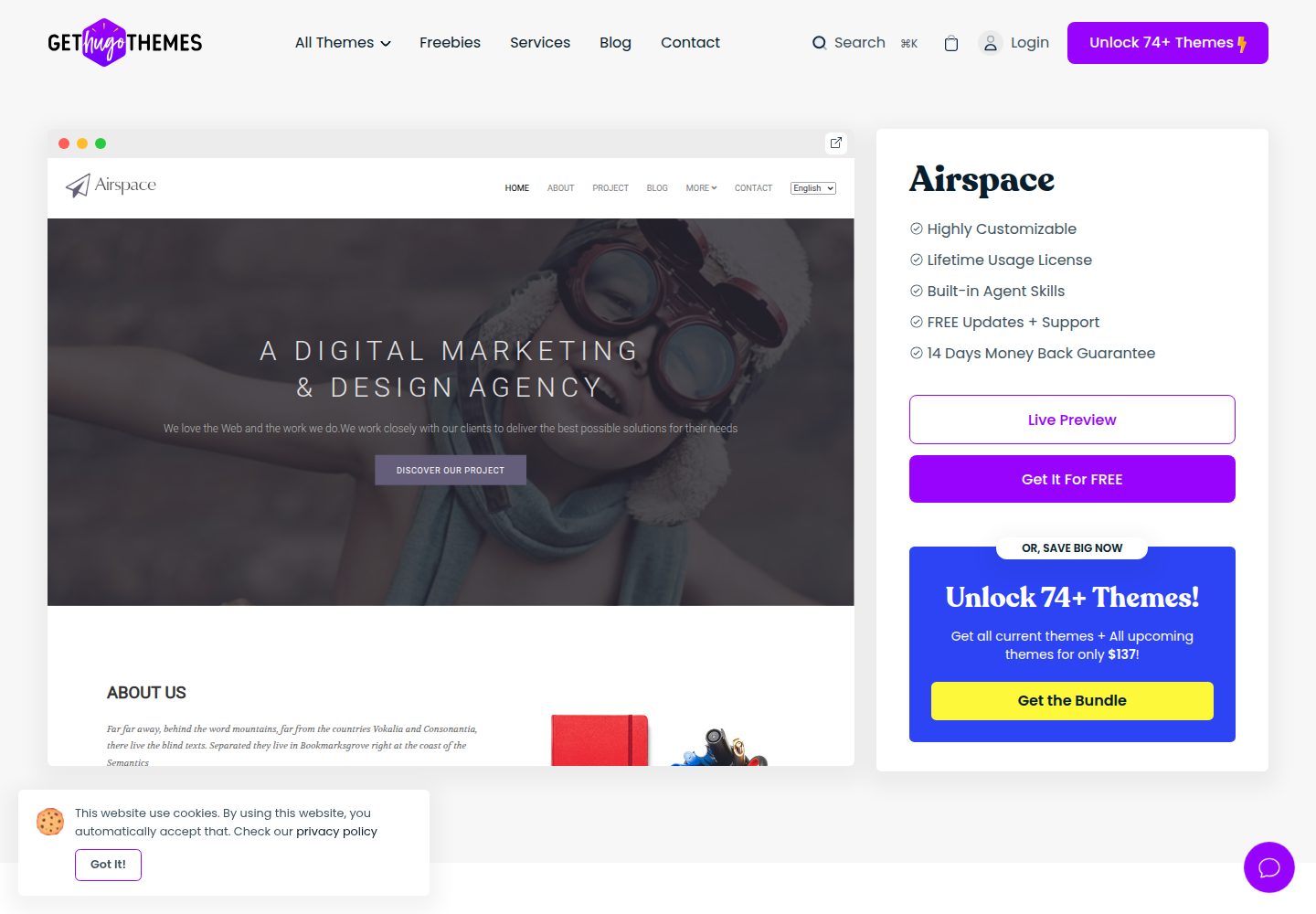
airspace-hugo
Airspace is a multipurpose Hugo theme by Themefisher for portfolio, blog, and business sites.
Hugo · Portfolio
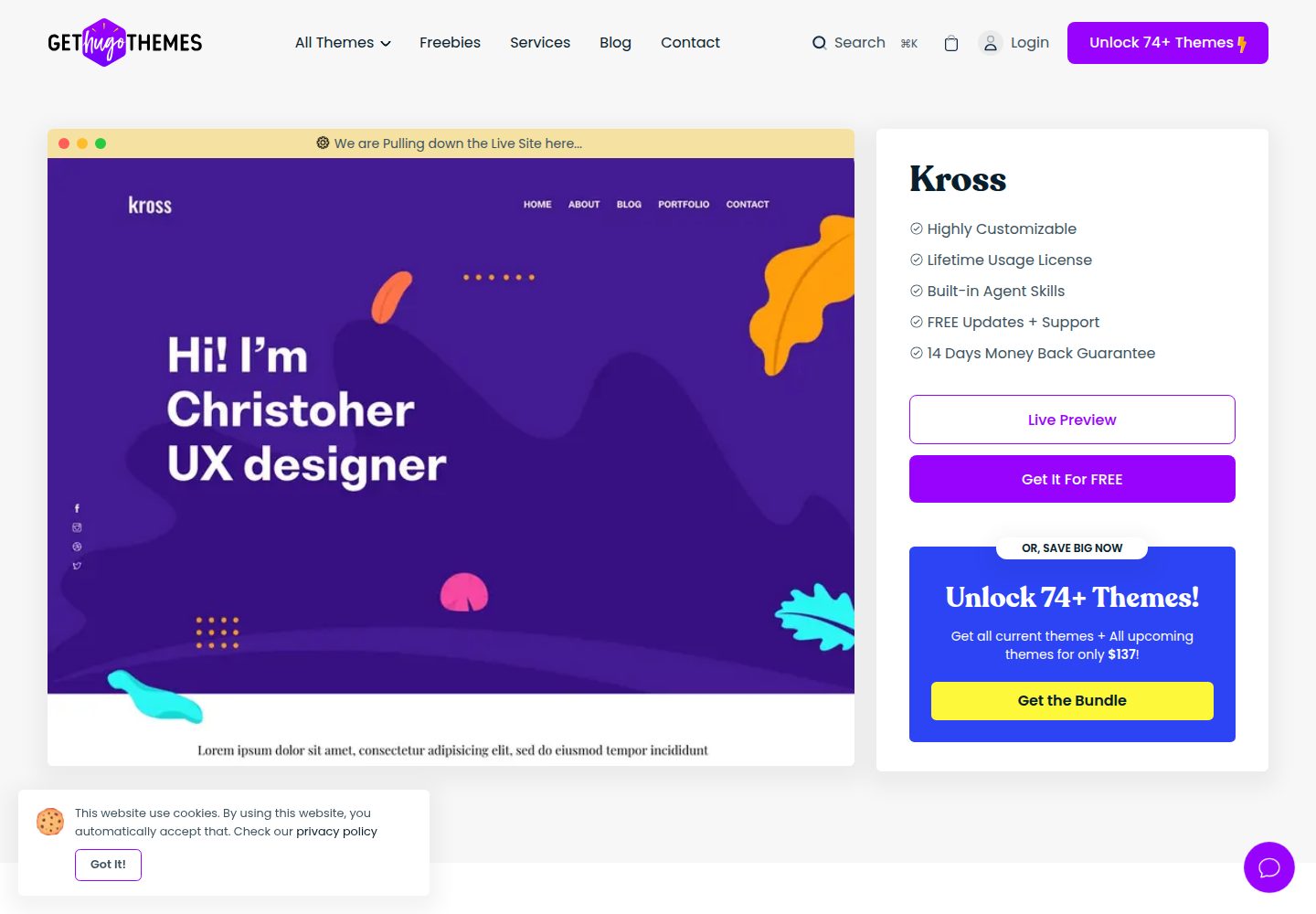
kross-hugo
Kross is a Hugo personal portfolio theme by Themefisher, offering more than 8 pre-built pages including home, about, blog, portfolio, and contact.
Hugo · Portfolio