Uses MaterializeCSS to implement a Material Design-style blog interface
JekyllBlog
materialize-jekyll — Jekyll Blog Template
By victorpre
A Jekyll blog theme based on MaterializeCSS, adopting a Material Design visual style, introduced via Gem or remote_theme.
Explore the design
Compare the page layouts and mobile experience. Open any screenshot for a closer look.
Desktop homepage1 / 3
Desktop captureTop of page
Actual screenshot captured by the server browser.
All pages & views 3
Screenshots show visual appearance; interactive behavior may differ.
Recorded 2026-10-02View source
What stands out
A quick read of the recorded project description.
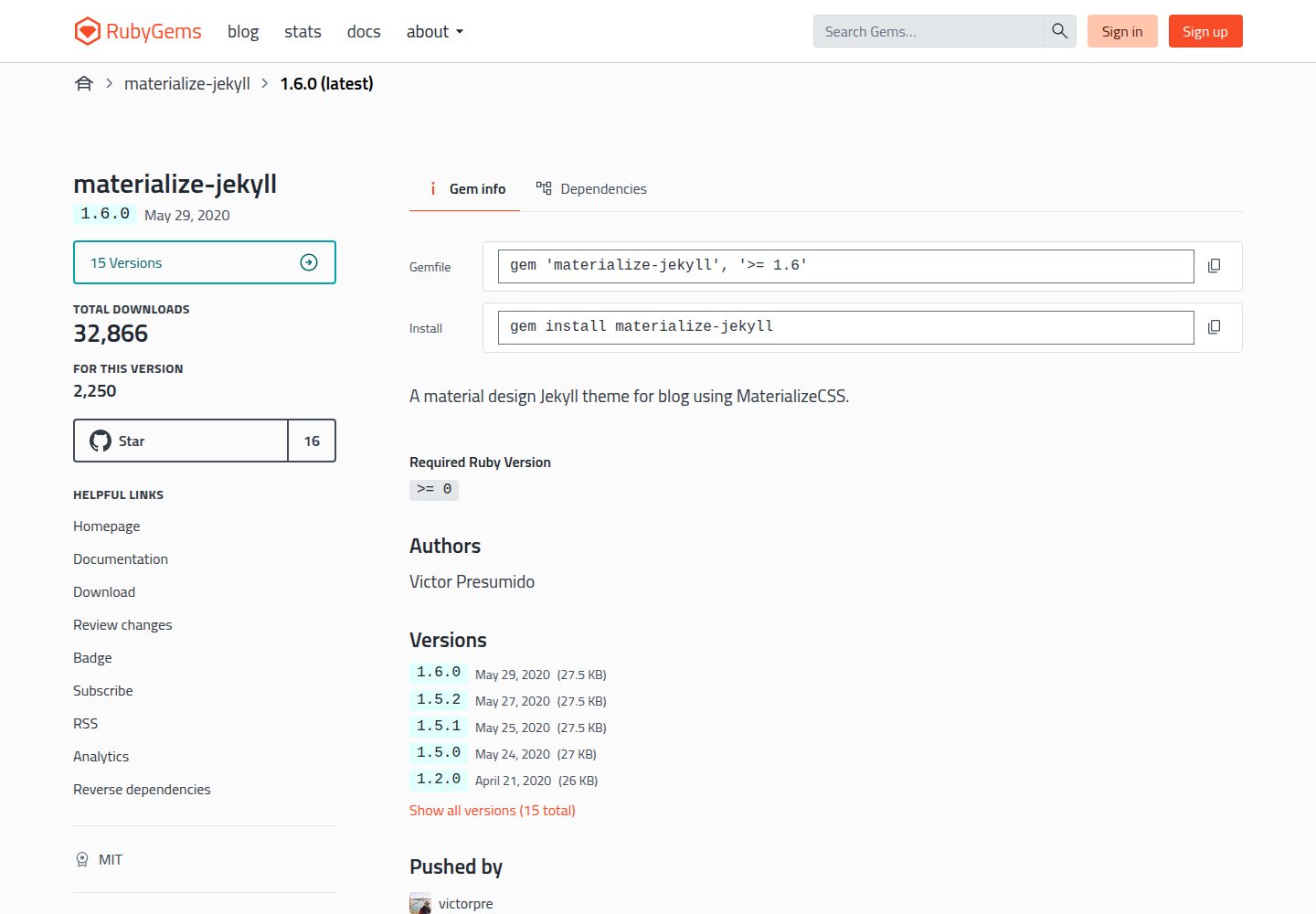
Released as a Ruby Gem, installable via Gemfile or gem install
Supports referencing via remote_theme on GitHub Pages
Provides three main layouts: default, home, and post, plus multiple reusable fragments
Styles and primary color can be adjusted in _sass and assets/css/main.scss
Uses the MIT license, allowing modification, commercial use, and distribution
Template Details
materialize-jekyll is a Jekyll blog theme that applies MaterializeCSS's Material Design components to Jekyll sites. The theme is released as a Ruby Gem and can be added via Gemfile with gem "materialize-jekyll" and setting theme in _config.yml, or installed separately with gem install; on GitHub Pages it can be referenced via remote_theme: victorpre/materialize-jekyll.
The theme provides three main layouts: default, home, and post. default is the page skeleton, responsible for including the header, footer, and static assets; home is used to display the blog post list on the homepage; post is used to render a single article. The _includes directory contains fragments such as author, comments, date, footer, header, navbar, and share, which are called by the layouts. Styles are distributed in _sass and assets/css/main.scss, the primary color is adjusted in _sass/variables.scss, and JavaScript logic is located in assets/js/init.js. Articles are placed as Markdown files in the _posts directory.
The repository materials do not describe the theme's specific feature details, browser compatibility, or maintenance status; the demo site mentioned in the README is the author's personal blog. The theme uses the MIT license and can be freely used, modified, commercialized, and distributed, but third-party assets such as demo images, fonts, and icons need to be checked separately for licensing.
JekyllBlog
Is it right for your project?
Use Cases
- Building a personal blog primarily featuring article lists and detail pages
- Quickly applying the theme on GitHub Pages using remote_theme
- Customizing color schemes and page structure based on existing layouts and Sass variables
- Using as a reference project for learning Jekyll layouts, includes, and Sass organization
Suitable For
- Developers building static blogs with Jekyll
- Site authors who want to adopt a Material Design visual style
- Users who need to reference a remote theme on GitHub Pages
- People willing to adjust the theme themselves via Sass and HTML fragments
Getting started & customization
Use these recorded setup notes alongside the repository instructions for your chosen version.
- 1
Add gem "materialize-jekyll" to the Jekyll site's Gemfile, set theme: materialize-jekyll in _config.yml, then run bundle.
- 2
Alternatively, install directly by running gem install materialize-jekyll.
- 3
For GitHub Pages, write remote_theme: victorpre/materialize-jekyll in _config.yml.
- 4
For local development, run bundle install then bundle exec jekyll serve, and preview at http://localhost:4000.
- 5
Place article Markdown files in the _posts directory; adjust the primary color in _sass/variables.scss and modify scripts in assets/js/init.js.
License & source material
Usage conditions & limitations
Free to use · keep license noticeThis entry covers the free version under the MIT license in the public repository; the free scope is the code of this version and does not imply that external services or third-party assets are free.
Must comply with when using
- Permits free use, modification, commercial use, and distribution of this version's code.
- When distributing copies or substantial portions of the code, retain the original author's copyright notice and the full MIT license notice.
- The code is provided as is; warranties and limitations of liability are governed by the original license and applicable law.
Additional costs & items to verify
- Demo images, fonts, icons, and other third-party assets must be checked under their respective licenses and cannot be judged solely by the code's MIT license.
- External services such as domains, hosting, databases, payments, or AI may incur additional charges.
View Original Text Basis
https://github.com/victorpre/materialize-jekyll/blob/master/LICENSE.txthttps://github.com/victorpre/materialize-jekyll/blob/master/README.mdPermission is hereby granted, free of charge
Original License Text
Compiled by DeepSeek based on repository license and README ·2026-10-02. Results only cover the materials read; dependencies, images, fonts, and subsequent term changes are subject to their respective original texts.
Project checks & description sources
Template Information
- Source platforms
- GitHub
- Documentation and maintenance reference score
- Partly documented · 72 / 100
- Technologies
- Jekyll
- Website type
- Blog
How this score is calculated
Our heuristic uses license records (up to 30), a demo link (12), a preview (10), stars (15), recorded maintenance (15), description completeness (8), feature records (5) and classification data (5). It is not a code, security or performance test, or a Google score. A link does not establish tested functionality.
What to verify for this project
- Repository update recorded
- 2020-05-29
- Screenshot last checked
- 2026-10-02
A demo link is listed. Check it with your own content and viewport sizes; its presence does not confirm that forms, authentication or payments work.
The catalog identifies Jekyll as the primary stack. Check the actual dependency manifest and lockfile for versions and hosting requirements. These notes use recorded metadata, not a code audit or a deployment test.
Use a selection guide →How this description was prepared
AI-assisted description based on catalog records and repository material. Repository authors are not automatically the reviewers of this description.
Automatically checked against source and license rules; no manual editorial review.
Inspect the recorded source material
SHA-256: 0f35c521030f9b9047cb44ccb34791712aeab564f9f1efffa5227acad23b95e6
2026-10-02T10:52:23.436Z
Source file / repository# materialize-jekyll

Welcome to your **materialize-jekyll** theme! This is where [Materialize](http://materializecss.com/) meets [Jekyll](https://jekyllrb.com/).
Demo available: [here](http://victorpre.com/blog/)
## Installation
Add this line to your Jekyll site's `Gemfile`:
```ruby
gem "materialize-jekyll"
```
And add this line to your Jekyll site's `_config.yml`:
```yaml
theme: materialize-jekyll
```
And then execute:
$ bundle
Or install it yourself as:
$ gem install materialize-jekyll
> **Note**: ~~if you are hosting your site with [GitHub Pages](https://pages.github.com/) you will have to clone this project and copy the theme files manually to your directory.~~
> Since [November 2017](https://blog.github.com/2017-11-29-use-any-theme-with-github-pages/) you can use this theme by adding: `remote_theme: victorpre/materialize-jekyll` on your `_config.yml` file.
## Usage
### Project tree:
```
materialize-jekyll
│
├─── _includes
| ├─── author.html
| ├─── comments.html
| ├─── date.html
| ├─── footer.html
| ├─── header.html
| ├─── navbar.html
│ └─── share.html
├─── _layouts
│ ├─── compress.html
│ ├─── default.html
│ ├─── home.html
│ └─── post.html
├─── _posts
│
├─── _sass
│ ├─── _author.scss
│ ├─── _cards.scss
│ ├─── _navbar.scss
│ ├─── _post.scss
│ ├─── _syntax.scss
│ ├─── _tags.scss
│ └─── _variables.html
└─── assets
│
└─── css
│ └─── main.scss
└─── img
│ └─── icons
└─── js
├─── init.js
└─── vendor
```
This gem offers some *main* layouts that can be used/edited:
- The `_layouts/default.html`, is the skeleton of the pages, where header,footer, assets are called. It should be used in most of the other layouts,
- The `_layouts/home.html` is the main layout the will be your home, where your blog posts will be shown;
- The `_layouts/post.html` is the layout used to present the blog posts themselves, where they will be rendered.
Inside the `_includes/` directory there are the partials that are used inside the layouts.
The stylesheets of this gem can be edited both in `_sass/` and in `assets/css/main.scss`.
The main colors of the theme can be found and customized in `_sass/variables.scss`.
To edit the current JavaScript functions of the gem, the file you are looking for is in `assets/js/init.js`.
Your blog posts (`*.md` files) should be put in the `_posts` directory.
## Contributing
Bug reports and pull requests are welcome on GitHub at https://github.com/victorpre/materialize-jekyll. This project is intended to be a safe, welcoming space for collaboration, and contributors are expected to adhere to the [Contributor Covenant](http://contributor-covenant.org) code of conduct.
## Development
To set up your environment to develop this theme, run `bundle install`.
Your theme is setup just like a normal Jekyll site! To test your theme, run `bundle exec jekyll serve` and open your browser at `http://localhost:4000`. This starts a Jekyll server using your theme. Add pages, documents, data, etc. like normal to test your theme's contents. As you make modifications to your theme and to your content, your site will regenerate and you should see the changes in the browser after a refresh, just like normal.
When your theme is released, only the files in `_layouts`, `_includes`, and `_sass` tracked with Git will be released.
## Credits
This theme was inspired by the [Google's Material Design](https://material.io/guidelines/#introduction-goals), using the components from [Materialize](https://github.com/Dogfalo/materialize) framework and it has a lot of influence from [Willian Justen's Card Jekyll Template](https://github.com/willianjusten/cards-jekyll-template).
## License
The theme is available as open source under the terms of the [MIT License](https://opensource.org/licenses/MIT).
Explore similar templates
Compare previews and descriptions within the same stack and category.

al-folio
A Jekyll academic homepage theme for scholars and researchers, with a clean responsive design and out-of-the-box support for publication lists, project showcases, CVs, and blogs.
Jekyll · Portfolio

minimal-mistakes
Minimal Mistakes is a two-column Jekyll theme for personal sites, blogs, project documentation, or portfolios.
Jekyll · Portfolio

Beautiful Jekyll
Beautiful Jekyll is a mature, easy-to-use Jekyll blog theme maintained by Dean Attali since 2015, with over 50,000 users.
Jekyll · Blog

jekyll-TeXt-theme
A customizable Jekyll theme for personal sites, team sites, blogs, projects, and documentation.
Jekyll · Blog

startbootstrap-clean-blog-jekyll
The official Jekyll version of Start Bootstrap's Clean Blog theme, offering a blog home page, about page, contact page, and sample post pages, with a Formspree-powered contact form.
Jekyll · Blog

So Simple
A minimal reading-oriented Jekyll theme by Michael Rose for personal blogs, portfolios, and long-form reading. It offers multiple layouts, microformat markup, Disqus comments, Google Analytics, Jekyll SEO Tag, three skins, and aggregation by year, category, and tag with a grid view.
Jekyll · Blog