Vanilla HTML/CSS/JS implementation with no build step and no npm dependencies
HTMLPortfolioBlogTool Site
neovim-web — HTML Portfolio Template
By vojay-dev
A Neovim-themed, pure front-end personal website framework built with vanilla HTML/CSS/JS. Configured via config.js, it supports Vim keybindings, Telescope fuzzy finding, a DuckDB SQL console, multiple themes, and a Markdown blog.
Explore the design
Compare the page layouts and mobile experience. Open any screenshot for a closer look.
Author preview
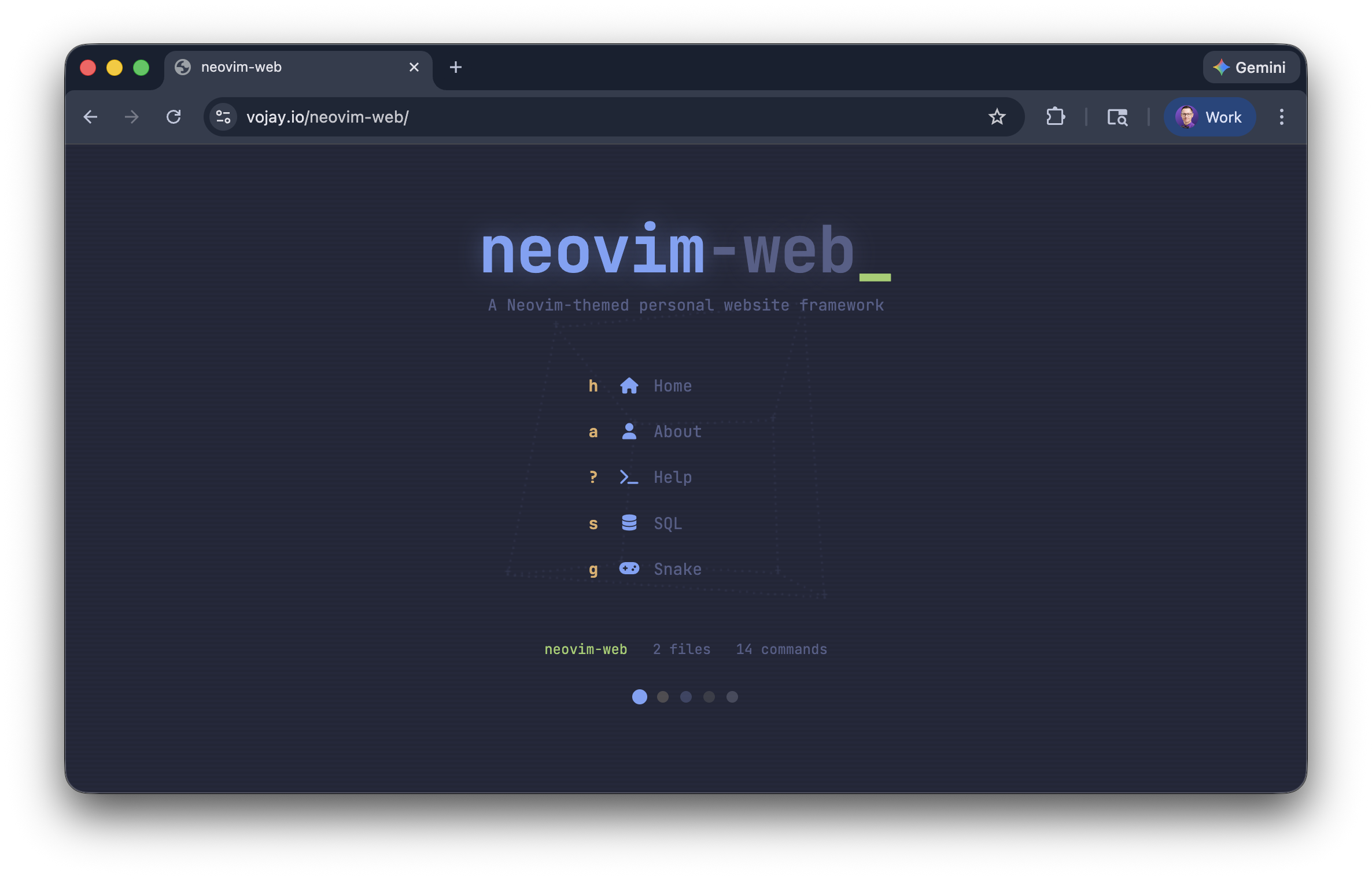
Author-provided previewTop of page
Preview provided in the project README.
One original preview is available. Open the full image to inspect the design.
Screenshots show visual appearance; interactive behavior may differ.
Recorded 2026-10-03View source
What stands out
A quick read of the recorded project description.
Vim keybindings and : command mode, supporting j/k scrolling and / or Ctrl+p to open Telescope fuzzy finder
Built-in DuckDB WASM SQL console that loads site pages into a pages table for querying
5 color themes, switchable via :theme or the status bar, with support for custom theme variables
Markdown pages and a blog system with YAML frontmatter, supporting code highlighting and Font Awesome inline icons
Alpha start dashboard, buffer tabs, and easter egg commands (:snake, :matrix, :sl)
Template Details
neovim-web is a Neovim-themed personal website framework implemented in vanilla HTML/CSS/JavaScript, requiring no build step or npm. The entire site is configured through config.js in the root directory; pages are Markdown files in the content/ directory, and blog posts go in the posts/ directory with YAML frontmatter. The site provides Vim-style keybindings (j/k to scroll, : command mode, / or Ctrl+p to open Telescope fuzzy finder), a built-in Alpha start dashboard, 5 color themes (Tokyo Night, Gruvbox, Dracula, Cyberpunk, Latte), buffer tabs, Font Awesome inline icons, and several easter egg commands (:snake, :matrix, :sl). The :sql command loads site page content into a pages table via DuckDB WASM in the browser, allowing SQL queries. Deployment is via static hosting; the README uses GitHub Pages as an example.
Usage limitations and notes: site content and command logic run client-side, and DuckDB queries are performed entirely in the browser; the blog requires running make posts to regenerate the posts/posts.json manifest from frontmatter, and make bust can be run before deployment to update cache parameters. Custom commands require editing commands.js; custom themes require adding CSS variables in style.css and including them in config.themes. The script load order is fixed as config.js → commands.js → engine.js.
HTMLPortfolioBlogTool Site
Is it right for your project?
Use Cases
- Building a personal homepage or portfolio with an editor/terminal-style visual theme
- Maintaining content in Markdown and generating a static blog with a card list
- Querying the site's own content with SQL in the browser for demos or data exploration
- Deploying to static hosting services such as GitHub Pages without a build process
Suitable For
- Developers familiar with Vim/Neovim workflows who want their website to use the same interactions
- Authors of personal sites needing zero-build, pure-static output that can be pushed directly to GitHub Pages
- Content maintainers who want to manage pages and blog posts in Markdown
- Demo or data-oriented projects interested in running DuckDB SQL queries in the browser
Getting started & customization
Use these recorded setup notes alongside the repository instructions for your chosen version.
- 1
After cloning the repository, edit config.js to fill in site title, start page, page list, links, Alpha dashboard, contact information, blog, and theme settings.
- 2
To add a page: create a Markdown file in content/ and add the filename to config.files; the page automatically gets a sidebar entry, a :command, and Telescope indexing.
- 3
To add a blog post: create a Markdown file with YAML frontmatter in posts/, run make posts to regenerate posts/posts.json, and optionally run make bust before deployment to update cache parameters.
- 4
For local preview, run make run, which starts at http://localhost:8000 by default; the script load order must be config.js → commands.js → engine.js.
- 5
When deploying to GitHub Pages, select publishing from the root of the main branch in the repository's Settings > Pages; a CNAME file is required for a custom domain.
License & source material
Usage conditions & limitations
Free to use · keep license noticeThis entry covers the free version under the MIT license in the public repository; the free scope is the code of that version and does not imply that external services or third-party assets are free.
Must comply with when using
- The code of this version may be used, modified, used commercially, and distributed free of charge.
- When distributing copies or substantial portions of the code, retain the original author's copyright notice and the full MIT license notice.
- The code is provided as is; warranties and limitations of liability are governed by the original license and applicable law.
Additional costs & items to verify
- The deployment example mainly covers GitHub Pages; using other static hosting requires your own adaptation, and the README does not provide deployment instructions for other platforms.
- After adding or modifying blog posts, you must run make posts to regenerate the posts/posts.json manifest; otherwise the blog list will not update.
- Before deployment, it is recommended to run make bust to update the ?v= cache parameters for CSS/JS in index.html; otherwise visitors may see old asset versions.
- The script load order is fixed as config.js → commands.js → engine.js; engine.js reads config and customCommands on load, and an incorrect order will prevent the site from working properly.
- Enabling Google Analytics requires filling in googleId in config.js; it is a third-party external service and may involve data collection and compliance requirements.
- The project is built on the architecture of vojay.io, and attribution and copyright information (Copyright (c) 2026 Volker Janz) must be retained per the MIT license.
- Demo images, fonts, icons, and other third-party assets must be checked against their respective licenses and cannot be judged solely by the code's MIT license.
- External services such as domains, hosting, databases, payments, or AI may incur separate charges.
View Original Text Basis
Permission is hereby granted, free of charge
Original License Text
Deploy on GitHub Pages in minutes.
Original README
Regenerate the manifest:
Original README
Cache bust before deploying:
Original README
config.js → commands.js → engine.js
Original README
Google Analytics (optional)
Original README
https://github.com/vojay-dev/neovim-web/blob/main/LICENSEhttps://github.com/vojay-dev/neovim-web/blob/main/README.mdBuilt on the architecture of [vojay.io](https://vojay.io) by [Volker Janz](https://github.com/vojay-dev).
Original README
Compiled by DeepSeek based on repository license and README ·2026-10-03. Results only cover the materials read; dependencies, images, fonts, and subsequent term changes are subject to their respective original texts.
Project checks & description sources
Template Information
- Source platforms
- GitHub
- Documentation and maintenance reference score
- More documented · 92 / 100
- Technologies
- HTML
- Website type
- Portfolio · Blog · Tool Site
How this score is calculated
Our heuristic uses license records (up to 30), a demo link (12), a preview (10), stars (15), recorded maintenance (15), description completeness (8), feature records (5) and classification data (5). It is not a code, security or performance test, or a Google score. A link does not establish tested functionality.
What to verify for this project
- Repository update recorded
- 2026-02-21
- Screenshot last checked
- 2026-10-03
A demo link is listed. Check it with your own content and viewport sizes; its presence does not confirm that forms, authentication or payments work.
The catalog identifies HTML as the primary stack. Check the actual dependency manifest and lockfile for versions and hosting requirements. These notes use recorded metadata, not a code audit or a deployment test.
Use a selection guide →How this description was prepared
AI-assisted description based on catalog records and repository material. Repository authors are not automatically the reviewers of this description.
Automatically checked against source and license rules; no manual editorial review.
Inspect the recorded source material
SHA-256: b8dd2299be8ce9bce8192608ea78c6bcfe1d6a43c45059c8d87bf2b7d900d8c3
2026-10-03T04:58:46.382Z
Source file / repository# neovim-web
[](LICENSE)
[](#)
A **Neovim-themed personal website framework**. Zero build, zero npm, pure vanilla JS/CSS/HTML. Deploy on GitHub Pages in minutes.
Your entire site is configured through a single `config.js` file. Add pages by dropping markdown files. Built-in DuckDB SQL console, Telescope fuzzy finder, vim keybindings, 5 color themes, and fun easter eggs.
`neovim-web` is fully responsive and works great on mobile (yes, even the commands).
👉 **[Live Demo](https://vojay-dev.github.io/neovim-web/)**


---
## Quick Start
```bash
git clone https://github.com/vojay-dev/neovim-web.git
cd neovim-web
```
Edit `config.js` with your info, then:
```bash
make run
# Open http://localhost:8000
```
Deploy to GitHub Pages. No build step needed, just push and go.
---
## Features
- **Vim keybindings** - `j`/`k` scroll, `:` commands, `/` search
- **Telescope fuzzy finder** - search files, commands, and links
- **Alpha dashboard** - animated startup screen with 3D ASCII art backgrounds
- **5 color themes** - Tokyo Night, Gruvbox, Dracula, Cyberpunk, Latte
- **DuckDB SQL** - query your own site content with SQL in the browser
- **Blog system** - markdown posts with frontmatter, auto-generated cards
- **Buffer tabs** - open multiple pages like Neovim buffers
- **Font Awesome icons** - inline icon syntax in markdown (`:fab fa-github:`)
- **Mobile friendly** - responsive layout with touch support
- **Easter eggs** - `:snake` (playable game!), `:matrix`, `:sl`


---
## Configuration
Everything lives in `config.js`:
```js
const config = {
// Site title (shown in browser tab)
title: 'my-site',
// Default page loaded on visit
startPage: 'home',
// Pages: each entry maps to content/{name}.md
files: ['home', 'about'],
// Sidebar links (external)
links: [
{ label: 'GitHub', url: 'https://github.com/you', icon: 'fab fa-github' },
],
// Alpha dashboard (startup screen)
alpha: {
enabled: true, // set false to skip startup screen
animation: 'cube', // 'donut', 'starfield', 'cube', or false
title: 'your-name', // animated typing text
titleColor: 'var(--blue)',
titleAccent: '.dev', // dimmed suffix
titleAccentColor: 'var(--comment)',
subtitle: 'Your tagline here',
subtitleColor: 'var(--comment)',
actions: [ // quick-launch buttons
{ key: 'h', icon: 'fas fa-home', label: 'Home', cmd: 'home' },
// cmd: 'filename' opens a page, cmd: ':command' runs a command
]
},
// Contact email (used by :contact command)
contact: { email: '[email protected]' },
// Google Analytics (optional)
analytics: { enabled: false, googleId: '' },
// Git repo link in status bar (optional)
repo: { url: 'https://github.com/you/your-site', branch: 'main' },
// Blog system
blog: {
enabled: true,
manifestPath: 'posts/posts.json',
postsDir: 'posts'
},
// Available themes and default
themes: ['tokyo', 'gruvbox', 'dracula', 'cyberpunk', 'latte'],
defaultTheme: 'tokyo',
};
```
---
## Adding Pages
1. Create `content/mypage.md`
2. Add `'mypage'` to `config.files`
Done. The page automatically gets:
- A sidebar entry
- A `:mypage` command
- Telescope search inclusion
- A DuckDB `pages` table row
### Markdown Features
- Standard markdown (rendered via [Marked.js](https://marked.js.org/))
- Syntax highlighting for code blocks (Python, Bash, Java, SQL, JSON, YAML, Ruby, TOML)
- Font Awesome icons inline: `:fab fa-github:` renders as a GitHub icon
- Images with click-to-lightbox
---
## Adding Blog Posts
1. Create a markdown file in `posts/`:
```
posts/2026-03-15-my-post.md
```
2. Add YAML frontmatter:
```yaml
---
title: My Post Title
date: 2026-03-15
description: A short summary shown on the blog card.
image: images/blog/cover.jpg
tags:
- javascript
- tutorial
---
Your content here...
```
3. Regenerate the manifest:
```bash
make posts
```
4. Cache bust before deploying:
```bash
make bust
```
The blog page appears in the sidebar automatically when posts exist.
---
## Built-in Commands
Type `:` to enter command mode.
| Command | Description |
|---------|-------------|
| `:help` | List all commands |
| `:theme` | Cycle through themes |
| `:sql` | DuckDB SQL console (queries your site content!) |
| `:contact` | Send email |
| `:socials` | Show social links |
| `:date` | Current date/time |
| `:whoami` | Device & location info |
| `:snake` | Play snake with vim keys |
| `:matrix` | Matrix rain effect |
| `:sl` | ASCII train animation |
| `:alpha` | Show startup dashboard |
| `:telescope` | Fuzzy finder |
| `:clear` | Clear output |
| `:q` | Close current buffer |
### Adding Custom Commands
Edit `commands.js`:
```js
const customCommands = {
'mycommand': {
desc: 'Description shown in :help',
fn: (args, sys) => {
// sys.openFile('pagename') - open a page
// sys.print('<p>HTML</p>') - render HTML
// sys.alert('message') - info toast
// sys.error('message') - error toast
// sys.success('message') - success toast
}
},
// ... existing commands
};
```
---
## Keybindings
| Key | Mode | Action |
|-----|------|--------|
| `j` / `k` | Normal | Scroll down / up |
| `:` | Normal | Enter command mode |
| `/` or `Ctrl+p` | Normal | Open Telescope |
| `Escape` | Command/Telescope | Return to normal |
| `Enter` | Command | Execute command |
| Arrow keys / `Ctrl+n/p` | Telescope | Navigate results |
---
## Themes
Five built-in themes:
| Theme | Style |
|-------|-------|
| **Tokyo Night** (default) | Soft blues and purples |
| **Gruvbox** | Warm retro tones |
| **Dracula** | Vibrant darks |
| **Cyberpunk** | Neon high-contrast |
| **Latte** | Light theme |
Switch with `:theme`, the palette icon in the status bar, or the dots on the Alpha dashboard.
### Adding a Custom Theme
1. Add CSS variables in `style.css`:
```css
[data-theme="mytheme"] {
--bg: #1a1a2e;
--bg-dark: #16162a;
--fg: #eaeaea;
--blue: #4fc1ff;
--cyan: #56d6c2;
--purple: #c792ea;
--orange: #f78c6c;
--yellow: #ffcb6b;
--green: #c3e88d;
--red: #ff5370;
--magenta: #ff79c6;
--comment: #546e7a;
--line-nr: #3b4261;
--selection: #2a2a4a;
--status-bg: #16162a;
--border: #2a2a4a;
--badge-fg: #16162a;
--seg-bg: #2a2a4a;
--hover-bg: rgba(255,255,255,0.03);
--shadow: rgba(0,0,0,0.3);
--h1: var(--green);
--h2: var(--blue);
--h3: var(--purple);
}
```
2. Add the name to `config.themes`:
```js
themes: ['tokyo', 'gruvbox', 'dracula', 'cyberpunk', 'latte', 'mytheme'],
```
---
## Deployment (GitHub Pages)
1. Push your site to a GitHub repository
2. Go to **Settings > Pages**
3. Set source to **Deploy from a branch** > `main` / `root`
4. Your site will be live at `https://username.github.io/repo-name/`
For a custom domain, add a `CNAME` file with your domain name.
---
## Development
```bash
make run # Start local server at http://localhost:8000
make bust # Cache bust (bump ?v= on CSS/JS in index.html)
make posts # Regenerate blog manifest from frontmatter
```
### File Structure
```
index.html HTML shell, layout, meta tags, script loading
config.js Your site configuration (edit this!)
commands.js Command definitions (add custom commands here)
engine.js Core runtime (modes, rendering, keybindings)
style.css All styling + theme definitions
content/ Markdown pages
posts/ Blog posts with YAML frontmatter
```
### Script Load Order
```
config.js → commands.js → engine.js
```
`engine.js` reads from `config` and `customCommands` on load, so these must be loaded first.
---
## DuckDB SQL Console
Run `:sql` to launch an in-browser SQL engine powered by [DuckDB WASM](https://duckdb.org/docs/api/wasm/overview.html). Your site pages are automatically loaded into a `pages` table:


```sql
SELECT filename, word_count FROM pages ORDER BY word_count DESC;
```
```sql
SELECT filename FROM pages WHERE content LIKE '%javascript%';
```
The data is dynamically added on the first execution of the `:sql` command based on your content. Which means, this works out-of-the-box, even with new content you add to the site.
It is also safe as the database completely runs on client side. A nice feature, especially if you work in data 😉.
---
## Contributing
Contributions are welcome! See [CONTRIBUTING.md](CONTRIBUTING.md) for guidelines.
## Credits
Built on the architecture of [vojay.io](https://vojay.io) by [Volker Janz](https://github.com/vojay-dev).
## License
[MIT](LICENSE)
Explore similar templates
Compare previews and descriptions within the same stack and category.

simplefolio
Simplefolio is a minimal single-page portfolio template for developers, built with HTML, Bootstrap, SCSS, and Parcel under the MIT license. It includes Hero, About, Projects, Contact, and Footer sections, with content edited in /src/index.html and theme colors controlled by two SCSS variables.
HTML · Portfolio

Freelancer
A bright, single-page Bootstrap portfolio template for freelancers, designers, and small studios. It includes a responsive portfolio grid with modal detail windows and an SB Forms contact form that requires an API token.
HTML · Portfolio

Casper
Casper is Ghost's official classic blog theme, long used as the default and still maintained.
HTML · Magazine

Resume
A single-page resume and CV template from Start Bootstrap, built on Bootstrap with a fixed sidebar and content sections.
HTML · Portfolio

Creative
A single-page marketing template by Start Bootstrap for creative agencies and product services, built on Bootstrap with SCSS, featuring a portfolio grid and call-to-action sections. It includes pre-set SB Forms markers for form integration and npm build scripts for source customization.
HTML · Corporate Website
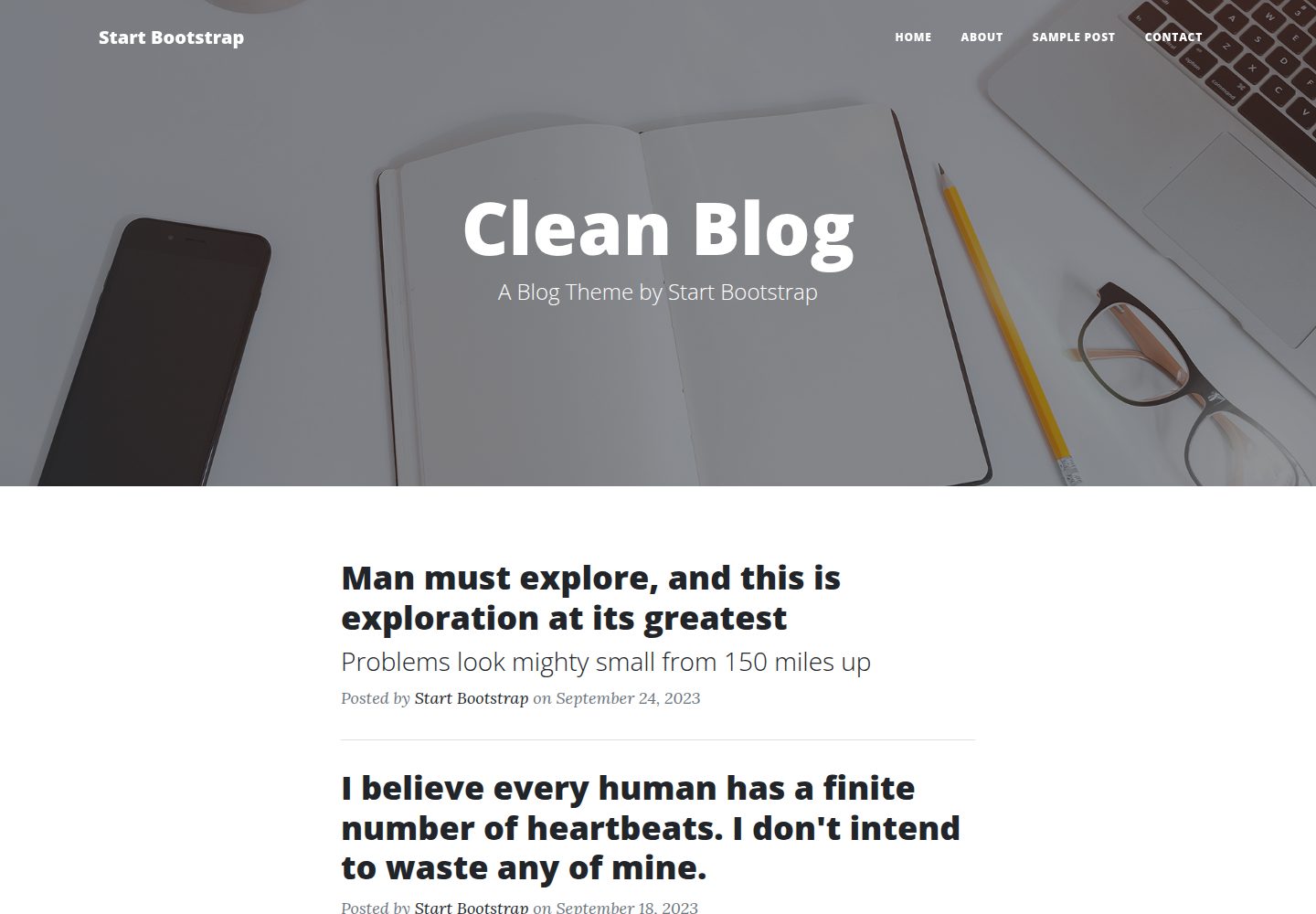
startbootstrap-clean-blog
Clean Blog by Start Bootstrap is a responsive Bootstrap blog theme with a home page, about page, contact page, and sample post page, plus a working PHP contact form preconfigured for SB Forms.
HTML · Blog