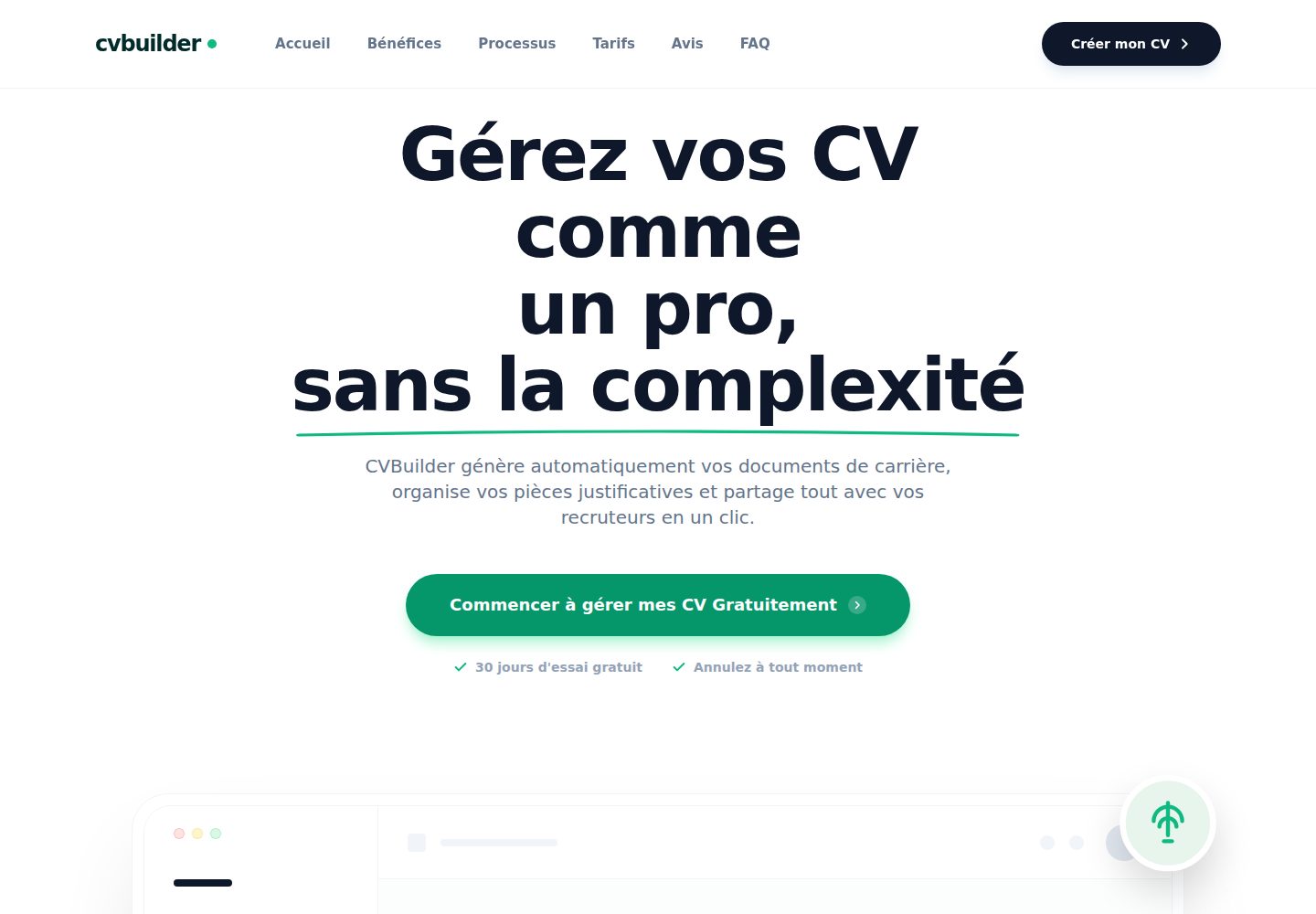
Live editing: form changes are immediately reflected in the resume preview
Next.jsReactPortfolio
CVBuilder — Next.js Portfolio Template
By wistant
CVBuilder is a web-based resume editor built on Next.js 15, React 19, and Tailwind CSS, supporting live preview, DaisyUI theme switching, and in-browser PDF export.
Explore the design
Compare the page layouts and mobile experience. Open any screenshot for a closer look.
Desktop homepage1 / 2
Desktop captureTop of page
Actual screenshot captured by the server browser.
All pages & views 2
Screenshots show visual appearance; interactive behavior may differ.
Recorded 2026-10-14View source
What stands out
A quick read of the recorded project description.
Covers sections including personal information, work experience, education, skills, languages, and hobbies
Supports multiple DaisyUI theme switches and zoom adjustment for precise editing
Generates and downloads A4-format PDFs in the browser
Comes with preset demo data, and each section provides a reset button
The README states the app is optimized for desktop and displays a warning prompt on mobile
Template Details
CVBuilder is an interactive web application for creating, customizing, and exporting resumes. The README states it is built on Next.js 15 (App Router), React 19, TypeScript, Tailwind CSS, and DaisyUI, uses Lucide React for icons, relies on html2canvas-pro and jspdf for PDF generation, and uses canvas-confetti for animations.
Functionally, it provides live editing: as you fill out the form, the resume preview updates in sync. The sections you can manage include personal information, work experience, education, technical skills, languages, and hobbies. For appearance, it offers multiple DaisyUI themes (such as Cupcake, Dark, Corporate, Emerald, etc.) and supports zoom adjustment for precise editing. The app comes with preset demo data, and each section has a reset button. The README explicitly states that the app is optimized for desktop and will display a warning prompt on mobile.
For export, the README says you can generate and download high-quality A4-format PDFs directly in the browser. In terms of project structure, app/page.tsx handles global state and component composition, app/components/ contains the form components (*Form.tsx) and the preview component CVPreview.tsx, presets.ts stores the default resume data, and type.ts defines data types such as Experience and Education. The README does not provide information about data persistence, backend services, account systems, or deployment processes.
Next.jsReactPortfolio
Is it right for your project?
Use Cases
- Filling in items one by one in a desktop browser and viewing the resume layout in real time
- Switching DaisyUI themes to adjust the resume appearance and then exporting a PDF
- Using the preset demo data to quickly understand how to edit each section
- Using the zoom feature to inspect resume details and fine-tune content
Suitable For
- Individual users who need to edit and export a PDF resume in the browser
- Users who prefer desktop operation and want to preview the layout in real time
- Developers who want to modify or extend the resume editor based on Next.js and Tailwind CSS
Getting started & customization
Use these recorded setup notes alongside the repository instructions for your chosen version.
- 1
Node.js must be installed first
- 2
After cloning the repository, enter the project directory and install dependencies with pnpm install (the README mentions npm or yarn can also be used)
- 3
Run pnpm dev (or npm run dev) to start the development server
- 4
Open http://localhost:3000 in the browser to view the app
License & source material
Usage conditions & limitations
Free to use · keep license noticeThis entry covers the free version under the Apache-2.0 license in the public repository; the free scope is the code of that version and does not mean external services or third-party assets are free.
Must comply with when using
- Free use, modification, commercial use, and distribution are permitted; when distributing, the Apache-2.0 license must be included.
- Modified files must prominently indicate changes, and relevant copyright, patent, trademark, and attribution notices must be retained.
- If the original project includes a NOTICE file, applicable attribution notices in it must be retained when distributing derivative works.
- The license includes an applicable contributor patent grant; initiating patent litigation as described in the license terminates that patent grant, and no trademark use rights are granted.
- The code is provided as is; warranties and limitations of liability are governed by the original license and applicable law.
Additional costs & items to verify
- Demo images, fonts, icons, and other third-party assets must be checked against their respective licenses and cannot be judged solely by the code's Apache-2.0 license.
- External services such as domains, hosting, databases, payments, or AI may incur additional charges.
- The app is optimized for desktop and displays a warning prompt on mobile, so the mobile experience may be poor.
View Original Text Basis
no-charge, royalty-free, irrevocable copyright license
Original License Text
https://github.com/wistant/CVBuilder/blob/main/LICENSEhttps://github.com/wistant/CVBuilder/blob/main/README.md- **Optimisation Desktop** : Conçu spécifiquement pour une expérience optimale sur ordinateur (message d'avertissement sur mobile).
Original README
Compiled by DeepSeek based on repository license and README ·2026-10-14. Results only cover the materials read; dependencies, images, fonts, and subsequent term changes are subject to their respective original texts.
Project checks & description sources
Template Information
- Source platforms
- GitHub
- Documentation and maintenance reference score
- More documented · 88 / 100
- Technologies
- Next.js · React
- Website type
- Portfolio
How this score is calculated
Our heuristic uses license records (up to 30), a demo link (12), a preview (10), stars (15), recorded maintenance (15), description completeness (8), feature records (5) and classification data (5). It is not a code, security or performance test, or a Google score. A link does not establish tested functionality.
What to verify for this project
- Repository update recorded
- 2026-01-01
- Screenshot last checked
- 2026-10-14
A demo link is listed. Check it with your own content and viewport sizes; its presence does not confirm that forms, authentication or payments work.
The catalog identifies Next.js as the primary stack. Check the actual dependency manifest and lockfile for versions and hosting requirements. These notes use recorded metadata, not a code audit or a deployment test.
Use a selection guide →How this description was prepared
AI-assisted description based on catalog records and repository material. Repository authors are not automatically the reviewers of this description.
Review declaration: codex-user-requested-batch-review-20261015 · 2026-10-15
Inspect the recorded source material
SHA-256: b9a9b71c357d4dc6448922f9b05531c64e963bf059896453bc501419f826a0e5
2026-10-14T14:58:40.163Z
Source file / repository# CV Builder Une application web moderne et interactive pour créer, personnaliser et exporter votre Curriculum Vitae en quelques clics. Construite avec les dernières technologies web : Next.js 15, React 19 et Tailwind CSS.  ## 🚀 Fonctionnalités - **Édition en temps réel** : Visualisez instantanément les modifications apportées à votre CV au fur et à mesure que vous remplissez les formulaires. - **Gestion complète des sections** : - Informations personnelles - Expériences professionnelles - Formation et éducation - Compétences techniques - Langues - Loisirs - **Thèmes multiples** : Personnalisez l'apparence de votre CV avec une large sélection de thèmes DaisyUI (Cupcake, Dark, Corporate, Emerald, etc.). - **Export PDF** : Génération et téléchargement de votre CV en format PDF haute qualité (A4) directement depuis le navigateur. - **Contrôle d'interface** : Zoom ajustable pour une édition précise. - **Données de démonstration** : L'application est pré-remplie avec des exemples pour faciliter la prise en main (boutons de réinitialisation disponibles par section). - **Optimisation Desktop** : Conçu spécifiquement pour une expérience optimale sur ordinateur (message d'avertissement sur mobile). ## 🛠️ Stack Technique - **Framework** : [Next.js 15](https://nextjs.org/) (App Router) - **UI Library** : [React 19](https://react.dev/) - **Langage** : [TypeScript](https://www.typescriptlang.org/) - **Styling** : [Tailwind CSS](https://tailwindcss.com/) & [DaisyUI](https://daisyui.com/) - **Icônes** : [Lucide React](https://lucide.dev/) - **Génération PDF** : `html2canvas-pro` + `jspdf` - **Animation** : `canvas-confetti` ## 📦 Installation Assurez-vous d'avoir [Node.js](https://nodejs.org/) installé sur votre machine. 1. **Cloner le dépôt** ```bash git clone <votre-url-de-repo> cd cvbuilder ``` 2. **Installer les dépendances** Ce projet utilise `pnpm` (déduit du fichier `pnpm-lock.yaml`), mais vous pouvez aussi utiliser `npm` ou `yarn`. ```bash pnpm install # ou npm install ``` 3. **Lancer le serveur de développement** ```bash pnpm dev # ou npm run dev ``` 4. **Accéder à l'application** Ouvrez [http://localhost:3000](http://localhost:3000) dans votre navigateur pour voir le résultat. ## 📁 Structure du Projet - `app/` : Contient les pages et la logique principale de l'application (Next.js App Router). - `page.tsx` : Point d'entrée principal, gère l'état global et l'assemblage des composants. - `components/` : Composants UI pour les formulaires (`*Form.tsx`) et la prévisualisation (`CVPreview.tsx`). - `presets.ts` : Données initiales par défaut pour le CV. - `type.ts` : Définitions des types TypeScript pour les modèles de données (Experience, Education, etc.). ## 🤝 Contribution Les contributions sont les bienvenues ! N'hésitez pas à ouvrir une issue ou une pull request pour suggérer des améliorations.
Explore similar templates
Compare previews and descriptions within the same stack and category.

react-resume-template
A personal resume website template for software developers, built with Next.js, React, and TypeScript and styled with Tailwind CSS. Site content is driven by a single data file at /src/data/data.tsx, with types in dataDef.ts and images in src/images/.
Next.js · Portfolio

nxt-lnk
nxt-lnk is a Next.js-based bio link page template that manages personal information and links via BioData.js and LinksData.js, positioned as a self-hosted alternative to Linktree. It groups links by type, supports enabling/disabling individual links, and offers hexagonal or oval avatars.
Next.js · Portfolio

sylph
Sylph is a minimal portfolio and blog template built on Next.js, supporting MDX/Markdown writing, light/dark themes, and automatic OG image generation. It includes sitemap, robots.txt, metadata, and syntax highlighting, with automatic blog timestamps.
Next.js · Portfolio

sleek-portfolio
A modern, responsive portfolio template built with Next.js 15, TypeScript, Tailwind CSS, and Shadcn UI. It includes an MDX blog, project showcase, work experience timeline, and a contact form that receives messages via Telegram Bot.
Next.js · Portfolio

research-website-template
A React + Next.js template for research personal websites, aimed at PhD students and researchers. It centralizes publications, projects, and other content in src/data as arrays of objects, with optional fields automatically generating UI components.
Next.js · Portfolio

shadcn-portfolio
A developer portfolio template built with Next.js 15, shadcn/ui, Tailwind CSS, and Framer Motion, featuring an MDX blog, light and dark modes, responsive design, and SEO meta tags.
Next.js · Portfolio