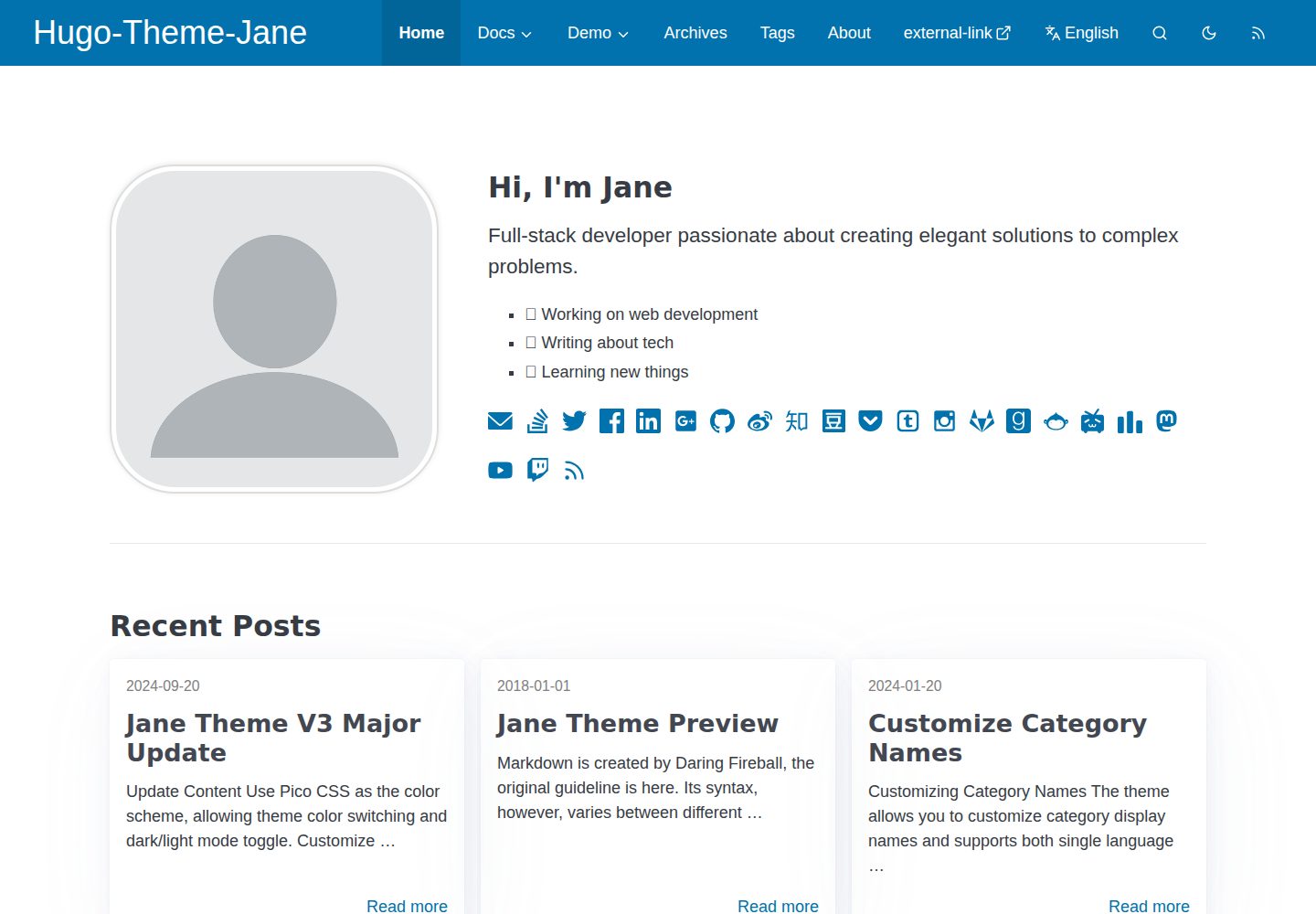
Uses Pico CSS as the color basis, supports theme color switching and dark/light modes
HugoBlog
hugo-theme-jane — Hugo Blog Template
By xianmin
hugo-theme-jane is a Hugo blog theme maintained by xianmin, focused on reading experience, offering multiple color schemes and dark/light mode switching, with multilingual support and custom styles.
Explore the design
Compare the page layouts and mobile experience. Open any screenshot for a closer look.
Desktop homepage1 / 3
Desktop captureTop of page
Actual screenshot captured by the server browser.
All pages & views 3
Screenshots show visual appearance; interactive behavior may differ.
Recorded 2026-10-02View source
What stands out
A quick read of the recorded project description.
Styles are centralized in /assets/sass/_settings.scss for easy personalization
Supports multilingual mode, with translation files in the i18n/ directory
Optimizes pagination, table of contents (TOC), and footnote behavior, and uses Chroma syntax highlighting
Supports custom CSS, custom JS, custom head, and submenus
No node_modules dependency, encourages direct modification of theme code
Template Details
hugo-theme-jane is a blog theme for the Hugo static site generator, hosted on GitHub at xianmin/hugo-theme-jane and licensed under MIT. The theme has been continuously maintained since 2018, and the README notes a V3 major version update.
Design prioritizes reading experience, using Pico CSS as the basis for color schemes, allowing switching of theme colors and dark/light modes; styles are centrally defined in /assets/sass/_settings.scss for easy adjustment to personal preferences. The theme does not depend on node_modules, and the development approach is to reduce dependencies and encourage users to modify the theme code directly.
Functionally, the theme supports responsive and mobile adaptation, multilingual mode, pagination and table of contents (TOC) with optimized footnote behavior, Chroma syntax highlighting, custom CSS/JS/head, submenus, and search optimization. Front Matter for individual posts can control comments, TOC, content copyright, rewards, MathJax, and other toggles.
Usage limitations: Hugo and Dart Sass must be installed first; the theme is introduced via git clone or Hugo module, and content and configuration from exampleSite need to be copied as a starting point. Third-party assets such as demo images, fonts, and icons in the README require separate verification of their respective licenses and cannot be judged solely based on the code's MIT license.
HugoBlog
Is it right for your project?
Use Cases
- Building a personal blog focused on long-form reading
- Sites requiring dark/light mode switching and multiple color schemes
- Blogs needing multilingual content displayed side by side
- Sites wanting deep customization of appearance by modifying Sass variables and custom CSS/JS
Suitable For
- Individual authors building static blogs with Hugo
- Users who prefer modifying theme source code rather than relying on build toolchains
- Content sites needing multilingual support and reading experience optimization
- Developers who want to freely use, modify, and distribute the theme code under MIT license
Getting started & customization
Use these recorded setup notes alongside the repository instructions for your chosen version.
- 1
Hugo and Dart Sass must be installed first; refer to Hugo official documentation for Sass transpilation
- 2
Introduce the theme by git clone to themes/jane, or use Hugo module
- 3
Copy exampleSite's content and hugo.toml to the site root as a starting point
- 4
Run hugo server to preview the example site locally, and run hugo to generate the public/ directory
- 5
Third-party assets such as demo images, fonts, and icons require separate verification of their respective licenses
License & source material
Usage conditions & limitations
Free to use · keep license noticeThis entry covers the free version under MIT license in the public repository; the free scope is the code of this version and does not imply that external services or third-party assets are free.
Must comply with when using
- Free use, modification, commercial use, and distribution of this version's code are permitted.
- When distributing copies or substantial portions of the code, retain the original author's copyright notice and the full MIT license notice.
- The code is provided as-is; warranties and liability limitations are governed by the original license and applicable law.
Additional costs & items to verify
- Using this theme requires installing Dart Sass to transpile Sass to CSS, which is an additional external tool dependency.
- The theme must be introduced by git clone into the site's themes directory, or alternatively via Hugo module; it cannot be used directly as a standalone site.
- Example content and configuration from exampleSite must be copied as a starting point, and users must replace them with their own content.
- The content copyright field in the example Front Matter defaults to CC BY-NC-ND 4.0, which prohibits commercial use and derivatives; if this setting is retained, article content will be subject to non-commercial restrictions and must be changed.
- Demo images, fonts, icons, and other third-party assets require license verification individually and cannot be judged solely based on the code's MIT license.
- External services such as domain, hosting, database, payment, or AI may incur additional charges.
View Original Text Basis
Permission is hereby granted, free of charge
Original License Text
Install Dart Sass, refer to the official documentation
Original README
Clone this repository into `themes` folder
Original README
Copy the example site content
Original README
https://github.com/xianmin/hugo-theme-jane/blob/master/LICENSE.mdhttps://github.com/xianmin/hugo-theme-jane/blob/master/README.mdcontentCopyright: '<a rel="license noopener" href="https://creativecommons.org/licenses/by-nc-nd/4.0/" target="_blank">CC BY-NC-ND 4.0</a>'
Original README
Compiled by DeepSeek based on repository license and README ·2026-10-02. Results only cover the materials read; dependencies, images, fonts, and subsequent term changes are subject to their respective original texts.
Project checks & description sources
Template Information
- Source platforms
- Hugo Themes
- Documentation and maintenance reference score
- More documented · 91 / 100
- Technologies
- Hugo
- Website type
- Blog
How this score is calculated
Our heuristic uses license records (up to 30), a demo link (12), a preview (10), stars (15), recorded maintenance (15), description completeness (8), feature records (5) and classification data (5). It is not a code, security or performance test, or a Google score. A link does not establish tested functionality.
What to verify for this project
- Repository update recorded
- 2026-04-01
- Screenshot last checked
- 2026-10-02
A demo link is listed. Check it with your own content and viewport sizes; its presence does not confirm that forms, authentication or payments work.
The catalog identifies Hugo as the primary stack. Check the actual dependency manifest and lockfile for versions and hosting requirements. These notes use recorded metadata, not a code audit or a deployment test.
Use a selection guide →How this description was prepared
AI-assisted description based on catalog records and repository material. Repository authors are not automatically the reviewers of this description.
Automatically checked against source and license rules; no manual editorial review.
Inspect the recorded source material
SHA-256: 8d208b9c01b63a803f4402696361e361601084f119723cdb14e1ea3c8fa4c470
2026-10-02T08:11:11.193Z
Source file / repository## V3 Upgrade Notice hugo-theme-jane just had a major update, please check out: [Jane Theme V3 Major Update](https://www.xianmin.org/hugo-theme-jane/post/jane-theme-v3-major-update/) & [Hugo-Theme-Jane V3 Upgrade Notice !!! · xianmin/hugo-theme-jane · Discussion #397](https://github.com/xianmin/hugo-theme-jane/discussions/397) 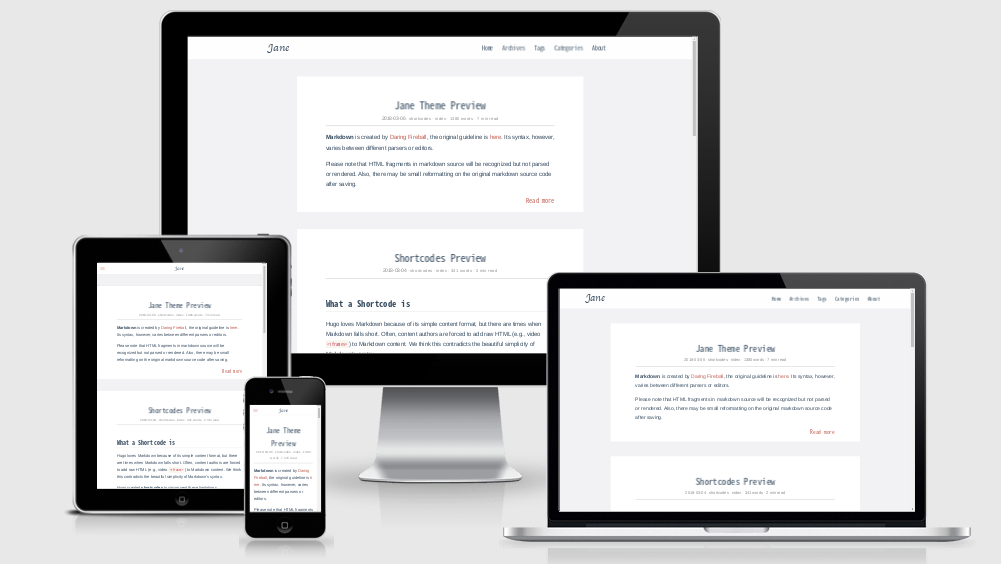 ## hugo-theme-jane Jane is a readable theme for Hugo. Many color schemes to choose, and easy to personalize. Working well since 2018. [Demo](https://xianmin.github.io/hugo-theme-jane/) | [中文说明](https://github.com/xianmin/hugo-theme-jane/blob/master/README-zh.md) **Key features:** - Better reading experience - Use [Pico CSS](https://picocss.com/) as the color scheme, allowing theme color switching and dark/light mode toggle. - Style Settings, located at `/assets/sass/_settings.scss` . - Responsive and mobile friendly - Multilingual Mode support - Better Pagination, TOC, footnote behavior - Use the awesome Chroma syntax highlighting - Custom css, Custom js, Custom head support - Sub menu support - Search Optimization ## Development Philosophy of This Theme 1. No `node_modules` - fewer dependencies make maintenance easier. 2. Encourages users to modify the theme according to personal preferences for a more personalized website. 3. Reading Experience is the top priority. 4. Deploy once, focus on writing, no more hassle. ## Real-world examples - [crazyoptimist](https://crazyoptimist.net/) - [一座島](https://island.shaform.com/zh/) ## Quick Start **Note:** This tutorial assumes that you are using [Hugo][] for **the first time** . [Hugo][] is one of the most popular open-source static site generators. You can check the [Hugo Official Docs][] for more help. [Hugo]: https://gohugo.io/ [Hugo Official Docs]: https://gohugo.io/getting-started/ ### 1. Install Hugo & Dart Sass Download the appropriate version for your platform from [Hugo Releases](https://github.com/gohugoio/hugo/releases). Once downloaded, the binary can be run from anywhere. Ideally, you should install it somewhere in your `PATH` for easy use. `/usr/local/bin` is the most probable location. Install Dart Sass, refer to the official documentation: https://gohugo.io/hugo-pipes/transpile-sass-to-css/#dart-sass . ### 2. Create a New Site ```bash hugo new site myBlog ``` The above will create a new Hugo site in a folder named `myBlog`. ### 3. Use Hugo-Theme-Jane Clone this repository into `themes` folder: ```bash cd myBlog git clone https://github.com/xianmin/hugo-theme-jane.git --depth=1 themes/jane ``` <details> <summary>Alternative, installation as a module</summary> If you have [Go](https://go.dev/) installed you can install the theme as a [hugo module](https://gohugo.io/hugo-modules/), then there will be no need to clone it into the `themes` folder: ```bash hugo mod init example.com/my-blog ``` After that, you would need to use `github.com/xianmin/hugo-theme-jane` as your `theme` and not `hugo-theme-jane` in your `config.toml` file. </details> Copy the example site content: ```bash cp -r themes/jane/exampleSite/content ./ ``` Copy the default site config: ```bash cp themes/jane/exampleSite/hugo.toml ./ ``` Take a look at the example site: ```bash hugo server ``` Open http://localhost:1313/ , you will see your site running with the example content. ### 4. Start a Blog The default config file `hugo.toml` is located in your site root directory. You can customize it to match the details of your site. Documentation about configuring Hugo can be found in the [Official Documentation](https://gohugo.io/getting-started/configuration/) The default content files are located in the `./content/post` directory. ### 5. Generate Your Website Run `hugo` , this generates your website to the `public/` directory by default. Nice work! If you have extra time or want to know more about [Hugo][] , check out the awesome [Hugo Official Docs][] . ## Site Configuration Take a look in the [exampleSite](https://github.com/xianmin/hugo-theme-jane/tree/master/exampleSite) folder. This directory contains an example config file and the content for the demo. It serves as an example setup for you to configure to your liking. Copy the `hugo.toml` to the root directory of your website. Overwrite the existing config file if necessary. ## Single Post Configuration **Front Matter** : Hugo allows you to add front matter in yaml, toml, or json to your content files. **YAML Example:** ```yaml --- # Common-Defined title: "An Example Post" date: 2018-01-01T16:01:23+08:00 lastmod: 2018-01-02T16:01:23+08:00 draft: false tags: ["tag-1", "tag-2", "tag-3"] categories: ["index"] author: "xianmin" # User-Defined # You can close(false) or open(true) something for this content. # P.S. comment can only be closed comment: false toc: false # You can also define another contentCopyright contentCopyright: '<a rel="license noopener" href="https://creativecommons.org/licenses/by-nc-nd/4.0/" target="_blank">CC BY-NC-ND 4.0</a>' reward: false mathjax: true --- ``` ## Multilingual (Language) Support Hugo-Theme-Jane supports the creation of websites with multiple languages side by side. You should define the available languages in a `languages` section in your site configuration. Translations are collected from the `i18n/` folder. To use the translations: ```toml # use Chinese translation defaultContentLanguage = "zh-cn" # Default language to use (if you set up multilingual support) [Languages.zh-cn] languageCode = "zh-cn" ``` To use the Multilingual Mode, see [Multilingual Mode | Hugo](https://gohugo.io/content-management/multilingual/) . ## Contributing If you are interested in fixing issues and contributing directly to this theme, please see the document [How to Contribute](https://github.com/xianmin/hugo-theme-jane/wiki/How-to-Contribute) . There are many ways to contribute to the Jane theme: - submitting pull requests - reporting issues - providing new translations - creating suggestions - correct inappropriate English expression (ok, my English is not good) ## Contributors This project exists thanks to all the people who contribute: <a href = "https://github.com/xianmin/hugo-theme-jane/graphs/contributors"> <img src = "https://contrib.rocks/image?repo=xianmin/hugo-theme-jane"/> </a> ## License Hugo-theme-jane is licensed under the MIT license. Check the [LICENSE](LICENSE.md) file for details.
Explore similar templates
Compare previews and descriptions within the same stack and category.

hugo-PaperMod
A fast, clean, responsive Hugo theme for blogs and lightweight portfolios, with three layout modes (Regular, Home-Info, Profile), automatic and manual light/dark themes, Fuse.js client-side search, multilingual support, and built-in Open Graph, Twitter Cards, and Schema.org data.
Hugo · Portfolio

LoveIt
LoveIt is a clean, elegant, and feature-rich Hugo blog theme derived from LeaveIt and KeepIt, MIT-licensed. It offers light/dark modes, responsive layout, multilingual support, and search via Lunr.js or Algolia.
Hugo · Blog

hugo-coder
hugo-coder is a minimalist Hugo blog theme maintained by luizdepra under the MIT license. It provides a clean, text-focused blog appearance, configuration documentation in the docs directory, and a complete exampleSite with hugo.toml.
Hugo · Blog

blowfish
Blowfish is a Hugo personal website and blog theme built with Tailwind CSS 4, focused on lightness, simplicity, and content-first presentation.
Hugo · Blog

hugo-paper
hugo-paper is a simple, clean, and customizable Hugo blog theme configured through config.toml or hugo.toml.
Hugo · Blog

hextra
Hextra is a Hugo theme for documentation and blog sites, built on Hugo and Tailwind CSS with design referencing Nextra.
Hugo · Documentation