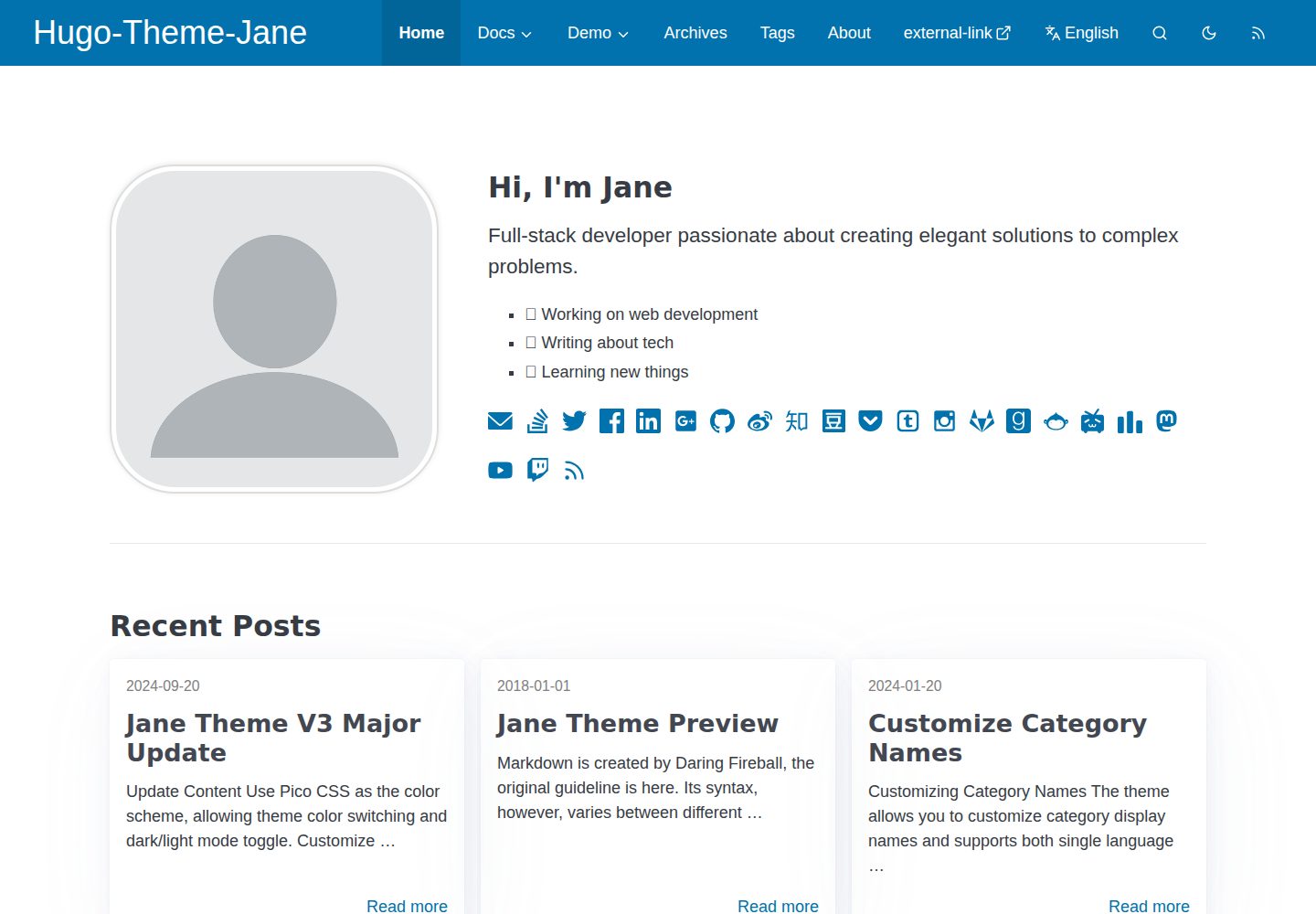
使用 Pico CSS 作为配色基础,支持主题色切换与深色/浅色模式
Hugo博客
hugo-theme-jane — Hugo 博客模板
作者 xianmin
hugo-theme-jane 是 xianmin 维护的 Hugo 博客主题,以阅读体验为核心,提供多套配色与深色/浅色模式切换,支持多语言与自定义样式。
看看你的网站会是什么样
浏览真实页面截图,比较内容排版与手机效果。点击下方缩略图切换,放大查看整页细节。
全部页面与视图 3
截图用于了解视觉与布局,交互效果请以实际项目为准。
采集于 2026-10-02查看来源
值得关注的模板亮点
从已有项目资料中,快速了解它的特点。
样式集中在 /assets/sass/_settings.scss,便于个性化调整
支持多语言模式,翻译文件位于 i18n/ 目录
优化分页、目录(TOC)与脚注行为,并使用 Chroma 语法高亮
支持自定义 CSS、自定义 JS 与自定义 head,以及子菜单
无 node_modules 依赖,鼓励直接修改主题代码
模板详细介绍
hugo-theme-jane 是一个面向 Hugo 静态站点生成器的博客主题,仓库位于 GitHub 的 xianmin/hugo-theme-jane,采用 MIT 许可。主题自 2018 年起持续维护,README 中标注了 V3 大版本更新说明。
设计上以阅读体验为优先,使用 Pico CSS 作为配色方案基础,允许切换主题色以及深色/浅色模式;样式集中定义在 /assets/sass/_settings.scss,便于按个人偏好调整。主题不依赖 node_modules,开发思路是减少依赖、鼓励使用者直接修改主题代码。
功能方面,主题支持响应式与移动端适配、多语言模式、分页与目录(TOC)及脚注行为优化、Chroma 语法高亮、自定义 CSS/JS/head、子菜单,以及搜索优化。单篇文章的 Front Matter 可控制评论、目录、内容版权、打赏、MathJax 等开关。
使用限制:需要先安装 Hugo 与 Dart Sass;主题以 git clone 或 Hugo module 方式引入,并需复制 exampleSite 中的内容与配置作为起点。README 中的演示图片、字体、图标等第三方素材需按各自许可单独核对,不能仅凭代码的 MIT 许可判断。
Hugo博客
适合你的项目吗?
适用场景
- 搭建以长文阅读为主的个人博客
- 需要深色/浅色模式切换与多套配色的站点
- 需要多语言内容并排展示的博客
- 希望通过修改 Sass 变量和自定义 CSS/JS 深度定制外观的站点
适合人群
- 使用 Hugo 构建静态博客的个人作者
- 偏好直接修改主题源码而非依赖构建工具链的用户
- 需要多语言支持与阅读体验优化的内容站点
- 希望以 MIT 许可自由使用、修改和分发主题代码的开发者
上手与定制指南
结合仓库当前版本的说明,按下面的资料检查内容、配置与运行要求。
- 1
需先安装 Hugo 与 Dart Sass,Sass 转译方式参考 Hugo 官方文档
- 2
通过 git clone 到 themes/jane,或使用 Hugo module 方式引入主题
- 3
复制 exampleSite 的 content 与 hugo.toml 到站点根目录作为起点
- 4
运行 hugo server 在本地预览示例站点,运行 hugo 生成 public/ 目录
- 5
演示图片、字体、图标等第三方素材需按各自许可单独核对
授权与来源资料
使用条件与限制
免费使用 · 保留许可声明本次收录的是公开仓库中采用 MIT 许可的免费版本;免费范围为该版本代码,不代表外部服务或第三方素材免费。
使用时需要遵守
- 允许免费使用、修改、商用和分发该版本代码。
- 分发代码副本或实质性部分时,保留原作者版权声明和完整 MIT 许可声明。
- 代码按现状提供;担保与责任限制以原许可证及适用法律为准。
额外费用与待核对事项
- 使用该主题需先安装 Dart Sass 以完成 Sass 到 CSS 的转译,属于额外的外部工具依赖。
- 主题需通过 git clone 到站点的 themes 目录,或改用 Hugo module 方式引入,不能直接作为独立站点使用。
- 需复制 exampleSite 中的示例内容与配置作为站点起点,用户须自行替换为自己的内容。
- 示例 Front Matter 中的内容版权字段默认示例为 CC BY-NC-ND 4.0,该许可禁止商用与演绎;若沿用此设置,文章内容将受非商业限制,需自行更换。
- 演示图片、字体、图标及其他第三方素材需按各自许可核对,不能仅凭代码的 MIT 许可判断。
- 域名、托管、数据库、支付或 AI 等外部服务可能另外收费。
查看原文依据
Permission is hereby granted, free of charge
许可证原文
Install Dart Sass, refer to the official documentation
README 原文
Clone this repository into `themes` folder
README 原文
Copy the example site content
README 原文
https://github.com/xianmin/hugo-theme-jane/blob/master/LICENSE.mdhttps://github.com/xianmin/hugo-theme-jane/blob/master/README.mdcontentCopyright: '<a rel="license noopener" href="https://creativecommons.org/licenses/by-nc-nd/4.0/" target="_blank">CC BY-NC-ND 4.0</a>'
README 原文
DeepSeek 根据仓库许可证和 README 整理 ·2026-10-02。结果仅覆盖已读取资料,依赖、图片、字体及后续条款变更以各自原文为准。
项目核对记录与介绍依据
模板资料
- 来源平台
- Hugo Themes
- 资料与维护参考分
- 资料较完整 · 91 / 100
- 技术栈
- Hugo
- 网站类型
- 博客
这个分数如何计算
本站按许可资料(最高30分)、演示链接(12分)、预览图(10分)、Star数(15分)、记录的维护时间(15分)、描述完整度(8分)、功能记录(5分)和分类资料(5分)计算。它不是代码、安全或性能测试,也不是 Google 评分;有链接不代表已实测可用。
这个项目需要核对什么
- 记录的仓库更新时间
- 2026-04-01
- 截图检查日期
- 2026-10-02
已收录演示链接。请用你的内容与屏幕尺寸检查;有演示不代表表单、认证或支付已经可用。
目录记录的主要技术栈是 Hugo。请通过依赖清单和锁文件核对实际版本与托管要求。这些说明基于收录资料,不代表代码审计或部署实测。
查看具体选型方法 →介绍的制作与核对状态
介绍由 AI 辅助整理目录与仓库资料。仓库作者不等于这篇介绍的审核者。
已完成服务器许可规则与 AI 来源核对;未经过人工编辑审核。
查看当时使用的来源资料
SHA-256: 8d208b9c01b63a803f4402696361e361601084f119723cdb14e1ea3c8fa4c470
2026-10-02T08:11:11.193Z
来源文件 / 仓库## V3 Upgrade Notice hugo-theme-jane just had a major update, please check out: [Jane Theme V3 Major Update](https://www.xianmin.org/hugo-theme-jane/post/jane-theme-v3-major-update/) & [Hugo-Theme-Jane V3 Upgrade Notice !!! · xianmin/hugo-theme-jane · Discussion #397](https://github.com/xianmin/hugo-theme-jane/discussions/397) 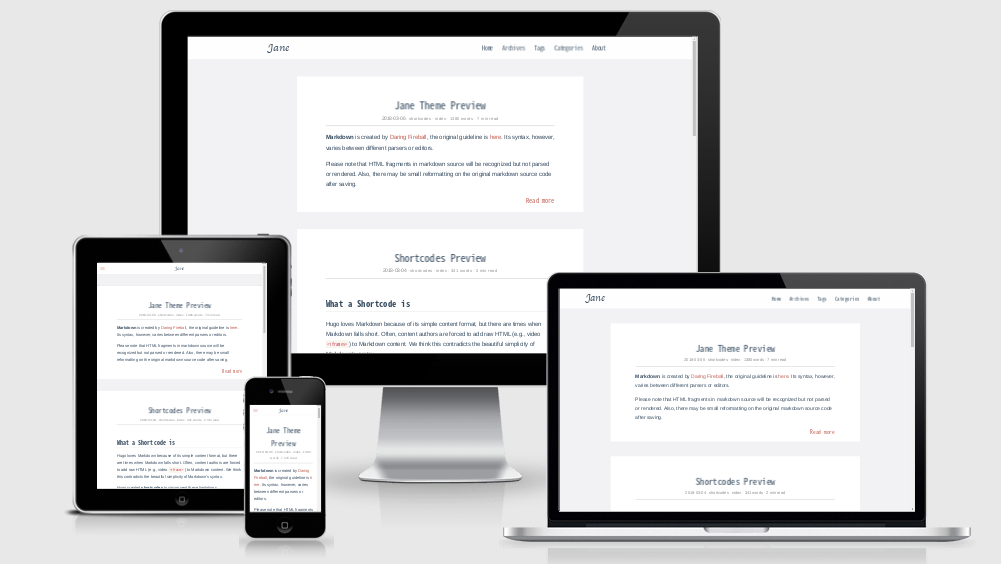 ## hugo-theme-jane Jane is a readable theme for Hugo. Many color schemes to choose, and easy to personalize. Working well since 2018. [Demo](https://xianmin.github.io/hugo-theme-jane/) | [中文说明](https://github.com/xianmin/hugo-theme-jane/blob/master/README-zh.md) **Key features:** - Better reading experience - Use [Pico CSS](https://picocss.com/) as the color scheme, allowing theme color switching and dark/light mode toggle. - Style Settings, located at `/assets/sass/_settings.scss` . - Responsive and mobile friendly - Multilingual Mode support - Better Pagination, TOC, footnote behavior - Use the awesome Chroma syntax highlighting - Custom css, Custom js, Custom head support - Sub menu support - Search Optimization ## Development Philosophy of This Theme 1. No `node_modules` - fewer dependencies make maintenance easier. 2. Encourages users to modify the theme according to personal preferences for a more personalized website. 3. Reading Experience is the top priority. 4. Deploy once, focus on writing, no more hassle. ## Real-world examples - [crazyoptimist](https://crazyoptimist.net/) - [一座島](https://island.shaform.com/zh/) ## Quick Start **Note:** This tutorial assumes that you are using [Hugo][] for **the first time** . [Hugo][] is one of the most popular open-source static site generators. You can check the [Hugo Official Docs][] for more help. [Hugo]: https://gohugo.io/ [Hugo Official Docs]: https://gohugo.io/getting-started/ ### 1. Install Hugo & Dart Sass Download the appropriate version for your platform from [Hugo Releases](https://github.com/gohugoio/hugo/releases). Once downloaded, the binary can be run from anywhere. Ideally, you should install it somewhere in your `PATH` for easy use. `/usr/local/bin` is the most probable location. Install Dart Sass, refer to the official documentation: https://gohugo.io/hugo-pipes/transpile-sass-to-css/#dart-sass . ### 2. Create a New Site ```bash hugo new site myBlog ``` The above will create a new Hugo site in a folder named `myBlog`. ### 3. Use Hugo-Theme-Jane Clone this repository into `themes` folder: ```bash cd myBlog git clone https://github.com/xianmin/hugo-theme-jane.git --depth=1 themes/jane ``` <details> <summary>Alternative, installation as a module</summary> If you have [Go](https://go.dev/) installed you can install the theme as a [hugo module](https://gohugo.io/hugo-modules/), then there will be no need to clone it into the `themes` folder: ```bash hugo mod init example.com/my-blog ``` After that, you would need to use `github.com/xianmin/hugo-theme-jane` as your `theme` and not `hugo-theme-jane` in your `config.toml` file. </details> Copy the example site content: ```bash cp -r themes/jane/exampleSite/content ./ ``` Copy the default site config: ```bash cp themes/jane/exampleSite/hugo.toml ./ ``` Take a look at the example site: ```bash hugo server ``` Open http://localhost:1313/ , you will see your site running with the example content. ### 4. Start a Blog The default config file `hugo.toml` is located in your site root directory. You can customize it to match the details of your site. Documentation about configuring Hugo can be found in the [Official Documentation](https://gohugo.io/getting-started/configuration/) The default content files are located in the `./content/post` directory. ### 5. Generate Your Website Run `hugo` , this generates your website to the `public/` directory by default. Nice work! If you have extra time or want to know more about [Hugo][] , check out the awesome [Hugo Official Docs][] . ## Site Configuration Take a look in the [exampleSite](https://github.com/xianmin/hugo-theme-jane/tree/master/exampleSite) folder. This directory contains an example config file and the content for the demo. It serves as an example setup for you to configure to your liking. Copy the `hugo.toml` to the root directory of your website. Overwrite the existing config file if necessary. ## Single Post Configuration **Front Matter** : Hugo allows you to add front matter in yaml, toml, or json to your content files. **YAML Example:** ```yaml --- # Common-Defined title: "An Example Post" date: 2018-01-01T16:01:23+08:00 lastmod: 2018-01-02T16:01:23+08:00 draft: false tags: ["tag-1", "tag-2", "tag-3"] categories: ["index"] author: "xianmin" # User-Defined # You can close(false) or open(true) something for this content. # P.S. comment can only be closed comment: false toc: false # You can also define another contentCopyright contentCopyright: '<a rel="license noopener" href="https://creativecommons.org/licenses/by-nc-nd/4.0/" target="_blank">CC BY-NC-ND 4.0</a>' reward: false mathjax: true --- ``` ## Multilingual (Language) Support Hugo-Theme-Jane supports the creation of websites with multiple languages side by side. You should define the available languages in a `languages` section in your site configuration. Translations are collected from the `i18n/` folder. To use the translations: ```toml # use Chinese translation defaultContentLanguage = "zh-cn" # Default language to use (if you set up multilingual support) [Languages.zh-cn] languageCode = "zh-cn" ``` To use the Multilingual Mode, see [Multilingual Mode | Hugo](https://gohugo.io/content-management/multilingual/) . ## Contributing If you are interested in fixing issues and contributing directly to this theme, please see the document [How to Contribute](https://github.com/xianmin/hugo-theme-jane/wiki/How-to-Contribute) . There are many ways to contribute to the Jane theme: - submitting pull requests - reporting issues - providing new translations - creating suggestions - correct inappropriate English expression (ok, my English is not good) ## Contributors This project exists thanks to all the people who contribute: <a href = "https://github.com/xianmin/hugo-theme-jane/graphs/contributors"> <img src = "https://contrib.rocks/image?repo=xianmin/hugo-theme-jane"/> </a> ## License Hugo-theme-jane is licensed under the MIT license. Check the [LICENSE](LICENSE.md) file for details.
看看同类模板
对比同技术栈与用途的模板,找到更适合的视觉与内容结构。

hugo-PaperMod
PaperMod 是 Hugo 生态里知名度较高的主题之一,定位很明确:给博客和轻量作品集站点提供一套干净、响应式的阅读界面。
Hugo · 作品集

LoveIt
❤️A clean, elegant but advanced blog theme for Hugo 一个简洁、优雅且高效的 Hugo 主题
Hugo · 博客

hugo-coder
A minimalist blog theme for hugo.
Hugo · 博客

blowfish
Personal Website & Blog Theme for Hugo
Hugo · 博客

hugo-paper
🪺 A simple, clean, customizable Hugo theme
Hugo · 博客

hextra
Hextra 是一个 Hugo 主题,定位在文档站与博客之间:既提供侧边栏导航、目录、面包屑、分页这类文档站结构,也能承载博客内容。
Hugo · 文档