Reading-first typography: body and interface text use different font size ratios, with a monospace font for the interface
AstroPortfolioBlog
nayuta — Astro Portfolio Template
By yuanzui-cf
Nayuta is a responsive personal homepage and blog theme built on Astro, emphasizing reading typography, with five dark color schemes, article search, tag archives, and a customizable sidebar.
Explore the design
Compare the page layouts and mobile experience. Open any screenshot for a closer look.
Author preview
Author-provided preview
Preview provided in the project README.
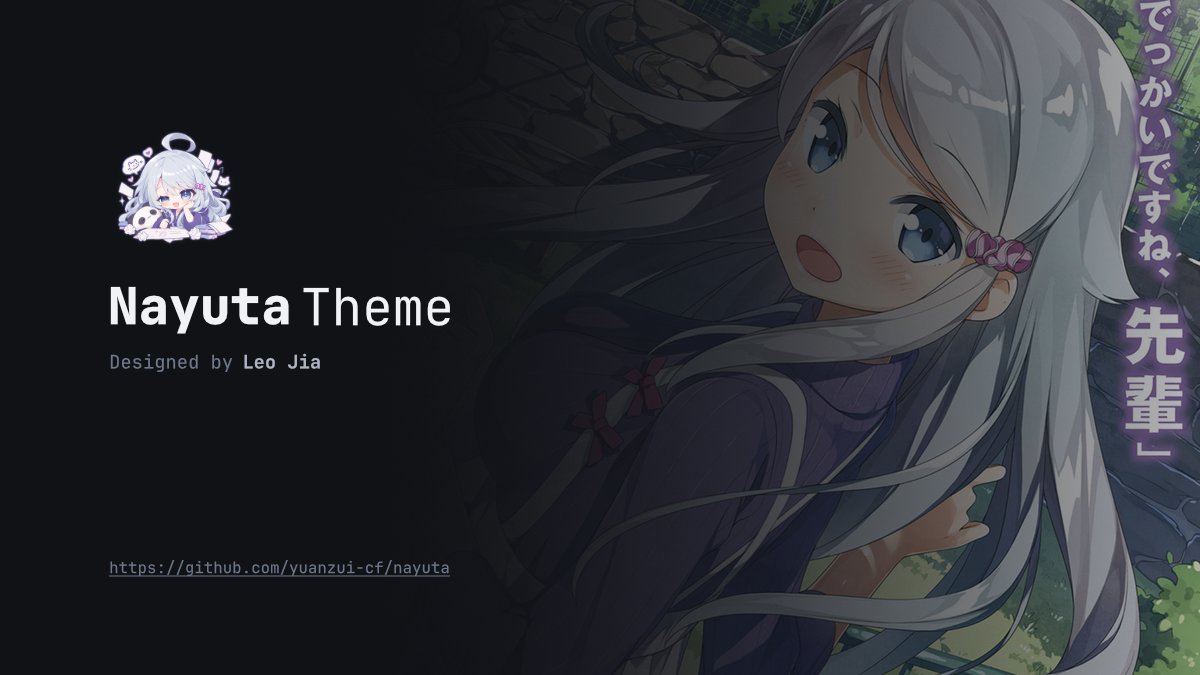
One original preview is available. Open the full image to inspect the design.
Screenshots show visual appearance; interactive behavior may differ.
Recorded 2026-09-30View source
What stands out
A quick read of the recorded project description.
Responsive layout: sidebars appear on desktop, while navigation and components are accessed via a drawer on mobile
Five dark color schemes: nayuta, nayuta-aqua, midnight-blue, oled-dark, sakura-pink
Pagefind full-text search: available in development and static builds, with highlighted excerpts and pagination
Content collections and archives: Markdown/MDX posts, tag pages, static pagination, and automatic reading time
Image handling: lazy loading, theme-color placeholder, fade-in after decode, optional lightbox viewer
Template Details
Nayuta is an Astro theme published by yuanzui-cf for building personal homepages, blogs, and note sites. The theme is designed with reading first: body text uses a larger font size, interface text uses a monospace font, and on desktop the navigation and sidebar are placed on either side of the content, while on small screens they collapse into a drawer. Site configuration is centralized in src/config.ts, where you can set the title, author, avatar, description, site URL, navigation links, posts per page, copyright card, and theme presets. Five dark color schemes are built in: nayuta, nayuta-aqua, midnight-blue, oled-dark, and sakura-pink. Content is managed through Astro content collections, supporting Markdown and MDX posts, folder bundling, drafts, tag archives, automatic reading time, and per-article copyright license overrides. The homepage and standalone pages can be placed under src/content using .md, .mdx, or .astro, and left/right sidebar components can be overridden by directory. Search is powered by Pagefind and works in both the development server and static builds, with highlighted excerpts and paginated results. Images are lazy-loaded by default with a theme-color placeholder, and an optional lightbox viewer supports keyboard and touch operations. The theme code is MIT licensed, but third-party assets such as demo images, fonts, and icons require separate license verification; external services such as domains and hosting may incur additional fees.
AstroPortfolioBlog
Is it right for your project?
Use Cases
- Building a personal homepage with a blog post list
- Publishing Markdown or MDX technical notes and long-form articles
- Adding tag archives and full-text search to articles
- Customizing sidebar components and page templates by directory or page
- Displaying a friends page and managing a personal link collection
Suitable For
- Developers who want to build a static personal site with Astro
- Bloggers who need a reading-first experience and a compact interface
- Users who prefer dark color schemes and want to quickly switch theme presets
- Content creators who write in Markdown/MDX and need tags and search
Getting started & customization
Use these recorded setup notes alongside the repository instructions for your chosen version.
- 1
Bun 1.x is recommended, but Node.js can also be used as an alternative runtime for Astro
- 2
After cloning the repository, run bun install, then start the development server with bun run dev; the default address is localhost:4321
- 3
Site information, navigation, and theme presets must be configured in src/config.ts; site_url must be an absolute HTTP(S) address
- 4
Place posts in src/content/posts/, the homepage in src/content/index.mdx, and standalone pages in src/content/pages/
- 5
The build command bun run build generates the static site and Pagefind index into the dist/ directory
License & source material
Usage conditions & limitations
Free to use · keep license noticeThis entry covers the free version under the MIT license in the public repository; the free scope is the code of that version and does not mean external services or third-party assets are free.
Must comply with when using
- You may use, modify, commercially use, and distribute the code of this version for free.
- When distributing copies or substantial portions of the code, retain the original author's copyright notice and the full MIT license notice.
- The code is provided as is; warranties and limitations of liability are governed by the original license and applicable law.
Additional costs & items to verify
- The repository's default configuration enables a CC BY-NC-SA 4.0 copyright card for articles, which prohibits commercial use; if the site needs commercial use, you must disable the copyright card in src/config.ts or switch to a license that permits commercial use.
- The article copyright card only supports the listed Creative Commons 4.0 licenses, among which the BY-NC series prohibits commercial use and the BY-ND series prohibits derivatives; when enabling the copyright card, you must comply with the restrictions of the chosen license.
- Bun 1.x is recommended, but Node.js can be used instead; you must install the corresponding runtime environment yourself, which is an external tool dependency.
- Full-text search depends on the Pagefind integration and generates an index at build time; when deploying, you must upload the complete dist/ directory (including dist/pagefind/), otherwise search will not work.
- Search result rendering depends on JavaScript; when JavaScript is disabled, the search page only provides article archive links and cannot display results.
- Demo images, fonts, icons, and other third-party assets must be checked against their respective licenses and cannot be judged solely by the code's MIT license.
- External services such as domains, hosting, databases, payments, or AI may incur additional fees.
View Original Text Basis
Permission is hereby granted, free of charge
Original License Text
The checked-in configuration shows a post copyright card using `CC BY-NC-SA 4.0`.
Original README
Supported values are `CC BY 4.0`, `CC BY-SA 4.0`, `CC BY-ND 4.0`, `CC BY-NC 4.0`,
Original README
Use [Bun 1.x](https://bun.sh) (recommended), or [Node.js](https://nodejs.org)
Original README
The Pagefind Astro integration generates the index during `bun run build` and
Original README
https://github.com/yuanzui-cf/nayuta/blob/main/LICENSEhttps://github.com/yuanzui-cf/nayuta/blob/main/README.mdrendering results requires JavaScript. Without JavaScript,
Original README
Compiled by DeepSeek based on repository license and README ·2026-10-02. Results only cover the materials read; dependencies, images, fonts, and subsequent term changes are subject to their respective original texts.
Project checks & description sources
Template Information
- Source platforms
- GitHub
- Documentation and maintenance reference score
- More documented · 80 / 100
- Technologies
- Astro
- Website type
- Portfolio · Blog
How this score is calculated
Our heuristic uses license records (up to 30), a demo link (12), a preview (10), stars (15), recorded maintenance (15), description completeness (8), feature records (5) and classification data (5). It is not a code, security or performance test, or a Google score. A link does not establish tested functionality.
What to verify for this project
- Repository update recorded
- 2026-09-29
- Screenshot last checked
- 2026-10-02
No demo link is recorded. Use the repository instructions to evaluate the project locally; the screenshot alone cannot establish interactive behavior.
The catalog identifies Astro as the primary stack. Check the actual dependency manifest and lockfile for versions and hosting requirements. These notes use recorded metadata, not a code audit or a deployment test.
Use a selection guide →How this description was prepared
AI-assisted description based on catalog records and repository material. Repository authors are not automatically the reviewers of this description.
Automatically checked against source and license rules; no manual editorial review.
Inspect the recorded source material
SHA-256: b47764872b178ab8727d57f3240e381f2de16e0b67a0254f6593ccec0acc6daa
2026-10-02T15:25:47.068Z
Source file / repository
<div align="center">
# Nayuta
A responsive, reading-first Astro theme for personal homepages, blogs, and notes.
[](https://astro.build)
[](https://www.typescriptlang.org)
[](https://bun.sh)
[](LICENSE)
[Features](#features) · [Showcase](#showcase) · [Quick start](#quick-start) ·
[Configuration](#configuration) · [Content](#content) · [Contributing](#contributing)
</div>
Nayuta combines static site generation with compact monospace UI and a larger
reading scale. Its responsive layout places navigation and widgets beside the
content on desktop and makes them available through drawers on smaller screens.
The name comes from **Kani Nayuta** (可児 那由多), the novelist in Yomi Hirasaka's
_A Sister's All You Need_ (妹さえいればいい。).
## Features
- **Reading-focused typography:** JetBrains Mono and Fira Code, with separate
scales for prose and compact interface text.
- **Responsive layout:** optional side columns, mobile drawers, and keyboard
navigation with a no-JavaScript fallback.
- **Five color palettes:** `nayuta`, `nayuta-aqua`, `midnight-blue`, `oled-dark`,
and `sakura-pink`, selected in the site configuration.
- **Images and lightbox:** lazy loading, theme-colored placeholders, decoded image
reveal, and a keyboard/touch image viewer styled for every palette.
- **Astro content collections:** Markdown/MDX posts, authored Astro pages, and
validated metadata.
- **Automatic reading time:** build-time estimates for CJK and Latin text.
- **Post and tag archives:** static pagination, tag pages, and sidebar widgets.
- **Article search:** Pagefind full-text search with highlighted excerpts and paginated
results, available in development and static builds.
- **Custom sidebars and templates:** per-page Astro widgets, an article TOC,
personal pages, and friend-link collections.
## Showcase
| Desktop homepage | Mobile homepage |
| ---------------------------------------------------------------------------------------------------- | ------------------------------------------------------------------------------------------------ |
| <img src="docs/assets/01-home-desktop-1920x1080.png" alt="Nayuta homepage on desktop" width="650" /> | <img src="docs/assets/05-home-mobile-440x956.png" alt="Nayuta homepage on mobile" width="180" /> |
<details>
<summary>More screenshots: posts, articles, and friends</summary>
| Page | Desktop | Mobile |
| ------- | ---------------------------------------------------------------------------------------------------- | ------------------------------------------------------------------------------------------------ |
| Posts | <img src="docs/assets/02-posts-desktop-1920x1080.png" alt="Post archive on desktop" width="500" /> | <img src="docs/assets/06-posts-mobile-440x956.png" alt="Post archive on mobile" width="150" /> |
| Article | <img src="docs/assets/03-article-desktop-1920x1080.png" alt="Article on desktop" width="500" /> | <img src="docs/assets/07-article-mobile-440x956.png" alt="Article on mobile" width="150" /> |
| Friends | <img src="docs/assets/04-friends-desktop-1920x1080.png" alt="Friend links on desktop" width="500" /> | <img src="docs/assets/08-friends-mobile-440x956.png" alt="Friend links on mobile" width="150" /> |
</details>
## Quick Start
Use [Bun 1.x](https://bun.sh) (recommended), or [Node.js](https://nodejs.org)
as an alternative runtime for Astro.
The following setup uses only Bun; no separate Node.js installation is needed:
```sh
git clone https://github.com/yuanzui-cf/nayuta.git
cd nayuta
bun install
bun run dev
```
Open [localhost:4321](http://localhost:4321). To contribute to the theme, follow
[the fork setup](CONTRIBUTING.md#requirements-and-setup) instead.
| Command | Purpose |
| ---------------------- | --------------------------------------------------------------- |
| `bun run dev` | Start the development server with an article search index. |
| `bun run check` | Check Astro templates and TypeScript. |
| `bun run test` | Run the test suite. |
| `bun run build` | Generate the static site and Pagefind article index in `dist/`. |
| `bun run preview` | Preview the production build, including search. |
| `bun run format` | Format source and documentation with Prettier. |
| `bun run format:check` | Check formatting without changing files. |
## Configuration
Customize your site profile, metadata, navigation, and theme preset in [`src/config.ts`](./src/config.ts):
```typescript
import type { Config } from '@type/config';
const config: Config = {
title: '✍️ Kani Nayuta',
author: 'Kani Nayuta',
avatar: '/assets/images/avatar.png',
description: 'Genius Light Novelist | Author of "The Landscape Series"',
site_url: 'https://nayuta.kani.dev',
// Presets: 'nayuta' | 'nayuta-aqua' | 'midnight-blue' | 'oled-dark' | 'sakura-pink'
theme: 'nayuta',
since: '2024-01-01',
postsPerPage: 10,
copyright: { enabled: true, license: 'CC BY-NC-SA 4.0' },
links: [
{
text: 'Posts',
url: '/posts',
icon: { type: 'icon', name: 'fa-solid fa-file-lines' },
},
{
text: 'Friends',
url: '/friend',
icon: { type: 'icon', name: 'fa-solid fa-users' },
},
],
};
export default config;
```
The checked-in default is `nayuta`; all five bundled palettes are dark.
`site_url` must be an absolute HTTP(S) URL. `postsPerPage` controls post and tag
archives and search results, and defaults to 10 when omitted.
The checked-in configuration shows a post copyright card using `CC BY-NC-SA 4.0`.
Set `copyright.enabled` to `false` to hide cards site-wide. When enabled, set
`copyright.license` to a supported Creative Commons 4.0 license.
## Content
- [Writing posts](#writing-posts)
- [Images](#images)
- [Homepage and custom pages](#homepage-and-custom-pages)
- [Routes and assets](#routes-and-assets)
- [Page templates](#page-templates)
- [Search](#search)
- [Custom sidebars](#custom-sidebars)
- [Bundled demos](#bundled-demos)
### Writing Posts
Place `.md` or `.mdx` files into `src/content/posts/`. You can author posts as standalone files or folder bundles:
```markdown
---
title: 'The Architecture of Reading-First Design'
publishDate: '2026-09-09'
description: 'Balancing information density and typography.'
cover: '/assets/images/banner.png' # or './cover.png' in a folder bundle
tags: ['Astro', 'CSS Grid', 'Typography']
---
Article content here...
```
- **Reading time**: Calculated automatically at compile time based on bilingual (CJK + Latin) content.
- **Folder bundles**: For posts with colocated images, create `src/content/posts/<slug>/index.md` alongside your assets and use relative paths like `cover: './cover.png'`.
- **MDX components**: Reusable components such as `<Callout />` are available under `src/widgets/article/`.
Set `draft: true` to preview a post in development while excluding it from the
production site. Set `exclude_in_search: true` to keep a published post and its
archive links while omitting it from the Pagefind index. Tags produce archive
links at `/tag/<name>`.
To license an individual post, add `copyright` to its front matter:
```yaml
copyright:
enabled: true
license: CC BY-NC-SA 4.0
```
Post fields override the site settings independently: `enabled: false` hides
the card, and `license` changes the license while retaining the site visibility
setting. A post can use `enabled: true` with the site license, or specify its own
license when the site has none. Enabled posts without a license fail the build.
Supported values are `CC BY 4.0`, `CC BY-SA 4.0`, `CC BY-ND 4.0`, `CC BY-NC 4.0`,
`CC BY-NC-SA 4.0`, and `CC BY-NC-ND 4.0`.
### Images
Markdown images automatically receive lazy loading and a theme-colored placeholder:
```markdown

```
Local dimensions are read during the build. Remote size detection is best effort;
an unavailable remote image never fails the build. Unknown sizes reserve a 16:9
area until the browser loads the image and determines its real aspect ratio.
Images appear with a quick fade after decoding. Failed images retain their space
and show a red crossed-circle symbol.
For MDX or Astro, import the theme's image component:
```mdx
import Image from '@layouts/components/Image.astro';
import cover from './assets/cover.png';
<figure>
<Image src={cover} alt="A view from the desk" loading="eager" />
<figcaption>A quiet afternoon.</figcaption>
</figure>
```
Use `loading="eager"` for an important first-screen image; other images default to
lazy loading. Set `ratio="16 / 9"` for a cropped cover, `lightbox={false}` to exclude
an image from the viewer, or `originalSrc` to provide a larger original.
The viewer groups images within the same reading region and supports keyboard
navigation, touch gestures, and zoom. Existing image links keep their destination.
Post-list covers use the loading treatment without opening the viewer.
See [the image demo](src/content/pages/demo/images.mdx) and
[the component contract](docs/develop/components.md#images-and-lightbox) for details.
### Homepage and Custom Pages
Edit the homepage in `src/content/index.mdx`. You can use `index.md` or
`index.astro` instead; keep exactly one homepage file. The theme supplies the
page frame, title, sidebars and responsive drawers.
```text
src/content/
├── assets/ # Shared content resources, never routes
├── index.mdx # Homepage: .md / .mdx / .astro
├── _left.astro # Default left widgets
├── _right.astro # (Optional) Default right widgets
├── pages/
│ ├── about.astro # /about
│ └── a/b/c/
│ ├── index.mdx # /a/b/c
│ ├── _left.astro # (Optional) Override the left widgets for this directory
│ ├── _right.astro # (Optional) Override the right widgets for this directory
│ └── assets/ # (Optional) Directory-specific assets, won't be routed
└── posts/
└── hello/
├── world/
│ ├── assets/ # (Optional) Directory-specific assets, won't be routed
│ └── index.mdx # /posts/hello/world
├── index.mdx # /posts/hello
├── _left.astro
└── _right.astro # (Optional) Additional content below the mandatory TOC
```
Standalone pages accept `.md`, `.mdx` and `.astro`. For Markdown/MDX:
```markdown
---
title: About Me
description: A short introduction
template: default
---
Page content goes here...
```
An Astro page exports the same metadata as `page` and supplies body content:
```astro
---
export const page = { title: 'About Me', description: 'A short introduction' };
---
<p>Compose Astro components here. The theme renders the page title.</p>
```
Astro pages receive `entry` and `headings` props. Their `headings` array is empty;
automatic heading extraction applies to Markdown/MDX. Article bodies remain
Markdown/MDX so reading time, drafts, tags and the article TOC retain their normal
behavior. Astro pages can contain scoped styles and normal Astro scripts, but
should not include another HTML document or Frame. Dynamic route declarations
such as `[id].astro` belong in `src/pages`, not in authored content.
### Routes and Assets
Routes follow the path below `content/pages`, without the extension or terminal
`index`. Thus `a/b/c.md` and `a/b/c/index.mdx` both describe `/a/b/c`; choose one.
Paths retain filename case. An optional `slug: published/path` overrides the URL
without changing where the theme finds sidebars or relative assets. Duplicate
standalone URLs, including different file formats, fail with the source paths.
The homepage dispatcher and generated system routes take priority over content
pages: `pages/posts.mdx` cannot replace the archive, and the build reports the
ignored route without failing. Only URLs actually emitted by system routes win;
this does not reserve every possible URL below `/posts` or `/tag`.
All `assets/` directories and underscore-prefixed files/directories are excluded
from page and post discovery. Resource files remain importable, including relative
Markdown images and MDX/Astro imports. They are not automatically copied to matching
public URLs; use `public/` for files that need stable, direct download URLs.
Only the root `index.*`, files under `pages/`, and registered posts are entries;
other files directly under `content/` do not become routes.
### Page Templates
Pages use `template: default` for ordinary reading content or `template: friend`
for a friend-link collection. See [the bundled friends page](src/content/pages/friend.mdx)
for an example of `friends`, `categories`, and `mySite` metadata.
### Search
Enter keywords in the sidebar search field and press Enter. The form opens
`/search?q=your+keywords`; later pages use `/search?q=your+keywords&page=2`.
The page title is `Search: your keywords`, and its breadcrumbs are
`Home > Posts > Search: your keywords`. Results use the shared post list with
publication dates, reading times, and highlighted excerpts from the article body.
`postsPerPage` controls the number of results per page.
Omitting `page` or leaving it empty selects page 1. Invalid page numbers and pages
beyond the result count lead to the site's 404 page. A query with no matches has
an empty first page with a link to the post archive. Pagination supports direct
links, refresh, and browser back/forward navigation.
The Pagefind Astro integration generates the index during `bun run build` and
serves an in-memory index during `bun run dev`. Development indexes rendered
articles when the server starts and rebuilds on the next index request after
source changes. Reload the search page to search updated content. No separate
indexing command or prior production build is required. Deploy all of `dist/`,
including `dist/pagefind/`.
Search covers post titles and article bodies. `exclude_in_search: true` omits a
post from the index while keeping its page, archive links, and tags. Drafts are
searchable in development and excluded from production. The sidebar form uses
native GET navigation; rendering results requires JavaScript. Without JavaScript,
the search page provides a link to the post archive.
### Custom Sidebars
Each side resolves independently: a `_left.astro` or `_right.astro` beside the
content file takes precedence over the corresponding file at `src/content/`.
There is no search through intermediate ancestor directories. Files in the same
directory share sidebars; use a folder bundle for independent per-page overrides.
The profile card and footer remain part of the layout.
For example, place this at `src/content/_right.astro` for a site-wide default,
or next to a page's `index.mdx` to replace that default for the page:
```astro
---
import RecentPosts from '@widgets/sidebar/RecentPosts.astro';
import WebsiteStatus from '@widgets/sidebar/WebsiteStatus.astro';
---
<RecentPosts />
<WebsiteStatus />
```
Without a local or root right component, ordinary pages have no right column or
right drawer. Article detail always renders its TOC first, followed by the chosen
right component. Article/tag archives and the 404 page use the root defaults.
Both sidebar components receive `entry`, `headings` and `pathname` through
`Astro.props`. `entry` is absent for system archive/404 pages, so access it with
optional chaining. Match sidebar links against `pathname`, not a collection ID.
Sidebars render in both desktop regions and mobile drawers; avoid fixed HTML IDs
and scope any client behavior to its component instance.
Optional metadata switches are `withLeftSidebar: false` (hide the entire left
region), `withProfileCard: false` (hide only the profile), and
`withRightSidebar: false` (hide optional right content). The latter never hides an
article's TOC. Setting it to `true` does not create an empty right column when no
right component exists. An empty local component replaces the root content but
still counts as an existing right component; use the switch to hide the region.
For discovery details and migration from `rightWidgets`, see
[the sidebar contract](docs/develop/content.md#sidebars).
### Bundled Demos
Open `/demo` (also linked from the homepage) to explore the examples:
| Route | Source | Demonstrates |
| ------------------------ | ----------------------------------------------- | -------------------------------------------------------------------------- |
| `/demo/images` | `src/content/pages/demo/images.mdx` | Image loading, natural and cropped ratios, captions, and the themed viewer |
| `/demo/markdown` | `src/content/pages/demo/markdown.md` | Root left sidebar, no right sidebar |
| `/demo/notes/nested` | `src/content/pages/demo/notes/nested/index.mdx` | Nested routing, local assets, local right sidebar |
| `/demo/studio` | `src/content/pages/demo/studio/index.astro` | Astro body and both local sidebars |
| `/posts/typography-test` | `src/content/posts/typography-test/index.mdx` | Bundled article, local sidebars, TOC before extra right content |
## License
[MIT](LICENSE)
## Contributing
See [CONTRIBUTING.md](CONTRIBUTING.md) for discussing changes, setting up a fork,
branch and commit conventions, checks, and submitting pull requests. The
[development guide](docs/develop/index.md) covers visual design and code conventions.
Explore similar templates
Compare previews and descriptions within the same stack and category.

astrowind
AstroWind is a free, open-source Astro starter theme using Astro and Tailwind CSS, released under the MIT license.
Astro · Blog

astro-paper
AstroPaper is a minimal, responsive, accessible, and SEO-friendly Astro blog theme. Articles are stored as Markdown/MDX in src/content/posts/, with subdirectories affecting URLs.
Astro · Blog

fuwari
Fuwari is a static blog template built with Astro and Tailwind CSS for personal blogs. It manages posts as Markdown files in src/content/posts/, with frontmatter for title, date, description, cover, tags, categories, draft status, and language.
Astro · Blog

Firefly
Firefly is a clean personal blog theme forked from Astro and Fuwari, offering four background modes, single/double sidebar and list/grid layouts, Pagefind client-side full-text search, and a six-language UI.
Astro · Blog

astro-theme-cactus
Astro Cactus is an Astro-based blog and portfolio theme that uses Markdown/MDX content collections to manage posts, notes, and tags, with frontmatter type-checked by a schema.
Astro · Portfolio

astrofy
Astrofy is a free and open-source personal portfolio website template built with Astro and TailwindCSS, with built-in blog, CV timeline, project showcase, store, and RSS feed modules.
Astro · Portfolio