阅读优先排版:正文与界面文字使用不同字号比例,界面采用等宽字体
Astro作品集博客
nayuta — Astro 作品集模板
作者 yuanzui-cf
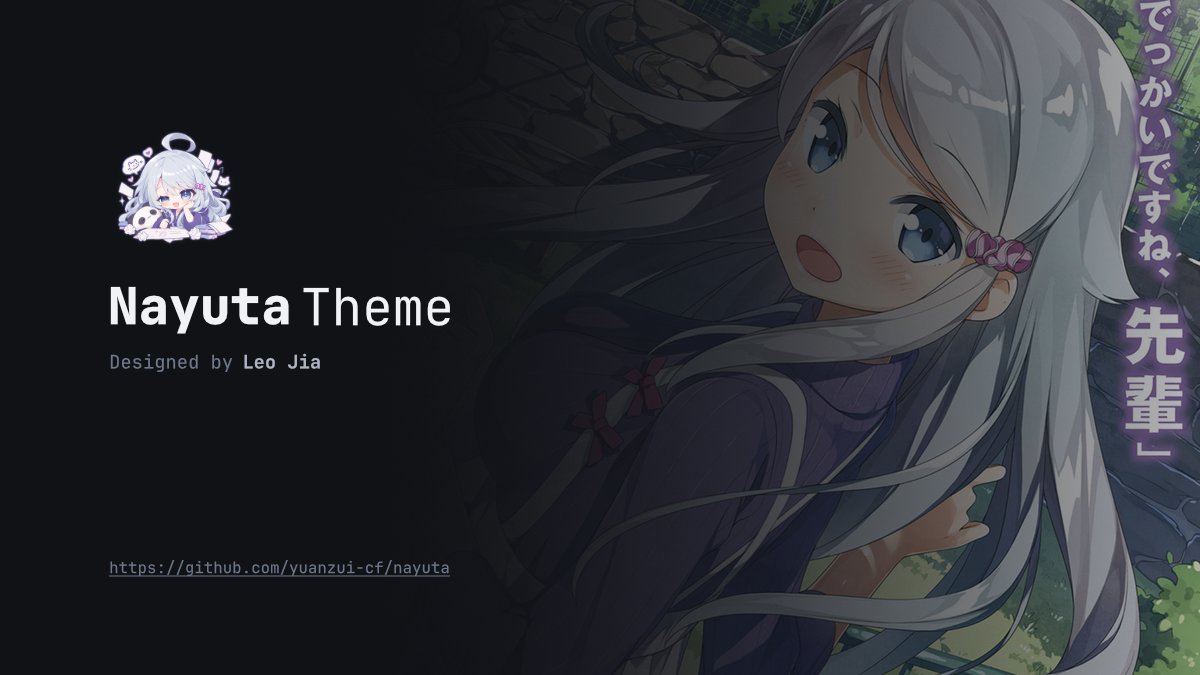
Nayuta 是一个基于 Astro 的响应式个人主页与博客主题,强调阅读排版,内置五套深色配色、文章搜索、标签归档和自定义侧边栏。
看看你的网站会是什么样
浏览真实页面截图,比较内容排版与手机效果。点击下方缩略图切换,放大查看整页细节。
目前有 1 张原始预览,可打开完整图片查看设计细节。
截图用于了解视觉与布局,交互效果请以实际项目为准。
采集于 2026-09-30查看来源
值得关注的模板亮点
从已有项目资料中,快速了解它的特点。
响应式布局:桌面端显示侧栏,移动端通过抽屉访问导航与组件
五套深色配色:nayuta、nayuta-aqua、midnight-blue、oled-dark、sakura-pink
Pagefind 全文搜索:开发与静态构建均可用,支持高亮摘要和分页
内容集合与归档:Markdown/MDX 文章、标签页、静态分页和自动阅读时长
图片处理:懒加载、主题色占位、解码后淡入,可选灯箱查看器
模板详细介绍
Nayuta 是 yuanzui-cf 发布的 Astro 主题,用于搭建个人主页、博客与笔记站点。主题以阅读优先为设计方向,正文使用较大字号,界面文字采用等宽字体,桌面端将导航与侧栏置于内容两侧,小屏幕则收进抽屉。站点配置集中在 src/config.ts,可设置标题、作者、头像、描述、站点 URL、导航链接、每页文章数、版权卡片和主题预设。内置五套深色配色:nayuta、nayuta-aqua、midnight-blue、oled-dark 与 sakura-pink。内容通过 Astro 内容集合管理,支持 Markdown 与 MDX 文章、文件夹打包、草稿、标签归档、自动阅读时长以及按文章覆盖版权许可。首页和独立页面可放在 src/content 下,使用 .md、.mdx 或 .astro,并可按目录覆盖左右侧栏组件。搜索基于 Pagefind,在开发服务器和静态构建中均可用,支持高亮摘要与分页结果。图片默认懒加载并带主题色占位,可选用灯箱查看器,支持键盘与触摸操作。主题代码采用 MIT 许可,但演示图片、字体、图标等第三方素材需单独核对许可;域名、托管等外部服务可能另行收费。
Astro作品集博客
适合你的项目吗?
适用场景
- 搭建个人主页并附带博客文章列表
- 发布 Markdown 或 MDX 格式的技术笔记与长文
- 为文章添加标签归档和全文搜索
- 按目录或页面自定义侧边栏组件与页面模板
- 展示友链页面并管理个人链接集合
适合人群
- 希望用 Astro 构建静态个人站点的开发者
- 需要阅读体验优先、界面紧凑的博客作者
- 偏好深色配色并希望快速切换主题预设的用户
- 使用 Markdown/MDX 写作并需要标签与搜索功能的内容创作者
上手与定制指南
结合仓库当前版本的说明,按下面的资料检查内容、配置与运行要求。
- 1
推荐使用 Bun 1.x,也可用 Node.js 作为 Astro 的替代运行时
- 2
克隆仓库后执行 bun install,再用 bun run dev 启动开发服务器,默认地址为 localhost:4321
- 3
站点信息、导航和主题预设需在 src/config.ts 中配置,site_url 必须是绝对 HTTP(S) 地址
- 4
文章放入 src/content/posts/,首页放在 src/content/index.mdx,独立页面放在 src/content/pages/
- 5
构建命令 bun run build 会生成静态站点和 Pagefind 索引到 dist/ 目录
授权与来源资料
使用条件与限制
免费使用 · 保留许可声明本次收录的是公开仓库中采用 MIT 许可的免费版本;免费范围为该版本代码,不代表外部服务或第三方素材免费。
使用时需要遵守
- 允许免费使用、修改、商用和分发该版本代码。
- 分发代码副本或实质性部分时,保留原作者版权声明和完整 MIT 许可声明。
- 代码按现状提供;担保与责任限制以原许可证及适用法律为准。
额外费用与待核对事项
- 仓库默认配置为文章启用 CC BY-NC-SA 4.0 版权卡片,该许可禁止商业使用;若站点需商用,须在 src/config.ts 中关闭版权卡片或改用允许商用的许可。
- 文章版权卡片仅支持列出的 Creative Commons 4.0 许可,其中 BY-NC 系列禁止商业使用,BY-ND 系列禁止演绎;启用版权卡片时须遵守所选许可的限制。
- 推荐使用 Bun 1.x 运行,也可改用 Node.js;需自行安装对应运行时环境,属于外部工具依赖。
- 全文搜索依赖 Pagefind 集成,构建时生成索引;部署时须完整上传 dist/ 目录(含 dist/pagefind/),否则搜索不可用。
- 搜索结果渲染依赖 JavaScript;禁用 JavaScript 时搜索页仅提供文章归档链接,无法显示结果。
- 演示图片、字体、图标及其他第三方素材需按各自许可核对,不能仅凭代码的 MIT 许可判断。
- 域名、托管、数据库、支付或 AI 等外部服务可能另外收费。
查看原文依据
Permission is hereby granted, free of charge
许可证原文
The checked-in configuration shows a post copyright card using `CC BY-NC-SA 4.0`.
README 原文
Supported values are `CC BY 4.0`, `CC BY-SA 4.0`, `CC BY-ND 4.0`, `CC BY-NC 4.0`,
README 原文
Use [Bun 1.x](https://bun.sh) (recommended), or [Node.js](https://nodejs.org)
README 原文
The Pagefind Astro integration generates the index during `bun run build` and
README 原文
https://github.com/yuanzui-cf/nayuta/blob/main/LICENSEhttps://github.com/yuanzui-cf/nayuta/blob/main/README.mdrendering results requires JavaScript. Without JavaScript,
README 原文
DeepSeek 根据仓库许可证和 README 整理 ·2026-10-02。结果仅覆盖已读取资料,依赖、图片、字体及后续条款变更以各自原文为准。
项目核对记录与介绍依据
模板资料
- 来源平台
- GitHub
- 资料与维护参考分
- 资料较完整 · 80 / 100
- 技术栈
- Astro
- 网站类型
- 作品集 · 博客
这个分数如何计算
本站按许可资料(最高30分)、演示链接(12分)、预览图(10分)、Star数(15分)、记录的维护时间(15分)、描述完整度(8分)、功能记录(5分)和分类资料(5分)计算。它不是代码、安全或性能测试,也不是 Google 评分;有链接不代表已实测可用。
这个项目需要核对什么
- 记录的仓库更新时间
- 2026-09-29
- 截图检查日期
- 2026-10-02
目前没有记录演示链接。请依据仓库说明在本地评估;仅凭截图无法确认交互行为。
目录记录的主要技术栈是 Astro。请通过依赖清单和锁文件核对实际版本与托管要求。这些说明基于收录资料,不代表代码审计或部署实测。
查看具体选型方法 →介绍的制作与核对状态
介绍由 AI 辅助整理目录与仓库资料。仓库作者不等于这篇介绍的审核者。
已完成服务器许可规则与 AI 来源核对;未经过人工编辑审核。
查看当时使用的来源资料
SHA-256: b47764872b178ab8727d57f3240e381f2de16e0b67a0254f6593ccec0acc6daa
2026-10-02T15:25:47.068Z
来源文件 / 仓库
<div align="center">
# Nayuta
A responsive, reading-first Astro theme for personal homepages, blogs, and notes.
[](https://astro.build)
[](https://www.typescriptlang.org)
[](https://bun.sh)
[](LICENSE)
[Features](#features) · [Showcase](#showcase) · [Quick start](#quick-start) ·
[Configuration](#configuration) · [Content](#content) · [Contributing](#contributing)
</div>
Nayuta combines static site generation with compact monospace UI and a larger
reading scale. Its responsive layout places navigation and widgets beside the
content on desktop and makes them available through drawers on smaller screens.
The name comes from **Kani Nayuta** (可児 那由多), the novelist in Yomi Hirasaka's
_A Sister's All You Need_ (妹さえいればいい。).
## Features
- **Reading-focused typography:** JetBrains Mono and Fira Code, with separate
scales for prose and compact interface text.
- **Responsive layout:** optional side columns, mobile drawers, and keyboard
navigation with a no-JavaScript fallback.
- **Five color palettes:** `nayuta`, `nayuta-aqua`, `midnight-blue`, `oled-dark`,
and `sakura-pink`, selected in the site configuration.
- **Images and lightbox:** lazy loading, theme-colored placeholders, decoded image
reveal, and a keyboard/touch image viewer styled for every palette.
- **Astro content collections:** Markdown/MDX posts, authored Astro pages, and
validated metadata.
- **Automatic reading time:** build-time estimates for CJK and Latin text.
- **Post and tag archives:** static pagination, tag pages, and sidebar widgets.
- **Article search:** Pagefind full-text search with highlighted excerpts and paginated
results, available in development and static builds.
- **Custom sidebars and templates:** per-page Astro widgets, an article TOC,
personal pages, and friend-link collections.
## Showcase
| Desktop homepage | Mobile homepage |
| ---------------------------------------------------------------------------------------------------- | ------------------------------------------------------------------------------------------------ |
| <img src="docs/assets/01-home-desktop-1920x1080.png" alt="Nayuta homepage on desktop" width="650" /> | <img src="docs/assets/05-home-mobile-440x956.png" alt="Nayuta homepage on mobile" width="180" /> |
<details>
<summary>More screenshots: posts, articles, and friends</summary>
| Page | Desktop | Mobile |
| ------- | ---------------------------------------------------------------------------------------------------- | ------------------------------------------------------------------------------------------------ |
| Posts | <img src="docs/assets/02-posts-desktop-1920x1080.png" alt="Post archive on desktop" width="500" /> | <img src="docs/assets/06-posts-mobile-440x956.png" alt="Post archive on mobile" width="150" /> |
| Article | <img src="docs/assets/03-article-desktop-1920x1080.png" alt="Article on desktop" width="500" /> | <img src="docs/assets/07-article-mobile-440x956.png" alt="Article on mobile" width="150" /> |
| Friends | <img src="docs/assets/04-friends-desktop-1920x1080.png" alt="Friend links on desktop" width="500" /> | <img src="docs/assets/08-friends-mobile-440x956.png" alt="Friend links on mobile" width="150" /> |
</details>
## Quick Start
Use [Bun 1.x](https://bun.sh) (recommended), or [Node.js](https://nodejs.org)
as an alternative runtime for Astro.
The following setup uses only Bun; no separate Node.js installation is needed:
```sh
git clone https://github.com/yuanzui-cf/nayuta.git
cd nayuta
bun install
bun run dev
```
Open [localhost:4321](http://localhost:4321). To contribute to the theme, follow
[the fork setup](CONTRIBUTING.md#requirements-and-setup) instead.
| Command | Purpose |
| ---------------------- | --------------------------------------------------------------- |
| `bun run dev` | Start the development server with an article search index. |
| `bun run check` | Check Astro templates and TypeScript. |
| `bun run test` | Run the test suite. |
| `bun run build` | Generate the static site and Pagefind article index in `dist/`. |
| `bun run preview` | Preview the production build, including search. |
| `bun run format` | Format source and documentation with Prettier. |
| `bun run format:check` | Check formatting without changing files. |
## Configuration
Customize your site profile, metadata, navigation, and theme preset in [`src/config.ts`](./src/config.ts):
```typescript
import type { Config } from '@type/config';
const config: Config = {
title: '✍️ Kani Nayuta',
author: 'Kani Nayuta',
avatar: '/assets/images/avatar.png',
description: 'Genius Light Novelist | Author of "The Landscape Series"',
site_url: 'https://nayuta.kani.dev',
// Presets: 'nayuta' | 'nayuta-aqua' | 'midnight-blue' | 'oled-dark' | 'sakura-pink'
theme: 'nayuta',
since: '2024-01-01',
postsPerPage: 10,
copyright: { enabled: true, license: 'CC BY-NC-SA 4.0' },
links: [
{
text: 'Posts',
url: '/posts',
icon: { type: 'icon', name: 'fa-solid fa-file-lines' },
},
{
text: 'Friends',
url: '/friend',
icon: { type: 'icon', name: 'fa-solid fa-users' },
},
],
};
export default config;
```
The checked-in default is `nayuta`; all five bundled palettes are dark.
`site_url` must be an absolute HTTP(S) URL. `postsPerPage` controls post and tag
archives and search results, and defaults to 10 when omitted.
The checked-in configuration shows a post copyright card using `CC BY-NC-SA 4.0`.
Set `copyright.enabled` to `false` to hide cards site-wide. When enabled, set
`copyright.license` to a supported Creative Commons 4.0 license.
## Content
- [Writing posts](#writing-posts)
- [Images](#images)
- [Homepage and custom pages](#homepage-and-custom-pages)
- [Routes and assets](#routes-and-assets)
- [Page templates](#page-templates)
- [Search](#search)
- [Custom sidebars](#custom-sidebars)
- [Bundled demos](#bundled-demos)
### Writing Posts
Place `.md` or `.mdx` files into `src/content/posts/`. You can author posts as standalone files or folder bundles:
```markdown
---
title: 'The Architecture of Reading-First Design'
publishDate: '2026-09-09'
description: 'Balancing information density and typography.'
cover: '/assets/images/banner.png' # or './cover.png' in a folder bundle
tags: ['Astro', 'CSS Grid', 'Typography']
---
Article content here...
```
- **Reading time**: Calculated automatically at compile time based on bilingual (CJK + Latin) content.
- **Folder bundles**: For posts with colocated images, create `src/content/posts/<slug>/index.md` alongside your assets and use relative paths like `cover: './cover.png'`.
- **MDX components**: Reusable components such as `<Callout />` are available under `src/widgets/article/`.
Set `draft: true` to preview a post in development while excluding it from the
production site. Set `exclude_in_search: true` to keep a published post and its
archive links while omitting it from the Pagefind index. Tags produce archive
links at `/tag/<name>`.
To license an individual post, add `copyright` to its front matter:
```yaml
copyright:
enabled: true
license: CC BY-NC-SA 4.0
```
Post fields override the site settings independently: `enabled: false` hides
the card, and `license` changes the license while retaining the site visibility
setting. A post can use `enabled: true` with the site license, or specify its own
license when the site has none. Enabled posts without a license fail the build.
Supported values are `CC BY 4.0`, `CC BY-SA 4.0`, `CC BY-ND 4.0`, `CC BY-NC 4.0`,
`CC BY-NC-SA 4.0`, and `CC BY-NC-ND 4.0`.
### Images
Markdown images automatically receive lazy loading and a theme-colored placeholder:
```markdown

```
Local dimensions are read during the build. Remote size detection is best effort;
an unavailable remote image never fails the build. Unknown sizes reserve a 16:9
area until the browser loads the image and determines its real aspect ratio.
Images appear with a quick fade after decoding. Failed images retain their space
and show a red crossed-circle symbol.
For MDX or Astro, import the theme's image component:
```mdx
import Image from '@layouts/components/Image.astro';
import cover from './assets/cover.png';
<figure>
<Image src={cover} alt="A view from the desk" loading="eager" />
<figcaption>A quiet afternoon.</figcaption>
</figure>
```
Use `loading="eager"` for an important first-screen image; other images default to
lazy loading. Set `ratio="16 / 9"` for a cropped cover, `lightbox={false}` to exclude
an image from the viewer, or `originalSrc` to provide a larger original.
The viewer groups images within the same reading region and supports keyboard
navigation, touch gestures, and zoom. Existing image links keep their destination.
Post-list covers use the loading treatment without opening the viewer.
See [the image demo](src/content/pages/demo/images.mdx) and
[the component contract](docs/develop/components.md#images-and-lightbox) for details.
### Homepage and Custom Pages
Edit the homepage in `src/content/index.mdx`. You can use `index.md` or
`index.astro` instead; keep exactly one homepage file. The theme supplies the
page frame, title, sidebars and responsive drawers.
```text
src/content/
├── assets/ # Shared content resources, never routes
├── index.mdx # Homepage: .md / .mdx / .astro
├── _left.astro # Default left widgets
├── _right.astro # (Optional) Default right widgets
├── pages/
│ ├── about.astro # /about
│ └── a/b/c/
│ ├── index.mdx # /a/b/c
│ ├── _left.astro # (Optional) Override the left widgets for this directory
│ ├── _right.astro # (Optional) Override the right widgets for this directory
│ └── assets/ # (Optional) Directory-specific assets, won't be routed
└── posts/
└── hello/
├── world/
│ ├── assets/ # (Optional) Directory-specific assets, won't be routed
│ └── index.mdx # /posts/hello/world
├── index.mdx # /posts/hello
├── _left.astro
└── _right.astro # (Optional) Additional content below the mandatory TOC
```
Standalone pages accept `.md`, `.mdx` and `.astro`. For Markdown/MDX:
```markdown
---
title: About Me
description: A short introduction
template: default
---
Page content goes here...
```
An Astro page exports the same metadata as `page` and supplies body content:
```astro
---
export const page = { title: 'About Me', description: 'A short introduction' };
---
<p>Compose Astro components here. The theme renders the page title.</p>
```
Astro pages receive `entry` and `headings` props. Their `headings` array is empty;
automatic heading extraction applies to Markdown/MDX. Article bodies remain
Markdown/MDX so reading time, drafts, tags and the article TOC retain their normal
behavior. Astro pages can contain scoped styles and normal Astro scripts, but
should not include another HTML document or Frame. Dynamic route declarations
such as `[id].astro` belong in `src/pages`, not in authored content.
### Routes and Assets
Routes follow the path below `content/pages`, without the extension or terminal
`index`. Thus `a/b/c.md` and `a/b/c/index.mdx` both describe `/a/b/c`; choose one.
Paths retain filename case. An optional `slug: published/path` overrides the URL
without changing where the theme finds sidebars or relative assets. Duplicate
standalone URLs, including different file formats, fail with the source paths.
The homepage dispatcher and generated system routes take priority over content
pages: `pages/posts.mdx` cannot replace the archive, and the build reports the
ignored route without failing. Only URLs actually emitted by system routes win;
this does not reserve every possible URL below `/posts` or `/tag`.
All `assets/` directories and underscore-prefixed files/directories are excluded
from page and post discovery. Resource files remain importable, including relative
Markdown images and MDX/Astro imports. They are not automatically copied to matching
public URLs; use `public/` for files that need stable, direct download URLs.
Only the root `index.*`, files under `pages/`, and registered posts are entries;
other files directly under `content/` do not become routes.
### Page Templates
Pages use `template: default` for ordinary reading content or `template: friend`
for a friend-link collection. See [the bundled friends page](src/content/pages/friend.mdx)
for an example of `friends`, `categories`, and `mySite` metadata.
### Search
Enter keywords in the sidebar search field and press Enter. The form opens
`/search?q=your+keywords`; later pages use `/search?q=your+keywords&page=2`.
The page title is `Search: your keywords`, and its breadcrumbs are
`Home > Posts > Search: your keywords`. Results use the shared post list with
publication dates, reading times, and highlighted excerpts from the article body.
`postsPerPage` controls the number of results per page.
Omitting `page` or leaving it empty selects page 1. Invalid page numbers and pages
beyond the result count lead to the site's 404 page. A query with no matches has
an empty first page with a link to the post archive. Pagination supports direct
links, refresh, and browser back/forward navigation.
The Pagefind Astro integration generates the index during `bun run build` and
serves an in-memory index during `bun run dev`. Development indexes rendered
articles when the server starts and rebuilds on the next index request after
source changes. Reload the search page to search updated content. No separate
indexing command or prior production build is required. Deploy all of `dist/`,
including `dist/pagefind/`.
Search covers post titles and article bodies. `exclude_in_search: true` omits a
post from the index while keeping its page, archive links, and tags. Drafts are
searchable in development and excluded from production. The sidebar form uses
native GET navigation; rendering results requires JavaScript. Without JavaScript,
the search page provides a link to the post archive.
### Custom Sidebars
Each side resolves independently: a `_left.astro` or `_right.astro` beside the
content file takes precedence over the corresponding file at `src/content/`.
There is no search through intermediate ancestor directories. Files in the same
directory share sidebars; use a folder bundle for independent per-page overrides.
The profile card and footer remain part of the layout.
For example, place this at `src/content/_right.astro` for a site-wide default,
or next to a page's `index.mdx` to replace that default for the page:
```astro
---
import RecentPosts from '@widgets/sidebar/RecentPosts.astro';
import WebsiteStatus from '@widgets/sidebar/WebsiteStatus.astro';
---
<RecentPosts />
<WebsiteStatus />
```
Without a local or root right component, ordinary pages have no right column or
right drawer. Article detail always renders its TOC first, followed by the chosen
right component. Article/tag archives and the 404 page use the root defaults.
Both sidebar components receive `entry`, `headings` and `pathname` through
`Astro.props`. `entry` is absent for system archive/404 pages, so access it with
optional chaining. Match sidebar links against `pathname`, not a collection ID.
Sidebars render in both desktop regions and mobile drawers; avoid fixed HTML IDs
and scope any client behavior to its component instance.
Optional metadata switches are `withLeftSidebar: false` (hide the entire left
region), `withProfileCard: false` (hide only the profile), and
`withRightSidebar: false` (hide optional right content). The latter never hides an
article's TOC. Setting it to `true` does not create an empty right column when no
right component exists. An empty local component replaces the root content but
still counts as an existing right component; use the switch to hide the region.
For discovery details and migration from `rightWidgets`, see
[the sidebar contract](docs/develop/content.md#sidebars).
### Bundled Demos
Open `/demo` (also linked from the homepage) to explore the examples:
| Route | Source | Demonstrates |
| ------------------------ | ----------------------------------------------- | -------------------------------------------------------------------------- |
| `/demo/images` | `src/content/pages/demo/images.mdx` | Image loading, natural and cropped ratios, captions, and the themed viewer |
| `/demo/markdown` | `src/content/pages/demo/markdown.md` | Root left sidebar, no right sidebar |
| `/demo/notes/nested` | `src/content/pages/demo/notes/nested/index.mdx` | Nested routing, local assets, local right sidebar |
| `/demo/studio` | `src/content/pages/demo/studio/index.astro` | Astro body and both local sidebars |
| `/posts/typography-test` | `src/content/posts/typography-test/index.mdx` | Bundled article, local sidebars, TOC before extra right content |
## License
[MIT](LICENSE)
## Contributing
See [CONTRIBUTING.md](CONTRIBUTING.md) for discussing changes, setting up a fork,
branch and commit conventions, checks, and submitting pull requests. The
[development guide](docs/develop/index.md) covers visual design and code conventions.
看看同类模板
对比同技术栈与用途的模板,找到更适合的视觉与内容结构。

astrowind
⭕️ AstroWind: A free template using Astro v7 and Tailwind CSS v4. Astro starter theme.
Astro · 博客

astro-paper
A minimal, accessible and SEO-friendly Astro blog theme.
Astro · 博客

fuwari
✨A static blog template built with Astro.
Astro · 博客

Firefly
Firefly 是一款基于 Astro 的静态博客主题,由 CuteLeaf 在 saicaca 的 Fuwari 模板基础上二次开发,主打清新美观的视觉风格。
Astro · 博客

astro-theme-cactus
A simple Astro theme. Use it to create your blog or website.
Astro · 作品集

astrofy
Astrofy is a free and open-source template for your Personal Portfolio Website built with Astro and TailwindCS…
Astro · 作品集