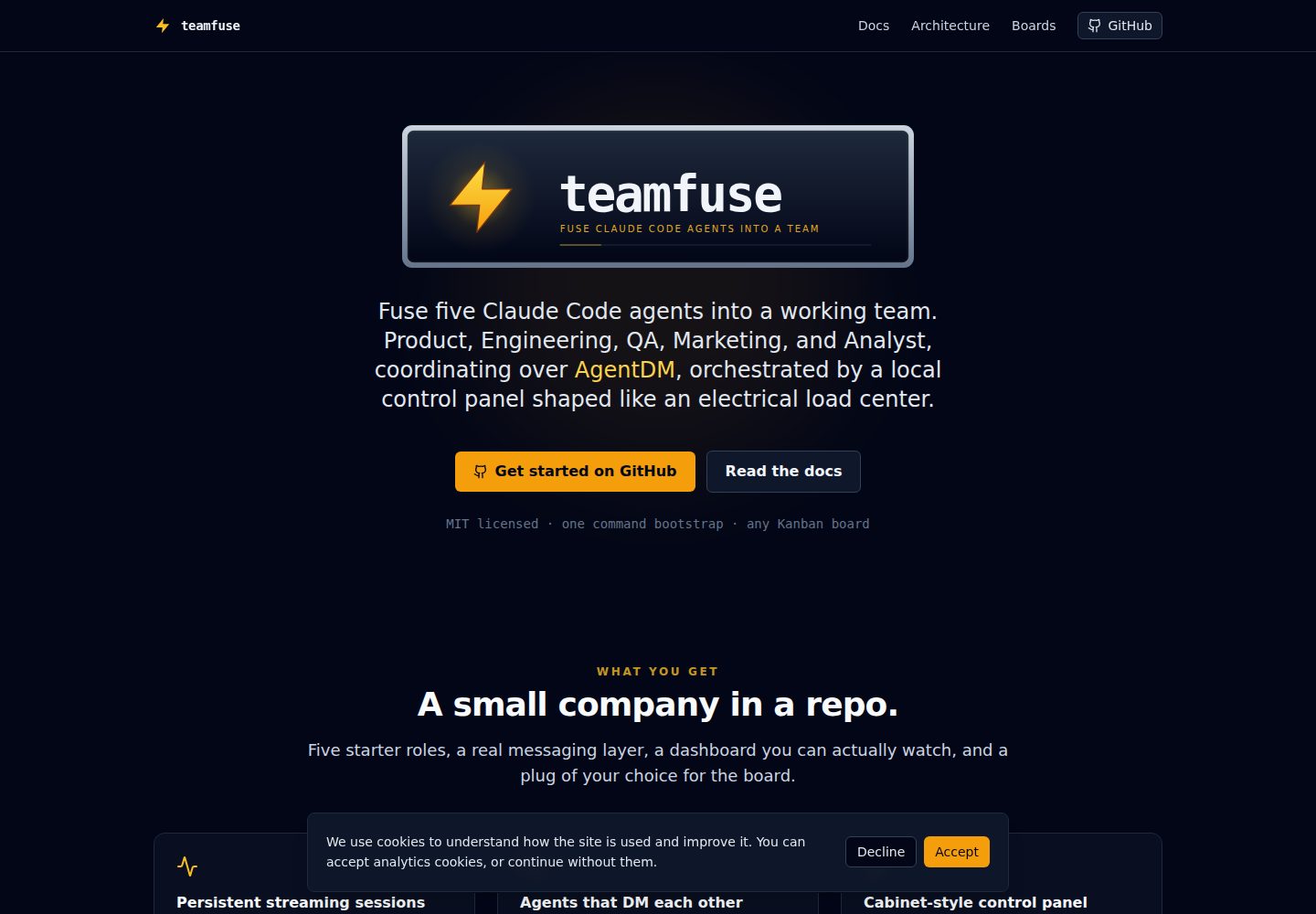
五个起始角色:产品、工程、QA、市场、分析,每个都是持久化的 Claude Code 会话,拥有独立的 CLAUDE.md、MEMORY.md、.mcp.json 和角色专属技能。
Next.jsReact启动器
teamfuse — Next.js 启动器模板
作者 agentdmai
teamfuse 是一个基于 Next.js 的本地控制面板模板,用于把五个 Claude Code 代理(产品、工程、QA、市场、分析)通过 AgentDM 消息层组成一个可协调的团队。
看看你的网站会是什么样
浏览真实页面截图,比较内容排版与手机效果。点击下方缩略图切换,放大查看整页细节。
全部页面与视图 2
截图用于了解视觉与布局,交互效果请以实际项目为准。
采集于 2026-10-03查看来源
值得关注的模板亮点
从已有项目资料中,快速了解它的特点。
本地 Next.js 控制面板运行在 127.0.0.1:3005,采用配电盘式断路器卡片界面,支持启动、停止、唤醒、查看日志、检查上下文与 MCP 工具、跟踪 token 用量。
代理间协调完全通过 AgentDM 消息层进行,控制面板只负责生命周期与遥测,不参与协调。
流式代理循环通过 stream-json 保持 claude 进程常驻,在工作单元之间发送 /clear,支持 SIGUSR1 唤醒和 SIGTERM 关闭。
共享 SOP 库覆盖卡片生命周期、WIP 上限、唤醒协议、PR 审查、提交归属、发布验证、浏览器请求和数据库访问。
默认使用 GitHub Projects 看板,可通过替换一个 MCP 服务器切换为 Linear、Jira、Trello 或 Notion。
模板详细介绍
teamfuse 把五个持久化的 Claude Code 会话(产品、工程、QA、市场、分析)通过 AgentDM 消息总线连接成一个可协调的团队,并提供一个本地 Next.js 控制面板来管理这些代理的生命周期与遥测。控制面板运行在 127.0.0.1:3005,界面采用配电盘样式,每个代理对应一张断路器卡片,可启动、停止、唤醒、查看日志、检查上下文与 MCP 工具,并按代理和窗口(5 小时 / 7 天 / 启动至今)跟踪 token 用量。
代理之间的协调完全通过 AgentDM 进行:每一对代理私信和频道发帖都经过该消息层,控制面板不参与协调,只负责生命周期与遥测。每个代理位于 agents/<id>/ 目录,拥有自己的 CLAUDE.md、MEMORY.md 和角色专属 MCP 服务器。一个 Python 包装脚本通过 stream-json 在 stdin/stdout 上保持 claude 进程常驻,在工作单元之间发送 /clear,并处理 SIGUSR1 唤醒和 SIGTERM 关闭信号。市场代理是唯一会启动 claude --chrome 的角色,因为宿主机的浏览器会话是共享的。
模板自带五个起始角色、共享的 SOP 库(agents/sop/)、一组 /teamfuse-* 命令(初始化、添加代理、添加频道、列出、移除代理),以及默认使用 GitHub Projects 的看板集成。初始化命令 /teamfuse-init 会创建 AgentDM 代理和频道、写入 agents.config.json、填充角色 CLAUDE.md 中的占位符,并可选地创建 GitHub Project 看板、把本地仓库克隆符号链接到工程和 QA 代理的 ./repos/ 目录下。
使用前需要 Node 18.17+、Python 3.10+、Claude Code CLI、AgentDM 账号,以及根据所选角色需要的 GitHub 账号或 Postgres DSN。仓库采用 MIT 许可,但演示图片、字体、图标等第三方素材需单独核对许可,域名、托管、数据库或 AI 等外部服务可能另外收费。
Next.js启动器
适合你的项目吗?
适用场景
- 希望用一组通过真实消息层协调的 AI 代理来承担产品、工程、QA、市场和数据分析等角色的小型团队。
- 需要本地控制面板来启停、唤醒、查看日志和跟踪多个 Claude Code 代理 token 用量的运维场景。
- 想以 GitHub Projects 为默认看板,并保留切换到 Linear、Jira、Trello 或 Notion 可能性的工作流。
- 需要共享 SOP 和 WIP 上限来约束代理行为、让代理能提交 PR、跑冒烟测试和通过发布门禁的团队。
适合人群
- 独立创始人或小型创业团队,希望用少量 AI 代理覆盖多个职能。
- 内部运维团队,想自动化工作流中的一部分并保留本地控制面板。
- 已经使用 Claude Code CLI 和 AgentDM 账号,并愿意按文档完成初始化的开发者。
- 需要可扩展代理阵容(通过 /teamfuse-add-agent 添加角色)而非固定数量代理的团队。
上手与定制指南
结合仓库当前版本的说明,按下面的资料检查内容、配置与运行要求。
- 1
需要 Node 18.17+、Python 3.10+、Claude Code CLI 和 AgentDM 账号;如果配置工程、产品或 QA 角色还需要 GitHub 账号,配置分析角色需要 Postgres DSN。
- 2
在 Claude Code 中安装并认证 AgentDM 插件时,需要选择 Admin Agent 身份,因为初始化命令需要管理员权限来创建代理和频道。
- 3
运行 /teamfuse-init 会创建 AgentDM 代理和频道、写入 agents.config.json、填充角色 CLAUDE.md 占位符,并可选择创建 GitHub Project 看板或链接本地仓库克隆。
- 4
控制面板需要进入 agents-web 目录,复制 .env.example 为 .env.local,安装依赖后运行 npm run dev,然后访问 http://127.0.0.1:3005。
- 5
仓库代码采用 MIT 许可,但演示图片、字体、图标等第三方素材需单独核对许可,域名、托管、数据库或 AI 等外部服务可能另外收费。
授权与来源资料
使用条件与限制
免费使用 · 保留许可声明本次收录的是公开仓库中采用 MIT 许可的免费版本;免费范围为该版本代码,不代表外部服务或第三方素材免费。
使用时需要遵守
- 允许免费使用、修改、商用和分发该版本代码。
- 分发代码副本或实质性部分时,保留原作者版权声明和完整 MIT 许可声明。
- 代码按现状提供;担保与责任限制以原许可证及适用法律为准。
额外费用与待核对事项
- 使用前必须拥有 AgentDM 账号,代理之间的所有私信与频道发帖都依赖该外部消息服务,无法离线或自托管替代。
- 初始化需在 Claude Code 中安装 AgentDM 插件并通过 OAuth 登录(Google 或 GitHub),且必须选择 Admin Agent 身份以获得创建代理和频道的管理员权限。
- 若配置工程、产品或 QA 角色,需要 GitHub 账号;默认看板集成依赖 gh 命令与 GitHub Projects。
- 若配置分析角色,需要提供 Postgres 数据库连接串(DSN),属于外部数据库服务依赖。
- 运行依赖 Anthropic 的 Claude Code CLI,需自行安装并具备相应账号与用量,可能产生外部服务费用。
- 市场代理会启动 claude --chrome 并占用宿主机唯一的浏览器会话,其他角色无法同时使用该浏览器会话。
- 演示图片、字体、图标及其他第三方素材需按各自许可核对,不能仅凭代码的 MIT 许可判断。
- 域名、托管、数据库、支付或 AI 等外部服务可能另外收费。
查看原文依据
Permission is hereby granted, free of charge
许可证原文
An [AgentDM](https://app.agentdm.ai) account
README 原文
Claude prints an OAuth URL. Open it, pick **Authenticate**, sign in with Google or GitHub
README 原文
A GitHub account (only if Eng, PM, or QA are provisioned)
README 原文
A Postgres DSN (only if Analyst is provisioned)
README 原文
[Claude Code CLI](https://docs.anthropic.com/claude/claude-code)
README 原文
https://github.com/agentdmai/teamfuse/blob/main/LICENSEhttps://github.com/agentdmai/teamfuse/blob/main/README.mdMarketing is the only agent that launches `claude --chrome`, since the host's single browser session is shared.
README 原文
DeepSeek 根据仓库许可证和 README 整理 ·2026-10-03。结果仅覆盖已读取资料,依赖、图片、字体及后续条款变更以各自原文为准。
项目核对记录与介绍依据
模板资料
- 来源平台
- GitHub
- 资料与维护参考分
- 资料较完整 · 87 / 100
- 技术栈
- Next.js · React
- 网站类型
- 启动器
这个分数如何计算
本站按许可资料(最高30分)、演示链接(12分)、预览图(10分)、Star数(15分)、记录的维护时间(15分)、描述完整度(8分)、功能记录(5分)和分类资料(5分)计算。它不是代码、安全或性能测试,也不是 Google 评分;有链接不代表已实测可用。
这个项目需要核对什么
- 记录的仓库更新时间
- 2026-05-13
- 截图检查日期
- 2026-10-03
已收录演示链接。请用你的内容与屏幕尺寸检查;有演示不代表表单、认证或支付已经可用。
目录记录的主要技术栈是 Next.js。请通过依赖清单和锁文件核对实际版本与托管要求。这些说明基于收录资料,不代表代码审计或部署实测。
查看具体选型方法 →介绍的制作与核对状态
介绍由 AI 辅助整理目录与仓库资料。仓库作者不等于这篇介绍的审核者。
审核声明: [email protected] · 2026-10-04
查看当时使用的来源资料
SHA-256: e2f215b81065cc892825e36e787423c4d8941da9faba5e236f8ee12d626261e5
2026-10-03T21:00:54.739Z
来源文件 / 仓库<p align="center"> <img src="docs/logo.svg" alt="teamfuse" width="600"/> </p> # teamfuse **Fuse five Claude Code agents into a working team.** Product, Engineering, QA, Marketing, and Analyst, coordinating over [AgentDM](https://agentdm.ai), orchestrated by a local Next.js control panel shaped like an electrical load center. Boot the whole company from a single `/teamfuse-init` prompt. **Homapage:** [teamfuse.dev](https://teamfuse.dev) for the full docs and landing page. ## What it looks like The local control panel with all five agents running:  Each breaker card wraps one persistent Claude Code session. State dot shows running, idle, starting, errored, or stopped. Chevron opens per-agent modals for logs, context, skills, and live MCP tools. The same five agents on the AgentDM grid, with the seeded channels and recent traffic between them:  Every DM and every channel post goes through AgentDM. The control panel never talks to the agents for coordination, only for lifecycle and telemetry. > Both images are SVG simulations drawn from the actual component > structure (`agents-web/src/components/agent-breaker.tsx`, > `usage-panel.tsx`, etc.) and the AgentDM account model. Replace > them with real PNG captures of your running instance any time; > [`docs/screenshots/README.md`](docs/screenshots/README.md) has the > filenames and push flow. ## How it works Four layers. 1. **Operator.** Two entry points into the team. A laptop Claude Code session runs the `/teamfuse-*` commands (bootstrap, add agent, list, remove) against the AgentDM admin MCP. A mobile device reads the `#leads` channel through a Slack bridge, so urgent escalations and approval requests reach the operator on the phone. 2. **AgentDM.** The messaging bus. Every agent-to-agent DM and every channel post goes through it. Nothing coordinates by polling the filesystem. 3. **Agents.** Five persistent Claude Code sessions, one per role. Each lives in `agents/<id>/` with its own `CLAUDE.md`, `MEMORY.md`, and role-specific MCP servers. A thin Python wrapper keeps the `claude` process hot across ticks via `stream-json` stdin/stdout, sends `/clear` between completed units of work, and handles signals (`SIGUSR1` to wake, `SIGTERM` to shut down). Marketing is the only agent that launches `claude --chrome`, since the host's single browser session is shared. 4. **Control panel.** A local Next.js dashboard at `127.0.0.1:3005`, shaped like an electrical load center. Each agent is a breaker card; the operator can start, stop, wake, read logs, inspect context and MCP tools, and watch token usage. Full writeup in [`docs/architecture.md`](docs/architecture.md). The streaming loop itself is covered in [`docs/streaming-agent-loop.md`](docs/streaming-agent-loop.md). ## What you get out of the box * **Five starter roles**, each a persistent Claude Code session with its own `CLAUDE.md`, `MEMORY.md`, `.mcp.json`, and role-scoped skills. * **A local control panel** at `127.0.0.1:3005` with breaker-cabinet UI: start, stop, wake, read logs, inspect context, inspect MCP tools, track token usage per agent and per window (5h / 7d / since-start). * **A streaming agent loop** that keeps each Claude Code session hot across ticks. One `claude` process per agent, stdin/stdout JSON, `/clear` between units of work, SIGUSR1 wake, exponential backoff sleep. Full writeup in `docs/streaming-agent-loop.md`. * **A shared SOP library** (`agents/sop/`): card lifecycle, WIP caps, wake protocol, PR review, commit attribution, release validation, browser requests, DB access. * **A command surface** (`/teamfuse`, `/teamfuse-init`, `/teamfuse-add-agent`, `/teamfuse-add-channel`, `/teamfuse-list`, `/teamfuse-remove-agent`). Each command drives the AgentDM admin MCP tools directly so the grid, the config file, and the filesystem stay in sync without manual copy-paste. * **GitHub Projects by default, other Kanban boards optional.** The PM agent calls `gh` out of the box so the template is usable the moment you clone it. Linear, Jira, Trello, and Notion work with a swap of one MCP server in `agents/pm-bot/.mcp.json`. See [`docs/board-integration.md`](docs/board-integration.md). ## Who it is for You want a small autonomous team of AI coworkers that coordinate through a real messaging layer, with enough structure that they can actually ship (PRs, smoke tests, release gates, WIP caps), without writing the whole harness yourself. Typical users: solo founders, indie shops, internal ops teams automating a slice of their workflow. ## Quickstart ### 1. Clone ```bash gh repo create my-company --template agentdmai/teamfuse --private --clone cd my-company ``` Or clone and re-init: ```bash git clone https://github.com/agentdmai/teamfuse my-company cd my-company rm -rf .git && git init -b main ``` ### 2. Install dependencies ```bash cd agents-web && npm install && cd .. ``` ### 3. Authorise AgentDM in Claude Code ```bash claude > /plugin install agentdm@agentdm > /reload-plugins > /mcp -> AgentDM -> Authenitcate ``` Claude prints an OAuth URL. Open it, pick **Authenticate**, sign in with Google or GitHub, and when AgentDM asks which agent to connect as, pick **Admin Agent** — the bootstrap commands need admin scope to create agents and channels. Then come back to the terminal. See `docs/agentdm-integration.md` for the account, alias, and channel model. ### 4. Say hi Inside the same Claude session, at the repo root: ``` > /teamfuse ``` Prints the banner and the command list. Do this once so you know what else is available. ### 5. Fuse the team ``` > /teamfuse-init ``` Asks for your company name, a short brief (what the company does, what the product is, who it is for, one-line positioning), operator alias, which of the five roles to provision, and any role-specific bindings (GitHub org, Postgres DSN). The brief is stored once in `agents/sop/company.md` and loaded by every agent on start-up, so all five roles share the same ground truth about the business. It also offers to: * **Create the GitHub Project board** for you (same pattern as agent creation on AgentDM) — `gh project create`, seed the standard `Status`, `Agent`, `Type`, `Source`, and `Output link` fields, and resolve every field ID into the per-agent `CLAUDE.md` placeholders. You can also paste an existing board URL, or skip and fill it in later. * **Wire your existing local clones** into `@eng-bot` and `@qa-bot`. Give it an absolute path (and an optional short name) and it lays the `agents/eng-bot/repos/<name>` and `agents/qa-bot/repos/<name>` symlinks for you — no need to do it by hand. It then: * creates one AgentDM agent per role, stores each api key into `agents/<id>/.env` * creates the `#eng`, `#leads`, `#ops` channels and seeds members * assigns role-appropriate skills via `admin_set_agent_skills` * creates / resolves the project board and captures its field IDs * symlinks each wired repo into eng's and qa's `./repos/` * writes `agents.config.json` and `agents/sop/company.md` * replaces every `<placeholder>` in the role `CLAUDE.md` files Idempotent. Safe to rerun. ### 6. Light the panel ```bash cd agents-web cp .env.example .env.local npm install npm run dev ``` Open `http://127.0.0.1:3005`. One breaker card per agent, all stopped. Flip the first Start. The wrapper forks, `status.json` starts updating, and the log modal fills with tick output. ## Prerequisites * Node 18.17+ * Python 3.10+ * [Claude Code CLI](https://docs.anthropic.com/claude/claude-code) * An [AgentDM](https://app.agentdm.ai) account * A GitHub account (only if Eng, PM, or QA are provisioned) * A Postgres DSN (only if Analyst is provisioned) ## Commands Run inside a Claude Code session at the repo root. | Command | What it does | |---|---| | `/teamfuse` | Show the banner and the command list. Run first in a fresh checkout. | | `/teamfuse-init` | Bootstrap the company. AgentDM agents, channels, `agents.config.json`, placeholder fills. Idempotent. | | `/teamfuse-add-agent` | Add a new role. Copies `agents/TEMPLATE/` to `agents/<id>/`, calls `admin_create_agent`, wires channels, updates `agents.config.json`. | | `/teamfuse-add-channel` | Create a channel on AgentDM and seed members. | | `/teamfuse-list` | Show the current roster. Cross-checks `agents.config.json` against AgentDM and flags drift. Read-only. | | `/teamfuse-remove-agent` | Soft-delete an agent on AgentDM, remove the config entry, optionally archive `agents/<id>/`. | ## Docs | | | |---|---| | [Architecture](docs/architecture.md) | Three pieces: sub-agent sessions, control plane, messaging layer. | | [Streaming agent loop](docs/streaming-agent-loop.md) | Deep dive on `scripts/agent-loop.py`. Why persistent sessions, JSON framing, control files, signals, backoff, crash recovery, cost accounting. | | [AgentDM integration](docs/agentdm-integration.md) | Accounts, aliases, channels, admin vs user MCP tools, OAuth, guardrails. | | [Creating agents](docs/creating-agents.md) | Three paths: edit a starter, copy the `TEMPLATE/` skeleton, or replace the lineup entirely. | | [Operator guide](docs/operator-guide.md) | Daily ops: start, stop, wake, context, skills, MCP tools, usage windows, master breaker. | | [Board integration](docs/board-integration.md) | GitHub Projects by default. Swap flow for Linear, Jira, Trello, Notion. The card model every agent reads and writes. | | [Extending](docs/extending.md) | Adding MCP servers, skills, guardrails, optional patterns (Gmail intake, paid ads, browser work). | ## Layout ``` . ├── README.md you are here ├── SETUP.md long-form bootstrap walkthrough ├── LICENSE MIT ├── .gitignore ├── .claude/ │ ├── settings.example.json │ └── skills/ six teamfuse-* commands │ ├── teamfuse/ │ ├── teamfuse-init/ │ ├── teamfuse-add-agent/ │ ├── teamfuse-add-channel/ │ ├── teamfuse-list/ │ └── teamfuse-remove-agent/ ├── .mcp.json.example AgentDM MCP, copy to .mcp.json ├── agents.config.example.json copy to agents.config.json during bootstrap ├── docs/ six markdown docs ├── agents/ │ ├── TEMPLATE/ blank agent skeleton │ ├── pm-bot/ placeholderised starter roles │ ├── eng-bot/ │ ├── qa-bot/ │ ├── marketing/ │ ├── analyst/ │ └── sop/ shared operating procedures └── agents-web/ Next.js control panel ``` ## Naming The product is teamfuse: a team fused into existence. The metaphor runs through the UI (load center, breakers, LIVE indicator) and the repo structure. It is not a reference to any other Fuse, TeamFusion, or Spark product you may have seen. ## License MIT. See `LICENSE`.
看看同类模板
对比同技术栈与用途的模板,找到更适合的视觉与内容结构。

ai-website-cloner-template
Clone any website with one command using AI coding agents
Next.js · 启动器

Next.js SaaS Starter
Next.js SaaS Starter 是 Next.js 官方维护的 SaaS 起点模板,定位介于学习资源和可直接部署的脚手架之间。
Next.js · SaaS

Next.js Commerce
Next.js Commerce 是 Vercel 团队维护的电商启动模板,基于 Next.js App Router 构建,采用服务端渲染、React Server Components、Server Actions …
Next.js · 电商

Next-js-Boilerplate
Next-js-Boilerplate 是一个面向 Next.js 16、Tailwind CSS 4 和 TypeScript 的启动器,核心定位是开发者体验优先。
Next.js · 启动器

tailwind-nextjs-starter-blog
tailwind-nextjs-starter-blog 是一个面向个人技术博客的 Next.js 与 Tailwind CSS 启动模板,其 v2 版本基于 App Router 与 React Server Comp…
Next.js · 博客

next-forge
Production-grade Turborepo template for Next.js apps.
Next.js · 启动器