Five starter roles: Product, Engineering, QA, Marketing, and Analytics, each a persistent Claude Code session with its own CLAUDE.md, MEMORY.md, .mcp.json, and role-specific skills.
Next.jsReactStarter
teamfuse — Next.js Starter Template
By agentdmai
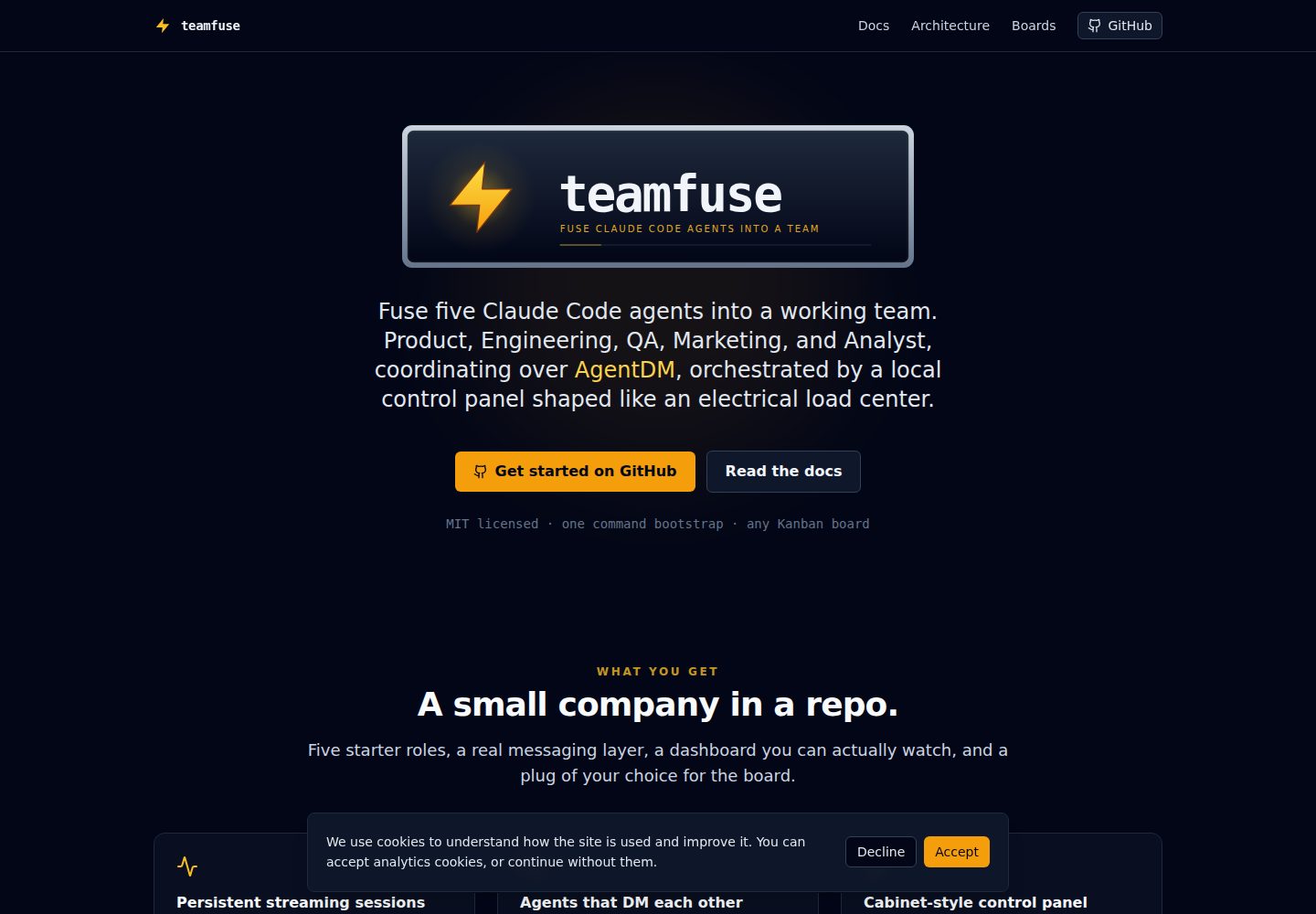
teamfuse is a Next.js-based local control panel template for coordinating five Claude Code agents (Product, Engineering, QA, Marketing, Analytics) through the AgentDM messaging layer.
Explore the design
Compare the page layouts and mobile experience. Open any screenshot for a closer look.
Desktop homepage1 / 2
Desktop captureTop of page
Actual screenshot captured by the server browser.
All pages & views 2
Screenshots show visual appearance; interactive behavior may differ.
Recorded 2026-10-03View source
What stands out
A quick read of the recorded project description.
Local Next.js control panel running at 127.0.0.1:3005 with a switchboard-style circuit-breaker card interface, supporting start, stop, wake, log viewing, context and MCP tool inspection, and token usage tracking.
Inter-agent coordination happens entirely through the AgentDM messaging layer; the control panel only handles lifecycle and telemetry and does not participate in coordination.
Streaming agent loop keeps the claude process resident via stream-json, sends /clear between work units, and supports SIGUSR1 wake and SIGTERM shutdown.
Shared SOP library covering card lifecycle, WIP limits, wake protocol, PR review, commit attribution, release verification, browser requests, and database access.
Defaults to a GitHub Projects kanban board, switchable to Linear, Jira, Trello, or Notion by replacing one MCP server.
Template Details
teamfuse connects five persistent Claude Code sessions (Product, Engineering, QA, Marketing, Analytics) into a coordinated team through the AgentDM message bus, and provides a local Next.js control panel to manage these agents' lifecycles and telemetry. The control panel runs at 127.0.0.1:3005 with a switchboard-style interface where each agent corresponds to a circuit-breaker card; you can start, stop, wake, view logs, inspect context and MCP tools, and track token usage per agent and per window (5 hours / 7 days / since startup).
Coordination between agents happens entirely through AgentDM: every pairwise direct message and channel post goes through this messaging layer. The control panel does not participate in coordination; it only handles lifecycle and telemetry. Each agent lives in an agents/<id>/ directory with its own CLAUDE.md, MEMORY.md, and role-specific MCP servers. A Python wrapper script keeps the claude process resident via stream-json on stdin/stdout, sends /clear between work units, and handles SIGUSR1 wake and SIGTERM shutdown signals. The Marketing agent is the only role that launches claude --chrome, because the host machine's browser session is shared.
The template ships with five starter roles, a shared SOP library (agents/sop/), a set of /teamfuse-* commands (init, add agent, add channel, list, remove agent), and a kanban integration that defaults to GitHub Projects. The /teamfuse-init command creates AgentDM agents and channels, writes agents.config.json, fills in placeholders in each role's CLAUDE.md, and optionally creates a GitHub Project board and symlinks local repository clones into the Engineering and QA agents' ./repos/ directories.
Before use, you need Node 18.17+, Python 3.10+, the Claude Code CLI, an AgentDM account, and—depending on the chosen roles—a GitHub account or a Postgres DSN. The repository is MIT-licensed, but third-party assets such as demo images, fonts, and icons require separate license checks, and external services such as domains, hosting, databases, or AI may incur additional charges.
Next.jsLauncher
Is it right for your project?
Use Cases
- Small teams that want a set of AI agents coordinated through a real messaging layer to cover roles such as product, engineering, QA, marketing, and data analysis.
- Operations scenarios that need a local control panel to start, stop, wake, view logs for, and track token usage of multiple Claude Code agents.
- Workflows that want GitHub Projects as the default kanban board while retaining the option to switch to Linear, Jira, Trello, or Notion.
- Teams that need shared SOPs and WIP limits to constrain agent behavior, let agents submit PRs, run smoke tests, and pass release gates.
Suitable For
- Solo founders or small startup teams who want to cover multiple functions with a small number of AI agents.
- Internal operations teams that want to automate part of their workflow while keeping a local control panel.
- Developers already using the Claude Code CLI and an AgentDM account who are willing to follow the documentation to complete initialization.
- Teams that need a scalable agent roster (adding roles via /teamfuse-add-agent) rather than a fixed number of agents.
Getting started & customization
Use these recorded setup notes alongside the repository instructions for your chosen version.
- 1
Requires Node 18.17+, Python 3.10+, the Claude Code CLI, and an AgentDM account; configuring Engineering, Product, or QA roles also requires a GitHub account, and configuring the Analytics role requires a Postgres DSN.
- 2
When installing and authenticating the AgentDM plugin in Claude Code, you must choose the Admin Agent identity, because the initialization command needs administrator privileges to create agents and channels.
- 3
Running /teamfuse-init creates AgentDM agents and channels, writes agents.config.json, fills in role CLAUDE.md placeholders, and can optionally create a GitHub Project board or link local repository clones.
- 4
For the control panel, enter the agents-web directory, copy .env.example to .env.local, install dependencies, run npm run dev, then visit http://127.0.0.1:3005.
- 5
The repository code is MIT-licensed, but third-party assets such as demo images, fonts, and icons require separate license checks, and external services such as domains, hosting, databases, or AI may incur additional charges.
License & source material
Usage conditions & limitations
Free to use · keep license noticeThis entry covers the free version under the MIT license in the public repository; the free scope is that version's code and does not imply that external services or third-party assets are free.
Must comply with when using
- You may use, modify, commercially use, and distribute this version's code for free.
- When distributing copies or substantial portions of the code, retain the original author's copyright notice and the full MIT license notice.
- The code is provided as is; warranties and limitations of liability are governed by the original license and applicable law.
Additional costs & items to verify
- You must have an AgentDM account before use; all direct messages and channel posts between agents depend on this external messaging service, with no offline or self-hosted alternative.
- Initialization requires installing the AgentDM plugin in Claude Code and logging in via OAuth (Google or GitHub), and you must choose the Admin Agent identity to obtain administrator privileges for creating agents and channels.
- If you configure Engineering, Product, or QA roles, a GitHub account is required; the default kanban integration depends on the gh command and GitHub Projects.
- If you configure the Analytics role, you must provide a Postgres database connection string (DSN), which is an external database service dependency.
- Operation depends on Anthropic's Claude Code CLI, which you must install yourself and for which you need the appropriate account and usage; this may incur external service charges.
- The Marketing agent launches claude --chrome and occupies the host machine's single browser session; other roles cannot use that browser session at the same time.
- Demo images, fonts, icons, and other third-party assets must be checked against their respective licenses; the code's MIT license alone does not determine this.
- External services such as domains, hosting, databases, payments, or AI may incur additional charges.
View Original Text Basis
Permission is hereby granted, free of charge
Original License Text
An [AgentDM](https://app.agentdm.ai) account
Original README
Claude prints an OAuth URL. Open it, pick **Authenticate**, sign in with Google or GitHub
Original README
A GitHub account (only if Eng, PM, or QA are provisioned)
Original README
A Postgres DSN (only if Analyst is provisioned)
Original README
[Claude Code CLI](https://docs.anthropic.com/claude/claude-code)
Original README
https://github.com/agentdmai/teamfuse/blob/main/LICENSEhttps://github.com/agentdmai/teamfuse/blob/main/README.mdMarketing is the only agent that launches `claude --chrome`, since the host's single browser session is shared.
Original README
Compiled by DeepSeek based on repository license and README ·2026-10-03. Results only cover the materials read; dependencies, images, fonts, and subsequent term changes are subject to their respective original texts.
Project checks & description sources
Template Information
- Source platforms
- GitHub
- Documentation and maintenance reference score
- More documented · 87 / 100
- Technologies
- Next.js · React
- Website type
- Starter
How this score is calculated
Our heuristic uses license records (up to 30), a demo link (12), a preview (10), stars (15), recorded maintenance (15), description completeness (8), feature records (5) and classification data (5). It is not a code, security or performance test, or a Google score. A link does not establish tested functionality.
What to verify for this project
- Repository update recorded
- 2026-05-13
- Screenshot last checked
- 2026-10-03
A demo link is listed. Check it with your own content and viewport sizes; its presence does not confirm that forms, authentication or payments work.
The catalog identifies Next.js as the primary stack. Check the actual dependency manifest and lockfile for versions and hosting requirements. These notes use recorded metadata, not a code audit or a deployment test.
Use a selection guide →How this description was prepared
AI-assisted description based on catalog records and repository material. Repository authors are not automatically the reviewers of this description.
Review declaration: [email protected] · 2026-10-04
Inspect the recorded source material
SHA-256: e2f215b81065cc892825e36e787423c4d8941da9faba5e236f8ee12d626261e5
2026-10-03T21:00:54.739Z
Source file / repository<p align="center"> <img src="docs/logo.svg" alt="teamfuse" width="600"/> </p> # teamfuse **Fuse five Claude Code agents into a working team.** Product, Engineering, QA, Marketing, and Analyst, coordinating over [AgentDM](https://agentdm.ai), orchestrated by a local Next.js control panel shaped like an electrical load center. Boot the whole company from a single `/teamfuse-init` prompt. **Homapage:** [teamfuse.dev](https://teamfuse.dev) for the full docs and landing page. ## What it looks like The local control panel with all five agents running:  Each breaker card wraps one persistent Claude Code session. State dot shows running, idle, starting, errored, or stopped. Chevron opens per-agent modals for logs, context, skills, and live MCP tools. The same five agents on the AgentDM grid, with the seeded channels and recent traffic between them:  Every DM and every channel post goes through AgentDM. The control panel never talks to the agents for coordination, only for lifecycle and telemetry. > Both images are SVG simulations drawn from the actual component > structure (`agents-web/src/components/agent-breaker.tsx`, > `usage-panel.tsx`, etc.) and the AgentDM account model. Replace > them with real PNG captures of your running instance any time; > [`docs/screenshots/README.md`](docs/screenshots/README.md) has the > filenames and push flow. ## How it works Four layers. 1. **Operator.** Two entry points into the team. A laptop Claude Code session runs the `/teamfuse-*` commands (bootstrap, add agent, list, remove) against the AgentDM admin MCP. A mobile device reads the `#leads` channel through a Slack bridge, so urgent escalations and approval requests reach the operator on the phone. 2. **AgentDM.** The messaging bus. Every agent-to-agent DM and every channel post goes through it. Nothing coordinates by polling the filesystem. 3. **Agents.** Five persistent Claude Code sessions, one per role. Each lives in `agents/<id>/` with its own `CLAUDE.md`, `MEMORY.md`, and role-specific MCP servers. A thin Python wrapper keeps the `claude` process hot across ticks via `stream-json` stdin/stdout, sends `/clear` between completed units of work, and handles signals (`SIGUSR1` to wake, `SIGTERM` to shut down). Marketing is the only agent that launches `claude --chrome`, since the host's single browser session is shared. 4. **Control panel.** A local Next.js dashboard at `127.0.0.1:3005`, shaped like an electrical load center. Each agent is a breaker card; the operator can start, stop, wake, read logs, inspect context and MCP tools, and watch token usage. Full writeup in [`docs/architecture.md`](docs/architecture.md). The streaming loop itself is covered in [`docs/streaming-agent-loop.md`](docs/streaming-agent-loop.md). ## What you get out of the box * **Five starter roles**, each a persistent Claude Code session with its own `CLAUDE.md`, `MEMORY.md`, `.mcp.json`, and role-scoped skills. * **A local control panel** at `127.0.0.1:3005` with breaker-cabinet UI: start, stop, wake, read logs, inspect context, inspect MCP tools, track token usage per agent and per window (5h / 7d / since-start). * **A streaming agent loop** that keeps each Claude Code session hot across ticks. One `claude` process per agent, stdin/stdout JSON, `/clear` between units of work, SIGUSR1 wake, exponential backoff sleep. Full writeup in `docs/streaming-agent-loop.md`. * **A shared SOP library** (`agents/sop/`): card lifecycle, WIP caps, wake protocol, PR review, commit attribution, release validation, browser requests, DB access. * **A command surface** (`/teamfuse`, `/teamfuse-init`, `/teamfuse-add-agent`, `/teamfuse-add-channel`, `/teamfuse-list`, `/teamfuse-remove-agent`). Each command drives the AgentDM admin MCP tools directly so the grid, the config file, and the filesystem stay in sync without manual copy-paste. * **GitHub Projects by default, other Kanban boards optional.** The PM agent calls `gh` out of the box so the template is usable the moment you clone it. Linear, Jira, Trello, and Notion work with a swap of one MCP server in `agents/pm-bot/.mcp.json`. See [`docs/board-integration.md`](docs/board-integration.md). ## Who it is for You want a small autonomous team of AI coworkers that coordinate through a real messaging layer, with enough structure that they can actually ship (PRs, smoke tests, release gates, WIP caps), without writing the whole harness yourself. Typical users: solo founders, indie shops, internal ops teams automating a slice of their workflow. ## Quickstart ### 1. Clone ```bash gh repo create my-company --template agentdmai/teamfuse --private --clone cd my-company ``` Or clone and re-init: ```bash git clone https://github.com/agentdmai/teamfuse my-company cd my-company rm -rf .git && git init -b main ``` ### 2. Install dependencies ```bash cd agents-web && npm install && cd .. ``` ### 3. Authorise AgentDM in Claude Code ```bash claude > /plugin install agentdm@agentdm > /reload-plugins > /mcp -> AgentDM -> Authenitcate ``` Claude prints an OAuth URL. Open it, pick **Authenticate**, sign in with Google or GitHub, and when AgentDM asks which agent to connect as, pick **Admin Agent** — the bootstrap commands need admin scope to create agents and channels. Then come back to the terminal. See `docs/agentdm-integration.md` for the account, alias, and channel model. ### 4. Say hi Inside the same Claude session, at the repo root: ``` > /teamfuse ``` Prints the banner and the command list. Do this once so you know what else is available. ### 5. Fuse the team ``` > /teamfuse-init ``` Asks for your company name, a short brief (what the company does, what the product is, who it is for, one-line positioning), operator alias, which of the five roles to provision, and any role-specific bindings (GitHub org, Postgres DSN). The brief is stored once in `agents/sop/company.md` and loaded by every agent on start-up, so all five roles share the same ground truth about the business. It also offers to: * **Create the GitHub Project board** for you (same pattern as agent creation on AgentDM) — `gh project create`, seed the standard `Status`, `Agent`, `Type`, `Source`, and `Output link` fields, and resolve every field ID into the per-agent `CLAUDE.md` placeholders. You can also paste an existing board URL, or skip and fill it in later. * **Wire your existing local clones** into `@eng-bot` and `@qa-bot`. Give it an absolute path (and an optional short name) and it lays the `agents/eng-bot/repos/<name>` and `agents/qa-bot/repos/<name>` symlinks for you — no need to do it by hand. It then: * creates one AgentDM agent per role, stores each api key into `agents/<id>/.env` * creates the `#eng`, `#leads`, `#ops` channels and seeds members * assigns role-appropriate skills via `admin_set_agent_skills` * creates / resolves the project board and captures its field IDs * symlinks each wired repo into eng's and qa's `./repos/` * writes `agents.config.json` and `agents/sop/company.md` * replaces every `<placeholder>` in the role `CLAUDE.md` files Idempotent. Safe to rerun. ### 6. Light the panel ```bash cd agents-web cp .env.example .env.local npm install npm run dev ``` Open `http://127.0.0.1:3005`. One breaker card per agent, all stopped. Flip the first Start. The wrapper forks, `status.json` starts updating, and the log modal fills with tick output. ## Prerequisites * Node 18.17+ * Python 3.10+ * [Claude Code CLI](https://docs.anthropic.com/claude/claude-code) * An [AgentDM](https://app.agentdm.ai) account * A GitHub account (only if Eng, PM, or QA are provisioned) * A Postgres DSN (only if Analyst is provisioned) ## Commands Run inside a Claude Code session at the repo root. | Command | What it does | |---|---| | `/teamfuse` | Show the banner and the command list. Run first in a fresh checkout. | | `/teamfuse-init` | Bootstrap the company. AgentDM agents, channels, `agents.config.json`, placeholder fills. Idempotent. | | `/teamfuse-add-agent` | Add a new role. Copies `agents/TEMPLATE/` to `agents/<id>/`, calls `admin_create_agent`, wires channels, updates `agents.config.json`. | | `/teamfuse-add-channel` | Create a channel on AgentDM and seed members. | | `/teamfuse-list` | Show the current roster. Cross-checks `agents.config.json` against AgentDM and flags drift. Read-only. | | `/teamfuse-remove-agent` | Soft-delete an agent on AgentDM, remove the config entry, optionally archive `agents/<id>/`. | ## Docs | | | |---|---| | [Architecture](docs/architecture.md) | Three pieces: sub-agent sessions, control plane, messaging layer. | | [Streaming agent loop](docs/streaming-agent-loop.md) | Deep dive on `scripts/agent-loop.py`. Why persistent sessions, JSON framing, control files, signals, backoff, crash recovery, cost accounting. | | [AgentDM integration](docs/agentdm-integration.md) | Accounts, aliases, channels, admin vs user MCP tools, OAuth, guardrails. | | [Creating agents](docs/creating-agents.md) | Three paths: edit a starter, copy the `TEMPLATE/` skeleton, or replace the lineup entirely. | | [Operator guide](docs/operator-guide.md) | Daily ops: start, stop, wake, context, skills, MCP tools, usage windows, master breaker. | | [Board integration](docs/board-integration.md) | GitHub Projects by default. Swap flow for Linear, Jira, Trello, Notion. The card model every agent reads and writes. | | [Extending](docs/extending.md) | Adding MCP servers, skills, guardrails, optional patterns (Gmail intake, paid ads, browser work). | ## Layout ``` . ├── README.md you are here ├── SETUP.md long-form bootstrap walkthrough ├── LICENSE MIT ├── .gitignore ├── .claude/ │ ├── settings.example.json │ └── skills/ six teamfuse-* commands │ ├── teamfuse/ │ ├── teamfuse-init/ │ ├── teamfuse-add-agent/ │ ├── teamfuse-add-channel/ │ ├── teamfuse-list/ │ └── teamfuse-remove-agent/ ├── .mcp.json.example AgentDM MCP, copy to .mcp.json ├── agents.config.example.json copy to agents.config.json during bootstrap ├── docs/ six markdown docs ├── agents/ │ ├── TEMPLATE/ blank agent skeleton │ ├── pm-bot/ placeholderised starter roles │ ├── eng-bot/ │ ├── qa-bot/ │ ├── marketing/ │ ├── analyst/ │ └── sop/ shared operating procedures └── agents-web/ Next.js control panel ``` ## Naming The product is teamfuse: a team fused into existence. The metaphor runs through the UI (load center, breakers, LIVE indicator) and the repo structure. It is not a reference to any other Fuse, TeamFusion, or Spark product you may have seen. ## License MIT. See `LICENSE`.
Explore similar templates
Compare previews and descriptions within the same stack and category.

Next.js SaaS Starter
The official Next.js SaaS starter template, integrating email/password authentication, Stripe Checkout subscriptions, a dashboard with user/team CRUD, basic Owner/Member RBAC, and activity logging.
Next.js · SaaS

Next.js Commerce
Vercel's officially maintained Next.js App Router ecommerce starter with deep Shopify integration, offering a complete product catalog, cart, and checkout flow. Core logic is modular for swapping backends, and community provider versions exist for BigCommerce, Medusa, and Saleor.
Next.js · E-commerce

Next-js-Boilerplate
A developer-first Next.js 16 starter with Tailwind CSS 4 and TypeScript, supporting both App Router and Page Router.
Next.js · Starter

tailwind-nextjs-starter-blog
A Next.js and Tailwind CSS blog starter template using Contentlayer for Markdown/MDX, with built-in SEO, code highlighting, and tags. It targets personal technical blogs and migration from Jekyll/Hugo to React, and supports one-click Vercel deployment.
Next.js · Blog

next-forge
next-forge is a Turborepo-based Next.js template maintained by Vercel, positioned as a starting point for SaaS products.
Next.js · Starter

SaaS-Boilerplate
SaaS-Boilerplate is an open-source SaaS starter template built with Next.js App Router, React 19, TypeScript, Tailwind CSS, and Shadcn UI.
Next.js · SaaS