集成 Vite、React 与 TypeScript 的构建与类型检查配置
ViteReact启动器
vite-react-chakra-starter — Vite 启动器模板
作者 agustinusnathaniel
基于 Vite、React、TypeScript 与 Chakra UI 的启动器模板,集成 TanStack Router 文件式路由、TanStack Query 与 Vitest、Biome 等开发工具,用于快速初始化前端项目。
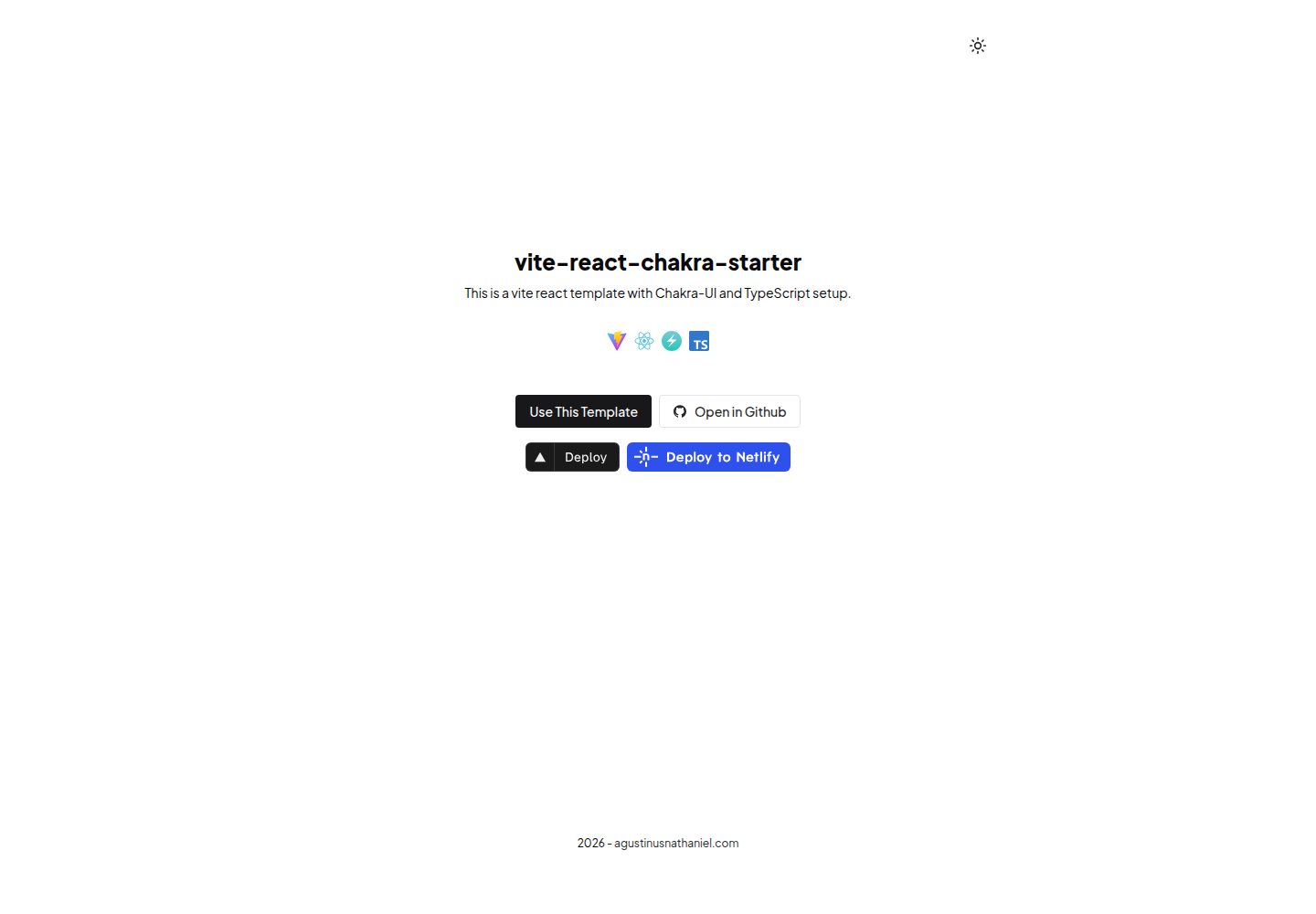
看看你的网站会是什么样
浏览真实页面截图,比较内容排版与手机效果。点击下方缩略图切换,放大查看整页细节。
全部页面与视图 2
截图用于了解视觉与布局,交互效果请以实际项目为准。
采集于 2026-10-02查看来源
值得关注的模板亮点
从已有项目资料中,快速了解它的特点。
使用 TanStack Router 文件式路由,自动生成类型安全的路由树
内置 Chakra UI 组件系统与可编辑的主题配置
包含 TanStack Query 用于服务端状态管理
提供 Biome 代码检查与格式化、Vitest 单元测试脚本
附带 Vercel、Netlify、Cloudflare Pages 等平台的静态部署配置
模板详细介绍
该模板面向需要快速搭建 React 前端项目的场景,将构建工具、路由、组件库与开发工具预先配置好。构建层使用 Vite(Rolldown 实验版本),语言为 TypeScript,UI 组件库为 Chakra UI,路由采用 TanStack Router 的文件式路由并自动生成类型安全的 routeTree.gen.ts,服务端状态管理使用 TanStack Query。代码质量与测试由 Biome、Vitest 承担,包管理器指定为 pnpm。
模板明确不提供后端 API 集成模式、认证与授权流程、数据库或数据持久化层、超出 React Query 的复杂状态管理,以及完整的部署流水线,仅包含平台配置文件。构建产物为 TanStack Start 的静态预渲染结果,输出到 dist/client,未知路径返回静态 404.html,因此托管平台无需配置 SPA 重写。PWA 能力通过 vite-plugin-pwa 提供,但默认关闭。
仓库结构将路由定义放在 src/routes/,页面组件放在 src/lib/pages/,基础 UI 组件放在 src/lib/components/ui/,主题配置放在 src/lib/styles/theme/,并配置了 @/* 指向 src/* 的路径别名。README 中给出的 Node.js 与 pnpm 版本要求、各依赖版本号属于模板自身声明,实际使用时应以仓库当前依赖清单为准。
ViteReact启动器
适合你的项目吗?
适用场景
- 需要快速初始化一个带路由和组件库的 React 前端项目
- 希望使用文件式路由并自动生成类型定义
- 需要预置代码检查、格式化与单元测试工具链
- 计划将静态构建产物部署到 Vercel、Netlify 或 Cloudflare Pages
适合人群
- 熟悉 React 与 TypeScript 的前端开发者
- 需要静态预渲染输出而非服务端函数的项目
- 希望以 pnpm 作为包管理器的团队
- 接受 Chakra UI 作为组件库并愿意自行扩展主题的项目
上手与定制指南
结合仓库当前版本的说明,按下面的资料检查内容、配置与运行要求。
- 1
使用 degit 拉取模板后执行 pnpm install 安装依赖
- 2
开发服务器默认运行在 http://localhost:5173
- 3
构建命令为 pnpm build,输出目录为 dist/client
- 4
PWA 支持在 vite.config.ts 中默认关闭,需要时手动启用
- 5
README 中声明的 Node.js 与 pnpm 版本要求应结合仓库当前依赖清单核对
授权与来源资料
使用条件与限制
免费使用 · 保留许可声明本次收录的是公开仓库中采用 MIT 许可的免费版本;免费范围为该版本代码,不代表外部服务或第三方素材免费。
使用时需要遵守
- 允许免费使用、修改、商用和分发该版本代码。
- 分发代码副本或实质性部分时,保留原作者版权声明和完整 MIT 许可声明。
- 代码按现状提供;担保与责任限制以原许可证及适用法律为准。
额外费用与待核对事项
- 演示图片、字体、图标及其他第三方素材需按各自许可核对,不能仅凭代码的 MIT 许可判断。
- 域名、托管、数据库、支付或 AI 等外部服务可能另外收费。
查看原文依据
https://github.com/agustinusnathaniel/vite-react-chakra-starter/blob/main/LICENSEhttps://github.com/agustinusnathaniel/vite-react-chakra-starter/blob/main/README.mdPermission is hereby granted, free of charge
许可证原文
DeepSeek 根据仓库许可证和 README 整理 ·2026-10-02。结果仅覆盖已读取资料,依赖、图片、字体及后续条款变更以各自原文为准。
项目核对记录与介绍依据
模板资料
- 来源平台
- GitHub
- 资料与维护参考分
- 资料较完整 · 96 / 100
- 技术栈
- Vite · React
- 网站类型
- 启动器
这个分数如何计算
本站按许可资料(最高30分)、演示链接(12分)、预览图(10分)、Star数(15分)、记录的维护时间(15分)、描述完整度(8分)、功能记录(5分)和分类资料(5分)计算。它不是代码、安全或性能测试,也不是 Google 评分;有链接不代表已实测可用。
这个项目需要核对什么
- 记录的仓库更新时间
- 2026-09-28
- 截图检查日期
- 2026-10-02
已收录演示链接。请用你的内容与屏幕尺寸检查;有演示不代表表单、认证或支付已经可用。
目录记录的主要技术栈是 Vite。请通过依赖清单和锁文件核对实际版本与托管要求。这些说明基于收录资料,不代表代码审计或部署实测。
查看具体选型方法 →介绍的制作与核对状态
介绍由 AI 辅助整理目录与仓库资料。仓库作者不等于这篇介绍的审核者。
已完成服务器许可规则与 AI 来源核对;未经过人工编辑审核。
查看当时使用的来源资料
SHA-256: 0ab386cc25243b4e768d9486360cbe6dacd2a9cad34e79c0ecaf9df4ba4809ee
2026-10-02T13:57:46.330Z
来源文件 / 仓库# Vite React Chakra Starter
<img src="https://og.sznm.dev/api/generate?heading=vite-react-chakra-starter&text=React+vite+template+with+Chakra-UI+and+TypeScript+setup.&template=color¢er=true&height=330" />
A production-ready starter template for building React applications with Vite, TypeScript, Chakra UI v3, and TanStack Router. This template provides a modern development setup with file-based routing, state management, and comprehensive tooling.
[**Live Demo**](https://vite-react-chakra-starter.sznm.dev/)
[](https://vercel.com/import/git?s=https://github.com/agustinusnathaniel/vite-react-chakra-starter) [](https://app.netlify.com/start/deploy?repository=https://github.com/agustinusnathaniel/vite-react-chakra-starter)
[](https://stackblitz.com/github/agustinusnathaniel/vite-react-chakra-starter)
## Purpose and Scope
This template solves the problem of quickly bootstrapping a new React application with:
- Modern build tooling (Vite with Rolldown)
- Type-safe routing (TanStack Router)
- Component library (Chakra UI v3)
- Development tooling (Biome, Vitest, TypeScript)
- PWA capabilities (optional, disabled by default)
**What this template does not provide:**
- Backend API integration patterns
- Authentication/authorization flows
- Database or data persistence layer
- Complex state management (beyond React Query)
- Deployment pipelines (only configuration files)
## Tech Stack
| Category | Technology | Version | Purpose |
|----------|-----------|---------|---------|
| Build Tool | Vite (Rolldown) | 7.1.20 | Fast dev server and optimized builds |
| Framework | React | 19.2.0 | UI library |
| Language | TypeScript | 5.9.3 | Type safety |
| Routing | TanStack Router | 1.139.12 | File-based routing with type safety |
| UI Library | Chakra UI | 3.30.0 | Component system |
| State Management | TanStack Query | 5.90.11 | Server state management |
| Testing | Vitest | 4.0.14 | Unit and integration testing |
| Linting/Formatting | Biome | 2.3.2 | Code quality and formatting |
| Package Manager | pnpm | 10.24.0 | Fast, disk-efficient package management |
## Architecture Overview
```mermaid
graph TB
subgraph "Entry Point"
A[src/router.tsx - getRouter] --> B[Start Client Hydration]
end
subgraph "Document Shell - __root.tsx"
B --> C[html / head / body]
C --> D[HeadContent - meta and links]
C --> E[Provider - Chakra UI Theme]
E --> F[QueryClientProvider]
end
subgraph "Routing Layer"
F --> G[Outlet - Route Content]
G --> H[Route Tree - Auto-generated]
H --> I[Page Components]
end
subgraph "Component Architecture"
E --> J[Layout Component]
J --> K[Header]
J --> L[Footer]
J --> M[Page Content]
M --> N[UI Components]
N --> O[Chakra UI Primitives]
end
subgraph "Supporting Systems"
P[Theme System] --> E
Q[Color Mode Provider] --> E
R[Query Client] --> F
S[Route Generation] --> H
end
style A fill:#e1f5ff
style B fill:#e1f5ff
style C fill:#fff4e1
style J fill:#fff4e1
style P fill:#e8f5e9
style Q fill:#e8f5e9
```
## Repository Structure
```
vite-react-chakra-starter/
├── src/
│ ├── router.tsx # Application entry point (createRouter/getRouter)
│ ├── routes/ # TanStack Router route definitions
│ │ ├── __root.tsx # Document shell (html/head/body) with meta tags
│ │ └── index.tsx # Home page route
│ ├── routeTree.gen.ts # Auto-generated route tree (DO NOT EDIT)
│ └── lib/ # Application code
│ ├── components/ # Reusable UI components
│ │ └── ui/ # Base UI components (button, color-mode, provider)
│ ├── layout/ # Layout components
│ │ ├── index.tsx # Main layout wrapper
│ │ └── components/ # Header, Footer
│ ├── pages/ # Page-level components
│ │ ├── home/ # Home page and its components
│ │ └── 404/ # 404 error page
│ ├── services/ # Services and shared constants
│ │ └── constants.ts # Query client instance
│ ├── styles/ # Theme configuration
│ │ └── theme/ # Chakra UI theme setup
│ └── utils/ # Utility functions
│ ├── sample.ts # Example utility
│ └── sample.test.ts # Example test
├── public/ # Static assets
├── vite.config.ts # Vite configuration
├── vitest.config.ts # Test configuration
├── tsconfig.json # TypeScript configuration
├── biome.json # Linting and formatting rules
└── package.json # Dependencies and scripts
```
## Getting Started
### Prerequisites
- Node.js ^24.11.x
- pnpm 10.24.0
### Installation
```bash
# Clone or use template
npx degit agustinusnathaniel/vite-react-chakra-starter <app_name>
cd <app_name>
# Install dependencies
pnpm install
# Start development server
pnpm dev
```
The development server runs on `http://localhost:5173` (Vite's default).
## Development Workflows
### Running the Application
```bash
# Development server with hot reload
pnpm dev
# Production build preview
pnpm build
pnpm serve
```
### Code Quality
```bash
# Check code style and linting
pnpm biome:check
# Auto-fix issues
pnpm biome:fix
# Type checking
pnpm type:check
# Run all checks (lint, type, test)
pnpm check:turbo
```
### Testing
```bash
# Run tests once
pnpm test
# Run tests with UI
pnpm test:ui
# Run tests with coverage
pnpm test:coverage
```
### Building
```bash
# Production build
pnpm build
# Output directory: dist/client
```
## Key Dependencies and Their Roles
### Core Framework
- **@tanstack/react-router**: File-based routing with type safety. Routes are defined in `src/routes/` and automatically generate a type-safe route tree.
- **@tanstack/react-query**: Server state management. Configured in `src/lib/services/constants.ts`.
- **@chakra-ui/react**: Component library with design tokens. Theme configured in `src/lib/styles/theme/`.
### Development Tools
- **@tanstack/react-start**: React framework with file-based routing, a document shell, and static prerendering. Its Vite plugin (`@tanstack/react-start/plugin/vite`) generates the route tree and prerenders routes to `dist/client`.
- **@tanstack/devtools-vite**: Development tools for debugging Router and Query.
- **vite-plugin-checker**: TypeScript type checking during development (disabled in production).
- **vite-tsconfig-paths**: Enables TypeScript path aliases (`@/*`) in Vite.
### Build Configuration
- **rolldown-vite**: Experimental Vite build using Rolldown (Rust-based bundler) for faster builds.
- **vite-plugin-pwa**: PWA support (currently disabled, see `vite.config.ts`).
## Configuration Files
| File | Purpose |
|------|---------|
| `vite.config.ts` | Vite build configuration, plugins, dev server settings |
| `vitest.config.ts` | Test runner configuration, coverage settings |
| `tsconfig.json` | TypeScript compiler options, path aliases |
| `biome.json` | Linting rules, formatting preferences, file patterns |
| `commitlint.config.ts` | Commit message conventions (Conventional Commits) |
| `turbo.json` | Task dependencies and caching for CI/CD |
## Path Aliases
The project uses TypeScript path aliases configured in `tsconfig.json`:
- `@/*` → `src/*`
Example: `import { Button } from '@/lib/components/ui/button'`
## Deployment
### Build Output
- **Command**: `pnpm build`
- **Output Directory**: `dist/client`
The build is a fully static TanStack Start prerender (no server functions). Hosts serve files directly from `dist/client`; unknown paths return the static `404.html`, so no SPA rewrites are required.
### Platform-Specific Configuration
- **Vercel**: `vercel.json` - static output to `dist/client` with security headers
- **Netlify**: `netlify.toml` - static output to `dist/client` with security headers
- **Cloudflare Pages**: `wrangler.toml` - static output to `dist/client`
- **Nixpacks**: `nixpacks.toml` - Container build configuration
See platform-specific documentation:
- [Vercel Static Deployments](https://vercel.com/docs/static-deployments)
- [Netlify Deploys](https://docs.netlify.com/site-deploys/overview/)
- [Cloudflare Pages](https://developers.cloudflare.com/pages/)
## Common Development Tasks
### Adding a New Route
1. Create a file in `src/routes/` (e.g., `src/routes/about.tsx`)
2. Use `createFileRoute` to define the route
3. The route tree is auto-generated on save
```tsx
import { createFileRoute } from '@tanstack/react-router';
export const Route = createFileRoute('/about')({
component: About,
});
```
### Adding a New Page Component
1. Create a directory in `src/lib/pages/`
2. Create `index.tsx` with the page component
3. Import and use in route file
### Adding a New UI Component
1. Create component in `src/lib/components/ui/` or appropriate subdirectory
2. Follow existing patterns (forwardRef for DOM components, proper TypeScript types)
3. Export from component file
### Modifying Theme
Edit `src/lib/styles/theme/index.ts` to customize Chakra UI tokens, colors, and design system values.
## References
- [Vite Documentation](https://vitejs.dev)
- [Chakra UI Documentation](https://chakra-ui.com/)
- [TanStack Router Documentation](https://tanstack.com/router)
- [TanStack Query Documentation](https://tanstack.com/query)
- [TypeScript Documentation](https://www.typescriptlang.org)
看看同类模板
对比同技术栈与用途的模板,找到更适合的视觉与内容结构。

react-starter-kit
Modern React starter kit with Bun, TypeScript, Tailwind CSS, tRPC, Stripe, and Cloudflare Workers. Production-…
Vite · SaaS

cove
The Cove Stack: 🏝️ minimal TanStack Start template with Vite+, Better Auth, Drizzle ORM, shadcn/ui
Vite · SaaS

vite-react-boilerplate
A production ready, scalable starter template for Vite + React
Vite · 启动器

react-vite-admin
This Starter utilizes React, Recoil, React Query, React Hooks, Typescript, Axios And Vite. 全新技术栈的后台管理系统
Vite · 后台

typescript-react_best_practices-vite_template
<⚡⚛️> Start your React project with Vite following code best practices (TypeScript, Linting, testing, CI/CD…)
Vite · 启动器

cloudflare-starter-kit
Template (boilerplate) repository for scaffolding Cloudflare Workers projects
Vite · 启动器