预置 Service Worker、离线支持与 manifest 文件,PWA 基础配置已就绪
Next.jsSolidJSReactHTML启动器
nextjs-pwa-template — Next.js 启动器模板
作者 AjayKanniyappan
基于 Next.js 的 PWA 启动模板,预置 Service Worker、离线支持与 manifest 配置,附带基础布局、路由、明暗主题和代码规范工具。
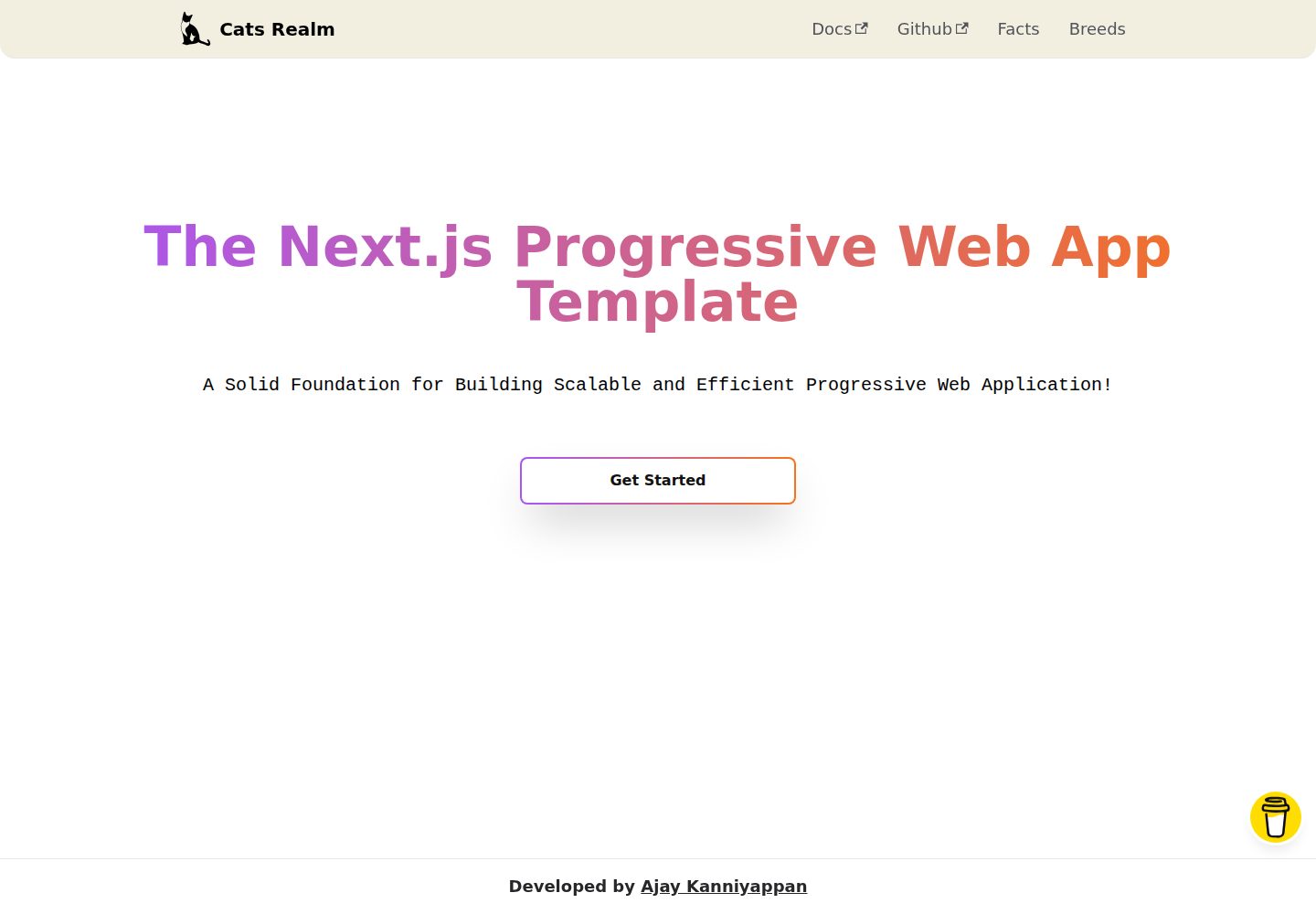
看看你的网站会是什么样
浏览真实页面截图,比较内容排版与手机效果。点击下方缩略图切换,放大查看整页细节。
全部页面与视图 2
截图用于了解视觉与布局,交互效果请以实际项目为准。
采集于 2026-10-02查看来源
值得关注的模板亮点
从已有项目资料中,快速了解它的特点。
提供基础布局、路由系统以及一组基础组件和样式
内置明暗两套主题,桌面端与移动端界面均已适配
集成 Prettier、ESLint(Airbnb 规则)与 Tailwind CSS 统一代码风格
README 列出 VSCode 调试、热模块替换(HMR)等开发辅助能力
采用 MIT 许可,可免费使用、修改、商用与分发
模板详细介绍
该模板是一个面向渐进式 Web 应用(PWA)的 Next.js 启动器,仓库名为 nextjs-pwa-template,演示站点以「Cats Realm」为主题。它把 PWA 所需的常见配置提前准备好:Service Worker、离线支持以及 manifest 文件,开发者可以直接在既有结构上编写业务代码,而不必从零搭建这些基础配置。
模板自带基础布局与路由系统,并提供一组基础组件和样式;同时内置明暗两套主题,桌面端与移动端均有对应界面。代码层面集成了 Prettier、ESLint(含 Airbnb 规则)与 Tailwind CSS,用于统一格式与风格。README 还提到模板提供端到端类型安全,并列出了 VSCode 调试、热模块替换(HMR)等开发辅助能力。
使用方式上,模板要求本机安装 Git 与 Node.js(README 注明 Node.js 14 或更高版本)及 npm,可通过 git clone 或下载 zip 获取代码,再执行 npm install 或 yarn install 安装依赖。部署方面 README 给出了 Vercel 与自托管两种路径。仓库采用 MIT 许可,可免费使用、修改、商用与分发,但演示图片、字体、图标等第三方素材需单独核对许可,域名、托管等外部服务也可能产生费用。
Next.jsSolidJSReactHTML启动器
适合你的项目吗?
适用场景
- 需要快速启动一个 Next.js 渐进式 Web 应用项目时作为起点
- 希望省去 Service Worker、离线缓存与 manifest 等 PWA 基础配置的搭建工作
- 需要一个自带明暗主题与基础布局、路由的 Next.js 前端骨架
- 想在项目初期就统一 Prettier、ESLint 与 Tailwind CSS 的代码规范
- 需要同时兼顾桌面端与移动端展示效果的 PWA 原型
适合人群
- 熟悉 React 与 Next.js、希望跳过 PWA 基础配置的开发者
- 需要快速验证 PWA 想法并搭建可运行原型的个人或小团队
- 偏好 Tailwind CSS 与 ESLint/Prettier 规范的中前端项目
- 需要明暗主题与移动端适配界面的应用起步阶段
上手与定制指南
结合仓库当前版本的说明,按下面的资料检查内容、配置与运行要求。
- 1
需先安装 Git 与 Node.js(README 注明 14 或更高版本)及 npm
- 2
通过 git clone 或下载 zip 获取代码,再执行 npm install 或 yarn install 安装依赖
- 3
README 提供 Vercel 部署与自托管两种上线路径
- 4
演示图片、字体、图标等第三方素材需按各自许可单独核对,不能仅凭代码的 MIT 许可判断
授权与来源资料
使用条件与限制
免费使用 · 保留许可声明本次收录的是公开仓库中采用 MIT 许可的免费版本;免费范围为该版本代码,不代表外部服务或第三方素材免费。
使用时需要遵守
- 允许免费使用、修改、商用和分发该版本代码。
- 分发代码副本或实质性部分时,保留原作者版权声明和完整 MIT 许可声明。
- 代码按现状提供;担保与责任限制以原许可证及适用法律为准。
额外费用与待核对事项
- 使用该模板需本机安装 Node.js 14 或更高版本及 npm 包管理器,否则无法安装依赖与运行开发/构建脚本。
- README 推荐使用 Vercel 平台部署到生产环境;Vercel 为第三方托管服务,可能涉及账号注册与付费方案,属于外部服务成本,并非代码许可限制。
- 自托管部署要求目标主机支持 Node.js 运行环境,需自行准备服务器与运维,可能产生托管费用。
- README 设有捐赠入口,属自愿支持,不影响代码的免费使用;不构成使用限制。
- 演示图片、字体、图标及其他第三方素材需按各自许可核对,不能仅凭代码的 MIT 许可判断。
- 域名、托管、数据库、支付或 AI 等外部服务可能另外收费。
查看原文依据
Permission is hereby granted, free of charge
许可证原文
NOTE: This project requires NodeJS (version 14 or later) and NPM.
README 原文
The easiest way to deploy Next.js to production is to use the [Vercel](https://vercel.com/home?utm_source=next-site&utm_medium=banner&utm_campaign=learn_basics_deploying-nextjs-app_deploy) platform developed by the creators of Next.js.
README 原文
[Next.js PWA Template](https://github.com/AjayKanniyappan/nextjs-pwa-template) can be deployed to any hosting provider that supports Node.js.
README 原文
https://github.com/AjayKanniyappan/nextjs-pwa-template/blob/main/LICENSEhttps://github.com/AjayKanniyappan/nextjs-pwa-template/blob/main/README.mdDonations will help us to ensure the following:
README 原文
DeepSeek 根据仓库许可证和 README 整理 ·2026-10-02。结果仅覆盖已读取资料,依赖、图片、字体及后续条款变更以各自原文为准。
项目核对记录与介绍依据
模板资料
- 来源平台
- GitHub
- 资料与维护参考分
- 资料较完整 · 77 / 100
- 技术栈
- Next.js · SolidJS · React · HTML
- 网站类型
- 启动器
这个分数如何计算
本站按许可资料(最高30分)、演示链接(12分)、预览图(10分)、Star数(15分)、记录的维护时间(15分)、描述完整度(8分)、功能记录(5分)和分类资料(5分)计算。它不是代码、安全或性能测试,也不是 Google 评分;有链接不代表已实测可用。
这个项目需要核对什么
- 记录的仓库更新时间
- 2023-02-23
- 截图检查日期
- 2026-10-02
已收录演示链接。请用你的内容与屏幕尺寸检查;有演示不代表表单、认证或支付已经可用。
目录记录的主要技术栈是 Next.js。请通过依赖清单和锁文件核对实际版本与托管要求。这些说明基于收录资料,不代表代码审计或部署实测。
查看具体选型方法 →介绍的制作与核对状态
介绍由 AI 辅助整理目录与仓库资料。仓库作者不等于这篇介绍的审核者。
已完成服务器许可规则与 AI 来源核对;未经过人工编辑审核。
查看当时使用的来源资料
SHA-256: c72a3b2e7a8f97087f67b4478fddb5d10a7eaae47e2c6de701b32ca1091ade45
2026-10-02T20:46:12.985Z
来源文件 / 仓库<div align="center">
<!-- PROJECT LOGO -->
<a href="https://nextjs-pwa-template-repo.vercel.app">
<img src="https://user-images.githubusercontent.com/108562458/218249242-eae38eaa-c41c-4ab3-87d6-58eabdee6adb.png" height="150px" alt="Cats Realm" />
</a>
<!-- PROJECT NAME -->
<h1><b>Cats Realm 🐾</b></h1>
<!-- PROJECT DESCRIPTION -->
<p>A Solid Foundation for Building Scalable and Efficient Progressive Web Application!</p>
<!-- PROJECT URL -->
<h3 href="https://nextjs-pwa-template-repo.vercel.app"><a href="https://nextjs-pwa-template-repo.vercel.app">🚀 Live Demo</a></h3>
</div>
<div align="center">
<!-- BADGES -->
<a href="https://github.com/AjayKanniyappan/nextjs-pwa-template#readme" target="_blank">
<img alt="Documentation" src="https://img.shields.io/badge/Documentation-yes-brightgreen.svg" />
</a>
<img alt="Version" src="https://img.shields.io/badge/Version-1.0.0-blue.svg?cacheSeconds=2592000" />
<a href="https://github.com/AjayKanniyappan/nextjs-pwa-template/blob/main/LICENSE" target="_blank">
<img alt="License: MIT" src="https://img.shields.io/badge/License-MIT-yellow.svg" />
</a>
<a href="https://web.dev/measure">
<img alt="100% lighthouse scores" src="https://img.shields.io/badge/lighthouse-100%25-845EF7.svg?logo=lighthouse&logoColor=red&style=flat-square" />
</a>
<a href="https://github.com/prettier/prettier" target="_blank">
<img alt="prettier" src="https://img.shields.io/badge/Code_style-prettier-ff69b4.svg?style=flat-square" />
</a>
</div>
<!-- TABLE OF CONTENTS -->
## ⏩ Table of contents
- [📖 About the Project](#-about-the-project)
- [📷 Gallery](#-gallery)
- [🖥️ Desktop](#%EF%B8%8F-desktop)
- [📱 Mobile](#mobile)
- [🔍 Features](#-features)
- [🗼 Lighthouse Performance](#-features)
- [🛠 Built With](#-built-with)
- [🏃♂️ Getting Started](#%EF%B8%8F-getting-started)
- [📚 Before You Begin](#-before-you-begin)
- [🖥️ Prerequisites](#%EF%B8%8F-prerequisites)
- [🛫 Quick Start](#-quick-start)
- [🌀 Cloning The GitHub Repository](#-cloning-the-github-repository)
- [🗃️ Downloading The Repository Zip File](#%EF%B8%8F-downloading-the-repository-zip-file)
- [🧰 Quick Install](#-quick-install)
- [📂 Directory Structure](#-directory-structure)
- [👨💻 Starting Development](#-starting-development)
- [🏃 Running Your Application](#-running-your-application)
- [🛬 Change Port Number](#-change-port-number)
- [🆚 Vscode Debugging](#-vscode-debugging)
- [🧹 Clean Cache](#-clean-cache)
- [💈 Style your Code](#-style-your-code)
- [🛰️ Git Commits](#%EF%B8%8F-git-commits)
- [🚢 Deploy your own](#-deploy-your-own)
- [🔼 Vercel](#-vercel)
- [👻 Self-Hosting](#-self-hosting)
- [🤝 Contributing](#-contributing)
- [💖 Show your support](#-show-your-support)
- [☕ Donate](#-donate)
- [🛠️ Author](#%EF%B8%8F-author)
- [📝 License](#-license)
## 📖 About the Project

**Next.js PWA template** 🐾 is a starter template that provides a comprehensive setup for building a progressive web app (PWA) using the Next.js framework. Don't worry about the configuration 🔨 this template will take care of that, focus on your codes⌨️ and project ideas💡
This template includes a pre-configured setup for service workers, offline support, and manifest files, making it easy for developers to create a high-performing PWA with minimal setup. The template also includes a basic layout and routing system, along with some basic components and styles, to help developers get started quickly. This template give you the **end to end type safety**. Additionally, it includes a range of popular libraries and tools, such as Prettier, ESLint, and Tailwind CSS, to ensure that the code is well-formatted and follows best practices. With the help of this template, developers can easily create a fast and reliable PWA that can work seamlessly across all devices.
## 📷 Gallery
<h3 align="center"><b>🖥️ Desktop</b></h3>
🌑 Dark mode
<p align="center">
<img alt="Dark" src="https://user-images.githubusercontent.com/114384910/220697501-78dae21e-a975-4f44-bccc-e9360cae8086.png" width="45%">
<img alt="Dark" src="https://user-images.githubusercontent.com/114384910/220702513-5cbcef63-1f57-44ce-9877-b20b17eef2a3.png" width="45%">
</p>
🔦 Light mode
<p align="center">
<img alt="Light" src="https://user-images.githubusercontent.com/114384910/220698670-404dce66-2242-4aaf-b3ae-81c4d3694dea.png" width="45%">
<img alt="Light" src="https://user-images.githubusercontent.com/114384910/220704769-e0f4c110-f643-47c7-8400-19c0403d3bca.png" width="45%">
</p>
<h3 align="center"><b>📱Mobile</b></h3>
🌑 Dark mode
<p align="center">
<img alt="Dark" src="https://user-images.githubusercontent.com/114384910/220707485-5ab58dca-238c-4101-ab75-29b4c5c006e9.jpg" width="45%">
<img alt="Dark" src="https://user-images.githubusercontent.com/114384910/220707462-926a0b05-0366-4e57-a706-479aba6ec295.jpg" width="45%">
</p>
🔦 Light mode
<p align="center">
<img alt="Dark" src="https://user-images.githubusercontent.com/114384910/220707248-b9006934-fc64-48d7-b61f-cbca7ba757fa.jpg" width="45%">
<img alt="Dark" src="https://user-images.githubusercontent.com/114384910/220706912-fe36667a-2927-42bf-9218-fb0a2dc5d52f.jpg" width="45%">
</p>
## 🔍 Features
- 🐾 **Cats Realm** PWA using Next 13
- 🌗 Awesome dark/light themes
- 📱 Native like mobile experience
- 🎯 Make Development simple
- 🐞 Vscode debugging
- 🔥 Hot Module Replacement(HMR)
- 💪 Eslint, Prettier and Airbnb make your code stronger
- 🖥 Build your application for multi-platform
## 🗼 Lighthouse Performance
The [Next.js PWA Template](https://github.com/AjayKanniyappan/nextjs-pwa-template) achieve a 100% score in Google Lighthouse

## 🛠 Built With
**Next.js PWA Template** Built With
- <img src="https://img.shields.io/badge/next.js-000000?style=for-the-badge&logo=nextdotjs&logoColor=white"/>
- <img src="https://img.shields.io/badge/React%20-%2361DAFB.svg?&style=for-the-badge&logo=React&logoColor=white"/>
<br/>
- <img src="https://img.shields.io/badge/Tailwind_CSS-38B2AC?style=for-the-badge&logo=tailwind-css&logoColor=white"/>
<br/>
- <img src="https://img.shields.io/badge/postcss-DD3A0A?style=for-the-badge&logo=postcss&logoColor=white"/>
<br/>
- <img src="https://img.shields.io/badge/Node.js%20-%23339933.svg?&style=for-the-badge&logo=Node.js&logoColor=white"/>
<br/>
- <img src="https://img.shields.io/badge/Prettier%20-%23F7B93E.svg?&style=for-the-badge&logo=Prettier&logoColor=white"/>
<br/>
- <img src="https://img.shields.io/badge/ESLint%20-%234B32C3.svg?&style=for-the-badge&logo=ESLint&logoColor=white"/>
<br/>
- <img src="https://img.shields.io/badge/Airbnb%20-%23FF5A5F.svg?&style=for-the-badge&logo=Airbnb&logoColor=white"/>
<br/>
- <img src="https://img.shields.io/badge/HTML5%20-%23E34F26.svg?&style=for-the-badge&logo=HTML5&logoColor=white"/>
<br/>
- <img src="https://img.shields.io/badge/CSS3%20-%231572B6.svg?&style=for-the-badge&logo=CSS3&logoColor=white"/>
<br/>
- <img src="https://img.shields.io/badge/JavaScript%20-%23F7DF1E.svg?&style=for-the-badge&logo=JavaScript&logoColor=white"/>
<br/>
- <img src="https://img.shields.io/badge/TypeScript%20-%233178C6.svg?&style=for-the-badge&logo=TypeScript&logoColor=white"/>
## 🏃♂️ Getting Started
These instructions will get you a copy of the [Next.js PWA Template](https://github.com/AjayKanniyappan/nextjs-pwa-template) and running on your local machine for development and testing purposes. See [Deploy](#-deploy-your-own) for notes on how to lunch your PWA app in live.
### 📚 Before You Begin
Before you begin i recommend you read about the basic building blocks that assemble a **Next.js PWA Template**:
- **React.js** - React's [Official Website](https://reactjs.org/) is a great starting point. You can also use [W3Schools Popular Guide](https://www.w3schools.com/REACT/DEFAULT.ASP), and [Egghead Videos](https://egghead.io/).
- **Next.js** - The best way to understand Next.js is through its [Official Website](https://nextjs.org), which has a [Getting Started](https://nextjs.org/docs/getting-started) guide, You can also go through this [TutorialsPoint Guide](https://www.tutorialspoint.com/nextjs/index.htm) for more resources.
- **TypeScript** - Go through [TypeScript Official Website](https://www.typescriptlang.org/) and proceed to their [Official Manual](https://www.typescriptlang.org/docs/), which should help you understand TypeScript better.
- **Node.js** - Start by going through [Node.js Official Website](http://nodejs.org/) and this [StackOverflow Thread](http://stackoverflow.com/questions/2353818/how-do-i-get-started-with-node-js), which should get you going with the Node.js platform in no time.
### 🖥️ Prerequisites
Make sure you have installed all of the following prerequisites on your development machine:
- **Git** - [Download & Install Git](https://git-scm.com/downloads). OSX and Linux machines typically have this already installed.
- **Node.js** - [Download & Install Node.js](https://nodejs.org/en/download/) and the npm package manager. If you encounter any problems, you can also use this [GitHub Gist](https://gist.github.com/isaacs/579814) to install Node.js.
NOTE: This project requires NodeJS (version 14 or later) and NPM.
[Node](http://nodejs.org/) and [NPM](https://npmjs.org/) are really easy to install.
## 🛫 Quick Start
There are several ways you can get the Next.js PWA Template:
### 🌀 Cloning The GitHub Repository
The recommended way to get Next.js PWA Template is to use git to directly clone the repository:
```bash
# Clone the project
git clone https://github.com/AjayKanniyappan/nextjs-pwa-template.git <your-project-name>
# Enter the project directory
cd <your-project-name>
```
This will clone the latest version of the Next.js PWA Template repository to a **nextjs-pwa-template** folder.
### 🗃️ Downloading The Repository Zip File
Another way to use the Next.js PWA Template is to download a zip copy from the [main branch on GitHub](https://github.com/AjayKanniyappan/nextjs-pwa-template/archive/refs/heads/main.zip). You can also do this using the `wget` command:
```sh
wget https://github.com/AjayKanniyappan/nextjs-pwa-template/archive/refs/heads/main.zip -O nextjs-pwa-template-main.zip; unzip nextjs-pwa-template-main.zip; rm nextjs-pwa-template-main.zip
```
Don't forget to rename nextjs-pwa-template-main after your project name.
### 🧰 Quick Install
Once you've downloaded the Template and installed all the prerequisites, you're just a few steps away from starting to develop your Progressive Web App using Next.js.
The Template comes pre-bundled with a `package.json` file that contain the list of modules you need to start your application.
To install the dependencies, run this in the application folder from the command-line:
```bash
# Install dependency
npm install
```
Or if you prefer using Yarn:
```bash
# Install dependency
yarn install
```
This command does a few things:
- First it will install the dependencies needed for the application to run.
- If you're running in a development environment, it will then also install development dependencies needed for testing and running your application.
## 📂 Directory Structure
**Next.js PWA Template** files and folder structure.
```diff
+├── .husky Automate your git commits
├── .next Contains the minimized version of the source code
+├── .vscode vscode debug folder and extension support
│
+├── public Project assets folder
│ ├── icons Icon sets folder
│ │ └── NxN.png Different pixel png's
│ └── manifest.json Manifest for PWA application
│
+├── src Source code folder
│ ├── common It contains common data
│ ├── components This folder consists of a collection of UI components
│ ├── constants It contains constant urls and data
│ ├── hooks It contains custom hooks for all pages
│ ├── layouts It contains page layout
│ ├── pages Pages and indicate the routes
+│ │ └── index.tsx Starting point of the application
│ ├── services It contains API Services
│ ├── styles It contains css styles
│ ├── svg It contains SVG Vectors
│ ├── types Typescript types declaration folder
│ └── utils It contains a set of utility functions
│
├── .editorconfig EditorConfig for defining coding styles
├── .eslintrc.json Eslint configurations
├── .prettierrc prettier code formatter
+├── next.config.js Next.js PWA configurations
+├── package.json Package.json for development
|── postcss.config.js Post CSS configurations
+├── tailwind.config.js Tailwind CSS configurations
├── tsconfig.json TypeScript Configuration
+└── tsconfig.node.json TypeScript paths
```
## 👨💻 Starting Development
Use your favorite JavaScript Package Managers **npm** or **yarn** or **pnpm**
### 🏃 Running Your Application
**Run your application using npm:**
```sh
npm run dev
```
Or if you prefer using Yarn:
```sh
yarn dev
```

Your **Next.js** application should run on port 5050 with the development environment configuration, so in your browser just go to http://localhost:5050
That's it! Your application should be running. To proceed with your development, check the other sections in this documentation. If you encounter any problems, Feel free to check [issues page](https://github.com/AjayKanniyappan/nextjs-pwa-template/issues).
### 🛬 Change Port Number
If the localhost 5050 port number already in use! or if you like to change your **Next.js application number.**
Go to 👉 package.json and change the port number 5050 to **your-port-number**
<p align="center"><img src="https://user-images.githubusercontent.com/114384910/219876224-ffb8dd05-dd26-49e5-9004-f8581d1a889a.png" alt="port" /></p>
### 🆚 Vscode Debugging
This guide goes over how to start **VSCode debugging** your **Next.js, react** Project.
you can easily debug this [nextjs-pwa-template](https://github.com/AjayKanniyappan/nextjs-pwa-template).
To bring up the Run and Debug view, select the Run and Debug icon in the Activity Bar on the side of VS Code. You can also use the keyboard shortcut `Ctrl+Shift+D`.
<p align="center"><img src="https://user-images.githubusercontent.com/114384910/219876453-b5c3b52e-34a7-454e-8ce8-36dda95e930b.png" /></p>
Click the button or press `F5` to start debugging
<p align="center"><img src="https://user-images.githubusercontent.com/114384910/219877945-bc135396-5f05-410b-be7b-15cef4a411a1.png" /></p>

### 🧹 Clean Cache
If you want clean the cache files and node_modules cache run this below command 👇:
```sh
npm run clean
```
NOTE: It will remove your **node_module** folder, **build** files and **env** files.
### 💈 Style your Code
The [Next.js PWA Template](https://github.com/AjayKanniyappan/nextjs-pwa-template) has [Eslint](https://eslint.org/), [Prettier](https://prettier.io/) and [Airbnb](https://airbnb.io/javascript/react/) Configurations, this will help you to Style your code and syntax check and more.
[Eslint](https://eslint.org/) will check syntax, find problems, and enforce code style of your code.
[Prettier](https://prettier.io/) will format your code style.
All you have to do is run this below command 👇:
```sh
npm run lint
```
NOTE: This command show you the warnings and errors in your code.
### 🛰️ Git Commits
Automate your [Git](https://git-scm.com/) commits using Husky, and don't commit or push the bad code in git.
Husky improves your commits and more, You can use it to lint your commit messages, run tests, lint code, etc... when you commit or push. Husky supports [all Git hooks](https://git-scm.com/docs/githooks).
Run below command 👇 to prepare Husky:
```sh
npm run prepare
```
See docs and more about [Husky](https://typicode.github.io/husky/#/?id=features).
That's it! Your application should be running. To proceed with your development, check the other sections in this documentation. If you encounter any problems, Feel free to check [issues page](https://github.com/AjayKanniyappan/nextjs-pwa-template/issues).
## 🚢 Deploy your own
Congratulations, you are ready to deploy your [Next.js PWA Template](https://github.com/AjayKanniyappan/nextjs-pwa-template) to production. This document will teach how to deploy vercel or self-hosted.
### 🔼 Vercel
The easiest way to deploy Next.js to production is to use the [Vercel](https://vercel.com/home?utm_source=next-site&utm_medium=banner&utm_campaign=learn_basics_deploying-nextjs-app_deploy) platform developed by the creators of Next.js.
NOTE: If you want to read more about [vercel](https://vercel.com/home?utm_source=next-site&utm_medium=banner&utm_campaign=learn_basics_deploying-nextjs-app_deploy), kindly read this 🙏 [Documentation](https://nextjs.org/learn/basics/deploying-nextjs-app/deploy).
### 👻 Self-Hosting
[Next.js PWA Template](https://github.com/AjayKanniyappan/nextjs-pwa-template) can be deployed to any hosting provider that supports Node.js.
If you’ve followed the instructions so far, your package.json should have the following build and start scripts:
```json
"scripts": {
"build": "next build",
"clean": "git clean -dfX",
"dev": "next dev -p 5050",
"lint": "next lint --fix --max-warnings 0 .",
"prepare": "husky install",
"start": "next start -p 5050"
}
```
```sh
npm run build
```
In your own hosting provider, run the build script once, which builds the production application in the `.next` folder.
After building, the start script starts a Node.js server that supports hybrid pages, serving both statically generated and server-side rendered pages, and API Routes.
```sh
npm run start
```
NOTE: If you want to read more about deployment, kindly read this 🙏 [Documentation](https://github.com/vercel/next.js/blob/canary/docs/deployment.md).
## 🤝 Contributing
Contributions, issues and feature requests are welcome! Just be sure to read the [contributing](https://github.com/AjayKanniyappan/nextjs-pwa-template/blob/main/CONTRIBUTING.md) document to get started. Feel free to check [issues page](https://github.com/AjayKanniyappan/nextjs-pwa-template/issues).
## 💖 Show your support
**I hope 🙏 it will helped you! Give a ⭐️ to support this project!**
If you like 💗 the project, there is other way to support us
- Tweet about it
- Refer this project in your project's readme
- Mention the project at local meetups and tell your friends/colleagues
## ☕ Donate
Donations will help us to ensure the following:
- ⚡ Quick responses to issues, bug reports and help requests
- ➕ Adding new features
- ⚒️ Long term maintenance of the project
<a href="https://www.buymeacoffee.com/ajaykanniyappan">
<img height="40" width="150" src="https://cdn.buymeacoffee.com/buttons/v2/default-yellow.png">
</a>
## 🛠️ Author
👨💻 **Ajay Kanniyappan**
- Website: https://ajaykanniyappan.com
- Twitter: [@AjayKanniyappan](https://twitter.com/AjayKanniyappan)
- Github: [AjayKanniyappan](https://github.com/AjayKanniyappan)
- LinkedIn: [Ajay Kanniyappan](https://in.linkedin.com/in/ajaykanniyappan)
## 📝 License
[MIT License](https://github.com/AjayKanniyappan/nextjs-pwa-template/blob/main/LICENSE) © Ajay Kanniyappan
看看同类模板
对比同技术栈与用途的模板,找到更适合的视觉与内容结构。

ai-website-cloner-template
Clone any website with one command using AI coding agents
Next.js · 启动器

Next.js SaaS Starter
Next.js SaaS Starter 是 Next.js 官方维护的 SaaS 起点模板,定位介于学习资源和可直接部署的脚手架之间。
Next.js · SaaS

Next.js Commerce
Next.js Commerce 是 Vercel 团队维护的电商启动模板,基于 Next.js App Router 构建,采用服务端渲染、React Server Components、Server Actions …
Next.js · 电商

Next-js-Boilerplate
Next-js-Boilerplate 是一个面向 Next.js 16、Tailwind CSS 4 和 TypeScript 的启动器,核心定位是开发者体验优先。
Next.js · 启动器

tailwind-nextjs-starter-blog
tailwind-nextjs-starter-blog 是一个面向个人技术博客的 Next.js 与 Tailwind CSS 启动模板,其 v2 版本基于 App Router 与 React Server Comp…
Next.js · 博客

next-forge
Production-grade Turborepo template for Next.js apps.
Next.js · 启动器