内容以 Markdown 组织,文章、作者、标签和静态页面分别存放在 src/posts、src/authors、src/tags 和 src/pages 目录
GatsbyReact博客
gatsby-theme-ghost — Gatsby 博客模板
作者 akanshgulati
基于 Gatsby 的极简博客主题,支持作者页、标签页和静态页面,内置 RSS、站点地图、结构化数据与 Disqus 评论配置。
看看你的网站会是什么样
浏览真实页面截图,比较内容排版与手机效果。点击下方缩略图切换,放大查看整页细节。
目前有 1 张原始预览,可打开完整图片查看设计细节。
截图用于了解视觉与布局,交互效果请以实际项目为准。
采集于 2026-09-30查看来源
值得关注的模板亮点
从已有项目资料中,快速了解它的特点。
内置文章、静态页面、作者页和标签页模板,并生成 RSS 与站点地图
通过 utils/siteConfig.js 集中配置站点地址、每页文章数、导航链接和社交账号
集成 Disqus 评论,需在 siteConfig 中填写 Disqus shortname 后启用
包含 netlify.toml,可直接部署到 Netlify
模板详细介绍
gatsby-theme-ghost 是一个面向博客的 Gatsby 主题,仓库采用 MIT 许可。内容以 Markdown 文件组织:每篇文章放在 src/posts 下的独立目录中,作者、标签和静态页面分别放在 src/authors、src/tags 和 src/pages 目录,文章通过 frontmatter 中的 author_id、tag_id 等字段与作者和标签关联。主题提供文章、静态页面、作者页和标签页的模板,并生成 RSS 与站点地图。站点配置集中在 utils/siteConfig.js,可设置站点地址、每页文章数、导航链接、Twitter 与 Facebook 账号以及 Disqus shortname。项目包含 netlify.toml,可直接部署到 Netlify。README 中的待办事项列出了上一篇/下一篇导航、订阅组件和 Netlify CMS 集成,这些功能尚未包含在仓库中。
Gatsby博客
适合你的项目吗?
适用场景
- 用 Markdown 维护文章、作者和标签的个人博客
- 需要按作者和标签聚合文章列表的内容站点
- 希望直接部署到 Netlify 的 Gatsby 博客项目
适合人群
- 熟悉 Gatsby 和 Markdown 工作流的开发者
- 需要作者页与标签页的博客作者
- 计划使用 Disqus 作为评论系统的站点
上手与定制指南
结合仓库当前版本的说明,按下面的资料检查内容、配置与运行要求。
- 1
使用 gatsby new gatsby-blog akanshgulati/gatsby-theme-ghost 创建包含示例内容的新站点
- 2
本地开发运行 yarn dev,默认在 8000 端口启动,GraphQL 调试位于 localhost:8000/__graphql
- 3
在 utils/siteConfig.js 中配置站点地址、每页文章数、导航链接、社交账号和 Disqus shortname
- 4
新增文章前需先在 src/tags 和 src/authors 中创建对应的标签与作者 Markdown 文件
授权与来源资料
使用条件与限制
免费使用 · 保留许可声明本次收录的是公开仓库中采用 MIT 许可的免费版本;免费范围为该版本代码,不代表外部服务或第三方素材免费。
使用时需要遵守
- 允许免费使用、修改、商用和分发该版本代码。
- 分发代码副本或实质性部分时,保留原作者版权声明和完整 MIT 许可声明。
- 代码按现状提供;担保与责任限制以原许可证及适用法律为准。
额外费用与待核对事项
- 评论功能依赖第三方 Disqus 服务,需在 utils/siteConfig.js 中填写 Disqus shortname 才能启用;不配置则无评论。
- 内置 Google Analytics 集成,使用分析功能需接入 Google 外部服务并配置相应账号。
- 部署配置面向 Netlify 平台,使用该部署方式需依赖 Netlify 外部服务。
- 演示图片、字体、图标及其他第三方素材需按各自许可核对,不能仅凭代码的 MIT 许可判断。
- 域名、托管、数据库、支付或 AI 等外部服务可能另外收费。
查看原文依据
Permission is hereby granted, free of charge
许可证原文
Add `Disqus` [short name](https://help.disqus.com/en/articles/1717111-what-s-a-shortname) for enabling comments on posts
README 原文
Integration of Google Analytics for analyses purposes.
README 原文
https://github.com/akanshgulati/gatsby-theme-ghost/blob/master/LICENSEhttps://github.com/akanshgulati/gatsby-theme-ghost/blob/master/README.mdContains configuration `netlify.toml` for deploying on Netlify directly.
README 原文
DeepSeek 根据仓库许可证和 README 整理 ·2026-10-01。结果仅覆盖已读取资料,依赖、图片、字体及后续条款变更以各自原文为准。
项目核对记录与介绍依据
模板资料
- 来源平台
- GitHub
- 资料与维护参考分
- 资料一般 · 72 / 100
- 技术栈
- Gatsby · React
- 网站类型
- 博客
这个分数如何计算
本站按许可资料(最高30分)、演示链接(12分)、预览图(10分)、Star数(15分)、记录的维护时间(15分)、描述完整度(8分)、功能记录(5分)和分类资料(5分)计算。它不是代码、安全或性能测试,也不是 Google 评分;有链接不代表已实测可用。
这个项目需要核对什么
- 记录的仓库更新时间
- 2019-12-30
- 截图检查日期
- 2026-10-01
已收录演示链接。请用你的内容与屏幕尺寸检查;有演示不代表表单、认证或支付已经可用。
目录记录的主要技术栈是 Gatsby。请通过依赖清单和锁文件核对实际版本与托管要求。这些说明基于收录资料,不代表代码审计或部署实测。
查看具体选型方法 →介绍的制作与核对状态
介绍由 AI 辅助整理目录与仓库资料。仓库作者不等于这篇介绍的审核者。
已完成服务器许可规则与 AI 来源核对;未经过人工编辑审核。
查看当时使用的来源资料
SHA-256: 36fe8f91e7b66f4adc8252d674c7034cd8a5d48386eac2fd65d8bd832458fc8c
2026-10-01T14:15:09.148Z
来源文件 / 仓库<p align="center">
<img src="./docs/ghost-readme-banner.jpg" alt="Ghost Gatsby Theme" width="800"/>
</p>
<p align="center">
<a href="https://github.com/akanshgulati/gatsby-theme-ghost/blob/master/LICENSE">
<img src="https://img.shields.io/badge/license-MIT-blue.svg" alt="gatsby-theme-ghost is released under the MIT license." />
</a>
<a href="https://www.npmjs.org/package/gatsby-theme-ghost">
<img src="https://img.shields.io/npm/v/gatsby-theme-ghost.svg" alt="Current npm package version." />
</a>
<img src="https://img.shields.io/badge/PRs-welcome-brightgreen.svg" alt="PRs welcome!" />
<a href="https://twitter.com/intent/follow?screen_name=akanshgulati">
<img src="https://img.shields.io/twitter/follow/akanshgulati.svg?label=Follow%20@akanshgulati" alt="Follow @akanshgulati" />
</a>
<a href="https://app.netlify.com/sites/gatsby-theme-ghost/deploys">
<img src="https://api.netlify.com/api/v1/badges/ae8e28d2-398b-4fcd-87c5-20ff1c74d077/deploy-status" alt="Netlify Status" />
</a>
</p>
<hr/>
<p align="center">
Minimalistic Gatsby theme, mobile and SEO friendly and supports author, tag and static pages
</p>
<p align="center">
<img src="./docs/chrome-mockup.jpg" alt="Ghost Chrome mockup" width="800"/>
</p>
<a href="https://gatsby-theme-ghost.netlify.com/" target="_blank">
<img src="./docs/live-preview.svg" alt="Live Preview" width="160px" height="40px">
</a>
## 📦 Installation
#### Gatsby
```shell script
gatsby new gatsby-blog akanshgulati/gatsby-theme-ghost
```
<small>
This will generate a new site (with the folder name "gatsby-blog") that pre-configures use of the theme including example content.
</small>
<br>
## 💥 Features
- **Code Snippet Support** - Integration with [remark-prismjs](https://www.gatsbyjs.org/packages/gatsby-remark-prismjs/) for beautifying code snippets on posts
- **100% performance optimisation** - It has **98+** for both mobile and desktop as per Google lighthouse benchmarks
- **Responsive** lazy loading of images for desktop and mobile
- **Preloading** of important resource to improve **Critical Rendering Path** of page load
- Retina-rich images for **iOS devices** to prevent any blur images.
- **Async** loading of non-essential scripts like Google Analytics, etc.
- **RSS Generator** - Creates RSS for posts to be easily accessible by any RSS reader
- **SEO Friendly** - SEO score of the posts and entire website is **98+**
- **Sitemap** - Generates sitemap for the posts, author page, tag page and static pages.
- **Structured data** - Contains [JSON-LD](https://developers.google.com/search/docs/guides/intro-structured-data) format information about the content
- **Alt info** - All the images itself has alt attribute as per title of the image.
- **Title info** - Links has title attributes for better understanding of link
- **Social Ready** - All essential `meta-tags` added for sharing posts and website over Facebook, Twitter, Instagram, etc. websites
- **Analytics** - Integration of Google Analytics for analyses purposes.
- **Mobile Friendly** - Posts and rest of the pages are mobile friendly to be easily readable.
- **Accessibility** - Scores **98+** for the posts and home page.
- **Deploy Ready** - Contains configuration `netlify.toml` for deploying on Netlify directly.
- **Customisations** - Easy to customise home page, posts and other elements of website.
- **Comment System** - Integration of the [Disqus](https://github.com/disqus/disqus-react) commenting system
<br/>
## 👨💻 Development
```shell script
yarn dev
```
- Runs local website with hot reloading by default at `8000` port
- Runs GraphQL for debugging at `localhost:8000/__graphql` path
<br/>
## ⚙️ Configuration
Change the website configuration at `utils/siteConfig.js` file.
1. Add `Disqus` [short name](https://help.disqus.com/en/articles/1717111-what-s-a-shortname) for enabling comments on posts
2. Update the `navigation` links shown in header of website
3. Update username of the Twitter and Facebook for icons shown in header of website
```JS
module.exports = {
siteUrl: `https://gatsby-theme-ghost.netlify.com`, // Site domain. Do not include a trailing slash!
postsPerPage: 12, // Number of posts shown on paginated pages (changes this requires sometimes to delete the cache)
siteTitleMeta: `Gatsby Theme Ghost`, // This allows an alternative site title for meta data for pages.
siteDescriptionMeta: `Minimalistic Gatsby theme for blogs`, // This allows an alternative site description for meta data for pages.
siteTwitterHandle: `@akanshgulati`,
siteFacebookHandle: `akanshgulati`,
language: `en`
// ...
```
<br/>
## 📝 Adding Content
### New Post
1. Create a directory for every post under `src/posts` directory, having a markdown file (.md extension)
2. Add following meta information:
- `title`<sup>*</sup>: The title of the post
- `date`<sup>*</sup>: The creation date of the markdown file
- `slug`<sup>*</sup>: Url of the post
- `draft`<sup>*</sup>: Accepts `true/false` as value for visibility of the post
- `tags`<sup>*</sup>: Add `tag_id` of different tags in `yaml` format
- `author`<sup>*</sup>: Add `author_id` of author
- `comment`<sup>*</sup>: To show comment on the page bottom
- `feature_image`<sup>*</sup>: The URL of the image shown at the top of the article
- `created_at`<sup>*</sup>: Date of the creation of the post (same as date above)
- `published_at`<sup>*</sup>: The date of the publishing of the post
- `updated_at`<sup>*</sup>: The date of the updating of the post
- 3. Add all images and other media content in the same directory as markdown file.
**Note:** Create all tags and authors markdown files before adding it in post.
### New Tag
1. Create a markdown file by the new tag name under `src/tags` directory.
2. Add following meta information:
- `tag_id`<sup>*</sup>: The id which is mapped with post's tags
- `name`<sup>*</sup>: Name as shown on posts if added
- `slug`<sup>*</sup>: Url of the tag page
- `description`: Description shown on the tag pages before the list of posts
### New Author
1. Create a markdown file by the new tag name under `src/authors` directory.
2. Add following meta information:
- `author_id`<sup>*</sup>: The id which is mapped with post's author name
- `name`<sup>*</sup>: Name as shown on posts if added
- `slug`<sup>*</sup>: Url of the author page
- `profile_image`<sup>*</sup>: Url of the author image for each post on home page and author page.
- `description`: Description shown on the author pages before the list of posts
- `twitter`: Username of the Twitter for author page
- `facebook`: Username of the Facebook for author page
- `website`: URL of the personal website of the author
### New Page
1. Create a markdown file by the new tag name under `src/pages` directory.
2. Add following meta information:
- `title`<sup>*</sup>: The title shown at the top of the page
- `date`<sup>*</sup>: Date of creation of the page
- `draft`<sup>*</sup>: Decides if the page is to be shown to public, can have true/false value
- `slug`<sup>*</sup>: URL of the page
- `created_at`<sup>*</sup>: Date of the creation of the page (same as date above)
- `published_at`<sup>*</sup>: The date of the publishing of the page
- `updated_at`<sup>*</sup>: The date of the updating of the page
3. Add body content of the page after the meta information
**<sup>*</sup>Required**
<br/>
## 🔭 Directory Structure
```
.
├── plugins
│ └── gatsby-plugin-ghost-manifest
├── public
├── src
│ ├── authors
│ │ ├── akansh.md
│ ├── pages
│ │ └── about
│ ├── posts
│ │ ├── best-practises-to-select-cdn
│ │ ├── ...
│ │ └── ...
│ ├── tags
│ │ ├── javascript.md
│ ├── components
│ │ └── common
│ │ └── meta
│ ├── styles
│ ├── templates
│ └── utils
│ └── rss
└── static
```
- **plugins**: Contains custom plugins created for Gatsby
- **public**: Contains build files accessible over web
- **src**: Contains React components as well as content of blog as followed
- **authors**: Has markdown files for each author specifying social links, image, name, etc.
- **pages**: Has directory for each static page in markdown format
- **posts**: Has directory for each blog post having images and markdown format post content
- **tags**: Has file for each tag having description, slug, featured image, etc. information
- **components**: Has React components for different sections of the website
- **styles**: Has CSS(stylesheet) file for the blog
- **templates**: Has template in React for post, static page, author page and tag page.
- **utils**: Has RSS generator script and **site configuration**.
- **static**: All the content is copied directly in the public folder on build, stores website favicon, robots.txt file and other files required at root of publicly accessible directory.
<br>
## ☑️ Todo
- [ ] Previous and Next post widget
- [ ] Add subscription widget
- [ ] Netlify CMS integration
## 💪 Maintainer
[Akansh Gulati](https://akansh.com)
看看同类模板
对比同技术栈与用途的模板,找到更适合的视觉与内容结构。

gatsby-starter-gcn
gatsby-starter-gcn 是一个面向静态网站构建的 Gatsby 启动器,将内容管理、部署和前端开发串联起来。
Gatsby · 博客
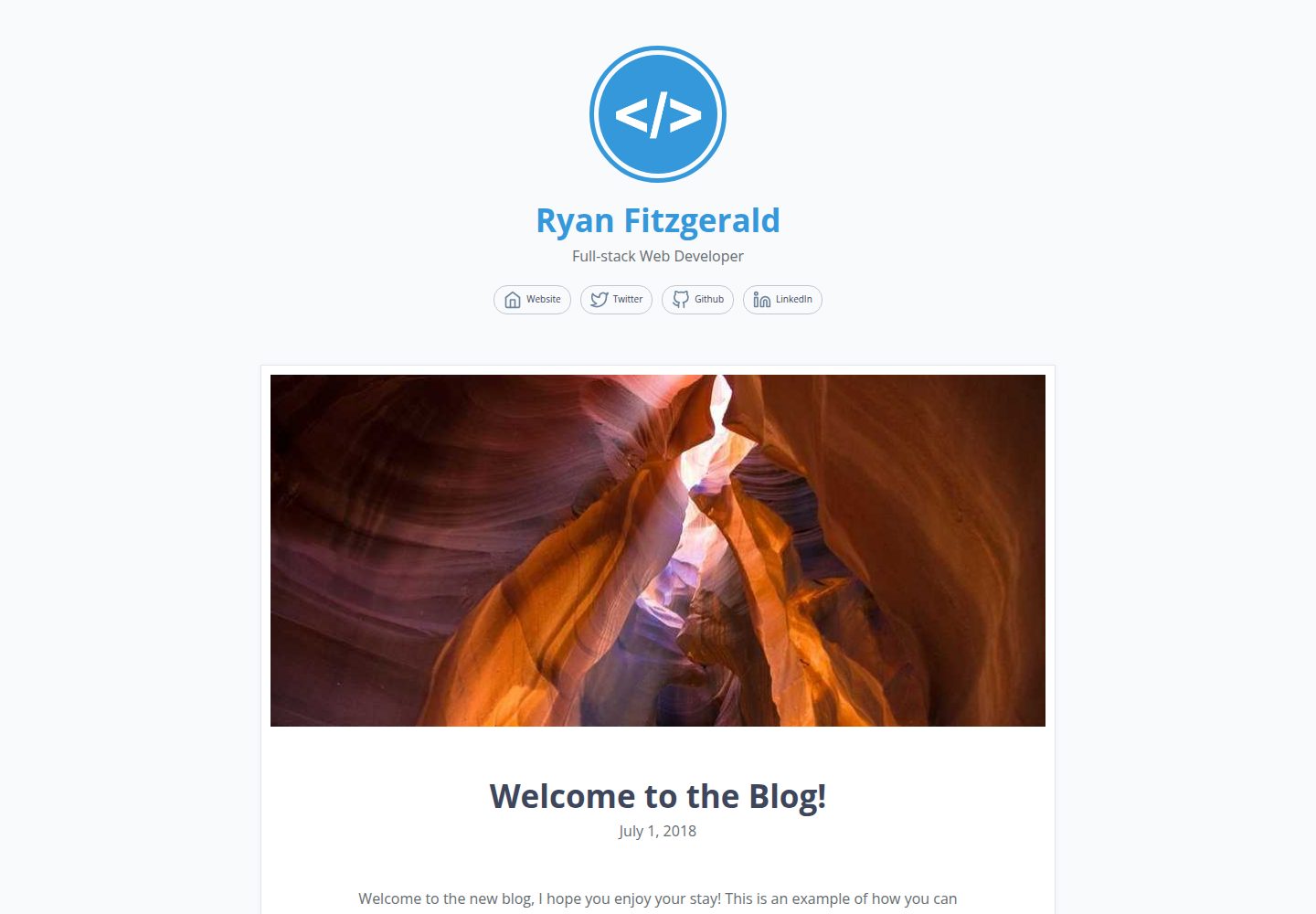
devblog
A lightweight, customizable personal blog template built with GatsbyJS and React
Gatsby · 博客

gatsby-starter-morning-dew
:rocket: A Gatsby theme/starter to build lightning-fast blog/websites
Gatsby · 博客

starter-gatsby-blog
这是一个由 Contentful 社区维护的 Gatsby 博客启动器,目标是把静态站点的低维护成本与 Contentful 的友好编辑界面结合起来。
Gatsby · 社区

blog-template
Scientific blog template based on theaisummer.com
Gatsby · 博客

clay-theme
Image-centric Gatsby theme for publishers, portfolios, photographers blogs and more.
Gatsby · 作品集