使用 Chirpy Jekyll 主题构建并部署在 GitHub Pages
Jekyll博客
arenredd-blog-chirpy — Jekyll 博客模板
作者 ArenRedd
基于 Chirpy Jekyll 主题搭建的个人 GitHub Pages 博客,README 记录了作者在 Kali Linux 上配置 Ruby、Gulp 与部署时遇到的问题及修复步骤。
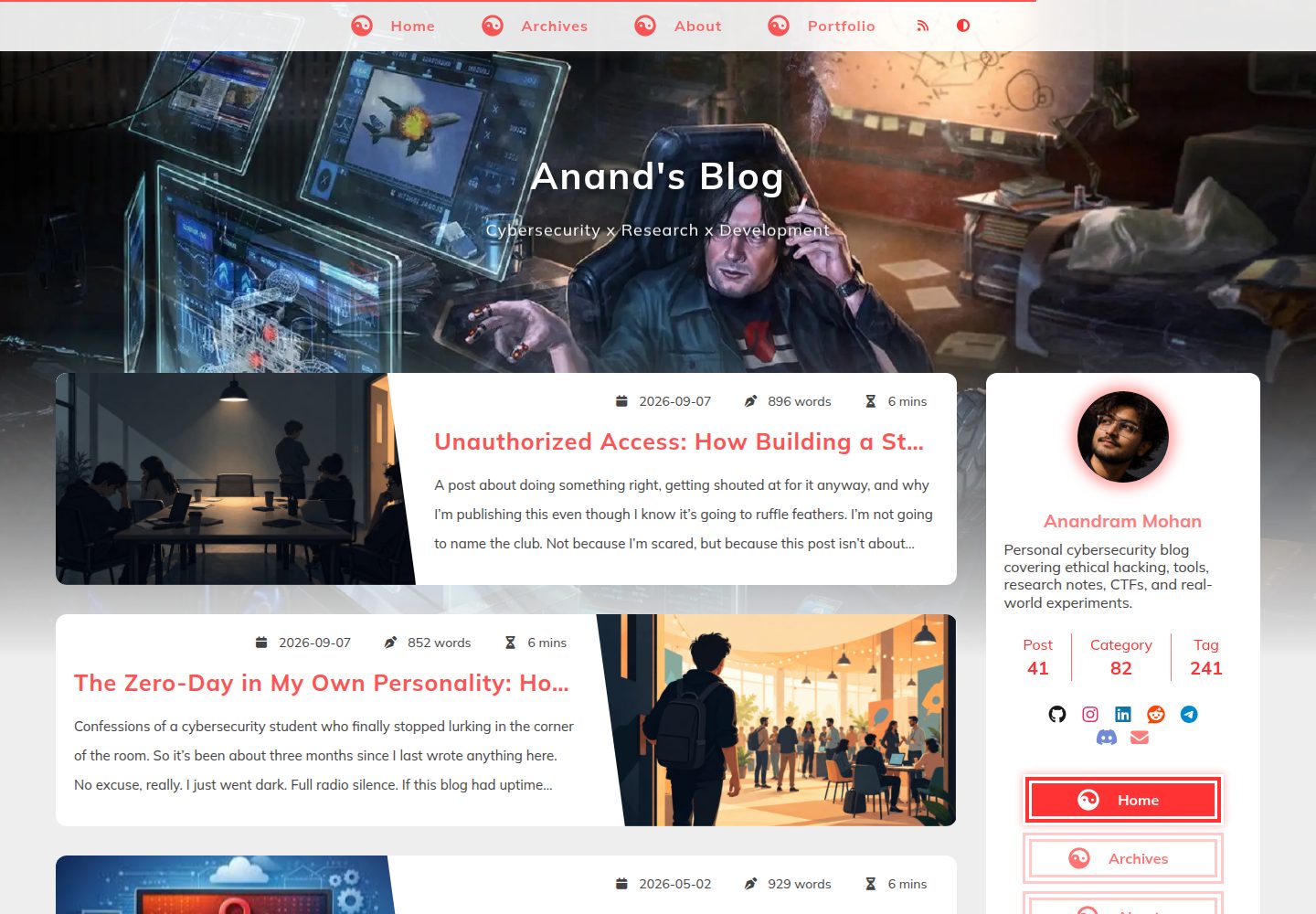
看看你的网站会是什么样
浏览真实页面截图,比较内容排版与手机效果。点击下方缩略图切换,放大查看整页细节。
全部页面与视图 2
截图用于了解视觉与布局,交互效果请以实际项目为准。
采集于 2026-10-13查看来源
值得关注的模板亮点
从已有项目资料中,快速了解它的特点。
README 以排错日志形式记录 Kali Linux 上的搭建过程
列出 Ruby 3.3.8、Bundler 2.6.9、Jekyll 4.4.1、Node.js 20.19.0 等环境版本
给出 ffi、sassc 原生扩展编译失败的修复命令
说明 Gulp 需在项目内安装 gulp@4 以解决本地版本未知
说明 GitHub Pages 需本地预构建并将 _site 推送到 gh-pages 分支
模板详细介绍
该仓库是 ArenRedd 的个人博客站点,使用 Chirpy Jekyll 主题构建,并托管在 GitHub Pages(arenredd.github.io)。README 并非主题功能介绍,而是一份排错记录,说明作者在 Kali Linux 上搭建环境时遇到的具体问题与修复方法。
记录的环境为 Kali Linux,Ruby 3.3.8、Bundler 2.6.9、Jekyll 4.4.1、Node.js 20.19.0、npm 9.2.0、Gulp CLI 3.0.0,使用 APT、Bundler 与 nvm 管理依赖。
README 描述的问题包括:ffi 与 sassc 原生扩展未编译导致 jekyll -v 报错,需安装 build-essential、libffi-dev、ruby-dev 并以 --use-system-libraries 重装 gem;Gulp 本地版本未知,需在项目内安装 gulp@4;GitHub Pages 无法执行 Gulp 等自定义构建步骤,需本地以 JEKYLL_ENV=production 构建后将 _site 推送到 gh-pages 分支;html-proofer 因 href="#" 等无效锚点报错,需改用真实锚点。
README 未提供主题的完整功能清单、配置项说明、内容组织方式或除上述排错外的使用文档,也未说明该站点的具体栏目与页面结构。
Jekyll博客
适合你的项目吗?
适用场景
- 在 Kali Linux 或非标准开发环境中搭建 Chirpy Jekyll 博客时参考排错步骤
- 遇到 ffi、sassc 原生扩展未编译报错时查找修复方法
- 需要将预构建的 _site 目录部署到 GitHub Pages 的 gh-pages 分支时
- 排查 html-proofer 因无效锚点链接导致构建失败的问题
适合人群
- 使用 Jekyll 与 Chirpy 主题搭建个人博客的开发者
- 在 Kali Linux 上配置 Ruby 与 Node.js 构建环境的用户
- 希望了解 GitHub Pages 自定义构建限制及变通部署方式的人
上手与定制指南
结合仓库当前版本的说明,按下面的资料检查内容、配置与运行要求。
- 1
README 记录的环境为 Kali Linux,Ruby 3.3.8、Bundler 2.6.9、Jekyll 4.4.1、Node.js 20.19.0、npm 9.2.0、Gulp CLI 3.0.0。
- 2
若出现 ffi 或 sassc 扩展未构建的警告,需安装 build-essential、libffi-dev、ruby-dev,并用 --use-system-libraries 重装对应 gem。
- 3
Gulp 本地版本未知时,需在项目内执行 npm install --save-dev gulp@4,再用 npx gulp 运行任务。
- 4
GitHub Pages 不支持 Gulp 等自定义构建步骤,需本地执行 JEKYLL_ENV=production bundle exec jekyll build,再将 _site 推送到 gh-pages 分支并在仓库设置中将 Pages 来源设为该分支。
- 5
README 未提供主题配置、内容编写或除上述排错外的其他安装说明。
授权与来源资料
使用条件与限制
免费使用 · 保留许可声明本次收录的是公开仓库中采用 MIT 许可的免费版本;免费范围为该版本代码,不代表外部服务或第三方素材免费。
使用时需要遵守
- 允许免费使用、修改、商用和分发该版本代码。
- 分发代码副本或实质性部分时,保留原作者版权声明和完整 MIT 许可声明。
- 代码按现状提供;担保与责任限制以原许可证及适用法律为准。
额外费用与待核对事项
- 演示图片、字体、图标及其他第三方素材需按各自许可核对,不能仅凭代码的 MIT 许可判断。
- 域名、托管、数据库、支付或 AI 等外部服务可能另外收费。
- GitHub Pages 不支持所有 Jekyll 插件或自定义构建步骤(如 Gulp 任务),因此必须先在本地构建再部署。
- Chirpy 主题依赖 Gulp 4 进行资源处理(CSS、JS 优化),需在项目内安装 gulp@4。
- ffi 与 sassc 需要原生扩展,Kali Linux 等环境可能缺少 Ruby gem 编译所需的开发工具,需额外安装。
查看原文依据
Permission is hereby granted, free of charge
许可证原文
GitHub Pages **doesn’t support all Jekyll plugins** or custom build steps (like Gulp tasks). Since Chirpy relies on preprocessing, you **must build locally first** before deploying.
README 原文
The **Chirpy theme** relies on **Gulp 4** for asset processing (CSS, JS optimization). The error means Gulp is installed globally, but the project doesn’t recognize a local version.
README 原文
https://github.com/ArenRedd/arenredd-blog-chirpy/blob/main/LICENSEhttps://github.com/ArenRedd/arenredd-blog-chirpy/blob/main/README.mdThese gems (**ffi** and **sassc**) require native extensions that weren’t compiled properly. Kali Linux, being a security-focused distro, doesn’t always come with all the development tools needed for Ruby gem compilation.
README 原文
DeepSeek 根据仓库许可证和 README 整理 ·2026-10-13。结果仅覆盖已读取资料,依赖、图片、字体及后续条款变更以各自原文为准。
项目核对记录与介绍依据
模板资料
- 来源平台
- GitHub
- 资料与维护参考分
- 资料较完整 · 80 / 100
- 技术栈
- Jekyll
- 网站类型
- 博客
这个分数如何计算
本站按许可资料(最高30分)、演示链接(12分)、预览图(10分)、Star数(15分)、记录的维护时间(15分)、描述完整度(8分)、功能记录(5分)和分类资料(5分)计算。它不是代码、安全或性能测试,也不是 Google 评分;有链接不代表已实测可用。
这个项目需要核对什么
- 记录的仓库更新时间
- 2025-12-20
- 截图检查日期
- 2026-10-13
已收录演示链接。请用你的内容与屏幕尺寸检查;有演示不代表表单、认证或支付已经可用。
目录记录的主要技术栈是 Jekyll。请通过依赖清单和锁文件核对实际版本与托管要求。这些说明基于收录资料,不代表代码审计或部署实测。
查看具体选型方法 →介绍的制作与核对状态
介绍由 AI 辅助整理目录与仓库资料。仓库作者不等于这篇介绍的审核者。
审核声明: codex-user-requested-batch-review-20261015 · 2026-10-15
查看当时使用的来源资料
SHA-256: e92af6c53f8377f53dac9ceb2d0f8801164b68d256324765a0dd1fa2a19e654d
2026-10-13T07:58:24.961Z
来源文件 / 仓库<div align="center">
# arenredd.github.io – My GitHub Blog
Built with the Chirpy Jekyll theme on Kali Linux, and it wasn’t smooth sailing. Below is the full write-up of how I got it working, the errors I hit, and the exact fixes I used. Hope it helps someone else in the trenches.
[](https://rubygems.org/gems/jekyll-theme-chirpy)
[](https://www.codacy.com/gh/cotes2020/jekyll-theme-chirpy/dashboard?utm_source=github.com&utm_medium=referral&utm_content=cotes2020/jekyll-theme-chirpy&utm_campaign=Badge_Grade)
[](https://github.com/cotes2020/jekyll-theme-chirpy/blob/master/LICENSE)
[](https://996.icu)
[**Live Demo →**](https://arenredd.github.io)
</div>
# **Building My GitHub Blog with Chirpy: A Rollercoaster of Errors & Fixes**
When I decided to set up my personal blog using the **Chirpy Jekyll theme**, I expected a smooth, well-documented process. Instead, I found myself wrestling with dependency conflicts, cryptic errors, and deployment quirks—especially since I was working on **Kali Linux**, which isn’t the most common choice for Jekyll development.
This post isn’t just another "how to set up a blog in 5 minutes" tutorial. Instead, it’s a **real-world troubleshooting log**—documenting the issues I faced and how I fixed them. If you're running into similar problems, hopefully, this saves you some headaches.
---
## **🛠 My Setup & Initial Checks**
Before diving into the errors, here’s the environment I was working with:
- **OS:** Kali Linux
- **Ruby:** **`3.3.8`**
- **Bundler:** **`2.6.9`**
- **Jekyll:** **`4.4.1`**
- **Node.js:** **`20.19.0`**
- **npm:** **`9.2.0`**
- **Gulp CLI:** **`3.0.0`**
- **Package Managers:** APT, Bundler, nvm
Everything looked good at first glance—until I started running commands.
---
## **🔥 Problem #1: Ruby Gem Conflicts (ffi & sassc Errors)**
### **The Error:**
Running **`jekyll -v`** spat out a wall of warnings:
```bash
Ignoring ffi-1.15.5 because its extensions are not built. Try: gem pristine ffi --version 1.15.5
Ignoring sassc-2.4.0 because its extensions are not built. Try: gem pristine sassc --version 2.4.0
```
*(Repeated multiple times—annoying, right?)*
### **The Cause:**
These gems (**ffi** and **sassc**) require native extensions that weren’t compiled properly. Kali Linux, being a security-focused distro, doesn’t always come with all the development tools needed for Ruby gem compilation.
### **The Fix:**
1. **Install missing build tools:**CopyDownload
```bash
sudo apt install build-essential libffi-dev ruby-dev
```
2. **Reinstall the problematic gems with system libraries:**CopyDownload
```bash
gem install ffi -v 1.15.5 -- --use-system-libraries
gem pristine ffi --version 1.15.5
gem install sassc -v 2.4.0 -- --use-system-libraries
gem pristine sassc --version 2.4.0
```
After this, **`jekyll -v`** should run without those pesky warnings.
---
## **⚙️ Problem #2: Gulp Issues (Local Version Unknown)**
### **The Error:**
Running **`gulp -v`** gave:
```bash
CLI version: 3.0.0
Local version: Unknown
```
### **The Cause:**
The **Chirpy theme** relies on **Gulp 4** for asset processing (CSS, JS optimization). The error means Gulp is installed globally, but the project doesn’t recognize a local version.
### **The Fix:**
1. **Install Gulp locally:**CopyDownload
```bash
npm install --save-dev gulp@4
```
2. **Verify installation:**CopyDownload
```bash
npx gulp -v
```
*(Should now show both CLI and local versions.)*
3. **Run Gulp tasks:**CopyDownload
```bash
npx gulp
```
*(This builds assets before Jekyll processes the site.)*
---
## **🕸 Problem #3: GitHub Pages Deployment Failures (Silent Build Issues)**
### **The Problem:**
I pushed my repo to GitHub, but my site **wouldn’t update**—no obvious errors, just a broken or outdated build.
### **The Cause:**
GitHub Pages **doesn’t support all Jekyll plugins** or custom build steps (like Gulp tasks). Since Chirpy relies on preprocessing, you **must build locally first** before deploying.
### **The Fix:**
1. **Build the site in production mode:**CopyDownload
```bash
JEKYLL_ENV=production bundle exec jekyll build
```
2. **Deploy only the `_site` folder to `gh-pages`:**CopyDownload
```bash
cd _site
git init
git remote add origin https://github.com/yourusername/yourrepo.git
git checkout -b gh-pages
git add .
git commit -m "Deploy site"
git push -f origin gh-pages
```
3. **In GitHub repo settings:**
- Go to **Settings > Pages**
- Set **Source** to **Deploy from `gh-pages` branch**
Now, GitHub serves the pre-built site instead of trying (and failing) to build it itself.
---
## **🧪 Problem #4: html-proofer Complaints (Invalid Anchor Links)**
### **The Error:**
Running **`bundle exec jekyll build`** sometimes failed with:
```bash
linking to internal hash # that does not exist
```
### **The Cause:**
Some links (like **`href="#"`**) are flagged by **html-proofer** (a built-in Chirpy tool) because they don’t point to a real anchor.
### **The Fix:**
1. **Replace `#` with a valid anchor:**CopyDownloadRun
```html
<a href="#top">Back to Top</a>
```
2. **Add an anchor target somewhere on the page:**CopyDownloadRun
```html
<a id="top"></a>
```
This keeps the same functionality while making **html-proofer** happy.
---
## **💡 Final Thoughts & Lessons Learned**
Setting up **Chirpy on Kali Linux** was **way harder** than I expected. The main issues stemmed from:
- **Ruby gem compilation problems** (fixed with **`-use-system-libraries`**)
- **Gulp version mismatches** (solved by local install)
- **GitHub Pages’ limitations** (workaround: pre-build & push **`_site`**)
- **Strict HTML validation** (fixed with proper anchor tags)
### **TL;DR – Key Takeaways**
✔ **Always check for native extension errors** in Ruby gems.
✔ **Install Gulp both globally and locally** (v4 for Chirpy).
✔ **Don’t rely on GitHub Pages to build**—do it yourself.
✔ **Validate HTML early** to catch broken links.
✔ **Avoid `href="#"`**—use real anchors instead.
If you’re on **Kali Linux** (or any non-standard dev environment) and trying to use **Jekyll + Chirpy**, be prepared for some troubleshooting. But once it’s working, Chirpy is **one of the cleanest, most customizable static site themes** out there.
## License
This work is published under [MIT](https://github.com/cotes2020/jekyll-theme-chirpy/blob/master/LICENSE) License.
看看同类模板
对比同技术栈与用途的模板,找到更适合的视觉与内容结构。

al-folio
al-folio 是一个面向学者与研究人员的 Jekyll 作品集主题,设计简洁、响应式,适合搭建个人学术主页。
Jekyll · 作品集

minimal-mistakes
:triangular_ruler: Jekyll theme for building a personal site, blog, project documentation, or portfolio.
Jekyll · 作品集

Beautiful Jekyll
Beautiful Jekyll 是一个在 Jekyll 生态中经过长期打磨的博客主题,由 Dean Attali 维护,自 2015 年起积累了超过 5 万用户。
Jekyll · 博客

jekyll-TeXt-theme
💎 🐳 A super customizable Jekyll theme for personal site, team site, blog, project, documentation, etc.
Jekyll · 博客

startbootstrap-clean-blog-jekyll
A Jekyll version of the Clean Blog theme by Start Bootstrap
Jekyll · 博客

So Simple
So Simple 是 Michael Rose 开发的 Jekyll 主题,定位清晰:为文字和图片提供一个干净、可读性强的展示框架。
Jekyll · 博客