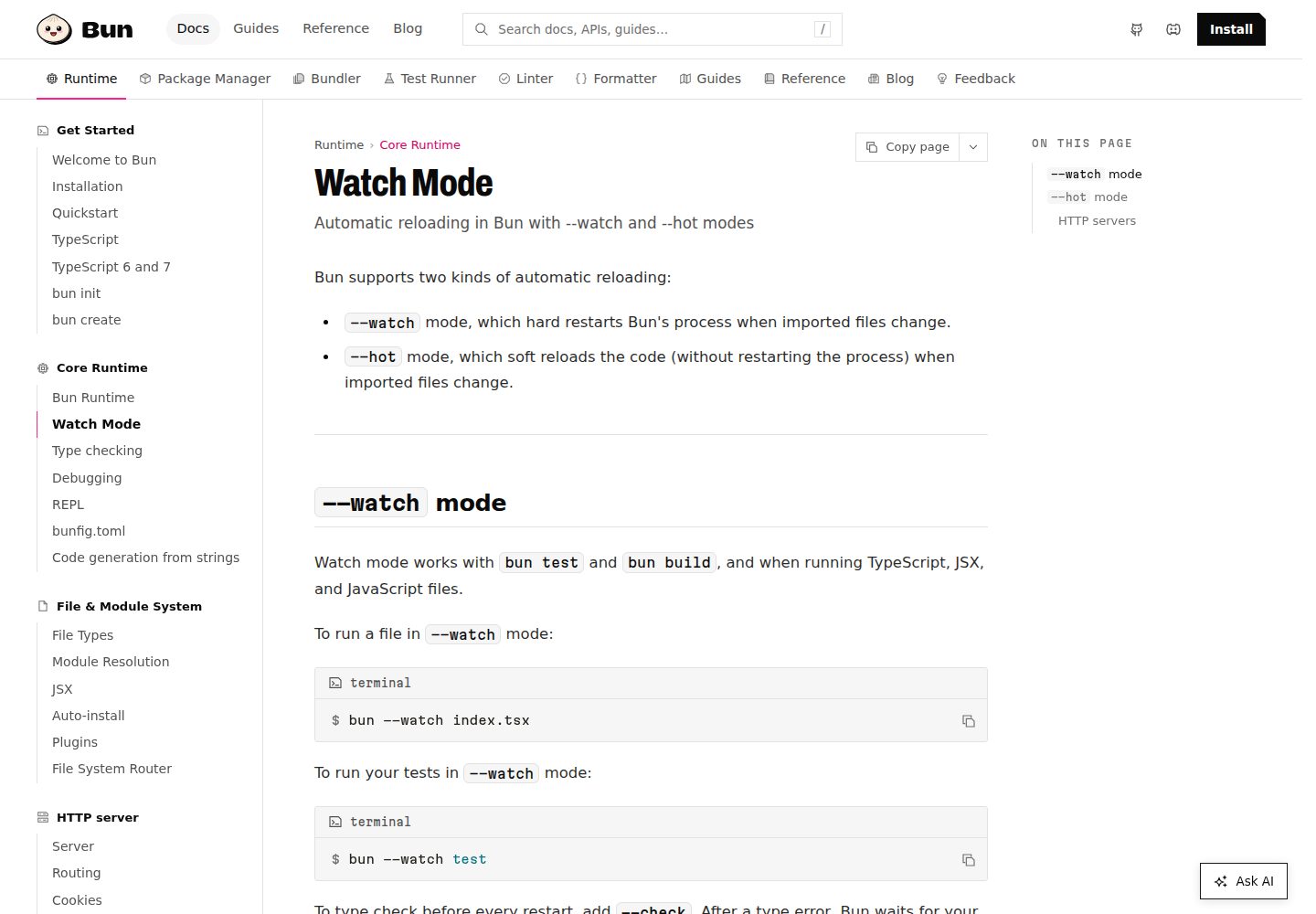
README 将其定位为 Bun 的功能完备起步模板,并标注为 Next.js Bun Starter
Next.jsReact启动器
relibun — Next.js 启动器模板
作者 blefnk
Relibun 是一个基于 Bun 的 Next.js 起步模板,README 主要介绍 Bun 工具链本身,未说明模板的具体功能与配置。
看看你的网站会是什么样
浏览真实页面截图,比较内容排版与手机效果。点击下方缩略图切换,放大查看整页细节。
全部页面与视图 3
截图用于了解视觉与布局,交互效果请以实际项目为准。
采集于 2026-10-13查看来源
值得关注的模板亮点
从已有项目资料中,快速了解它的特点。
使用 Bun 作为运行时,可直接运行 TypeScript 与 JSX,无需额外转译配置
Bun 命令行同时提供测试运行器、脚本运行器与兼容 Node.js 的包管理器
README 给出 Bun 在 Linux(x64、arm64)与 macOS(x64、Apple Silicon)上的安装方式,包括安装脚本、npm、Homebrew 与 Docker
README 说明 Bun 仍处于开发阶段,并建议用于开发流程加速或资源受限环境中的较简单生产代码
模板详细介绍
Relibun 在 README 中被描述为「Bun 的功能完备起步模板」,并标注为「Next.js Bun Starter」,即面向 Next.js 项目的 Bun 起步模板。README 正文几乎全部在介绍 Bun 本身:Bun 是面向 JavaScript 与 TypeScript 的一体化工具包,以单个可执行文件 `bun` 提供运行时、测试运行器、脚本运行器和兼容 Node.js 的包管理器,并支持直接运行 TypeScript 与 JSX。
关于模板自身,README 未提供目录结构、页面组成、样式方案、依赖清单、环境变量、构建与部署步骤等说明,因此无法确认该模板包含哪些具体页面、组件或集成。README 中出现的 Next.js、React、Elysia、Hono、Express 等链接属于 Bun 文档的生态入口,不能据此认定模板已集成这些框架。
README 同时说明 Bun 仍处于开发阶段,建议用于加速开发流程,或在无服务器函数等资源受限环境中运行较简单的生产代码。模板的可用性与生产就绪程度在 README 中未作说明。
Next.js启动器
适合你的项目吗?
适用场景
- 以 Bun 作为运行时启动一个 Next.js 项目的基础骨架
- 在开发流程中用 bun run、bun test、bun install 等命令替代部分 Node.js 工具链
- 在 Linux 或 macOS 上按 README 提供的安装方式搭建 Bun 环境后运行该起步模板
适合人群
- 希望以 Bun 作为运行时来起步 Next.js 项目的开发者
- 需要参考 Bun 安装与基础命令用法的开发者
- 在 Linux 或 macOS 环境下工作的开发者
上手与定制指南
结合仓库当前版本的说明,按下面的资料检查内容、配置与运行要求。
- 1
README 未提供该模板自身的安装与启动步骤,只给出 Bun 的安装方式
- 2
Bun 支持 Linux(x64、arm64)与 macOS(x64、Apple Silicon);Linux 建议内核 5.6 及以上,最低 5.1
- 3
README 说明 Bun 目前不提供原生 Windows 构建,Windows 用户需通过 WSL 使用
- 4
可使用安装脚本、npm、Homebrew 或 Docker 安装 Bun,并用 bun upgrade 升级
- 5
README 未说明该模板的环境变量、构建与部署配置
授权与来源资料
使用条件与限制
免费使用 · 保留许可声明本次收录的是公开仓库中采用 MIT 许可的免费版本;免费范围为该版本代码,不代表外部服务或第三方素材免费。
使用时需要遵守
- 允许免费使用、修改、商用和分发该版本代码。
- 分发代码副本或实质性部分时,保留原作者版权声明和完整 MIT 许可声明。
- 代码按现状提供;担保与责任限制以原许可证及适用法律为准。
额外费用与待核对事项
- 演示图片、字体、图标及其他第三方素材需按各自许可核对,不能仅凭代码的 MIT 许可判断。
- 域名、托管、数据库、支付或 AI 等外部服务可能另外收费。
- README 说明 Bun 仍处于开发阶段,建议仅用于加速开发流程,或在无服务器函数等资源受限环境中运行较简单的生产代码,不保证完整 Node.js 兼容性。
- Bun 仅支持 Linux(x64、arm64)与 macOS(x64、Apple Silicon),其他平台无法直接使用。
- Linux 用户建议使用内核 5.6 或更高版本,最低要求为 5.1。
- Bun 目前不提供原生 Windows 构建,Windows 用户需通过 WSL 等安装方式使用。
查看原文依据
Permission is hereby granted, free of charge
许可证原文
> **Bun is still under development.** Use it to speed up your development workflows or run simpler production code in resource-constrained environments like serverless functions. We're working on more complete Node.js compatibility and integration with existing frameworks. Join the [Discord](https://bun.sh/discord) and watch the [GitHub repository](https://github.com/oven-sh/bun) to keep tabs on future releases.
README 原文
Bun supports Linux (x64 & arm64) and macOS (x64 & Apple Silicon).
README 原文
> **Linux users** — Kernel version 5.6 or higher is strongly recommended, but the minimum is 5.1.
README 原文
https://github.com/blefnk/relibun/blob/main/LICENSEhttps://github.com/blefnk/relibun/blob/main/README.md> **Windows users** — Bun does not currently provide a native Windows build. We're working on this; progress can be tracked at [this issue](https://github.com/oven-sh/bun/issues/43). In the meantime, use one of the installation methods below for Windows Subsystem for Linux.
README 原文
DeepSeek 根据仓库许可证和 README 整理 ·2026-10-13。结果仅覆盖已读取资料,依赖、图片、字体及后续条款变更以各自原文为准。
项目核对记录与介绍依据
模板资料
- 来源平台
- GitHub
- 资料与维护参考分
- 资料一般 · 68 / 100
- 技术栈
- Next.js · React
- 网站类型
- 启动器
这个分数如何计算
本站按许可资料(最高30分)、演示链接(12分)、预览图(10分)、Star数(15分)、记录的维护时间(15分)、描述完整度(8分)、功能记录(5分)和分类资料(5分)计算。它不是代码、安全或性能测试,也不是 Google 评分;有链接不代表已实测可用。
这个项目需要核对什么
- 记录的仓库更新时间
- 2023-09-07
- 截图检查日期
- 2026-10-13
已收录演示链接。请用你的内容与屏幕尺寸检查;有演示不代表表单、认证或支付已经可用。
目录记录的主要技术栈是 Next.js。请通过依赖清单和锁文件核对实际版本与托管要求。这些说明基于收录资料,不代表代码审计或部署实测。
查看具体选型方法 →介绍的制作与核对状态
介绍由 AI 辅助整理目录与仓库资料。仓库作者不等于这篇介绍的审核者。
审核声明: codex-user-requested-batch-review-20261017 · 2026-10-16
查看当时使用的来源资料
SHA-256: b6d21c3ee65756fa3ab0d53713f548f4a221b61af2a0588a4e4d8b7718f75307
2026-10-13T22:01:47.940Z
来源文件 / 仓库# Relibun is a feature-complete starter for Bun 🚀 [Bun](https://bun.sh) is a fast JavaScript all-in-one toolkit 🧁 Next.js Bun Starter. Build faster with Bun. Develop, test, run, and bundle JavaScript & TypeScript projects, like this one starter—all with Bun. Bun is an all-in-one JavaScript runtime & toolkit designed for speed, complete with a bundler, test runner, and Node.js-compatible package manager. **Bun just was released – 07 September 2023 🚀** <p align="center"> <a href="https://bun.sh"><img src="https://user-images.githubusercontent.com/709451/182802334-d9c42afe-f35d-4a7b-86ea-9985f73f20c3.png" alt="Logo" height=170></a> </p> <h1 align="center">Bun</h1> <p align="center"> <a href="https://bun.sh/discord" target="_blank"><img height=20 src="https://img.shields.io/discord/876711213126520882" /></a> <img src="https://img.shields.io/github/stars/oven-sh/bun" alt="stars"> <a href="https://twitter.com/jarredsumner/status/1542824445810642946"><img src="https://img.shields.io/static/v1?label=speed&message=fast&color=success" alt="Bun speed" /></a> </p> <div align="center"> <a href="https://bun.sh/docs">Documentation</a> <span> • </span> <a href="https://discord.com/invite/CXdq2DP29u">Discord</a> <span> • </span> <a href="https://github.com/oven-sh/bun/issues/new">Issues</a> <span> • </span> <a href="https://github.com/oven-sh/bun/issues/159">Roadmap</a> <br /> </div> ### [Read the docs →](https://bun.sh/docs) | [Check Bun repo →](https://github.com/oven-sh/bun) ## What is Bun? > **Bun is still under development.** Use it to speed up your development workflows or run simpler production code in resource-constrained environments like serverless functions. We're working on more complete Node.js compatibility and integration with existing frameworks. Join the [Discord](https://bun.sh/discord) and watch the [GitHub repository](https://github.com/oven-sh/bun) to keep tabs on future releases. Bun is an all-in-one toolkit for JavaScript and TypeScript apps. It ships as a single executable called `bun`. At its core is the _Bun runtime_, a fast JavaScript runtime designed as a drop-in replacement for Node.js. It's written in Zig and powered by JavaScriptCore under the hood, dramatically reducing startup times and memory usage. ```bash bun run index.tsx # TS and JSX supported out of the box ``` The `bun` command-line tool also implements a test runner, script runner, and Node.js-compatible package manager. Instead of 1,000 node_modules for development, you only need `bun`. Bun's built-in tools are significantly faster than existing options and usable in existing Node.js projects with little to no changes. ```bash bun test # run tests bun run start # run the `start` script in `package.json` bun install <pkg> # install a package bunx cowsay 'Hello, world!' # execute a package ``` ## Install Bun supports Linux (x64 & arm64) and macOS (x64 & Apple Silicon). > **Linux users** — Kernel version 5.6 or higher is strongly recommended, but the minimum is 5.1. > > **Windows users** — Bun does not currently provide a native Windows build. We're working on this; progress can be tracked at [this issue](https://github.com/oven-sh/bun/issues/43). In the meantime, use one of the installation methods below for Windows Subsystem for Linux. ```sh # with install script (recommended) curl -fsSL https://bun.sh/install | bash # with npm npm install -g bun # with Homebrew brew tap oven-sh/bun brew install bun # with Docker docker pull oven/bun docker run --rm --init --ulimit memlock=-1:-1 oven/bun ``` ### Upgrade To upgrade to the latest version of Bun, run: ```sh bun upgrade ``` Bun automatically releases a canary build on every commit to `main`. To upgrade to the latest canary build, run: ```sh bun upgrade --canary ``` [View canary build](https://github.com/oven-sh/bun/releases/tag/canary) ## Quick links - Intro - [What is Bun?](https://bun.sh/docs/index) - [Installation](https://bun.sh/docs/installation) - [Quick Start](https://bun.sh/docs/quickstart) - CLI - [`bun run`](https://bun.sh/docs/cli/run) - [`bun install`](https://bun.sh/docs/cli/install) - [`bun test`](https://bun.sh/docs/cli/test) - [`bun create`](https://bun.sh/docs/cli/create) - [`bunx`](https://bun.sh/docs/cli/bunx) - Runtime - [Runtime](https://bun.sh/docs/runtime/index) - [Module resolution](https://bun.sh/docs/runtime/modules) - [Hot & live reloading](https://bun.sh/docs/runtime/hot) - [Plugins](https://bun.sh/docs/bundler/plugins) - Ecosystem - [Node.js](https://bun.sh/docs/ecosystem/nodejs) - [TypeScript](https://bun.sh/docs/ecosystem/typescript) - [React](https://bun.sh/docs/ecosystem/react) - [Elysia](https://bun.sh/docs/ecosystem/elysia) - [Hono](https://bun.sh/docs/ecosystem/hono) - [Express](https://bun.sh/docs/ecosystem/express) - [awesome-bun](https://github.com/apvarun/awesome-bun) - API - [HTTP](https://bun.sh/docs/api/http) - [WebSockets](https://bun.sh/docs/api/websockets) - [TCP Sockets](https://bun.sh/docs/api/tcp) - [File I/O](https://bun.sh/docs/api/file-io) - [SQLite](https://bun.sh/docs/api/sqlite) - [FileSystemRouter](https://bun.sh/docs/api/file-system-router) - [Globals](https://bun.sh/docs/api/globals) - [Spawn](https://bun.sh/docs/api/spawn) - [Transpiler](https://bun.sh/docs/api/transpiler) - [Console](https://bun.sh/docs/api/console) - [FFI](https://bun.sh/docs/api/ffi) - [HTMLRewriter](https://bun.sh/docs/api/html-rewriter) - [Testing](https://bun.sh/docs/api/test) - [Utils](https://bun.sh/docs/api/utils) - [Node-API](https://bun.sh/docs/api/node-api) ## Contributing Refer to the [Project > Development](https://bun.sh/docs/project/development) guide to start contributing to Bun. ## License Refer to the [Project > License](https://bun.sh/docs/project/licensing) page for information about Bun's licensing.
看看同类模板
对比同技术栈与用途的模板,找到更适合的视觉与内容结构。

ai-website-cloner-template
Clone any website with one command using AI coding agents
Next.js · 启动器

Next.js SaaS Starter
Next.js SaaS Starter 是 Next.js 官方维护的 SaaS 起点模板,定位介于学习资源和可直接部署的脚手架之间。
Next.js · SaaS

Next.js Commerce
Next.js Commerce 是 Vercel 团队维护的电商启动模板,基于 Next.js App Router 构建,采用服务端渲染、React Server Components、Server Actions …
Next.js · 电商

Next-js-Boilerplate
Next-js-Boilerplate 是一个面向 Next.js 16、Tailwind CSS 4 和 TypeScript 的启动器,核心定位是开发者体验优先。
Next.js · 启动器

tailwind-nextjs-starter-blog
tailwind-nextjs-starter-blog 是一个面向个人技术博客的 Next.js 与 Tailwind CSS 启动模板,其 v2 版本基于 App Router 与 React Server Comp…
Next.js · 博客

next-forge
Production-grade Turborepo template for Next.js apps.
Next.js · 启动器