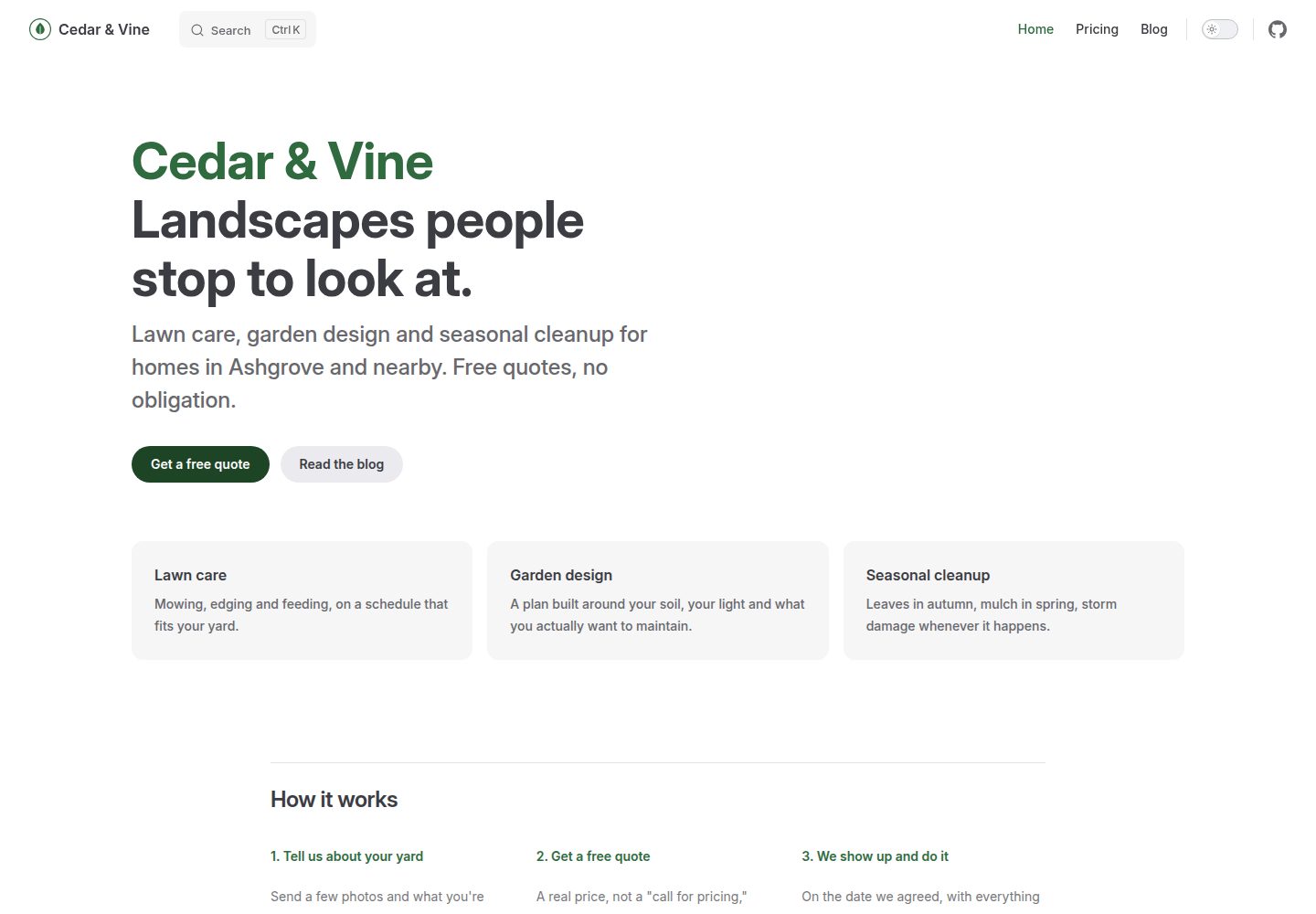
使用 layout: home 与 layout: page 关闭 VitePress 默认文档外观,呈现营销站点结构
VueVitePress博客文档企业官网
vitepress-marketing — Vue 博客模板
作者 BootForm
基于 VitePress 搭建的多页营销站点模板,包含首页、博客与可提交的联系表单,通过 GitHub Actions 自动部署。
看看你的网站会是什么样
浏览真实页面截图,比较内容排版与手机效果。点击下方缩略图切换,放大查看整页细节。
全部页面与视图 3
截图用于了解视觉与布局,交互效果请以实际项目为准。
采集于 2026-10-10查看来源
值得关注的模板亮点
从已有项目资料中,快速了解它的特点。
包含首页、博客列表与示例文章,以及一个可提交的联系表单
博客搜索在浏览器端运行,按 Markdown 标题建立索引,无需外部搜索服务
仓库自带 GitHub Actions 工作流,推送到 main 后自动构建并部署到 GitHub Pages
通过 AGENTS.md 向 AI 编码代理说明该模板与文档站点的区别
品牌色、站点标题、导航和 logo 集中在少数几个文件中修改
模板详细介绍
这是一个把 VitePress 当作营销站点而非文档站使用的模板。它使用 `layout: home` 和 `layout: page` 关闭 VitePress 默认的文档侧边栏与上一页/下一页页脚,从而呈现首页、博客和联系表单等页面。仓库内包含 `AGENTS.md`,用于向 AI 编码代理说明这一约定。
模板需要 Node.js 20 或更高版本,以及基本的终端操作能力(git clone、npm install、npm run dev)。本地开发使用 `npm run dev` 预览,构建产物由仓库自带的 GitHub Actions 工作流在每次推送到 main 时自动构建并部署到 GitHub Pages。
内容修改集中在几个文件:`docs/.vitepress/config.mts` 管理站点标题、描述、导航和社交链接;`docs/public/logo.svg` 是页头与页脚共用的标志;`docs/.vitepress/theme/style.css` 定义品牌色;`docs/index.md` 的 hero 与 features 使用 YAML frontmatter 而非 Vue 组件;博客文章放在 `docs/blog/` 下,新增文章需复制示例文件并在 `blog/index.md` 中链接。搜索完全在浏览器端运行,按 Markdown 标题索引页面,没有独立搜索服务。
联系表单是静态站点中较特殊的一环:模板将表单指向 BootForm 的端点,需要自行生成一个唯一 UUID 作为表单 ID 并替换占位符,首次提交后需在 48 小时内认领该表单,否则暂存消息会被删除。
限制方面:模板不包含服务端逻辑,表单依赖外部服务;演示图片、字体、图标等第三方素材需单独核对许可;若仓库名不是 `vitepress-marketing`,或使用自定义域名,需要同步修改 `base` 配置,否则部署后的样式会失效。
VueVitePress博客文档企业官网
适合你的项目吗?
适用场景
- 为产品或小团队搭建包含首页、博客和联系表单的静态营销站点
- 希望用 VitePress 写作和构建,但不想呈现文档站默认布局的开发者
- 需要把联系表单提交到外部表单服务、并自行控制表单 ID 的静态站点
- 使用 GitHub Pages 托管、希望通过 Actions 自动构建部署的多页站点
适合人群
- 熟悉 Node.js 20+ 与基本终端命令(clone、install、dev)的前端开发者
- 接受静态站点无服务端逻辑、表单依赖第三方服务的项目
- 愿意按仓库说明修改 base、logo、品牌色和表单 ID 的使用者
上手与定制指南
结合仓库当前版本的说明,按下面的资料检查内容、配置与运行要求。
- 1
需要 Node.js 20 或更高版本,以及 git clone、npm install、npm run dev 级别的终端操作能力
- 2
若仓库名不是 vitepress-marketing,需在 docs/.vitepress/config.mts 中同步修改 base 与 favicon 路径
- 3
联系表单需自行生成唯一 UUID 替换 docs/index.md 中的 __YOUR_FORM_ID__,并在 48 小时内认领表单
- 4
GitHub Pages 的 Source 需选择 GitHub Actions,而非从分支部署
- 5
使用自定义域名时需将 base 改为 '/',并在 docs/public/ 添加 CNAME 文件
授权与来源资料
使用条件与限制
免费使用 · 保留许可声明本次收录的是公开仓库中采用 MIT 许可的免费版本;免费范围为该版本代码,不代表外部服务或第三方素材免费。
使用时需要遵守
- 允许免费使用、修改、商用和分发该版本代码。
- 分发代码副本或实质性部分时,保留原作者版权声明和完整 MIT 许可声明。
- 代码按现状提供;担保与责任限制以原许可证及适用法律为准。
额外费用与待核对事项
- 演示图片、字体、图标及其他第三方素材需按各自许可核对,不能仅凭代码的 MIT 许可判断。
- 域名、托管、数据库、支付或 AI 等外部服务可能另外收费。
- 联系表单依赖外部服务 BootForm,静态站点本身无服务端逻辑,表单提交必须指向该外部端点。
- 必须自行生成唯一 UUID 作为表单 ID,不能复用示例或他人的 ID。
- 表单 ID 先认领者拥有,若未及时认领,他人可抢先认领并接收所有提交内容。
- 认领表单需注册免费账号,认领后才会投递已暂存的消息。
- 未认领前暂存的消息仅保留 48 小时,超时会被删除。
- 若仓库名不是 vitepress-marketing,必须同步修改 base 与 favicon 路径,否则部署后样式失效。
- 使用自定义域名时需将 base 改为 '/',否则站点资源路径错误。
- 站内搜索按 Markdown 标题索引,文章若无独立 # 标题则不会被搜索收录。
- 如需将某页面排除在搜索结果外,需在其 frontmatter 中设置 search: false。
查看原文依据
Permission is hereby granted, free of charge
许可证原文
We will use [BootForm](https://bootform.com), because you can point a form at it and it works immediately, with no account.
README 原文
It is just a random UUID, and it has to be yours alone.
README 原文
Whoever claims a > form ID first owns it, and everything sent to it goes to them.
README 原文
Claiming creates a free account and delivers anything already sent.
README 原文
Held messages are kept for 48 hours before they are deleted.
README 原文
change `base: '/vitepress-marketing/'` (and the favicon path under `head`, in the same file) to match your repo's actual name
README 原文
also change `base: '/vitepress-marketing/'` to `base: '/'` in `docs/.vitepress/config.mts`, commit, and push.
README 原文
Search runs entirely in the browser (no service, no API key) and indexes each page by its Markdown headings, so a post with no `# Heading` of its own won't show up: give it one.
README 原文
https://github.com/BootForm/vitepress-marketing/blob/main/LICENSEhttps://github.com/BootForm/vitepress-marketing/blob/main/README.mdKeep a page out with `search: false` in its frontmatter
README 原文
DeepSeek 根据仓库许可证和 README 整理 ·2026-10-10。结果仅覆盖已读取资料,依赖、图片、字体及后续条款变更以各自原文为准。
项目核对记录与介绍依据
模板资料
- 来源平台
- GitHub
- 资料与维护参考分
- 资料较完整 · 85 / 100
- 技术栈
- Vue · VitePress
- 网站类型
- 博客 · 文档 · 企业官网
这个分数如何计算
本站按许可资料(最高30分)、演示链接(12分)、预览图(10分)、Star数(15分)、记录的维护时间(15分)、描述完整度(8分)、功能记录(5分)和分类资料(5分)计算。它不是代码、安全或性能测试,也不是 Google 评分;有链接不代表已实测可用。
这个项目需要核对什么
- 记录的仓库更新时间
- 2026-10-10
- 截图检查日期
- 2026-10-10
已收录演示链接。请用你的内容与屏幕尺寸检查;有演示不代表表单、认证或支付已经可用。
目录记录的主要技术栈是 Vue。请通过依赖清单和锁文件核对实际版本与托管要求。这些说明基于收录资料,不代表代码审计或部署实测。
查看具体选型方法 →介绍的制作与核对状态
介绍由 AI 辅助整理目录与仓库资料。仓库作者不等于这篇介绍的审核者。
审核声明: [email protected] · 2026-10-10
查看当时使用的来源资料
SHA-256: 9f642d050e33078396f5ec4c259f4a34fb32bbf184faebae3a32871fcedf016d
2026-10-10T06:07:59.996Z
来源文件 / 仓库# A marketing site built with VitePress, not a docs site This one is a step up from [first-website](https://github.com/BootForm/first-website) and [one-page-site](https://github.com/BootForm/one-page-site): several pages that share a design, a blog, and a real build step. It needs Node.js and a terminal, which those two don't. By the end you will have a home page, a blog with search, and a working contact form, built with [VitePress](https://vitepress.dev) and deployed automatically by GitHub Actions. **[See what you are building →](https://bootform.github.io/vitepress-marketing/)** ## Why this exists VitePress is usually reached for as a *documentation* tool, and its defaults show it: a sidebar, a "previous/next page" footer, prose-width articles. Ask an AI coding agent for a VitePress marketing site and it will, more often than not, hand you a docs site with the words changed, because that's almost all VitePress content looks like in its training data. This template is the fix. `layout: home` and `layout: page` (used throughout `docs/`) are what turn off the docs chrome; [`AGENTS.md`](./AGENTS.md) says so explicitly, so an agent editing this repo reads the rule instead of guessing. --- ## Before you start You need: - A free GitHub account. - [Node.js](https://nodejs.org) 20 or later installed on your computer. - Some comfort with a terminal. `git clone`, `npm install`, `npm run dev`, that level. Don't have some of this yet, or not sure how? [Setting up your computer](https://bootform.com/docs/computer-setup) walks through installing Git and Node.js, a basic terminal tutorial, and installing and using VS Code, from scratch. If any of that sounds like too much right now, [first-website](https://github.com/BootForm/first-website) needs none of it and still ends with a real site and a working form. --- ## Step 1: Make your own copy Click the green **Use this template** button at the top of this page, then **Create a new repository**. Name it `vitepress-marketing`, or whatever you like. > **Naming it something other than `vitepress-marketing`?** Open `docs/.vitepress/config.mts` and > change `base: '/vitepress-marketing/'` (and the favicon path under `head`, in the same file) to match your repo's actual name (`/your-repo-name/`). > Get this wrong and the deployed site looks completely unstyled, while `npm run dev` still works > fine locally, since the dev server never uses `base`. Then clone *your* new repository to your computer: ```bash git clone https://github.com/yourname/vitepress-marketing.git cd vitepress-marketing npm install ``` --- ## Step 2: Preview it locally ```bash npm run dev ``` Open the address it prints, usually `http://localhost:5173`. That's your site, running on your own computer. It still says Cedar & Vine. We'll fix that next. Leave this running in its own terminal window while you edit; it reloads automatically. --- ## Step 3: Make it yours Look for the lines marked `CHANGE ME`, across a few files: - **`docs/.vitepress/config.mts`**: your site's title and description, the nav links, your social links. - **`docs/public/logo.svg`**: your logo. Replace the file itself (any image format works, keep the filename `logo.svg` or update the two places that reference it, listed in `AGENTS.md`) and it updates in both the header and the footer, no other change needed. - **`docs/.vitepress/theme/style.css`**: your brand colour. One value, used everywhere: buttons, links, VitePress's own accent colour. - **`docs/index.md`**: the whole home page. The `hero` and `features` blocks at the top are plain YAML frontmatter, not Vue components: change the text, add or remove a feature, nothing to recompile by hand. - **`docs/blog/index.md`** and **`docs/blog/why-we-started.md`**: the example post. Add a new post by copying `why-we-started.md`, and link it from `blog/index.md`. Search picks up the new post by itself, as long as it keeps a `# Heading` of its own. Save a file and check the browser tab running `npm run dev`. It updates within a second or two. > **Picking a colour is the hard part.** If you have no idea, `--color-brand-500: #2563eb` (a > plain blue) is a safe default. Pick one colour; the darker/lighter shades around it in > `style.css` are just that one colour, adjusted. --- ## Step 4: Make the contact form actually work Here is the bit most tutorials skip. A static site has no program running behind it, so there is nowhere for a form to send anything. We will use [BootForm](https://bootform.com), because you can point a form at it and it works immediately, with no account. **4a. Generate your form ID.** It is just a random UUID, and it has to be yours alone. Open BootForm's own [UUID generator](https://bootform.com/uuidgenerator) and copy what it shows you (or run `crypto.randomUUID()` in any browser console). You'll get something like `11111111-1111-4111-8111-111111111111`, though a real one won't repeat digits like that. > **Use your own.** Do not use the one printed above, and do not use a friend's. Whoever claims a > form ID first owns it, and everything sent to it goes to them. Yours should be a fresh random one > that nobody else has seen. **4b. Paste it in.** In `docs/index.md`, find this line: ```html <form action="https://f.bootform.com/__YOUR_FORM_ID__" method="POST" class="mx-auto flex max-w-md flex-col gap-4"> ``` Replace `__YOUR_FORM_ID__` with your ID. Save, and the running preview picks it up. **4c. Try it, then claim it.** Fill in the form on your local preview and send it. You'll land on a page asking you to claim the form. Claiming creates a free account and delivers anything already sent. Do this **before** the site goes live publicly (step 5) so nobody else can claim your ID first. > **Don't leave it too long.** Held messages are kept for 48 hours before they are deleted. --- ## Step 5: Deploy it **5a. Push your changes:** ```bash git add -A git commit -m "Make it mine" git push ``` **5b. Turn on GitHub Pages, the Actions way** (different from `first-website`'s "deploy from a branch," because this site needs a build step): 1. In your repository, click **Settings → Pages**. 2. Under **Source**, choose **GitHub Actions** (not "Deploy from a branch"). That's it. This repo already ships a workflow (`.github/workflows/deploy.yml`) that builds the site and deploys it on every push to `main`. Check the **Actions** tab for progress; the first run takes a couple of minutes. Once it finishes, your site is live at `https://yourname.github.io/vitepress-marketing/`. **5c. Optional: a real domain.** The same DNS steps as [one-page-site's Step 5](https://github.com/BootForm/one-page-site#step-5-put-it-on-your-own-domain) apply here too: a `CNAME` file in `docs/public/`, DNS records at your registrar, then **Enforce HTTPS** in the same Pages settings. One extra step this template needs that `one-page-site` doesn't: a custom domain serves from the root, not a `/vitepress-marketing/` subpath, so also change `base: '/vitepress-marketing/'` to `base: '/'` in `docs/.vitepress/config.mts`, commit, and push. --- ## That's it You have a real, multi-page marketing site with a blog and a working contact form, built the way VitePress is meant to be used for this, not the docs-site defaults. ### Where to go next - [`site-skills`](https://github.com/BootForm/site-skills) if you use Claude Code: commands to add page sections, add a new kind of content (books, team members, events), change the theme and swap icons, all following this template's conventions. - [`site-sections`](https://bootform.github.io/site-sections/) for copy-paste page sections (heroes, pricing, FAQs, footers) that survive VitePress's own styles. | | | |---|---| | **A real blog engine** | [vitepress-blog](https://github.com/BootForm) when you want tags, dates and RSS, not a hand-maintained list. | | **A portfolio** | [vitepress-portfolio](https://github.com/BootForm) when you have case studies to show. | | **More form options** | File uploads, autoresponders, Discord and Slack: [bootform.com/docs](https://bootform.com/docs/). | ### Stuck? Open an [issue](https://github.com/BootForm/vitepress-marketing/issues) and say what happened. --- ## Frequently hit problems **`npm install` fails.** Check `node --version`; this needs Node.js 20 or later. **My changes aren't showing in `npm run dev`.** Check the terminal it's running in for an error. A typo in frontmatter YAML (the block between `---` lines) is the most common cause. **The Actions deploy fails.** Open the failed run in the **Actions** tab and read its log; it's almost always the same error `npm run build` would show locally. Run `npm run build` on your own computer first to catch it there, where it's faster to fix. **Search misses a post, or finds a page you don't want in the results.** Search runs entirely in the browser (no service, no API key) and indexes each page by its Markdown headings, so a post with no `# Heading` of its own won't show up: give it one. Keep a page out with `search: false` in its frontmatter, as `docs/blog/index.md` does. **The form shows raw text instead of a nice page.** You are seeing the response as JSON. That is normal for now. Once you claim the form you can set a redirect so people land back on your site. ## Licence MIT. Do whatever you like with it, including using it for a real business.
看看同类模板
对比同技术栈与用途的模板,找到更适合的视觉与内容结构。
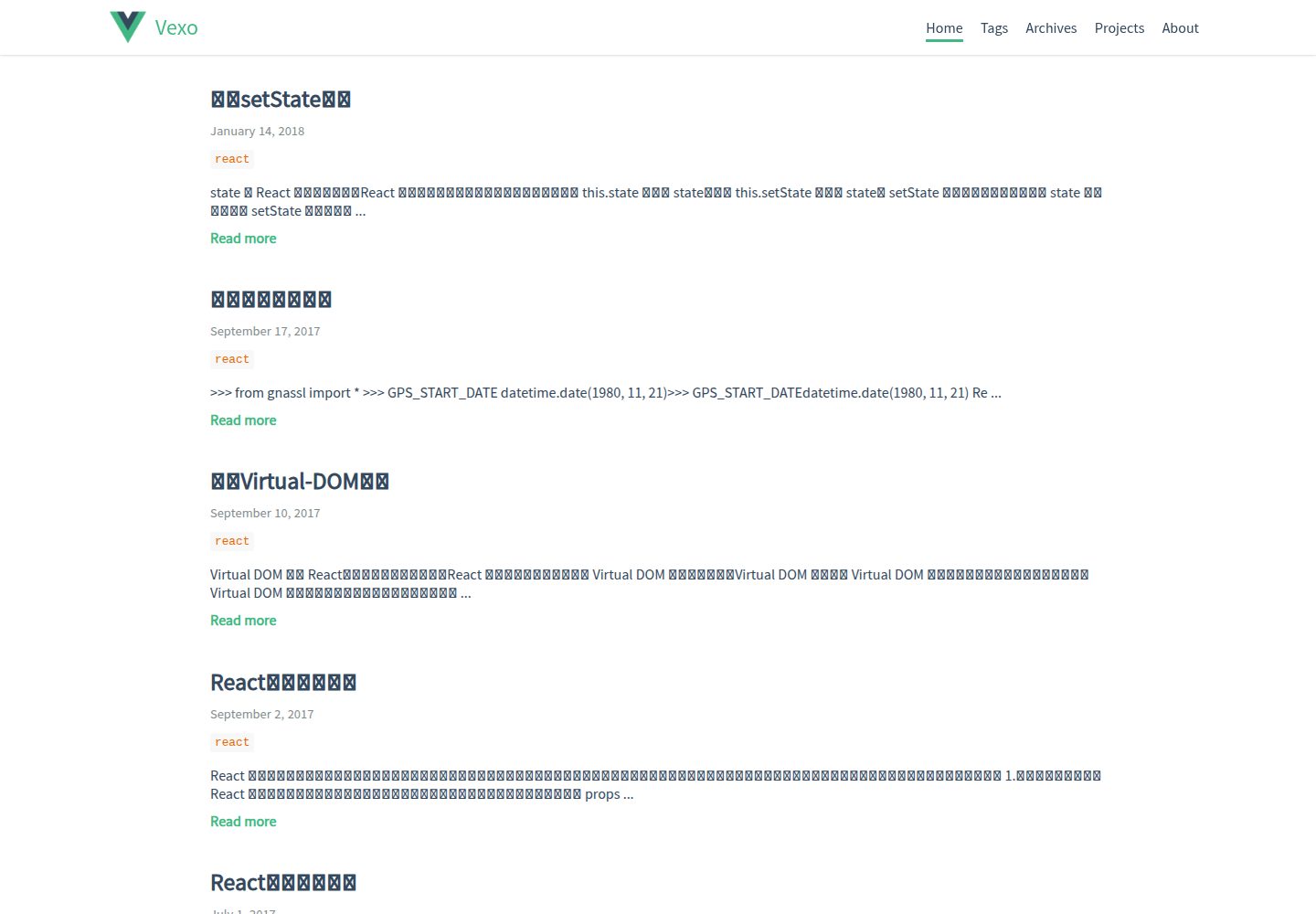
hexo-theme-vexo
🍟 Vexo is a Hexo theme inspired by Vue's official website.
Vue · 博客

shadcn-vue-landing-page
New design 🎉 Vue + Shadcn-vue + TypeScript + Tailwind. Landing page template ease-to-use
Vue · 企业官网
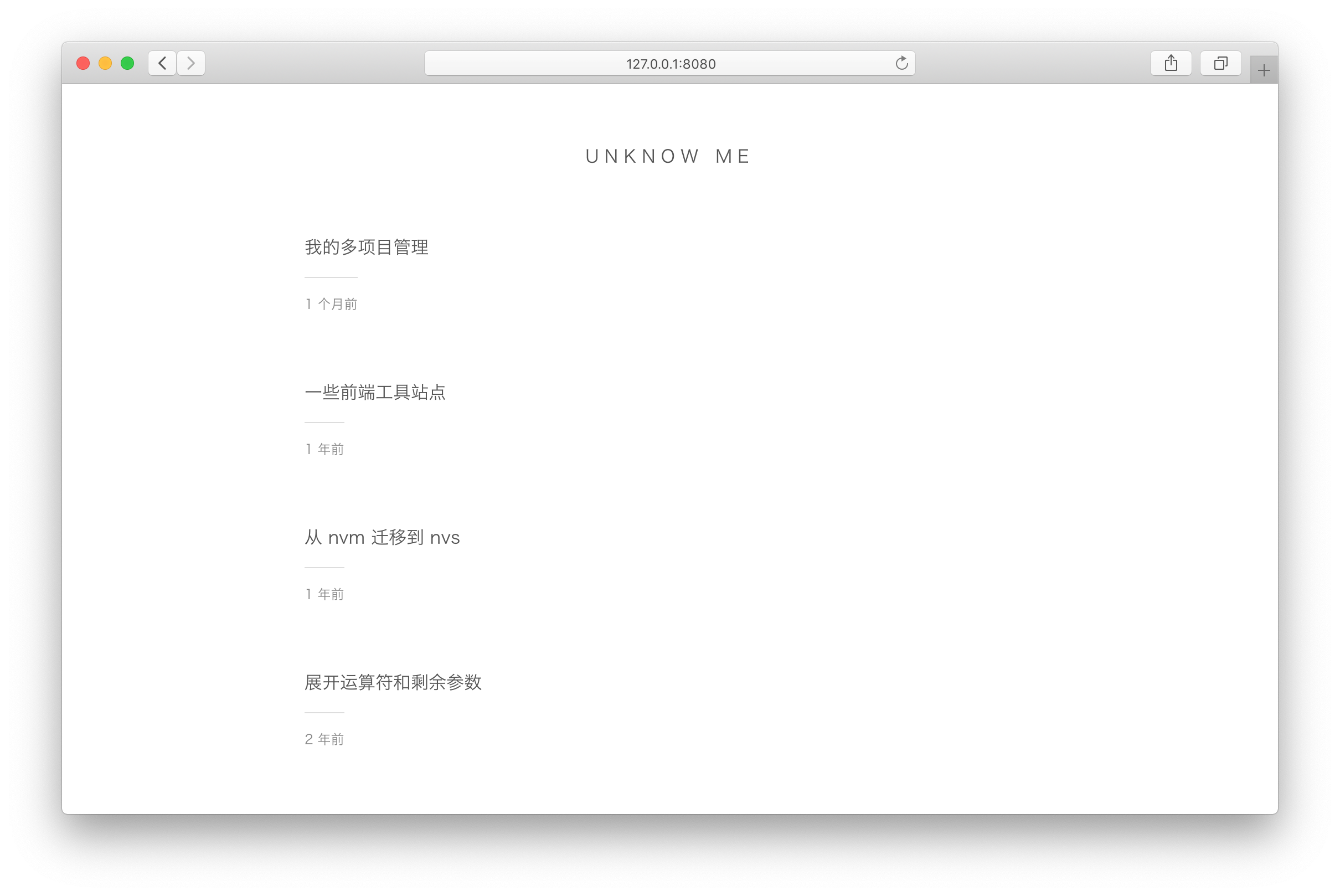
vuepress-theme-simple
vuepress-theme-simple 是一个为 VuePress 1.x 设计的博客主题,定位非常明确:把 VuePress 默认的文档站首页改造成文章列表。
Vue · 博客
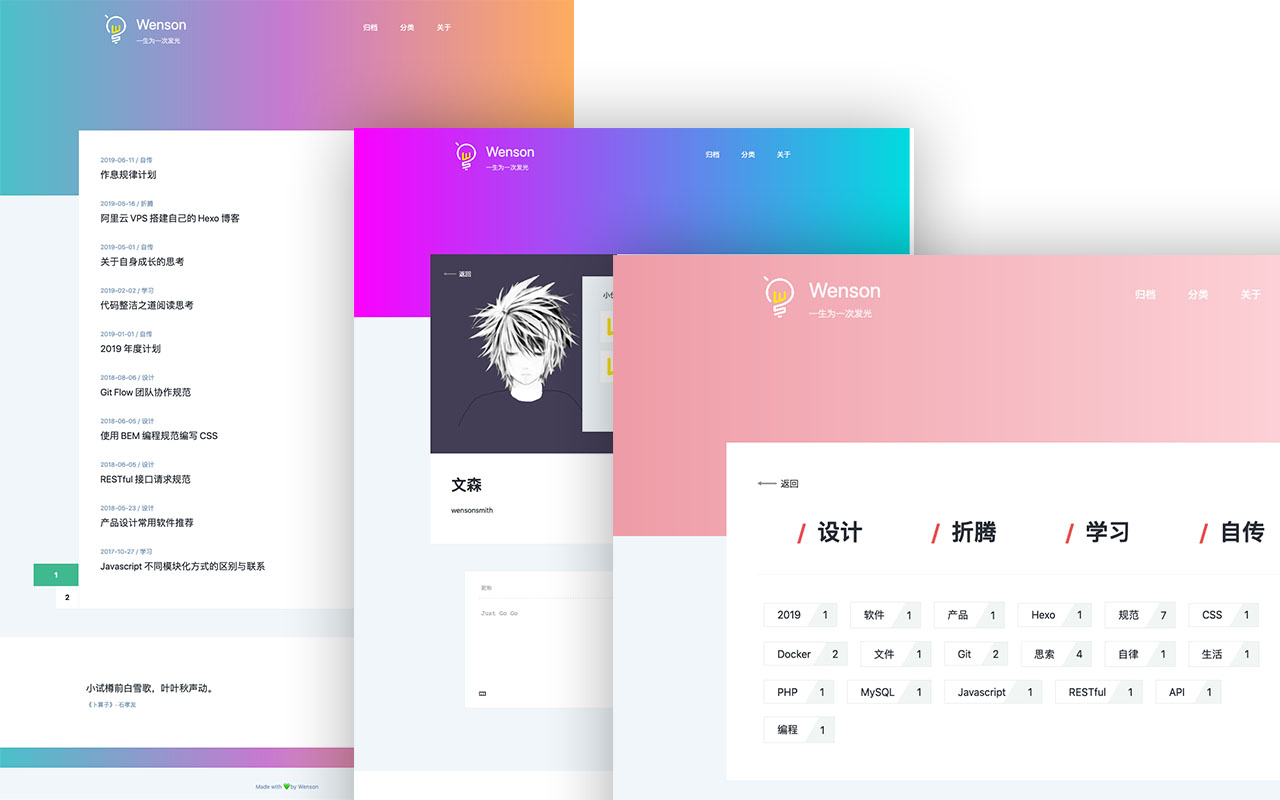
vuepress-theme-seeker
Seeker 是一款面向 VuePress 的博客主题,主打「五彩斑斓的简约」:每次刷新页面会随机生成一套配色,页脚则随机展示古诗词,这两点构成了它区别于多数静态博客主题的辨识度。
Vue · 博客
vitepress-template
🍀 Vitepress 模板,开箱即用,快速搭建你的静态网站和博客。
Vue · 博客
dasos
App Landing Page Template
Vue · 企业官网