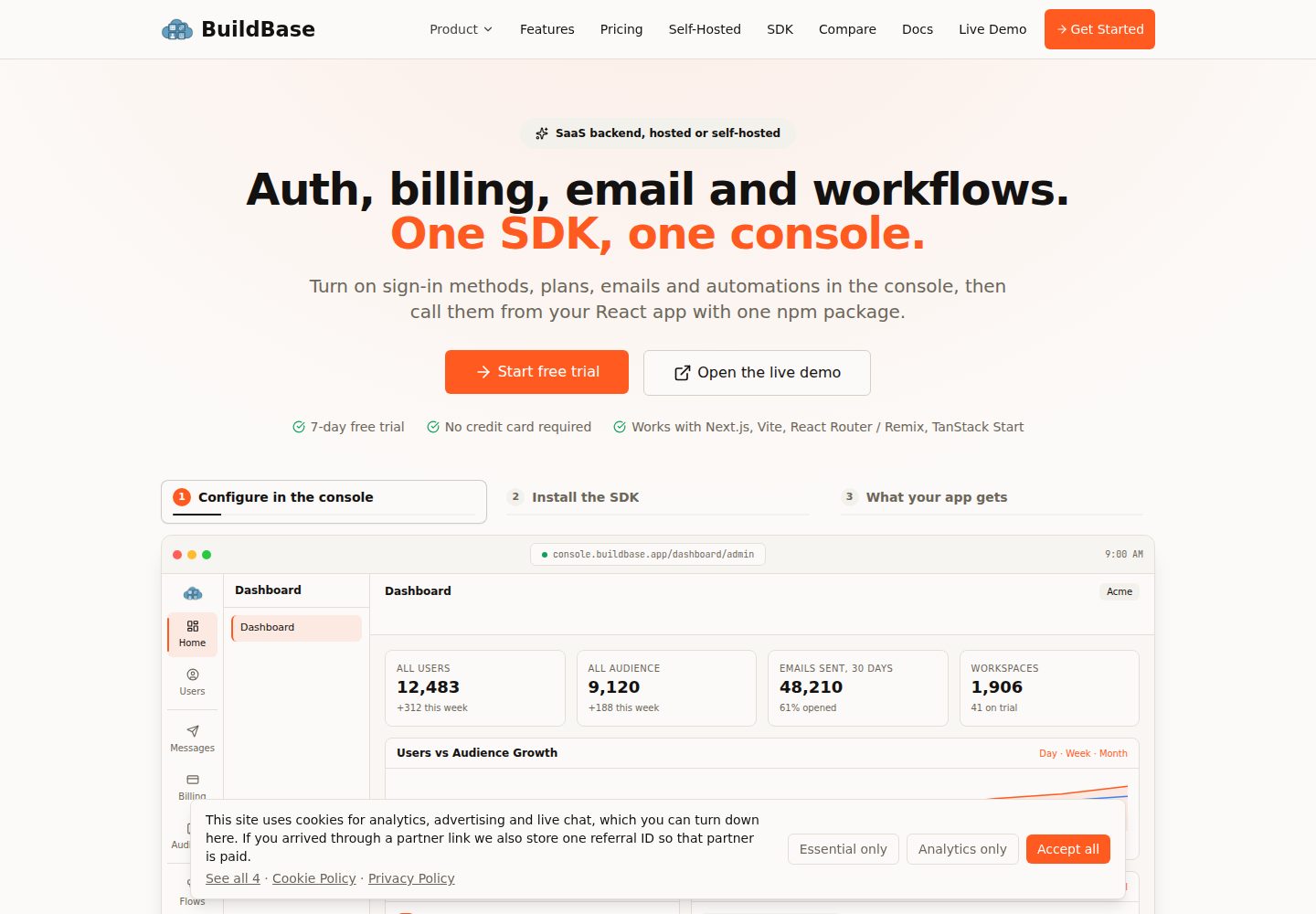
一个 createAgentStack() 配置同时驱动 MCP 服务器、Agent OAuth 与全部发现文档
Next.jsReactSaaS启动器
nextjs-agent-mcp-starter — Next.js SaaS模板
作者 buildbase-app
基于 Next.js App Router 与 @buildbase/sdk 的 agent-first 启动器,通过 createAgentStack() 统一配置 MCP 服务器、Agent OAuth 与发现文档。
看看你的网站会是什么样
浏览真实页面截图,比较内容排版与手机效果。点击下方缩略图切换,放大查看整页细节。
全部页面与视图 3
截图用于了解视觉与布局,交互效果请以实际项目为准。
采集于 2026-10-03查看来源
值得关注的模板亮点
从已有项目资料中,快速了解它的特点。
MCP 端点位于 /mcp,与 RFC 9728 规范资源一致,避免客户端因不匹配而拒绝
默认暴露 48 个工具:42 个 BuildBase 内置工具、1 个健康检查示例、5 个项目 CRUD 工具
内置环境变量缺失即构建失败、按用户限流、错误脱敏与请求体大小上限
提供 .well-known、llms.txt、auth.md、security.txt 等 Agent 发现面路由
模板详细介绍
这个模板面向希望让 AI Agent 直接调用应用能力的开发者。它把 MCP 服务器、Agent OAuth 认证和完整的 Agent 发现面(.well-known 文档、llms.txt、auth.md、robots.txt、security.txt、sitemap.xml)都收拢到一个 createAgentStack() 配置里,并基于 @buildbase/sdk 与 BuildBase 平台对接。
认证方面只支持 Agent 登录,没有面向人类用户的应用内登录界面;用户是在 Agent 发起 OAuth 流程时,于 BuildBase 托管的登录与授权页完成认证,流程包含动态客户端注册(DCR)与 PKCE。README 说明该模板需要 BuildBase 账号、一个 OAuth2 agent client,并在控制台开启 Agent Readiness,否则 Agent 无法完成认证。
模板默认暴露 48 个工具:42 个 BuildBase 内置工具(覆盖读取与写入,含删除工作区、取消订阅等破坏性操作)、一个 app_health 自定义工具示例,以及 5 个项目 CRUD 工具(create/list/get/update/delete_project),后者使用 zod schema、注解和基于 ctx.auth.userId 的按用户归属隔离。项目工具的数据存储是内存演示实现,重启即重置,也不跨 serverless 实例共享,README 建议替换为真实数据库。
模板已接入的环境与安全措施包括:必需环境变量缺失时构建失败、按用户 120 请求/分钟的滑动窗口限流(内存实现)、面向 Agent 的错误信息脱敏、SDK 默认 1 MiB 请求体上限,以及每次 push/PR 执行 lint、build、typecheck 的 CI。README 明确提示 localhost 无法用于 Agent 流程,因为 BuildBase 平台会以服务器到服务器方式调用 token 端点并屏蔽回环地址,本地开发需要隧道。
Next.jsSaaS启动器
适合你的项目吗?
适用场景
- 为已有应用接入 MCP 服务器,让 Claude Code 等客户端以 Agent 身份调用工具
- 搭建需要动态客户端注册与 PKCE 的 Agent OAuth 授权流程
- 以最小示例学习如何用 zod schema 和用户归属隔离编写自定义 MCP 工具
- 为站点补齐 Agent 发现文档(.well-known、llms.txt、auth.md、security.txt 等)
适合人群
- 使用 Next.js App Router 并希望以 Agent 优先方式暴露能力的开发者
- 已拥有或计划开通 BuildBase 账号、需要 Agent OAuth 与 MCP 接入的团队
- 需要参考工具权限收窄(readonly 或 include/exclude)实践的项目
上手与定制指南
结合仓库当前版本的说明,按下面的资料检查内容、配置与运行要求。
- 1
需要 BuildBase 账号,并在控制台创建 OAuth2 agent client(PKCE 开启),配置 Token、Revoke、Profile 三个 URL,Redirect URL 留空由 DCR 注册
- 2
在控制台 Admin → Auth → Agent access 中开启 Agent readiness 与 Let agents register themselves,并选择上述 client 作为 base client
- 3
复制 .env.example 为 .env.local 并填写;NEXT_PUBLIC_* 变量在构建时内联,修改后需重新构建
- 4
localhost 无法用于 Agent 流程,本地开发需使用隧道(如 ngrok)并把隧道地址写入控制台 URL 与 NEXT_PUBLIC_SITE_URL
- 5
上线前替换内存项目存储为真实数据库、裁剪 builtinTools.include 列表,并更新 NEXT_PUBLIC_SITE_URL 与控制台客户端 URL
授权与来源资料
使用条件与限制
免费使用 · 保留许可声明本次收录的是公开仓库中采用 MIT 许可的免费版本;免费范围为该版本代码,不代表外部服务或第三方素材免费。
使用时需要遵守
- 允许免费使用、修改、商用和分发该版本代码。
- 分发代码副本或实质性部分时,保留原作者版权声明和完整 MIT 许可声明。
- 代码按现状提供;担保与责任限制以原许可证及适用法律为准。
额外费用与待核对事项
- 使用该模板必须拥有 BuildBase 账号,并在控制台创建 OAuth2 agent client 且开启 Agent Readiness;否则 Agent 无法完成认证,模板核心功能不可用。
- Agent 认证流程无法在 localhost 运行,因为 BuildBase 平台以服务器到服务器方式调用 token 端点并屏蔽回环地址;本地开发必须使用 ngrok 等隧道并配置公网地址。
- 项目 CRUD 工具默认使用内存演示存储,服务器重启即重置,且不跨 serverless 实例共享;生产使用需自行替换为真实数据库。
- 模板默认暴露全部 48 个工具(含删除工作区、取消订阅等破坏性写入操作),仅用于演示能力;生产环境需自行收窄工具范围。
- 演示图片、字体、图标及其他第三方素材需按各自许可核对,不能仅凭代码的 MIT 许可判断。
- 域名、托管、数据库、支付或 AI 等外部服务可能另外收费。
查看原文依据
Permission is hereby granted, free of charge
许可证原文
This starter requires a [BuildBase](https://buildbase.app) account with an OAuth2 agent client and Agent Readiness enabled. Without it, agents cannot authenticate.
README 原文
`localhost` will not work for the agent flow
README 原文
The project tools use an **in-memory demo store**: it resets on every server restart and is not shared across serverless instances.
README 原文
https://github.com/buildbase-app/nextjs-agent-mcp-starter/blob/main/LICENSEhttps://github.com/buildbase-app/nextjs-agent-mcp-starter/blob/main/README.mdThis starter deliberately exposes the full surface to demonstrate capability. **For production, narrow it**
README 原文
DeepSeek 根据仓库许可证和 README 整理 ·2026-10-03。结果仅覆盖已读取资料,依赖、图片、字体及后续条款变更以各自原文为准。
项目核对记录与介绍依据
模板资料
- 来源平台
- GitHub
- 资料与维护参考分
- 资料较完整 · 85 / 100
- 技术栈
- Next.js · React
- 网站类型
- SaaS · 启动器
这个分数如何计算
本站按许可资料(最高30分)、演示链接(12分)、预览图(10分)、Star数(15分)、记录的维护时间(15分)、描述完整度(8分)、功能记录(5分)和分类资料(5分)计算。它不是代码、安全或性能测试,也不是 Google 评分;有链接不代表已实测可用。
这个项目需要核对什么
- 记录的仓库更新时间
- 2026-07-10
- 截图检查日期
- 2026-10-03
已收录演示链接。请用你的内容与屏幕尺寸检查;有演示不代表表单、认证或支付已经可用。
目录记录的主要技术栈是 Next.js。请通过依赖清单和锁文件核对实际版本与托管要求。这些说明基于收录资料,不代表代码审计或部署实测。
查看具体选型方法 →介绍的制作与核对状态
介绍由 AI 辅助整理目录与仓库资料。仓库作者不等于这篇介绍的审核者。
已完成服务器许可规则与 AI 来源核对;未经过人工编辑审核。
查看当时使用的来源资料
SHA-256: 343992b58c4df1c77b0151d540b03b931b7271e6ccfb8397789eedf48cdb7d59
2026-10-03T02:56:01.235Z
来源文件 / 仓库# BuildBase Agent MCP Starter (`nextjs-agent-mcp-starter`)
    
Next.js 16 (App Router) + [`@buildbase/sdk`](https://www.npmjs.com/package/@buildbase/sdk) ≥ 0.0.54 starter for an **agent-first app**: a live MCP server with BuildBase-powered agent OAuth and the full agent-discovery surface, all from one `createAgentStack()` config.
> **Important:** This starter requires a [BuildBase](https://buildbase.app) account with an OAuth2 agent client and Agent Readiness enabled. Without it, agents cannot authenticate.
**Agent auth only.** There is no app-side login UI — users authenticate on BuildBase's hosted login + consent screen during the agent's OAuth flow. (For human sign-in wiring, see the `nextjs-starter` reference app.)
Verified end-to-end with Claude Code as the MCP client: discovery → dynamic client registration → consent → token mint → 31 tools, including writes.
## Setup
1. Copy `.env.example` → `.env.local` and fill it in (see [Environment](#environment)).
2. In [console.buildbase.app](https://console.buildbase.app):
- Create an **OAuth2 agent client** (Type `oauth2`, Client kind `Agent (third-party)`, PKCE on) with:
- Application Token URL → `https://<your-public-origin>/api/agent/token`
- Application Revoke URL → `https://<your-public-origin>/api/agent/token/revoke`
- Application Profile URL → `https://<your-public-origin>/api/profile`
- Redirect URLs: leave empty — agents register their own via DCR.
- Admin → Auth → **Agent access**: enable **Agent readiness** and **Let agents register themselves**, picking the client above as the **base client**.
3. `npm install && npm run build && npm start`, then connect an agent:
```bash
claude mcp add --transport http my-app https://<your-public-origin>/mcp
```
> **`localhost` will not work for the agent flow** — the BuildBase platform calls your token endpoints server-to-server and blocks loopback addresses. For local dev, tunnel (`ngrok http 3000`) and use the tunnel origin in the console URLs and `NEXT_PUBLIC_SITE_URL`.
## Environment
| Var | Purpose |
|---|---|
| `NEXT_PUBLIC_BUILDBASE_SERVER_URL` / `NEXT_PUBLIC_BUILDBASE_ORG_ID` | Your BuildBase org |
| `NEXT_PUBLIC_SITE_URL` | This app's public origin — appears in every discovery document and token audience |
| `BUILDBASE_AGENT_CLIENT_SECRET` | Secret of the **agent base** client — the platform signs `applicationTokenUrl`/`RevokeUrl` calls with it |
| `SYSTEM_SECRET` | App-owned token signing + session encryption (`openssl rand -hex 32`). Never leaves the app. |
| `SECURITY_CONTACT_EMAIL` | Shown in `/security.txt` |
`NEXT_PUBLIC_*` values are inlined at **build time** — rebuild after changing them.
## What's wired
| File | Purpose |
|---|---|
| `src/lib/agent.ts` | `createAgentStack()` — one config for MCP + discovery + custom tools |
| `src/lib/buildbase.ts` | Minimal `BuildBase()` factory (`withSession` for per-request sessions) |
| `src/app/mcp/route.ts` | Live MCP server (streamable HTTP, MCP 2025-06-18). Served at `/mcp` so the endpoint equals the canonical RFC 9728 resource — MCP clients reject a mismatch, so don't move it to `/api/mcp`. |
| `src/app/.well-known/[...path]/route.ts` | All `.well-known/*` discovery docs |
| `src/app/{llms.txt,auth.md,robots.txt,security.txt,sitemap.xml}/route.ts` | Root discovery docs |
| `src/app/api/agent/token/route.ts` | Platform-called token mint (`handleAppTokenRequest` + `mintAgentToken`) |
| `src/app/api/agent/token/revoke/route.ts` | Platform-called revocation webhook |
| `src/app/api/profile/route.ts` | Verifies a minted agent token, returns the user profile |
## Tools exposed (48)
- **42 BuildBase built-in tools** — the complete catalog, listed explicitly in `builtinTools.include` (grouped by category in `src/lib/agent.ts`): every read (workspaces, users, subscription, plans, invoices, quota, usage logs, credits, feature flags, permissions, settings) **and every write**, including destructive operations (`delete_workspace`, `cancel_subscription`, `remove_workspace_user`, …). Narrowing the surface is just deleting lines.
- **`app_health`** — minimal custom-tool example.
- **5 project CRUD tools** (`create/list/get/update/delete_project`) — a complete custom-tool example with zod schemas, annotations, and per-user ownership scoping via `ctx.auth.userId`.
This starter deliberately exposes the full surface to demonstrate capability. **For production, narrow it**: `builtinTools: 'readonly'` (least privilege) or `{ include: [...] }` / `{ exclude: [...] }` with exactly the operations you want agents to perform. Whatever you expose, every call runs under the granting user's session — an agent can never exceed its user's permissions.
> ⚠️ The project tools use an **in-memory demo store**: it resets on every server restart and is not shared across serverless instances. Swap `projectStore` in `src/lib/agent.ts` for your real database; the tool logic stays the same.
Every tool runs under the granting user's BuildBase session — an agent can never exceed its user's permissions.
**After adding/changing tools:** rebuild + restart, then reconnect in the client (`/mcp` → Reconnect in Claude Code) — MCP clients cache `tools/list` per connection.
## Production hardening (already wired)
- **Env fail-fast** — missing required env fails the build with a clear message instead of a silently broken discovery surface.
- **Rate limiting** — 120 req/min per user (sliding window, in-memory; back with Redis/KV or an edge limiter when scaling out).
- **Error redaction** — tools throw `ToolError` for agent-facing messages; anything else returns a generic message in production while the full error goes to `onError` logging.
- **Request-size cap** — SDK default 1 MiB (413 above it).
- **CI** — lint + build + typecheck on every push/PR (`.github/workflows/ci.yml`).
## Before going live
- Deploy behind a real domain; update `NEXT_PUBLIC_SITE_URL` + the console client URLs (Token/Revoke/Profile).
- Replace the demo project store with a database.
- Prune the `builtinTools.include` list — start by removing the "Destructive" group.
- If browser-based MCP clients must be restricted, set `allowedOrigins` in `mcp.handler`.
- Point `onError` at your real telemetry instead of `console.error`.
看看同类模板
对比同技术栈与用途的模板,找到更适合的视觉与内容结构。

ai-website-cloner-template
Clone any website with one command using AI coding agents
Next.js · 启动器

Next.js SaaS Starter
Next.js SaaS Starter 是 Next.js 官方维护的 SaaS 起点模板,定位介于学习资源和可直接部署的脚手架之间。
Next.js · SaaS

Next.js Commerce
Next.js Commerce 是 Vercel 团队维护的电商启动模板,基于 Next.js App Router 构建,采用服务端渲染、React Server Components、Server Actions …
Next.js · 电商

Next-js-Boilerplate
Next-js-Boilerplate 是一个面向 Next.js 16、Tailwind CSS 4 和 TypeScript 的启动器,核心定位是开发者体验优先。
Next.js · 启动器

tailwind-nextjs-starter-blog
tailwind-nextjs-starter-blog 是一个面向个人技术博客的 Next.js 与 Tailwind CSS 启动模板,其 v2 版本基于 App Router 与 React Server Comp…
Next.js · 博客

next-forge
Production-grade Turborepo template for Next.js apps.
Next.js · 启动器