使用 Bootstrap 构建的响应式页面布局
HTML企业官网
bootstrap-the-burger-joint — HTML 企业官网模板
作者 CaptSV
基于 Bootstrap 的汉堡餐厅前端网站模板,包含菜单、餐厅介绍、联系方式和订餐区块,可直接用浏览器打开 index.html 查看。
看看你的网站会是什么样
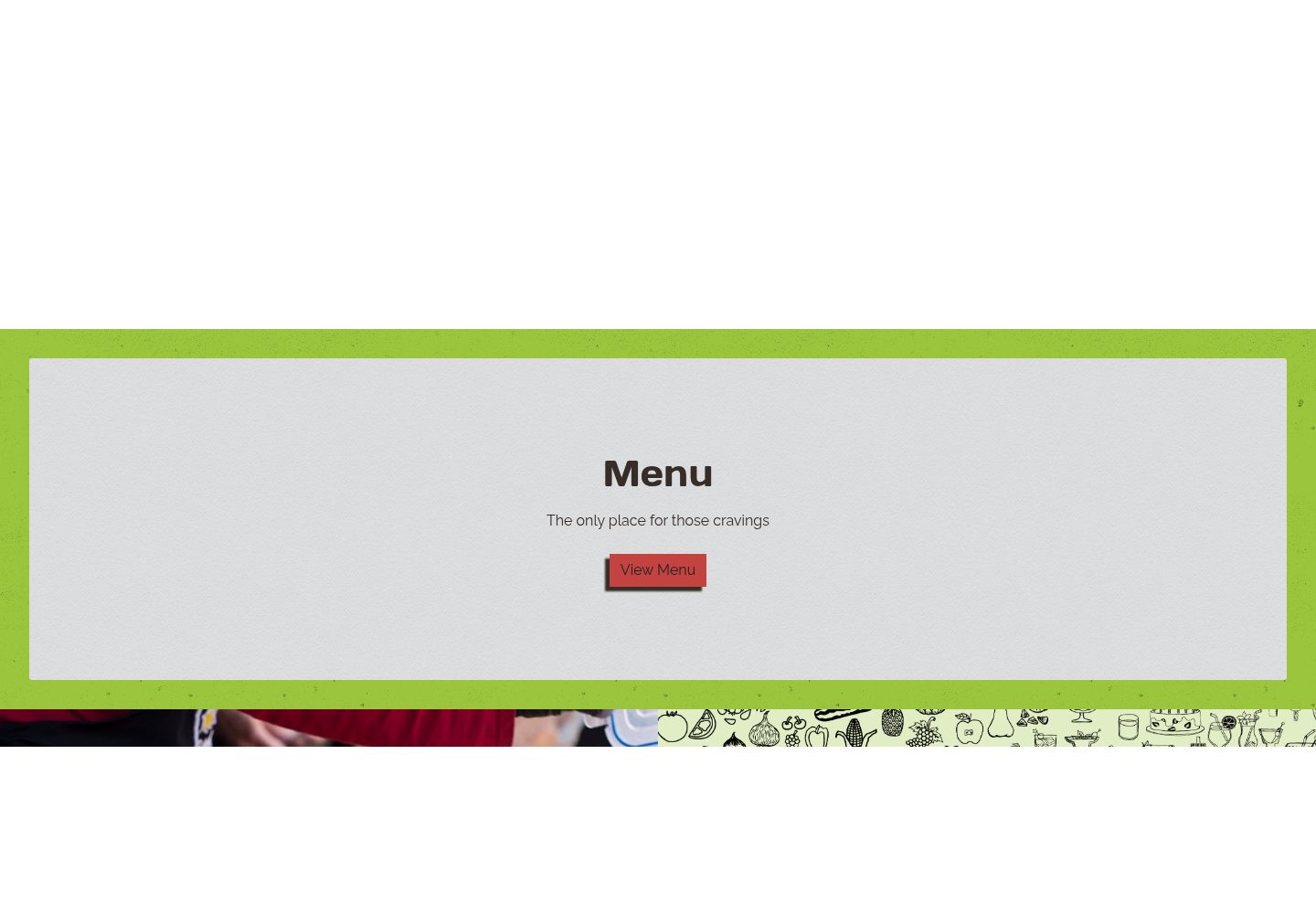
浏览真实页面截图,比较内容排版与手机效果。点击下方缩略图切换,放大查看整页细节。
全部页面与视图 2
截图用于了解视觉与布局,交互效果请以实际项目为准。
采集于 2026-10-13查看来源
值得关注的模板亮点
从已有项目资料中,快速了解它的特点。
面向汉堡餐厅场景,包含菜单、介绍、联系与订餐等常见区块
纯前端 HTML 模板,无需构建工具,浏览器直接打开 index.html 即可查看
仓库附带 CSS、JavaScript 与图片资源,便于直接替换内容
采用 MIT 许可,代码可免费使用、修改和分发
模板详细介绍
这是一个面向汉堡餐厅的前端网站模板,使用 Bootstrap 构建,仓库中提供 HTML 页面与配套的 CSS、JavaScript 和图片资源。模板按餐厅官网的常见结构组织,README 说明其可能包含菜单展示、餐厅介绍、联系方式和订餐区块,适合作为餐饮类企业官网的起步页面。
使用方式比较简单:从 GitHub 克隆仓库或下载 ZIP 解压后,直接用浏览器打开 index.html 即可浏览各区块的布局与组件。要投入实际使用,需要自行替换 HTML 中的文字、菜单内容和图片,并核对图片、字体、图标等第三方素材的授权。
模板为纯前端静态页面,不涉及后端、数据库或在线支付逻辑;README 未给出具体 Bootstrap 版本号,也未说明浏览器兼容范围与响应式断点细节。项目采用 MIT 许可,代码可免费使用、修改和商用,但演示素材与外部服务需单独确认。
HTML企业官网
适合你的项目吗?
适用场景
- 为小型汉堡店或快餐品牌搭建展示型官网首页
- 作为学习 Bootstrap 栅格与组件用法的练习项目
- 在已有 HTML 基础上快速改造出餐饮类落地页
- 用于演示或原型阶段,向客户展示餐厅网站结构
适合人群
- 需要快速起步的汉堡餐厅或快餐类小型商家
- 希望以静态页面形式展示菜单与门店信息的开发者
- 正在学习 Bootstrap 并寻找实际页面参考的前端初学者
上手与定制指南
结合仓库当前版本的说明,按下面的资料检查内容、配置与运行要求。
- 1
从 GitHub 克隆仓库或下载 ZIP 并解压到本地目录
- 2
直接用浏览器打开 index.html 即可预览模板
- 3
按需修改 HTML 中的文字、菜单与图片,替换为自己的餐厅信息
- 4
确认图片、字体、图标等第三方素材的授权,不能仅凭代码的 MIT 许可判断
- 5
若页面样式或脚本异常,检查 HTML 中引用的 CSS、JS 与图片相对路径是否正确
授权与来源资料
使用条件与限制
免费使用 · 保留许可声明本次收录的是公开仓库中采用 MIT 许可的免费版本;免费范围为该版本代码,不代表外部服务或第三方素材免费。
使用时需要遵守
- 允许免费使用、修改、商用和分发该版本代码。
- 分发代码副本或实质性部分时,保留原作者版权声明和完整 MIT 许可声明。
- 代码按现状提供;担保与责任限制以原许可证及适用法律为准。
额外费用与待核对事项
- 演示图片、字体、图标及其他第三方素材需按各自许可核对,不能仅凭代码的 MIT 许可判断。
- 域名、托管、数据库、支付或 AI 等外部服务可能另外收费。
查看原文依据
https://github.com/CaptSV/bootstrap-the-burger-joint/blob/main/LICENSEhttps://github.com/CaptSV/bootstrap-the-burger-joint/blob/main/README.mdPermission is hereby granted, free of charge
许可证原文
DeepSeek 根据仓库许可证和 README 整理 ·2026-10-13。结果仅覆盖已读取资料,依赖、图片、字体及后续条款变更以各自原文为准。
项目核对记录与介绍依据
模板资料
- 来源平台
- GitHub
- 资料与维护参考分
- 资料较完整 · 77 / 100
- 技术栈
- HTML
- 网站类型
- 企业官网
这个分数如何计算
本站按许可资料(最高30分)、演示链接(12分)、预览图(10分)、Star数(15分)、记录的维护时间(15分)、描述完整度(8分)、功能记录(5分)和分类资料(5分)计算。它不是代码、安全或性能测试,也不是 Google 评分;有链接不代表已实测可用。
这个项目需要核对什么
- 记录的仓库更新时间
- 2025-08-19
- 截图检查日期
- 2026-10-13
已收录演示链接。请用你的内容与屏幕尺寸检查;有演示不代表表单、认证或支付已经可用。
目录记录的主要技术栈是 HTML。请通过依赖清单和锁文件核对实际版本与托管要求。这些说明基于收录资料,不代表代码审计或部署实测。
查看具体选型方法 →介绍的制作与核对状态
介绍由 AI 辅助整理目录与仓库资料。仓库作者不等于这篇介绍的审核者。
审核声明: [email protected] · 2026-10-13
查看当时使用的来源资料
SHA-256: 3ab1b21b995df21ae432836151c01c6bfbe256bb13e856643197c9020470332f
2026-10-13T07:16:07.197Z
来源文件 / 仓库# Bootstrap The Burger Joint
A simple, responsive website template for a burger restaurant built using Bootstrap.
## Description
This project is a website template designed specifically for a burger joint. It leverages the power and flexibility of the Bootstrap CSS framework to provide a responsive and visually appealing layout. The template likely includes common elements found on restaurant websites, such as a menu display, information about the restaurant, contact details, and an order section. It serves as a practical example of how Bootstrap can be used to quickly create a professional-looking website for a food-related business.
## Getting Started
### Dependencies
* A web browser (Chrome, Firefox, Safari, etc.) to view the HTML files.
* No specific operating system is required as this is a front-end template.
### Installing
1. Navigate to the repository page on GitHub: [https://github.com/CaptSV/bootstrap-the-burger-joint](https://github.com/CaptSV/bootstrap-the-burger-joint).
2. Click on the "Code" button and choose your preferred method of downloading:
* **Clone the repository:**
```
git clone [https://github.com/CaptSV/bootstrap-the-burger-joint.git](https://www.google.com/search?q=https://github.com/CaptSV/bootstrap-the-burger-joint.git)
```
* **Download as a ZIP file:** Click "Download ZIP" and extract the contents to your desired location.
3. No specific modifications to files or folders are strictly required to view the template. However, you will likely want to edit the HTML files (e.g., `index.html`) to customize the content with your own burger joint's information, menu, and images.
### Executing program
1. Open the extracted or cloned repository folder on your local machine.
2. Locate the main HTML file (named `index.html`).
3. Double-click the `index.html` file. This will open the website template in your default web browser.
4. Navigate through the different sections of the template to see its layout and components
## Help
If you encounter any issues:
* Ensure that your web browser is up to date.
* Verify that all the files (HTML, CSS, JavaScript, images) are in the correct relative paths as defined in the HTML code.
* If you are making modifications and something breaks, try reverting to the original files to identify the source of the problem.
## Authors
Simon Valenzuela
[@CaptSV](https://github.com/CaptSV)
## Version History
* 0.1
* Initial Release of the Bootstrap-themed burger joint website template.
## License
This project is licensed under the [MIT](https://opensource.org/licenses/MIT) License - see the LICENSE.md file for details.
## Acknowledgments
Inspiration and resources used in this project:
* The overall design and user experience of this template were inspired by the [Shake Shack website](https://shakeshack.com/).
看看同类模板
对比同技术栈与用途的模板,找到更适合的视觉与内容结构。

mazer
Free and Open-source Bootstrap 5 Admin Dashboard Template and Landing Page
HTML · 后台

Freelancer
Freelancer 是 Start Bootstrap 出品的单页作品集模板,专为自由职业者、设计师和小型工作室设计。 页面结构清晰,包含多个内容区块、响应式作品集网格,每个作品项目配有模态窗口展示详情。
HTML · 作品集

Creative
Creative 是 Start Bootstrap 团队维护的一款单页营销模板,定位明确:为创意机构或产品服务提供一个以作品展示和行动号召为核心的落地页。
HTML · 企业官网

startbootstrap-agency
Agency 是 Start Bootstrap 维护的单页代理商作品集主题,基于 Bootstrap 构建,MIT 许可。
HTML · 企业官网

startbootstrap-landing-page
这是 Start Bootstrap 系列中一款通用型落地页模板,基于 Bootstrap 构建,定位是给产品或服务做单页推广。
HTML · 企业官网

Landing-Page
Tailwind CSS Starter Template - Landing Page
HTML · 企业官网