使用 Next.js App Router 构建,语言为 JavaScript/JSX
Next.jsReact后台
template-nextjs-dashboard-js — Next.js 后台模板
作者 chatbotkit
基于 Next.js App Router 的 ChatBotKit 用量分析仪表盘模板,使用 Tailwind CSS 与 Recharts 展示账号级用量与事件数据,并通过 NextAuth 集成 Google 登录。
看看你的网站会是什么样
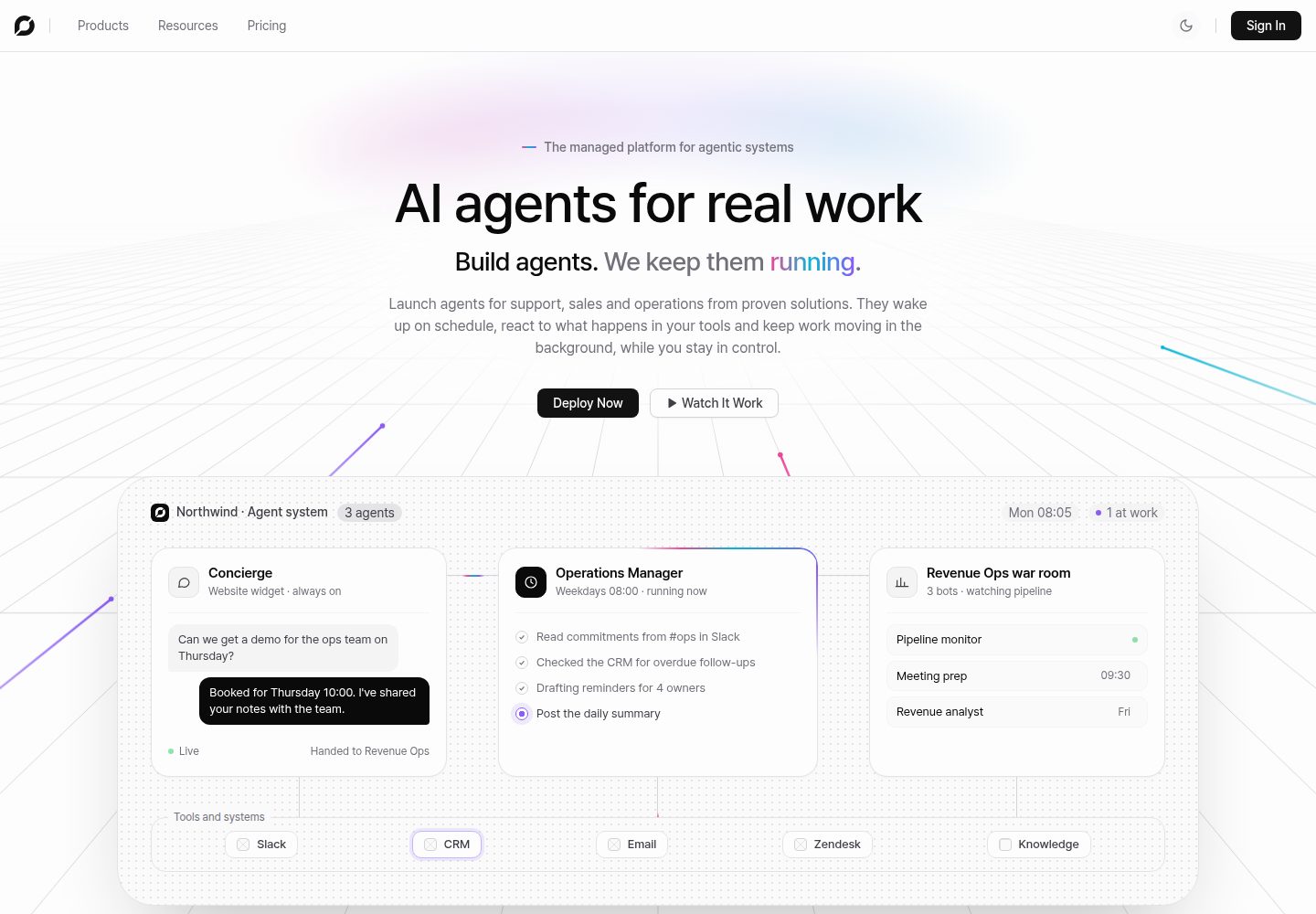
浏览真实页面截图,比较内容排版与手机效果。点击下方缩略图切换,放大查看整页细节。
全部页面与视图 3
截图用于了解视觉与布局,交互效果请以实际项目为准。
采集于 2026-10-14查看来源
值得关注的模板亮点
从已有项目资料中,快速了解它的特点。
通过 ChatBotKit SDK 获取账号级用量分析与事件数据,无需创建机器人等平台资源
使用 NextAuth 集成 Google 登录,并通过 middleware 进行路由保护
使用 Recharts 绘制时间序列折线图,配合用量卡片与事件日志组件展示数据
UI 基于 Tailwind CSS 与 Radix 构建
提供 npx create-cbk-app 自动安装方式与手动安装步骤
模板详细介绍
该模板是一个用于监控 ChatBotKit 使用情况的分析仪表盘,README 说明其技术栈为 Next.js(App Router)、ChatBotKit SDK、NextAuth(Google)、Recharts、Tailwind CSS 与 Radix,语言为 JavaScript/JSX。项目结构包含 analytics 服务端操作、受 middleware 保护的路由、仪表盘页面与组件(头部、事件日志、用量卡片、时间序列折线图),以及 NextAuth 配置和 ChatBotKit SDK 客户端。
使用前需要配置 ChatBotKit API 令牌、NextAuth 密钥与 URL、Google OAuth 客户端 ID 和密钥;README 指出无需创建机器人或其他平台资源,仪表盘展示的是整个 ChatBotKit 账号的用量分析与事件日志。安装可通过 npx create-cbk-app 自动完成,或手动克隆仓库、安装依赖、复制 .env.example 并运行开发服务器。
README 未提供关于部署、性能、可扩展性或生产就绪程度的说明,也未列出具体依赖版本号;模板以 MIT 许可证发布。
Next.js后台
适合你的项目吗?
适用场景
- 查看 ChatBotKit 账号的整体用量趋势与时间序列图表
- 浏览账号最近的 ChatBotKit 事件日志
- 在受 Google 登录保护的仪表盘中集中查看账号级分析数据
适合人群
- 需要监控 ChatBotKit 账号用量的开发者
- 希望以 Next.js App Router 为起点搭建分析仪表盘的项目
- 使用 Google 账号作为登录方式的内部工具场景
上手与定制指南
结合仓库当前版本的说明,按下面的资料检查内容、配置与运行要求。
- 1
可通过 npx create-cbk-app 按提示自动安装,或手动克隆仓库后执行 npm install
- 2
复制 .env.example 为 .env,并填写 CHATBOTKIT_API_SECRET、NEXTAUTH_SECRET、NEXTAUTH_URL、GOOGLE_CLIENT_ID、GOOGLE_CLIENT_SECRET
- 3
在 chatbotkit.com/tokens 创建 API 令牌并填入 CHATBOTKIT_API_SECRET
- 4
在 Google Cloud Console 创建 OAuth 2.0 客户端,并将授权重定向 URI 设为 http://localhost:3000/api/auth/callback/google
- 5
使用 openssl rand -base64 32 生成 NEXTAUTH_SECRET,然后运行 npm run dev 并访问 http://localhost:3000
授权与来源资料
使用条件与限制
免费使用 · 保留许可声明本次收录的是公开仓库中采用 MIT 许可的免费版本;免费范围为该版本代码,不代表外部服务或第三方素材免费。
使用时需要遵守
- 允许免费使用、修改、商用和分发该版本代码。
- 分发代码副本或实质性部分时,保留原作者版权声明和完整 MIT 许可声明。
- 代码按现状提供;担保与责任限制以原许可证及适用法律为准。
额外费用与待核对事项
- 演示图片、字体、图标及其他第三方素材需按各自许可核对,不能仅凭代码的 MIT 许可判断。
- 域名、托管、数据库、支付或 AI 等外部服务可能另外收费。
- 必须使用 ChatBotKit 平台:需在 chatbotkit.com/tokens 创建 API 令牌并配置 CHATBOTKIT_API_SECRET,仪表盘依赖该外部服务提供数据。
- 必须配置 Google OAuth:需在 Google Cloud Console 创建 OAuth 2.0 客户端并提供 GOOGLE_CLIENT_ID 与 GOOGLE_CLIENT_SECRET,登录依赖 Google 账号。
- 仪表盘展示的是整个 ChatBotKit 账号的用量分析与事件日志,而非单个机器人或项目范围的数据。
查看原文依据
Permission is hereby granted, free of charge
许可证原文
| `CHATBOTKIT_API_SECRET` | Yes | ChatBotKit API token from [chatbotkit.com/tokens](https://chatbotkit.com/tokens) |
README 原文
| `GOOGLE_CLIENT_ID` | Yes | Google OAuth client ID from [console.cloud.google.com](https://console.cloud.google.com/apis/credentials) |
README 原文
https://github.com/chatbotkit/template-nextjs-dashboard-js/blob/main/LICENSEhttps://github.com/chatbotkit/template-nextjs-dashboard-js/blob/main/README.mdNo bots or other platform resources are needed. The dashboard displays usage analytics and event logs for your entire ChatBotKit account.
README 原文
DeepSeek 根据仓库许可证和 README 整理 ·2026-10-14。结果仅覆盖已读取资料,依赖、图片、字体及后续条款变更以各自原文为准。
项目核对记录与介绍依据
模板资料
- 来源平台
- GitHub
- 资料与维护参考分
- 资料较完整 · 80 / 100
- 技术栈
- Next.js · React
- 网站类型
- 后台
这个分数如何计算
本站按许可资料(最高30分)、演示链接(12分)、预览图(10分)、Star数(15分)、记录的维护时间(15分)、描述完整度(8分)、功能记录(5分)和分类资料(5分)计算。它不是代码、安全或性能测试,也不是 Google 评分;有链接不代表已实测可用。
这个项目需要核对什么
- 记录的仓库更新时间
- 2026-04-08
- 截图检查日期
- 2026-10-14
已收录演示链接。请用你的内容与屏幕尺寸检查;有演示不代表表单、认证或支付已经可用。
目录记录的主要技术栈是 Next.js。请通过依赖清单和锁文件核对实际版本与托管要求。这些说明基于收录资料,不代表代码审计或部署实测。
查看具体选型方法 →介绍的制作与核对状态
介绍由 AI 辅助整理目录与仓库资料。仓库作者不等于这篇介绍的审核者。
审核声明: codex-user-requested-batch-review-20261015 · 2026-10-15
查看当时使用的来源资料
SHA-256: eafdb71485f1eeb56e314438fe34571379492870ecc62109afea0d2bb82acc7b
2026-10-14T13:58:41.960Z
来源文件 / 仓库# Dashboard Template for Next.js / ChatBotKit / JS An analytics dashboard template for monitoring ChatBotKit usage, built with Next.js, Tailwind CSS, and Recharts. Includes Google authentication via NextAuth. <img width="50%" src="https://github.com/user-attachments/assets/513d499d-fa20-49fc-913f-2a519a1cd25b" /> ## Why ChatBotKit? Building an AI-powered dashboard typically means sourcing models, a conversation layer, background processing, storage, a tested abilities catalogue, authentication, security, monitoring, and more from separate systems. The cost adds up fast - not just in money, but in engineering time. ChatBotKit brings all of this into one platform. This template gets you started with a dashboard that connects to a single API for viewing analytics, usage trends, and recent activity. ## Technology Stack | Layer | Technology | | -------------- | -------------------- | | Framework | Next.js (App Router) | | AI Platform | ChatBotKit SDK | | Authentication | NextAuth (Google) | | Charts | Recharts | | UI | Tailwind CSS, Radix | | Language | JavaScript / JSX | ## Setup ### Automated Setup ```bash npx create-cbk-app ``` Follow the prompts and configure environment variables (see below). ### Manual Setup ```bash # Clone the repository git clone <repo-url> cd template-nextjs-dashboard-js # Install dependencies npm install # Configure environment cp .env.example .env # Edit .env with your values (see Environment Variables below) # Start the development server npm run dev ``` Open [http://localhost:3000](http://localhost:3000) to get started. ## Environment Variables | Variable | Required | Description | | ----------------------- | -------- | --------------------------------------------------------------------------------------------------------- | | `CHATBOTKIT_API_SECRET` | Yes | ChatBotKit API token from [chatbotkit.com/tokens](https://chatbotkit.com/tokens) | | `NEXTAUTH_SECRET` | Yes | Random secret for NextAuth session encryption | | `NEXTAUTH_URL` | Yes | Application URL (default: `http://localhost:3000`) | | `GOOGLE_CLIENT_ID` | Yes | Google OAuth client ID from [console.cloud.google.com](https://console.cloud.google.com/apis/credentials) | | `GOOGLE_CLIENT_SECRET` | Yes | Google OAuth client secret | ### Setting Up ChatBotKit 1. Sign up or log in at [chatbotkit.com](https://chatbotkit.com) 2. Go to [chatbotkit.com/tokens](https://chatbotkit.com/tokens) and create an API token 3. Copy the API token to `CHATBOTKIT_API_SECRET` in your `.env` file No bots or other platform resources are needed. The dashboard displays usage analytics and event logs for your entire ChatBotKit account. ### Getting Google OAuth Credentials 1. Go to [Google Cloud Console](https://console.cloud.google.com/apis/credentials) 2. Create a new OAuth 2.0 Client ID 3. Set authorized redirect URI to `http://localhost:3000/api/auth/callback/google` 4. Copy the Client ID and Client Secret to your `.env` file ### Generating a NextAuth Secret Run the following command and paste the output into your `.env` file: ```bash openssl rand -base64 32 ``` ## Project Structure ``` ├── actions/ │ └── analytics.js # Server actions for usage and event data ├── app/ │ ├── api/auth/[...nextauth]/ │ │ └── route.ts # NextAuth API handler │ ├── auth/signin/ │ │ └── page.jsx # Google sign-in page │ ├── dashboard/ │ │ └── page.jsx # Analytics dashboard page │ ├── globals.css # Global styles with CSS variables │ ├── layout.js # Root layout with providers │ └── page.js # Home (redirects to dashboard or sign-in) ├── components/ │ ├── dashboard/ │ │ ├── dashboard-header.jsx # Header with user menu │ │ ├── event-log.jsx # Recent activity feed │ │ ├── usage-cards.jsx # Summary metric cards │ │ └── usage-charts.jsx # Time-series line charts │ ├── ui/ # Shared UI primitives (button, card, etc.) │ └── providers.jsx # NextAuth session provider ├── lib/ │ ├── auth-options.js # NextAuth configuration │ ├── chatbotkit.js # ChatBotKit SDK client │ ├── session.js # Session helpers │ └── utils.js # Tailwind merge utility ├── middleware.ts # Route protection ├── .env.example ├── next.config.mjs ├── tailwind.config.js └── package.json ``` ## Learn More - [ChatBotKit Documentation](https://chatbotkit.com/docs) - [ChatBotKit SDK](https://github.com/chatbotkit/node-sdk) - [Next.js Documentation](https://nextjs.org/docs) ## License MIT - see [LICENSE](./LICENSE)
看看同类模板
对比同技术栈与用途的模板,找到更适合的视觉与内容结构。

next-shadcn-dashboard-starter
Free, open source, AI-friendly admin dashboard template built with Next.js 16, shadcn/ui, Tailwind CSS, and Ty…
Next.js · 后台

Studio Admin · Radix UI
Modern Admin Dashboard Template built with Shadcn UI and Next.js 16
Next.js · 后台

free-nextjs-admin-dashboard
TailAdmin is a Next.js and Tailwind CSS free, open-source admin dashboard template. Provides developers with t…
Next.js · 后台

materio-mui-nextjs-admin-template-free
An enterprise-grade Next.js admin dashboard template. Made with developer experience first: Next.js v14 (App R…
Next.js · 后台
nextjs-postgres-nextauth-tailwindcss-template
Admin dashboard template.
Next.js · 后台

shadcn-dashboard-landing-template
Accelerate your development with a sleek, open-source admin dashboard and landing page built on Vite-React, Ne…
Next.js · 后台