内置管理后台,支持博客文章、静态页面和分类的增删改查,内容保存为本地文件
Next.jsReact博客企业官网启动器
valiance-media-nextjs-starter — Next.js 博客模板
作者 ciaranmci27
由 Valiance Media 开源的 Next.js 营销网站与博客启动模板,内置可视化后台、SEO 管理面板和本地文件内容存储,采用 MIT 许可。
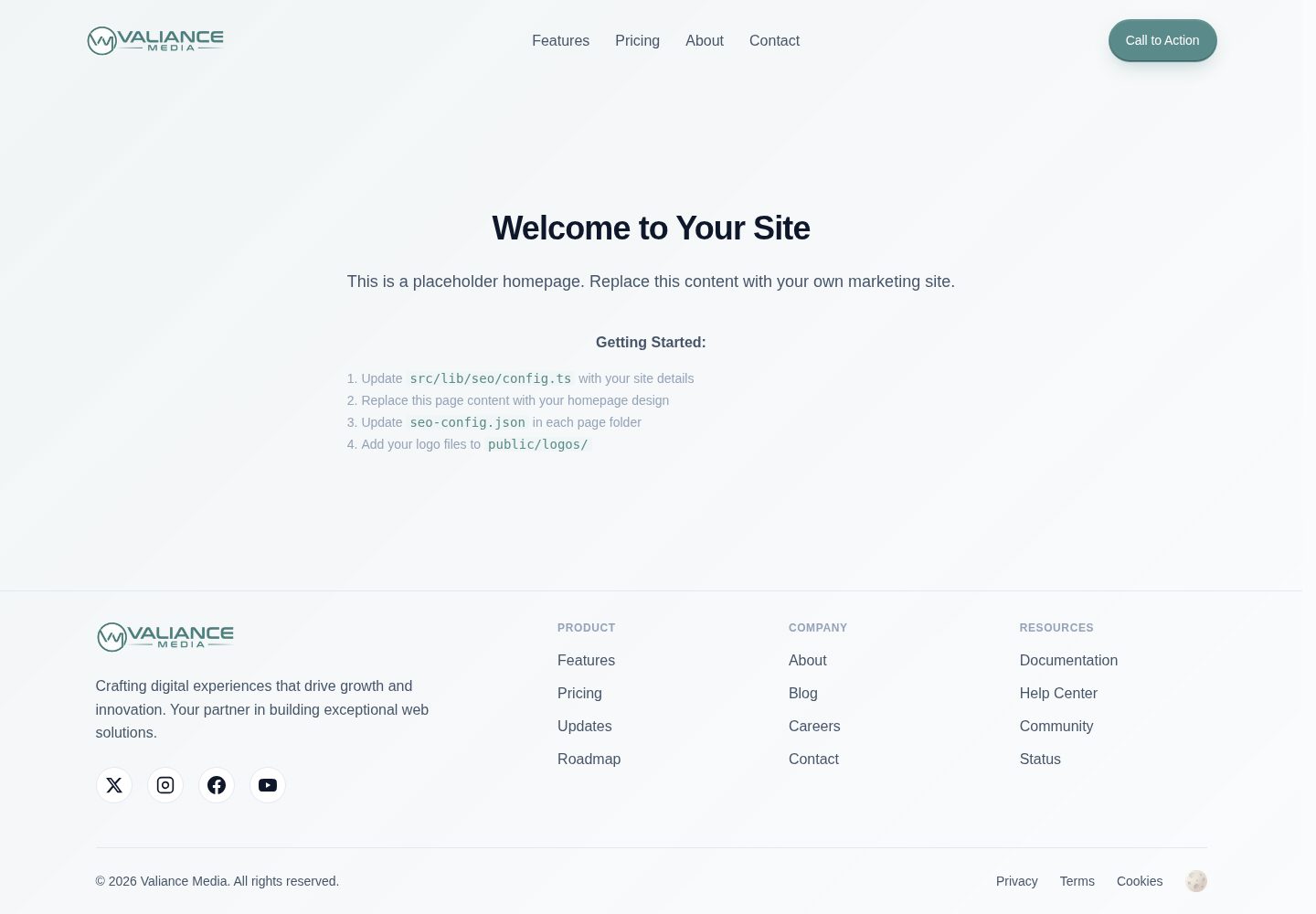
看看你的网站会是什么样
浏览真实页面截图,比较内容排版与手机效果。点击下方缩略图切换,放大查看整页细节。
全部页面与视图 3
截图用于了解视觉与布局,交互效果请以实际项目为准。
采集于 2026-10-03查看来源
值得关注的模板亮点
从已有项目资料中,快速了解它的特点。
独立 SEO 面板,可管理元标签、重定向、robots.txt 和多份站点地图
可视化 Schema 结构化数据生成器,覆盖文章、产品、FAQ、活动等多种类型
基于 TypeScript 与 Tailwind CSS,提供深色/浅色主题和可复用组件
后台认证包含登录失败锁定与会话超时,环境变量集中管理站点配置
模板详细介绍
这是一个基于 Next.js 与 React 的启动模板,面向营销网站和博客场景。它自带一套管理后台,可在浏览器中创建和编辑博客文章、静态页面与分类,内容以本地文件形式保存,需要你通过 IDE 或 Git 客户端提交变更。SEO 部分提供独立的管理面板,覆盖元标签、站点地图、重定向、robots.txt 以及结构化数据(Schema)的可视化编辑。
模板使用 TypeScript 与 Tailwind CSS,附带深色/浅色主题和一组可复用 UI 组件。认证系统用于保护后台入口,并包含登录失败锁定与会话超时机制。环境变量集中管理站点地址、分析工具和搜索引擎验证码等配置。
需要注意的是,内容存储依赖本地文件系统,没有内置数据库;后台账号需通过脚本或环境变量手动初始化。演示站点中的图片、字体、图标等第三方素材需单独核对许可,域名、托管等外部服务也可能产生费用。
Next.jsReact博客企业官网启动器
适合你的项目吗?
适用场景
- 搭建以内容营销为主的企业官网或产品落地页
- 创建带后台编辑能力的博客站点
- 需要集中管理 SEO 元数据、重定向和结构化数据的项目
- 希望用本地文件而非数据库存储内容的静态或混合渲染站点
适合人群
- 熟悉 Next.js 与 React、希望快速起步营销站点的开发者
- 需要可视化后台但不想引入数据库的内容团队
- 重视 SEO 配置与结构化数据管理的项目
- 接受通过 Git 提交内容变更的工作流
上手与定制指南
结合仓库当前版本的说明,按下面的资料检查内容、配置与运行要求。
- 1
需要 Node.js 18+ 及 npm、yarn 或 pnpm,克隆仓库后安装依赖
- 2
运行 npm run setup-auth 或手动在 .env.local 中配置后台用户名、密码哈希和会话密钥
- 3
复制 .env.example 为 .env.local,至少设置 NEXT_PUBLIC_SITE_URL
- 4
在 src/lib/seo/config.ts 中填写站点名称、地址和社交信息,品牌展示会读取该配置
- 5
准备 favicon 资源并放入 public/favicon/,开发环境可访问 /admin 进入后台
授权与来源资料
使用条件与限制
免费使用 · 保留许可声明本次收录的是公开仓库中采用 MIT 许可的免费版本;免费范围为该版本代码,不代表外部服务或第三方素材免费。
使用时需要遵守
- 允许免费使用、修改、商用和分发该版本代码。
- 分发代码副本或实质性部分时,保留原作者版权声明和完整 MIT 许可声明。
- 代码按现状提供;担保与责任限制以原许可证及适用法律为准。
额外费用与待核对事项
- 使用后台管理功能必须配置管理员认证:需运行 npm run setup-auth 或手动在 .env.local 中设置 ADMIN_USERNAME、ADMIN_PASSWORD_HASH、SESSION_SECRET,否则无法访问 /admin。
- 内容以本地 JSON 文件形式存储于 public/blog-content/,没有数据库;在后台所做的修改需自行通过 IDE 或 Git 客户端提交并重新部署才能在线上生效。
- DISABLE_ADMIN_AUTH=true 仅可在开发环境用于跳过后台认证,README 明确禁止在生产环境使用该选项。
- favicon 资源需借助外部网站 favicon.io 生成后手动放入 public/favicon/,属于外部服务依赖。
- 部署到 Vercel 时需在 Vercel 控制台配置全部环境变量;使用域名、托管及分析类服务可能产生额外费用。
- 演示图片、字体、图标及其他第三方素材需按各自许可核对,不能仅凭代码的 MIT 许可判断。
- 域名、托管、数据库、支付或 AI 等外部服务可能另外收费。
查看原文依据
Permission is hereby granted, free of charge
许可证原文
Set up authentication (Required for Admin Access)
README 原文
Content saved to local files, commit via your IDE/git client
README 原文
DISABLE_ADMIN_AUTH=true # Disable auth in development (never use in production)
README 原文
Go to [favicon.io/favicon-converter/](https://favicon.io/favicon-converter/)
README 原文
https://github.com/ciaranmci27/valiance-media-nextjs-starter/blob/main/LICENSEhttps://github.com/ciaranmci27/valiance-media-nextjs-starter/blob/main/README.mdAdd all environment variables in Vercel dashboard
README 原文
DeepSeek 根据仓库许可证和 README 整理 ·2026-10-03。结果仅覆盖已读取资料,依赖、图片、字体及后续条款变更以各自原文为准。
项目核对记录与介绍依据
模板资料
- 来源平台
- GitHub
- 资料与维护参考分
- 资料较完整 · 88 / 100
- 技术栈
- Next.js · React
- 网站类型
- 博客 · 企业官网 · 启动器
这个分数如何计算
本站按许可资料(最高30分)、演示链接(12分)、预览图(10分)、Star数(15分)、记录的维护时间(15分)、描述完整度(8分)、功能记录(5分)和分类资料(5分)计算。它不是代码、安全或性能测试,也不是 Google 评分;有链接不代表已实测可用。
这个项目需要核对什么
- 记录的仓库更新时间
- 2026-05-04
- 截图检查日期
- 2026-10-03
已收录演示链接。请用你的内容与屏幕尺寸检查;有演示不代表表单、认证或支付已经可用。
目录记录的主要技术栈是 Next.js。请通过依赖清单和锁文件核对实际版本与托管要求。这些说明基于收录资料,不代表代码审计或部署实测。
查看具体选型方法 →介绍的制作与核对状态
介绍由 AI 辅助整理目录与仓库资料。仓库作者不等于这篇介绍的审核者。
审核声明: [email protected] · 2026-10-04
查看当时使用的来源资料
SHA-256: 3e8a4199eb4fb5f3146e15f9bc23901f974ca386b106495837c6e9cc8cc6940e
2026-10-03T22:21:07.342Z
来源文件 / 仓库# Valiance Media Next.js Starter Boilerplate
A production-ready Next.js boilerplate with built-in SEO optimization, content management system, and modern development practices. Created by [Valiance Media LLC](https://valiancemedia.com) to accelerate the development of professional marketing websites and web applications.
## Homepage
<p align="center">
<img src="https://github.com/user-attachments/assets/18bcfa52-7716-4c04-9eb9-4daf86f94297" alt="valiance-media-nextjs-starter-preview" width="49%" />
<img src="https://github.com/user-attachments/assets/c8d6405a-36de-4295-a78e-31bcc65d6a05" alt="image" width="49%" />
</p>
## Admin Dashboard
<p align="center">
<img src="https://github.com/user-attachments/assets/4467133b-a70d-41e6-ae4a-98ab6eadc103" alt="valiance-media-nextjs-starter-preview" width="49%" />
<img src="https://github.com/user-attachments/assets/03770c68-f2e3-465c-ba45-0420c49b0724" alt="image" width="49%" />
</p>
## Manage Pages
<p align="center">
<img src="https://github.com/user-attachments/assets/6e0ff488-817b-4f7d-acdd-7de121ffb916" alt="valiance-media-nextjs-starter-preview" width="49%" />
<img src="https://github.com/user-attachments/assets/98273f47-4bcf-4067-a1d2-a7f917b2f1db" alt="image" width="49%" />
</p>
## SEO Dashboard
<p align="center">
<img src="https://github.com/user-attachments/assets/cd01fba4-0825-45b0-bb60-37711a31ddb9" alt="valiance-media-nextjs-starter-preview" width="49%" />
<img src="https://github.com/user-attachments/assets/c26b7647-1788-4a54-861f-bb027d156f8a" alt="image" width="49%" />
</p>
## Application Settings
<p align="center">
<img src="https://github.com/user-attachments/assets/f61d3e1f-a9dc-4066-aabd-369536c14b37" alt="valiance-media-nextjs-starter-preview" width="49%" />
<img src="https://github.com/user-attachments/assets/4472540e-c69e-40ee-ab7d-246312598249" alt="image" width="49%" />
</p>
## 🚀 Features
### Advanced SEO Management
- **Visual SEO Dashboard**: Complete SEO health monitoring with actionable insights
- **Multi-Sitemap Architecture**: Automatic generation of separate sitemaps for pages, blog posts, and categories
- **Schema Markup Generator**: Visual interface for 13+ schema types (Article, Product, FAQ, HowTo, Event, etc.)
- **Social Media Previews**: Live preview of content on Twitter, Facebook, and LinkedIn
- **Redirect Management**: Intelligent redirect system with chain and circular redirect prevention
- **Robots.txt Editor**: GUI editor with validation and best practices
- **Meta Tag Automation**: Automatic generation of optimal meta tags for all pages
- **Search Console Integration**: Direct integration with verification codes
### Professional Content Management System
- **Comprehensive Admin Dashboard**: Multi-tab interface with Overview, Content, and System management
- **Visual Blog Editor**: Rich text editor with formatting tools, image management, and SEO fields
- **Local File Storage**: Content saved to local files, commit via your IDE/git client
- **Advanced Page Management**:
- CRUD operations for static pages with individual SEO settings
- Automatic detection of static vs dynamic (client) components
- Support for nested page structures (e.g., `/auth/login`, `/docs/api/reference`)
- Visual indicators for page types in admin panel
- Read-only SEO fields for client components
- "Rescan Pages" feature to discover newly added pages
- **Category Management**: Full category system with descriptions, slugs, and post counting
- **Draft/Published Workflow**: Complete content workflow with featured content highlighting
- **Content Organization**: Tags, categories, reading time, and author management
- **Bulk Operations**: Manage multiple posts and pages efficiently
### System Configuration & Monitoring
- **Multi-Provider Email Support**: SMTP, SendGrid, Mailgun, Postmark, and Resend
- **Analytics Integration**: Google Analytics, Facebook Pixel, Hotjar, Microsoft Clarity
- **Site Verification**: Google, Bing, Yandex, Pinterest verification management
- **Real-time Health Monitoring**: System status indicators for all components
- **Environment Variable Validation**: Automatic checking of required configurations
- **Performance Metrics**: Publishing rates, content statistics, system health scores
### Developer Experience
- **TypeScript**: Full type safety across the application with proper interfaces
- **Tailwind CSS**: Utility-first CSS framework with custom blue-based theme
- **Theme System**: Built-in dark/light mode with CSS variables
- **Component Library**: 50+ reusable UI components with consistent naming
- **ESLint & Prettier**: Code quality and formatting enforcement
- **Design System**: Comprehensive typography and spacing system
- **Edge-Compatible Auth**: Authentication system optimized for edge runtime with security features
- **API Documentation**: Well-structured RESTful endpoints
- **Dynamic Configuration**: All branding dynamically pulls from central SEO config
- **Production Build Tools**: Automatic page configuration generation for deployment
### Production Ready
- **Performance Optimized**: 95+ Lighthouse scores, optimized for Core Web Vitals
- **Mobile-First Design**: Responsive layouts with touch-friendly interfaces
- **Security Features**: CSRF protection, XSS prevention, secure authentication with brute-force protection and session management
- **Deployment Ready**: Optimized for Vercel, Netlify, and other platforms
- **Legal Compliance**: Privacy Policy and Terms of Service templates
- **Accessibility**: WCAG 2.1 AA compliant components
## 📦 Quick Start
### Prerequisites
- Node.js 18+
- npm or yarn or pnpm
- Git (for version control)
### Installation
1. **Clone the repository:**
```bash
git clone https://github.com/valiance-media/nextjs-starter.git my-project
cd my-project
```
2. **Install dependencies:**
```bash
npm install
# Note: You may see deprecation warnings from ESLint v8 dependencies.
# These are expected as Next.js 15 still uses ESLint v8.
# The warnings don't affect functionality.
```
3. **Set up authentication (Required for Admin Access):**
```bash
# Run the auth setup script
npm run setup-auth
# Or manually create .env.local with:
ADMIN_USERNAME=your-admin-username
ADMIN_PASSWORD_HASH=your-hashed-password
SESSION_SECRET=your-session-secret
```
4. **Configure environment variables:**
```bash
# Create .env.local file
cp .env.example .env.local
# Edit .env.local with your values
NEXT_PUBLIC_SITE_URL=http://localhost:3000
```
5. **Update the SEO configuration:**
- Edit `src/lib/seo/config.ts` with your company information
- Update site URL, social media links, and verification codes
- All branding throughout the app automatically uses this configuration
6. **Generate favicon assets:**
- Go to [favicon.io/favicon-converter/](https://favicon.io/favicon-converter/)
- Upload your logo (512x512px or larger recommended)
- Download and extract files to `public/favicon/`
7. **Run the development server:**
```bash
npm run dev
```
Open [http://localhost:3000](http://localhost:3000) to see your site.
Access the admin dashboard at [http://localhost:3000/admin](http://localhost:3000/admin)
## 🎨 Admin Dashboard
### Accessing the Admin Panel
1. Navigate to `/admin/login`
2. Use the credentials you set up in `.env.local`
3. Access the comprehensive dashboard at `/admin`
4. Note: The system includes automatic account lockout after failed login attempts and session timeout for security
### Dashboard Features
#### Overview Tab
- **Quick Actions**: Create new posts/pages, manage categories, access SEO settings
- **Statistics Cards**: Total posts, published, drafts, pages count
- **Recent Posts**: Quick access with inline editing capabilities
- **System Status**: Real-time monitoring of storage, Analytics, SEO configuration
- **Categories Overview**: Visual breakdown with post counts
- **Performance Metrics**: Publishing rates and content health scores
#### Content Tab
- **Blog Management**: Create, edit, delete posts with rich text editor
- **Page Management**: Static page CRUD operations with SEO settings
- **Category Management**: Organize content with hierarchical categories
- **Redirect Management**: Create and manage URL redirects with chain prevention
#### System Tab
- **Configuration Center**: Access all system settings from one place
- **Integration Management**: Analytics configuration
- **Site Files**: Quick access to sitemap.xml and robots.txt
- **Settings Page**: Comprehensive configuration interface
### Content Editor Features
- **Rich Text Editing**: Headings, formatting, lists, links, images, code blocks
- **SEO Optimization**: Meta title, description, keywords, schema markup
- **Media Management**: Upload and manage images locally
- **Draft System**: Save drafts and publish when ready
- **Featured Content**: Highlight important posts
- **Categories & Tags**: Organize content effectively
- **Author Attribution**: Track content creators
- **Reading Time**: Automatic calculation
## 🎯 SEO Management
### SEO Dashboard (`/admin/seo`)
Access the comprehensive SEO management interface with multiple tabs:
#### Configuration Tab
- **Visual Config Editor**: Modify seo.config.ts through GUI
- **Social Media Settings**: Configure Open Graph and Twitter Cards
- **Analytics Setup**: Integrate tracking codes
- **Verification Codes**: Manage search engine verifications
#### Redirects Tab
- **Smart Redirect Management**: Create, edit, delete redirects
- **Chain Prevention**: Automatic detection and prevention of redirect chains
- **Circular Detection**: Prevents A→B→A redirect loops
- **Bulk Updates**: Update multiple redirects when chains are detected
#### Schema Markup Tab
- **Schema Generator**: Visual interface for creating structured data
- **13+ Schema Types**: Article, Product, FAQ, HowTo, Event, Service, etc.
- **Auto-population**: Schemas populate with page data automatically
- **Validation Tools**: Direct links to Google Rich Results Test
- **Export JSON-LD**: Copy generated schemas for external use
#### SEO Health Tab
- **Meta Tag Analysis**: Check all pages for proper meta tags
- **Sitemap Status**: Monitor sitemap generation and content
- **Schema Coverage**: Track which pages have structured data
- **Performance Metrics**: SEO-related performance indicators
### Schema Markup System
The boilerplate includes advanced schema markup support:
**Supported Schema Types:**
- Organization / LocalBusiness / Person
- Article / BlogPosting / NewsArticle
- Product / Service / Review
- FAQ / HowTo / Recipe
- Event / Course / JobPosting
- Video / SoftwareApplication
- Website / BreadcrumbList
**Features:**
- Visual schema editor in blog/page editors
- Automatic schema generation based on content
- Multiple schemas per page support
- Schema validation and testing tools
## 🔧 Configuration
### Environment Variables
```env
# Required
NEXT_PUBLIC_SITE_URL=https://yoursite.com
# Admin Authentication (Required for Admin Access)
ADMIN_USERNAME=admin
ADMIN_PASSWORD_HASH=hashed-password-here
ADMIN_TOKEN=your-session-token
# Analytics (Optional)
NEXT_PUBLIC_GA_MEASUREMENT_ID=G-XXXXXXXXXX
NEXT_PUBLIC_FB_PIXEL_ID=XXXXXXXXXX
NEXT_PUBLIC_HOTJAR_ID=XXXXXXXXXX
NEXT_PUBLIC_CLARITY_ID=XXXXXXXXXX
# Site Verification (Optional)
NEXT_PUBLIC_GOOGLE_SITE_VERIFICATION=XXXXXXXXXX
NEXT_PUBLIC_BING_SITE_VERIFICATION=XXXXXXXXXX
NEXT_PUBLIC_YANDEX_SITE_VERIFICATION=XXXXXXXXXX
NEXT_PUBLIC_PINTEREST_SITE_VERIFICATION=XXXXXXXXXX
# Development Options
DISABLE_ADMIN_AUTH=true # Disable auth in development (never use in production)
```
### SEO Configuration
All SEO settings are centralized in `src/lib/seo/config.ts`:
```typescript
export const seoConfig = {
siteName: 'Your Company',
siteUrl: 'https://yoursite.com',
defaultTitle: 'Your Default Title',
defaultDescription: 'Your default description',
defaultKeywords: ['keyword1', 'keyword2'],
// Social Media
social: {
twitter: '@yourhandle',
facebook: 'yourpage',
instagram: 'yourprofile',
linkedin: 'company/yourcompany'
},
// Organization Schema
organization: {
name: 'Your Company',
logo: '/logos/logo.png',
contactEmail: '[email protected]'
}
};
```
### Theme Customization
- Edit `src/styles/themes.ts` for color schemes
- Modify `tailwind.config.js` for design tokens
- Update CSS variables in `src/styles/globals.css`
- Customize typography system for brand consistency
## 📁 Project Structure
```
├── public/
│ ├── favicon/ # Favicon assets
│ ├── images/ # Static images
│ ├── logos/ # Company logos
│ └── blog-content/ # Blog post content (JSON files)
│ └── images/ # Blog post images
├── src/
│ ├── app/ # Next.js app router pages
│ │ ├── admin/ # Admin CMS pages
│ │ │ ├── page.tsx # Enhanced admin dashboard
│ │ │ ├── blog/ # Blog management
│ │ │ ├── pages/ # Page management
│ │ │ ├── seo/ # SEO dashboard
│ │ │ ├── settings/ # System settings
│ │ │ └── categories/ # Category management
│ │ ├── api/ # API routes
│ │ │ └── admin/ # Admin API endpoints
│ │ ├── blog/ # Public blog pages
│ │ └── (pages)/ # Static pages
│ ├── components/ # Reusable components
│ │ ├── admin/ # Admin-specific components
│ │ │ ├── seo/ # SEO management components
│ │ │ └── blog/ # Blog editor components
│ │ └── ui/ # UI components
│ ├── seo/ # SEO utilities
│ ├── lib/ # Utility functions
│ │ ├── auth.ts # Authentication
│ │ └── redirects.ts # Redirect management
│ └── proxy.ts # Route proxy (auth, redirects, sitemap)
├── scripts/
│ └── generate-pages-config.js # Scans and catalogs all pages
```
## 🚢 Deployment
### Vercel (Recommended)
1. Push your code to GitHub
2. Import your repository on [Vercel](https://vercel.com)
3. Add all environment variables in Vercel dashboard
4. Deploy (build scripts automatically run to catalog pages)
### Content Management Workflow
This boilerplate uses a local file-based content management approach:
- Content is stored in `public/blog-content/` as JSON files
- Make changes locally via the admin panel
- Commit and push changes via your IDE or git client
- Redeploy to see changes in production
This approach provides:
- Full version control for all content
- No database required
- Simple deployment workflow
- Works with any static hosting platform
## 📊 API Endpoints
### Public Endpoints
- `GET /api/blog` - List all published blog posts
- `GET /api/blog/[slug]` - Get single blog post
- `GET /sitemap.xml` - Dynamic sitemap
- `GET /robots.txt` - Robots file
### Admin Endpoints (Protected)
- `POST /api/admin/login` - Admin login
- `DELETE /api/admin/login` - Admin logout
- `GET /api/admin/dashboard` - Dashboard statistics
- `POST /api/admin/blog` - Create blog post
- `PUT /api/admin/blog` - Update blog post
- `DELETE /api/admin/blog` - Delete blog post
- `GET /api/admin/pages` - List pages
- `POST /api/admin/pages` - Create page
- `GET /api/admin/seo` - SEO configuration
- `PUT /api/admin/seo` - Update SEO settings
- `POST /api/admin/redirects` - Manage redirects
## ⚡ Performance
This boilerplate is optimized for:
- **Lighthouse Score**: 95+ across all metrics
- **Core Web Vitals**: Optimized for LCP, FID, and CLS
- **SEO Score**: 100/100 on most SEO analyzers
- **Accessibility**: WCAG 2.1 AA compliant
- **Page Speed**: Sub-second load times with proper caching
## 🛠️ Built With
- [Next.js 15](https://nextjs.org/) - React framework with App Router
- [TypeScript](https://www.typescriptlang.org/) - Type safety
- [Tailwind CSS](https://tailwindcss.com/) - Utility-first CSS
- [React 19](https://react.dev/) - UI library
## 📄 License
This project is licensed under the MIT License - see the [LICENSE](LICENSE) file for details.
## 🤝 Contributing
Contributions are welcome! Please feel free to submit a Pull Request.
## 💼 About Valiance Media
[Valiance Media LLC](https://valiancemedia.com) creates innovative in-house software solutions and e-commerce brands. We build digital products that drive growth and deliver exceptional user experiences.
### Contact
- Website: [valiancemedia.com](https://valiancemedia.com)
- Email: [email protected]
---
**Made with ❤️ by Valiance Media LLC**
*Building digital excellence, one project at a time.*
看看同类模板
对比同技术栈与用途的模板,找到更适合的视觉与内容结构。

ai-website-cloner-template
Clone any website with one command using AI coding agents
Next.js · 启动器

Next.js SaaS Starter
Next.js SaaS Starter 是 Next.js 官方维护的 SaaS 起点模板,定位介于学习资源和可直接部署的脚手架之间。
Next.js · SaaS

Next.js Commerce
Next.js Commerce 是 Vercel 团队维护的电商启动模板,基于 Next.js App Router 构建,采用服务端渲染、React Server Components、Server Actions …
Next.js · 电商

Next-js-Boilerplate
Next-js-Boilerplate 是一个面向 Next.js 16、Tailwind CSS 4 和 TypeScript 的启动器,核心定位是开发者体验优先。
Next.js · 启动器

tailwind-nextjs-starter-blog
tailwind-nextjs-starter-blog 是一个面向个人技术博客的 Next.js 与 Tailwind CSS 启动模板,其 v2 版本基于 App Router 与 React Server Comp…
Next.js · 博客

next-forge
Production-grade Turborepo template for Next.js apps.
Next.js · 启动器