Built-in admin panel supporting CRUD for blog posts, static pages, and categories, with content saved as local files
Next.jsReactBlogCorporate WebsiteStarter
valiance-media-nextjs-starter — Next.js Blog Template
By ciaranmci27
An open-source Next.js marketing website and blog starter template by Valiance Media, featuring a visual admin panel, SEO management dashboard, and local file content storage, under the MIT license.
Explore the design
Compare the page layouts and mobile experience. Open any screenshot for a closer look.
Desktop homepage1 / 3
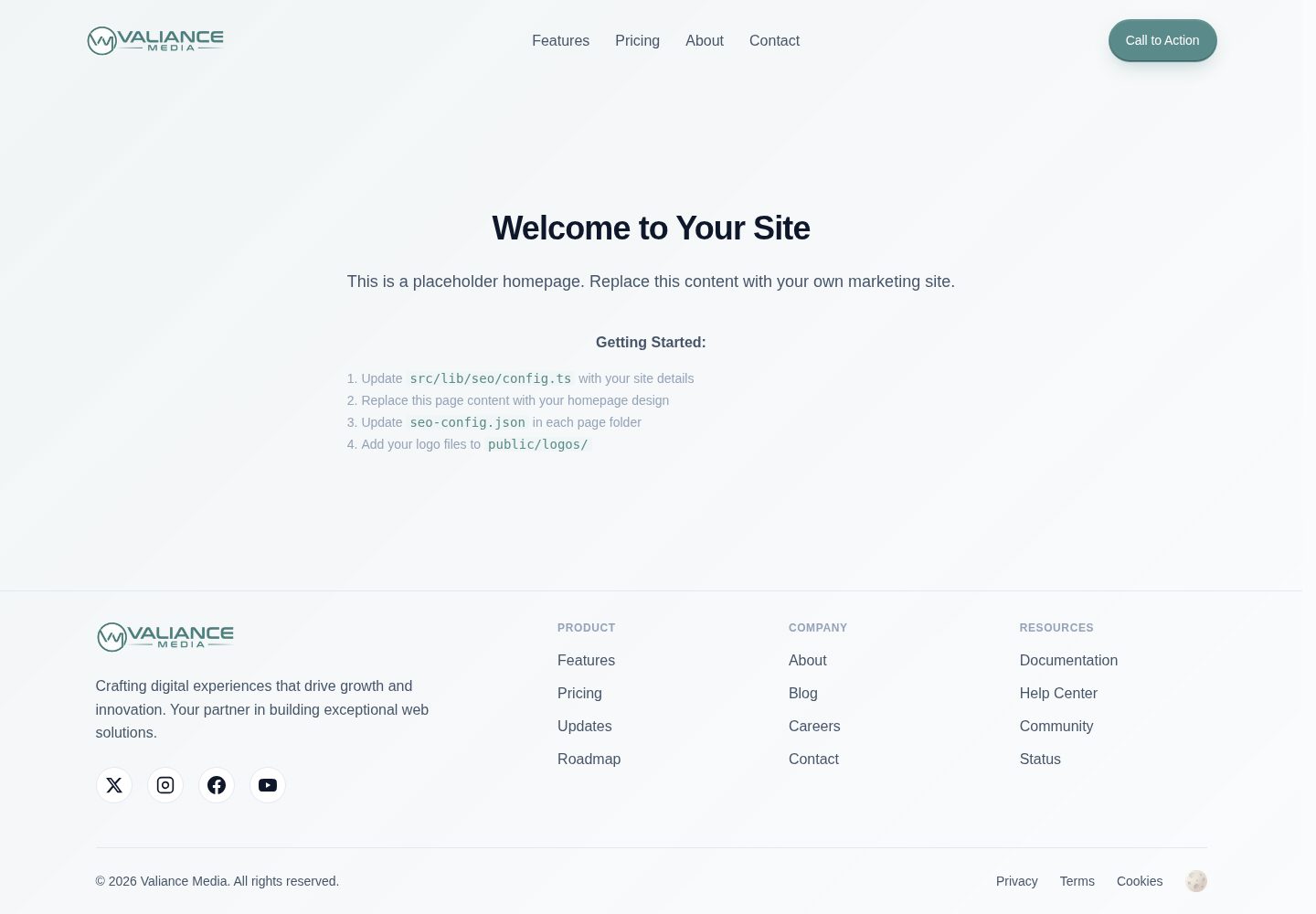
Desktop captureTop of page
Actual screenshot captured by the server browser.
All pages & views 3
Screenshots show visual appearance; interactive behavior may differ.
Recorded 2026-10-03View source
What stands out
A quick read of the recorded project description.
Separate SEO panel to manage meta tags, redirects, robots.txt, and multiple sitemaps
Visual Schema structured data generator covering articles, products, FAQs, events, and more
Based on TypeScript and Tailwind CSS, offering dark/light themes and reusable components
Admin authentication includes login failure lockout and session timeout, with environment variables centrally managing site configuration
Template Details
This is a starter template based on Next.js and React, designed for marketing websites and blogs. It includes an admin panel where you can create and edit blog posts, static pages, and categories in the browser. Content is saved as local files, and you need to commit changes via an IDE or Git client. The SEO section provides a separate management panel with visual editing for meta tags, sitemaps, redirects, robots.txt, and structured data (Schema).
The template uses TypeScript and Tailwind CSS, and comes with dark/light themes and a set of reusable UI components. The authentication system protects the admin entry and includes login failure lockout and session timeout mechanisms. Environment variables centrally manage site URL, analytics tools, and search engine verification codes.
Note that content storage relies on the local file system with no built-in database; admin accounts must be initialized manually via scripts or environment variables. Third-party assets such as images, fonts, and icons in the demo site need separate license verification, and external services like domains and hosting may incur costs.
Next.jsReactBlogCorporate WebsiteStarter
Is it right for your project?
Use Cases
- Building a corporate website or product landing page focused on content marketing
- Creating a blog site with admin editing capabilities
- Projects requiring centralized management of SEO metadata, redirects, and structured data
- Static or hybrid rendering sites that prefer local file storage over a database
Suitable For
- Developers familiar with Next.js and React who want to quickly start a marketing site
- Content teams needing a visual admin panel without introducing a database
- Projects that value SEO configuration and structured data management
- Those who accept a workflow of committing content changes via Git
Getting started & customization
Use these recorded setup notes alongside the repository instructions for your chosen version.
- 1
Requires Node.js 18+ and npm, yarn, or pnpm; clone the repository and install dependencies
- 2
Run npm run setup-auth or manually configure admin username, password hash, and session secret in .env.local
- 3
Copy .env.example to .env.local and at least set NEXT_PUBLIC_SITE_URL
- 4
Fill in site name, URL, and social info in src/lib/seo/config.ts; brand display reads this configuration
- 5
Prepare favicon assets and place them in public/favicon/; in development, access /admin to enter the admin panel
License & source material
Usage conditions & limitations
Free to use · keep license noticeThis entry covers the free version under the MIT license in the public repository; the free scope applies to that version's code and does not imply that external services or third-party assets are free.
Must comply with when using
- Free use, modification, commercial use, and distribution of this version's code are permitted.
- When distributing copies or substantial portions of the code, retain the original author's copyright notice and the full MIT license notice.
- The code is provided as-is; warranties and liability limitations are governed by the original license and applicable law.
Additional costs & items to verify
- Using the admin features requires configuring administrator authentication: run npm run setup-auth or manually set ADMIN_USERNAME, ADMIN_PASSWORD_HASH, and SESSION_SECRET in .env.local; otherwise, /admin is inaccessible.
- Content is stored as local JSON files in public/blog-content/ with no database; changes made in the admin panel must be committed via an IDE or Git client and redeployed to take effect online.
- DISABLE_ADMIN_AUTH=true can only be used in development to bypass admin authentication; the README explicitly prohibits using this option in production.
- Favicon assets must be generated via the external site favicon.io and manually placed in public/favicon/, which is an external service dependency.
- When deploying to Vercel, all environment variables must be configured in the Vercel console; using domains, hosting, and analytics services may incur additional costs.
- Demo images, fonts, icons, and other third-party assets must be checked against their respective licenses and cannot be judged solely by the code's MIT license.
- External services such as domains, hosting, databases, payments, or AI may incur separate charges.
View Original Text Basis
Permission is hereby granted, free of charge
Original License Text
Set up authentication (Required for Admin Access)
Original README
Content saved to local files, commit via your IDE/git client
Original README
DISABLE_ADMIN_AUTH=true # Disable auth in development (never use in production)
Original README
Go to [favicon.io/favicon-converter/](https://favicon.io/favicon-converter/)
Original README
https://github.com/ciaranmci27/valiance-media-nextjs-starter/blob/main/LICENSEhttps://github.com/ciaranmci27/valiance-media-nextjs-starter/blob/main/README.mdAdd all environment variables in Vercel dashboard
Original README
Compiled by DeepSeek based on repository license and README ·2026-10-03. Results only cover the materials read; dependencies, images, fonts, and subsequent term changes are subject to their respective original texts.
Project checks & description sources
Template Information
- Source platforms
- GitHub
- Documentation and maintenance reference score
- More documented · 88 / 100
- Technologies
- Next.js · React
- Website type
- Blog · Corporate Website · Starter
How this score is calculated
Our heuristic uses license records (up to 30), a demo link (12), a preview (10), stars (15), recorded maintenance (15), description completeness (8), feature records (5) and classification data (5). It is not a code, security or performance test, or a Google score. A link does not establish tested functionality.
What to verify for this project
- Repository update recorded
- 2026-05-04
- Screenshot last checked
- 2026-10-03
A demo link is listed. Check it with your own content and viewport sizes; its presence does not confirm that forms, authentication or payments work.
The catalog identifies Next.js as the primary stack. Check the actual dependency manifest and lockfile for versions and hosting requirements. These notes use recorded metadata, not a code audit or a deployment test.
Use a selection guide →How this description was prepared
AI-assisted description based on catalog records and repository material. Repository authors are not automatically the reviewers of this description.
Review declaration: [email protected] · 2026-10-04
Inspect the recorded source material
SHA-256: 3e8a4199eb4fb5f3146e15f9bc23901f974ca386b106495837c6e9cc8cc6940e
2026-10-03T22:21:07.342Z
Source file / repository# Valiance Media Next.js Starter Boilerplate
A production-ready Next.js boilerplate with built-in SEO optimization, content management system, and modern development practices. Created by [Valiance Media LLC](https://valiancemedia.com) to accelerate the development of professional marketing websites and web applications.
## Homepage
<p align="center">
<img src="https://github.com/user-attachments/assets/18bcfa52-7716-4c04-9eb9-4daf86f94297" alt="valiance-media-nextjs-starter-preview" width="49%" />
<img src="https://github.com/user-attachments/assets/c8d6405a-36de-4295-a78e-31bcc65d6a05" alt="image" width="49%" />
</p>
## Admin Dashboard
<p align="center">
<img src="https://github.com/user-attachments/assets/4467133b-a70d-41e6-ae4a-98ab6eadc103" alt="valiance-media-nextjs-starter-preview" width="49%" />
<img src="https://github.com/user-attachments/assets/03770c68-f2e3-465c-ba45-0420c49b0724" alt="image" width="49%" />
</p>
## Manage Pages
<p align="center">
<img src="https://github.com/user-attachments/assets/6e0ff488-817b-4f7d-acdd-7de121ffb916" alt="valiance-media-nextjs-starter-preview" width="49%" />
<img src="https://github.com/user-attachments/assets/98273f47-4bcf-4067-a1d2-a7f917b2f1db" alt="image" width="49%" />
</p>
## SEO Dashboard
<p align="center">
<img src="https://github.com/user-attachments/assets/cd01fba4-0825-45b0-bb60-37711a31ddb9" alt="valiance-media-nextjs-starter-preview" width="49%" />
<img src="https://github.com/user-attachments/assets/c26b7647-1788-4a54-861f-bb027d156f8a" alt="image" width="49%" />
</p>
## Application Settings
<p align="center">
<img src="https://github.com/user-attachments/assets/f61d3e1f-a9dc-4066-aabd-369536c14b37" alt="valiance-media-nextjs-starter-preview" width="49%" />
<img src="https://github.com/user-attachments/assets/4472540e-c69e-40ee-ab7d-246312598249" alt="image" width="49%" />
</p>
## 🚀 Features
### Advanced SEO Management
- **Visual SEO Dashboard**: Complete SEO health monitoring with actionable insights
- **Multi-Sitemap Architecture**: Automatic generation of separate sitemaps for pages, blog posts, and categories
- **Schema Markup Generator**: Visual interface for 13+ schema types (Article, Product, FAQ, HowTo, Event, etc.)
- **Social Media Previews**: Live preview of content on Twitter, Facebook, and LinkedIn
- **Redirect Management**: Intelligent redirect system with chain and circular redirect prevention
- **Robots.txt Editor**: GUI editor with validation and best practices
- **Meta Tag Automation**: Automatic generation of optimal meta tags for all pages
- **Search Console Integration**: Direct integration with verification codes
### Professional Content Management System
- **Comprehensive Admin Dashboard**: Multi-tab interface with Overview, Content, and System management
- **Visual Blog Editor**: Rich text editor with formatting tools, image management, and SEO fields
- **Local File Storage**: Content saved to local files, commit via your IDE/git client
- **Advanced Page Management**:
- CRUD operations for static pages with individual SEO settings
- Automatic detection of static vs dynamic (client) components
- Support for nested page structures (e.g., `/auth/login`, `/docs/api/reference`)
- Visual indicators for page types in admin panel
- Read-only SEO fields for client components
- "Rescan Pages" feature to discover newly added pages
- **Category Management**: Full category system with descriptions, slugs, and post counting
- **Draft/Published Workflow**: Complete content workflow with featured content highlighting
- **Content Organization**: Tags, categories, reading time, and author management
- **Bulk Operations**: Manage multiple posts and pages efficiently
### System Configuration & Monitoring
- **Multi-Provider Email Support**: SMTP, SendGrid, Mailgun, Postmark, and Resend
- **Analytics Integration**: Google Analytics, Facebook Pixel, Hotjar, Microsoft Clarity
- **Site Verification**: Google, Bing, Yandex, Pinterest verification management
- **Real-time Health Monitoring**: System status indicators for all components
- **Environment Variable Validation**: Automatic checking of required configurations
- **Performance Metrics**: Publishing rates, content statistics, system health scores
### Developer Experience
- **TypeScript**: Full type safety across the application with proper interfaces
- **Tailwind CSS**: Utility-first CSS framework with custom blue-based theme
- **Theme System**: Built-in dark/light mode with CSS variables
- **Component Library**: 50+ reusable UI components with consistent naming
- **ESLint & Prettier**: Code quality and formatting enforcement
- **Design System**: Comprehensive typography and spacing system
- **Edge-Compatible Auth**: Authentication system optimized for edge runtime with security features
- **API Documentation**: Well-structured RESTful endpoints
- **Dynamic Configuration**: All branding dynamically pulls from central SEO config
- **Production Build Tools**: Automatic page configuration generation for deployment
### Production Ready
- **Performance Optimized**: 95+ Lighthouse scores, optimized for Core Web Vitals
- **Mobile-First Design**: Responsive layouts with touch-friendly interfaces
- **Security Features**: CSRF protection, XSS prevention, secure authentication with brute-force protection and session management
- **Deployment Ready**: Optimized for Vercel, Netlify, and other platforms
- **Legal Compliance**: Privacy Policy and Terms of Service templates
- **Accessibility**: WCAG 2.1 AA compliant components
## 📦 Quick Start
### Prerequisites
- Node.js 18+
- npm or yarn or pnpm
- Git (for version control)
### Installation
1. **Clone the repository:**
```bash
git clone https://github.com/valiance-media/nextjs-starter.git my-project
cd my-project
```
2. **Install dependencies:**
```bash
npm install
# Note: You may see deprecation warnings from ESLint v8 dependencies.
# These are expected as Next.js 15 still uses ESLint v8.
# The warnings don't affect functionality.
```
3. **Set up authentication (Required for Admin Access):**
```bash
# Run the auth setup script
npm run setup-auth
# Or manually create .env.local with:
ADMIN_USERNAME=your-admin-username
ADMIN_PASSWORD_HASH=your-hashed-password
SESSION_SECRET=your-session-secret
```
4. **Configure environment variables:**
```bash
# Create .env.local file
cp .env.example .env.local
# Edit .env.local with your values
NEXT_PUBLIC_SITE_URL=http://localhost:3000
```
5. **Update the SEO configuration:**
- Edit `src/lib/seo/config.ts` with your company information
- Update site URL, social media links, and verification codes
- All branding throughout the app automatically uses this configuration
6. **Generate favicon assets:**
- Go to [favicon.io/favicon-converter/](https://favicon.io/favicon-converter/)
- Upload your logo (512x512px or larger recommended)
- Download and extract files to `public/favicon/`
7. **Run the development server:**
```bash
npm run dev
```
Open [http://localhost:3000](http://localhost:3000) to see your site.
Access the admin dashboard at [http://localhost:3000/admin](http://localhost:3000/admin)
## 🎨 Admin Dashboard
### Accessing the Admin Panel
1. Navigate to `/admin/login`
2. Use the credentials you set up in `.env.local`
3. Access the comprehensive dashboard at `/admin`
4. Note: The system includes automatic account lockout after failed login attempts and session timeout for security
### Dashboard Features
#### Overview Tab
- **Quick Actions**: Create new posts/pages, manage categories, access SEO settings
- **Statistics Cards**: Total posts, published, drafts, pages count
- **Recent Posts**: Quick access with inline editing capabilities
- **System Status**: Real-time monitoring of storage, Analytics, SEO configuration
- **Categories Overview**: Visual breakdown with post counts
- **Performance Metrics**: Publishing rates and content health scores
#### Content Tab
- **Blog Management**: Create, edit, delete posts with rich text editor
- **Page Management**: Static page CRUD operations with SEO settings
- **Category Management**: Organize content with hierarchical categories
- **Redirect Management**: Create and manage URL redirects with chain prevention
#### System Tab
- **Configuration Center**: Access all system settings from one place
- **Integration Management**: Analytics configuration
- **Site Files**: Quick access to sitemap.xml and robots.txt
- **Settings Page**: Comprehensive configuration interface
### Content Editor Features
- **Rich Text Editing**: Headings, formatting, lists, links, images, code blocks
- **SEO Optimization**: Meta title, description, keywords, schema markup
- **Media Management**: Upload and manage images locally
- **Draft System**: Save drafts and publish when ready
- **Featured Content**: Highlight important posts
- **Categories & Tags**: Organize content effectively
- **Author Attribution**: Track content creators
- **Reading Time**: Automatic calculation
## 🎯 SEO Management
### SEO Dashboard (`/admin/seo`)
Access the comprehensive SEO management interface with multiple tabs:
#### Configuration Tab
- **Visual Config Editor**: Modify seo.config.ts through GUI
- **Social Media Settings**: Configure Open Graph and Twitter Cards
- **Analytics Setup**: Integrate tracking codes
- **Verification Codes**: Manage search engine verifications
#### Redirects Tab
- **Smart Redirect Management**: Create, edit, delete redirects
- **Chain Prevention**: Automatic detection and prevention of redirect chains
- **Circular Detection**: Prevents A→B→A redirect loops
- **Bulk Updates**: Update multiple redirects when chains are detected
#### Schema Markup Tab
- **Schema Generator**: Visual interface for creating structured data
- **13+ Schema Types**: Article, Product, FAQ, HowTo, Event, Service, etc.
- **Auto-population**: Schemas populate with page data automatically
- **Validation Tools**: Direct links to Google Rich Results Test
- **Export JSON-LD**: Copy generated schemas for external use
#### SEO Health Tab
- **Meta Tag Analysis**: Check all pages for proper meta tags
- **Sitemap Status**: Monitor sitemap generation and content
- **Schema Coverage**: Track which pages have structured data
- **Performance Metrics**: SEO-related performance indicators
### Schema Markup System
The boilerplate includes advanced schema markup support:
**Supported Schema Types:**
- Organization / LocalBusiness / Person
- Article / BlogPosting / NewsArticle
- Product / Service / Review
- FAQ / HowTo / Recipe
- Event / Course / JobPosting
- Video / SoftwareApplication
- Website / BreadcrumbList
**Features:**
- Visual schema editor in blog/page editors
- Automatic schema generation based on content
- Multiple schemas per page support
- Schema validation and testing tools
## 🔧 Configuration
### Environment Variables
```env
# Required
NEXT_PUBLIC_SITE_URL=https://yoursite.com
# Admin Authentication (Required for Admin Access)
ADMIN_USERNAME=admin
ADMIN_PASSWORD_HASH=hashed-password-here
ADMIN_TOKEN=your-session-token
# Analytics (Optional)
NEXT_PUBLIC_GA_MEASUREMENT_ID=G-XXXXXXXXXX
NEXT_PUBLIC_FB_PIXEL_ID=XXXXXXXXXX
NEXT_PUBLIC_HOTJAR_ID=XXXXXXXXXX
NEXT_PUBLIC_CLARITY_ID=XXXXXXXXXX
# Site Verification (Optional)
NEXT_PUBLIC_GOOGLE_SITE_VERIFICATION=XXXXXXXXXX
NEXT_PUBLIC_BING_SITE_VERIFICATION=XXXXXXXXXX
NEXT_PUBLIC_YANDEX_SITE_VERIFICATION=XXXXXXXXXX
NEXT_PUBLIC_PINTEREST_SITE_VERIFICATION=XXXXXXXXXX
# Development Options
DISABLE_ADMIN_AUTH=true # Disable auth in development (never use in production)
```
### SEO Configuration
All SEO settings are centralized in `src/lib/seo/config.ts`:
```typescript
export const seoConfig = {
siteName: 'Your Company',
siteUrl: 'https://yoursite.com',
defaultTitle: 'Your Default Title',
defaultDescription: 'Your default description',
defaultKeywords: ['keyword1', 'keyword2'],
// Social Media
social: {
twitter: '@yourhandle',
facebook: 'yourpage',
instagram: 'yourprofile',
linkedin: 'company/yourcompany'
},
// Organization Schema
organization: {
name: 'Your Company',
logo: '/logos/logo.png',
contactEmail: '[email protected]'
}
};
```
### Theme Customization
- Edit `src/styles/themes.ts` for color schemes
- Modify `tailwind.config.js` for design tokens
- Update CSS variables in `src/styles/globals.css`
- Customize typography system for brand consistency
## 📁 Project Structure
```
├── public/
│ ├── favicon/ # Favicon assets
│ ├── images/ # Static images
│ ├── logos/ # Company logos
│ └── blog-content/ # Blog post content (JSON files)
│ └── images/ # Blog post images
├── src/
│ ├── app/ # Next.js app router pages
│ │ ├── admin/ # Admin CMS pages
│ │ │ ├── page.tsx # Enhanced admin dashboard
│ │ │ ├── blog/ # Blog management
│ │ │ ├── pages/ # Page management
│ │ │ ├── seo/ # SEO dashboard
│ │ │ ├── settings/ # System settings
│ │ │ └── categories/ # Category management
│ │ ├── api/ # API routes
│ │ │ └── admin/ # Admin API endpoints
│ │ ├── blog/ # Public blog pages
│ │ └── (pages)/ # Static pages
│ ├── components/ # Reusable components
│ │ ├── admin/ # Admin-specific components
│ │ │ ├── seo/ # SEO management components
│ │ │ └── blog/ # Blog editor components
│ │ └── ui/ # UI components
│ ├── seo/ # SEO utilities
│ ├── lib/ # Utility functions
│ │ ├── auth.ts # Authentication
│ │ └── redirects.ts # Redirect management
│ └── proxy.ts # Route proxy (auth, redirects, sitemap)
├── scripts/
│ └── generate-pages-config.js # Scans and catalogs all pages
```
## 🚢 Deployment
### Vercel (Recommended)
1. Push your code to GitHub
2. Import your repository on [Vercel](https://vercel.com)
3. Add all environment variables in Vercel dashboard
4. Deploy (build scripts automatically run to catalog pages)
### Content Management Workflow
This boilerplate uses a local file-based content management approach:
- Content is stored in `public/blog-content/` as JSON files
- Make changes locally via the admin panel
- Commit and push changes via your IDE or git client
- Redeploy to see changes in production
This approach provides:
- Full version control for all content
- No database required
- Simple deployment workflow
- Works with any static hosting platform
## 📊 API Endpoints
### Public Endpoints
- `GET /api/blog` - List all published blog posts
- `GET /api/blog/[slug]` - Get single blog post
- `GET /sitemap.xml` - Dynamic sitemap
- `GET /robots.txt` - Robots file
### Admin Endpoints (Protected)
- `POST /api/admin/login` - Admin login
- `DELETE /api/admin/login` - Admin logout
- `GET /api/admin/dashboard` - Dashboard statistics
- `POST /api/admin/blog` - Create blog post
- `PUT /api/admin/blog` - Update blog post
- `DELETE /api/admin/blog` - Delete blog post
- `GET /api/admin/pages` - List pages
- `POST /api/admin/pages` - Create page
- `GET /api/admin/seo` - SEO configuration
- `PUT /api/admin/seo` - Update SEO settings
- `POST /api/admin/redirects` - Manage redirects
## ⚡ Performance
This boilerplate is optimized for:
- **Lighthouse Score**: 95+ across all metrics
- **Core Web Vitals**: Optimized for LCP, FID, and CLS
- **SEO Score**: 100/100 on most SEO analyzers
- **Accessibility**: WCAG 2.1 AA compliant
- **Page Speed**: Sub-second load times with proper caching
## 🛠️ Built With
- [Next.js 15](https://nextjs.org/) - React framework with App Router
- [TypeScript](https://www.typescriptlang.org/) - Type safety
- [Tailwind CSS](https://tailwindcss.com/) - Utility-first CSS
- [React 19](https://react.dev/) - UI library
## 📄 License
This project is licensed under the MIT License - see the [LICENSE](LICENSE) file for details.
## 🤝 Contributing
Contributions are welcome! Please feel free to submit a Pull Request.
## 💼 About Valiance Media
[Valiance Media LLC](https://valiancemedia.com) creates innovative in-house software solutions and e-commerce brands. We build digital products that drive growth and deliver exceptional user experiences.
### Contact
- Website: [valiancemedia.com](https://valiancemedia.com)
- Email: [email protected]
---
**Made with ❤️ by Valiance Media LLC**
*Building digital excellence, one project at a time.*
Explore similar templates
Compare previews and descriptions within the same stack and category.

Next.js SaaS Starter
The official Next.js SaaS starter template, integrating email/password authentication, Stripe Checkout subscriptions, a dashboard with user/team CRUD, basic Owner/Member RBAC, and activity logging.
Next.js · SaaS

Next.js Commerce
Vercel's officially maintained Next.js App Router ecommerce starter with deep Shopify integration, offering a complete product catalog, cart, and checkout flow. Core logic is modular for swapping backends, and community provider versions exist for BigCommerce, Medusa, and Saleor.
Next.js · E-commerce

Next-js-Boilerplate
A developer-first Next.js 16 starter with Tailwind CSS 4 and TypeScript, supporting both App Router and Page Router.
Next.js · Starter

tailwind-nextjs-starter-blog
A Next.js and Tailwind CSS blog starter template using Contentlayer for Markdown/MDX, with built-in SEO, code highlighting, and tags. It targets personal technical blogs and migration from Jekyll/Hugo to React, and supports one-click Vercel deployment.
Next.js · Blog

next-forge
next-forge is a Turborepo-based Next.js template maintained by Vercel, positioned as a starting point for SaaS products.
Next.js · Starter

SaaS-Boilerplate
SaaS-Boilerplate is an open-source SaaS starter template built with Next.js App Router, React 19, TypeScript, Tailwind CSS, and Shadcn UI.
Next.js · SaaS