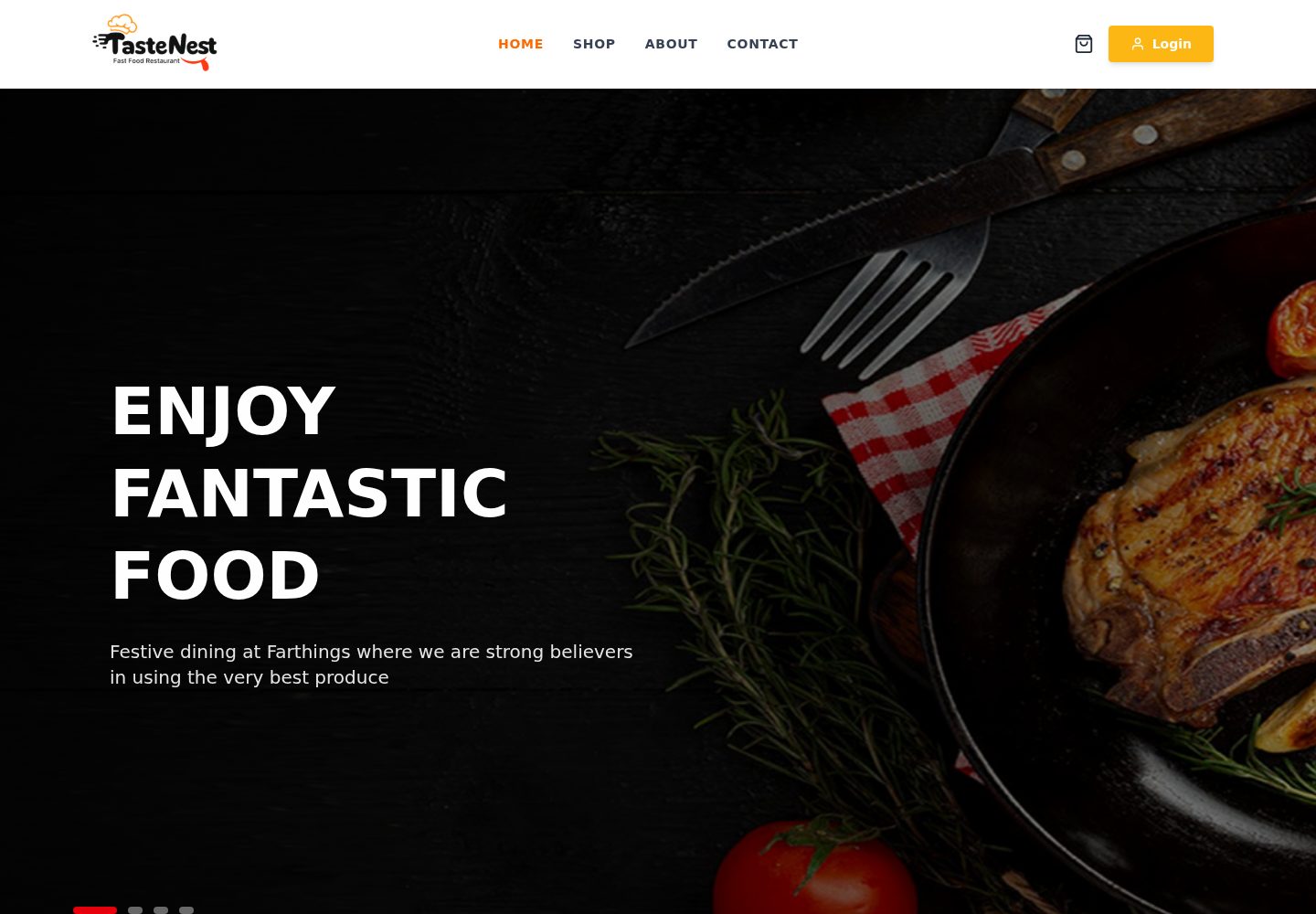
购物车支持添加、删除、增减数量,导航栏图标显示实时角标
React企业官网
restaurant-menu-template — React 企业官网模板
作者 DashginAsgarli
TasteNest 是一个基于 React Context API 的餐厅菜单前端模板,包含购物车、愿望清单、商品筛选与详情、个人资料和联系表单等页面,无后端,数据为硬编码。
看看你的网站会是什么样
浏览真实页面截图,比较内容排版与手机效果。点击下方缩略图切换,放大查看整页细节。
全部页面与视图 2
截图用于了解视觉与布局,交互效果请以实际项目为准。
采集于 2026-10-14查看来源
值得关注的模板亮点
从已有项目资料中,快速了解它的特点。
愿望清单需登录访问,属于受保护路由
商品列表支持按分类过滤、按名称搜索、按价格或评分排序
商品详情页展示完整信息、相关商品并支持加入购物车
购物车页包含订单摘要、配送费计算与优惠码输入框
个人资料页提供用户统计、订单历史和可编辑显示名
模板详细介绍
TasteNest 是一个餐厅菜单前端模板,README 描述其为 full-featured restaurant web app,采用 React Context API 管理状态,不使用 Redux,也不连接后端。模板提供购物车(添加、删除、增减数量、导航栏实时角标)、愿望清单(需登录,受保护路由)、商品筛选(按分类过滤、按名称搜索、按价格或评分排序)、商品详情页(含相关商品与加入购物车)、购物车页(订单摘要、配送费计算、优惠码输入框)、个人资料页(用户统计、订单历史、可编辑显示名)以及带提交成功状态反馈的联系表单。技术栈方面,README 列出 React 18、React Router v6、Tailwind CSS、React Icons(fi)与 Context API,未提供更细的依赖版本。项目结构分为 assets、context、components(auth、cart、header、footer、main)与 pages;main.jsx 中 Provider 的包裹顺序为 BrowserRouter → AuthProvider → CartProvider → WishlistProvider。README 明确列出已知限制:登录与注册为模拟实现,无后端;购物车与愿望清单状态保存在内存中,刷新页面后重置;商品数据硬编码在 ShopPage.jsx 与 ProductDetailPage.jsx 中。
React企业官网
适合你的项目吗?
适用场景
- 搭建餐厅或外卖菜单的前端界面原型
- 演示 React Context API 管理购物车与愿望清单状态
- 作为需要登录保护路由的电商类前端练习项目
- 在无后端条件下展示菜单浏览、筛选与详情页交互
适合人群
- 希望以 React 与 Tailwind CSS 构建菜单前端的开发者
- 需要 Context API 状态管理示例的学习者
- 准备在模板基础上接入真实后端与持久化的项目
上手与定制指南
结合仓库当前版本的说明,按下面的资料检查内容、配置与运行要求。
- 1
需要 Node.js v18 及以上,以及 npm 或 yarn
- 2
克隆仓库后进入目录执行 npm install,再运行 npm run dev 启动开发服务器
- 3
登录与注册为模拟实现,README 提示生产部署前需在 AuthContext.jsx 中替换 login() 与 register() 为真实 API 调用
- 4
购物车与愿望清单数据在刷新后重置,README 建议接入 localStorage 或后端 API 持久化
- 5
商品数据硬编码在 ShopPage.jsx 与 ProductDetailPage.jsx,数据增长时需替换为 API 调用
授权与来源资料
使用条件与限制
免费使用 · 保留许可声明本次收录的是公开仓库中采用 MIT 许可的免费版本;免费范围为该版本代码,不代表外部服务或第三方素材免费。
使用时需要遵守
- 允许免费使用、修改、商用和分发该版本代码。
- 分发代码副本或实质性部分时,保留原作者版权声明和完整 MIT 许可声明。
- 代码按现状提供;担保与责任限制以原许可证及适用法律为准。
额外费用与待核对事项
- 演示图片、字体、图标及其他第三方素材需按各自许可核对,不能仅凭代码的 MIT 许可判断。
- 域名、托管、数据库、支付或 AI 等外部服务可能另外收费。
- 登录与注册为模拟实现,未连接后端;README 提示生产部署前需在 AuthContext.jsx 中替换 login() 与 register() 为真实 API 调用。
- 购物车与愿望清单数据保存在内存中,刷新页面后会重置;README 建议接入 localStorage 或后端 API 以持久化数据。
- 所有商品数据硬编码在 ShopPage.jsx 与 ProductDetailPage.jsx 中,数据增长时需替换为 API 调用。
- 愿望清单功能需要登录,属于受保护路由。
查看原文依据
Permission is hereby granted, free of charge
许可证原文
- **Mock Authentication** — no backend is connected. Replace `login()` and `register()` in `AuthContext.jsx` with real API calls before deploying to production.
README 原文
- **In-memory State** — cart and wishlist data resets on page refresh. Integrate `localStorage` or a backend API to persist data between sessions.
README 原文
- **Hardcoded Products** — all product data lives in `ShopPage.jsx` and `ProductDetailPage.jsx`. Replace with API calls as your data grows.
README 原文
https://github.com/DashginAsgarli/restaurant-menu-template/blob/main/LICENSEhttps://github.com/DashginAsgarli/restaurant-menu-template/blob/main/README.md- **Wishlist** — save and manage favourite items; requires login, protected route
README 原文
DeepSeek 根据仓库许可证和 README 整理 ·2026-10-14。结果仅覆盖已读取资料,依赖、图片、字体及后续条款变更以各自原文为准。
项目核对记录与介绍依据
模板资料
- 来源平台
- GitHub
- 资料与维护参考分
- 资料较完整 · 80 / 100
- 技术栈
- React
- 网站类型
- 企业官网
这个分数如何计算
本站按许可资料(最高30分)、演示链接(12分)、预览图(10分)、Star数(15分)、记录的维护时间(15分)、描述完整度(8分)、功能记录(5分)和分类资料(5分)计算。它不是代码、安全或性能测试,也不是 Google 评分;有链接不代表已实测可用。
这个项目需要核对什么
- 记录的仓库更新时间
- 2026-08-03
- 截图检查日期
- 2026-10-14
已收录演示链接。请用你的内容与屏幕尺寸检查;有演示不代表表单、认证或支付已经可用。
目录记录的主要技术栈是 React。请通过依赖清单和锁文件核对实际版本与托管要求。这些说明基于收录资料,不代表代码审计或部署实测。
查看具体选型方法 →介绍的制作与核对状态
介绍由 AI 辅助整理目录与仓库资料。仓库作者不等于这篇介绍的审核者。
审核声明: codex-user-requested-batch-review-20261015 · 2026-10-15
查看当时使用的来源资料
SHA-256: 9a0b8a45322ea62fb4d108d00f42adabd3701678161dfcec65da52e1c9bd188f
2026-10-14T19:25:08.359Z
来源文件 / 仓库# TasteNest — Modern Restaurant Web Application
TasteNest is a full-featured restaurant web app with a clean, responsive UI. Users can browse the menu, add items to their cart, save favourites to a wishlist, and manage their profile all powered by **React Context API**, with zero Redux and zero backend.
---
## Screenshot
<img width="1334" height="590" alt="image" src="https://github.com/user-attachments/assets/dab3ba2d-5b27-4711-b03b-c2bf086a23f3" />
---
## Features
- **Shopping Cart** — add, remove, increase and decrease quantity, with a live badge count on the navbar icon
- **Wishlist** — save and manage favourite items; requires login, protected route
- **Shop Filtering** — filter by category, search by name, sort by price or rating in real time
- **Product Detail** — full product page with related items and add-to-cart action
- **Cart Page** — order summary, delivery fee calculation, promo code input field
- **Profile Page** — user stats, order history, editable display name
- **Contact Form** — working form with success state feedback on submission
---
## Tech Stack



-F97316?style=flat-square)

---
## Project Structure
```
src/
├── assets/
├── context/
├── components/
│ ├── auth/
│ ├── cart/
│ ├── header/
│ ├── footer/
│ └── main/
└── pages/
```
## Provider Wrapping Order
```jsx
// main.jsx — wrap order matters
<BrowserRouter>
<AuthProvider> {/* 1st — auth state available everywhere */}
<CartProvider> {/* 2nd — cart can access auth if needed */}
<WishlistProvider> {/* 3rd — wishlist can access auth */}
<App />
</WishlistProvider>
</CartProvider>
</AuthProvider>
</BrowserRouter>
```
---
## Getting Started
**Prerequisites**


```bash
# Clone the repository
git clone https://github.com/DashginAsgarli/restaurant-menu-template.git
# Navigate into the project
cd restaurant-menu-template
# Install dependencies
npm install
# Start the development server
npm run dev
```
---
## Known Limitations
- **Mock Authentication** — no backend is connected. Replace `login()` and `register()` in `AuthContext.jsx` with real API calls before deploying to production.
- **In-memory State** — cart and wishlist data resets on page refresh. Integrate `localStorage` or a backend API to persist data between sessions.
- **Hardcoded Products** — all product data lives in `ShopPage.jsx` and `ProductDetailPage.jsx`. Replace with API calls as your data grows.
---
## License
This project is licensed under the [MIT License](LICENSE).
---
## Contact
<div>
[](mailto:[email protected])
[](https://github.com/DashginAsgarli/restaurant-menu-template/issues)
</div>
看看同类模板
对比同技术栈与用途的模板,找到更适合的视觉与内容结构。

shadcn-landing-page
Free Landing page template using Shadcn, React, Typescript and Tailwind
React · 企业官网

react-saas-template
🌊 Template for building an SaaS / admin website using React + Material-UI
React · 后台
React-Landing-Page-Template
A simple react one page landing page templates for startups/companies
React · 企业官网
landy-react-template
Landy is an open-source React landing page template designed for developers and startups, who want to create a…
React · 企业官网
ai-saas-landing-starter
🌈 Modern AI SaaS landing page with sleek parallax effects and bento box layouts.
React · SaaS
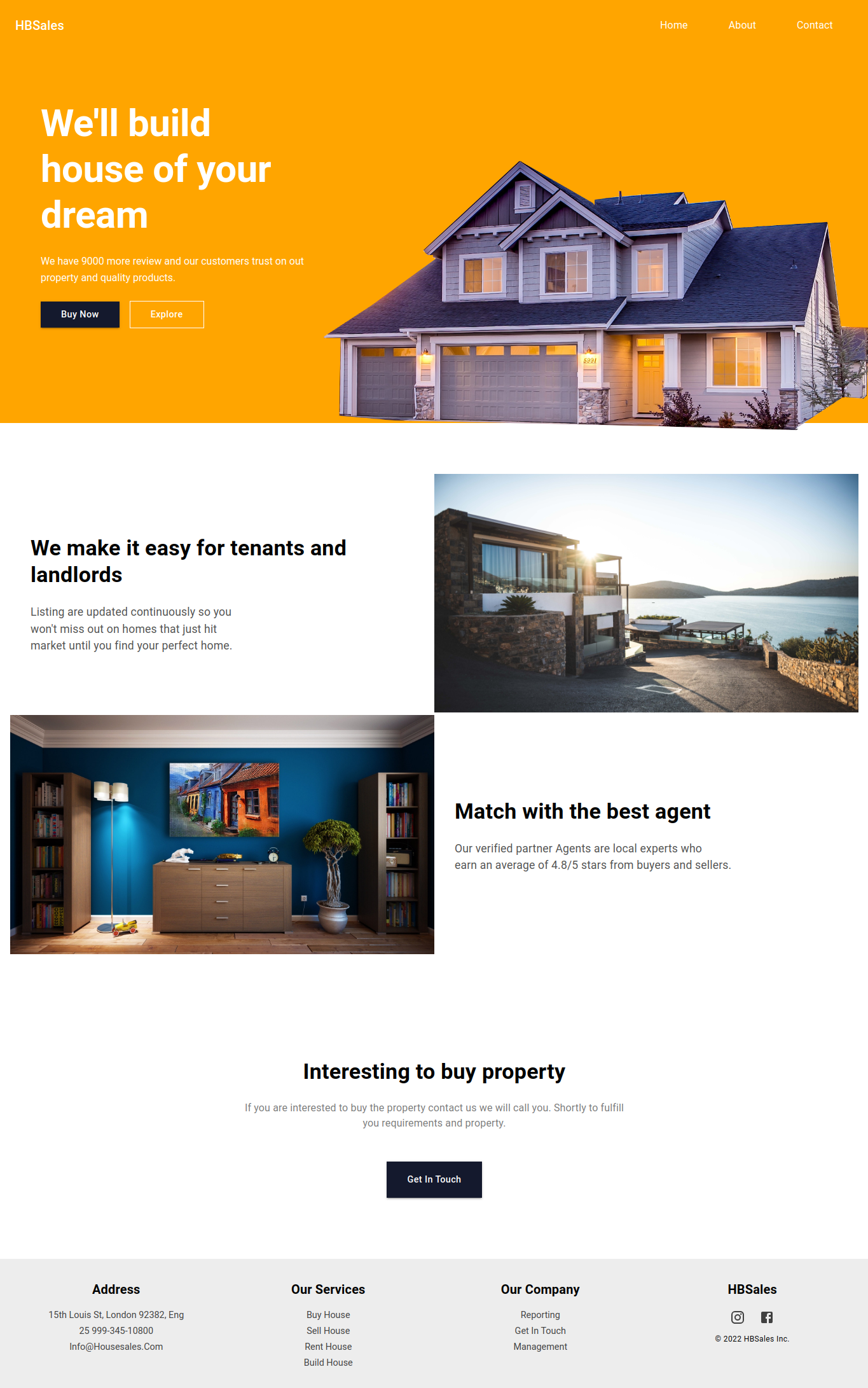
landing-page-template-reactjs
这是一个用 React 和 Material UI 5 搭建的落地页模板,适合开发者或设计师快速为自己的开源项目生成一个专业风格的展示站点。
React · 企业官网