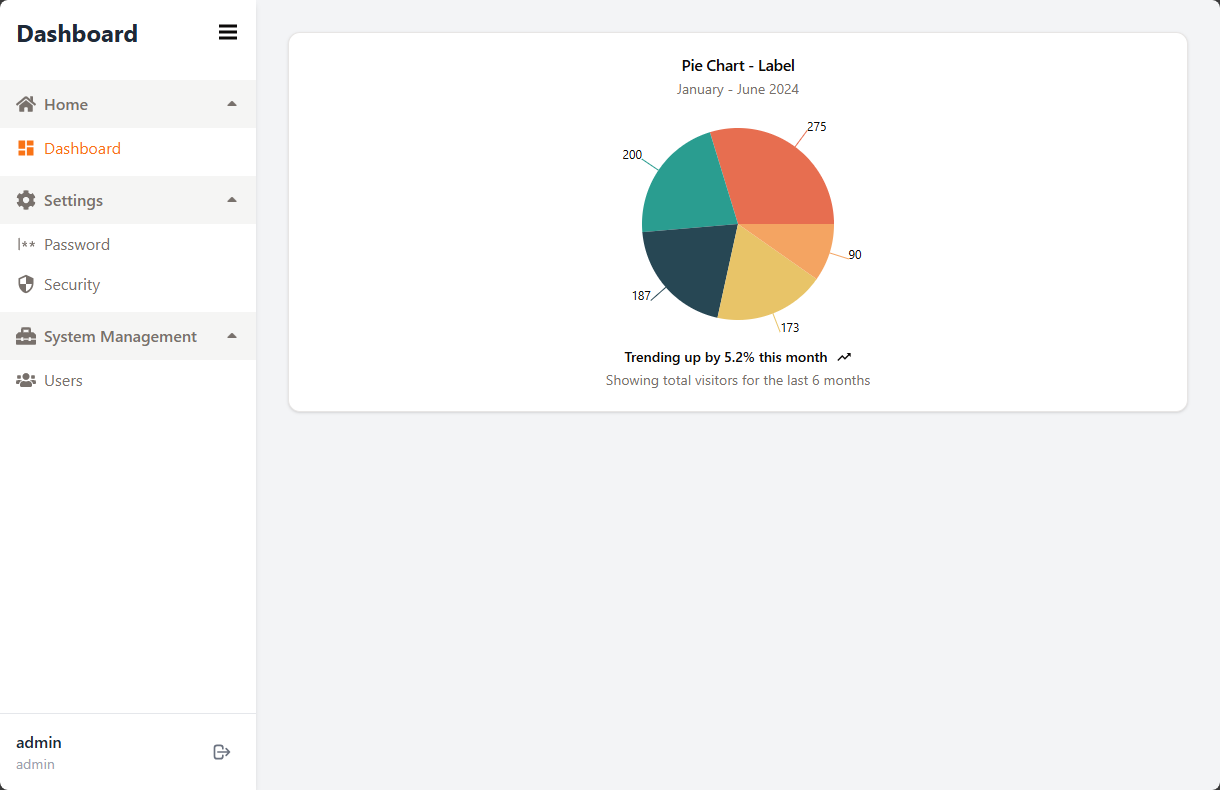
用户名密码登录,使用基于 cookie 的会话存储
RemixReact后台企业官网
remix-dashboard-template — Remix 后台模板
作者 dev-templates
基于 Remix 与 shadcn/ui 的后台管理模板,内置用户名密码登录、强制双因素认证、基于角色的权限控制以及用户与系统设置管理界面。
看看你的网站会是什么样
浏览真实页面截图,比较内容排版与手机效果。点击下方缩略图切换,放大查看整页细节。
目前有 1 张原始预览,可打开完整图片查看设计细节。
截图用于了解视觉与布局,交互效果请以实际项目为准。
采集于 2026-10-03查看来源
值得关注的模板亮点
从已有项目资料中,快速了解它的特点。
所有用户强制启用双因素认证,支持备份码与重新生成
基于角色的访问控制,区分普通用户与管理员权限
完整的用户增删改查,管理员可重置密码、禁用 2FA、分配角色
开发与生产启动时自动执行 Prisma 迁移和种子数据初始化
提供 Docker Compose 部署示例与 GitHub Actions 工作流
模板详细介绍
该模板是一个面向后台管理场景的 Remix 项目起点,界面层使用 shadcn/ui 与 Tailwind CSS,数据层通过 Prisma 访问数据库,开发环境默认使用 SQLite,生产环境可切换为 PostgreSQL。
功能范围覆盖认证与用户管理:登录采用基于 cookie 的会话,所有用户必须启用双因素认证;权限模型为基于角色的访问控制。普通用户可访问仪表盘、修改密码、管理自己的双因素认证设置;管理员可创建和删除用户、分配角色、重置密码、禁用他人双因素认证,并配置系统级设置。
工程方面,模板提供自定义 Hono 服务器,生产模式下使用 Node.js cluster 按 CPU 核心派生工作进程,并兼容 PM2 集群模式;数据库在开发和生产启动时会自动执行迁移与种子数据初始化,也可通过环境变量关闭。项目包含 Docker 与 Docker Compose 部署示例、GitHub Actions 工作流、Biome 代码检查与 TypeScript 类型检查脚本。
使用限制:数据库 provider 需在 prisma/schema.prisma 中硬编码,切换 PostgreSQL 时要手动修改该文件;默认管理员账号为 admin/admin,部署前必须修改;演示图片、字体、图标等第三方素材的许可需单独核对,外部托管或数据库服务可能产生额外费用。
Remix后台企业官网
适合你的项目吗?
适用场景
- 需要快速搭建带登录与权限控制的后台管理界面
- 为内部系统准备用户管理、角色分配和系统设置模块
- 以 Remix 与 shadcn/ui 为基础开发数据看板类应用
- 在 Docker 环境中部署一个自带数据库初始化的管理后台
适合人群
- 需要内置认证与 RBAC 的后台项目开发者
- 使用 Remix、Prisma 和 shadcn/ui 技术栈的团队
- 希望以 Docker 方式部署管理后台的运维或全栈人员
- 需要双因素认证与用户自助安全设置的管理系统
上手与定制指南
结合仓库当前版本的说明,按下面的资料检查内容、配置与运行要求。
- 1
要求 Node.js >= 20.0.0,推荐使用 pnpm
- 2
需创建 .env 并设置 DATABASE_URL 与 SESSION_SECRET
- 3
开发环境执行 pnpm dev 会自动初始化数据库并写入种子数据
- 4
默认管理员账号为 admin/admin,部署到生产前必须修改密码
- 5
切换 PostgreSQL 需手动修改 prisma/schema.prisma 中的 provider
授权与来源资料
使用条件与限制
免费使用 · 保留许可声明本次收录的是公开仓库中采用 MIT 许可的免费版本;免费范围为该版本代码,不代表外部服务或第三方素材免费。
使用时需要遵守
- 允许免费使用、修改、商用和分发该版本代码。
- 分发代码副本或实质性部分时,保留原作者版权声明和完整 MIT 许可声明。
- 代码按现状提供;担保与责任限制以原许可证及适用法律为准。
额外费用与待核对事项
- 所有用户必须启用双因素认证,无法关闭;管理员可禁用他人 2FA 仅用于账号恢复。
- 首次启动后默认管理员账号为 admin/admin,部署到生产环境前必须修改默认密码。
- 切换 PostgreSQL 需手动修改 prisma/schema.prisma 中的 provider,Prisma 不支持从环境变量读取该配置。
- 数据库 provider 必须硬编码在 schema.prisma 中,无法通过环境变量配置,切换数据库类型需改代码并重新构建。
- 运行环境要求 Node.js 20.0.0 或更高版本。
- 部署时必须提供 SESSION_SECRET 会话加密密钥,否则无法正常运行。
- 演示图片、字体、图标及其他第三方素材需按各自许可核对,不能仅凭代码的 MIT 许可判断。
- 域名、托管、数据库、支付或 AI 等外部服务可能另外收费。
查看原文依据
Permission is hereby granted, free of charge
许可证原文
Mandatory two-factor authentication (2FA) for all users
README 原文
Default administrator account
README 原文
To switch to PostgreSQL, update the `provider` in `prisma/schema.prisma` from `sqlite` to `postgresql`
README 原文
Prisma requires the provider to be hardcoded in schema.prisma and cannot read it from environment variables.
README 原文
Node.js >= 20.0.0
README 原文
https://github.com/dev-templates/remix-dashboard-template/blob/main/LICENSEhttps://github.com/dev-templates/remix-dashboard-template/blob/main/README.mdSESSION_SECRET` - **Required**. Generate with: `openssl rand -hex 32`
README 原文
DeepSeek 根据仓库许可证和 README 整理 ·2026-10-03。结果仅覆盖已读取资料,依赖、图片、字体及后续条款变更以各自原文为准。
项目核对记录与介绍依据
模板资料
- 来源平台
- GitHub
- 资料与维护参考分
- 资料较完整 · 76 / 100
- 技术栈
- Remix · React
- 网站类型
- 后台 · 企业官网
这个分数如何计算
本站按许可资料(最高30分)、演示链接(12分)、预览图(10分)、Star数(15分)、记录的维护时间(15分)、描述完整度(8分)、功能记录(5分)和分类资料(5分)计算。它不是代码、安全或性能测试,也不是 Google 评分;有链接不代表已实测可用。
这个项目需要核对什么
- 记录的仓库更新时间
- 2026-03-17
- 截图检查日期
- 2026-10-03
目前没有记录演示链接。请依据仓库说明在本地评估;仅凭截图无法确认交互行为。
目录记录的主要技术栈是 Remix。请通过依赖清单和锁文件核对实际版本与托管要求。这些说明基于收录资料,不代表代码审计或部署实测。
查看具体选型方法 →介绍的制作与核对状态
介绍由 AI 辅助整理目录与仓库资料。仓库作者不等于这篇介绍的审核者。
审核声明: [email protected] · 2026-10-04
查看当时使用的来源资料
SHA-256: 1973a18859ece6c829cefa930b3f985f70937688fe3d46b3d83e918a9ccd9ded
2026-10-03T23:19:16.637Z
来源文件 / 仓库 # remix-dashboard-template A basic dashboard template implemented using Remix and shadcn/ui, designed for quick project startup. ## Usage ```sh pnpm dlx create-remix@latest --template dev-templates/remix-dashboard-template ``` ## What's included ### Core Features - **Authentication & Security** - Username/Password Authentication with [cookie-based sessions](https://remix.run/utils/sessions#md-createcookiesessionstorage) - Mandatory two-factor authentication (2FA) for all users - Role-based access control (RBAC) with flexible permission system - **User Management** - Complete user CRUD operations (Create, Read, Update, Delete) - Admin capabilities: reset passwords, disable 2FA, manage user roles - User self-service: password change, 2FA settings - **System Administration** - Configurable system settings interface - User role and permission management - Database auto-initialization for both development and production ### Tech Stack - Custom [Hono](https://hono.dev/) server with Node.js `cluster` for multi-core utilization - Development with [Vite](https://vitejs.dev) 8 (Rolldown-powered) - Database: [SQLite](https://sqlite.org) (dev) / [PostgreSQL](https://www.postgresql.org/) (production ready) - Database ORM with [Prisma](https://prisma.io) 7 - [GitHub Actions](https://github.com/features/actions) for deploy on merge to production and staging environments - Styling with [Tailwind CSS v4](https://tailwindcss.com/) and [shadcn/ui](https://ui.shadcn.com/) - Dark mode support with [next-themes](https://github.com/pacocoursey/next-themes) - Form validation with [React Hook Form](https://react-hook-form.com/) + [Zod](https://zod.dev/) - Charts with [Recharts](https://recharts.org/) - Code formatting and linting with [Biome](https://biomejs.dev) - Static Types with [TypeScript](https://typescriptlang.org) ## Requirements - Node.js >= 20.0.0 - pnpm (recommended) or npm ## Features Overview ### For All Users - **Dashboard** (`/dashboard`) - Main dashboard with charts and statistics - **Login with 2FA** (`/login`, `/two-factor`) - Secure login with mandatory two-factor authentication - **Password Management** (`/settings/password`) - Change your password - **Security Settings** (`/settings/security`) - Manage 2FA settings (setup, regenerate, view backup codes) ### For Administrators - **User Management** (`/admin/users`) - Manage all users - Create new users with role assignment - Delete users - Reset user passwords - Disable user 2FA (for account recovery) - **System Settings** (`/admin/settings`) - Configure system-wide settings ## Development ### Quick Start (Recommended) Get started in just three steps: 1. **Install dependencies** ```sh pnpm i ``` 2. **Configure environment variables** Create a `.env` file: ```.env NODE_ENV=development DATABASE_URL=file:./dev.db SESSION_SECRET=e33b3bfc-4c8c-41a3-b6fc-83a9905b90c8 ``` 3. **Start the development server** ```sh pnpm dev ``` That's it! The database will be automatically initialized, including: - Auto-generate Prisma Client - Auto-apply database migrations - Auto-insert initial seed data ### How it works The application uses **automatic database initialization** — no manual commands needed: - **Development**: When running `pnpm dev`, the Vite plugin automatically checks database status and performs necessary initialization - **Production**: When running `pnpm start`, the custom Hono server automatically runs `prisma migrate deploy` and seeds the database if empty, before accepting any requests - **Multi-core**: In production, the server uses Node.js `cluster` to fork one worker per CPU core, fully utilizing system hardware - **PM2 compatible**: Automatically detects PM2 cluster mode to avoid double-forking; `prisma migrate deploy` has built-in advisory locking for concurrent safety ### Default administrator account After the first startup, you can log in with the following account: - **Username**: `admin` - **Password**: `admin` ⚠️ **Important**: Be sure to change the default password before deploying to production! ### Manual database operations (Optional) If you need to manually control database operations: ```sh # Generate Prisma Client (after modifying schema.prisma) pnpm run generate # Create a new migration (after modifying schema.prisma) pnpm run migrate:create # Deploy migrations to production pnpm run migrate:deploy # Reset database (⚠️ deletes all data) pnpm run db:reset # Re-insert seed data pnpm run seed # Skip automatic initialization SKIP_DB_INIT=true pnpm dev ``` ### Code quality tools ```sh # Format and lint code (auto-fix) pnpm run lint # Format code only pnpm run format # Check code quality (no auto-fix) pnpm run check # Type checking pnpm run typecheck ``` ## Environment variables ### Required variables - `DATABASE_URL` - Prisma database connection string - Development (SQLite): `file:./dev.db` - Production (PostgreSQL): `postgresql://user:password@localhost:5432/mydb` - [More connection format documentation](https://www.prisma.io/docs/orm/reference/connection-urls) - **Note**: To switch to PostgreSQL, update the `provider` in `prisma/schema.prisma` from `sqlite` to `postgresql` - `SESSION_SECRET` - Session encryption secret key - Generate using a random password generator: [Password Generator](https://ipecho.io/tools/password-generator) ### Optional variables - `NODE_ENV` - Runtime environment (`development` / `production`) - Default: `development` - `HOST` - Server bind address - Default: `0.0.0.0` - `PORT` - Server port - Default: `3000` - `SKIP_DB_INIT` - Skip automatic database initialization in development - Set to `true` to disable automatic initialization ### Production environment configuration example ```.env NODE_ENV=production DATABASE_URL=postgresql://user:[email protected]:5432/production_db SESSION_SECRET=your-very-secure-random-secret-key ``` ## Deployment ### Docker #### Quick start with Docker Compose (Recommended) The easiest way to deploy with Docker: ```sh # 1. Create .env file from example cp .env.example .env # 2. Generate a secure session secret echo "SESSION_SECRET=$(openssl rand -hex 32)" >> .env # 3. Start the service docker compose up -d # 4. View logs docker compose logs -f app # 5. Stop the service docker compose down ``` The application will be available at http://localhost:3000 **Using PostgreSQL with Docker Compose:** 1. **Update database provider in schema**: Edit `prisma/schema.prisma`: ```prisma datasource db { provider = "postgresql" // Change from "sqlite" to "postgresql" } ``` 2. **Update database URL in .env**: ``` DATABASE_URL=postgresql://remix:remix_password@postgres:5432/remix_dashboard ``` 3. **Uncomment PostgreSQL service** in `compose.yaml` 4. **Restart services**: ```sh docker compose down docker compose up -d --build ``` **Note**: Prisma requires the provider to be hardcoded in schema.prisma and cannot read it from environment variables. This is a design limitation for type safety and compile-time code generation. #### Build and run with Docker commands If you prefer to use Docker commands directly: ```sh # 1. Build the image docker build -t remix-dashboard . # 2. Run the container (SQLite) docker run -d \ --name remix-dashboard \ -p 3000:3000 \ -e SESSION_SECRET="your-secret-key-here" \ -v remix-data:/app/data \ remix-dashboard # 3. View logs docker logs -f remix-dashboard # 4. Stop and remove the container docker stop remix-dashboard docker rm remix-dashboard ``` **Using PostgreSQL:** First, update `prisma/schema.prisma` provider to `postgresql`, then: ```sh # 1. Start PostgreSQL docker run -d \ --name postgres \ -e POSTGRES_USER=remix \ -e POSTGRES_PASSWORD=secure_password \ -e POSTGRES_DB=remix_dashboard \ -v postgres-data:/var/lib/postgresql/data \ postgres:16-alpine # 2. Rebuild the app with PostgreSQL provider docker build -t remix-dashboard . # 3. Run the app docker run -d \ --name remix-dashboard \ --link postgres:postgres \ -p 3000:3000 \ -e DATABASE_URL="postgresql://remix:secure_password@postgres:5432/remix_dashboard" \ -e SESSION_SECRET="your-secret-key-here" \ remix-dashboard ``` ### Environment variables for Docker When deploying with Docker, set these environment variables: - `SESSION_SECRET` - **Required**. Generate with: `openssl rand -hex 32` - `DATABASE_URL` - Database connection string (default: `file:./data/production.db`) - `PORT` - Port to listen on (default: `3000`) ## Troubleshooting ### Database connection failed If you see "Unable to connect to database" error: 1. Check that the `.env` file exists and is configured correctly 2. Confirm that the `DATABASE_URL` format is correct 3. If using PostgreSQL, confirm the database service is running 4. Check network connection and firewall settings ### Migration failed If database migration fails: ```sh # Check migration status pnpm exec prisma migrate status # Reset database (⚠️ will delete all data) pnpm run db:reset # Manually deploy migrations pnpm run migrate:deploy ``` ### Disable automatic initialization If you need complete control over the database initialization process: ```sh # Development environment SKIP_DB_INIT=true pnpm dev ```
看看同类模板
对比同技术栈与用途的模板,找到更适合的视觉与内容结构。
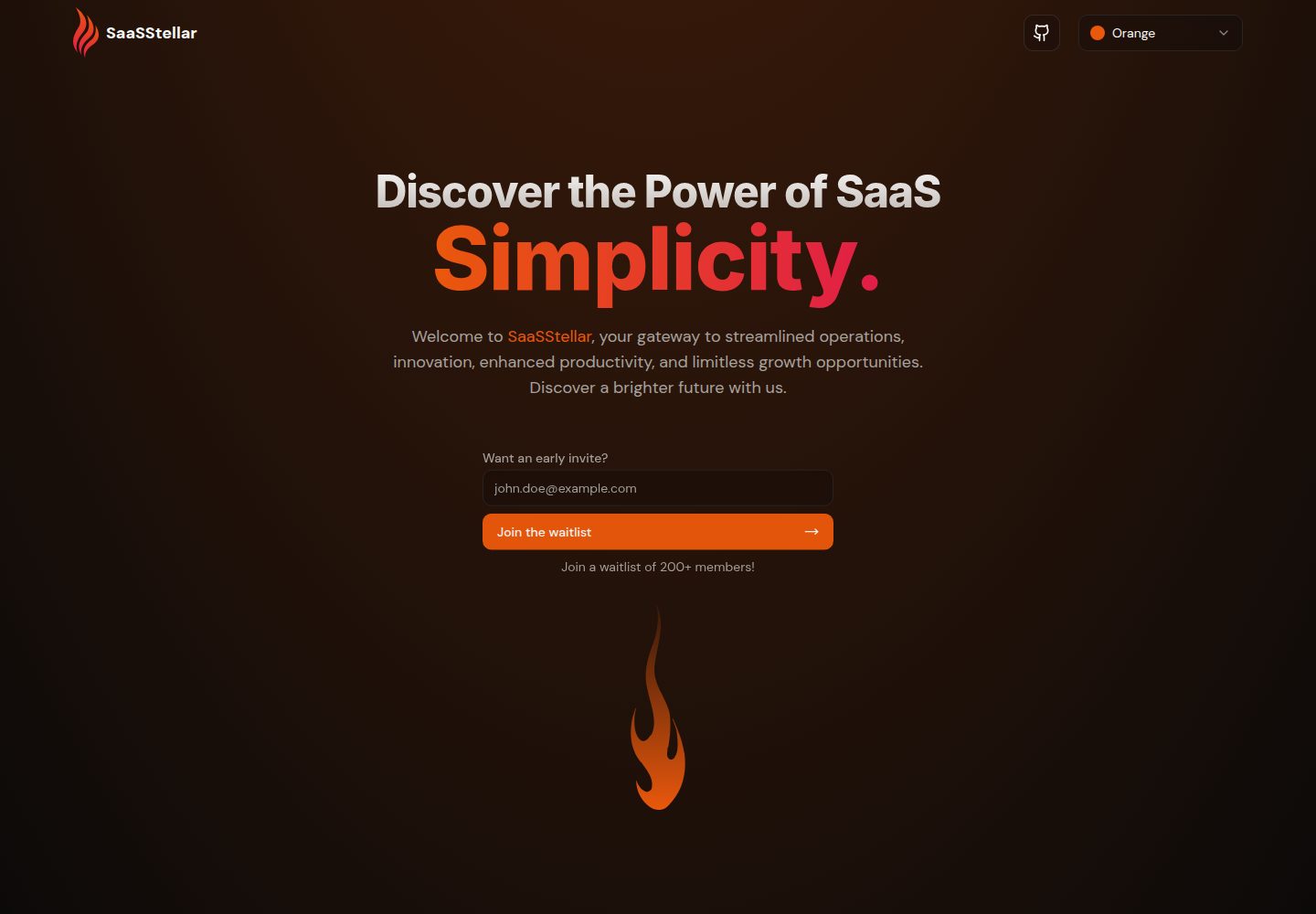
saasstellar
Multi theme landing page for your SaaS website
Remix · SaaS
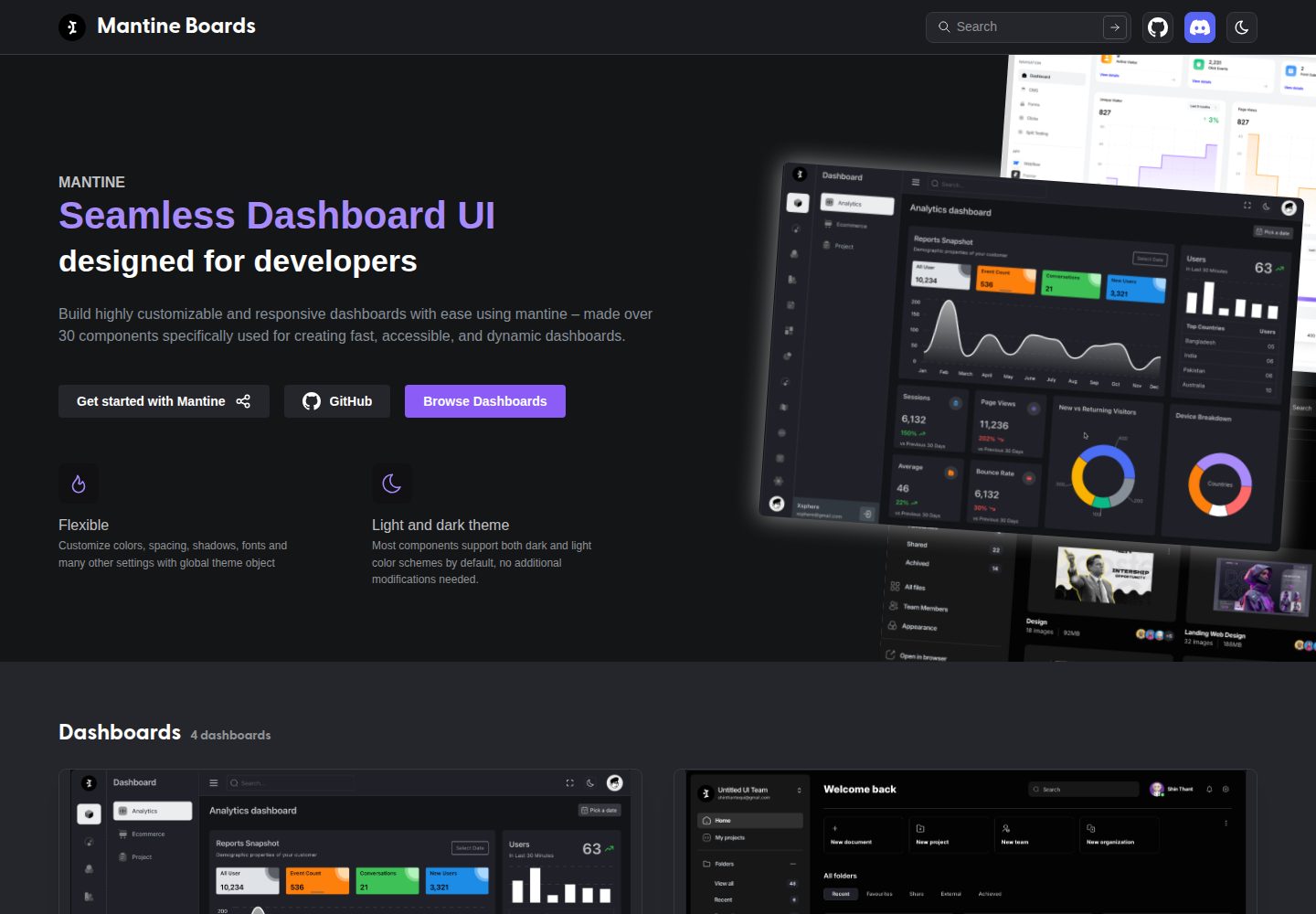
mantine-boards
Reponsive & Modes supported dashboard templates built with Mantine UI
Remix · 后台
ant-design-pro
Ant Design Pro 是 Ant Design 官方推出的企业级中后台前端脚手架,基于 React 19、Umi Max 4 和 antd 6 构建,内置 TypeScript 支持。
React · 后台

SaaS-Boilerplate
🚀🎉📚 SaaS Boilerplate built with Next.js + Tailwind CSS + Shadcn UI + TypeScript. ⚡️ Full-stack React applic…
Next.js · SaaS

next-shadcn-dashboard-starter
Free, open source, AI-friendly admin dashboard template built with Next.js 16, shadcn/ui, Tailwind CSS, and Ty…
Next.js · 后台

coreui-free-react-admin-template
Free React Admin & Dashboard Template Built for AI-Assisted Development
React · 后台