Username/password login with cookie-based session storage
RemixReactAdmin dashboardCorporate Website
remix-dashboard-template — Remix Admin dashboard Template
By dev-templates
A Remix and shadcn/ui admin template with built-in username/password login, mandatory two-factor authentication, role-based access control, and user and system settings management interfaces.
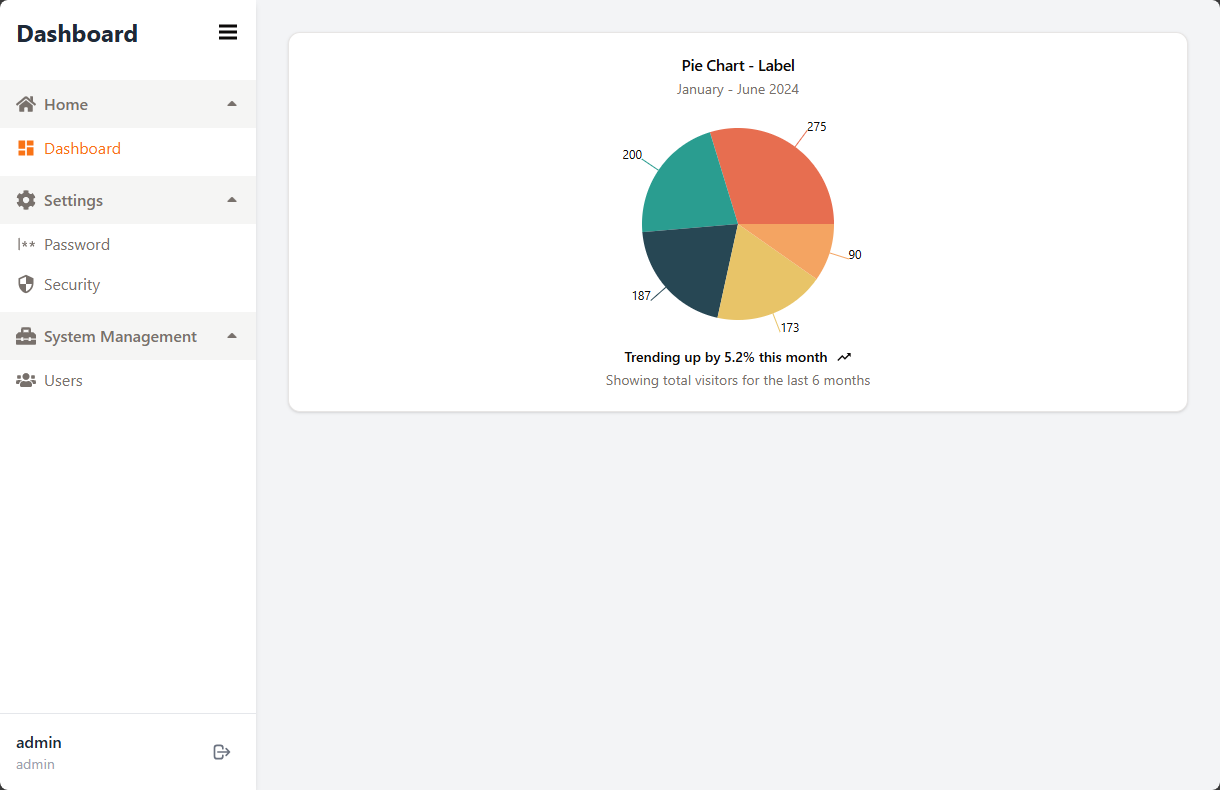
Explore the design
Compare the page layouts and mobile experience. Open any screenshot for a closer look.
Author preview
Author-provided previewTop of page
Preview provided in the project README.
One original preview is available. Open the full image to inspect the design.
Screenshots show visual appearance; interactive behavior may differ.
Recorded 2026-10-03View source
What stands out
A quick read of the recorded project description.
Mandatory two-factor authentication for all users, with backup codes and regeneration
Role-based access control distinguishing regular user and administrator permissions
Full user CRUD; administrators can reset passwords, disable 2FA, and assign roles
Automatic Prisma migrations and seed data initialization on development and production startup
Docker Compose deployment examples and GitHub Actions workflows
Template Details
This template is a Remix starting point for admin scenarios. The UI layer uses shadcn/ui and Tailwind CSS, the data layer accesses the database via Prisma, the development environment defaults to SQLite, and production can switch to PostgreSQL.
Functionality covers authentication and user management: login uses cookie-based sessions, all users must enable two-factor authentication, and the permission model is role-based access control. Regular users can access the dashboard, change their password, and manage their own two-factor authentication settings; administrators can create and delete users, assign roles, reset passwords, disable others' two-factor authentication, and configure system-level settings.
On the engineering side, the template provides a custom Hono server, uses Node.js cluster in production mode to fork worker processes by CPU core, and is compatible with PM2 cluster mode. The database automatically runs migrations and seeds on development and production startup, and this can be disabled via environment variables. The project includes Docker and Docker Compose deployment examples, GitHub Actions workflows, and Biome linting and TypeScript type-checking scripts.
Usage limitations: the database provider must be hardcoded in prisma/schema.prisma, and switching to PostgreSQL requires manually editing that file. The default admin account is admin/admin and must be changed before deployment. Licenses for third-party assets such as demo images, fonts, and icons must be verified separately; externally hosted or database services may incur additional costs.
RemixAdmin panelCorporate website
Is it right for your project?
Use Cases
- Quickly building an admin interface with login and permission control
- Preparing user management, role assignment, and system settings modules for internal systems
- Developing data dashboard applications based on Remix and shadcn/ui
- Deploying an admin backend with built-in database initialization in a Docker environment
Suitable For
- Backend project developers who need built-in authentication and RBAC
- Teams using the Remix, Prisma, and shadcn/ui stack
- Operations or full-stack personnel who want to deploy an admin backend via Docker
- Management systems that require two-factor authentication and user self-service security settings
Getting started & customization
Use these recorded setup notes alongside the repository instructions for your chosen version.
- 1
Requires Node.js >= 20.0.0; pnpm is recommended
- 2
Create a .env and set DATABASE_URL and SESSION_SECRET
- 3
Running pnpm dev in development automatically initializes the database and writes seed data
- 4
The default admin account is admin/admin; the password must be changed before production deployment
- 5
Switching to PostgreSQL requires manually changing the provider in prisma/schema.prisma
License & source material
Usage conditions & limitations
Free to use · keep license noticeThis entry covers the free version under the MIT license in the public repository; the free scope is the code of that version and does not mean external services or third-party assets are free.
Must comply with when using
- Free use, modification, commercial use, and distribution of this version's code are permitted.
- When distributing copies or substantial portions of the code, retain the original author's copyright notice and the full MIT license notice.
- The code is provided as is; warranties and limitations of liability are governed by the original license and applicable law.
Additional costs & items to verify
- All users must enable two-factor authentication and cannot turn it off; administrators can disable others' 2FA only for account recovery.
- After first startup, the default admin account is admin/admin; the default password must be changed before deploying to production.
- Switching to PostgreSQL requires manually changing the provider in prisma/schema.prisma; Prisma does not support reading this configuration from environment variables.
- The database provider must be hardcoded in schema.prisma and cannot be configured via environment variables; switching database types requires code changes and a rebuild.
- The runtime requires Node.js 20.0.0 or later.
- Deployment must provide the SESSION_SECRET session encryption key, otherwise it cannot run properly.
- Demo images, fonts, icons, and other third-party assets must be verified under their respective licenses and cannot be judged solely by the code's MIT license.
- External services such as domains, hosting, databases, payments, or AI may incur separate charges.
View Original Text Basis
Permission is hereby granted, free of charge
Original License Text
Mandatory two-factor authentication (2FA) for all users
Original README
Default administrator account
Original README
To switch to PostgreSQL, update the `provider` in `prisma/schema.prisma` from `sqlite` to `postgresql`
Original README
Prisma requires the provider to be hardcoded in schema.prisma and cannot read it from environment variables.
Original README
Node.js >= 20.0.0
Original README
https://github.com/dev-templates/remix-dashboard-template/blob/main/LICENSEhttps://github.com/dev-templates/remix-dashboard-template/blob/main/README.mdSESSION_SECRET` - **Required**. Generate with: `openssl rand -hex 32`
Original README
Compiled by DeepSeek based on repository license and README ·2026-10-03. Results only cover the materials read; dependencies, images, fonts, and subsequent term changes are subject to their respective original texts.
Project checks & description sources
Template Information
- Source platforms
- GitHub
- Documentation and maintenance reference score
- More documented · 76 / 100
- Technologies
- Remix · React
- Website type
- Admin dashboard · Corporate Website
How this score is calculated
Our heuristic uses license records (up to 30), a demo link (12), a preview (10), stars (15), recorded maintenance (15), description completeness (8), feature records (5) and classification data (5). It is not a code, security or performance test, or a Google score. A link does not establish tested functionality.
What to verify for this project
- Repository update recorded
- 2026-03-17
- Screenshot last checked
- 2026-10-03
No demo link is recorded. Use the repository instructions to evaluate the project locally; the screenshot alone cannot establish interactive behavior.
The catalog identifies Remix as the primary stack. Check the actual dependency manifest and lockfile for versions and hosting requirements. These notes use recorded metadata, not a code audit or a deployment test.
Use a selection guide →How this description was prepared
AI-assisted description based on catalog records and repository material. Repository authors are not automatically the reviewers of this description.
Review declaration: [email protected] · 2026-10-04
Inspect the recorded source material
SHA-256: 1973a18859ece6c829cefa930b3f985f70937688fe3d46b3d83e918a9ccd9ded
2026-10-03T23:19:16.637Z
Source file / repository # remix-dashboard-template A basic dashboard template implemented using Remix and shadcn/ui, designed for quick project startup. ## Usage ```sh pnpm dlx create-remix@latest --template dev-templates/remix-dashboard-template ``` ## What's included ### Core Features - **Authentication & Security** - Username/Password Authentication with [cookie-based sessions](https://remix.run/utils/sessions#md-createcookiesessionstorage) - Mandatory two-factor authentication (2FA) for all users - Role-based access control (RBAC) with flexible permission system - **User Management** - Complete user CRUD operations (Create, Read, Update, Delete) - Admin capabilities: reset passwords, disable 2FA, manage user roles - User self-service: password change, 2FA settings - **System Administration** - Configurable system settings interface - User role and permission management - Database auto-initialization for both development and production ### Tech Stack - Custom [Hono](https://hono.dev/) server with Node.js `cluster` for multi-core utilization - Development with [Vite](https://vitejs.dev) 8 (Rolldown-powered) - Database: [SQLite](https://sqlite.org) (dev) / [PostgreSQL](https://www.postgresql.org/) (production ready) - Database ORM with [Prisma](https://prisma.io) 7 - [GitHub Actions](https://github.com/features/actions) for deploy on merge to production and staging environments - Styling with [Tailwind CSS v4](https://tailwindcss.com/) and [shadcn/ui](https://ui.shadcn.com/) - Dark mode support with [next-themes](https://github.com/pacocoursey/next-themes) - Form validation with [React Hook Form](https://react-hook-form.com/) + [Zod](https://zod.dev/) - Charts with [Recharts](https://recharts.org/) - Code formatting and linting with [Biome](https://biomejs.dev) - Static Types with [TypeScript](https://typescriptlang.org) ## Requirements - Node.js >= 20.0.0 - pnpm (recommended) or npm ## Features Overview ### For All Users - **Dashboard** (`/dashboard`) - Main dashboard with charts and statistics - **Login with 2FA** (`/login`, `/two-factor`) - Secure login with mandatory two-factor authentication - **Password Management** (`/settings/password`) - Change your password - **Security Settings** (`/settings/security`) - Manage 2FA settings (setup, regenerate, view backup codes) ### For Administrators - **User Management** (`/admin/users`) - Manage all users - Create new users with role assignment - Delete users - Reset user passwords - Disable user 2FA (for account recovery) - **System Settings** (`/admin/settings`) - Configure system-wide settings ## Development ### Quick Start (Recommended) Get started in just three steps: 1. **Install dependencies** ```sh pnpm i ``` 2. **Configure environment variables** Create a `.env` file: ```.env NODE_ENV=development DATABASE_URL=file:./dev.db SESSION_SECRET=e33b3bfc-4c8c-41a3-b6fc-83a9905b90c8 ``` 3. **Start the development server** ```sh pnpm dev ``` That's it! The database will be automatically initialized, including: - Auto-generate Prisma Client - Auto-apply database migrations - Auto-insert initial seed data ### How it works The application uses **automatic database initialization** — no manual commands needed: - **Development**: When running `pnpm dev`, the Vite plugin automatically checks database status and performs necessary initialization - **Production**: When running `pnpm start`, the custom Hono server automatically runs `prisma migrate deploy` and seeds the database if empty, before accepting any requests - **Multi-core**: In production, the server uses Node.js `cluster` to fork one worker per CPU core, fully utilizing system hardware - **PM2 compatible**: Automatically detects PM2 cluster mode to avoid double-forking; `prisma migrate deploy` has built-in advisory locking for concurrent safety ### Default administrator account After the first startup, you can log in with the following account: - **Username**: `admin` - **Password**: `admin` ⚠️ **Important**: Be sure to change the default password before deploying to production! ### Manual database operations (Optional) If you need to manually control database operations: ```sh # Generate Prisma Client (after modifying schema.prisma) pnpm run generate # Create a new migration (after modifying schema.prisma) pnpm run migrate:create # Deploy migrations to production pnpm run migrate:deploy # Reset database (⚠️ deletes all data) pnpm run db:reset # Re-insert seed data pnpm run seed # Skip automatic initialization SKIP_DB_INIT=true pnpm dev ``` ### Code quality tools ```sh # Format and lint code (auto-fix) pnpm run lint # Format code only pnpm run format # Check code quality (no auto-fix) pnpm run check # Type checking pnpm run typecheck ``` ## Environment variables ### Required variables - `DATABASE_URL` - Prisma database connection string - Development (SQLite): `file:./dev.db` - Production (PostgreSQL): `postgresql://user:password@localhost:5432/mydb` - [More connection format documentation](https://www.prisma.io/docs/orm/reference/connection-urls) - **Note**: To switch to PostgreSQL, update the `provider` in `prisma/schema.prisma` from `sqlite` to `postgresql` - `SESSION_SECRET` - Session encryption secret key - Generate using a random password generator: [Password Generator](https://ipecho.io/tools/password-generator) ### Optional variables - `NODE_ENV` - Runtime environment (`development` / `production`) - Default: `development` - `HOST` - Server bind address - Default: `0.0.0.0` - `PORT` - Server port - Default: `3000` - `SKIP_DB_INIT` - Skip automatic database initialization in development - Set to `true` to disable automatic initialization ### Production environment configuration example ```.env NODE_ENV=production DATABASE_URL=postgresql://user:[email protected]:5432/production_db SESSION_SECRET=your-very-secure-random-secret-key ``` ## Deployment ### Docker #### Quick start with Docker Compose (Recommended) The easiest way to deploy with Docker: ```sh # 1. Create .env file from example cp .env.example .env # 2. Generate a secure session secret echo "SESSION_SECRET=$(openssl rand -hex 32)" >> .env # 3. Start the service docker compose up -d # 4. View logs docker compose logs -f app # 5. Stop the service docker compose down ``` The application will be available at http://localhost:3000 **Using PostgreSQL with Docker Compose:** 1. **Update database provider in schema**: Edit `prisma/schema.prisma`: ```prisma datasource db { provider = "postgresql" // Change from "sqlite" to "postgresql" } ``` 2. **Update database URL in .env**: ``` DATABASE_URL=postgresql://remix:remix_password@postgres:5432/remix_dashboard ``` 3. **Uncomment PostgreSQL service** in `compose.yaml` 4. **Restart services**: ```sh docker compose down docker compose up -d --build ``` **Note**: Prisma requires the provider to be hardcoded in schema.prisma and cannot read it from environment variables. This is a design limitation for type safety and compile-time code generation. #### Build and run with Docker commands If you prefer to use Docker commands directly: ```sh # 1. Build the image docker build -t remix-dashboard . # 2. Run the container (SQLite) docker run -d \ --name remix-dashboard \ -p 3000:3000 \ -e SESSION_SECRET="your-secret-key-here" \ -v remix-data:/app/data \ remix-dashboard # 3. View logs docker logs -f remix-dashboard # 4. Stop and remove the container docker stop remix-dashboard docker rm remix-dashboard ``` **Using PostgreSQL:** First, update `prisma/schema.prisma` provider to `postgresql`, then: ```sh # 1. Start PostgreSQL docker run -d \ --name postgres \ -e POSTGRES_USER=remix \ -e POSTGRES_PASSWORD=secure_password \ -e POSTGRES_DB=remix_dashboard \ -v postgres-data:/var/lib/postgresql/data \ postgres:16-alpine # 2. Rebuild the app with PostgreSQL provider docker build -t remix-dashboard . # 3. Run the app docker run -d \ --name remix-dashboard \ --link postgres:postgres \ -p 3000:3000 \ -e DATABASE_URL="postgresql://remix:secure_password@postgres:5432/remix_dashboard" \ -e SESSION_SECRET="your-secret-key-here" \ remix-dashboard ``` ### Environment variables for Docker When deploying with Docker, set these environment variables: - `SESSION_SECRET` - **Required**. Generate with: `openssl rand -hex 32` - `DATABASE_URL` - Database connection string (default: `file:./data/production.db`) - `PORT` - Port to listen on (default: `3000`) ## Troubleshooting ### Database connection failed If you see "Unable to connect to database" error: 1. Check that the `.env` file exists and is configured correctly 2. Confirm that the `DATABASE_URL` format is correct 3. If using PostgreSQL, confirm the database service is running 4. Check network connection and firewall settings ### Migration failed If database migration fails: ```sh # Check migration status pnpm exec prisma migrate status # Reset database (⚠️ will delete all data) pnpm run db:reset # Manually deploy migrations pnpm run migrate:deploy ``` ### Disable automatic initialization If you need complete control over the database initialization process: ```sh # Development environment SKIP_DB_INIT=true pnpm dev ```
Explore similar templates
Compare previews and descriptions within the same stack and category.
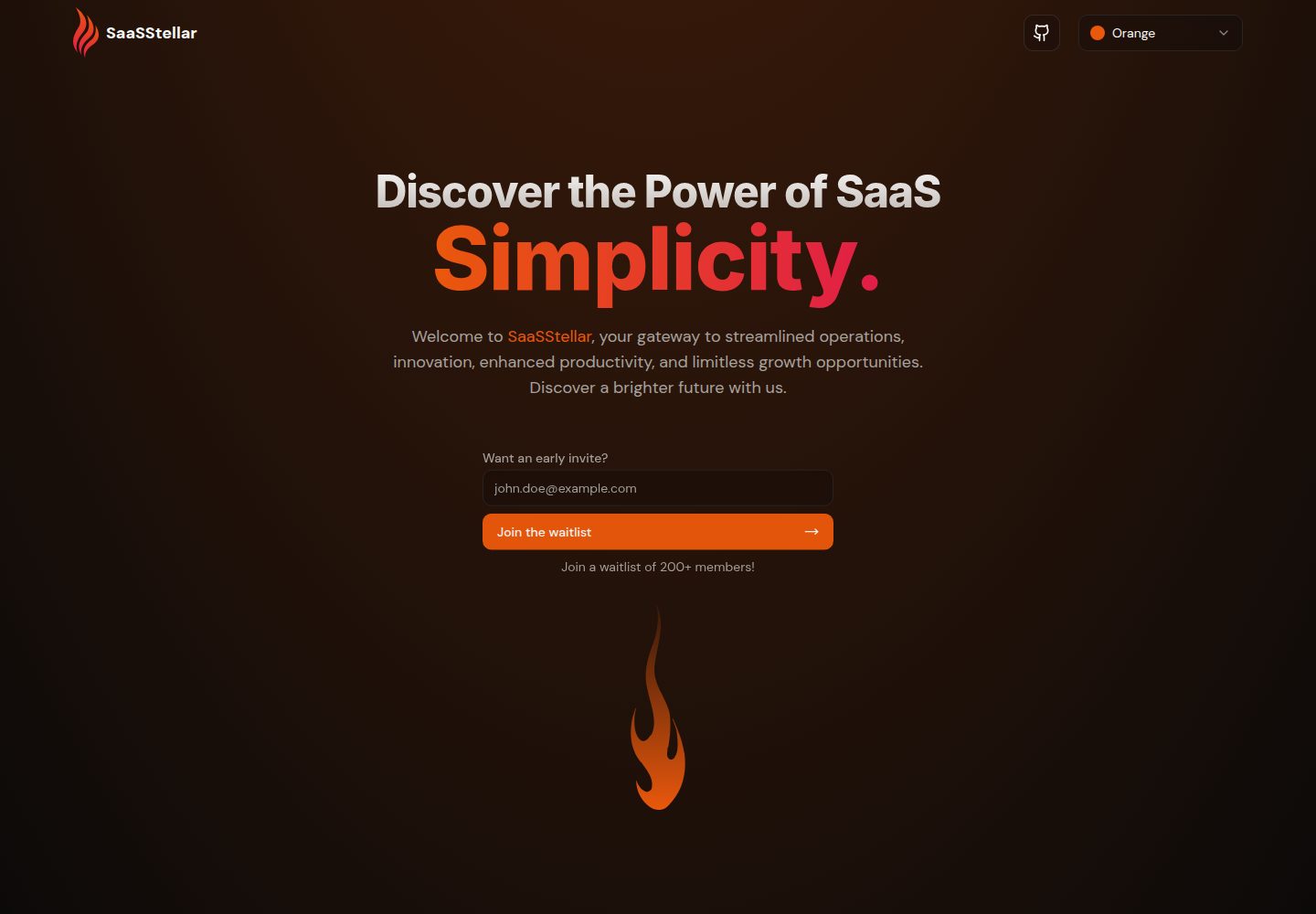
saasstellar
SaasStellar is a Remix-based SaaS landing page template using TailwindCSS and shadcn/ui, with 11 switchable themes, SEO and OpenGraph metadata, automatic sitemap generation, Google Analytics and Vercel Analytics integration, and Formspree form submissions that require your own endpoint.
Remix · SaaS
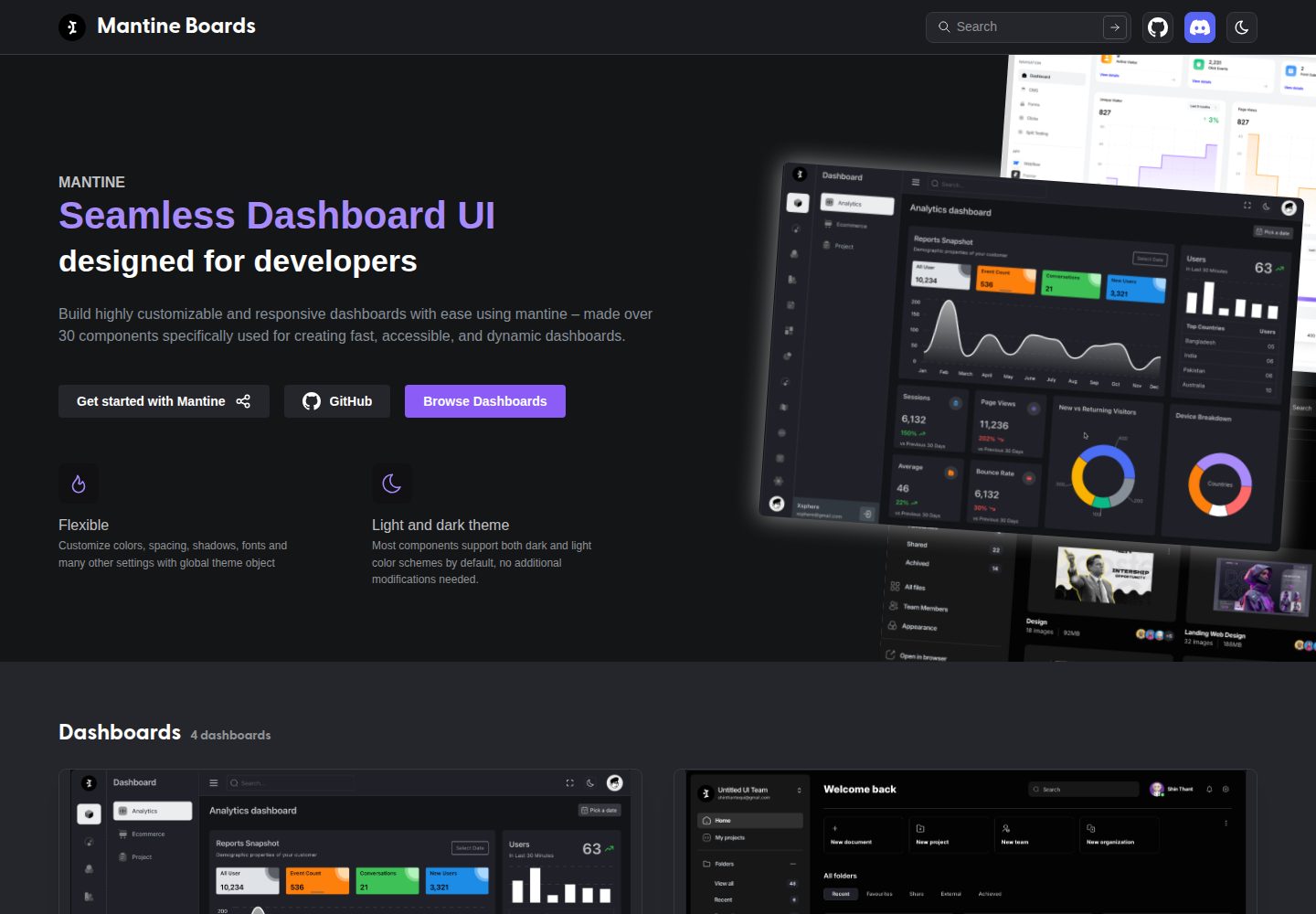
mantine-boards
Mantine Boards is an MIT-licensed admin dashboard template built with Remix and Mantine UI. It includes more than 3 dashboard pages, supports responsive layout and light/dark mode, and uses TypeScript, ESLint, Prettier, Tabler Icons, and Iconsax.
Remix · Admin dashboard
ant-design-pro
Ant Design Pro is an enterprise-grade React admin scaffold built on React 19, Umi Max 4, and antd 6 with TypeScript.
React · Admin dashboard

SaaS-Boilerplate
SaaS-Boilerplate is an open-source SaaS starter template built with Next.js App Router, React 19, TypeScript, Tailwind CSS, and Shadcn UI.
Next.js · SaaS

next-shadcn-dashboard-starter
An MIT-licensed admin dashboard starter built with Next.js 16, shadcn/ui, Tailwind CSS v4, and TypeScript.
Next.js · Admin dashboard

coreui-free-react-admin-template
CoreUI's free React admin template, built on React and the CoreUI component library, provides dashboard layouts, sidebar navigation, routing, and example views. It includes .cursorrules, ARCHITECTURE.md, and DEVELOPMENT.md context files, plus JSDoc comments and PropTypes, to support AI-assisted development.
React · Admin dashboard