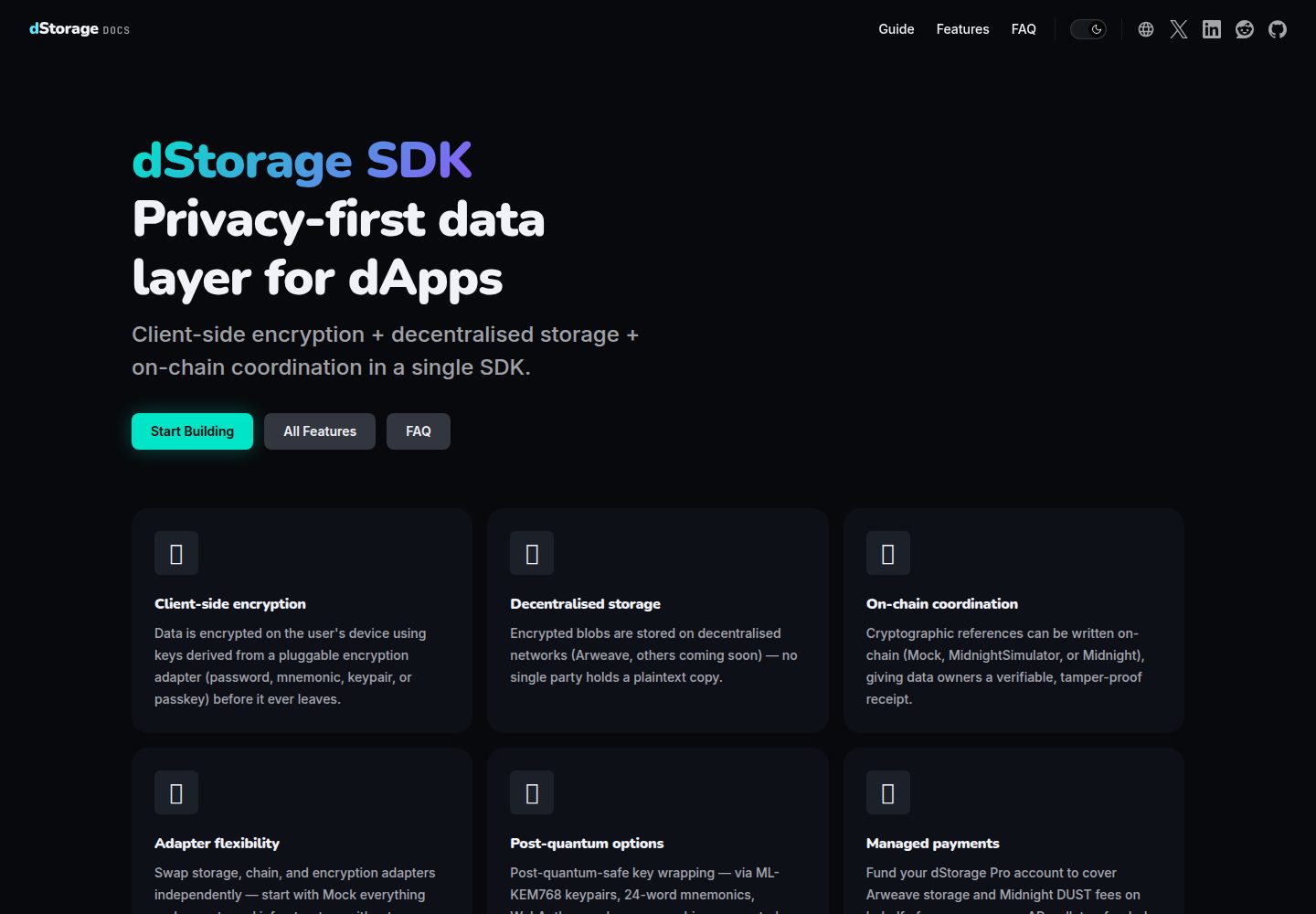
同时提供 Node.js/TypeScript 命令行入口与 Vite 浏览器入口
Vite启动器
dstorage-starter-template — Vite 启动器模板
作者 dStorageTech
dStorage 官方提供的入门项目,包含 Node.js/TypeScript 命令行程序与 Vite 浏览器应用,用于跟随 dStorage SDK 系列指南,演示客户端加密存储到 Arweave 及在 Midnight 上记录链上引用。
看看你的网站会是什么样
浏览真实页面截图,比较内容排版与手机效果。点击下方缩略图切换,放大查看整页细节。
全部页面与视图 3
截图用于了解视觉与布局,交互效果请以实际项目为准。
采集于 2026-10-04查看来源
值得关注的模板亮点
从已有项目资料中,快速了解它的特点。
默认运行 Mock Adapters 指南代码,使用内存适配器,无需外部服务
浏览器入口对应 Midnight Network Adapter 与 Passkey Encryption 指南
Vite 配置已包含 Midnight SDK 在浏览器所需的 WASM、顶层 await 与 Node polyfills 插件
构建前自动把 DataRegistry 合约的 ZK 产物复制到 public/
MIT 许可,可作为自有应用的样板代码
模板详细介绍
这是一个用于跟随 dStorage SDK 指南的启动器项目,仓库同时提供 Node.js/TypeScript 命令行入口和基于 Vite 的浏览器入口。命令行入口(src/index.ts,通过 npm start 运行)默认执行 Mock Adapters 指南的代码:用内存适配器配置 SDK,加密存储一个字符串,再取回并解密,全程不需要外部服务。浏览器入口(index.html 与 src/main.ts,通过 npm run dev 运行)对应 Midnight Network Adapter 和 Passkey Encryption 指南,页面提供一个 Run 按钮,执行与命令行相同的 init() → store() → retrieveByRefId() 流程。
项目按指南组织代码:Node.js 指南共用 src/index.ts,替换其中的适配器即可切换到 Local & Simulator Adapters、Managed Payments Service 等不同组合;浏览器指南共用 src/main.ts。scripts/copy-zk-artifacts.mjs 会在 npm run dev 前把 DataRegistry 合约的 ZK 产物复制到 public/,vite.config.ts 配置了 Midnight SDK 在浏览器中需要的插件(WASM、顶层 await、Node polyfills)。部分指南需要本地服务(例如 arlocal),浏览器指南还需要连接 Midnight 钱包扩展(默认 1AM,也可用 Lace)并准备证明服务器。
使用前需要 Node.js 22 或更高版本以及 npm。npm run build 会在 dist/ 生成生产构建。项目采用 MIT 许可,但演示图片、字体、图标等第三方素材以及域名、托管、数据库等外部服务需另行核对许可与费用;涉及 dStorage Pro 认证令牌等凭据时应通过环境变量加载,不要提交到仓库。
Vite启动器
适合你的项目吗?
适用场景
- 跟随 dStorage SDK 系列指南逐步替换适配器进行学习
- 在 Node.js 环境中试验客户端加密存储与取回流程
- 在浏览器中连接 Midnight 钱包扩展并运行链上引用相关示例
- 作为自有 dStorage 应用的起始样板
适合人群
- 正在学习 dStorage SDK 并希望按指南动手实践的开发者
- 需要同时参考 Node.js 与浏览器两种集成方式的团队
- 希望以最小可运行示例验证加密存储流程的工程师
上手与定制指南
结合仓库当前版本的说明,按下面的资料检查内容、配置与运行要求。
- 1
需要 Node.js 22 或更高版本以及 npm
- 2
克隆仓库后执行 npm install,再用 npm start 运行命令行示例
- 3
运行浏览器示例使用 npm run dev,它会先复制 ZK 产物再启动 Vite 开发服务器
- 4
部分指南需要本地服务(如 arlocal),浏览器指南还需准备证明服务器并安装 Midnight 钱包扩展(默认 1AM,也可用 Lace)
- 5
dStorage Pro 认证令牌等凭据应通过环境变量加载,不要提交到仓库
授权与来源资料
使用条件与限制
免费使用 · 保留许可声明本次收录的是公开仓库中采用 MIT 许可的免费版本;免费范围为该版本代码,不代表外部服务或第三方素材免费。
使用时需要遵守
- 允许免费使用、修改、商用和分发该版本代码。
- 分发代码副本或实质性部分时,保留原作者版权声明和完整 MIT 许可声明。
- 代码按现状提供;担保与责任限制以原许可证及适用法律为准。
额外费用与待核对事项
- 演示图片、字体、图标及其他第三方素材需按各自许可核对,不能仅凭代码的 MIT 许可判断。
- 域名、托管、数据库、支付或 AI 等外部服务可能另外收费。
- 部分指南依赖本地服务(如 arlocal),需按各指南的 Prerequisites 章节自行准备并运行这些服务,否则对应示例无法运行。
- 浏览器示例运行前必须按指南 Prerequisites 配置证明服务器、arlocal 与钱包扩展,否则 Run 按钮无法正常工作。
- 浏览器指南需连接 Midnight 钱包扩展(默认 1AM,也可用 Lace),属于外部依赖,需用户自行安装配置。
- Managed Payments Service 指南使用 dStorage Pro 认证令牌,需通过环境变量加载,不得提交到仓库。
查看原文依据
Permission is hereby granted, free of charge
许可证原文
Some guides need local services, such as [arlocal](https://github.com/textury/arlocal); each guide's Prerequisites section lists them.
README 原文
Before you click it, set up the proof server, arlocal, and the wallet as described in the guide's Prerequisites section.
README 原文
connect to a Midnight wallet extension (1AM by default, or Lace)
README 原文
https://github.com/dStorageTech/dstorage-starter-template/blob/main/LICENSEhttps://github.com/dStorageTech/dstorage-starter-template/blob/main/README.mdNever commit secrets such as a dStorage Pro auth token (used by the Managed Payments Service guide).
README 原文
DeepSeek 根据仓库许可证和 README 整理 ·2026-10-04。结果仅覆盖已读取资料,依赖、图片、字体及后续条款变更以各自原文为准。
项目核对记录与介绍依据
模板资料
- 来源平台
- GitHub
- 资料与维护参考分
- 资料较完整 · 80 / 100
- 技术栈
- Vite
- 网站类型
- 启动器
这个分数如何计算
本站按许可资料(最高30分)、演示链接(12分)、预览图(10分)、Star数(15分)、记录的维护时间(15分)、描述完整度(8分)、功能记录(5分)和分类资料(5分)计算。它不是代码、安全或性能测试,也不是 Google 评分;有链接不代表已实测可用。
这个项目需要核对什么
- 记录的仓库更新时间
- 2026-10-04
- 截图检查日期
- 2026-10-04
已收录演示链接。请用你的内容与屏幕尺寸检查;有演示不代表表单、认证或支付已经可用。
目录记录的主要技术栈是 Vite。请通过依赖清单和锁文件核对实际版本与托管要求。这些说明基于收录资料,不代表代码审计或部署实测。
查看具体选型方法 →介绍的制作与核对状态
介绍由 AI 辅助整理目录与仓库资料。仓库作者不等于这篇介绍的审核者。
审核声明: [email protected] · 2026-10-04
查看当时使用的来源资料
SHA-256: fae445ebda97530b4f910c8898b1f4813cbe29199b000b528da91dff5e9f37a7
2026-10-04T14:31:34.082Z
来源文件 / 仓库# dStorage Starter Template A minimal Node.js/TypeScript project, plus a small Vite browser app, for following the [dStorage SDK guides](https://dstorage.pro/docs/guide/). Clone it and run it, then swap in each guide's adapters as you work through the series. You can also use it as boilerplate for your own app. ## Prerequisites - Node.js 22 or later - npm ## Quick start ```bash git clone https://github.com/dStorageTech/dstorage-starter-template.git cd dstorage-starter-template npm install npm start ``` Out of the box, `npm start` runs the code from the [Mock Adapters](https://dstorage.pro/docs/guide/mock-adapters.html) guide. It configures the SDK with in-memory adapters, stores an encrypted string, retrieves and decrypts it, and prints the result. No external services are needed. ## Project layout | Path | Purpose | | ------------------------------- | ----------------------------------------------------------------------- | | `src/index.ts` | Node.js entry point (`npm start`): Mock, Local & Simulator, and Managed Payments guides | | `index.html`, `src/main.ts` | Browser entry point (`npm run dev`): Midnight Network Adapter and Passkey Encryption guides | | `scripts/copy-zk-artifacts.mjs` | Copies the `DataRegistry` contract's ZK artifacts into `public/` before `npm run dev` | | `vite.config.ts` | Vite plugins the Midnight SDK needs in the browser (WASM, top-level await, Node polyfills) | ## Following along with the guides | Guide | Entry point | Run with | | --------------------------------------------------------------------------------------- | -------------- | ------------- | | [Mock Adapters](https://dstorage.pro/docs/guide/mock-adapters.html) | `src/index.ts` | `npm start` | | [Core Concepts](https://dstorage.pro/docs/guide/core-concepts.html) | conceptual only | (nothing to run) | | [Local & Simulator Adapters](https://dstorage.pro/docs/guide/local-simulator-adapters.html) | `src/index.ts` | `npm start` | | [Managed Payments Service](https://dstorage.pro/docs/guide/managed-payments-service.html) | `src/index.ts` | `npm start` | | [Midnight Network Adapter](https://dstorage.pro/docs/guide/midnight-network-adapter.html) | `src/main.ts` | `npm run dev` | | [Passkey Encryption](https://dstorage.pro/docs/guide/passkey-encryption.html) | `src/main.ts` | `npm run dev` | ### Node.js guides Each Node.js guide uses a different combination of adapters, but `main()` keeps the same shape: configure, `init()`, `store()`, `retrieveByRefId()`, `destroy()`. Replace the adapters in `src/index.ts` with the ones from the guide you're on. Some guides need local services, such as [arlocal](https://github.com/textury/arlocal); each guide's Prerequisites section lists them. ### Browser guides The Midnight Network Adapter and Passkey Encryption guides run in the browser, because they connect to a Midnight wallet extension (1AM by default, or Lace): ```bash npm run dev ``` This copies the compiled `DataRegistry` contract's ZK artifacts into `public/`, starts a Vite dev server, and serves a page with a **Run** button. The button runs the same `init()` → `store()` → `retrieveByRefId()` sequence. Before you click it, set up the proof server, arlocal, and the wallet as described in the guide's Prerequisites section. `npm run build` creates a production bundle in `dist/`. ## Credentials Never commit secrets such as a dStorage Pro auth token (used by the Managed Payments Service guide). Load them from environment variables instead, for example `authToken: process.env.DSTORAGE_AUTH_TOKEN`. `.env` files are already gitignored. ## License [MIT](LICENSE)
看看同类模板
对比同技术栈与用途的模板,找到更适合的视觉与内容结构。

react-starter-kit
Modern React starter kit with Bun, TypeScript, Tailwind CSS, tRPC, Stripe, and Cloudflare Workers. Production-…
Vite · SaaS

cove
The Cove Stack: 🏝️ minimal TanStack Start template with Vite+, Better Auth, Drizzle ORM, shadcn/ui
Vite · SaaS

vite-react-boilerplate
A production ready, scalable starter template for Vite + React
Vite · 启动器

react-vite-admin
This Starter utilizes React, Recoil, React Query, React Hooks, Typescript, Axios And Vite. 全新技术栈的后台管理系统
Vite · 后台

typescript-react_best_practices-vite_template
<⚡⚛️> Start your React project with Vite following code best practices (TypeScript, Linting, testing, CI/CD…)
Vite · 启动器

cloudflare-starter-kit
Template (boilerplate) repository for scaffolding Cloudflare Workers projects
Vite · 启动器