装饰器路由:控制器继承 Routable,用 @route / @protectedRoute 标注方法后自动挂载,无需手动注册
Next.jsReact启动器
chassis — Next.js 启动器模板
作者 dvd90
Chassis 是一个基于 Express 5 与 TypeScript 的后端启动器,通过装饰器路由提供类似 NestJS 的控制器写法,并可用 CLI 按需选择数据库、认证、前端等集成。
看看你的网站会是什么样
浏览真实页面截图,比较内容排版与手机效果。点击下方缩略图切换,放大查看整页细节。
全部页面与视图 2
截图用于了解视觉与布局,交互效果请以实际项目为准。
采集于 2026-10-13查看来源
值得关注的模板亮点
从已有项目资料中,快速了解它的特点。
统一响应与错误:req.resHandler 提供 ok、notFound、validation 等响应方法,AppError 配合集中错误处理
按需脚手架:create-chassis 支持预设或逐项选择数据库、认证、Next.js 前端、Sentry、MCP、x402,未选集成不会进入依赖
集成默认休眠:MongoDB、Auth0、Sentry 等仅在被设置对应环境变量时启用
可测试的应用工厂:app.ts 为纯工厂,Vitest + supertest 无需服务器或数据库即可测试
AI 代理配套:生成项目包含 AGENTS.md、CLAUDE.md、llms.txt 与 add-resource 技能,并提供 npm run verify 质量门禁
模板详细介绍
Chassis 是一个轻量级 Express + TypeScript 后端启动器,核心目标是在少量可读文件中提供装饰器驱动的控制器写法。控制器继承 Routable 后,用 @route 或 @protectedRoute 装饰方法即可自动挂载,响应通过 req.resHandler 统一返回,错误用 AppError 抛出并由集中错误处理接管。配置由 src/config 中的 zod 校验,环境变量不合法时应用拒绝启动;每个请求会分配 callId 并回显在响应与日志中。
项目提供 create-chassis CLI 进行脚手架生成,支持预设或按需选择:数据库与 ORM(Mongo、Postgres 或 SQLite)、认证方式(Auth0、Clerk 或内置本地登录)、可选的 Next.js 前端、Sentry、MCP 服务器以及 x402 支付。未被选中的集成不会出现在生成的 package.json 中。所有集成默认休眠,只有设置对应环境变量时才启用,例如 MONGODB_URI、AUTH0_DOMAIN 与 AUTH0_AUDIENCE、SENTRY_DSN。
本地登录包含邮件链接、凭据表单或两者组合三种变体,共享同一会话层。邮件链接流程中 GET 请求不会消耗令牌,兑换通过 POST 完成;每封邮件同时携带六位验证码;请求端点对任意地址返回相同响应;刷新令牌每次使用后轮换,重放已用令牌会撤销整个会话族。项目不绑定邮件或短信服务商,需通过 setMailTransport() 或 setSmsTransport() 接入,验证地址后触发 setOnVerified() 钩子。
测试使用 Vitest 与 supertest,针对纯应用工厂运行,无需启动服务器或数据库。npm run gen <Name> 可生成与所选 ORM(Drizzle 或 Mongoose)对接的控制器与测试。Docker 提供多阶段构建、非 root 用户的生产镜像,以及用于开发的 docker-compose。项目还包含 GitHub Actions 验证流水线与 Renovate 依赖更新。
面向 AI 代理,生成的项目包含 AGENTS.md、CLAUDE.md、llms.txt 以及 add-resource 技能;CLI 的 --yes 与 --bare 不提示,stdin 非 TTY 时自动跳过提示。npm run verify 执行严格 TypeScript、ESLint 与测试,作为确定性的质量门禁。
Next.js启动器
适合你的项目吗?
适用场景
- 快速搭建一个带装饰器路由与统一响应格式的 Express + TypeScript API 起点
- 需要按项目实际情况选择数据库、认证方式与可选 Next.js 前端的后端脚手架
- 希望集成默认关闭、仅通过环境变量按需启用的后端项目
- 为 AI 编码代理准备带有约定文档与验证脚本的后端代码库
- 需要本地登录(邮件链接或凭据表单)且不绑定第三方身份服务的 API 项目
适合人群
- 使用 Express 与 TypeScript 构建后端 API 的开发者
- 偏好装饰器风格控制器、希望减少手动路由注册的团队
- 需要按需选择数据库、认证与前端集成,而非接受固定技术栈的项目
- 在开发流程中使用 AI 编码代理并希望其遵循统一约定的团队
上手与定制指南
结合仓库当前版本的说明,按下面的资料检查内容、配置与运行要求。
- 1
可直接克隆仓库后执行 npm install 与 npm run dev,无需数据库或环境文件即可访问 /status
- 2
推荐使用 npm create chassis 脚手架,支持 --yes、--preset、--bare 以及 --db、--auth、--mcp 等按需参数
- 3
集成通过复制 .env.example 为 .env 并设置对应变量启用,例如 MONGODB_URI、AUTH0_DOMAIN 与 AUTH0_AUDIENCE、SENTRY_DSN
- 4
本地登录需要设置 JWT_SECRET;邮件发送需通过 setMailTransport() 绑定服务商,未设置 SMTP_URL 时邮件会写入日志
- 5
Docker 开发环境可运行 docker compose up --build 启动 API 与 MongoDB
授权与来源资料
使用条件与限制
免费使用 · 保留许可声明本次收录的是公开仓库中采用 MIT 许可的免费版本;免费范围为该版本代码,不代表外部服务或第三方素材免费。
使用时需要遵守
- 允许免费使用、修改、商用和分发该版本代码。
- 分发代码副本或实质性部分时,保留原作者版权声明和完整 MIT 许可声明。
- 代码按现状提供;担保与责任限制以原许可证及适用法律为准。
额外费用与待核对事项
- 演示图片、字体、图标及其他第三方素材需按各自许可核对,不能仅凭代码的 MIT 许可判断。
- 域名、托管、数据库、支付或 AI 等外部服务可能另外收费。
- 项目本身不内置邮件或短信服务商,使用本地登录的邮件链接或验证码功能时,必须自行通过 setMailTransport() 或 setSmsTransport() 接入第三方邮件/短信服务,可能产生外部服务费用。
- 未设置 SMTP_URL 时邮件不会真正发送,只会写入日志;要实际投递邮件必须配置 SMTP_URL 或绑定自定义邮件传输。
- 使用本地登录功能时必须提供 JWT_SECRET 环境变量,否则相关认证无法正常工作。
- 若使用 Auth0 或 Clerk 之外的第三方身份提供商,需要自行在启动时调用 setAuthProvider() 注入中间件,项目不提供开箱支持。
- 启用 Auth0 认证需要配置 AUTH0_DOMAIN 与 AUTH0_AUDIENCE,并依赖 Auth0 这一外部服务,可能涉及账号与费用。
- 启用 Sentry 错误上报需要配置 SENTRY_DSN,依赖 Sentry 外部服务,可能涉及账号与费用。
- 使用 MongoDB 集成需要提供 MONGODB_URI,即需要可用的 MongoDB 实例(本地或外部托管),外部托管可能产生费用。
- 支付门控路由依赖 x402 协议,属于可选集成,启用后涉及链上支付相关的外部依赖与成本。
查看原文依据
Permission is hereby granted, free of charge
许可证原文
Chassis binds no email or SMS provider — bind yours through `setMailTransport()` or `setSmsTransport()`.
README 原文
`SMTP_URL` | unset → logs the email
README 原文
`JWT_SECRET` | _(required)_
README 原文
Using a different IdP? Call `setAuthProvider([...yourMiddleware])` at boot and `@protectedRoute` uses it
README 原文
Auth0 | `AUTH0_DOMAIN` + `AUTH0_AUDIENCE` | JWT verification on every `@protectedRoute`
README 原文
Sentry | `SENTRY_DSN` | Automatic error reporting from the central error handler
README 原文
MongoDB | `MONGODB_URI` | Mongoose connection, readiness check, graceful disconnect
README 原文
https://github.com/dvd90/chassis/blob/master/LICENSEhttps://github.com/dvd90/chassis/blob/master/README.md**Payment-gated routes** — `@paidRoute('get', '/report', '$0.01')` via the x402 protocol (opt-in)
README 原文
DeepSeek 根据仓库许可证和 README 整理 ·2026-10-13。结果仅覆盖已读取资料,依赖、图片、字体及后续条款变更以各自原文为准。
项目核对记录与介绍依据
模板资料
- 来源平台
- GitHub
- 资料与维护参考分
- 资料较完整 · 83 / 100
- 技术栈
- Next.js · React
- 网站类型
- 启动器
这个分数如何计算
本站按许可资料(最高30分)、演示链接(12分)、预览图(10分)、Star数(15分)、记录的维护时间(15分)、描述完整度(8分)、功能记录(5分)和分类资料(5分)计算。它不是代码、安全或性能测试,也不是 Google 评分;有链接不代表已实测可用。
这个项目需要核对什么
- 记录的仓库更新时间
- 2026-08-07
- 截图检查日期
- 2026-10-13
已收录演示链接。请用你的内容与屏幕尺寸检查;有演示不代表表单、认证或支付已经可用。
目录记录的主要技术栈是 Next.js。请通过依赖清单和锁文件核对实际版本与托管要求。这些说明基于收录资料,不代表代码审计或部署实测。
查看具体选型方法 →介绍的制作与核对状态
介绍由 AI 辅助整理目录与仓库资料。仓库作者不等于这篇介绍的审核者。
审核声明: [email protected] · 2026-10-13
查看当时使用的来源资料
SHA-256: fd205d9b0f31f0b31cae1b96dd40209e1e182aa300cf72af7a52c6e75b3d7941
2026-10-13T00:20:05.053Z
来源文件 / 仓库# 🏎️ Chassis
**A lightweight, decorator-driven Express + TypeScript backend starter. Clone, run, ship.**
**[📖 Documentation](https://dvd90.github.io/chassis/)** · [Getting started](https://dvd90.github.io/chassis/#getting-started) · [create-chassis on npm](https://www.npmjs.com/package/create-chassis)
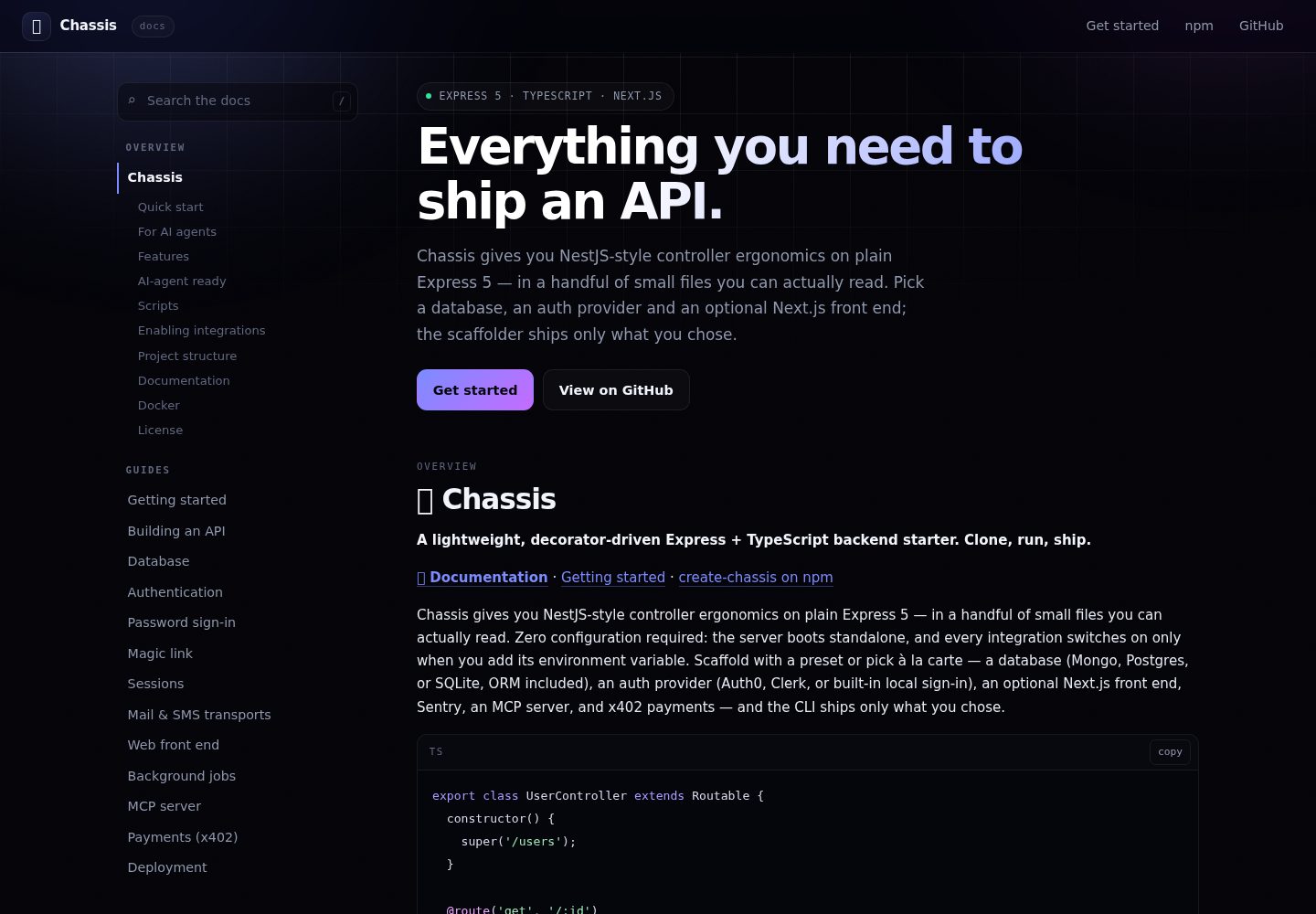
Chassis gives you NestJS-style controller ergonomics on plain Express 5 — in a handful of small files you can actually read. Zero configuration required: the server boots standalone, and every integration switches on only when you add its environment variable. Scaffold with a preset or pick à la carte — a database (Mongo, Postgres, or SQLite, ORM included), an auth provider (Auth0, Clerk, or built-in local sign-in), an optional Next.js front end, Sentry, an MCP server, and x402 payments — and the CLI ships only what you chose.
```ts
export class UserController extends Routable {
constructor() {
super('/users');
}
@route('get', '/:id')
async show(req: Request) {
const user = await findUser(req.params.id);
if (!user) throw new AppError(ERROR_CODES.NOT_FOUND, 'User not found');
return req.resHandler.ok(user);
}
@protectedRoute('post', '/', [validate({ body: createUserSchema })])
async create(req: Request) {
return req.resHandler.created(await createUser(req.body));
}
}
```
Export the class from `src/controllers/index.ts` — that's the whole wiring.
## Quick start
```bash
npm create chassis my-api -- --yes # zero prompts: Postgres + JWT + Sentry + Docker
npm create chassis my-app -- --preset fullstack --yes # the same, plus a Next.js front end
npm create chassis my-api # interactive — pick a preset
npm create chassis my-api -- --db postgres --auth jwt --mcp # à la carte
npm create chassis my-api -- --bare # nothing — standalone build
```
Or use the template directly:
```bash
git clone https://github.com/dvd90/chassis.git my-api
cd my-api && npm install && npm run dev
```
That's it — no database, no env file, no accounts needed. Open http://localhost:8000/status.
New here? Follow the **[step-by-step getting-started guide](docs/getting-started.md)** — zero to a tested API in ~10 minutes.
## For AI agents
Every path is non-interactive: `--yes` and `--bare` never prompt, and the CLI
skips prompts automatically whenever stdin isn't a TTY. One command produces a
project that already typechecks, lints and tests green.
- **[llms.txt](https://dvd90.github.io/chassis/llms.txt)** — the project, its
conventions and its docs index, in one fetch
- **[llms-full.txt](https://dvd90.github.io/chassis/llms-full.txt)** — every
documentation page, concatenated
- **[AGENTS.md](AGENTS.md)** — the conventions to follow when writing code in a
Chassis project, and the definition of done
Generated projects carry `AGENTS.md`, `CLAUDE.md`, `llms.txt` and an
`add-resource` skill, so whichever agent opens one writes code that matches the
rest of the codebase rather than fighting it.
## Features
- **TypeScript 6 + Express 5** — strict types, async errors caught automatically
- **Decorator routing** — `@route` / `@protectedRoute` on controller methods, controllers auto-mount
- **Consistent responses** — `req.resHandler.ok() / .notFound() / .validation()` with structured logging
- **Request correlation** — every request gets a `callId` (or propagates `x-call-id`), echoed in responses and logs
- **Typed, validated config** — zod-checked environment via `src/config`; the app refuses to boot on bad config
- **Zod input validation** — `validate({ body, query, params })` middleware with structured 400s
- **Pick-your-stack scaffolder** — presets or à la carte: database + ORM (Mongo/Postgres/SQLite), auth (Auth0/Clerk/local), a Next.js front end, Sentry, MCP, x402 — the CLI prunes everything else so `package.json` carries only what you chose
- **Opt-in integrations** — every module enables by env var, never required
- **Payment-gated routes** — `@paidRoute('get', '/report', '$0.01')` via the x402 protocol (opt-in)
- **Optional Next.js front end** — `--web` adds an App Router app and makes the project an npm-workspaces monorepo (`apps/api` + `apps/web`); the auth provider you picked is wired on both sides
- **MCP server** — expose your API to AI agents as MCP tools (`npm run mcp`, opt-in)
- **Health endpoints** — `/healthz` (liveness) and `/readyz` (readiness, checks enabled integrations)
- **Graceful shutdown** — drains connections and closes integrations on SIGTERM/SIGINT
- **Vitest + supertest** — fast tests against the pure app factory, no server or DB needed
- **DB-aware code generator** — `npm run gen user` scaffolds a controller + test wired to your ORM (Drizzle or Mongoose)
- **Production Docker** — multi-stage build, non-root user, plus docker-compose with your database for dev
- **CI + Renovate** — GitHub Actions verify pipeline and automated dependency updates
- **AI-agent ready** — ships `AGENTS.md`, `CLAUDE.md`, `llms.txt`, and an `add-resource` skill so agents write code that matches the conventions (see below)
## AI-agent ready
Most people scaffolding a backend today have an AI agent in the loop. Chassis is built so that agent-written code reads like hand-written code — because the framework gives agents rails and a verifiable finish line:
- **`AGENTS.md` + `CLAUDE.md`** ship in every project — Claude Code, Cursor, Copilot, and Codex pick them up automatically and follow the conventions (thin controllers, `resHandler` responses, `throw AppError`, config in one place).
- **One obvious place for everything** means agent output converges on the same shape a maintainer would write — that's what keeps it readable.
- **`npm run verify`** (strict TypeScript + ESLint + tests) is a deterministic quality gate agents iterate against until green.
- **`.claude/skills/add-resource`** turns "add a books resource" into one consistent, checklisted operation.
- **`llms.txt`** gives doc-fetching tools a compact map of the conventions.
Nothing to install — it's all in the scaffold. See [AGENTS.md](AGENTS.md).
## Scripts
| Command | What it does |
| --------------------------------- | ------------------------------------------- |
| `npm run dev` | Start with hot reload (tsx watch) |
| `npm test` / `npm run test:watch` | Run the vitest suite |
| `npm run verify` | Typecheck + lint + test (CI runs this) |
| `npm run build` / `npm start` | Compile to `dist/` and run production build |
| `npm run gen <Name>` | Generate a controller + test |
| `npm run lint` / `npm run format` | ESLint / Prettier |
## Enabling integrations
Copy `.env.example` to `.env`. Each integration turns on when its variables are set — and stays completely dormant otherwise:
| Integration | Enable by setting | What you get |
| ----------- | --------------------------------- | --------------------------------------------------------- |
| MongoDB | `MONGODB_URI` | Mongoose connection, readiness check, graceful disconnect |
| Auth0 | `AUTH0_DOMAIN` + `AUTH0_AUDIENCE` | JWT verification on every `@protectedRoute` |
| Sentry | `SENTRY_DSN` | Automatic error reporting from the central error handler |
Using a different IdP? Call `setAuthProvider([...yourMiddleware])` at boot and `@protectedRoute` uses it — see `src/core/auth.ts`.
### Sign in without a third party
Local sign-in ships in three variants — emailed link, the classic credential
form, or both. Run `npm create chassis --help` to see the `--auth` values, or
read [Authentication](docs/guides/authentication.md). Whichever you pick, they
share one session layer.
```
POST /auth/magic/request {email, returnTo?} → 202, identical for every address
GET /auth/magic/:token → confirm page — consumes nothing
POST /auth/magic/redeem {token} → session + redirect
POST /auth/magic/code {email, code} → same, from the other device
POST /auth/refresh | /auth/logout | /auth/revoke-all
```
Four things worth knowing about the emailed-link flow:
- **`GET` never spends a token.** Mail security scanners prefetch links, and a
single-use token burned by a scanner is how this feature usually breaks in
production. Redemption is a `POST`, on a click.
- **Every email carries a six-digit code too**, so someone who asks on a laptop
and reads their mail on a phone can still finish on the laptop.
- **The request endpoint will not tell you who has an account** — same body,
same timing, every address.
- **Refresh tokens rotate on every use**, and replaying a spent one revokes the
whole session family. Sliding `SESSION_IDLE`, hard `SESSION_ABSOLUTE` cap.
| Variable | Default |
| ----------------------------------------- | ----------------------- |
| `JWT_SECRET` | _(required)_ |
| `SESSION_IDLE` / `SESSION_ABSOLUTE` | `30d` / `90d` |
| `MAGIC_TOKEN_TTL` / `MAGIC_CODE_ATTEMPTS` | `15m` / `5` |
| `MAGIC_LINK_BASE_URL` | `http://localhost:8000` |
| `SMTP_URL` | unset → logs the email |
Chassis binds no email or SMS provider — bind yours through `setMailTransport()`
or `setSmsTransport()`. Proving an address fires one hook, `setOnVerified()`,
and that is the whole extension surface: consent and onboarding are yours.
Guides: [magic link](docs/guides/magic-link.md) ·
[sessions](docs/guides/sessions.md) ·
[transports](docs/guides/transports.md)
## Project structure
```
src/
├── config/ # zod-validated env → typed config + feature flags
├── core/ # the framework: Routable, decorators, responses, errors, validation
├── middleware/ # callId correlation, dev request logging
├── integrations/ # opt-in modules: mongo, auth0, sentry
├── controllers/ # your endpoints — exported classes auto-mount
├── __tests__/ # vitest + supertest
├── app.ts # pure app factory (no I/O — trivially testable)
└── server.ts # boot: integrations → listen → graceful shutdown
```
## Documentation
Read them at **[dvd90.github.io/chassis](https://dvd90.github.io/chassis/)** —
searchable, one page. The source lives in [`docs/`](docs/README.md) and the site
is generated from it, so the two can never disagree:
- **[Getting started](docs/getting-started.md)** — step-by-step tutorial
- **Guides** — [building an API](docs/guides/building-an-api.md) · [authentication](docs/guides/authentication.md) · [deployment](docs/guides/deployment.md)
- **Concepts** — [architecture](docs/architecture.md) · [modules & integrations](docs/modules.md)
- **Reference** — [configuration](docs/reference/configuration.md) · [core API](docs/reference/core-api.md) · [CLI & scripts](docs/reference/cli.md)
- **[Maintainers guide](docs/maintainers.md)** — publishing, releases, keeping the template fresh
## Docker
```bash
docker compose up --build # API + MongoDB
docker build -t my-api . # production image only
```
## License
[MIT](LICENSE)
看看同类模板
对比同技术栈与用途的模板,找到更适合的视觉与内容结构。

ai-website-cloner-template
Clone any website with one command using AI coding agents
Next.js · 启动器

Next.js SaaS Starter
Next.js SaaS Starter 是 Next.js 官方维护的 SaaS 起点模板,定位介于学习资源和可直接部署的脚手架之间。
Next.js · SaaS

Next.js Commerce
Next.js Commerce 是 Vercel 团队维护的电商启动模板,基于 Next.js App Router 构建,采用服务端渲染、React Server Components、Server Actions …
Next.js · 电商

Next-js-Boilerplate
Next-js-Boilerplate 是一个面向 Next.js 16、Tailwind CSS 4 和 TypeScript 的启动器,核心定位是开发者体验优先。
Next.js · 启动器

tailwind-nextjs-starter-blog
tailwind-nextjs-starter-blog 是一个面向个人技术博客的 Next.js 与 Tailwind CSS 启动模板,其 v2 版本基于 App Router 与 React Server Comp…
Next.js · 博客

next-forge
Production-grade Turborepo template for Next.js apps.
Next.js · 启动器