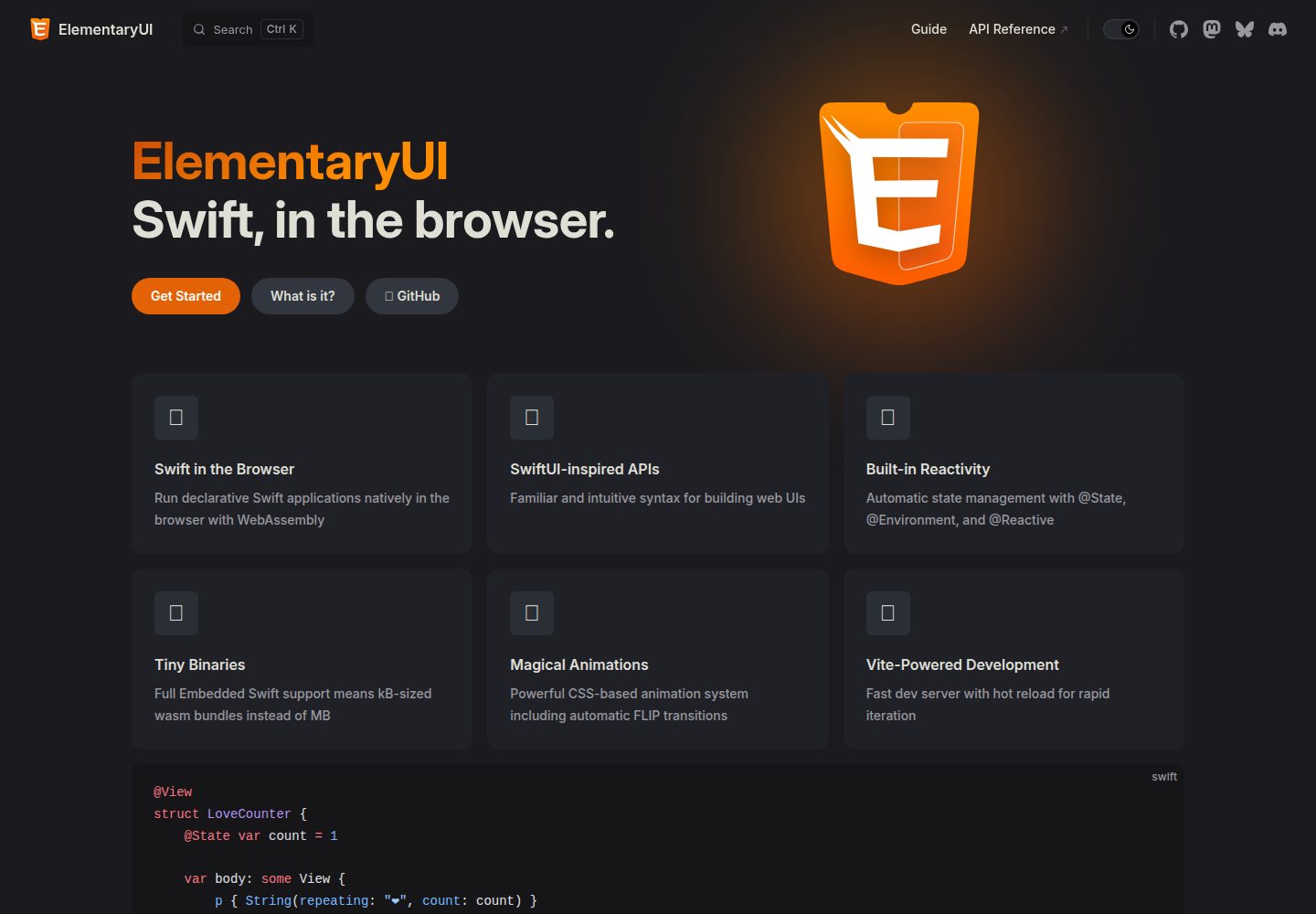
基于 Vite 的 ElementaryUI 最小启动模板,用于 Swift WebAssembly 前端项目
Vite启动器
starter-vite — Vite 启动器模板
作者 elementary-swift
ElementaryUI 的最小 Vite 启动模板,用于搭建 Swift WebAssembly 前端项目,包含开发、构建与部署脚本。
看看你的网站会是什么样
浏览真实页面截图,比较内容排版与手机效果。点击下方缩略图切换,放大查看整页细节。
全部页面与视图 2
截图用于了解视觉与布局,交互效果请以实际项目为准。
采集于 2026-10-03查看来源
值得关注的模板亮点
从已有项目资料中,快速了解它的特点。
内置 @elementary-swift/vite-plugin-swift-wasm 插件,release 构建默认使用 Embedded Swift
npm run dev 提供热重载,保存 Swift 文件即触发重新构建与刷新
支持原生安装与 Dev Containers 两种开发环境准备方式
提供 build 与 preview 脚本,用于 release 构建打包和本地预览
采用 0BSD 许可,仓库代码可自由使用且不要求署名
模板详细介绍
这是一个面向 ElementaryUI 的 Vite 启动模板,仓库由 elementary-swift 维护,采用 0BSD 许可。它的用途是作为 Swift WebAssembly 前端项目的起点:通过 Vite 提供开发服务器与构建流程,并借助 @elementary-swift/vite-plugin-swift-wasm 插件把 Swift 代码编译为 WebAssembly。
模板提供两种环境准备方式。原生安装需要 Swift 6.3+ 及配套的 WebAssembly Swift SDK、Node.js 22+,wasm-opt 为可选项;也可以使用 Dev Containers,在 Docker 与支持 Dev Containers 的编辑器中打开项目并重新在容器内打开,首次构建可能需要数分钟。README 给出了 swift --version 与 swift sdk list 两条命令用于确认工具链和 SDK 是否就绪。
开发流程由 npm 脚本驱动:npm run dev 启动带热重载的开发服务器,首次会在浏览器中运行调试构建,保存 Swift 文件会触发重新构建与刷新;npm run build 以 release 模式构建并打包,npm run preview 用于本地预览构建结果。vite.config.ts 中默认启用 Embedded Swift 进行 release 构建,更多配置项需查阅 vite-plugin-swift-wasm 插件主页。
限制方面,模板本身只覆盖 Vite 与 Swift WebAssembly 的构建链路,不包含路由、状态管理、后端或部署平台配置;0BSD 许可仅覆盖仓库代码,演示图片、字体、图标等第三方素材以及域名、托管等外部服务需另行核对与承担费用。
Vite启动器
适合你的项目吗?
适用场景
- 用 Swift 编写运行在浏览器中的 WebAssembly 前端应用
- 在 Vite 开发服务器下调试 ElementaryUI 组件并利用热重载
- 以 release 模式构建并打包 Swift WebAssembly 应用用于部署
- 在容器化开发环境中统一 Swift 与 Node.js 工具链
适合人群
- 熟悉 Swift 并希望尝试 WebAssembly 前端开发的开发者
- 需要 ElementaryUI 最小项目骨架作为起点的团队
- 使用 Vite 构建流程并希望接入 Swift 编译插件的项目
- 愿意按 README 配置 Swift SDK for WebAssembly 与 Node.js 环境的使用者
上手与定制指南
结合仓库当前版本的说明,按下面的资料检查内容、配置与运行要求。
- 1
原生安装需准备 Swift 6.3+ 及匹配的 WebAssembly Swift SDK、Node.js 22+,wasm-opt 可选
- 2
也可使用 Docker 与 Dev Containers 扩展在容器内打开项目,首次构建可能耗时数分钟
- 3
克隆或使用 degit 拉取模板后执行 npm install 安装依赖
- 4
用 swift --version 和 swift sdk list 确认工具链与 SDK 版本匹配
- 5
开发用 npm run dev,构建与预览用 npm run build 和 npm run preview
授权与来源资料
使用条件与限制
免费使用 · 保留许可声明本次收录的是公开仓库中采用 0BSD 许可的免费版本;免费范围为该版本代码,不代表外部服务或第三方素材免费。
使用时需要遵守
- 允许为任何目的使用、复制、修改和分发,包括免费或收费的商业用途。
- 该代码许可不要求在副本中保留版权或许可声明;第三方素材仍以各自许可为准。
- 代码按现状提供;担保与责任限制以原许可证及适用法律为准。
额外费用与待核对事项
- 使用该模板需自行安装 Swift 6.3 或更高版本,并配置与之匹配的 WebAssembly Swift SDK,否则无法编译项目。
- 开发环境要求 Node.js 22 或更高版本,低于该版本无法按 README 流程运行 npm 脚本。
- 选择 Dev Containers 方式时需安装 Docker 及支持 Dev Containers 的编辑器扩展,首次构建可能耗时数分钟。
- wasm-opt 为可选依赖,若需使用需自行通过 Homebrew 或手动下载安装。
- 模板仅提供默认 Vite 配置,更多配置项需查阅外部插件 vite-plugin-swift-wasm 的主页,属于外部依赖。
- 演示图片、字体、图标及其他第三方素材需按各自许可核对,不能仅凭代码的 0BSD 许可判断。
- 域名、托管、数据库、支付或 AI 等外部服务可能另外收费。
查看原文依据
for any purpose with or without fee is hereby granted
许可证原文
Swift 6.3+ with matching Swift SDK for WebAssembly
README 原文
Node.js 22+ ([nodejs.org](https://nodejs.org/en/download))
README 原文
[Docker](https://www.docker.com)
README 原文
wasm-opt (optional, [homebrew](https://formulae.brew.sh/formula/binaryen) or [manual](https://github.com/WebAssembly/binaryen/releases))
README 原文
https://github.com/elementary-swift/starter-vite/blob/main/LICENSEhttps://github.com/elementary-swift/starter-vite/blob/main/README.mdFor all configuration options, visit the plugin's homepage: [vite-plugin-swift-wasm](https://github.com/elementary-swift/vite-plugin-swift-wasm).
README 原文
DeepSeek 根据仓库许可证和 README 整理 ·2026-10-03。结果仅覆盖已读取资料,依赖、图片、字体及后续条款变更以各自原文为准。
项目核对记录与介绍依据
模板资料
- 来源平台
- GitHub
- 资料与维护参考分
- 资料较完整 · 87 / 100
- 技术栈
- Vite
- 网站类型
- 启动器
这个分数如何计算
本站按许可资料(最高30分)、演示链接(12分)、预览图(10分)、Star数(15分)、记录的维护时间(15分)、描述完整度(8分)、功能记录(5分)和分类资料(5分)计算。它不是代码、安全或性能测试,也不是 Google 评分;有链接不代表已实测可用。
这个项目需要核对什么
- 记录的仓库更新时间
- 2026-08-21
- 截图检查日期
- 2026-10-03
已收录演示链接。请用你的内容与屏幕尺寸检查;有演示不代表表单、认证或支付已经可用。
目录记录的主要技术栈是 Vite。请通过依赖清单和锁文件核对实际版本与托管要求。这些说明基于收录资料,不代表代码审计或部署实测。
查看具体选型方法 →介绍的制作与核对状态
介绍由 AI 辅助整理目录与仓库资料。仓库作者不等于这篇介绍的审核者。
审核声明: [email protected] · 2026-10-04
查看当时使用的来源资料
SHA-256: c3f19bee920b39c10aaccb691535b267de8f3a24e528ede65b6885e680d10e76
2026-10-03T15:00:55.395Z
来源文件 / 仓库<p align="center">
<a href="https://elementary.codes">
<img src="https://elementary-swift.github.io/assets/elementary-logo.svg" width="125px" alt="Elementary Logo">
</a>
</p>
# Minimal Vite Starter for ElementaryUI
A starter template for building web applications with [ElementaryUI](https://github.com/elementary-swift/elementary-ui) powered by [Vite](https://vite.dev/).
Click **Use this template** on GitHub or check the [docs](https://docs.github.com/en/repositories/creating-and-managing-repositories/creating-a-repository-from-a-template) about using templates.
<p align="center">
<img src="https://elementary-swift.github.io/assets/vite-starter-split-screen.gif" alt="Elementary Demo Split Screen">
</p>
## Getting Started
You can use [degit](https://github.com/Rich-Harris/degit) to scaffold a local project.
```sh
npx degit elementary-swift/starter-vite my-swift-web-app
cd my-swift-web-app
```
or simply clone it:
```sh
git clone https://github.com/elementary-swift/starter-vite.git my-swift-web-app
```
## Development Environment
### Option 1: Native Install
**Prerequisites:**
- Swift 6.3+ with matching Swift SDK for WebAssembly ([swift.org](https://www.swift.org/documentation/articles/wasm-getting-started.html))
- Node.js 22+ ([nodejs.org](https://nodejs.org/en/download))
- wasm-opt (optional, [homebrew](https://formulae.brew.sh/formula/binaryen) or [manual](https://github.com/WebAssembly/binaryen/releases))
```sh
npm install
```
### Option 2: Dev Containers
**Prerequisites:**
- [Docker](https://www.docker.com)
- [Dev Containers](https://marketplace.visualstudio.com/items?itemName=ms-vscode-remote.remote-containers) extension for VS Code or any compatible editor
Open the project folder in your editor and run the "Dev Containers: Reopen in Container" command. The initial build may take several minutes.
## Verify Installation
```sh
# Verify Swift toolchain
swift --version
# look for a compiler tag like this: (swift-6.3.1-RELEASE)
# Verify Swift SDK for WebAssembly
swift sdk list
# should contain matching entries, eg: swift-6.3.1-RELEASE_wasm and swift-6.3.1-RELEASE_wasm-embedded
```
## Develop
```sh
# Start development server with hot reload
npm run dev
```
Runs an initial debug build of the WebAssembly app in the browser. Swift files are watched and trigger an instant rebuild/reload on save.
## Deploying
```sh
# Build in release and bundle for deployment
npm run build
# Preview the built web app locally
npm run preview
```
## Configuration
The template comes with a [Vite config](vite.config.ts) that uses *Embedded Swift* for release builds.
```ts
// vite.config.ts
import { defineConfig } from "vite";
import swiftWasm from "@elementary-swift/vite-plugin-swift-wasm";
export default defineConfig({
plugins: [
swiftWasm({
useEmbeddedSDK: true,
}),
],
});
```
For all configuration options, visit the plugin's homepage: [vite-plugin-swift-wasm](https://github.com/elementary-swift/vite-plugin-swift-wasm).
## License
[0BSD License](LICENSE) - use it freely with no attribution required.
看看同类模板
对比同技术栈与用途的模板,找到更适合的视觉与内容结构。

react-starter-kit
Modern React starter kit with Bun, TypeScript, Tailwind CSS, tRPC, Stripe, and Cloudflare Workers. Production-…
Vite · SaaS

cove
The Cove Stack: 🏝️ minimal TanStack Start template with Vite+, Better Auth, Drizzle ORM, shadcn/ui
Vite · SaaS

vite-react-boilerplate
A production ready, scalable starter template for Vite + React
Vite · 启动器

react-vite-admin
This Starter utilizes React, Recoil, React Query, React Hooks, Typescript, Axios And Vite. 全新技术栈的后台管理系统
Vite · 后台

typescript-react_best_practices-vite_template
<⚡⚛️> Start your React project with Vite following code best practices (TypeScript, Linting, testing, CI/CD…)
Vite · 启动器

cloudflare-starter-kit
Template (boilerplate) repository for scaffolding Cloudflare Workers projects
Vite · 启动器