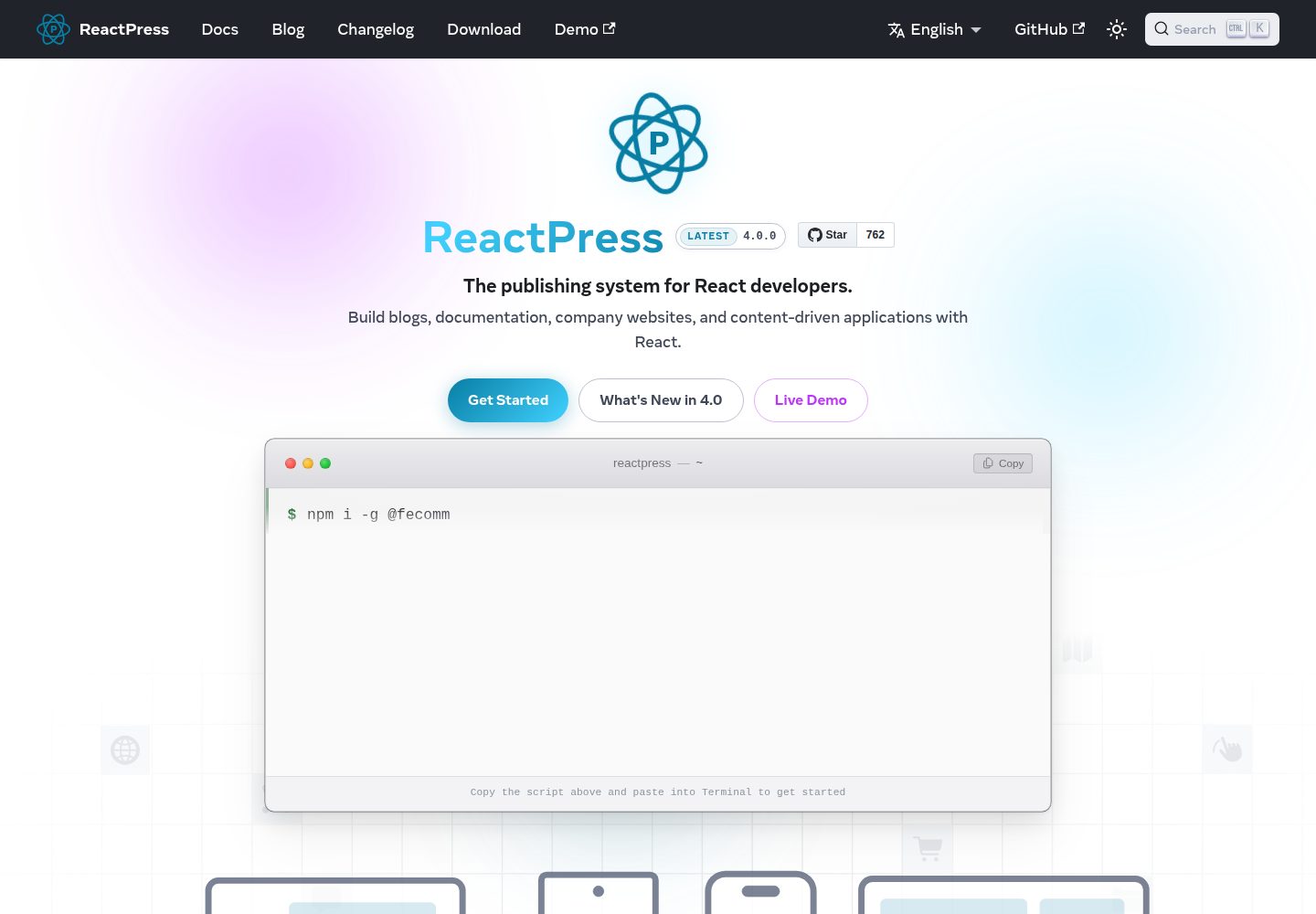
提供可运行的最小插件,包含服务端 register(hooks, ctx) 入口与 article.afterPublish 钩子订阅示例
WordPressReact后台启动器
reactpress-plugin-starter — WordPress 后台模板
作者 fecommunity
ReactPress 插件起步模板,演示服务端钩子、plugin.json 清单配置、多语言与后台 UI 插槽的接入方式。
看看你的网站会是什么样
浏览真实页面截图,比较内容排版与手机效果。点击下方缩略图切换,放大查看整页细节。
全部页面与视图 3
截图用于了解视觉与布局,交互效果请以实际项目为准。
采集于 2026-10-03查看来源
值得关注的模板亮点
从已有项目资料中,快速了解它的特点。
plugin.json 清单驱动配置:声明 settings.schema,配置持久化在 globalSetting.plugins.entries.{id}.config
内置后台设置页(admin.menu → /plugins/{id}/settings)与编辑器插槽(article.editor.meta.afterSummary)
通过 src/locales/{locale}.json 提供后台界面多语言文案
附带目录结构、依赖边界与 fork 步骤说明,并指向 hello-world、seo 等参考实现
模板详细介绍
这是 ReactPress 的插件起步模板,用于在 ReactPress 4.0 的插件布局下创建插件。模板本身是一个可运行的最小插件(plugin-starter),演示了插件体系中的几个关键接入点:服务端入口 src/server/index.ts 导出 register(hooks, ctx),通过 hooks.addAction 订阅 article.afterPublish 动作钩子;plugin.json 声明 id、名称、版本、server.hooks.subscribe 与 settings.schema;后台设置页通过 admin.menu 挂载到 /plugins/{id}/settings;编辑器插槽通过 admin.slots 注册到 article.editor.meta.afterSummary;界面文案放在 src/locales/{locale}.json。
按职责划分,ReactPress 把访客界面与 SSR 交给主题(Next.js),把业务规则与钩子交给插件(NestJS API),Webhook 负责对外异步通知。模板明确了两条边界:插件不得注入主题路由或修改 Next.js 构建,主题不得直接写数据库。插件启用与停用不需要重启 API,钩子在运行时热加载。
使用前需要 Node.js 18 及以上、ReactPress 4.0.0 及以上,以及 @fecommunity/reactpress-toolkit 的 4.x beta 版本(plugin/server 子路径仅在该 beta 中导出)。模板需要放进 ReactPress 单体仓库的 plugins/{id}/ 目录,id 必须与 plugin.json 中的 id 一致,并在 plugins/package.json 的 reactpress.local 中登记。src/server/ 只允许从 toolkit 的 plugin/server 导入;修改服务端代码后需重新构建,并在后台停用再启用插件或保存配置以触发重载;修改 src/admin/ 后需重新构建 ReactPress 的 web 包。
WordPressReact后台启动器
适合你的项目吗?
适用场景
- 为 ReactPress 站点开发扩展服务端业务逻辑的插件
- 需要在文章发布后触发自定义处理(如日志、同步、通知)的钩子开发
- 为插件添加后台设置页与文章编辑器插槽组件的开发
- 以模板为基础 fork 出新的 ReactPress 插件包
适合人群
- 使用 ReactPress 4.0 并需要编写插件的开发者
- 熟悉 TypeScript、NestJS 与 React 后台开发的技术人员
- 需要按 WordPress 式安装/启用/配置流程扩展站点的团队
上手与定制指南
结合仓库当前版本的说明,按下面的资料检查内容、配置与运行要求。
- 1
环境要求:Node.js >= 18、ReactPress >= 4.0.0,工具包使用 @fecommunity/reactpress-toolkit 4.x beta(plugin/server 子路径仅 beta 提供)
- 2
将模板复制或软链到 ReactPress 单体仓库的 plugins/{id}/,id 须为 kebab-case 且与 plugin.json 的 id 一致,并在 plugins/package.json 的 reactpress.local 中登记
- 3
把 plugin.json 的 $schema 改为单体仓库相对路径 ../plugin.manifest.schema.json
- 4
执行 npm run build 生成 dist/index.js,并在后台 Plugins → Install → Enable → Settings 或使用 reactpress plugin install/activate 命令启用
- 5
修改 src/server/ 后需重新构建并停用再启用插件(或保存配置)触发重载;修改 src/admin/ 后需重新构建 web 包
授权与来源资料
使用条件与限制
免费使用 · 保留许可声明本次收录的是公开仓库中采用 MIT 许可的免费版本;免费范围为该版本代码,不代表外部服务或第三方素材免费。
使用时需要遵守
- 允许免费使用、修改、商用和分发该版本代码。
- 分发代码副本或实质性部分时,保留原作者版权声明和完整 MIT 许可声明。
- 代码按现状提供;担保与责任限制以原许可证及适用法律为准。
额外费用与待核对事项
- 该模板需放入 ReactPress 单体仓库的 plugins/{id}/ 目录才能获得完整运行时,不能脱离 ReactPress 独立运行。
- 依赖 @fecommunity/reactpress-toolkit 的 4.x beta 版本,plugin/server 子路径仅在该 beta 中导出,需从 npm 安装该外部包。
- 要求宿主 ReactPress 版本不低于 4.0.0,低版本环境无法使用。
- 构建与运行需要 Node.js 18 及以上版本。
- 使用前需手动把 plugin.json 的 $schema 改为单体仓库相对路径 ../plugin.manifest.schema.json。
- 必须在 ReactPress 项目的 plugins/package.json 的 reactpress.local 中登记插件 id 才能被加载。
- 修改服务端代码后需重新构建,并在后台停用再启用插件或保存配置以触发重载。
- 修改 src/admin/ 后需重新构建 ReactPress 的 web 包才能生效。
- 服务端代码只允许从 toolkit 的 plugin/server 子路径导入,存在导入边界限制。
- 插件不得注入主题路由或修改 Next.js 构建,主题不得直接写数据库,存在架构边界约束。
- 演示图片、字体、图标及其他第三方素材需按各自许可核对,不能仅凭代码的 MIT 许可判断。
- 域名、托管、数据库、支付或 AI 等外部服务可能另外收费。
查看原文依据
Permission is hereby granted, free of charge
许可证原文
Install into the [ReactPress monorepo](https://github.com/fecommunity/reactpress) for full runtime.
README 原文
Toolkit | `@fecommunity/reactpress-toolkit@^4.0.0-beta.18` (types & server build)
README 原文
ReactPress | >= 4.0.0 (see `plugin.json` → `requires`)
README 原文
Node.js | >= 18
README 原文
Update `plugin.json` → `$schema` to the monorepo-relative path:
README 原文
Add the plugin id to `plugins/package.json`:
README 原文
After editing `src/server/`, rebuild and **deactivate → reactivate** the plugin in Admin, or save config to trigger reload.
README 原文
After editing `src/admin/`, rebuild the ReactPress `web/` package.
README 原文
**Rule:** `src/server/` must only import from `@fecommunity/reactpress-toolkit/plugin/server`.
README 原文
https://github.com/fecommunity/reactpress-plugin-starter/blob/master/LICENSEhttps://github.com/fecommunity/reactpress-plugin-starter/blob/master/README.md**Boundary:** plugins must not inject theme routes or modify the Next.js build. Themes must not write to the database directly.
README 原文
DeepSeek 根据仓库许可证和 README 整理 ·2026-10-03。结果仅覆盖已读取资料,依赖、图片、字体及后续条款变更以各自原文为准。
项目核对记录与介绍依据
模板资料
- 来源平台
- GitHub
- 资料与维护参考分
- 资料较完整 · 88 / 100
- 技术栈
- WordPress · React
- 网站类型
- 后台 · 启动器
这个分数如何计算
本站按许可资料(最高30分)、演示链接(12分)、预览图(10分)、Star数(15分)、记录的维护时间(15分)、描述完整度(8分)、功能记录(5分)和分类资料(5分)计算。它不是代码、安全或性能测试,也不是 Google 评分;有链接不代表已实测可用。
这个项目需要核对什么
- 记录的仓库更新时间
- 2026-07-12
- 截图检查日期
- 2026-10-03
已收录演示链接。请用你的内容与屏幕尺寸检查;有演示不代表表单、认证或支付已经可用。
目录记录的主要技术栈是 WordPress。请通过依赖清单和锁文件核对实际版本与托管要求。这些说明基于收录资料,不代表代码审计或部署实测。
查看具体选型方法 →介绍的制作与核对状态
介绍由 AI 辅助整理目录与仓库资料。仓库作者不等于这篇介绍的审核者。
审核声明: [email protected] · 2026-10-04
查看当时使用的来源资料
SHA-256: abb37fc6fcbb9d8a8e9916beb563469b61d2062beed20c2ee58bb529cfb450cb
2026-10-03T13:52:49.205Z
来源文件 / 仓库# ReactPress Plugin Starter
Starter template for building **ReactPress plugins** — server-side hooks, manifest-driven settings, locales, and Admin UI slots.
> Aligned with [fecommunity/reactpress/plugins](https://github.com/fecommunity/reactpress/tree/master/plugins) · [Plugin system reference](https://github.com/fecommunity/reactpress/blob/master/plugins/README.md) · [简体中文](./README_zh.md)
## Overview
ReactPress plugins extend **server-side business logic** (hooks, content rules, integrations). They follow a WordPress-style model: install and enable from Admin, configure via `plugin.json`, integrate through `register()` and hook subscriptions.
| Extension | Responsibility | Runtime |
| :--- | :--- | :--- |
| **Theme** | Visitor UI, SSR | Next.js (:3001) |
| **Plugin** | Business rules, hooks | NestJS API (:3002) |
| **Webhook** | Outbound async notifications | Server HTTP |
**Boundary:** plugins must not inject theme routes or modify the Next.js build. Themes must not write to the database directly.
This repository ships a minimal working plugin (`plugin-starter`) that demonstrates:
| Capability | Implementation |
| :--- | :--- |
| Server entry | `src/server/index.ts` → `register(hooks, ctx)` |
| Hook subscription | `article.afterPublish` (action) |
| Manifest | `plugin.json` with `settings.schema` |
| Admin settings page | `admin.menu` → `/plugins/plugin-starter/settings` |
| i18n | `src/locales/{locale}.json` |
| Admin slot | `src/admin/` + `admin.slots` → `article.editor.meta.afterSummary` |
## Requirements
| Item | Version |
| :--- | :--- |
| Node.js | >= 18 |
| ReactPress | >= 4.0.0 (see `plugin.json` → `requires`) |
| Toolkit | `@fecommunity/reactpress-toolkit@^4.0.0-beta.18` (types & server build) |
> Targets the **ReactPress 4.0** plugin layout (`src/server`, `src/admin`, `src/locales`). Install into the [ReactPress monorepo](https://github.com/fecommunity/reactpress) for full runtime. The `plugin/server` subpath is exported from toolkit **4.x beta** only.
## Quick start
### 1. Install dependencies
```bash
git clone <your-repo-url> my-plugin
cd my-plugin
npm install # .npmrc enables legacy-peer-deps for toolkit peer resolution
```
### 2. Customize the plugin
| File | Purpose |
| :--- | :--- |
| `plugin.json` | `id`, `name`, `version`, `server.hooks.subscribe`, `settings.schema` |
| `package.json` | Package name (e.g. `@your-scope/reactpress-plugin-my-plugin`) |
| `src/server/index.ts` | Hook handlers and business logic |
| `src/locales/*.json` | Admin UI strings for plugin name and settings fields |
**Plugin id rules:** kebab-case; must match the directory name under `plugins/{id}/` in your ReactPress project.
### 3. Build
```bash
npm run build
# Output: dist/index.js ← referenced by plugin.json → server.module
```
### 4. Register in a ReactPress project
Copy or symlink this directory into the ReactPress monorepo as `plugins/{id}/` (id must match `plugin.json` → `id`):
```bash
# From your ReactPress project root
cp -r /path/to/my-plugin plugins/my-plugin
```
Update `plugin.json` → `$schema` to the monorepo-relative path:
```json
"$schema": "../plugin.manifest.schema.json"
```
Add the plugin id to `plugins/package.json`:
```json
{
"reactpress": {
"local": ["my-plugin"]
}
}
```
Start development:
```bash
pnpm dev # compiles local plugins before the API starts
```
Enable the plugin:
- **Admin:** Plugins → Install → Enable → Settings
- **CLI:** `reactpress plugin install my-plugin && reactpress plugin activate my-plugin`
Plugin enable/disable **does not require an API restart** — hooks are hot-loaded at runtime.
## Directory structure
Every plugin package uses the same layout: **manifest at the root**, **all TypeScript under `src/`**, split by runtime (aligned with ReactPress 4.0):
```text
plugin-starter/
├── plugin.json # Manifest (id, hooks, settings schema, admin slots)
├── plugin.manifest.schema.json
├── package.json
├── tsconfig.json # extends tsconfig.base.json — server compile only
├── tsconfig.base.json # shared tsc defaults
├── README.md
├── README_zh.md
├── src/
│ ├── server/ # Node hook logic → tsc → dist/
│ │ ├── index.ts # export register(hooks, ctx)
│ │ ├── config.ts
│ │ └── types.ts
│ ├── admin/ # React Admin UI (bundled by web via Vite)
│ │ ├── index.ts # export registerAdmin(registry, ctx)
│ │ └── StarterPanel.tsx
│ └── locales/ # Admin UI strings (en.json, zh.json, …)
│ ├── en.json
│ └── zh.json
└── dist/ # plugin.json → server.module (./dist/index.js)
└── index.js
```
| Path | Runtime | Build |
| :--- | :--- | :--- |
| `src/server/` | NestJS `require()` at API startup | `npm run build` → `tsc` → `dist/` |
| `src/admin/` | Admin SPA (Vite `import.meta.glob`) | Compiled when building `web/` |
| `src/locales/` | Admin i18n API | No build — served as JSON |
| `plugin.json` | Install / enable / config | No build |
## Hook system
This starter subscribes to one hook:
| Hook | Type | Behavior in this template |
| :--- | :--- | :--- |
| `article.afterPublish` | action | Logs article title to server output when `logTitle` is enabled |
Built-in hooks (full list in the [plugin system reference](https://github.com/fecommunity/reactpress/blob/master/plugins/README.md)):
| Hook | Type |
| :--- | :--- |
| `article.beforeCreate` | filter |
| `article.beforePublish` | filter |
| `article.afterPublish` | action |
| `comment.beforeCreate` | filter |
| `comment.afterCreate` | action |
### Server entry contract
This template implements `article.afterPublish`:
```ts
import type { HookService, PluginContext } from '@fecommunity/reactpress-toolkit/plugin/server';
export function register(hooks: HookService, ctx: PluginContext): void {
hooks.addAction(
'article.afterPublish',
async (payload) => {
// handle { article, isNew }
},
{ priority: 10, pluginId: ctx.id },
);
}
export function deactivate(): void {} // optional: cleanup on disable
```
## Configuration
Settings are declared in `plugin.json` → `settings.schema` and persisted at:
`globalSetting.plugins.entries.{id}.config`
Update via Admin **Settings** or REST API:
```bash
curl -X PUT http://localhost:3002/api/extension/plugins/plugin-starter/config \
-H "Authorization: Bearer <token>" \
-H "Content-Type: application/json" \
-d '{"config":{"enabled":true,"logTitle":false}}'
```
Saving config triggers an automatic plugin reload.
## Admin UI
`plugin.json` declares both a **settings menu** (`admin.menu`) and an **editor slot** (`admin.slots`). When the plugin is active, ReactPress Admin loads `src/admin/index.ts` via Vite `import.meta.glob` and calls `registerAdmin()`.
| Declaration | Purpose |
| :--- | :--- |
| `admin.menu` | WordPress-style settings page at `/plugins/{id}/settings` |
| `admin.slots.subscribe` | Built-in editor mount points (enum ids) |
| `src/admin/index.ts` | `registerAdmin()` — register slot components |
> Plugins with only `admin.menu` (no `src/admin/`) still get a settings page — see [hello-world](https://github.com/fecommunity/reactpress/tree/master/plugins/hello-world).
Built-in slot ids:
| Slot id | Location |
| :--- | :--- |
| `article.editor.meta.afterSummary` | Article editor — below summary |
| `article.editor.sidebar.afterPublish` | Article editor — below publish box |
## Development
| Command | Purpose |
| :--- | :--- |
| `npm run build` | Compile `src/server/` → `dist/` |
| `npm run typecheck` | Type-check without emit |
| `npm run clean` | Remove `dist/` |
After editing `src/server/`, rebuild and **deactivate → reactivate** the plugin in Admin, or save config to trigger reload. After editing `src/admin/`, rebuild the ReactPress `web/` package.
## Dependency boundaries
| Import path | Used in | Purpose |
| :--- | :--- | :--- |
| `@fecommunity/reactpress-toolkit/plugin/server` | `src/server/` | `HookService`, `PluginContext` |
| `@fecommunity/reactpress-toolkit/plugin/admin` | `src/admin/` | Slot registration |
| `@fecommunity/reactpress-toolkit/plugin/react` | Core Admin pages | `<AdminSlot />` mount points |
**Rule:** `src/server/` must only import from `@fecommunity/reactpress-toolkit/plugin/server`.
## Forking this template
Reference implementations: [hello-world](https://github.com/fecommunity/reactpress/tree/master/plugins/hello-world) (server + settings menu), [seo](https://github.com/fecommunity/reactpress/tree/master/plugins/seo) (server + admin slots).
1. Copy this repository to `plugins/{your-id}/`
2. Update `plugin.json` — `id`, `name`, `server.hooks.subscribe`
3. Implement business logic in `src/server/`
4. Register the id in `plugins/package.json` → `reactpress.local`
## Related resources
| Resource | Link |
| :--- | :--- |
| ReactPress documentation | [docs.gaoredu.com](https://docs.gaoredu.com/) |
| ReactPress source | [github.com/fecommunity/reactpress](https://github.com/fecommunity/reactpress) |
| Plugin system reference | [plugins/README.md](https://github.com/fecommunity/reactpress/blob/master/plugins/README.md) |
| Built-in plugin example | [plugins/hello-world](https://github.com/fecommunity/reactpress/tree/master/plugins/hello-world) |
| Theme starter | [reactpress-theme-starter](https://github.com/fecommunity/reactpress-theme-starter) |
| Toolkit (npm) | [@fecommunity/reactpress-toolkit](https://www.npmjs.com/package/@fecommunity/reactpress-toolkit) |
[MIT License](./LICENSE) · © ReactPress / FECommunity
看看同类模板
对比同技术栈与用途的模板,找到更适合的视觉与内容结构。
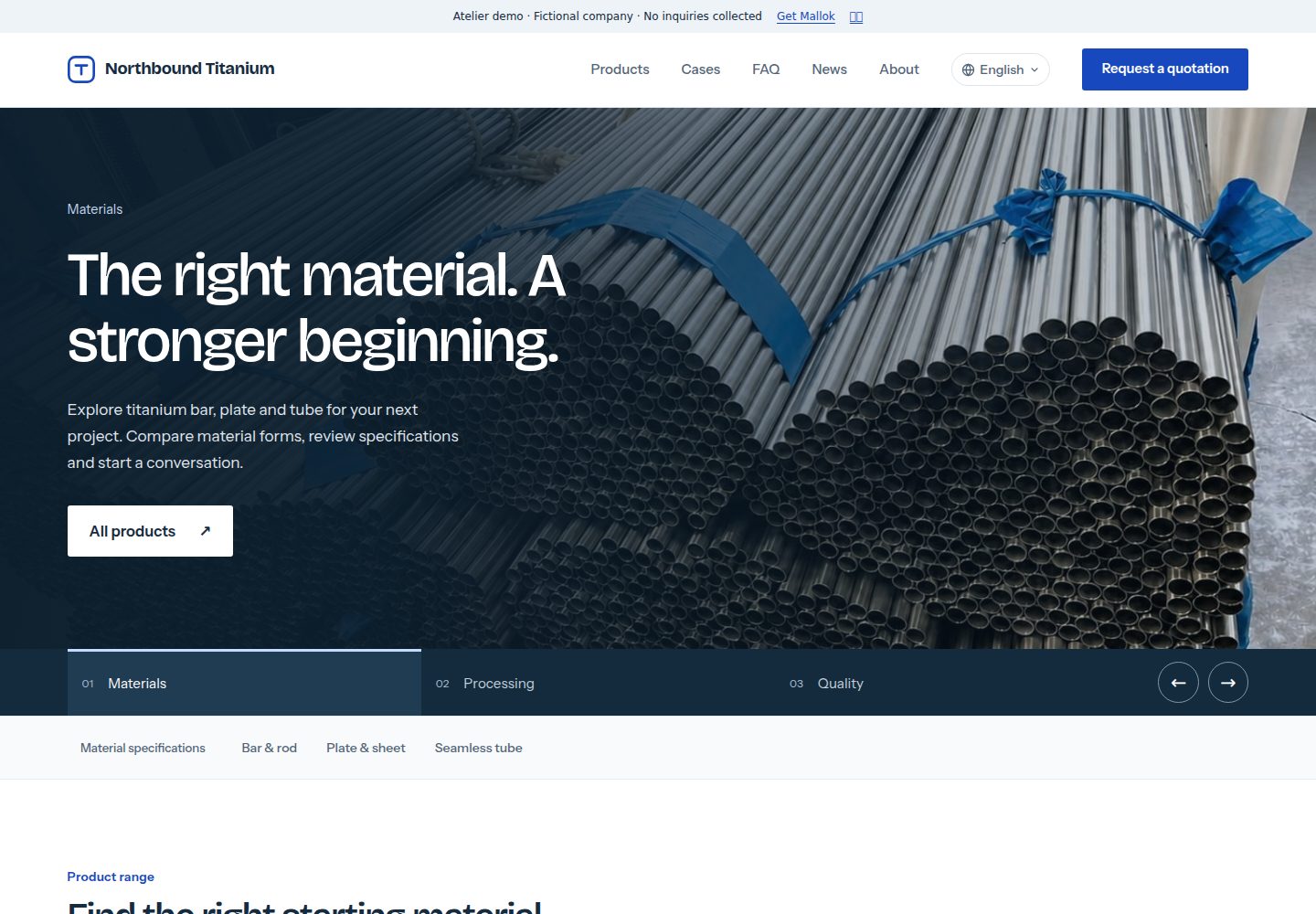
mallok
The Cloudflare-native CMS and website builder for multilingual B2B websites. A WordPress alternative: Markdown…
WordPress · 后台

MemeCoin-WordPress-Theme
The Meme Coin WordPress website theme provides a trendy memetic design suitable for cryptocurrency businesses,…
WordPress · 启动器
ant-design-pro
Ant Design Pro 是 Ant Design 官方推出的企业级中后台前端脚手架,基于 React 19、Umi Max 4 和 antd 6 构建,内置 TypeScript 支持。
React · 后台

ai-website-cloner-template
Clone any website with one command using AI coding agents
Next.js · 启动器

react-boilerplate
react-boilerplate 是一个为有一定 React 和 Redux 经验的开发者设计的启动器,目标是快速搭建可扩展、离线优先的 Web 应用。
React · 启动器

react-starter-kit
Modern React starter kit with Bun, TypeScript, Tailwind CSS, tRPC, Stripe, and Cloudflare Workers. Production-…
Vite · SaaS