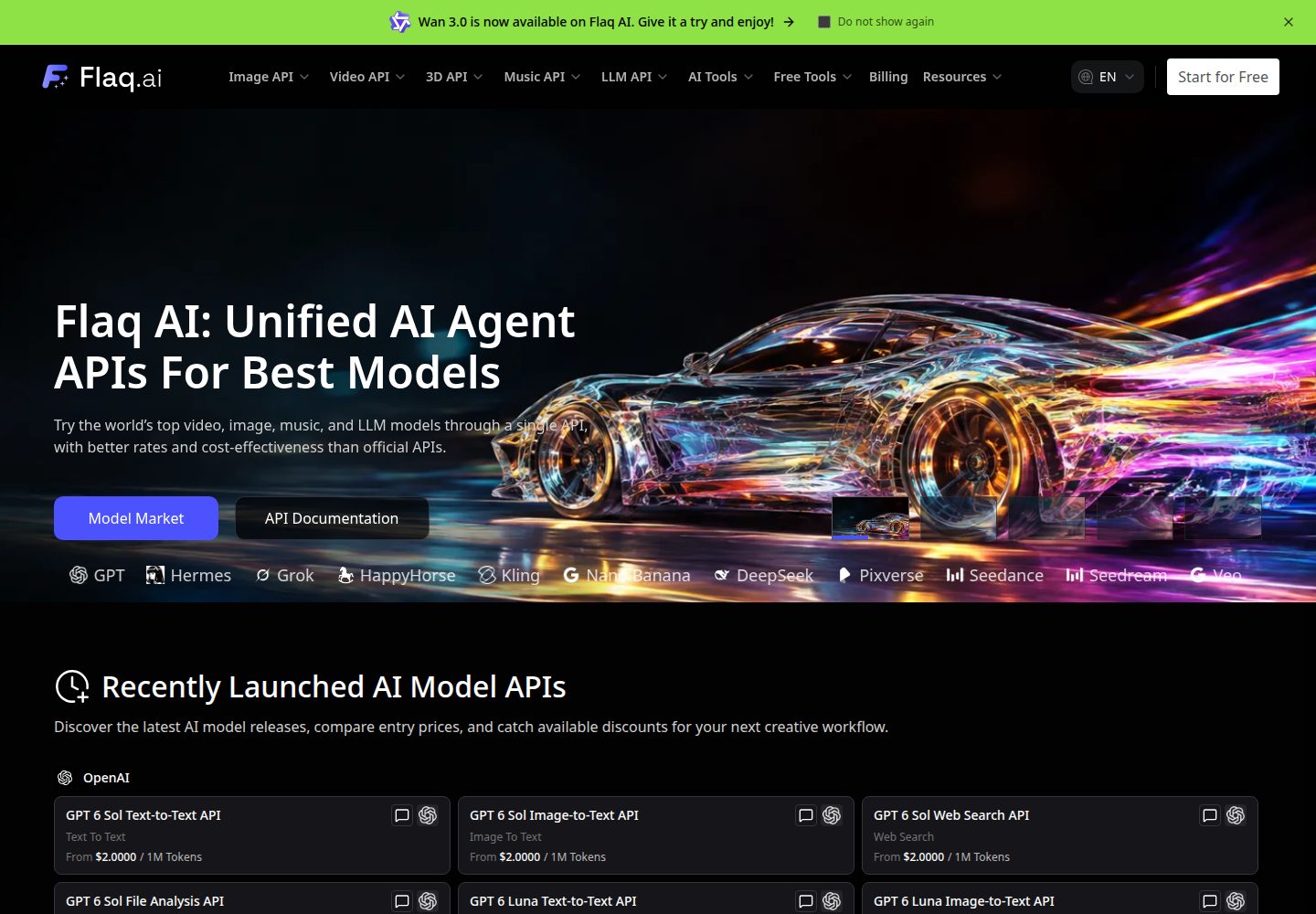
提供文生图、图生图、文生视频、图生视频、参考生成视频与虚拟试穿等独立生成页面
Next.jsReactSaaS启动器
flaq-saas-template — Next.js SaaS模板
作者 flaqai
基于 Next.js 的 AIGC SaaS 模板,调用 Flaq.ai API 提供文生图、图生视频、AI 画布等生成能力,采用 MIT 许可。
看看你的网站会是什么样
浏览真实页面截图,比较内容排版与手机效果。点击下方缩略图切换,放大查看整页细节。
全部页面与视图 3
截图用于了解视觉与布局,交互效果请以实际项目为准。
采集于 2026-10-03查看来源
值得关注的模板亮点
从已有项目资料中,快速了解它的特点。
AI Media Creator 在同一工作区切换图像与视频生成,并保留生成历史
AI Canvas 支持在无限画布上连接媒体与生成节点,项目可导入导出 ZIP 归档
内置 15 个语言区域,包含本地化路由与 SEO alternates
文件上传默认使用 Flaq 接口,也可切换为自有的 Cloudflare R2 存储
采用 MIT 许可,允许免费使用、修改、商用与分发该版本代码
模板详细介绍
Flaq SaaS Template 是一个面向 AI 图像与视频生成场景的开源 SaaS 启动模板,仓库由 flaqai 维护,采用 MIT 许可。模板以 Next.js App Router 构建,提供文本生成图像、图像生成图像、文本生成视频、图像生成视频、参考生成视频、虚拟试穿等独立生成页面,并包含一个统一的 AI Media Creator 工作区和一个可连接媒体与生成节点的 AI Canvas 无限画布。
生成能力依赖 Flaq.ai API:用户需自行注册 Flaq.ai 账号并获取 Client Key,在应用内通过 Open API Settings 对话框配置并测试连接。文件上传默认走 Flaq 的上传接口,也支持配置自有的 Cloudflare R2 存储;R2 凭据仅保存在服务端。AI Media Creator 的生成历史保存在当前浏览器的本地存储中,AI Canvas 项目保存在浏览器 IndexedDB 中,均不提供基于账号的跨设备同步,项目归属于当前浏览器与站点源。
模板内置 15 个语言区域,包含本地化路由与 SEO alternates,并附带 llms.txt 等面向 AI 爬虫的发现文件。使用前需准备 Node.js 22 与 pnpm 10.5.2,并自行承担 Flaq.ai API 额度及可能的外部服务费用。
Next.jsSaaS启动器
适合你的项目吗?
适用场景
- 搭建以图像和视频生成为核心功能的 AIGC 工具站点
- 在自有域名下自托管一个可配置 Flaq.ai API 的生成前端
- 为虚拟试穿、参考生成视频等具体生成流程提供界面入口
- 通过 AI Canvas 组织多步骤、可复用的媒体生成工作流
- 需要多语言界面与面向搜索引擎、AI 爬虫的元数据配置的生成类站点
适合人群
- 希望基于现成 Next.js 模板快速启动 AIGC SaaS 前端的开发者
- 已拥有 Flaq.ai 账号与 API 额度、需要自托管生成界面的团队
- 需要图像与视频生成能力并接受本地浏览器存储项目数据的个人项目
- 计划在自有 Cloudflare R2 存储上管理上传文件的部署方
上手与定制指南
结合仓库当前版本的说明,按下面的资料检查内容、配置与运行要求。
- 1
需要 Node.js 22 与 pnpm 10.5.2,克隆仓库后执行 pnpm install 并复制 .env.example 为 .env.local
- 2
在 Flaq.ai 注册账号并生成 Client Key,在应用头部的 Open API Settings 中填入并测试连接
- 3
生成图像与视频需要足够的 Flaq.ai API 额度,额度不足需在 Flaq.ai 充值
- 4
如需使用自有存储,在服务端配置 R2_ACCOUNT_ID、R2_ACCESS_KEY_ID、R2_SECRET_ACCESS_KEY、R2_BUCKET_NAME,并在设置中填写公开域名
- 5
AI Canvas 项目保存在浏览器 IndexedDB,清除浏览器数据或更换设备前应导出项目归档
授权与来源资料
使用条件与限制
免费使用 · 保留许可声明本次收录的是公开仓库中采用 MIT 许可的免费版本;免费范围为该版本代码,不代表外部服务或第三方素材免费。
使用时需要遵守
- 允许免费使用、修改、商用和分发该版本代码。
- 分发代码副本或实质性部分时,保留原作者版权声明和完整 MIT 许可声明。
- 代码按现状提供;担保与责任限制以原许可证及适用法律为准。
额外费用与待核对事项
- 使用模板的生成功能必须注册 Flaq.ai 账号并获取有效的 API Key,属于外部服务依赖。
- 图像与视频生成需要消耗 Flaq.ai API 额度,额度不足时需在 Flaq.ai 充值付费。
- 如需使用自有对象存储,需自行配置 Cloudflare R2 账号与凭据,可能产生外部服务费用。
- AI Canvas 项目仅保存在当前浏览器与站点源,不提供账号级跨设备同步,清除浏览器数据前需导出归档。
- 演示图片、字体、图标及其他第三方素材需按各自许可核对,不能仅凭代码的 MIT 许可判断。
- 域名、托管、数据库、支付或 AI 等外部服务可能另外收费。
查看原文依据
Permission is hereby granted, free of charge
许可证原文
A [Flaq.ai](https://flaq.ai/) account with an active API key
README 原文
You need sufficient API credits to generate images and videos. Top up your balance at
README 原文
Optional: your own Cloudflare R2 storage (server-side credentials only)
README 原文
https://github.com/flaqai/flaq-saas-template/blob/main/LICENSEhttps://github.com/flaqai/flaq-saas-template/blob/main/README.mdProjects belong to the current browser and site origin; there is no account-based project synchronization.
README 原文
DeepSeek 根据仓库许可证和 README 整理 ·2026-10-03。结果仅覆盖已读取资料,依赖、图片、字体及后续条款变更以各自原文为准。
项目核对记录与介绍依据
模板资料
- 来源平台
- GitHub
- 资料与维护参考分
- 资料较完整 · 92 / 100
- 技术栈
- Next.js · React
- 网站类型
- SaaS · 启动器
这个分数如何计算
本站按许可资料(最高30分)、演示链接(12分)、预览图(10分)、Star数(15分)、记录的维护时间(15分)、描述完整度(8分)、功能记录(5分)和分类资料(5分)计算。它不是代码、安全或性能测试,也不是 Google 评分;有链接不代表已实测可用。
这个项目需要核对什么
- 记录的仓库更新时间
- 2026-09-22
- 截图检查日期
- 2026-10-03
已收录演示链接。请用你的内容与屏幕尺寸检查;有演示不代表表单、认证或支付已经可用。
目录记录的主要技术栈是 Next.js。请通过依赖清单和锁文件核对实际版本与托管要求。这些说明基于收录资料,不代表代码审计或部署实测。
查看具体选型方法 →介绍的制作与核对状态
介绍由 AI 辅助整理目录与仓库资料。仓库作者不等于这篇介绍的审核者。
已完成服务器许可规则与 AI 来源核对;未经过人工编辑审核。
查看当时使用的来源资料
SHA-256: 059c5b9ce7b2bd1c8710802bb9d2c2ed83a8cbcac6db264ae2c7d3cc9fd63424
2026-10-03T04:48:54.970Z
来源文件 / 仓库# Flaq SaaS Template
Free and open-source SaaS template for building AI-powered image and video generation platforms using
[Flaq.ai](https://flaq.ai) API. Includes a unified image and video creator, reference-to-video workflows,
and an infinite AI canvas with local project management.
**Read this README in:** [English](./README.md) · [日本語](./README_ja.md) · [Bahasa Indonesia](./README_id.md) ·
[Italiano](./README_it.md) · [Português (Brasil)](./README_pt.md) · [Español](./README_es.md) ·
[Deutsch](./README_de.md) · [Русский](./README_ru.md) · [Français](./README_fr.md) · [简体中文](./README_zh.md) ·
[繁體中文](./README_tw.md) · [한국어](./README_ko.md) · [ไทย](./README_th.md) · [Tiếng Việt](./README_vi.md) ·
[العربية](./README_ar.md)
> The README language set mirrors `i18n/languages.ts`, so every UI locale has a matching project introduction.
## Table of Contents
- [Flaq SaaS Template](#flaq-saas-template)
- [Table of Contents](#table-of-contents)
- [Features](#features)
- [Tech Stack](#tech-stack)
- [Getting Started](#getting-started)
- [Prerequisites](#prerequisites)
- [Installation](#installation)
- [Environment Variables](#environment-variables)
- [File Uploads](#file-uploads)
- [Flaq.ai API Key Setup](#flaqai-api-key-setup)
- [Usage](#usage)
- [Development](#development)
- [Build](#build)
- [Lint \& Format](#lint--format)
- [AIGC Capabilities](#aigc-capabilities)
- [AI Media Creator](#ai-media-creator)
- [AI Canvas](#ai-canvas)
- [Flaq.ai Affiliate Program](#flaqai-affiliate-program)
- [Internationalization (i18n)](#internationalization-i18n)
- [SEO and AI Crawler Discovery](#seo-and-ai-crawler-discovery)
- [Project Structure](#project-structure)
- [Deployment](#deployment)
- [License](#license)
## Features
- 🎨 **Text-to-Image** — Generate stunning images from text prompts using state-of-the-art AI models
- 🖼️ **Image-to-Image** — Transform existing images into creative variations with consistent style
- 🎬 **Text-to-Video** — Create high-quality videos from simple text descriptions
- 📹 **Image-to-Video** — Animate static images into dynamic video content
- 🧩 **AI Media Creator** — Generate images and videos from a shared form with model-specific controls
- 🎞️ **Reference-to-Video** — Use image, video, audio, document, or link references according to the selected model
- 🗂️ **AI Canvas** — Connect media and generation nodes on an infinite canvas, save local projects, and import or export ZIP archives
- 👗 **Virtual Try-On** — AI-powered virtual clothing try-on experience
- 🌐 **Internationalization** — 15 locales aligned with Flaq.ai, with locale-aware routing and SEO alternates
- 🚀 **No Signup Required** — Explore, modify, and self-host the template without creating an app account
- 🤝 **Affiliate Promotion** — Responsive Flaq.ai affiliate callout with localized copy and destination links
- 🔒 **Secure API Key Management** — Encrypted client-side storage for your Flaq.ai credentials
- ☁️ **File Uploads** — Upload media using your Flaq API key or your own Cloudflare R2 storage
- 📱 **Responsive Design** — Fully responsive UI built with Tailwind CSS and Radix UI
- 🌓 **Dark Mode** — Beautiful dark-themed UI out of the box
- ⚡ **Fast Performance** — Powered by Next.js 16 with Turbopack support
- 🔍 **SEO Optimized** — Dynamic metadata, Open Graph, sitemap, and structured data
- 🤖 **AI Crawler Ready** — Curated `llms.txt`, expanded `llms-full.txt`, and public crawler access
## Tech Stack
| Category | Technology |
| ----------------- | ------------------------------------------------------------------------- |
| Framework | [Next.js 16](https://nextjs.org/) (App Router) |
| Language | [TypeScript](https://www.typescriptlang.org/) |
| UI Library | [React 19](https://react.dev/) |
| Styling | [Tailwind CSS v4](https://tailwindcss.com/) |
| Component Library | [Radix UI](https://www.radix-ui.com/) |
| Animations | [Framer Motion](https://www.framer.com/motion/) |
| Forms | [React Hook Form](https://react-hook-form.com/) + [Zod](https://zod.dev/) |
| State Management | [Zustand](https://zustand.docs.pmnd.rs/) |
| Data Fetching | [SWR](https://swr.vercel.app/) + [TanStack Query](https://tanstack.com/query) |
| i18n | [next-intl](https://next-intl-docs.vercel.app/) |
| Icons | [Lucide React](https://lucide.dev/) |
| Charts | [Recharts](https://recharts.org/) |
| Package Manager | [pnpm](https://pnpm.io/) |
| Linting | [ESLint](https://eslint.org/) + [Prettier](https://prettier.io/) |
## Getting Started
### Prerequisites
- **Node.js 22** (the version specified in `.nvmrc`)
- **pnpm 10.5.2** (pinned in the `packageManager` field in `package.json`)
- A [Flaq.ai](https://flaq.ai/) account with an active API key
### Installation
```bash
# 1. Clone the repository
git clone https://github.com/flaqai/flaq-saas-template.git
cd flaq-saas-template
# 2. Install pnpm if you haven't already
npm install -g [email protected]
# 3. Install dependencies
pnpm install
# 4. Copy the environment template
cp .env.example .env.local
```
### Environment Variables
Edit `.env.local` and configure the following variables:
```bash
# Your site URL (used for metadata, sitemap, and Open Graph)
NEXT_PUBLIC_SITE_URL="http://localhost:3000"
# Contact email displayed in the footer
NEXT_PUBLIC_CONTACT_US_EMAIL="[email protected]"
# Optional: your own Cloudflare R2 storage (server-side credentials only)
R2_ACCOUNT_ID=
R2_ACCESS_KEY_ID=
R2_SECRET_ACCESS_KEY=
R2_BUCKET_NAME=
```
### File Uploads
By default, file uploads use the API URL and Client Key configured in **Open API Settings**. To use your own Cloudflare R2 storage, set `R2_ACCOUNT_ID`, `R2_ACCESS_KEY_ID`, `R2_SECRET_ACCESS_KEY`, and `R2_BUCKET_NAME` on the server, then enter your public domain under **Image Hosting (R2)** in the settings dialog and save. Keep R2 credentials on the server only. Use **Test R2 Connection** to verify the storage configuration.
When a public domain is configured, uploads use your R2 storage first. Clear the public domain and save to return to Flaq uploads. Custom storage errors are reported without switching to Flaq uploads.
For Flaq uploads, the app requests upload URLs from `POST /api/v1/files/presignedUrl`, then uploads each file directly using `PUT`. Each request supports up to 10 files; larger selections are uploaded in successive batches (for example, 14 files use batches of 10 and 4). Each batch is uploaded immediately after obtaining its URLs, which expire after 60 seconds. The returned public URLs are used for generation requests.
### Flaq.ai API Key Setup
1. **Register/Sign in** at [flaq.ai](https://flaq.ai)
2. **Navigate** to your account dashboard
3. **Generate a Client Key** from the API Keys section
4. **Copy** your Client Key
5. **Open** the app and click the **gear icon** (⚙️) in the header to open the **Open API Settings** dialog
6. **Paste** your Client Key and click **Test Connection** to verify
7. **Save** the settings
> **💡 Tip**: Enable "Remember Me" to securely persist your API key across sessions. The key is stored using encrypted
> local storage. For shared or public devices, leave this option unchecked for maximum security.
> **🔑 API Credits**: You need sufficient API credits to generate images and videos. Top up your balance at
> [flaq.ai](https://flaq.ai) if needed.
## Usage
### Development
```bash
# Start the development server (with Turbopack for faster HMR)
pnpm dev:turbo
# Or use the default development command
pnpm dev
```
Open [http://localhost:3000](http://localhost:3000) in your browser.
### Build
```bash
# Production build
pnpm build
# Start production server
pnpm start
```
### Lint & Format
```bash
# Run ESLint
pnpm lint
# Auto-fix lint issues
pnpm lint:fix
# Format code with Prettier
pnpm prettier
# TypeScript type checking
pnpm ts-check
```
## AIGC Capabilities
The template combines dedicated generation pages with a shared creator and an infinite canvas, powered by
[Flaq.ai](https://flaq.ai) API.
| Capability | Route | Description |
| ---------- | ----- | ----------- |
| **Text-to-Image** | `/text-to-image/` | Generate images from text prompts |
| **Image-to-Image** | `/image-to-image/` | Edit images using prompts and reference images |
| **Text-to-Video** | `/text-to-video/` | Generate videos from text prompts |
| **Image-to-Video** | `/image-to-video/` | Generate videos from images, with end-frame controls for compatible models |
| **Reference-to-Video** | `/reference-to-video/` | Prepare reference inputs and continue generation in AI Media Creator |
| **Virtual Try-On** | `/virtual-try-on/` | Combine a person photo and garment images to preview an outfit |
| **AI Media Creator** | `/ai-media-creator/` | Generate images and videos in one workspace and browse generation history |
| **AI Canvas** | `/ai-canvas/` | Create connected visual workflows and manage canvas projects |
Model definitions live in `lib/constants/template-models/`, grouped by provider and media type. Image model
examples include Nano Banana Pro, Nano Banana 2, GPT Image 2, ChatGPT Images 2.5, Qwen Image 3.0, and Seedream 5.0.
Video model examples include Kling 3.0, Veo 3.1, Wan 2.7, Seedance 2.0, and Vidu Q3. Available inputs and
parameters depend on the selected model; each form uses its corresponding model configuration.
Virtual Try-On has its own model selection: GPT Image 2 Edit, Nano Banana Pro Edit, Nano Banana 2 Edit,
Seedream 5.0 Edit, and Seedream 4.5 Edit.
### AI Media Creator
Use `/ai-media-creator/` to switch between image and video generation, choose a model, add inputs, and configure
its supported parameters. Reference-to-video supports images, videos, audio, documents, and links where the
selected model allows them, with reference mentions in the prompt editor.
Generation status is polled automatically, and results appear in the creator history. Image and video history
is stored in the current browser's local storage.
### AI Canvas
Start at `/ai-canvas/`, manage saved projects at `/ai-canvas/projects/`, and open an individual project at
`/ai-canvas/{projectId}/`. The canvas entry form prepares a project from your selected generation settings and inputs.
- Arrange and connect media and generation nodes on an infinite canvas
- Generate images and videos using the configured API connection
- Save projects locally in IndexedDB and reopen them from the project dashboard
- Rename, delete, import, and export projects, including ZIP archives with project media
Projects belong to the current browser and site origin; there is no account-based project synchronization.
Export projects to keep a portable copy before clearing browser data or moving to another device or domain.
## Flaq.ai Affiliate Program
Public landing and generation pages include a localized promotion for the
[Flaq.ai Affiliate Program](https://flaq.ai/affiliate-program?utm_source=flaq-saas-template). The call-to-action opens
the matching Flaq.ai language page and includes `utm_source=flaq-saas-template` for source attribution.
According to the current program terms, affiliates can earn 20% on a referred user's first valid paid order and 10% on
subsequent valid paid orders made within 60 days of registration. Eligibility and payout are governed by the terms
published on the linked program page.
## Internationalization (i18n)
This template supports **15 locales** out of the box: English (default), Japanese, Indonesian, Italian, Brazilian
Portuguese, Spanish, German, Russian, French, Simplified Chinese, Traditional Chinese, Korean, Thai, Vietnamese, and
Arabic.
- Translation files are located in the `messages/` directory, one JSON file per locale
- Locale is auto-detected from the browser's `Accept-Language` header
- Users can manually switch languages via the footer or the language dialog
- URL structure: `/` for English and `/{locale}/` for other languages (for example, `/ja/` or `/zh/`)
- Arabic pages automatically use right-to-left document direction
To add more languages:
1. Add the locale to `i18n/languages.ts`
2. Create a new translation file in `messages/`
3. Add the locale's page copy and `Metadata` translations using the existing key structure
## SEO and AI Crawler Discovery
Public landing and generation pages use localized title and description copy, an absolute canonical URL, 15-language `hreflang`
alternates, Open Graph metadata, a Twitter card, and index/follow directives. The generated `/sitemap.xml` includes
the homepage, feature routes, and policy pages in every locale with matching language alternates. Individual
local canvas project URLs are not included.
- `/robots.txt` allows search engines and AI assistants to crawl public content while blocking API and callback routes
- `/llms.txt` provides a concise, structured map of the product, pages, languages, documentation, and policies
- `/llms-full.txt` provides expanded project context, capabilities, setup instructions, architecture, and usage
boundaries
- JSON-LD identifies the website and MIT-licensed open-source repository without unverifiable ratings
Set `NEXT_PUBLIC_SITE_URL` to the production origin before deployment so canonical, sitemap, and LLM resource URLs use
the correct domain.
## Project Structure
```
.
├── app/ # Next.js App Router pages
│ ├── [locale]/ # Internationalized routes (15 supported locales)
│ │ ├── (with-footer)/ # Pages with footer layout
│ │ │ ├── (home)/ # Landing page
│ │ │ └── (ai-features)/ # AIGC feature pages
│ │ └── (without-footer)/ # AI Canvas landing, project dashboard, and editor
│ ├── api/ # API routes (proxy-image, upload)
│ ├── robots.ts # Robots.txt generation
│ ├── sitemap.ts # Dynamic sitemap generation
│ ├── llms.txt/ # Concise AI-readable site map
│ └── llms-full.txt/ # Expanded AI-readable project context
├── components/ # Reusable React components
│ ├── infinite-canvas/ # Canvas editor, dashboard, integrations, and local persistence
│ ├── unified-generator/ # Shared image/video form and creator history
│ ├── ui/ # shadcn/ui-style components (Radix-based)
│ ├── dialog/ # Dialog components (API settings, etc.)
│ ├── layout/ # Layout components (header, footer, sidebar)
│ └── ... # Feature-specific components
├── hooks/ # Custom React hooks
├── i18n/ # Internationalization configuration
│ ├── languages.ts # Supported locales definition
│ ├── request.ts # next-intl request configuration
│ └── routing.ts # Locale routing configuration
├── lib/ # Utility libraries
│ ├── seo/ # Metadata, llms.txt, and crawler helpers
│ ├── constants/ # App constants, provider model definitions, navigation
│ ├── utils/ # Utility functions
│ └── env.ts # Environment variable helpers
├── messages/ # One translation file for each supported locale
├── network/ # API client and network utilities
│ ├── clientFetch.ts # Flaq.ai API client with auth
│ ├── image/ # Image generation API calls
│ ├── video/ # Video generation API calls
│ ├── local-history.ts # Browser-local generation history
│ ├── task-polling.ts # Shared generation status polling
│ └── upload/ # Flaq file upload client
├── public/ # Static assets (images, icons, fonts)
├── store/ # Zustand state stores
├── next.config.mjs # Next.js configuration
├── proxy.ts # Middleware proxy (i18n + IP forwarding)
└── tsconfig.json # TypeScript configuration
```
## Deployment
The easiest way to deploy this template is via [Vercel](https://vercel.com):
[](https://vercel.com/new/clone?repository-url=https://github.com/flaqai/flaq-saas-template)
1. Push the repository to GitHub
2. Import the project in Vercel
3. Set `NEXT_PUBLIC_SITE_URL` to your production origin and configure the contact email in Vercel's project settings
4. If using custom R2 storage, add the four server-side `R2_*` variables and configure its public domain in the app
5. Deploy!
The app includes server routes for uploads and image proxying, so deployment requires a Next.js server runtime.
For a self-hosted Node.js deployment, run `pnpm build` followed by `pnpm start`. Run `pnpm ts-check` separately
before deployment because the current Next.js configuration skips TypeScript errors during builds.
## License
This project is open-source under the [MIT License](LICENSE).
看看同类模板
对比同技术栈与用途的模板,找到更适合的视觉与内容结构。

ai-website-cloner-template
Clone any website with one command using AI coding agents
Next.js · 启动器

Next.js SaaS Starter
Next.js SaaS Starter 是 Next.js 官方维护的 SaaS 起点模板,定位介于学习资源和可直接部署的脚手架之间。
Next.js · SaaS

Next.js Commerce
Next.js Commerce 是 Vercel 团队维护的电商启动模板,基于 Next.js App Router 构建,采用服务端渲染、React Server Components、Server Actions …
Next.js · 电商

Next-js-Boilerplate
Next-js-Boilerplate 是一个面向 Next.js 16、Tailwind CSS 4 和 TypeScript 的启动器,核心定位是开发者体验优先。
Next.js · 启动器

tailwind-nextjs-starter-blog
tailwind-nextjs-starter-blog 是一个面向个人技术博客的 Next.js 与 Tailwind CSS 启动模板,其 v2 版本基于 App Router 与 React Server Comp…
Next.js · 博客

next-forge
Production-grade Turborepo template for Next.js apps.
Next.js · 启动器