Provides standalone generation pages for text-to-image, image-to-image, text-to-video, image-to-video, reference-to-video, and virtual try-on
Next.jsReactSaaSStarter
flaq-saas-template — Next.js SaaS Template
By flaqai
A Next.js-based AIGC SaaS template that calls the Flaq.ai API to provide text-to-image, image-to-video, AI canvas, and other generation capabilities, under the MIT license.
Explore the design
Compare the page layouts and mobile experience. Open any screenshot for a closer look.
Desktop homepage1 / 3
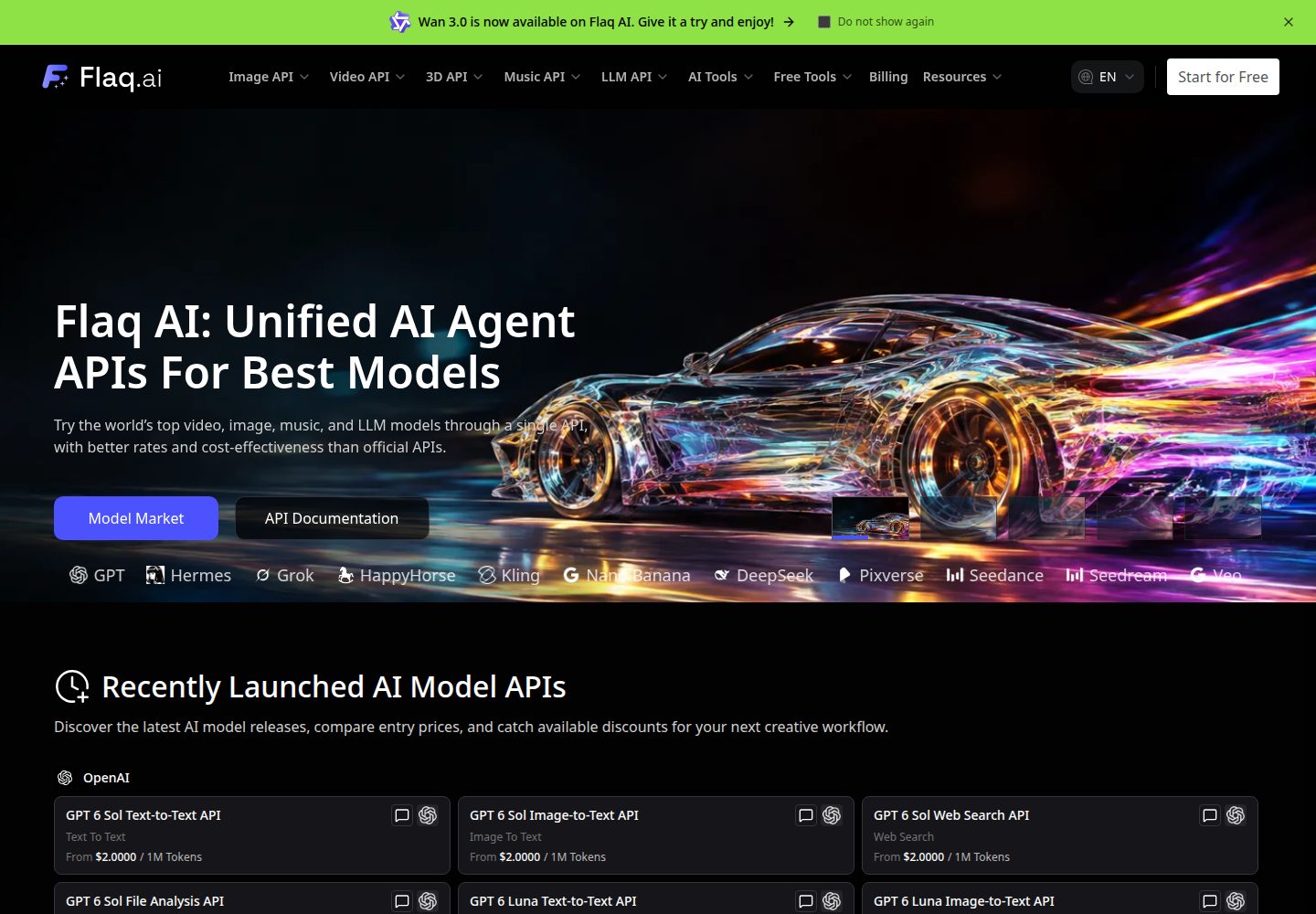
Desktop captureTop of page
Actual screenshot captured by the server browser.
All pages & views 3
Screenshots show visual appearance; interactive behavior may differ.
Recorded 2026-10-03View source
What stands out
A quick read of the recorded project description.
AI Media Creator switches between image and video generation in the same workspace and retains generation history
AI Canvas supports connecting media and generation nodes on an infinite canvas, with projects importable and exportable as ZIP archives
Includes 15 locales with localized routing and SEO alternates
File uploads use the Flaq endpoint by default, but can be switched to your own Cloudflare R2 storage
Licensed under MIT, allowing free use, modification, commercial use, and distribution of this version of the code
Template Details
Flaq SaaS Template is an open-source SaaS starter template for AI image and video generation scenarios. The repository is maintained by flaqai and licensed under MIT. Built with the Next.js App Router, the template provides standalone generation pages for text-to-image, image-to-image, text-to-video, image-to-video, reference-to-video, and virtual try-on, along with a unified AI Media Creator workspace and an AI Canvas infinite canvas that can connect media and generation nodes.
Generation capabilities rely on the Flaq.ai API: users must register a Flaq.ai account and obtain a Client Key, then configure and test the connection in the app via the Open API Settings dialog. File uploads use Flaq's upload endpoint by default, but you can also configure your own Cloudflare R2 storage; R2 credentials are stored only on the server. AI Media Creator generation history is saved in the current browser's local storage, and AI Canvas projects are saved in the browser's IndexedDB. Neither provides account-based cross-device sync; projects belong to the current browser and site origin.
The template includes 15 locales with localized routing and SEO alternates, plus discovery files such as llms.txt for AI crawlers. Before use, you need Node.js 22 and pnpm 10.5.2, and you are responsible for Flaq.ai API credits and any potential external service costs.
Next.jsSaaSStarter
Is it right for your project?
Use Cases
- Building an AIGC tool site centered on image and video generation
- Self-hosting a generation frontend with configurable Flaq.ai API on your own domain
- Providing interface entry points for specific generation workflows such as virtual try-on and reference-to-video
- Organizing multi-step, reusable media generation workflows through AI Canvas
- Generation sites that need multilingual interfaces and metadata configuration for search engines and AI crawlers
Suitable For
- Developers who want to quickly launch an AIGC SaaS frontend based on an existing Next.js template
- Teams that already have a Flaq.ai account and API credits and need to self-host a generation interface
- Individual projects that need image and video generation capabilities and accept local browser storage for project data
- Deployers planning to manage uploaded files on their own Cloudflare R2 storage
Getting started & customization
Use these recorded setup notes alongside the repository instructions for your chosen version.
- 1
Requires Node.js 22 and pnpm 10.5.2; clone the repository, run pnpm install, and copy .env.example to .env.local
- 2
Register an account on Flaq.ai and generate a Client Key, then enter it in the Open API Settings in the app header and test the connection
- 3
Generating images and videos requires sufficient Flaq.ai API credits; if credits are insufficient, top up on Flaq.ai
- 4
To use your own storage, configure R2_ACCOUNT_ID, R2_ACCESS_KEY_ID, R2_SECRET_ACCESS_KEY, and R2_BUCKET_NAME on the server, and enter the public domain in the settings
- 5
AI Canvas projects are saved in the browser's IndexedDB; export project archives before clearing browser data or switching devices
License & source material
Usage conditions & limitations
Free to use · keep license noticeThis entry covers the free version in the public repository under the MIT license; the free scope applies to this version of the code and does not mean that external services or third-party assets are free.
Must comply with when using
- You are allowed to use, modify, commercially use, and distribute this version of the code for free.
- When distributing copies or substantial portions of the code, retain the original author's copyright notice and the full MIT license notice.
- The code is provided as is; warranties and limitations of liability are governed by the original license and applicable law.
Additional costs & items to verify
- Using the template's generation features requires registering a Flaq.ai account and obtaining a valid API Key, which is an external service dependency.
- Image and video generation consume Flaq.ai API credits; if credits are insufficient, you must top up and pay on Flaq.ai.
- To use your own object storage, you must configure a Cloudflare R2 account and credentials yourself, which may incur external service costs.
- AI Canvas projects are saved only in the current browser and site origin, with no account-level cross-device sync; export archives before clearing browser data.
- Demo images, fonts, icons, and other third-party assets must be checked against their respective licenses; the code's MIT license alone is not sufficient to determine this.
- External services such as domain, hosting, database, payment, or AI may incur additional charges.
View Original Text Basis
Permission is hereby granted, free of charge
Original License Text
A [Flaq.ai](https://flaq.ai/) account with an active API key
Original README
You need sufficient API credits to generate images and videos. Top up your balance at
Original README
Optional: your own Cloudflare R2 storage (server-side credentials only)
Original README
https://github.com/flaqai/flaq-saas-template/blob/main/LICENSEhttps://github.com/flaqai/flaq-saas-template/blob/main/README.mdProjects belong to the current browser and site origin; there is no account-based project synchronization.
Original README
Compiled by DeepSeek based on repository license and README ·2026-10-03. Results only cover the materials read; dependencies, images, fonts, and subsequent term changes are subject to their respective original texts.
Project checks & description sources
Template Information
- Source platforms
- GitHub
- Documentation and maintenance reference score
- More documented · 92 / 100
- Technologies
- Next.js · React
- Website type
- SaaS · Starter
How this score is calculated
Our heuristic uses license records (up to 30), a demo link (12), a preview (10), stars (15), recorded maintenance (15), description completeness (8), feature records (5) and classification data (5). It is not a code, security or performance test, or a Google score. A link does not establish tested functionality.
What to verify for this project
- Repository update recorded
- 2026-09-22
- Screenshot last checked
- 2026-10-03
A demo link is listed. Check it with your own content and viewport sizes; its presence does not confirm that forms, authentication or payments work.
The catalog identifies Next.js as the primary stack. Check the actual dependency manifest and lockfile for versions and hosting requirements. These notes use recorded metadata, not a code audit or a deployment test.
Use a selection guide →How this description was prepared
AI-assisted description based on catalog records and repository material. Repository authors are not automatically the reviewers of this description.
Automatically checked against source and license rules; no manual editorial review.
Inspect the recorded source material
SHA-256: 059c5b9ce7b2bd1c8710802bb9d2c2ed83a8cbcac6db264ae2c7d3cc9fd63424
2026-10-03T04:48:54.970Z
Source file / repository# Flaq SaaS Template
Free and open-source SaaS template for building AI-powered image and video generation platforms using
[Flaq.ai](https://flaq.ai) API. Includes a unified image and video creator, reference-to-video workflows,
and an infinite AI canvas with local project management.
**Read this README in:** [English](./README.md) · [日本語](./README_ja.md) · [Bahasa Indonesia](./README_id.md) ·
[Italiano](./README_it.md) · [Português (Brasil)](./README_pt.md) · [Español](./README_es.md) ·
[Deutsch](./README_de.md) · [Русский](./README_ru.md) · [Français](./README_fr.md) · [简体中文](./README_zh.md) ·
[繁體中文](./README_tw.md) · [한국어](./README_ko.md) · [ไทย](./README_th.md) · [Tiếng Việt](./README_vi.md) ·
[العربية](./README_ar.md)
> The README language set mirrors `i18n/languages.ts`, so every UI locale has a matching project introduction.
## Table of Contents
- [Flaq SaaS Template](#flaq-saas-template)
- [Table of Contents](#table-of-contents)
- [Features](#features)
- [Tech Stack](#tech-stack)
- [Getting Started](#getting-started)
- [Prerequisites](#prerequisites)
- [Installation](#installation)
- [Environment Variables](#environment-variables)
- [File Uploads](#file-uploads)
- [Flaq.ai API Key Setup](#flaqai-api-key-setup)
- [Usage](#usage)
- [Development](#development)
- [Build](#build)
- [Lint \& Format](#lint--format)
- [AIGC Capabilities](#aigc-capabilities)
- [AI Media Creator](#ai-media-creator)
- [AI Canvas](#ai-canvas)
- [Flaq.ai Affiliate Program](#flaqai-affiliate-program)
- [Internationalization (i18n)](#internationalization-i18n)
- [SEO and AI Crawler Discovery](#seo-and-ai-crawler-discovery)
- [Project Structure](#project-structure)
- [Deployment](#deployment)
- [License](#license)
## Features
- 🎨 **Text-to-Image** — Generate stunning images from text prompts using state-of-the-art AI models
- 🖼️ **Image-to-Image** — Transform existing images into creative variations with consistent style
- 🎬 **Text-to-Video** — Create high-quality videos from simple text descriptions
- 📹 **Image-to-Video** — Animate static images into dynamic video content
- 🧩 **AI Media Creator** — Generate images and videos from a shared form with model-specific controls
- 🎞️ **Reference-to-Video** — Use image, video, audio, document, or link references according to the selected model
- 🗂️ **AI Canvas** — Connect media and generation nodes on an infinite canvas, save local projects, and import or export ZIP archives
- 👗 **Virtual Try-On** — AI-powered virtual clothing try-on experience
- 🌐 **Internationalization** — 15 locales aligned with Flaq.ai, with locale-aware routing and SEO alternates
- 🚀 **No Signup Required** — Explore, modify, and self-host the template without creating an app account
- 🤝 **Affiliate Promotion** — Responsive Flaq.ai affiliate callout with localized copy and destination links
- 🔒 **Secure API Key Management** — Encrypted client-side storage for your Flaq.ai credentials
- ☁️ **File Uploads** — Upload media using your Flaq API key or your own Cloudflare R2 storage
- 📱 **Responsive Design** — Fully responsive UI built with Tailwind CSS and Radix UI
- 🌓 **Dark Mode** — Beautiful dark-themed UI out of the box
- ⚡ **Fast Performance** — Powered by Next.js 16 with Turbopack support
- 🔍 **SEO Optimized** — Dynamic metadata, Open Graph, sitemap, and structured data
- 🤖 **AI Crawler Ready** — Curated `llms.txt`, expanded `llms-full.txt`, and public crawler access
## Tech Stack
| Category | Technology |
| ----------------- | ------------------------------------------------------------------------- |
| Framework | [Next.js 16](https://nextjs.org/) (App Router) |
| Language | [TypeScript](https://www.typescriptlang.org/) |
| UI Library | [React 19](https://react.dev/) |
| Styling | [Tailwind CSS v4](https://tailwindcss.com/) |
| Component Library | [Radix UI](https://www.radix-ui.com/) |
| Animations | [Framer Motion](https://www.framer.com/motion/) |
| Forms | [React Hook Form](https://react-hook-form.com/) + [Zod](https://zod.dev/) |
| State Management | [Zustand](https://zustand.docs.pmnd.rs/) |
| Data Fetching | [SWR](https://swr.vercel.app/) + [TanStack Query](https://tanstack.com/query) |
| i18n | [next-intl](https://next-intl-docs.vercel.app/) |
| Icons | [Lucide React](https://lucide.dev/) |
| Charts | [Recharts](https://recharts.org/) |
| Package Manager | [pnpm](https://pnpm.io/) |
| Linting | [ESLint](https://eslint.org/) + [Prettier](https://prettier.io/) |
## Getting Started
### Prerequisites
- **Node.js 22** (the version specified in `.nvmrc`)
- **pnpm 10.5.2** (pinned in the `packageManager` field in `package.json`)
- A [Flaq.ai](https://flaq.ai/) account with an active API key
### Installation
```bash
# 1. Clone the repository
git clone https://github.com/flaqai/flaq-saas-template.git
cd flaq-saas-template
# 2. Install pnpm if you haven't already
npm install -g [email protected]
# 3. Install dependencies
pnpm install
# 4. Copy the environment template
cp .env.example .env.local
```
### Environment Variables
Edit `.env.local` and configure the following variables:
```bash
# Your site URL (used for metadata, sitemap, and Open Graph)
NEXT_PUBLIC_SITE_URL="http://localhost:3000"
# Contact email displayed in the footer
NEXT_PUBLIC_CONTACT_US_EMAIL="[email protected]"
# Optional: your own Cloudflare R2 storage (server-side credentials only)
R2_ACCOUNT_ID=
R2_ACCESS_KEY_ID=
R2_SECRET_ACCESS_KEY=
R2_BUCKET_NAME=
```
### File Uploads
By default, file uploads use the API URL and Client Key configured in **Open API Settings**. To use your own Cloudflare R2 storage, set `R2_ACCOUNT_ID`, `R2_ACCESS_KEY_ID`, `R2_SECRET_ACCESS_KEY`, and `R2_BUCKET_NAME` on the server, then enter your public domain under **Image Hosting (R2)** in the settings dialog and save. Keep R2 credentials on the server only. Use **Test R2 Connection** to verify the storage configuration.
When a public domain is configured, uploads use your R2 storage first. Clear the public domain and save to return to Flaq uploads. Custom storage errors are reported without switching to Flaq uploads.
For Flaq uploads, the app requests upload URLs from `POST /api/v1/files/presignedUrl`, then uploads each file directly using `PUT`. Each request supports up to 10 files; larger selections are uploaded in successive batches (for example, 14 files use batches of 10 and 4). Each batch is uploaded immediately after obtaining its URLs, which expire after 60 seconds. The returned public URLs are used for generation requests.
### Flaq.ai API Key Setup
1. **Register/Sign in** at [flaq.ai](https://flaq.ai)
2. **Navigate** to your account dashboard
3. **Generate a Client Key** from the API Keys section
4. **Copy** your Client Key
5. **Open** the app and click the **gear icon** (⚙️) in the header to open the **Open API Settings** dialog
6. **Paste** your Client Key and click **Test Connection** to verify
7. **Save** the settings
> **💡 Tip**: Enable "Remember Me" to securely persist your API key across sessions. The key is stored using encrypted
> local storage. For shared or public devices, leave this option unchecked for maximum security.
> **🔑 API Credits**: You need sufficient API credits to generate images and videos. Top up your balance at
> [flaq.ai](https://flaq.ai) if needed.
## Usage
### Development
```bash
# Start the development server (with Turbopack for faster HMR)
pnpm dev:turbo
# Or use the default development command
pnpm dev
```
Open [http://localhost:3000](http://localhost:3000) in your browser.
### Build
```bash
# Production build
pnpm build
# Start production server
pnpm start
```
### Lint & Format
```bash
# Run ESLint
pnpm lint
# Auto-fix lint issues
pnpm lint:fix
# Format code with Prettier
pnpm prettier
# TypeScript type checking
pnpm ts-check
```
## AIGC Capabilities
The template combines dedicated generation pages with a shared creator and an infinite canvas, powered by
[Flaq.ai](https://flaq.ai) API.
| Capability | Route | Description |
| ---------- | ----- | ----------- |
| **Text-to-Image** | `/text-to-image/` | Generate images from text prompts |
| **Image-to-Image** | `/image-to-image/` | Edit images using prompts and reference images |
| **Text-to-Video** | `/text-to-video/` | Generate videos from text prompts |
| **Image-to-Video** | `/image-to-video/` | Generate videos from images, with end-frame controls for compatible models |
| **Reference-to-Video** | `/reference-to-video/` | Prepare reference inputs and continue generation in AI Media Creator |
| **Virtual Try-On** | `/virtual-try-on/` | Combine a person photo and garment images to preview an outfit |
| **AI Media Creator** | `/ai-media-creator/` | Generate images and videos in one workspace and browse generation history |
| **AI Canvas** | `/ai-canvas/` | Create connected visual workflows and manage canvas projects |
Model definitions live in `lib/constants/template-models/`, grouped by provider and media type. Image model
examples include Nano Banana Pro, Nano Banana 2, GPT Image 2, ChatGPT Images 2.5, Qwen Image 3.0, and Seedream 5.0.
Video model examples include Kling 3.0, Veo 3.1, Wan 2.7, Seedance 2.0, and Vidu Q3. Available inputs and
parameters depend on the selected model; each form uses its corresponding model configuration.
Virtual Try-On has its own model selection: GPT Image 2 Edit, Nano Banana Pro Edit, Nano Banana 2 Edit,
Seedream 5.0 Edit, and Seedream 4.5 Edit.
### AI Media Creator
Use `/ai-media-creator/` to switch between image and video generation, choose a model, add inputs, and configure
its supported parameters. Reference-to-video supports images, videos, audio, documents, and links where the
selected model allows them, with reference mentions in the prompt editor.
Generation status is polled automatically, and results appear in the creator history. Image and video history
is stored in the current browser's local storage.
### AI Canvas
Start at `/ai-canvas/`, manage saved projects at `/ai-canvas/projects/`, and open an individual project at
`/ai-canvas/{projectId}/`. The canvas entry form prepares a project from your selected generation settings and inputs.
- Arrange and connect media and generation nodes on an infinite canvas
- Generate images and videos using the configured API connection
- Save projects locally in IndexedDB and reopen them from the project dashboard
- Rename, delete, import, and export projects, including ZIP archives with project media
Projects belong to the current browser and site origin; there is no account-based project synchronization.
Export projects to keep a portable copy before clearing browser data or moving to another device or domain.
## Flaq.ai Affiliate Program
Public landing and generation pages include a localized promotion for the
[Flaq.ai Affiliate Program](https://flaq.ai/affiliate-program?utm_source=flaq-saas-template). The call-to-action opens
the matching Flaq.ai language page and includes `utm_source=flaq-saas-template` for source attribution.
According to the current program terms, affiliates can earn 20% on a referred user's first valid paid order and 10% on
subsequent valid paid orders made within 60 days of registration. Eligibility and payout are governed by the terms
published on the linked program page.
## Internationalization (i18n)
This template supports **15 locales** out of the box: English (default), Japanese, Indonesian, Italian, Brazilian
Portuguese, Spanish, German, Russian, French, Simplified Chinese, Traditional Chinese, Korean, Thai, Vietnamese, and
Arabic.
- Translation files are located in the `messages/` directory, one JSON file per locale
- Locale is auto-detected from the browser's `Accept-Language` header
- Users can manually switch languages via the footer or the language dialog
- URL structure: `/` for English and `/{locale}/` for other languages (for example, `/ja/` or `/zh/`)
- Arabic pages automatically use right-to-left document direction
To add more languages:
1. Add the locale to `i18n/languages.ts`
2. Create a new translation file in `messages/`
3. Add the locale's page copy and `Metadata` translations using the existing key structure
## SEO and AI Crawler Discovery
Public landing and generation pages use localized title and description copy, an absolute canonical URL, 15-language `hreflang`
alternates, Open Graph metadata, a Twitter card, and index/follow directives. The generated `/sitemap.xml` includes
the homepage, feature routes, and policy pages in every locale with matching language alternates. Individual
local canvas project URLs are not included.
- `/robots.txt` allows search engines and AI assistants to crawl public content while blocking API and callback routes
- `/llms.txt` provides a concise, structured map of the product, pages, languages, documentation, and policies
- `/llms-full.txt` provides expanded project context, capabilities, setup instructions, architecture, and usage
boundaries
- JSON-LD identifies the website and MIT-licensed open-source repository without unverifiable ratings
Set `NEXT_PUBLIC_SITE_URL` to the production origin before deployment so canonical, sitemap, and LLM resource URLs use
the correct domain.
## Project Structure
```
.
├── app/ # Next.js App Router pages
│ ├── [locale]/ # Internationalized routes (15 supported locales)
│ │ ├── (with-footer)/ # Pages with footer layout
│ │ │ ├── (home)/ # Landing page
│ │ │ └── (ai-features)/ # AIGC feature pages
│ │ └── (without-footer)/ # AI Canvas landing, project dashboard, and editor
│ ├── api/ # API routes (proxy-image, upload)
│ ├── robots.ts # Robots.txt generation
│ ├── sitemap.ts # Dynamic sitemap generation
│ ├── llms.txt/ # Concise AI-readable site map
│ └── llms-full.txt/ # Expanded AI-readable project context
├── components/ # Reusable React components
│ ├── infinite-canvas/ # Canvas editor, dashboard, integrations, and local persistence
│ ├── unified-generator/ # Shared image/video form and creator history
│ ├── ui/ # shadcn/ui-style components (Radix-based)
│ ├── dialog/ # Dialog components (API settings, etc.)
│ ├── layout/ # Layout components (header, footer, sidebar)
│ └── ... # Feature-specific components
├── hooks/ # Custom React hooks
├── i18n/ # Internationalization configuration
│ ├── languages.ts # Supported locales definition
│ ├── request.ts # next-intl request configuration
│ └── routing.ts # Locale routing configuration
├── lib/ # Utility libraries
│ ├── seo/ # Metadata, llms.txt, and crawler helpers
│ ├── constants/ # App constants, provider model definitions, navigation
│ ├── utils/ # Utility functions
│ └── env.ts # Environment variable helpers
├── messages/ # One translation file for each supported locale
├── network/ # API client and network utilities
│ ├── clientFetch.ts # Flaq.ai API client with auth
│ ├── image/ # Image generation API calls
│ ├── video/ # Video generation API calls
│ ├── local-history.ts # Browser-local generation history
│ ├── task-polling.ts # Shared generation status polling
│ └── upload/ # Flaq file upload client
├── public/ # Static assets (images, icons, fonts)
├── store/ # Zustand state stores
├── next.config.mjs # Next.js configuration
├── proxy.ts # Middleware proxy (i18n + IP forwarding)
└── tsconfig.json # TypeScript configuration
```
## Deployment
The easiest way to deploy this template is via [Vercel](https://vercel.com):
[](https://vercel.com/new/clone?repository-url=https://github.com/flaqai/flaq-saas-template)
1. Push the repository to GitHub
2. Import the project in Vercel
3. Set `NEXT_PUBLIC_SITE_URL` to your production origin and configure the contact email in Vercel's project settings
4. If using custom R2 storage, add the four server-side `R2_*` variables and configure its public domain in the app
5. Deploy!
The app includes server routes for uploads and image proxying, so deployment requires a Next.js server runtime.
For a self-hosted Node.js deployment, run `pnpm build` followed by `pnpm start`. Run `pnpm ts-check` separately
before deployment because the current Next.js configuration skips TypeScript errors during builds.
## License
This project is open-source under the [MIT License](LICENSE).
Explore similar templates
Compare previews and descriptions within the same stack and category.

Next.js SaaS Starter
The official Next.js SaaS starter template, integrating email/password authentication, Stripe Checkout subscriptions, a dashboard with user/team CRUD, basic Owner/Member RBAC, and activity logging.
Next.js · SaaS

Next.js Commerce
Vercel's officially maintained Next.js App Router ecommerce starter with deep Shopify integration, offering a complete product catalog, cart, and checkout flow. Core logic is modular for swapping backends, and community provider versions exist for BigCommerce, Medusa, and Saleor.
Next.js · E-commerce

Next-js-Boilerplate
A developer-first Next.js 16 starter with Tailwind CSS 4 and TypeScript, supporting both App Router and Page Router.
Next.js · Starter

tailwind-nextjs-starter-blog
A Next.js and Tailwind CSS blog starter template using Contentlayer for Markdown/MDX, with built-in SEO, code highlighting, and tags. It targets personal technical blogs and migration from Jekyll/Hugo to React, and supports one-click Vercel deployment.
Next.js · Blog

next-forge
next-forge is a Turborepo-based Next.js template maintained by Vercel, positioned as a starting point for SaaS products.
Next.js · Starter

SaaS-Boilerplate
SaaS-Boilerplate is an open-source SaaS starter template built with Next.js App Router, React 19, TypeScript, Tailwind CSS, and Shadcn UI.
Next.js · SaaS