集成 Cloudflare D1 数据库与 R2 对象存储,并在 wrangler.jsonc 中配置绑定
Next.jsReact启动器
cloudflare-nextjs-template — Next.js 启动器模板
作者 Formscale
基于 Next.js 与 Cloudflare Pages 的起步模板,集成 D1 数据库、R2 存储、Prisma、Tailwind CSS、Shadcn、Zod、TypeScript、ESLint 与 Prettier,README 标注为 WIP。
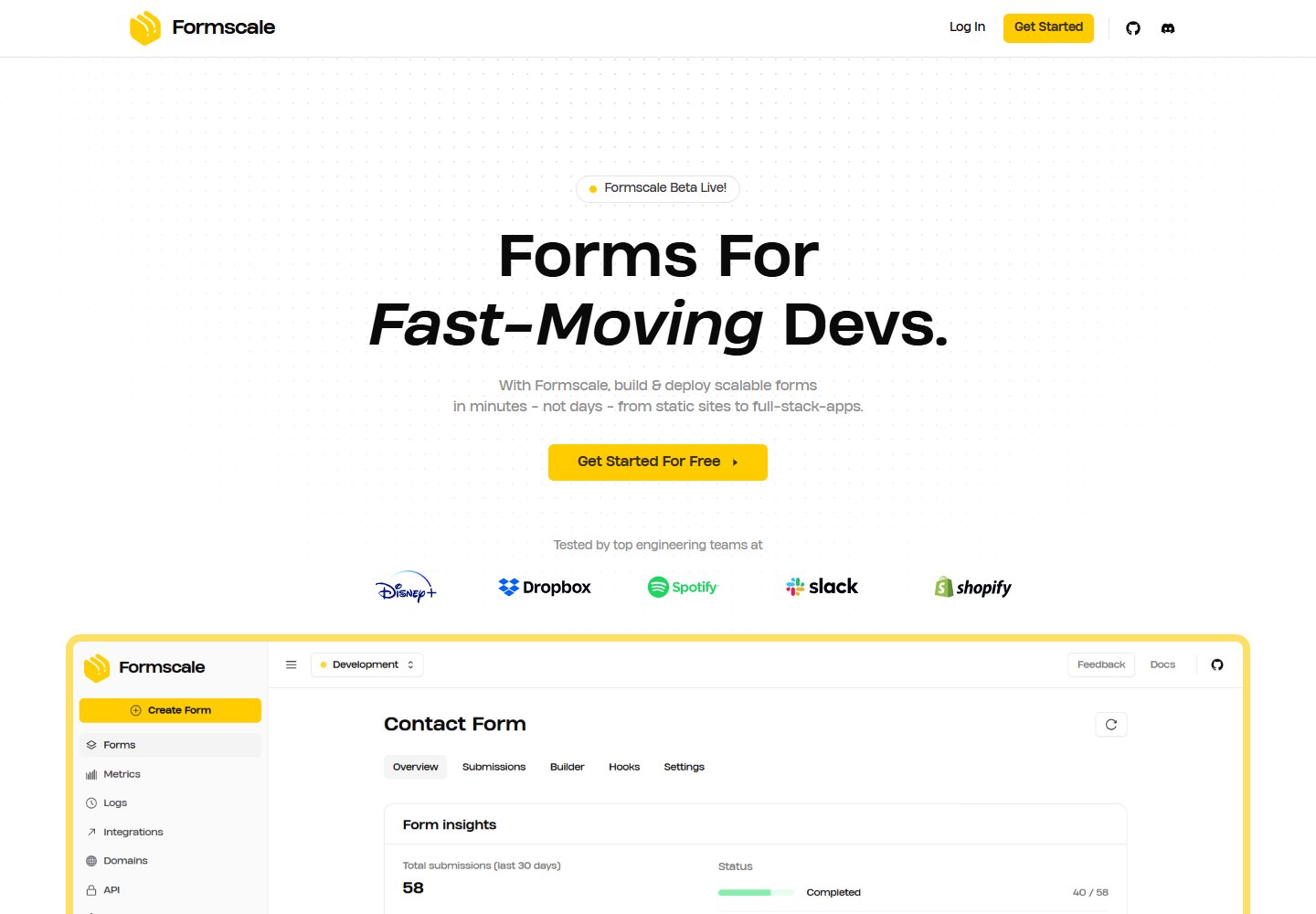
看看你的网站会是什么样
浏览真实页面截图,比较内容排版与手机效果。点击下方缩略图切换,放大查看整页细节。
全部页面与视图 2
截图用于了解视觉与布局,交互效果请以实际项目为准。
采集于 2026-10-16查看来源
值得关注的模板亮点
从已有项目资料中,快速了解它的特点。
使用 Prisma 管理数据库 schema 与迁移,提供本地与远程迁移命令
技术栈包含 Next.js、TypeScript、ESLint、Prettier、Shadcn、Tailwind CSS 与 Zod
README 提供自定义颜色、Google 字体与本地字体、favicon、OG 图片和 metadata 的修改步骤
README 标注为 WIP,并提示部分命令可能与 Windows 不兼容
模板详细介绍
该模板用于在 Cloudflare Pages 上搭建 Next.js 应用,README 标注为 WIP(进行中),部分命令可能与 Windows 不兼容。技术栈包含 Next.js、TypeScript、ESLint、Prettier、Shadcn、Prisma、Tailwind CSS、Zod,并集成 Cloudflare D1 与 R2。
使用流程:克隆仓库后执行 pnpm install,在 src/constants/config.ts 中设置 SITE_NAME、NAME 与 MAIN_BRANCH,运行 pnpm run types 生成类型、pnpm run generate 生成 Prisma 客户端,再以 pnpm run dev 启动开发服务器并访问 localhost:3000。
数据库部分基于 D1:通过 pnpm run create:db 创建数据库,将数据库名称与 ID 填入 wrangler.jsonc 的 d1_databases 绑定;若从零开始需先执行 pnpm run migrate:clear 清空迁移目录,再用 pnpm run migrate:initial 添加首个迁移,pnpm run apply 在本地应用。后续修改 prisma/schema.prisma 后,用 pnpm run migrate 创建迁移,并手动删除迁移文件中针对 _cf_METADATA 的 DropTable 语句;本地与生产分别使用 migrate:apply 和 migrate:apply:remote,list/list:remote 查看迁移,apply/apply:remote 应用待处理迁移。
存储部分基于 R2:pnpm run create:bucket 创建存储桶,将桶名写入 wrangler.jsonc 的 r2_buckets 绑定;代码中通过 @cloudflare/next-on-pages 的 getRequestContext 获取 env.BUCKET,调用 put、get、delete、list 操作文件。
其余定制项包括:在 globals.css 中通过 @theme inline 与 :root 添加自定义颜色;使用 next/font/google 或 next/font/local 引入 Google 字体或 public/assets/fonts 下的本地 ttf 字体,并在 layout.tsx 与 globals.css 中注册变量;将 favicon.ico 放入 src/app,将 1200x630 的 PNG 命名为 og-image.png 放入 public/assets,并编辑 metadata.ts 修改标题、描述、关键词、robots 与 metadataBase;用 pnpm dlx shadcn@latest add 添加 Shadcn 组件;最后以 pnpm run deploy 部署到 Cloudflare。
README 未说明模板的完成度、性能表现、测试覆盖或生产可用性,也未提供除上述步骤外的部署配置细节。
Next.js启动器
适合你的项目吗?
适用场景
- 在 Cloudflare Pages 上从零搭建一个带 D1 数据库的 Next.js 应用
- 为 Next.js 项目接入 R2 存储桶并实现文件的上传、读取、删除与列举
- 使用 Prisma 定义数据模型并在本地与生产环境管理 D1 迁移
- 按 README 步骤替换站点名称、字体、颜色、favicon、OG 图片与 metadata
适合人群
- 需要在 Cloudflare Pages 上使用 Next.js 的开发者
- 希望同时使用 D1 与 R2 并接受 Prisma 迁移流程的团队
- 熟悉 pnpm 命令与 Cloudflare 控制台操作的开发者
上手与定制指南
结合仓库当前版本的说明,按下面的资料检查内容、配置与运行要求。
- 1
克隆仓库后执行 pnpm install,并在 src/constants/config.ts 中设置 SITE_NAME、NAME 与 MAIN_BRANCH
- 2
运行 pnpm run types 生成类型、pnpm run generate 生成 Prisma 客户端,再用 pnpm run dev 启动开发服务器
- 3
创建 D1 数据库后需将数据库名称与 ID 填入 wrangler.jsonc;从零开始时先执行 pnpm run migrate:clear 清空迁移目录
- 4
创建 R2 存储桶后需将桶名写入 wrangler.jsonc 的 r2_buckets 绑定
- 5
README 提示部分命令可能与 Windows 不兼容,且模板标注为 WIP
授权与来源资料
使用条件与限制
免费使用 · 保留许可声明本次收录的是公开仓库中采用 MIT 许可的免费版本;免费范围为该版本代码,不代表外部服务或第三方素材免费。
使用时需要遵守
- 允许免费使用、修改、商用和分发该版本代码。
- 分发代码副本或实质性部分时,保留原作者版权声明和完整 MIT 许可声明。
- 代码按现状提供;担保与责任限制以原许可证及适用法律为准。
额外费用与待核对事项
- 演示图片、字体、图标及其他第三方素材需按各自许可核对,不能仅凭代码的 MIT 许可判断。
- 域名、托管、数据库、支付或 AI 等外部服务可能另外收费。
- README 标注 WIP(进行中),使用前需核验完成度。
- 部分命令可能与 Windows 机器不兼容。
- 创建 D1 数据库时可能被要求登录 Cloudflare 账户。
- 需将 D1 数据库名称与 ID 手动填入 wrangler.jsonc 的 d1_databases 绑定。
- 若从零开始,需先清空 migrations 文件夹。
- 需手动从迁移文件中删除针对 _cf_METADATA 的 DropTable 相关语句。
- 生产环境迁移需使用 migrate:apply:remote 命令,与本地命令不同。
- 需将 R2 存储桶名称手动写入 wrangler.jsonc 的 r2_buckets 绑定。
- R2 操作依赖 @cloudflare/next-on-pages 的 getRequestContext 获取环境绑定。
- favicon 需自行转换为 ico 格式并放入 src/app 目录。
- OG 图片需自行准备 1200x630 像素的 PNG 并命名为 og-image.png 放入 public/assets。
- 需手动编辑 metadata.ts 修改标题、描述、关键词、robots 与 metadataBase。
- 部署依赖 Cloudflare 平台,使用 pnpm run deploy 命令。
查看原文依据
Permission is hereby granted, free of charge
许可证原文
# Cloudflare Next.js Template ### WIP! A starter template for building a Next.js app with Cloudflare Pages.
README 原文
Note: Some commands may be incompatible with Windows machines.
README 原文
You may be prompted to sign in to Cloudflare.
README 原文
Copy your database name & ID to the `wrangler.jsonc` file.
README 原文
Note: If starting fresh, clear the migrations folder:
README 原文
If present, remove these lines from the migration file:
README 原文
pnpm run migrate:apply:remote add_name_field # production
README 原文
Copy your bucket name to the `wrangler.jsonc` file.
README 原文
import { getRequestContext } from "@cloudflare/next-on-pages";
README 原文
Convert your favicon to a ico format and add it to the `src/app` folder. (Use [this tool](https://svg-to-png-jpeg-favicon.vercel.app/) to generate an ico file.)
README 原文
Add an OG image to the `public/assets` folder in 1200x630px size, PNG format, and named `og-image.png`.
README 原文
Edit the `metadata.ts` file.
README 原文
https://github.com/Formscale/cloudflare-nextjs-template/blob/main/LICENSE.mdhttps://github.com/Formscale/cloudflare-nextjs-template/blob/main/README.md## Deploy on Cloudflare
README 原文
DeepSeek 根据仓库许可证和 README 整理 ·2026-10-14。结果仅覆盖已读取资料,依赖、图片、字体及后续条款变更以各自原文为准。
项目核对记录与介绍依据
模板资料
- 来源平台
- GitHub
- 资料与维护参考分
- 资料较完整 · 77 / 100
- 技术栈
- Next.js · React
- 网站类型
- 启动器
这个分数如何计算
本站按许可资料(最高30分)、演示链接(12分)、预览图(10分)、Star数(15分)、记录的维护时间(15分)、描述完整度(8分)、功能记录(5分)和分类资料(5分)计算。它不是代码、安全或性能测试,也不是 Google 评分;有链接不代表已实测可用。
这个项目需要核对什么
- 记录的仓库更新时间
- 2025-04-09
- 截图检查日期
- 2026-10-16
已收录演示链接。请用你的内容与屏幕尺寸检查;有演示不代表表单、认证或支付已经可用。
目录记录的主要技术栈是 Next.js。请通过依赖清单和锁文件核对实际版本与托管要求。这些说明基于收录资料,不代表代码审计或部署实测。
查看具体选型方法 →介绍的制作与核对状态
介绍由 AI 辅助整理目录与仓库资料。仓库作者不等于这篇介绍的审核者。
审核声明: codex-user-requested-batch-review-20261017 · 2026-10-16
查看当时使用的来源资料
SHA-256: 520aeac07fd3775b95a6ecd71ab2c482a04dac91d6588c1d46803fcd0baf6563
2026-10-14T14:24:56.722Z
来源文件 / 仓库# Cloudflare Next.js Template
### WIP!
A starter template for building a Next.js app with Cloudflare Pages.
Sponsored by [Formscale](https://formscale.com).
Note: Some commands may be incompatible with Windows machines.
## Included
- Cloudflare D1/R2
- Next.js
- TypeScript
- ESLint
- Prettier
- Shadcn
- Prisma
- Tailwind CSS
- Zod
## Getting Started
Clone the repository:
```bash
git clone https://github.com/Formscale/cloudflare-nextjs-template.git
```
Install dependencies:
```bash
pnpm install
```
Set a site name, name, and branch name in the `src/constants/config.ts` file.
```ts
const config = {
SITE_NAME: "Cloudflare Next.js Template",
NAME: "nextjs-template",
MAIN_BRANCH: "master",
} as const;
export default config;
```
Generate types:
```bash
pnpm run types
```
Generate Prisma client (if not starting fresh):
```bash
pnpm run generate
```
Then, run the development server:
```bash
pnpm run dev
```
Open [http://localhost:3000](http://localhost:3000) in your browser to see the page.
## Database (D1)
### Initial Setup
Create a new database:
```bash
pnpm run create:db
```
You may be prompted to sign in to Cloudflare.
Copy your database name & ID to the `wrangler.jsonc` file.
```json
"d1_databases": [
{
"binding": "DB",
"database_name": "nextjs-template-db",
"database_id": "__YOUR_D1_DATABASE_ID__"
}
]
```
Note: If starting fresh, clear the migrations folder:
```bash
pnpm run migrate:clear
```
Add your first migration (e.g., "add_users_table"):
```bash
pnpm run migrate:initial add_users_table
```
Apply the migration to generate D1 locally:
```bash
pnpm run apply
```
### Subsequent changes
Edit the prisma schema file:
```prisma
// prisma/schema.prisma
model User {
id String @id @default(cuid())
email String @unique
name String? // new field
createdAt DateTime @default(now())
updatedAt DateTime @updatedAt
}
```
Create a new migration (replace "add_name_field" with your migration name):
```bash
pnpm run migrate add_name_field
```
If present, remove these lines from the migration file:
```sql
-- DropTable
PRAGMA foreign_keys=off;
DROP TABLE "_cf_METADATA";
PRAGMA foreign_keys=on;
```
To create and immediately apply the migration:
```bash
pnpm run migrate:apply add_name_field # local
pnpm run migrate:apply:remote add_name_field # production
```
### Managing migrations
List all migrations:
```bash
pnpm run list # local
pnpm run list:remote # production
```
Apply pending migrations:
```bash
pnpm run apply # local
pnpm run apply:remote # production
```
Generate Prisma client:
```bash
pnpm run generate
```
## Storage (R2)
### Initial Setup
Create a new bucket:
```bash
pnpm run create:bucket
```
Copy your bucket name to the `wrangler.jsonc` file.
```json
"r2_buckets": [
{
"binding": "BUCKET",
"bucket_name": "nextjs-template-bucket"
}
]
```
Adding files to your bucket:
```tsx
import { getRequestContext } from "@cloudflare/next-on-pages";
const { env } = getRequestContext();
const key = "file.txt"; // unique identifier for the file
const file = new TextEncoder().encode("Hello, world!"); // file content
await env.BUCKET.put(key, file); // add file
await env.BUCKET.get(key); // retrieve file
await env.BUCKET.delete(key); // delete file
await env.BUCKET.list(); // list all files
```
## Add Custom Color
Add a custom color to the `globals.css` file.
```css
@theme inline {
--color-custom: var(--color-custom); /* Change "custom" to your desired color name */
}
:root {
--color-custom: #ffce00; /* Custom color */
}
```
Use the custom color in your components.
```tsx
<h1 className="text-custom-color">Custom Color</h1>
```
## Add Custom Font
### Using Google Fonts
Import any font from Google Fonts using the `next/font/google` package in the `layout.tsx` file.
```tsx
import { Geist, Geist_Mono } from "next/font/google";
const geistSans = Geist({
variable: "--font-geist-sans",
subsets: ["latin"],
});
const geistMono = Geist_Mono({
variable: "--font-geist-mono",
subsets: ["latin"],
});
```
Add the font variables to the `html` tag.
```tsx
<html lang="en" className={`${geistSans.variable} ${geistMono.variable} antialiased`}>
{/* ... */}
</html>
```
Update the `globals.css` file to include the font variables.
```css
@theme inline {
--font-sans: var(--font-geist-sans);
--font-mono: var(--font-geist-mono);
}
```
Use the font variables in your components.
```tsx
<h1 className="font-sans">Custom Font</h1>
```
### Using Local Fonts
Add a font and its variants (in ttf format) to the `public/assets/fonts` folder.
Example:
```
/public/assets/fonts/
InstrumentSerif/
/InstrumentSerif-Italic.ttf
/InstrumentSerif-Regular.ttf
```
Add the font to the "layout.tsx" file.
```tsx
import localFont from "next/font/local";
const instrumentSerif = localFont({
src: [
{
path: "../../public/assets/fonts/InstrumentSerif/InstrumentSerif-Regular.ttf",
weight: "400",
style: "normal",
},
{
path: "../../public/assets/fonts/InstrumentSerif/InstrumentSerif-Italic.ttf",
weight: "400",
style: "italic",
},
],
variable: "--font-instrument-serif",
});
```
Add the font variable to the `html` tag.
```tsx
<html lang="en" className={`${instrumentSerif.variable} antialiased`}>
{/* ... */}
</html>
```
Update the `globals.css` file to include the font variable.
```css
@theme inline {
--font-serif: var(--font-instrument-serif);
}
```
Use the font variable in your components.
```tsx
<h1 className="font-serif">Custom Font</h1>
```
## Adding Metadata
### Changing favicon
Convert your favicon to a ico format and add it to the `src/app` folder. (Use [this tool](https://svg-to-png-jpeg-favicon.vercel.app/) to generate an ico file.)
```
/src/app/
favicon.ico
```
### Adding OG Image
Add an OG image to the `public/assets` folder in 1200x630px size, PNG format, and named `og-image.png`.
```
/public/assets/
og-image.png
```
### Changing metadata
Edit the `metadata.ts` file.
```ts
export const metadata: Metadata = {
// Edit with your own metadata
title: "Cloudflare Next.js Template",
description: "A template for building a website with Cloudflare Next.js",
keywords: ["cloudflare", "next.js", "template"],
robots: "index, follow",
metadataBase: new URL("https://cloudflare-nextjs-template.com"),
// ...
};
```
## Add Shadcn Components
```bash
pnpm dlx shadcn@latest add
```
Select the components you'd like to add by pressing "Space" to select/deselect or "a" to select all.
## Deploy on Cloudflare
```bash
pnpm run deploy
```
看看同类模板
对比同技术栈与用途的模板,找到更适合的视觉与内容结构。

ai-website-cloner-template
Clone any website with one command using AI coding agents
Next.js · 启动器

Next.js SaaS Starter
Next.js SaaS Starter 是 Next.js 官方维护的 SaaS 起点模板,定位介于学习资源和可直接部署的脚手架之间。
Next.js · SaaS

Next.js Commerce
Next.js Commerce 是 Vercel 团队维护的电商启动模板,基于 Next.js App Router 构建,采用服务端渲染、React Server Components、Server Actions …
Next.js · 电商

Next-js-Boilerplate
Next-js-Boilerplate 是一个面向 Next.js 16、Tailwind CSS 4 和 TypeScript 的启动器,核心定位是开发者体验优先。
Next.js · 启动器

tailwind-nextjs-starter-blog
tailwind-nextjs-starter-blog 是一个面向个人技术博客的 Next.js 与 Tailwind CSS 启动模板,其 v2 版本基于 App Router 与 React Server Comp…
Next.js · 博客

next-forge
Production-grade Turborepo template for Next.js apps.
Next.js · 启动器