通过 vite-ssr 在 Node.js 中实现服务端渲染,同时保留 SPA 开发模式
ViteReact启动器
reactesse-ssr-template — Vite 启动器模板
作者 frandiox
基于 Vite 与 React 的 SSR 启动模板,使用 vite-ssr 在 Node.js 中做服务端渲染,内置文件路由、Windi CSS、i18n、Markdown 与 Vercel 部署配置。
看看你的网站会是什么样
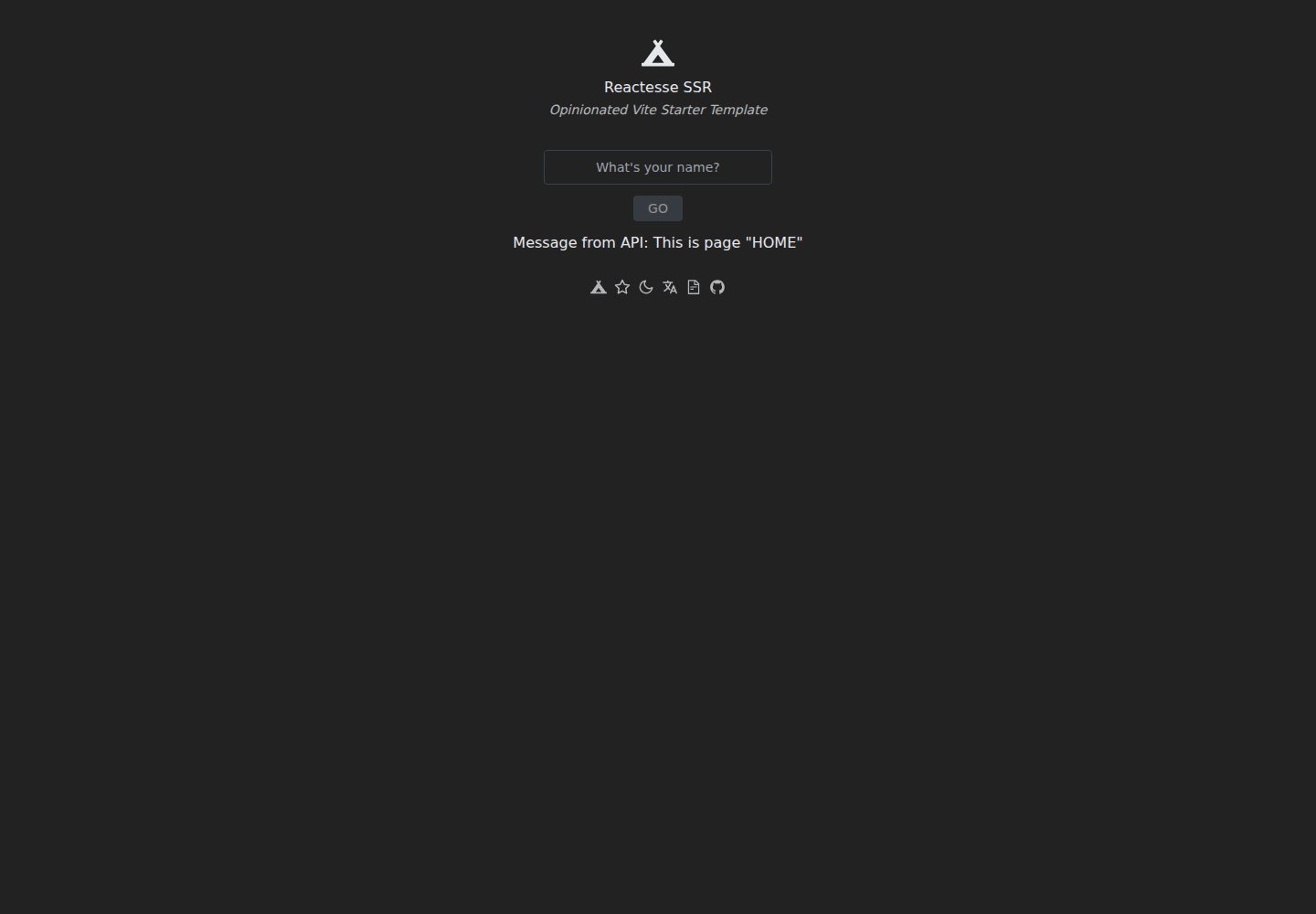
浏览真实页面截图,比较内容排版与手机效果。点击下方缩略图切换,放大查看整页细节。
全部页面与视图 3
截图用于了解视觉与布局,交互效果请以实际项目为准。
采集于 2026-10-02查看来源
值得关注的模板亮点
从已有项目资料中,快速了解它的特点。
基于 src/pages 目录的文件系统路由,由 vite-plugin-pages 提供
使用 Windi CSS 按需生成工具类,并包含 Typography 插件
集成 react-i18next 国际化与 react-helmet-async 文档头部管理
Markdown 经 vite-plugin-mdx 作为组件处理,配合 Prism 做语法高亮
提供 Vercel serverless 部署配置与本地预览脚本
模板详细介绍
这是一个有明确取向的 React + Vite 启动模板,参考 Vitesse 的组织方式,通过 vite-ssr 在 Node.js 中实现服务端渲染(SSR),并附带 Vercel 的 serverless 部署配置。模板同时提供 SPA 开发模式,便于在不需要 SSR 时调试。
功能层面,路由来自 src/pages 的文件系统约定,样式使用 Windi CSS(按需生成的 Tailwind 风格工具类,含 Typography 插件),图标来自 react-icons,国际化基于 react-i18next 并预留了 src/i18n/translations 目录,Markdown 通过 vite-plugin-mdx 作为组件处理,代码高亮使用 remark-prism 与 prism-theme-vars,文档头部由 react-helmet-async 管理。开发工具链包括 TypeScript、pnpm、ESLint 以及 VS Code 扩展建议。
使用前需要按 README 的清单做初始化:修改 package.json 的 name、替换 LICENSE 中的作者、更换 public 下的 favicon、删除包含资助信息的 .github 目录,并清理 README 与示例路由。仓库最近更新时间为 2021 年,依赖版本与生态现状需自行核对。
ViteReact启动器
适合你的项目吗?
适用场景
- 需要一个 React + Vite 的 SSR 起步项目,并希望直接部署到 Vercel
- 想用文件系统路由组织页面,而不是手写路由表
- 项目需要国际化、Markdown 内容与代码高亮等常见能力
适合人群
- 熟悉 React 与 Vite、了解 SSR 基本概念的开发者
- 希望以 MIT 许可的模板代码作为项目起点并自行修改的团队
- 计划在 Vercel 上部署 React SSR 应用的使用者
上手与定制指南
结合仓库当前版本的说明,按下面的资料检查内容、配置与运行要求。
- 1
使用 npx degit frandiox/reactesse-ssr-template my-reactesse-app 克隆,或从 GitHub 模板生成仓库
- 2
安装依赖使用 pnpm(未安装可先执行 npm install -g pnpm)
- 3
按 README 清单修改 package.json 的 name、LICENSE 作者、public 下的 favicon,并删除 .github 目录与示例路由
- 4
开发时运行 pnpm dev(SSR)或 pnpm dev:spa(无 SSR),默认访问 http://localhost:3333
- 5
构建产物在 dist,部分文件会移动到 serverless 目录用于部署;Vercel 部署使用 pnpm preview、pnpm deploy、pnpm deploy:prod
授权与来源资料
使用条件与限制
免费使用 · 保留许可声明本次收录的是公开仓库中采用 MIT 许可的免费版本;免费范围为该版本代码,不代表外部服务或第三方素材免费。
使用时需要遵守
- 允许免费使用、修改、商用和分发该版本代码。
- 分发代码副本或实质性部分时,保留原作者版权声明和完整 MIT 许可声明。
- 代码按现状提供;担保与责任限制以原许可证及适用法律为准。
额外费用与待核对事项
- MIT 许可要求保留原始版权与许可声明;使用模板时需在 LICENSE 中替换作者署名,但不得删除原版权声明。
- 模板自带的 .github 目录包含资助信息,使用时应按清单删除,避免保留与自身项目无关的资助配置。
- 部署到 Vercel 需要注册 Vercel 账号并安装其 CLI,属于第三方外部服务,可能受其服务条款与费用政策约束。
- 演示图片、字体、图标及其他第三方素材需按各自许可核对,不能仅凭代码的 MIT 许可判断。
- 域名、托管、数据库、支付或 AI 等外部服务可能另外收费。
查看原文依据
Permission is hereby granted, free of charge
许可证原文
Change the author name in `LICENSE`
README 原文
Remove the `.github` folder which contains the funding info
README 原文
https://github.com/frandiox/reactesse-ssr-template/blob/master/LICENSEhttps://github.com/frandiox/reactesse-ssr-template/blob/master/README.mdGo to [Vercel](https://vercel.com) and install its CLI.
README 原文
DeepSeek 根据仓库许可证和 README 整理 ·2026-10-02。结果仅覆盖已读取资料,依赖、图片、字体及后续条款变更以各自原文为准。
项目核对记录与介绍依据
模板资料
- 来源平台
- GitHub
- 资料与维护参考分
- 资料较完整 · 77 / 100
- 技术栈
- Vite · React
- 网站类型
- 启动器
这个分数如何计算
本站按许可资料(最高30分)、演示链接(12分)、预览图(10分)、Star数(15分)、记录的维护时间(15分)、描述完整度(8分)、功能记录(5分)和分类资料(5分)计算。它不是代码、安全或性能测试,也不是 Google 评分;有链接不代表已实测可用。
这个项目需要核对什么
- 记录的仓库更新时间
- 2021-08-02
- 截图检查日期
- 2026-10-02
已收录演示链接。请用你的内容与屏幕尺寸检查;有演示不代表表单、认证或支付已经可用。
目录记录的主要技术栈是 Vite。请通过依赖清单和锁文件核对实际版本与托管要求。这些说明基于收录资料,不代表代码审计或部署实测。
查看具体选型方法 →介绍的制作与核对状态
介绍由 AI 辅助整理目录与仓库资料。仓库作者不等于这篇介绍的审核者。
已完成服务器许可规则与 AI 来源核对;未经过人工编辑审核。
查看当时使用的来源资料
SHA-256: 7a141e617bd69c9938d367e1ca6cd91bd63e4717434220b8d44dee0f01c85a42
2026-10-02T22:08:57.627Z
来源文件 / 仓库# Reactesse SSR > React + Vite + SSR template based on [@antfu](https://github.com/antfu)'s [Vitesse](https://github.com/antfu/vitesse) with [`vite-ssr`](https://github.com/frandiox/vite-ssr). <p align='center'> <a href="https://reactesse-ssr.vercel.app/">Live Demo</a> </p> ## Features - ⚡️ [React](https://github.com/facebook/react), [Vite 2](https://github.com/vitejs/vite), [pnpm](https://pnpm.js.org/), [ESBuild](https://github.com/evanw/esbuild) - 🗂 [File based routing](./src/pages) - 🎨 [Windi CSS](https://github.com/windicss/windicss) - on-demand Tailwind CSS with speed - 😃 [SVG icons](https://react-icons.github.io/react-icons/) - 🌍 [I18n ready](./src/i18n/translations) - 🗒 [Markdown Support](https://github.com/brillout/vite-plugin-mdx) - 🖨 Server-side rendering (SSR) in Node.js via [vite-ssr](https://github.com/frandiox/vite-ssr) - 🦾 TypeScript, of course - ☁️ Deploy on Vercel, minimal [config](./serverless/vercel.json) <br> ## Pre-packed ### UI Frameworks - [Windi CSS](https://github.com/windicss/windicss) (On-demand [TailwindCSS](https://tailwindcss.com/)) - lighter and faster, with a bundle additional features! - [Windi CSS Typography](https://windicss.netlify.app/guide/plugins.html#typography) - similar to [Tailwind CSS Typography](https://github.com/tailwindlabs/tailwindcss-typograph) but for Windi CSS ### Plugins - [`vite-plugin-pages`](https://github.com/hannoeru/vite-plugin-pages) - file system based routing - [`vite-plugin-windicss`](https://github.com/antfu/vite-plugin-windicss) - WindiCSS support - [`vite-plugin-mdx`](https://github.com/brillout/vite-plugin-mdx) - Markdown as components / components in Markdown - [`remark-prism`](https://github.com/sergioramos/remark-prism) - [Prism](https://prismjs.com/) for syntax highlighting - [`prism-theme-vars`](https://github.com/antfu/prism-theme-vars) - customizable Prism.js theme using CSS variables - [react-i18next](https://react.i18next.com/) - Internationalization - [`react-helmet-async`](https://github.com/staylor/react-helmet-async) - manipulate document head reactively ### Dev tools - [TypeScript](https://www.typescriptlang.org/) - [pnpm](https://pnpm.js.org/) - fast, disk space efficient package manager - [`vite-ssr`](https://github.com/frandiox/vite-ssr) - Server-side rendering - [Vercel](https://vercel.com/) - deploy - [VS Code Extensions](./.vscode/extensions.json) - [ESLint](https://marketplace.visualstudio.com/items?itemName=dbaeumer.vscode-eslint) ## Try it now! ### GitHub Template [Create a repo from this template on GitHub](https://github.com/frandiox/reactesse-ssr-template/generate). ### Clone to local If you prefer to do it manually with the cleaner git history ```bash npx degit frandiox/reactesse-ssr-template my-reactesse-app cd my-reactesse-app pnpm i # If you don't have pnpm installed, run: npm install -g pnpm ``` ## Checklist When you use this template, try follow the checklist to update your info properly - [ ] Add a `name` field in `package.json` - [ ] Change the author name in `LICENSE` - [ ] Change the favicon in `public` - [ ] Remove the `.github` folder which contains the funding info - [ ] Clean up the READMEs and remove routes And, enjoy :) ## Usage ### Development Just run and visit http://localhost:3333 ```bash pnpm dev # SSR development pnpm dev:spa # SPA without SSR ``` ### Build To build the App, run ```bash pnpm build ``` And you will see the generated files in `dist`, and some of these files will be moved to `serverless` for deployment. ### Deploy on Vercel Go to [Vercel](https://vercel.com) and install its CLI. Then: ```bash pnpm preview # Simulate Vercel environment locally pnpm deploy pnpm deploy:prod ```
看看同类模板
对比同技术栈与用途的模板,找到更适合的视觉与内容结构。

react-starter-kit
Modern React starter kit with Bun, TypeScript, Tailwind CSS, tRPC, Stripe, and Cloudflare Workers. Production-…
Vite · SaaS

cove
The Cove Stack: 🏝️ minimal TanStack Start template with Vite+, Better Auth, Drizzle ORM, shadcn/ui
Vite · SaaS

vite-react-boilerplate
A production ready, scalable starter template for Vite + React
Vite · 启动器

react-vite-admin
This Starter utilizes React, Recoil, React Query, React Hooks, Typescript, Axios And Vite. 全新技术栈的后台管理系统
Vite · 后台

typescript-react_best_practices-vite_template
<⚡⚛️> Start your React project with Vite following code best practices (TypeScript, Linting, testing, CI/CD…)
Vite · 启动器

cloudflare-starter-kit
Template (boilerplate) repository for scaffolding Cloudflare Workers projects
Vite · 启动器