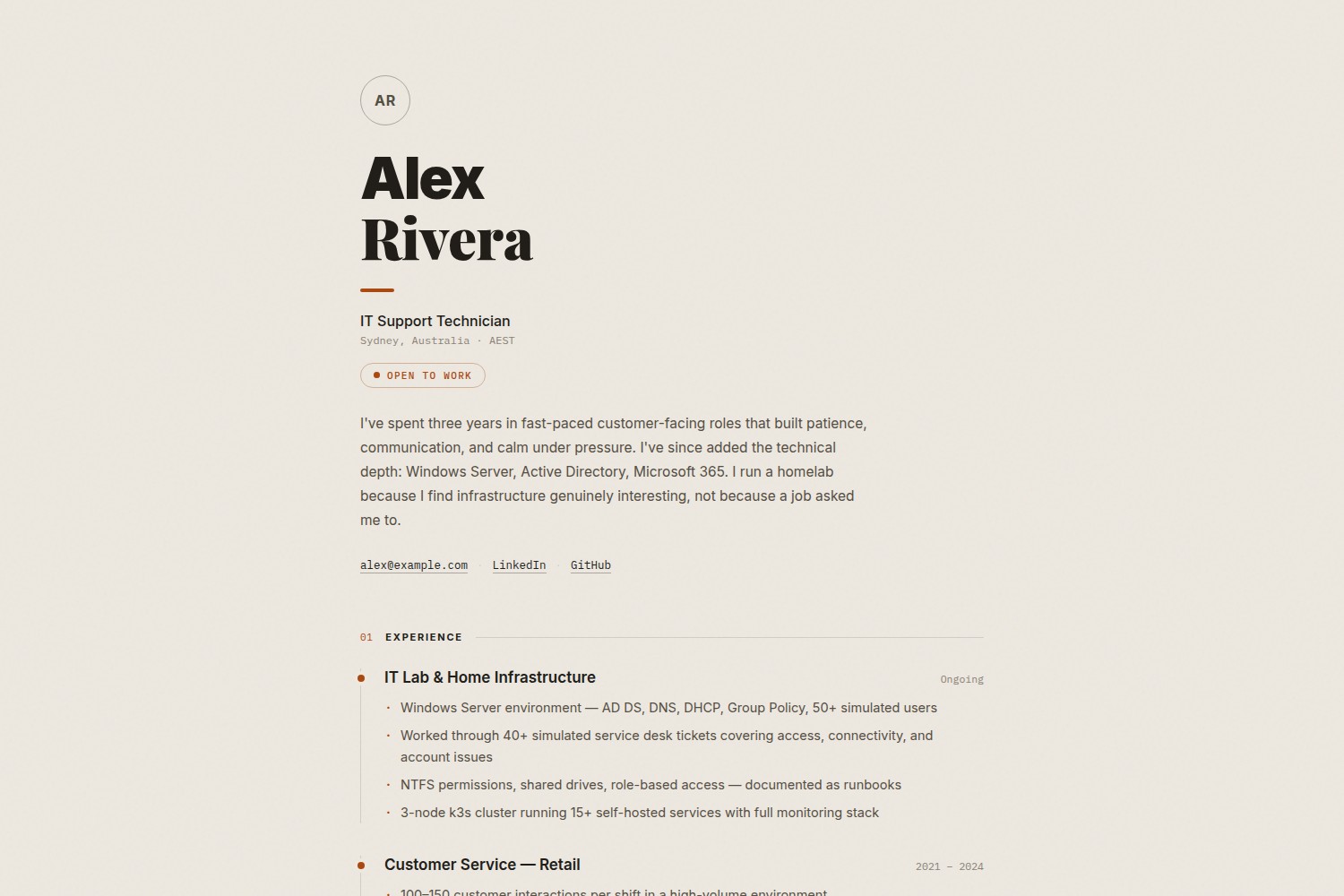
单页简历排版,内容全部由 data/*.yaml 与 hugo.toml 参数驱动,模板不含硬编码个人内容
Hugo作品集
grain-hugo-theme — Hugo 作品集模板
作者 ghimireaacs
一个用于个人简历与作品集的单页 Hugo 主题,内容由 data/*.yaml 与 hugo.toml 驱动,并提供打印样式表。
看看你的网站会是什么样
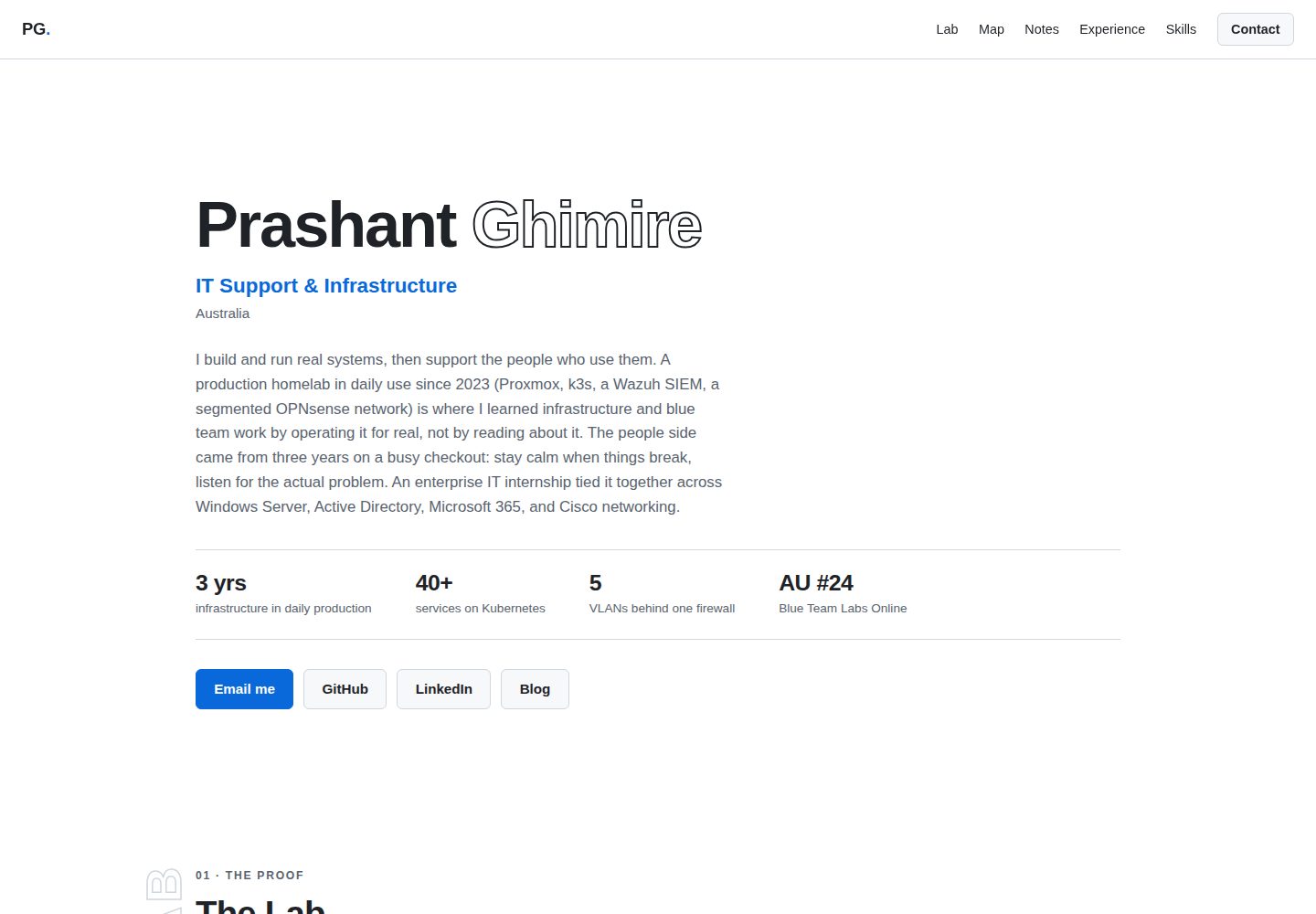
浏览真实页面截图,比较内容排版与手机效果。点击下方缩略图切换,放大查看整页细节。
全部页面与视图 2
截图用于了解视觉与布局,交互效果请以实际项目为准。
采集于 2026-10-02查看来源
值得关注的模板亮点
从已有项目资料中,快速了解它的特点。
经历以时间线呈现,Lab 区块用于展示动手项目,技能为合并表格,认证与教育为双栏列表
内置打印样式表,打印时使用白底、无动画,并尽量保持区块不被分页切断
头像可选,未提供时根据 params.name 生成首字母圆形占位
颜色与字体通过 CSS 自定义属性集中定义,便于在主题文件中统一调整
提供 exampleSite 示例站点与 netlify.toml 构建配置
模板详细介绍
grain-resume 是一个单页 Hugo 主题,定位为个人简历与作品集页面,排版模仿印刷版 CV:暖色纸张质感、衬线/无衬线组合的报头、编号章节、时间线经历、一个用于展示动手项目的 Lab 区块,以及一份真实的打印样式表。主题模板本身不硬编码个人内容,姓名、职位、简介、联系方式等写在 hugo.toml 的 [params] 中,经历、Lab、技能、认证与教育分别放在 data/experience.yaml、data/lab.yaml、data/skills.yaml、data/certifications.yaml。某个数据文件不存在时,对应区块不会渲染。头像可选,未设置时用姓名首字母生成圆形占位。主题要求 Hugo v0.110 或更高版本,仓库内提供 exampleSite 作为可运行示例,并附有 Netlify 构建配置。颜色与字体通过 static/css/style.css 顶部的 CSS 自定义属性调整,需要直接修改主题文件。
Hugo作品集
适合你的项目吗?
适用场景
- 制作个人在线简历,并希望直接打印成纸质 CV
- 展示 IT 运维、网络或技术支持类岗位的工作经历与动手项目
- 用 YAML 数据文件维护技能、认证与教育信息,避免改动模板
- 在 Netlify 上部署 Hugo 站点并自动拉取主题子模块
适合人群
- 需要单页简历与作品集页面、并接受用 YAML 维护内容的用户
- 熟悉 Hugo 基本配置与数据文件写法的开发者
- 希望打印输出与网页版保持一致的求职者
- 偏好暖色纸张质感与印刷风格排版的个人站点作者
上手与定制指南
结合仓库当前版本的说明,按下面的资料检查内容、配置与运行要求。
- 1
需要 Hugo v0.110 或更高版本
- 2
以 git submodule 方式将主题加入 themes/grain-resume,并在 hugo.toml 中设置 theme = "grain-resume"
- 3
创建 content/_index.md 并保留空 front matter,Hugo 才能调用首页模板
- 4
将 exampleSite 中的 hugo.toml、data/*.yaml 与 netlify.toml 复制到站点作为起点
- 5
在 Netlify 设置环境变量 GIT_SUBMODULE_STRATEGY=recursive,确保构建时拉取主题子模块
授权与来源资料
使用条件与限制
免费使用 · 保留许可声明本次收录的是公开仓库中采用 MIT 许可的免费版本;免费范围为该版本代码,不代表外部服务或第三方素材免费。
使用时需要遵守
- 允许免费使用、修改、商用和分发该版本代码。
- 分发代码副本或实质性部分时,保留原作者版权声明和完整 MIT 许可声明。
- 代码按现状提供;担保与责任限制以原许可证及适用法律为准。
额外费用与待核对事项
- 演示图片、字体、图标及其他第三方素材需按各自许可核对,不能仅凭代码的 MIT 许可判断。
- 域名、托管、数据库、支付或 AI 等外部服务可能另外收费。
查看原文依据
https://github.com/ghimireaacs/grain-hugo-theme/blob/main/LICENSEhttps://github.com/ghimireaacs/grain-hugo-theme/blob/main/README.mdPermission is hereby granted, free of charge
许可证原文
DeepSeek 根据仓库许可证和 README 整理 ·2026-10-02。结果仅覆盖已读取资料,依赖、图片、字体及后续条款变更以各自原文为准。
项目核对记录与介绍依据
模板资料
- 来源平台
- GitHub
- 资料与维护参考分
- 资料一般 · 72 / 100
- 技术栈
- Hugo
- 网站类型
- 作品集
这个分数如何计算
本站按许可资料(最高30分)、演示链接(12分)、预览图(10分)、Star数(15分)、记录的维护时间(15分)、描述完整度(8分)、功能记录(5分)和分类资料(5分)计算。它不是代码、安全或性能测试,也不是 Google 评分;有链接不代表已实测可用。
这个项目需要核对什么
- 记录的仓库更新时间
- 2026-06-11
- 截图检查日期
- 2026-10-02
已收录演示链接。请用你的内容与屏幕尺寸检查;有演示不代表表单、认证或支付已经可用。
目录记录的主要技术栈是 Hugo。请通过依赖清单和锁文件核对实际版本与托管要求。这些说明基于收录资料,不代表代码审计或部署实测。
查看具体选型方法 →介绍的制作与核对状态
介绍由 AI 辅助整理目录与仓库资料。仓库作者不等于这篇介绍的审核者。
已完成服务器许可规则与 AI 来源核对;未经过人工编辑审核。
查看当时使用的来源资料
SHA-256: c43b252b87f5bc76738c74373095ea9eef57ae69f850ae48689c8a6c4ef4cbcb
2026-10-02T14:16:50.045Z
来源文件 / 仓库# grain-resume
A single-page Hugo resume theme typeset like a printed CV. Warm paper grain, serif/sans masthead, numbered sections, timeline experience, a proof-of-work lab section, and a real print stylesheet. Data-driven: all content lives in `data/*.yaml` and `hugo.toml`.
---
## Requirements
- [Hugo](https://gohugo.io/installation/) v0.110 or later
---
## Example site
A working example is in [`exampleSite/`](exampleSite/). Copy its contents as a starting point:
```
exampleSite/
├── hugo.toml # all params with comments
├── netlify.toml # Netlify build config
├── content/_index.md # required by Hugo — leave empty
└── data/
├── experience.yaml # work history (timeline)
├── lab.yaml # homelab / proof-of-work section
├── skills.yaml # one merged skills table
└── certifications.yaml # certs and education
```
To run the example locally:
```bash
cd exampleSite
hugo server --themesDir ../..
```
---
## Installation
Add the theme as a git submodule inside your Hugo site:
```bash
git submodule add https://github.com/ghimireaacs/grain-hugo-theme themes/grain-resume
```
Then set the theme in your `hugo.toml`:
```toml
theme = "grain-resume"
```
---
## Configuration
### `hugo.toml` params
All personal content is set in `[params]`. The theme templates contain no hardcoded content.
```toml
baseURL = "https://yoursite.com/"
languageCode = "en-us"
title = "Your Name"
theme = "grain-resume"
disableKinds = ["taxonomy", "term"]
[params]
name = "Your Name" # single or multi-word both work; last word is set in serif
role = "Job Title"
available = "Open to work" # pill badge with status dot — remove line to hide
bio = "One or two sentences. Personal voice works best here."
email = "[email protected]" # optional — link hidden if omitted
linkedin = "https://linkedin.com/in/your-handle" # optional
github = "https://github.com/your-handle" # optional
# avatar = "/img/photo.jpg" # optional — initials shown if omitted
# description = "..." # optional — overrides meta description
# favicon = "/img/favicon.png"
# location = "Sydney, Australia" # mono line under the role
# labLabel = "The Lab" # heading of the lab section
# footerNote = "Built with Hugo." # left side of the footer
```
Sections render only when their data file exists. Delete a data file and its section disappears.
### `content/_index.md`
Hugo requires this file to invoke the homepage template. Create it with empty front matter:
```
---
---
```
---
## Data files
All content lives in `data/`. See [`exampleSite/data/`](exampleSite/data/) for working samples.
### `data/experience.yaml`
Rendered as a timeline. Each entry is a heading row (title + date) with bullets below.
```yaml
- title: IT Internship — Some Company
date: "Nov 2025 – Feb 2026"
items:
- "What you did, action-verb first"
- "Another concrete line"
```
`date` is a plain string: a year range, `"Ongoing"`, whatever fits.
### `data/lab.yaml`
The proof-of-work section. An intro paragraph plus entries that say what runs, in plain language a recruiter can follow.
```yaml
intro: "One or two sentences framing the lab: what it is, how long it has run, why it exists."
items:
- name: Network segmentation
what: "What is actually running, in plain language. End with what it shows about you, as prose."
stack: [OPNsense, VLANs, Pi-hole]
```
`stack` is optional per entry. Rename the section heading with the `labLabel` param.
### `data/skills.yaml`
One merged table. `category` is the mono left column, `skills` is free text. Use `·` (middle dot, U+00B7) to separate items.
```yaml
- category: Windows & Desktop
skills: "Windows 10/11 · Windows Server · printer support · RDP"
- category: Networking
skills: "TCP/IP · VLANs · DNS / DHCP · VPN"
```
### `data/certifications.yaml`
Two columns: name on the left, org or year on the right.
```yaml
- name: CompTIA A+
org: CompTIA
- name: Bachelor of Information Technology
org: "2024"
```
---
## Profile photo
1. Place your image at `static/img/photo.jpg` in your site root
2. Add to `hugo.toml`:
```toml
avatar = "/img/photo.jpg"
```
If `avatar` is not set, a circle with your initials (derived from `params.name`) is shown instead.
---
## Printing
The theme ships a print stylesheet: plain white background, no animation, sections kept whole across page breaks. Ctrl+P produces a usable paper CV.
---
## Netlify deployment
Set this environment variable in Netlify site settings so the theme submodule is pulled during build:
| Key | Value |
|---|---|
| `GIT_SUBMODULE_STRATEGY` | `recursive` |
Use [`exampleSite/netlify.toml`](exampleSite/netlify.toml) as your `netlify.toml`. It pins the Hugo version and sets the build command.
---
## Customisation
Colors and type are CSS custom properties at the top of `static/css/style.css`. Fork the theme and edit them directly.
| Variable | Default | Purpose |
|---|---|---|
| `--paper` | `#ede8e0` | Page background (warm paper) |
| `--ink` | `#211d18` | Headings and primary text |
| `--mid` | `#554e43` | Body text |
| `--muted` | `#8a8175` | Meta text, dates, labels |
| `--accent` | `#ab4a10` | Rules, numbering, badges, hovers |
看看同类模板
对比同技术栈与用途的模板,找到更适合的视觉与内容结构。

hugo-PaperMod
PaperMod 是 Hugo 生态里知名度较高的主题之一,定位很明确:给博客和轻量作品集站点提供一套干净、响应式的阅读界面。
Hugo · 作品集

Congo
Congo 是一款为 Hugo 设计的现代内容主题,核心定位是让内容本身成为页面焦点。 它基于 Tailwind CSS 3.0 构建,整体布局完全响应式,视觉风格干净且克制,没有多余装饰。
Hugo · 博客

toha
Toha 是一款面向个人作品集场景的 Hugo 主题,以极简设计和响应式布局为核心,适合用来搭建个人主页、作品展示或技术博客。
Hugo · 作品集

hugo-profile
A highly customizable and mobile first Hugo template for personal portfolio and blog.
Hugo · 作品集

hugo-theme-introduction
Minimal, single page, smooth-scrolling theme for Hugo static site generator.
Hugo · 作品集

hugo-theme-console
hugo-theme-console 是一款以系统终端为灵感的极简 Hugo 主题,基于 Terminal CSS 构建,整体视觉干净利落,强调快速加载与响应式布局。
Hugo · 作品集