使用 Handlebars 实现 partials 与按页面 JSON 数据的模板复用
ViteHTML启动器
vite-starter-markup-template — Vite 启动器模板
作者 Grinch3214
基于 Vite 的静态标记启动模板,用 Handlebars 分块、SCSS 与图片优化流程替代 Gulp,适合落地页与小型多页站点。
看看你的网站会是什么样
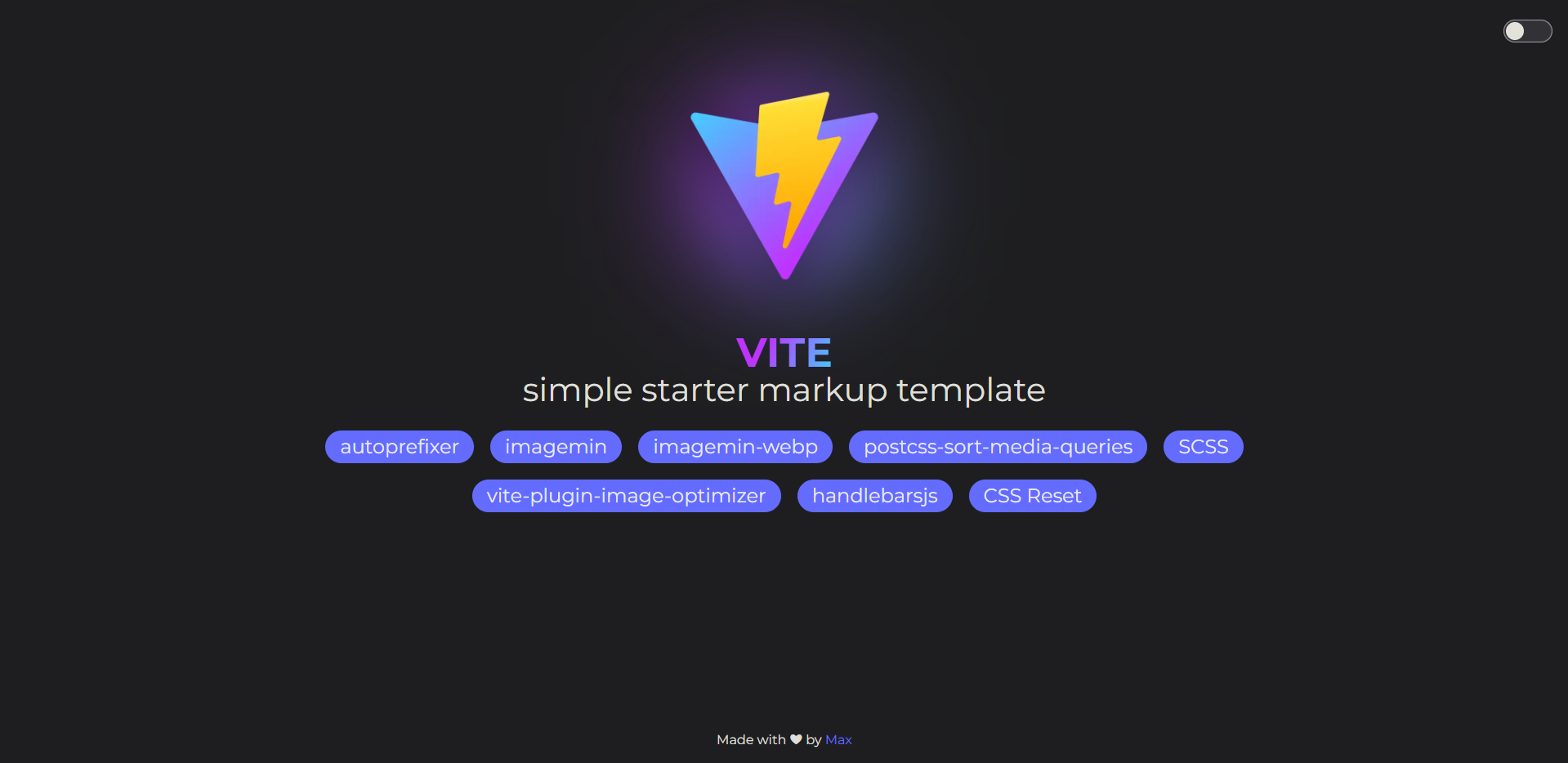
浏览真实页面截图,比较内容排版与手机效果。点击下方缩略图切换,放大查看整页细节。
目前有 1 张原始预览,可打开完整图片查看设计细节。
截图用于了解视觉与布局,交互效果请以实际项目为准。
采集于 2026-10-02查看来源
值得关注的模板亮点
从已有项目资料中,快速了解它的特点。
SCSS 配合 autoprefixer 与移动优先的媒体查询排序
开发时自动将 JPG/PNG/JPEG 转为 WebP,构建时优化 PNG/JPEG/SVG
自动发现根目录与 pages/** 下的所有 HTML 页面
内置深色/浅色主题切换,选择持久化在 localStorage
提供 npm run dev、build、preview 三个脚本
模板详细介绍
这是一个面向静态标记开发的 Vite 启动模板,定位为 Gulp 在落地页或小型多页站点场景下的替代方案。模板使用 Handlebars 提供组件式 HTML 分块(partials 与每页 JSON 数据),样式层采用 SCSS,并接入 autoprefixer 与移动优先的媒体查询排序。图片方面,开发服务器启动时会把 src/img 下的 JPG/PNG/JPEG 转为 WebP 放入 src/img/webp/,生产构建时通过 vite-plugin-image-optimizer 对 PNG、JPEG、SVG 做质量 70 的优化。多页支持由 fast-glob 自动发现根目录与 pages/** 下的所有 .html 文件。内置深色/浅色主题切换,状态保存在 localStorage 的 theme-color 键,并通过 html 上的 data-theme 属性配合 _vars.scss 中的 CSS 自定义属性生效。
使用前需要留意:模板自带演示内容与占位资源,README 提供了清理清单,包括删除 demo/、public/vite.svg、src/img 与 src/fonts 下的示例文件、精简 style.scss 与 main.js、清空 src/data 与 src/partials 等。若站点部署在子路径下,需要修改 vite.config.js 中的 rootPath。代码以 MIT 许可发布,可免费使用、修改、商用与分发,但演示图片、字体、图标等第三方素材需按各自许可单独核对;域名、托管等外部服务可能另行收费。
ViteHTML启动器
适合你的项目吗?
适用场景
- 开发落地页或小型多页静态站点
- 从 Gulp 工作流迁移到 Vite 的静态标记项目
- 需要 Handlebars 分块与每页独立 JSON 数据的静态页面
- 需要在开发阶段自动生成 WebP、构建阶段压缩图片的站点
适合人群
- 熟悉 HTML、SCSS 与少量 JavaScript 的前端开发者
- 需要多页静态输出而非单页应用的项目
- 希望用 Vite 替代 Gulp 构建流程的团队
- 需要深色/浅色主题切换的静态站点
上手与定制指南
结合仓库当前版本的说明,按下面的资料检查内容、配置与运行要求。
- 1
克隆仓库后重命名文件夹并执行 npm install
- 2
开发用 npm run dev,构建用 npm run build,预览构建结果用 npm run preview
- 3
部署在子路径时需修改 vite.config.js 中的 rootPath
- 4
按 README 的清理清单删除 demo、示例图片/字体、多余页面与占位数据后再开始开发
- 5
演示图片、字体等第三方素材需按各自许可核对,不能仅凭代码的 MIT 许可判断
授权与来源资料
使用条件与限制
免费使用 · 保留许可声明本次收录的是公开仓库中采用 MIT 许可的免费版本;免费范围为该版本代码,不代表外部服务或第三方素材免费。
使用时需要遵守
- 允许免费使用、修改、商用和分发该版本代码。
- 分发代码副本或实质性部分时,保留原作者版权声明和完整 MIT 许可声明。
- 代码按现状提供;担保与责任限制以原许可证及适用法律为准。
额外费用与待核对事项
- 模板自带演示内容与占位资源(demo/、public/vite.svg、src/img 与 src/fonts 下的示例文件),开始实际项目前需按清理清单删除这些示例素材。
- 若站点部署在子路径下,必须修改 vite.config.js 中的 rootPath,否则资源路径会出错。
- 清理清单要求根据自身项目调整 LICENSE 文件,即需替换或更新版权声明以匹配实际项目。
- 演示图片、字体、图标及其他第三方素材需按各自许可核对,不能仅凭代码的 MIT 许可判断。
- 域名、托管、数据库、支付或 AI 等外部服务可能另外收费。
查看原文依据
Permission is hereby granted, free of charge
许可证原文
Delete `public/vite.svg`, `demo/`, `src/img/**/*`, `src/fonts/**/*`
README 原文
If your project is hosted at a sub-path, update `rootPath` in `vite.config.js`
README 原文
https://github.com/Grinch3214/vite-starter-markup-template/blob/main/LICENSEhttps://github.com/Grinch3214/vite-starter-markup-template/blob/main/README.mdAdapt `LICENSE`
README 原文
DeepSeek 根据仓库许可证和 README 整理 ·2026-10-02。结果仅覆盖已读取资料,依赖、图片、字体及后续条款变更以各自原文为准。
项目核对记录与介绍依据
模板资料
- 来源平台
- GitHub
- 资料与维护参考分
- 资料较完整 · 80 / 100
- 技术栈
- Vite · HTML
- 网站类型
- 启动器
这个分数如何计算
本站按许可资料(最高30分)、演示链接(12分)、预览图(10分)、Star数(15分)、记录的维护时间(15分)、描述完整度(8分)、功能记录(5分)和分类资料(5分)计算。它不是代码、安全或性能测试,也不是 Google 评分;有链接不代表已实测可用。
这个项目需要核对什么
- 记录的仓库更新时间
- 2026-06-06
- 截图检查日期
- 2026-10-02
目前没有记录演示链接。请依据仓库说明在本地评估;仅凭截图无法确认交互行为。
目录记录的主要技术栈是 Vite。请通过依赖清单和锁文件核对实际版本与托管要求。这些说明基于收录资料,不代表代码审计或部署实测。
查看具体选型方法 →介绍的制作与核对状态
介绍由 AI 辅助整理目录与仓库资料。仓库作者不等于这篇介绍的审核者。
已完成服务器许可规则与 AI 来源核对;未经过人工编辑审核。
查看当时使用的来源资料
SHA-256: b7c5fe816a298342248fdb9f0262b44f7eaa23c1dadb654ebbe9a31d0252dcac
2026-10-02T18:17:29.477Z
来源文件 / 仓库# Vite Simple Starter Markup Template

A simple, modern markup template built on Vite — designed as a comfortable replacement for Gulp when developing landing pages or small multi-page sites.
## Features
- **Build tool:** Vite v8
- **Templating:** Handlebars (partials + JSON data per page)
- **Styles:** SCSS with autoprefixer and media-query sorting
- **Images:** Auto WebP conversion, optimization for PNG/JPEG/SVG via Sharp & SVGO
- **Multi-page:** Auto-discovers all `.html` files in root and `pages/**`
- **Theme switcher:** Dark / Light mode with localStorage persistence
## Dependencies
| Package | Purpose |
| -------------------------------------------------------------------------------------- | ------------------------------------------------------------ |
| [vite](https://vitejs.dev/) | Build tool & dev server |
| [vite-plugin-handlebars](https://github.com/alexlafroscia/vite-plugin-handlebars) | Handlebars templating with partials and page-level JSON data |
| [sass](https://sass-lang.com/) | SCSS compilation |
| [autoprefixer](https://www.npmjs.com/package/autoprefixer) | Vendor prefix injection |
| [postcss-sort-media-queries](https://www.npmjs.com/package/postcss-sort-media-queries) | Sort & merge media queries (mobile-first) |
| [vite-plugin-image-optimizer](https://github.com/FatehAK/vite-plugin-image-optimizer) | PNG / JPEG / SVG optimization on build |
| [sharp](https://sharp.pixelplumbing.com/) | High-performance image processing backend |
| [svgo](https://github.com/svg/svgo) | SVG optimization |
| [imagemin-webp](https://www.npmjs.com/package/imagemin-webp) | Converts PNG/JPG → WebP on dev server start |
| [fast-glob](https://github.com/mrmlnc/fast-glob) | Multi-page HTML discovery |
## Getting Started
1. Clone the repository:
```bash
git clone https://github.com/Grinch3214/vite-builder.git
```
2. Rename the folder, then install dependencies:
```bash
cd your-project-name
npm install
```
## Scripts
```bash
# Start the development server
npm run dev
# Build for production
npm run build
# Preview the production build
npm run preview
```
## Folder Structure
```plaintext
/
├── pages/ # Additional HTML pages
│ └── sub-page/ # Supports nested page folders
├── public/ # Static assets (copied as-is to dist)
├── src/
│ ├── data/ # Per-page JSON context files for Handlebars
│ │ └── index.json # Data for index.html
│ ├── fonts/ # Web fonts (.woff2, etc.)
│ ├── img/ # Source images
│ │ └── webp/ # Auto-generated WebP versions (dev server)
│ ├── js/ # JavaScript modules
│ │ ├── main.js # Entry point
│ │ └── theme.js # Dark/Light theme switcher
│ ├── partials/ # Handlebars partial templates (.hbs)
│ └── scss/ # SCSS styles
│ ├── style.scss # Main entry (imports all partials)
│ ├── _reset.scss # CSS reset
│ ├── _vars.scss # CSS custom properties / variables
│ ├── _mixins.scss # SCSS mixins
│ ├── _fonts.scss # @font-face declarations
│ ├── _global.scss # Global styles
│ └── _main.scss # Page-specific styles
├── .gitignore
├── index.html # Root page entry point
├── LICENSE
├── package.json
├── postcss.config.cjs # PostCSS configuration
├── vite.config.js # Vite configuration
└── README.md
```
## Handlebars Templating
The template uses [vite-plugin-handlebars](https://github.com/alexlafroscia/vite-plugin-handlebars) for component-style HTML templating.
**Partials** live in `src/partials/` as `.hbs` files and are included via `{{> partialName}}`.
**Page data** lives in `src/data/` as JSON files. The file name must match the HTML page:
| HTML page | Data file |
| ------------------ | --------------------------- |
| `index.html` | `src/data/index.json` |
| `pages/about.html` | `src/data/pages/about.json` |
Example usage in HTML:
```html
{{#each badges}} {{> badge}} {{/each}}
```
## Theme Switcher
A dark/light toggle is built in via `src/js/theme.js`. The selected theme is persisted in `localStorage` under the key `theme-color`. The `data-theme` attribute on `<html>` drives theming via CSS custom properties defined in `_vars.scss`.
## Image Optimization
- **Dev server:** On startup, all `src/img/**/*.{jpg,png,jpeg}` files are converted to WebP and placed in `src/img/webp/` automatically.
- **Production build:** PNG, JPEG, and SVG assets are optimized at quality 70 by `vite-plugin-image-optimizer`.
## Configuring the Base Path
If your project is hosted at a sub-path, update `rootPath` in `vite.config.js`:
```js
const rootPath = '/my-sub-path/';
```
## New Project Cleanup Checklist
After cloning, clean up the starter content:
- [ ] Remove `.git/` and run `git init`
- [ ] Update `README.md`
- [ ] Adapt `LICENSE`
- [ ] Delete `public/vite.svg`, `demo/`, `src/img/**/*`, `src/fonts/**/*`
- [ ] Remove extra `.html` files from `pages/`
- [ ] Clear `src/scss/style.scss` — keep only `@use` / `@forward` imports
- [ ] In `src/js/main.js` keep only `import '../scss/style.scss';`
- [ ] Clear `src/data/` and `src/partials/` — replace with your own
## License
Released under the [MIT License](LICENSE).
**Thank you and happy coding!** 💻
看看同类模板
对比同技术栈与用途的模板,找到更适合的视觉与内容结构。

react-starter-kit
Modern React starter kit with Bun, TypeScript, Tailwind CSS, tRPC, Stripe, and Cloudflare Workers. Production-…
Vite · SaaS

cove
The Cove Stack: 🏝️ minimal TanStack Start template with Vite+, Better Auth, Drizzle ORM, shadcn/ui
Vite · SaaS

vite-react-boilerplate
A production ready, scalable starter template for Vite + React
Vite · 启动器

react-vite-admin
This Starter utilizes React, Recoil, React Query, React Hooks, Typescript, Axios And Vite. 全新技术栈的后台管理系统
Vite · 后台

typescript-react_best_practices-vite_template
<⚡⚛️> Start your React project with Vite following code best practices (TypeScript, Linting, testing, CI/CD…)
Vite · 启动器

cloudflare-starter-kit
Template (boilerplate) repository for scaffolding Cloudflare Workers projects
Vite · 启动器