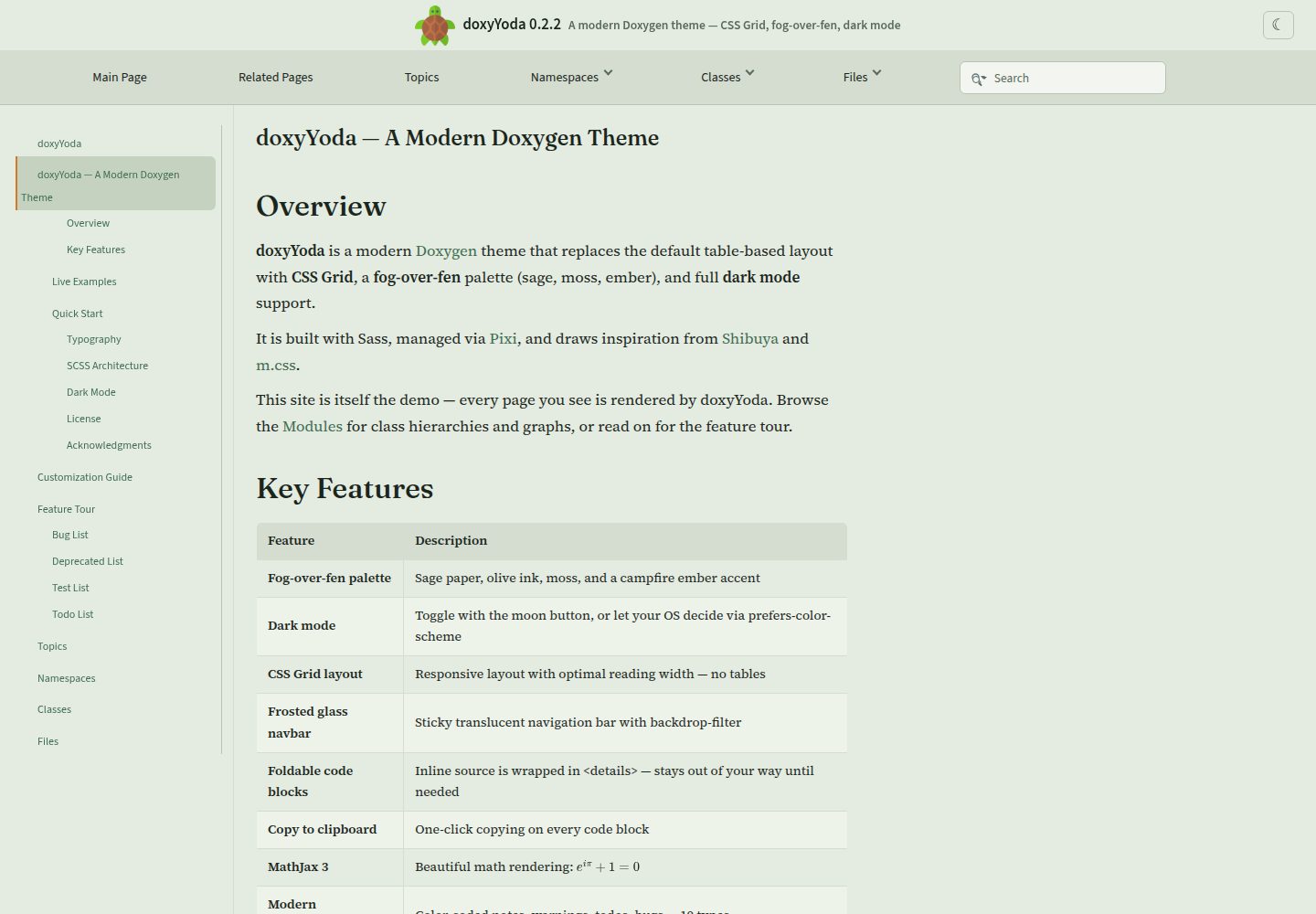
使用 CSS Grid 与 Sass 组织布局和样式,SCSS 按变量、基础、颜色、布局、排版、代码、导航、指令等模块拆分
HTML文档
doxyYoda — HTML 文档模板
作者 HaoZeke
doxyYoda 是一个基于 CSS Grid 与 Sass 的 Doxygen HTML 主题,为 C++ 文档提供深色模式、代码折叠与 MathJax 3 等增强。
看看你的网站会是什么样
浏览真实页面截图,比较内容排版与手机效果。点击下方缩略图切换,放大查看整页细节。
全部页面与视图 3
截图用于了解视觉与布局,交互效果请以实际项目为准。
采集于 2026-10-02查看来源
值得关注的模板亮点
从已有项目资料中,快速了解它的特点。
深色模式支持 prefers-color-scheme 自动切换和导航栏手动切换,偏好通过 localStorage 持久化
代码块支持折叠与一键复制,内联代码用 <details> 包裹并带过渡效果
集成 MathJax 3 数学渲染和 Mermaid 客户端图表(Doxygen 1.17+ 的 $mermaidjs)
提供 pixi 任务管理编译、测试、演示构建、压缩与发布打包,并附带 GitHub Action 用于 CI 集成
模板详细介绍
doxyYoda 是面向 Doxygen 的 HTML 主题,使用 CSS Grid 与 Sass 构建,并集成 MathJax 3。它通过替换 Doxygen 的 header、footer、样式表和布局文件来改变默认文档外观,适用于 C++ API 文档站点。主题提供深色模式(自动跟随系统或手动切换并持久化)、可折叠的内联代码、代码块一键复制、Mermaid 客户端图表、毛玻璃导航栏和现代提示框等界面特性。项目附带 pixi 任务用于编译 SCSS、构建演示站点和发布打包,也提供 GitHub Action 以便在 CI 中下载主题并可选获取 cppreference 标签文件。使用前需注意 Doxygen 版本兼容性:README 说明其头部标记匹配 Doxygen 1.17/1.18 的默认模板;树形视图需设置 GENERATE_TREEVIEW = YES 并保持 FULL_SIDEBAR = NO。主题依赖 Dart Sass 编译样式,字体通过 CDN 引入。
HTML文档
适合你的项目吗?
适用场景
- 为 C++ 项目生成 Doxygen HTML 文档并希望替换默认外观
- 在 CI 中通过 GitHub Action 自动下载主题并构建 API 文档
- 需要文档支持深色模式、代码复制和数学公式渲染的站点
- 希望用 Sass 变量和 CSS Grid 定制 Doxygen 布局与配色
适合人群
- 使用 Doxygen 生成 C++ API 文档的开发者
- 需要深色模式与代码交互增强的文档站点维护者
- 习惯通过 Sass 和 CSS 自定义属性调整主题样式的项目
- 在 GitHub Actions 中构建文档并希望复用现成主题的团队
上手与定制指南
结合仓库当前版本的说明,按下面的资料检查内容、配置与运行要求。
- 1
将仓库克隆到包含 Doxyfile 的目录,并在 Doxyfile 中设置 HTML_HEADER、HTML_FOOTER、HTML_EXTRA_STYLESHEET 和 LAYOUT_FILE 指向 doxyYoda 对应文件
- 2
使用发布包时,将 .tar.gz 解压到 Doxyfile 所在目录,并按 README 示例填写 html/header.html、html/footer.html、css/doxyYoda.min.css 和 xml/doxyYoda.xml 路径
- 3
编译样式需要 Dart Sass,可通过 pixi run compile 或手动执行 sass src/styles/scss/main.scss src/styles/doxyYoda.css
- 4
在 CI 中使用 HaoZeke/[email protected],可通过 cppreference-tag 输入下载 cppreference 标签文件,并注意其输出路径
- 5
启用树形视图时设置 GENERATE_TREEVIEW = YES 且保持 FULL_SIDEBAR = NO,侧边栏宽度由 CSS Grid 的 --sidebar-width 控制
授权与来源资料
使用条件与限制
免费使用 · 保留许可声明本次收录的是公开仓库中采用 Apache-2.0 许可的免费版本;免费范围为该版本代码,不代表外部服务或第三方素材免费。
使用时需要遵守
- 允许免费使用、修改、商用和分发;分发时需随附 Apache-2.0 许可证。
- 修改过的文件需显著标明改动,并保留相关版权、专利、商标及归属声明。
- 若原项目附有 NOTICE 文件,分发衍生作品时需保留其中适用的归属声明。
- 许可包含适用的贡献者专利授权;发起许可所述专利诉讼会终止该专利授权,且不授予商标使用权。
- 代码按现状提供;担保与责任限制以原许可证及适用法律为准。
额外费用与待核对事项
- GitHub Action 会从网络下载发布包;若启用 cppreference-tag 输入,还会额外从 en.cppreference.com 获取 Doxygen 标签文件,需要联网访问外部站点。
- 主题字体通过 Google Fonts CDN 引入,构建或浏览文档时需访问外部字体服务,离线环境可能无法加载这些字体。
- 修改或编译样式必须使用 Dart Sass(由 pixi 管理),未安装相应工具链时无法从 SCSS 源码生成 CSS。
- 头部标记仅匹配 Doxygen 1.17/1.18 的默认模板,使用其他 Doxygen 版本时可能出现模板不兼容。
- 启用树形视图时必须保持 FULL_SIDEBAR = NO,否则侧边栏与标题行网格布局不兼容。
- 演示图片、字体、图标及其他第三方素材需按各自许可核对,不能仅凭代码的 Apache-2.0 许可判断。
- 域名、托管、数据库、支付或 AI 等外部服务可能另外收费。
查看原文依据
no-charge, royalty-free, irrevocable copyright license
许可证原文
This downloads the release tarball into =doxyYoda/= and (optionally) fetches the [[https://en.cppreference.com/w/][cppreference]] Doxygen tag file into =tags/=.
README 原文
- Body: [[https://fonts.google.com/specimen/Source+Serif+4][Source Serif 4]]
README 原文
- [[https://sass-lang.com/documentation/cli/dart-sass][Dart Sass]] is needed to compile the CSS (managed by pixi)
README 原文
- *Doxygen 1.17 / 1.18* — header tokens match current stock templates
README 原文
https://github.com/HaoZeke/doxyYoda/blob/main/LICENSEhttps://github.com/HaoZeke/doxyYoda/blob/main/readme.orgLeave =FULL_SIDEBAR = NO=: that option nests =#top= inside =#side-nav= (Doxygen's contract) and is a poor fit for the title-row grid.
README 原文
DeepSeek 根据仓库许可证和 README 整理 ·2026-10-02。结果仅覆盖已读取资料,依赖、图片、字体及后续条款变更以各自原文为准。
项目核对记录与介绍依据
模板资料
- 来源平台
- GitHub
- 资料与维护参考分
- 资料较完整 · 83 / 100
- 技术栈
- HTML
- 网站类型
- 文档
这个分数如何计算
本站按许可资料(最高30分)、演示链接(12分)、预览图(10分)、Star数(15分)、记录的维护时间(15分)、描述完整度(8分)、功能记录(5分)和分类资料(5分)计算。它不是代码、安全或性能测试,也不是 Google 评分;有链接不代表已实测可用。
这个项目需要核对什么
- 记录的仓库更新时间
- 2026-08-17
- 截图检查日期
- 2026-10-02
已收录演示链接。请用你的内容与屏幕尺寸检查;有演示不代表表单、认证或支付已经可用。
目录记录的主要技术栈是 HTML。请通过依赖清单和锁文件核对实际版本与托管要求。这些说明基于收录资料,不代表代码审计或部署实测。
查看具体选型方法 →介绍的制作与核对状态
介绍由 AI 辅助整理目录与仓库资料。仓库作者不等于这篇介绍的审核者。
已完成服务器许可规则与 AI 来源核对;未经过人工编辑审核。
查看当时使用的来源资料
SHA-256: c9ac18cf6451faf7592d34cc30c3ff9d1d5dd4869233b88c66a82fd351c46cf9
2026-10-02T08:30:59.976Z
来源文件 / 仓库* doxyYoda #+DOWNLOADED: screenshot @ 2021-03-02 01:34:09 [[file:images/doxyYoda/2021-03-02_01-34-09_screenshot.png]] A theme for [[http://doxygen.nl/][Doxygen]]. The *only* theme to use [[https://developer.mozilla.org/en-US/docs/Web/CSS/CSS_Grid_Layout][CSS Grid]] and [[https://sass-lang.com/guide][Sass]]. Also uses MathJax 3. Part of my ~yoda~ series of tools. ** Why? Have you seen ~doxygen~ HTML? To go from: #+DOWNLOADED: screenshot @ 2021-03-02 00:51:00 [[file:images/why/2021-03-02_00-51-00_screenshot.png]] To: #+DOWNLOADED: screenshot @ 2026-08-17 13:20:00 [[file:images/why/2026-08-17_fog-over-fen-members.png]] *** But... [x] does this - Doxyrest :: Does not allow embedding source inline (see above), ~doxyrest~ just doesn't capture the same level of information - Exhale / Breathe :: Can't even display source code, inline or otherwise Honestly, nothing captures C++ like Doxygen. Nothing. So inspite of the weird JS cruft its best not to fight it (*cough* [[https://foonathan.net/2019/11/standardese-post-mortem/][Standardese]]). This is it. - m.css :: is actually very good; used it for [[https://dseams.info][d-SEAMS]]; but this is better for me, and will migrate the rest of my projects later *** Features - *CSS Grid layout* with Sass - *Dark mode* — toggle button + =prefers-color-scheme= support, persisted via =localStorage= - *Foldable inline code* — =<details>= wrapping with smooth transitions - *Copy to clipboard* — one-click code copying on every code block - *MathJax 3* — beautiful math rendering - *Mermaid* — Doxygen 1.17+ =$mermaidjs= client-side diagrams - *Doxygen 1.17 / 1.18* — header tokens match current stock templates - *Frosted glass navbar* — sticky, translucent, always visible - *Modern admonitions* — color-coded notes, warnings, todos, bugs, and more - *Fog-over-fen palette* — sage paper, olive ink, moss, campfire ember - *Antics analytics* — same TurtleTech tracker as the other HaoZeke sites - *Pixi-managed build* — reproducible builds with =pixi run= *** Typography - Body: [[https://fonts.google.com/specimen/Source+Serif+4][Source Serif 4]] - Headings: [[https://fonts.google.com/specimen/Fraunces][Fraunces]] - UI: [[https://fonts.google.com/specimen/Source+Sans+3][Source Sans 3]] - Code: [[https://sourcefoundry.org/hack/][Hack]] ** Quick Start *** With pixi (recommended) #+begin_src bash git clone https://github.com/HaoZeke/doxyYoda cd doxyYoda pixi run demo # Build the demo site pixi run serve # Serve on localhost:8000 #+end_src *** Manual #+begin_src bash # Compile SCSS sass src/styles/scss/main.scss src/styles/doxyYoda.css #+end_src ** Usage Clone the project into the directory with your ~Doxyfile~. Inside your ~Doxyfile~: #+begin_src conf HTML_HEADER = "doxyYoda/src/html/header.html" HTML_FOOTER = "doxyYoda/src/html/footer.html" HTML_EXTRA_STYLESHEET = "doxyYoda/src/styles/doxyYoda.css" LAYOUT_FILE = "doxyYoda/src/xml/doxyYoda.xml" #+end_src Or with the release, simply download the ~.tar.gz~ into the directory with the ~Doxyfile~ and: #+begin_src conf HTML_HEADER = "doxyYoda/html/header.html" HTML_FOOTER = "doxyYoda/html/footer.html" HTML_EXTRA_STYLESHEET = "doxyYoda/css/doxyYoda.min.css" LAYOUT_FILE = "doxyYoda/xml/doxyYoda.xml" #+end_src *** GitHub Action The easiest way to use doxyYoda in CI is with the bundled action: #+begin_src yaml - uses: HaoZeke/[email protected] with: cppreference-tag: true # optional: download cppreference tag file #+end_src This downloads the release tarball into =doxyYoda/= and (optionally) fetches the [[https://en.cppreference.com/w/][cppreference]] Doxygen tag file into =tags/=. **** Inputs | Input | Default | Description | |--------------------+-----------+------------------------------------------| | =version= | =0.2.2= | doxyYoda version (without =v= prefix) | | =path= | =doxyYoda= | Directory to extract into | | =cppreference-tag= | =false= | Download cppreference Doxygen tag file | | =tags-path= | =tags= | Directory for tag files | **** Outputs | Output | Description | |------------------------+-------------------------------| | =path= | Path to doxyYoda directory | | =header= | Path to =header.html= | | =footer= | Path to =footer.html= | | =stylesheet= | Path to =doxyYoda.min.css= | | =layout= | Path to =doxyYoda.xml= | | =cppreference-tag-file= | Path to cppreference tag file | **** Full example #+begin_src yaml name: Build API Docs on: [push, pull_request] jobs: docs: runs-on: ubuntu-latest steps: - uses: actions/checkout@v4 - uses: HaoZeke/[email protected] with: cppreference-tag: true - run: sudo apt-get install -y doxygen graphviz - run: doxygen Doxyfile #+end_src ** Pixi Tasks All build and development tasks are managed via [[https://pixi.sh][pixi]]: | Task | Command | Description | |----------------+----------------------+----------------------------------| | Compile SCSS | =pixi run compile= | SCSS → CSS | | Contract tests | =pixi run test= | Run theme contract tests | | Watch mode | =pixi run watch= | Recompile on file changes | | Build demo | =pixi run demo= | Generate demo documentation site | | Serve demo | =pixi run serve= | Serve demo on localhost:8000 | | Minify CSS | =pixi run minify= | Minify compiled CSS | | Build release | =pixi run release= | Build release tarball | | Bump version | =pixi run bump= | Bump version via tbump | | Clean | =pixi run clean= | Remove build artifacts | ** SCSS Architecture #+begin_example src/styles/scss/ ├── main.scss # Entry point ├── _variables.scss # CSS custom properties (light + dark mode) ├── _base.scss # Reset and global styles ├── _fonts.scss # Font imports (CDN) ├── _colors.scss # Color application ├── _layout.scss # CSS Grid layout ├── _typography.scss # Headings, links, member docs ├── _code.scss # Code blocks, syntax, copy button ├── _doxynav.scss # Navbar, sidebar, breadcrumbs ├── _directives.scss # Admonitions (note, warning, etc.) └── _tooltip.scss # PowerTip tooltips #+end_example ** Dark Mode doxyYoda supports dark mode through two mechanisms: 1. *Automatic*: respects =prefers-color-scheme: dark= from your OS settings 2. *Manual toggle*: click the ☾ button in the navbar — preference persists via =localStorage= The entire color system uses CSS custom properties, so the switch is instant with no flash of unstyled content. #+DOWNLOADED: screenshot @ 2026-08-17 13:20:00 [[file:images/why/2026-08-17_fog-over-fen-index-dark.png]] ** How? - [[https://sass-lang.com/documentation/cli/dart-sass][Dart Sass]] is needed to compile the CSS (managed by pixi) - The palette is fog-over-fen: sage paper, olive ink, moss, campfire ember - CSS is minified via =sass --style=compressed= (no separate minifier needed) - Inspired by [[https://mcss.mosra.cz/][m.css]] and [[https://shibuya.lepture.com/][Shibuya]] *** Development Workflow #+begin_src bash pixi run watch # Auto-recompile SCSS on changes pixi run demo # Rebuild demo docs pixi run serve # Serve and preview #+end_src Or the manual way with [[https://github.com/filewatcher/filewatcher-cli][filewatcher-cli]] and [[https://wiki.alpinelinux.org/wiki/Darkhttpd][darkhttpd]]: #+begin_src bash filewatcher -s '**/*.scss' "sass src/styles/scss/main.scss:src/styles/doxyYoda.css" #+end_src ** Demo The =demo/= directory contains a self-contained example project: - =demo/src/yoda.hpp= — C++ header exercising all Doxygen constructs - =demo/src/mainpage.dox= — Landing page showcasing every visual element - =demo/Doxyfile= — Pre-configured to use doxyYoda Build and preview: #+begin_src bash pixi run demo && pixi run serve # Open http://localhost:8000 #+end_src Live: [[https://doxyyoda.rgoswami.me/][doxyyoda.rgoswami.me]] #+DOWNLOADED: screenshot @ 2026-08-17 13:20:00 [[file:images/why/2026-08-17_fog-over-fen-index-light.png]] ** Tree View Set =GENERATE_TREEVIEW = YES=. The theme places =#side-nav= on a dedicated CSS Grid column (=--sidebar-width=, default 16rem) when that node is a direct child of =.grid-contents=. Leave =FULL_SIDEBAR = NO=: that option nests =#top= inside =#side-nav= (Doxygen's contract) and is a poor fit for the title-row grid. Doxygen's =resize.js= splitbar is hidden; the grid track owns the sidebar width. ** Users Sites that still ship the doxyYoda HTML theme (most published trees are still on an older tarball; the current release is the demo): - [[https://doxyyoda.rgoswami.me/][doxyYoda demo]] (this theme, =v0.2.2=) - [[https://eondocs.org/api-cpp/][eOn C++ API]] (sibling of the Sphinx book, =v0.2.2=) - [[https://symengine.org/symengine][SymEngine C++ API documentation]] - [[https://haozeke.github.io/eigen/][Eigen v3.4.0 (git) unofficial API documentation]] - [[https://atomic-solvers.github.io/featom/][featom API documentation]] - [[https://haozeke.github.io/GaussJacobiQuad/][GaussJacobiQuad API documentation]] d-SEAMS developer docs are Sphinx / Shibuya / doxyrest now ([[https://docs.dseams.info][docs.dseams.info]]), not this theme. * Acknowledgments This project was conceived as part of SymEngine's Google Season of Docs 2020. Inspired by [[https://mcss.mosra.cz/][m.css]] by Vladimír Vondruš and [[https://shibuya.lepture.com/][Shibuya]] by Hsiaoming Yang. * License [[https://www.apache.org/licenses/LICENSE-2.0.html][Apache version 2]]
看看同类模板
对比同技术栈与用途的模板,找到更适合的视觉与内容结构。
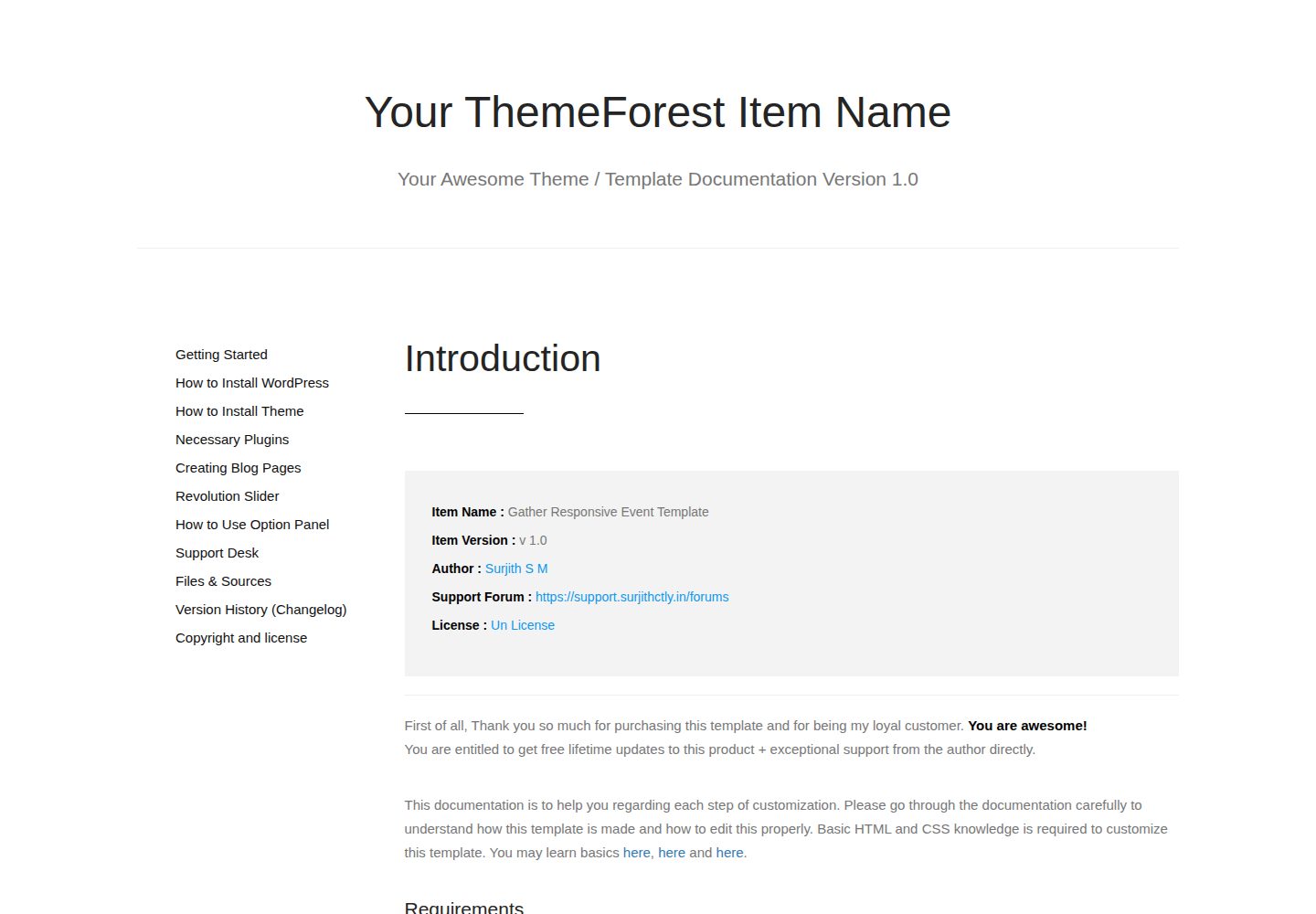
documentation-html-template
A Sample Documentation Template for Themes, Templates and Plugins
HTML · 文档
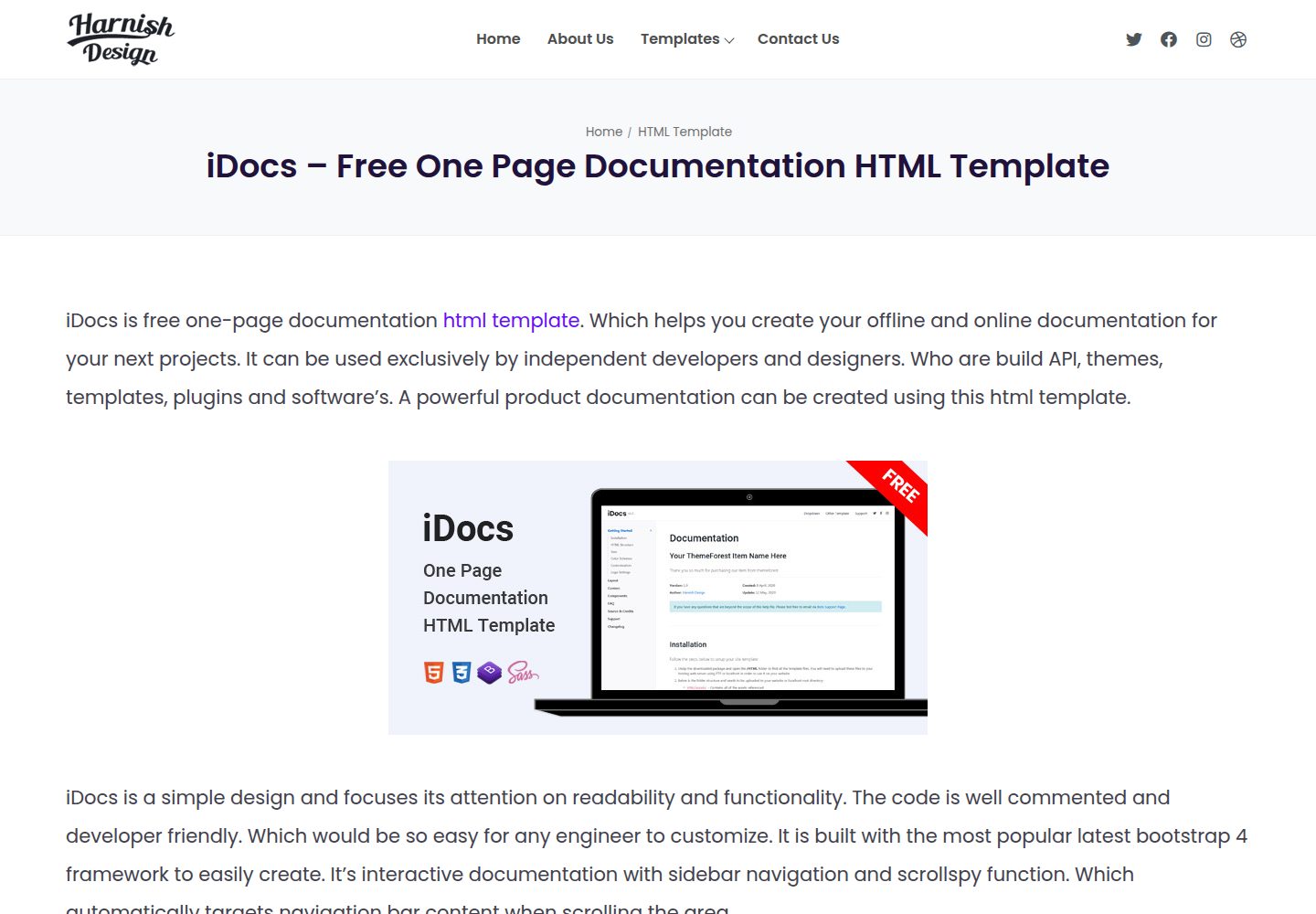
iDocs
iDocs is one page documentation html template which helps you to create your offline and online documentation …
HTML · 文档
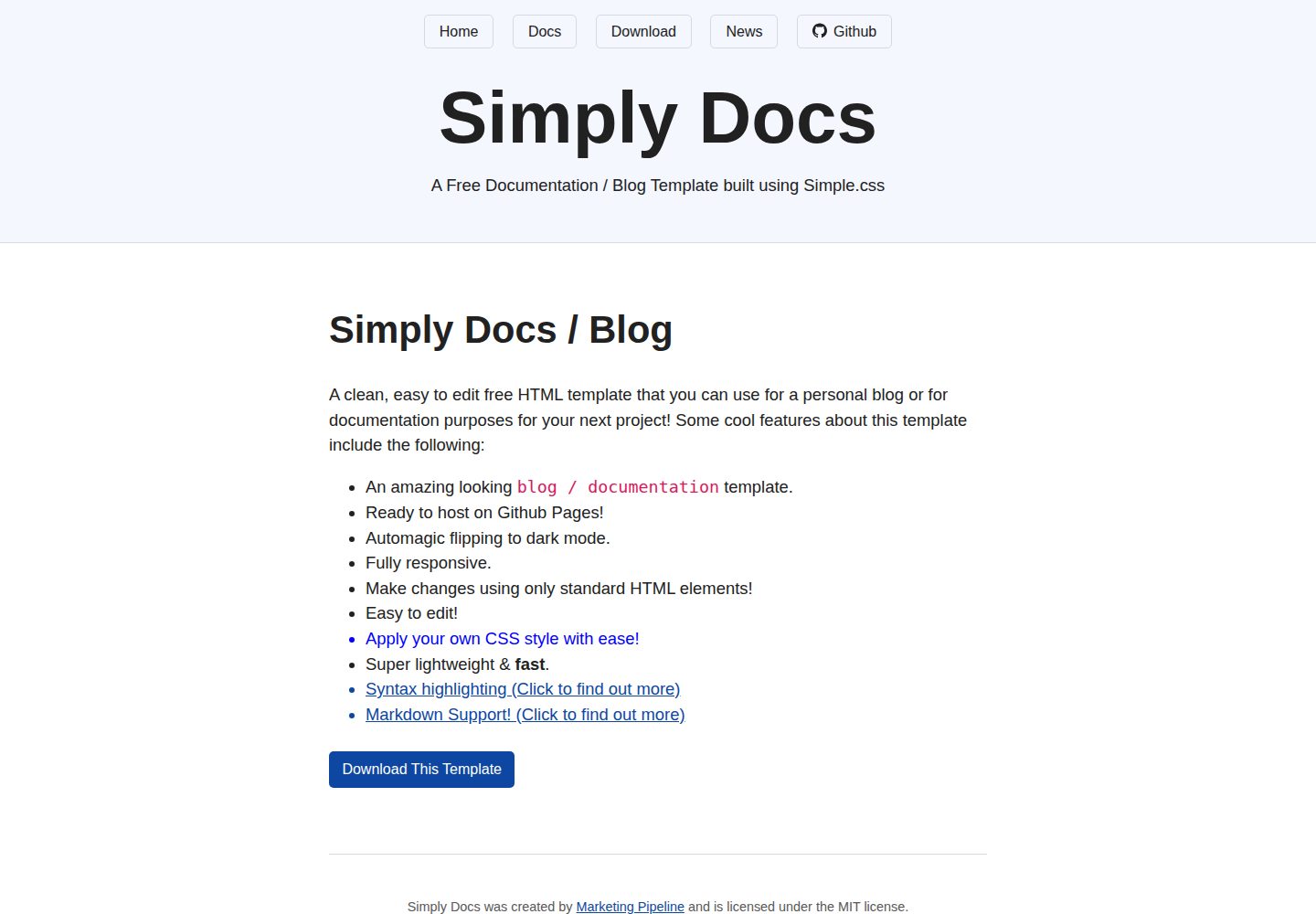
Simply-Docs
A simple, fast, free & easy to use static based plain HTML template. That allows you to make a beautiful perso…
HTML · 博客
DiscordFX
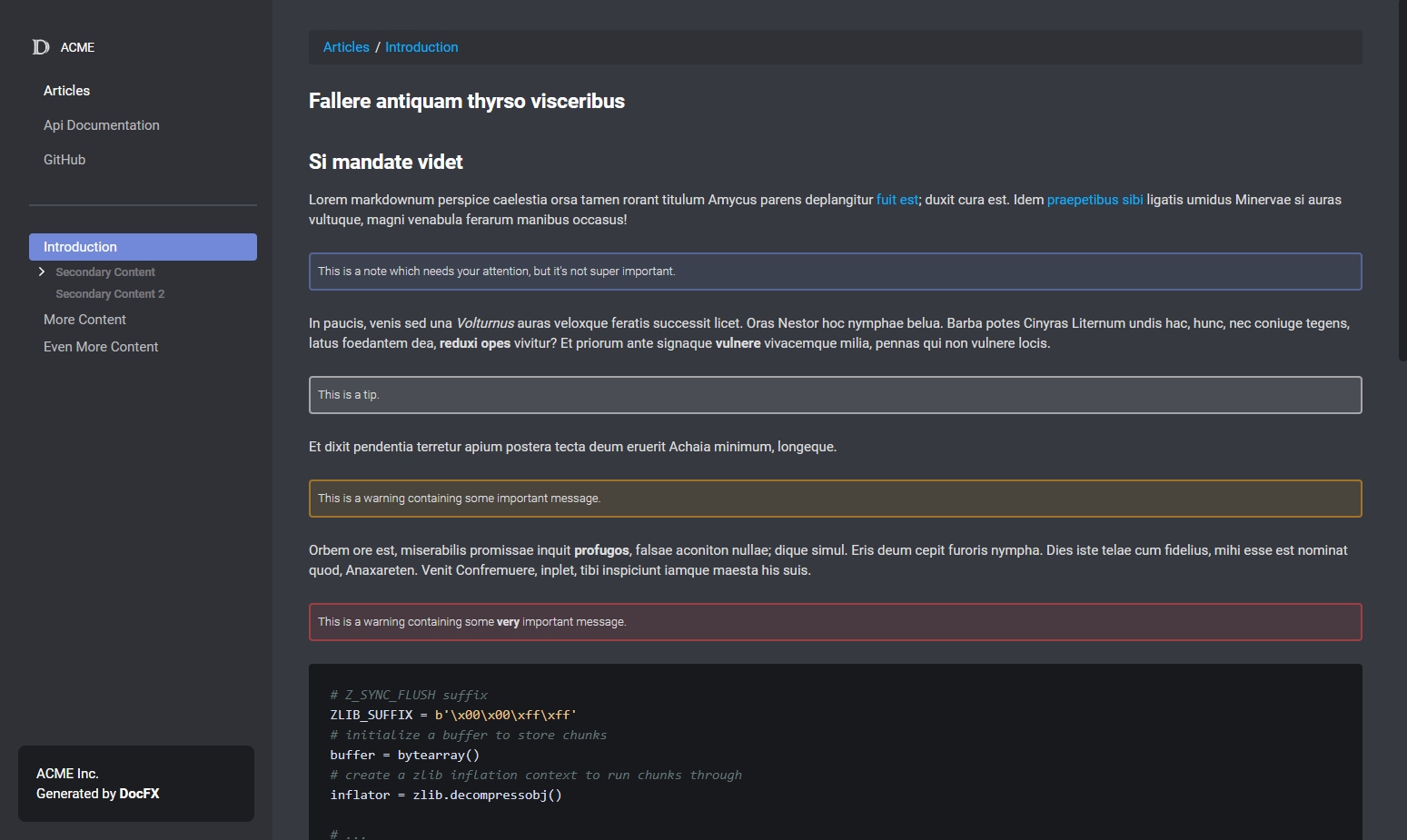
DiscordFX 是一个针对 DocFX 的文档模板,目标是让生成的文档站呈现类似 Discord 开发者文档的视觉风格。
HTML · 文档
SingulinkFX
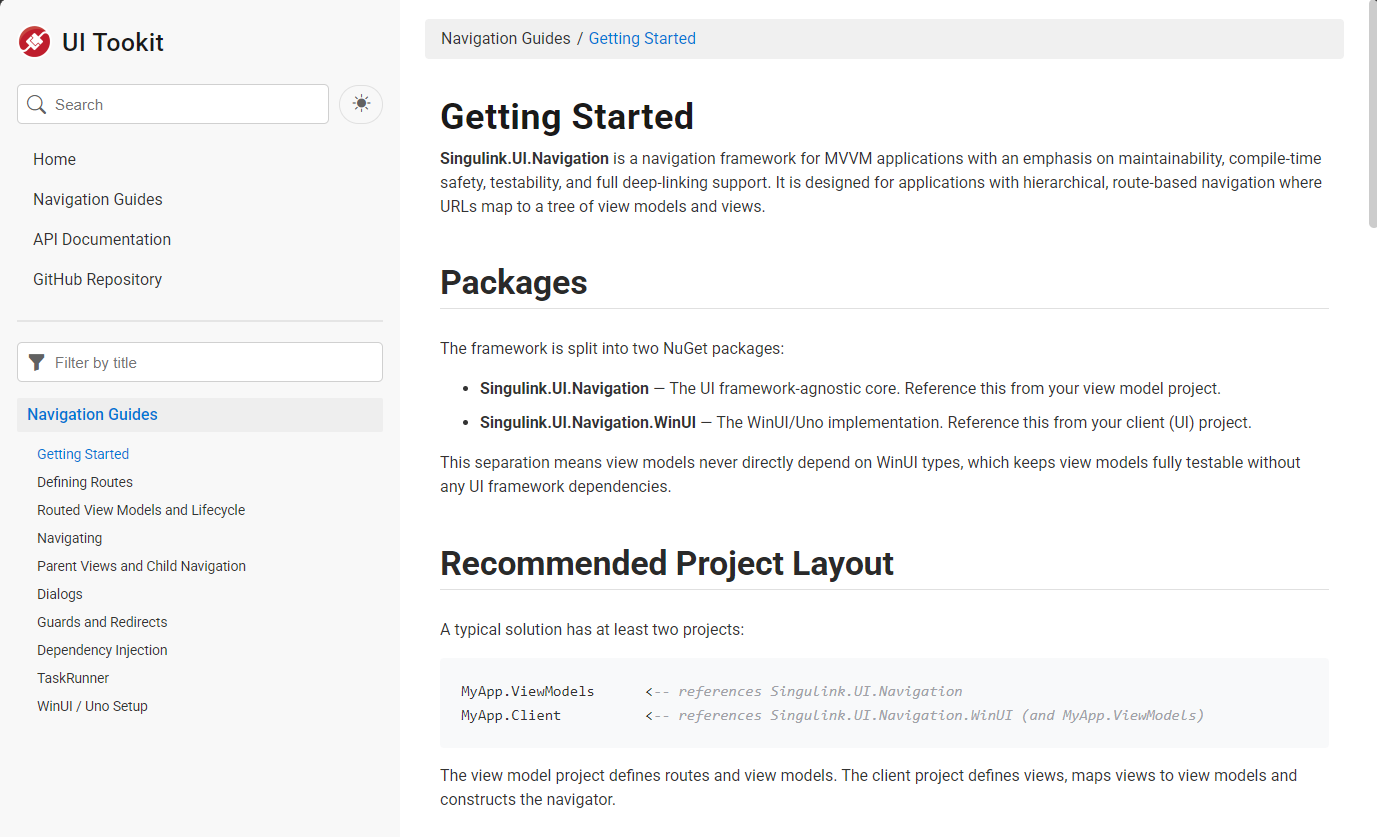
SingulinkFX 是 Singulink 团队为自家 .NET 项目维护的 DocFX 模板,目标很明确:让生成的 API 文档看起来像微软官方 .NET 文档。
HTML · 文档

EU-AI-Act-Toolkit
EU-AI-Act-Toolkit 是一个面向中小企业的欧盟 AI 法案实用就绪工具箱,由法律专业人士维护,旨在将 AI 治理与合规准备变得可操作。
HTML · 文档