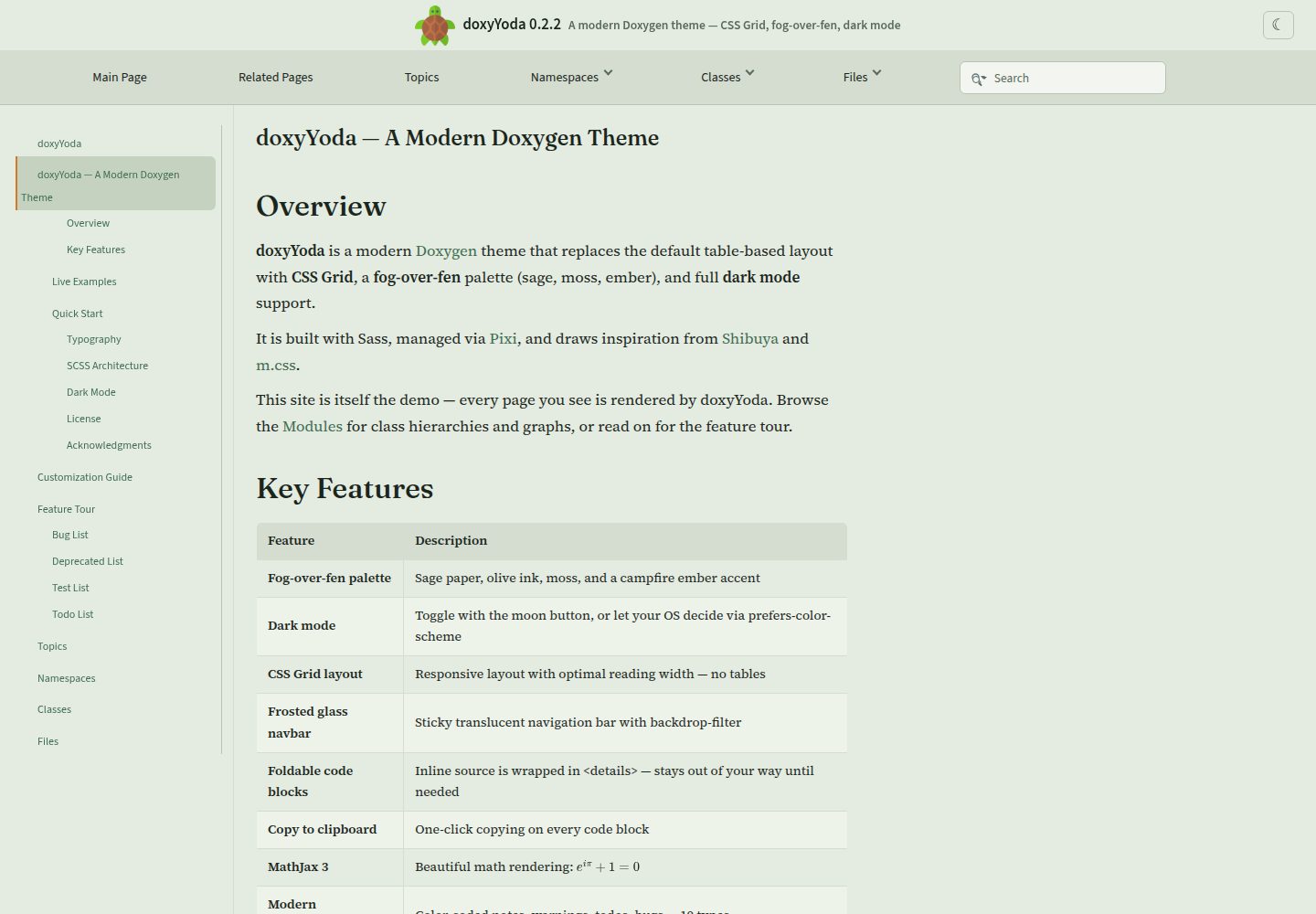
Uses CSS Grid and Sass to organize layout and styles, with SCSS split into modules for variables, base, colors, layout, typography, code, navigation, directives, and more
HTMLDocumentation
doxyYoda — HTML Documentation Template
By HaoZeke
doxyYoda is a Doxygen HTML theme built with CSS Grid and Sass, adding dark mode, code folding, MathJax 3, and other enhancements for C++ documentation.
Explore the design
Compare the page layouts and mobile experience. Open any screenshot for a closer look.
Desktop homepage1 / 3
Desktop captureTop of page
Actual screenshot captured by the server browser.
All pages & views 3
Screenshots show visual appearance; interactive behavior may differ.
Recorded 2026-10-02View source
What stands out
A quick read of the recorded project description.
Dark mode supports prefers-color-scheme automatic switching and manual toggling in the navigation bar, with preferences persisted via localStorage
Code blocks support folding and one-click copying; inline code is wrapped in <details> with transition effects
Integrates MathJax 3 math rendering and Mermaid client-side diagrams (Doxygen 1.17+ $mermaidjs)
Provides pixi tasks for compilation, testing, demo building, minification, and release packaging, plus a GitHub Action for CI integration
Template Details
doxyYoda is an HTML theme for Doxygen, built with CSS Grid and Sass and integrated with MathJax 3. It changes the default documentation appearance by replacing Doxygen's header, footer, stylesheet, and layout files, and is suitable for C++ API documentation sites. The theme provides interface features such as dark mode (automatic system following or manual switching with persistence), collapsible inline code, one-click code block copying, Mermaid client-side diagrams, a frosted-glass navigation bar, and modern callout boxes. The project includes pixi tasks for compiling SCSS, building the demo site, and packaging releases, and also provides a GitHub Action to download the theme in CI and optionally fetch cppreference tag files. Before use, note Doxygen version compatibility: the README states that its header markup matches the default template of Doxygen 1.17/1.18; the tree view requires GENERATE_TREEVIEW = YES and FULL_SIDEBAR = NO. The theme relies on Dart Sass to compile styles, and fonts are loaded via CDN.
HTMLDocumentation
Is it right for your project?
Use Cases
- Generating Doxygen HTML documentation for a C++ project and wanting to replace the default appearance
- Automatically downloading the theme and building API documentation in CI via GitHub Action
- Sites that need documentation with dark mode, code copying, and math formula rendering
- Customizing Doxygen layout and color schemes with Sass variables and CSS Grid
Suitable For
- Developers using Doxygen to generate C++ API documentation
- Documentation site maintainers who need dark mode and enhanced code interaction
- Projects accustomed to adjusting theme styles via Sass and CSS custom properties
- Teams building documentation in GitHub Actions and wanting to reuse an existing theme
Getting started & customization
Use these recorded setup notes alongside the repository instructions for your chosen version.
- 1
Clone the repository into the directory containing the Doxyfile, and set HTML_HEADER, HTML_FOOTER, HTML_EXTRA_STYLESHEET, and LAYOUT_FILE in the Doxyfile to point to the corresponding doxyYoda files
- 2
When using the release package, extract the .tar.gz into the directory containing the Doxyfile, and fill in the paths html/header.html, html/footer.html, css/doxyYoda.min.css, and xml/doxyYoda.xml as shown in the README example
- 3
Compiling styles requires Dart Sass; use pixi run compile or manually run sass src/styles/scss/main.scss src/styles/doxyYoda.css
- 4
In CI, use HaoZeke/[email protected]; the cppreference-tag input can download cppreference tag files, and note its output path
- 5
When enabling the tree view, set GENERATE_TREEVIEW = YES and keep FULL_SIDEBAR = NO; the sidebar width is controlled by the CSS Grid --sidebar-width
License & source material
Usage conditions & limitations
Free to use · keep license noticeThis entry covers the free version of the public repository under the Apache-2.0 license; the free scope is the code of that version and does not imply that external services or third-party assets are free.
Must comply with when using
- Free use, modification, commercial use, and distribution are permitted; the Apache-2.0 license must be included when distributing.
- Modified files must prominently indicate changes, and relevant copyright, patent, trademark, and attribution notices must be retained.
- If the original project includes a NOTICE file, applicable attribution notices from it must be retained when distributing derivative works.
- The license includes an applicable contributor patent grant; initiating patent litigation as described in the license terminates that patent grant, and no trademark rights are granted.
- The code is provided as is; warranties and limitations of liability are governed by the original license and applicable law.
Additional costs & items to verify
- The GitHub Action downloads the release package from the network; if the cppreference-tag input is enabled, it additionally fetches Doxygen tag files from en.cppreference.com, requiring network access to external sites.
- Theme fonts are loaded via the Google Fonts CDN, so building or browsing the documentation requires access to an external font service; these fonts may not load in offline environments.
- Modifying or compiling styles requires Dart Sass (managed by pixi); without the corresponding toolchain installed, CSS cannot be generated from the SCSS source.
- The header markup only matches the default template of Doxygen 1.17/1.18; using other Doxygen versions may cause template incompatibilities.
- When enabling the tree view, FULL_SIDEBAR = NO must be kept; otherwise the sidebar and title row grid layout are incompatible.
- Demo images, fonts, icons, and other third-party assets must be checked against their respective licenses and cannot be judged solely by the code's Apache-2.0 license.
- External services such as domains, hosting, databases, payments, or AI may incur additional charges.
View Original Text Basis
no-charge, royalty-free, irrevocable copyright license
Original License Text
This downloads the release tarball into =doxyYoda/= and (optionally) fetches the [[https://en.cppreference.com/w/][cppreference]] Doxygen tag file into =tags/=.
Original README
- Body: [[https://fonts.google.com/specimen/Source+Serif+4][Source Serif 4]]
Original README
- [[https://sass-lang.com/documentation/cli/dart-sass][Dart Sass]] is needed to compile the CSS (managed by pixi)
Original README
- *Doxygen 1.17 / 1.18* — header tokens match current stock templates
Original README
https://github.com/HaoZeke/doxyYoda/blob/main/LICENSEhttps://github.com/HaoZeke/doxyYoda/blob/main/readme.orgLeave =FULL_SIDEBAR = NO=: that option nests =#top= inside =#side-nav= (Doxygen's contract) and is a poor fit for the title-row grid.
Original README
Compiled by DeepSeek based on repository license and README ·2026-10-02. Results only cover the materials read; dependencies, images, fonts, and subsequent term changes are subject to their respective original texts.
Project checks & description sources
Template Information
- Source platforms
- GitHub
- Documentation and maintenance reference score
- More documented · 83 / 100
- Technologies
- HTML
- Website type
- Documentation
How this score is calculated
Our heuristic uses license records (up to 30), a demo link (12), a preview (10), stars (15), recorded maintenance (15), description completeness (8), feature records (5) and classification data (5). It is not a code, security or performance test, or a Google score. A link does not establish tested functionality.
What to verify for this project
- Repository update recorded
- 2026-08-17
- Screenshot last checked
- 2026-10-02
A demo link is listed. Check it with your own content and viewport sizes; its presence does not confirm that forms, authentication or payments work.
The catalog identifies HTML as the primary stack. Check the actual dependency manifest and lockfile for versions and hosting requirements. These notes use recorded metadata, not a code audit or a deployment test.
Use a selection guide →How this description was prepared
AI-assisted description based on catalog records and repository material. Repository authors are not automatically the reviewers of this description.
Automatically checked against source and license rules; no manual editorial review.
Inspect the recorded source material
SHA-256: c9ac18cf6451faf7592d34cc30c3ff9d1d5dd4869233b88c66a82fd351c46cf9
2026-10-02T08:30:59.976Z
Source file / repository* doxyYoda #+DOWNLOADED: screenshot @ 2021-03-02 01:34:09 [[file:images/doxyYoda/2021-03-02_01-34-09_screenshot.png]] A theme for [[http://doxygen.nl/][Doxygen]]. The *only* theme to use [[https://developer.mozilla.org/en-US/docs/Web/CSS/CSS_Grid_Layout][CSS Grid]] and [[https://sass-lang.com/guide][Sass]]. Also uses MathJax 3. Part of my ~yoda~ series of tools. ** Why? Have you seen ~doxygen~ HTML? To go from: #+DOWNLOADED: screenshot @ 2021-03-02 00:51:00 [[file:images/why/2021-03-02_00-51-00_screenshot.png]] To: #+DOWNLOADED: screenshot @ 2026-08-17 13:20:00 [[file:images/why/2026-08-17_fog-over-fen-members.png]] *** But... [x] does this - Doxyrest :: Does not allow embedding source inline (see above), ~doxyrest~ just doesn't capture the same level of information - Exhale / Breathe :: Can't even display source code, inline or otherwise Honestly, nothing captures C++ like Doxygen. Nothing. So inspite of the weird JS cruft its best not to fight it (*cough* [[https://foonathan.net/2019/11/standardese-post-mortem/][Standardese]]). This is it. - m.css :: is actually very good; used it for [[https://dseams.info][d-SEAMS]]; but this is better for me, and will migrate the rest of my projects later *** Features - *CSS Grid layout* with Sass - *Dark mode* — toggle button + =prefers-color-scheme= support, persisted via =localStorage= - *Foldable inline code* — =<details>= wrapping with smooth transitions - *Copy to clipboard* — one-click code copying on every code block - *MathJax 3* — beautiful math rendering - *Mermaid* — Doxygen 1.17+ =$mermaidjs= client-side diagrams - *Doxygen 1.17 / 1.18* — header tokens match current stock templates - *Frosted glass navbar* — sticky, translucent, always visible - *Modern admonitions* — color-coded notes, warnings, todos, bugs, and more - *Fog-over-fen palette* — sage paper, olive ink, moss, campfire ember - *Antics analytics* — same TurtleTech tracker as the other HaoZeke sites - *Pixi-managed build* — reproducible builds with =pixi run= *** Typography - Body: [[https://fonts.google.com/specimen/Source+Serif+4][Source Serif 4]] - Headings: [[https://fonts.google.com/specimen/Fraunces][Fraunces]] - UI: [[https://fonts.google.com/specimen/Source+Sans+3][Source Sans 3]] - Code: [[https://sourcefoundry.org/hack/][Hack]] ** Quick Start *** With pixi (recommended) #+begin_src bash git clone https://github.com/HaoZeke/doxyYoda cd doxyYoda pixi run demo # Build the demo site pixi run serve # Serve on localhost:8000 #+end_src *** Manual #+begin_src bash # Compile SCSS sass src/styles/scss/main.scss src/styles/doxyYoda.css #+end_src ** Usage Clone the project into the directory with your ~Doxyfile~. Inside your ~Doxyfile~: #+begin_src conf HTML_HEADER = "doxyYoda/src/html/header.html" HTML_FOOTER = "doxyYoda/src/html/footer.html" HTML_EXTRA_STYLESHEET = "doxyYoda/src/styles/doxyYoda.css" LAYOUT_FILE = "doxyYoda/src/xml/doxyYoda.xml" #+end_src Or with the release, simply download the ~.tar.gz~ into the directory with the ~Doxyfile~ and: #+begin_src conf HTML_HEADER = "doxyYoda/html/header.html" HTML_FOOTER = "doxyYoda/html/footer.html" HTML_EXTRA_STYLESHEET = "doxyYoda/css/doxyYoda.min.css" LAYOUT_FILE = "doxyYoda/xml/doxyYoda.xml" #+end_src *** GitHub Action The easiest way to use doxyYoda in CI is with the bundled action: #+begin_src yaml - uses: HaoZeke/[email protected] with: cppreference-tag: true # optional: download cppreference tag file #+end_src This downloads the release tarball into =doxyYoda/= and (optionally) fetches the [[https://en.cppreference.com/w/][cppreference]] Doxygen tag file into =tags/=. **** Inputs | Input | Default | Description | |--------------------+-----------+------------------------------------------| | =version= | =0.2.2= | doxyYoda version (without =v= prefix) | | =path= | =doxyYoda= | Directory to extract into | | =cppreference-tag= | =false= | Download cppreference Doxygen tag file | | =tags-path= | =tags= | Directory for tag files | **** Outputs | Output | Description | |------------------------+-------------------------------| | =path= | Path to doxyYoda directory | | =header= | Path to =header.html= | | =footer= | Path to =footer.html= | | =stylesheet= | Path to =doxyYoda.min.css= | | =layout= | Path to =doxyYoda.xml= | | =cppreference-tag-file= | Path to cppreference tag file | **** Full example #+begin_src yaml name: Build API Docs on: [push, pull_request] jobs: docs: runs-on: ubuntu-latest steps: - uses: actions/checkout@v4 - uses: HaoZeke/[email protected] with: cppreference-tag: true - run: sudo apt-get install -y doxygen graphviz - run: doxygen Doxyfile #+end_src ** Pixi Tasks All build and development tasks are managed via [[https://pixi.sh][pixi]]: | Task | Command | Description | |----------------+----------------------+----------------------------------| | Compile SCSS | =pixi run compile= | SCSS → CSS | | Contract tests | =pixi run test= | Run theme contract tests | | Watch mode | =pixi run watch= | Recompile on file changes | | Build demo | =pixi run demo= | Generate demo documentation site | | Serve demo | =pixi run serve= | Serve demo on localhost:8000 | | Minify CSS | =pixi run minify= | Minify compiled CSS | | Build release | =pixi run release= | Build release tarball | | Bump version | =pixi run bump= | Bump version via tbump | | Clean | =pixi run clean= | Remove build artifacts | ** SCSS Architecture #+begin_example src/styles/scss/ ├── main.scss # Entry point ├── _variables.scss # CSS custom properties (light + dark mode) ├── _base.scss # Reset and global styles ├── _fonts.scss # Font imports (CDN) ├── _colors.scss # Color application ├── _layout.scss # CSS Grid layout ├── _typography.scss # Headings, links, member docs ├── _code.scss # Code blocks, syntax, copy button ├── _doxynav.scss # Navbar, sidebar, breadcrumbs ├── _directives.scss # Admonitions (note, warning, etc.) └── _tooltip.scss # PowerTip tooltips #+end_example ** Dark Mode doxyYoda supports dark mode through two mechanisms: 1. *Automatic*: respects =prefers-color-scheme: dark= from your OS settings 2. *Manual toggle*: click the ☾ button in the navbar — preference persists via =localStorage= The entire color system uses CSS custom properties, so the switch is instant with no flash of unstyled content. #+DOWNLOADED: screenshot @ 2026-08-17 13:20:00 [[file:images/why/2026-08-17_fog-over-fen-index-dark.png]] ** How? - [[https://sass-lang.com/documentation/cli/dart-sass][Dart Sass]] is needed to compile the CSS (managed by pixi) - The palette is fog-over-fen: sage paper, olive ink, moss, campfire ember - CSS is minified via =sass --style=compressed= (no separate minifier needed) - Inspired by [[https://mcss.mosra.cz/][m.css]] and [[https://shibuya.lepture.com/][Shibuya]] *** Development Workflow #+begin_src bash pixi run watch # Auto-recompile SCSS on changes pixi run demo # Rebuild demo docs pixi run serve # Serve and preview #+end_src Or the manual way with [[https://github.com/filewatcher/filewatcher-cli][filewatcher-cli]] and [[https://wiki.alpinelinux.org/wiki/Darkhttpd][darkhttpd]]: #+begin_src bash filewatcher -s '**/*.scss' "sass src/styles/scss/main.scss:src/styles/doxyYoda.css" #+end_src ** Demo The =demo/= directory contains a self-contained example project: - =demo/src/yoda.hpp= — C++ header exercising all Doxygen constructs - =demo/src/mainpage.dox= — Landing page showcasing every visual element - =demo/Doxyfile= — Pre-configured to use doxyYoda Build and preview: #+begin_src bash pixi run demo && pixi run serve # Open http://localhost:8000 #+end_src Live: [[https://doxyyoda.rgoswami.me/][doxyyoda.rgoswami.me]] #+DOWNLOADED: screenshot @ 2026-08-17 13:20:00 [[file:images/why/2026-08-17_fog-over-fen-index-light.png]] ** Tree View Set =GENERATE_TREEVIEW = YES=. The theme places =#side-nav= on a dedicated CSS Grid column (=--sidebar-width=, default 16rem) when that node is a direct child of =.grid-contents=. Leave =FULL_SIDEBAR = NO=: that option nests =#top= inside =#side-nav= (Doxygen's contract) and is a poor fit for the title-row grid. Doxygen's =resize.js= splitbar is hidden; the grid track owns the sidebar width. ** Users Sites that still ship the doxyYoda HTML theme (most published trees are still on an older tarball; the current release is the demo): - [[https://doxyyoda.rgoswami.me/][doxyYoda demo]] (this theme, =v0.2.2=) - [[https://eondocs.org/api-cpp/][eOn C++ API]] (sibling of the Sphinx book, =v0.2.2=) - [[https://symengine.org/symengine][SymEngine C++ API documentation]] - [[https://haozeke.github.io/eigen/][Eigen v3.4.0 (git) unofficial API documentation]] - [[https://atomic-solvers.github.io/featom/][featom API documentation]] - [[https://haozeke.github.io/GaussJacobiQuad/][GaussJacobiQuad API documentation]] d-SEAMS developer docs are Sphinx / Shibuya / doxyrest now ([[https://docs.dseams.info][docs.dseams.info]]), not this theme. * Acknowledgments This project was conceived as part of SymEngine's Google Season of Docs 2020. Inspired by [[https://mcss.mosra.cz/][m.css]] by Vladimír Vondruš and [[https://shibuya.lepture.com/][Shibuya]] by Hsiaoming Yang. * License [[https://www.apache.org/licenses/LICENSE-2.0.html][Apache version 2]]
Explore similar templates
Compare previews and descriptions within the same stack and category.
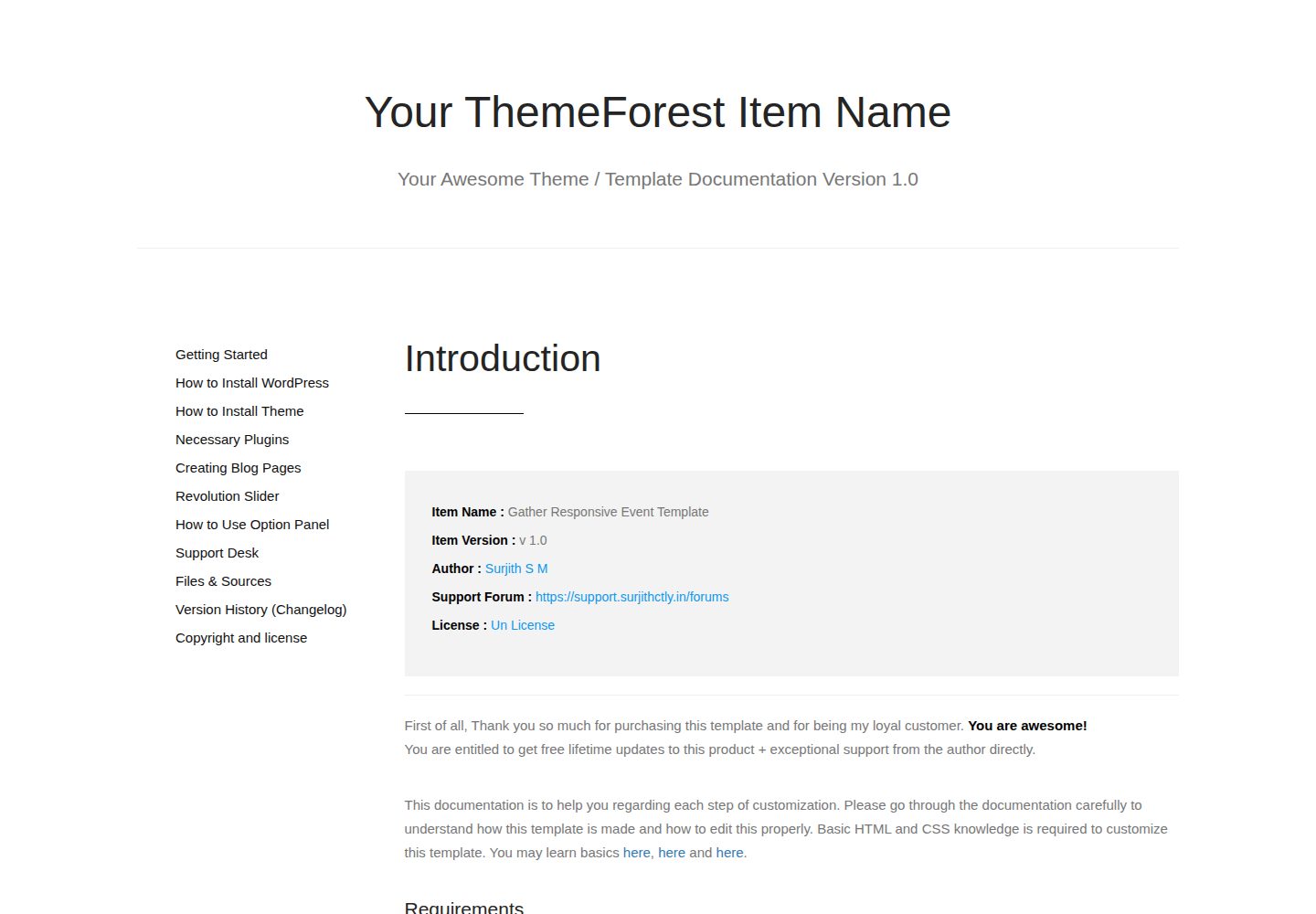
documentation-html-template
A static HTML documentation template built on Bootstrap 3 for WordPress themes, HTML templates and plugins. It has no build process or backend dependency; download the ZIP and edit the HTML and CSS directly.
HTML · Documentation
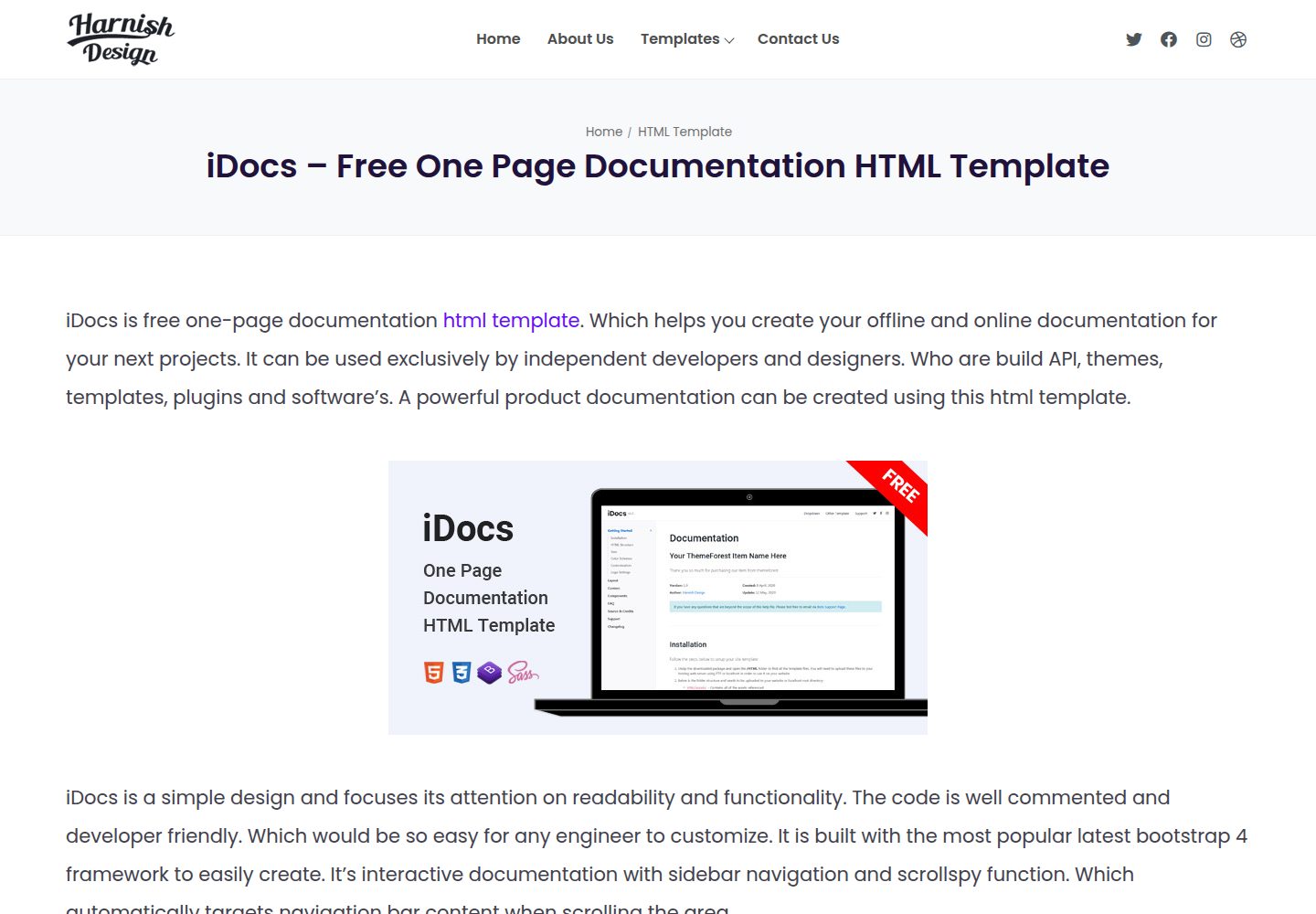
iDocs
iDocs is a free one-page documentation HTML template from Harnish Design, built on Bootstrap 4 and released under the MIT license.
HTML · Documentation
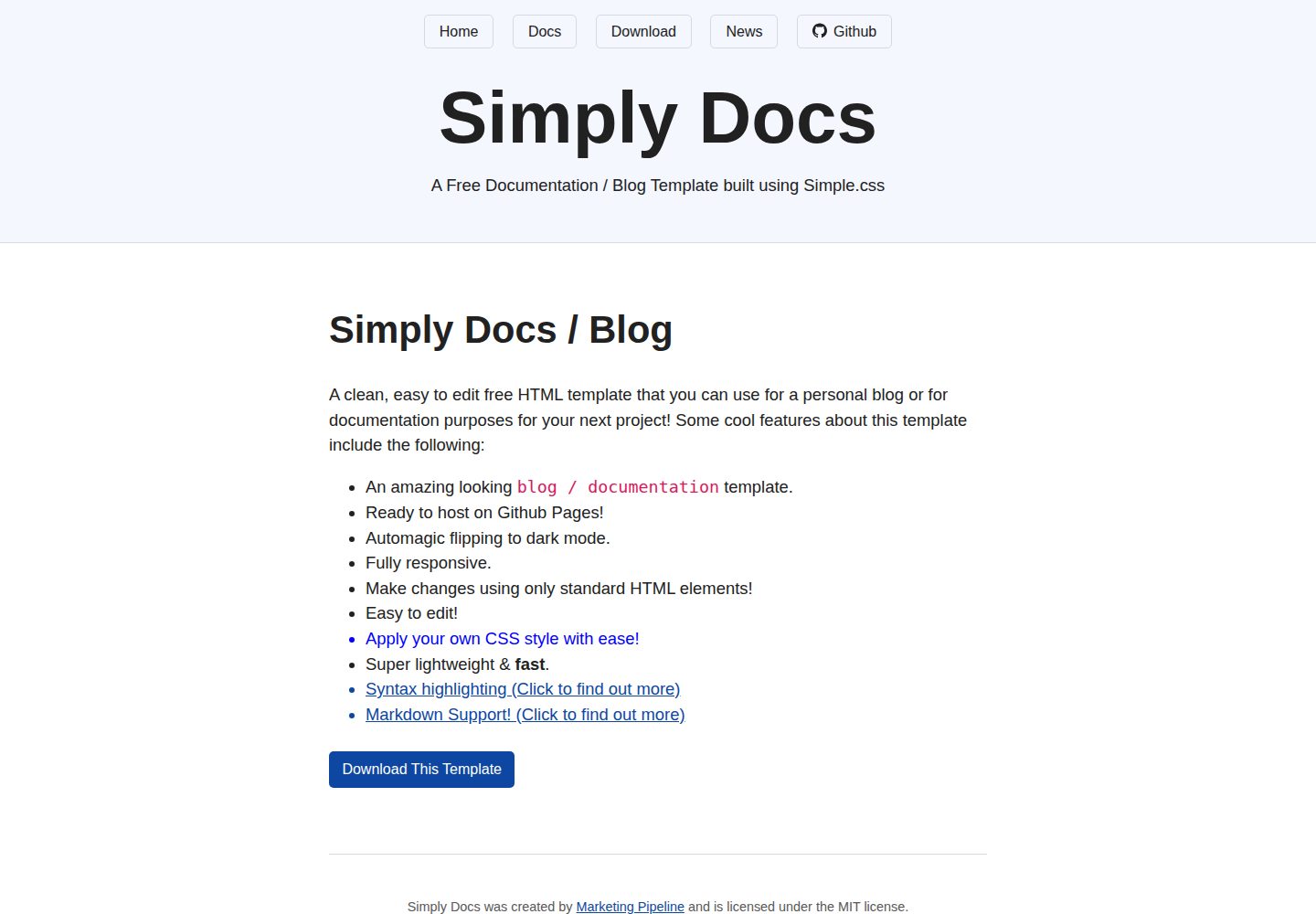
Simply-Docs
Simply-Docs is a pure HTML static template for quickly building a personal blog or technical documentation site.
HTML · Blog
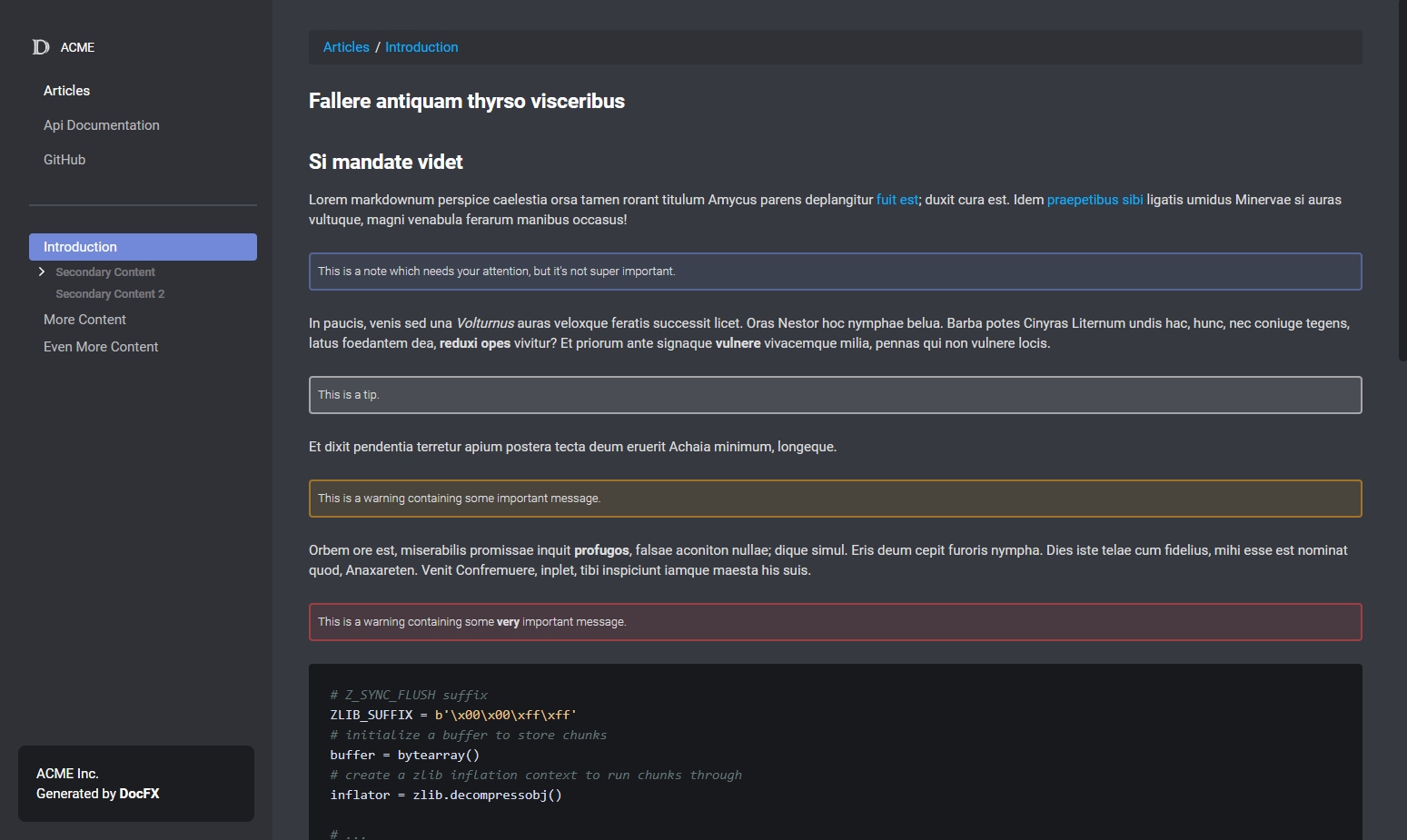
DiscordFX
DiscordFX is a DocFX template that gives documentation sites a dark, compact look similar to Discord developer documentation. It works alongside DocFX's default template, supports color customization via CSS variables in colors.css, and includes a responsive mobile layout.
HTML · Documentation
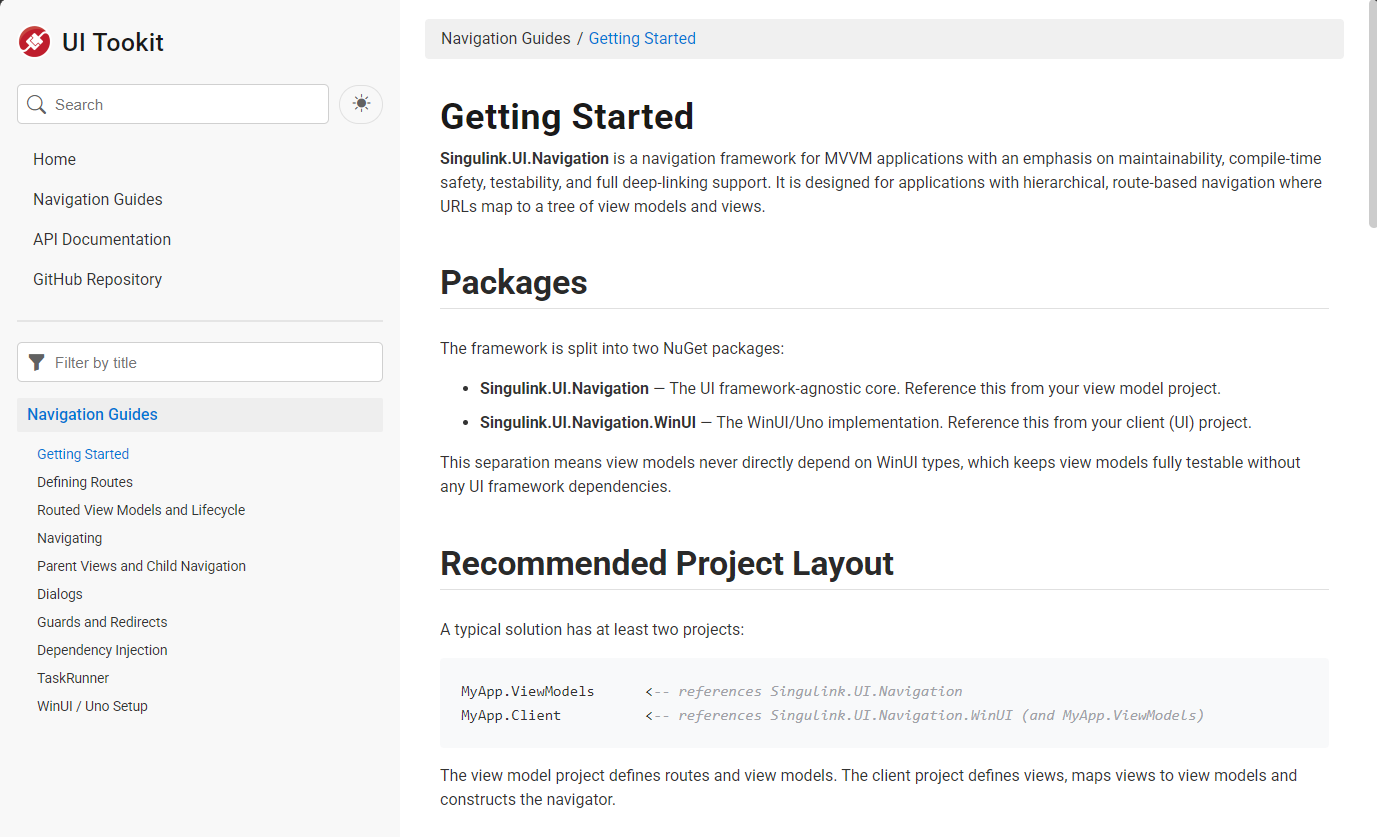
SingulinkFX
A responsive DocFX template for .NET libraries that mimics Microsoft's official .NET documentation style. It supports a four-level table of contents, separate pages per member, light/dark themes, configurable colors and sidebar width, automatic removal of empty table columns, and built-in Bootstrap Icons.
HTML · Documentation

EU-AI-Act-Toolkit
A practical EU AI Act readiness toolkit for SMEs, maintained by legal professionals, with templates for AI system inventory, risk screening, vendor questionnaires, internal policies, and employee AI literacy records, plus industry packs for internal productivity, customer support, HR, and marketing.
HTML · Documentation