Next.js 前端与 ASP.NET Core Web API 通过 Clerk 实现端到端认证
Next.jsReact启动器
nextjs-aspnetcore-clerk-starter — Next.js 启动器模板
作者 HilthonTT
一个将 Next.js 前端与 ASP.NET Core Web API 通过 Clerk 端到端认证串联起来的全栈启动模板。
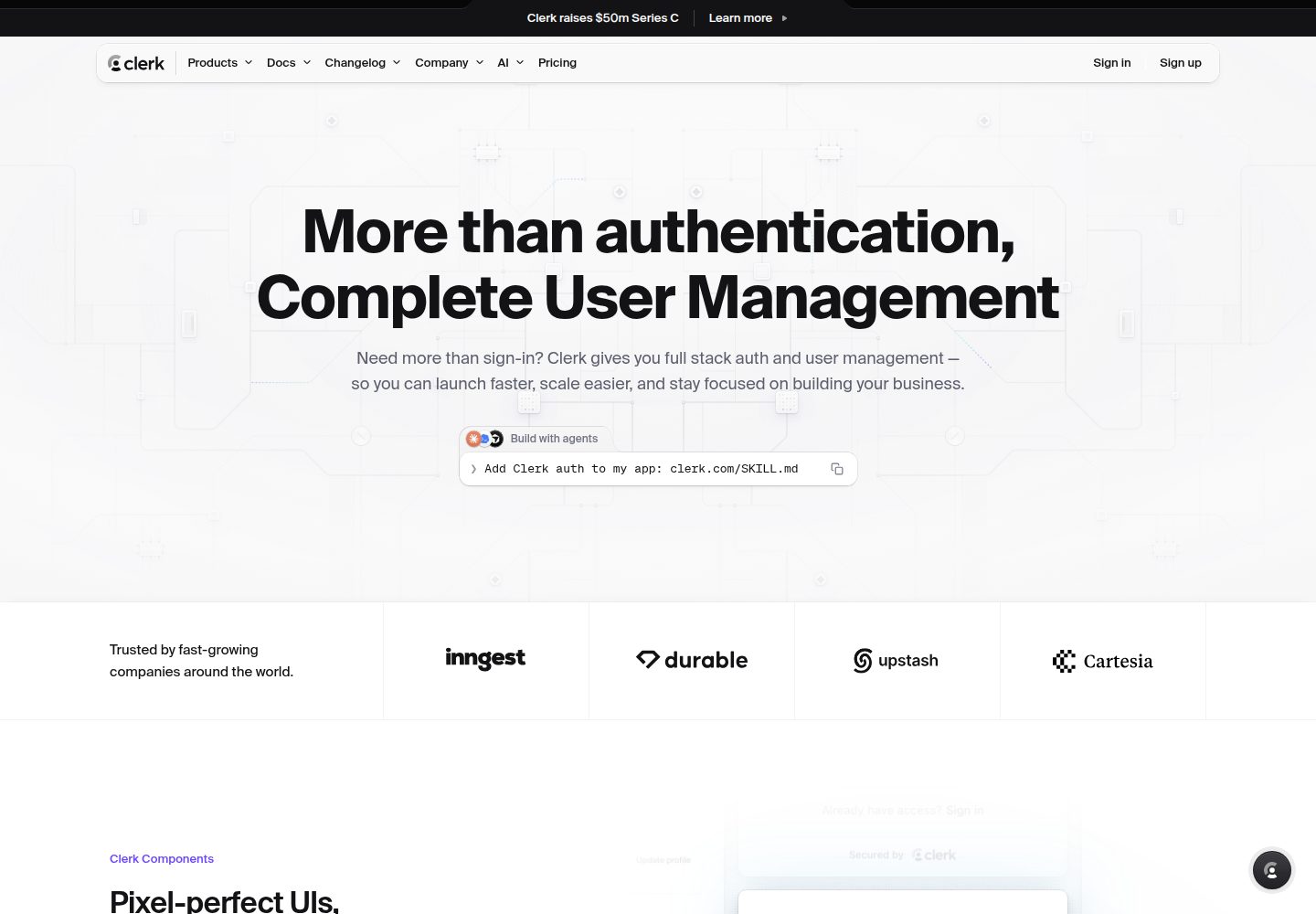
看看你的网站会是什么样
浏览真实页面截图,比较内容排版与手机效果。点击下方缩略图切换,放大查看整页细节。
全部页面与视图 3
截图用于了解视觉与布局,交互效果请以实际项目为准。
采集于 2026-10-02查看来源
值得关注的模板亮点
从已有项目资料中,快速了解它的特点。
前端使用 App Router、TypeScript、Tailwind CSS v4 和 shadcn/ui 组件
后端提供 OpenAPI 文档、Scalar API 参考、健康检查和 RFC 9457 问题详情
API 在缺少 Clerk 配置时启动即失败,并校验令牌的 azp 声明
包含无需 Clerk 账号即可运行的 xUnit 认证面测试
仓库附带 GitHub Actions CI、Dependabot 和 issue/PR 模板
模板详细介绍
该模板展示了一个前后端分离的认证流程:Next.js 前端使用 Clerk 完成登录,并在服务端组件中把用户会话令牌附加到对 ASP.NET Core API 的请求上;API 则把该令牌作为 JWT 校验,并可通过 Clerk 后端 API 查询用户资料。
前端部分包含 App Router、TypeScript、Tailwind CSS v4、shadcn/ui 组件、暗色模式,以及一个按 API 端点逐卡流式渲染的仪表盘。后端部分包含控制器、OpenAPI 文档与 Scalar 交互式参考、健康检查,以及 RFC 9457 问题详情响应。
模板还提供 xUnit 测试来覆盖认证面,无需 Clerk 账号即可运行;构建配置启用了集中包管理、警告视为错误、NuGet 漏洞审计和 CI 中的 dotnet format 校验。仓库附带 GitHub Actions、Dependabot 以及 issue 和 PR 模板。
使用前需要自行准备 Clerk 应用并配置密钥,后端在缺少 Clerk 设置时会拒绝启动。示例端点 WeatherForecast 仅用于验证前后端连通,实际项目应替换。
Next.jsReact启动器
适合你的项目吗?
适用场景
- 需要为 Next.js 前端和 ASP.NET Core 后端搭建统一认证流程的项目
- 希望参考 Clerk 会话令牌在服务端组件中传递并作为 JWT 校验的实现
- 需要包含 OpenAPI 文档、健康检查和测试的 .NET Web API 起点
- 想使用 Tailwind v4 与 shadcn/ui 构建带暗色模式仪表盘的前端项目
适合人群
- 熟悉 Next.js 与 ASP.NET Core 并计划使用 Clerk 认证的开发者
- 需要前后端分离且认证端到端打通的启动模板的团队
- 希望从包含 CI、测试和代码规范配置的仓库开始新项目的人
上手与定制指南
结合仓库当前版本的说明,按下面的资料检查内容、配置与运行要求。
- 1
需要 .NET SDK 10.0、Node.js 22(Node 20.9+ 也可)以及一个免费的 Clerk 应用
- 2
后端通过 dotnet user-secrets 设置 Clerk:SecretKey 和 Clerk:Authority,缺少必填项会启动失败
- 3
前端复制 .env.example 为 .env.local 并填入 Clerk 密钥和 API_URL
- 4
本地 API_URL 使用 http://localhost:5014,因为 Node fetch 不信任 ASP.NET Core 开发证书
- 5
使用模板后建议重命名解决方案与项目、重新生成 user-secrets id、删除示例 WeatherForecast 端点
授权与来源资料
使用条件与限制
免费使用 · 保留许可声明本次收录的是公开仓库中采用 MIT 许可的免费版本;免费范围为该版本代码,不代表外部服务或第三方素材免费。
使用时需要遵守
- 允许免费使用、修改、商用和分发该版本代码。
- 分发代码副本或实质性部分时,保留原作者版权声明和完整 MIT 许可声明。
- 代码按现状提供;担保与责任限制以原许可证及适用法律为准。
额外费用与待核对事项
- 使用该模板必须注册 Clerk 账号并创建应用,认证功能依赖 Clerk 这一外部托管服务,无法脱离 Clerk 独立运行。
- 需要登录 Clerk 控制台获取 Publishable key、Secret key 和 Frontend API URL,即必须持有 Clerk 账号与 API 密钥。
- 后端必须配置 Clerk 密钥等敏感凭据,缺少必填的 Clerk 设置时 API 会拒绝启动。
- 必须正确设置 Clerk:AuthorizedParty 为前端基础 URL,否则所有请求会因 azp 声明校验失败而返回 401。
- 部署到生产环境时需改用 Clerk 生产实例的密钥,测试密钥不可用于正式上线。
- 演示图片、字体、图标及其他第三方素材需按各自许可核对,不能仅凭代码的 MIT 许可判断。
- 域名、托管、数据库、支付或 AI 等外部服务可能另外收费。
查看原文依据
Permission is hereby granted, free of charge
许可证原文
A free [Clerk](https://clerk.com) application
README 原文
From the [Clerk dashboard](https://dashboard.clerk.com):
README 原文
dotnet user-secrets set "Clerk:SecretKey" "sk_test_..."
README 原文
Clerk:AuthorizedParty` | yes | Base URL of the frontend allowed to call the API. Checked against the `azp` claim.
README 原文
https://github.com/HilthonTT/nextjs-aspnetcore-clerk-starter/blob/main/LICENSEhttps://github.com/HilthonTT/nextjs-aspnetcore-clerk-starter/blob/main/README.mdUse your Clerk **production** instance, not the `_test_` keys.
README 原文
DeepSeek 根据仓库许可证和 README 整理 ·2026-10-02。结果仅覆盖已读取资料,依赖、图片、字体及后续条款变更以各自原文为准。
项目核对记录与介绍依据
模板资料
- 来源平台
- GitHub
- 资料与维护参考分
- 资料较完整 · 88 / 100
- 技术栈
- Next.js · React
- 网站类型
- 启动器
这个分数如何计算
本站按许可资料(最高30分)、演示链接(12分)、预览图(10分)、Star数(15分)、记录的维护时间(15分)、描述完整度(8分)、功能记录(5分)和分类资料(5分)计算。它不是代码、安全或性能测试,也不是 Google 评分;有链接不代表已实测可用。
这个项目需要核对什么
- 记录的仓库更新时间
- 2026-10-01
- 截图检查日期
- 2026-10-02
已收录演示链接。请用你的内容与屏幕尺寸检查;有演示不代表表单、认证或支付已经可用。
目录记录的主要技术栈是 Next.js。请通过依赖清单和锁文件核对实际版本与托管要求。这些说明基于收录资料,不代表代码审计或部署实测。
查看具体选型方法 →介绍的制作与核对状态
介绍由 AI 辅助整理目录与仓库资料。仓库作者不等于这篇介绍的审核者。
已完成服务器许可规则与 AI 来源核对;未经过人工编辑审核。
查看当时使用的来源资料
SHA-256: c175df12b83983bad11aa04cfbc9bdc717228293581ffde10cefcac6334d467c
2026-10-02T09:20:21.271Z
来源文件 / 仓库# Next.js + ASP.NET Core + Clerk
[](https://github.com/HilthonTT/nextjs-aspnetcore-clerk-starter/actions/workflows/ci.yml)
[](https://dotnet.microsoft.com/download)
[](https://nextjs.org)
[](LICENSE)
A starter template for a **Next.js** frontend calling an **ASP.NET Core Web API** that is locked
down with **Clerk** authentication. The frontend signs the user in with Clerk, then attaches their
session token to every API call; the API validates that token as a JWT against your Clerk instance
and can look the user up through Clerk's Backend API.
> **[Use this template](https://github.com/HilthonTT/nextjs-aspnetcore-clerk-starter/generate)** to
> start a new project from this repository, then work through [Make it yours](#make-it-yours).
---
## What you get
- **Next.js 16** — App Router, React 19, TypeScript, Tailwind CSS v4, shadcn/ui components,
dark mode, and a dashboard that streams one card per API endpoint
- **ASP.NET Core 10** Web API — controllers, built-in OpenAPI with a [Scalar](https://scalar.com)
API reference, health checks, and RFC 9457 problem details
- **Clerk on both sides** — hosted sign-in/sign-up pages on the frontend, JWT bearer validation on
the backend, including the `azp` check that stops tokens from other origins being replayed
- **Config that fails fast** — the API refuses to start if the Clerk settings are missing
- **Tests that guard the auth surface** — xUnit v3 + `WebApplicationFactory`, no Clerk account needed
- **A build that stays clean** — Central Package Management, warnings as errors, NuGet vulnerability
auditing, `dotnet format` verification in CI
- **Repo plumbing** — GitHub Actions CI for both apps, Dependabot, issue and PR templates
Auth on the .NET side is powered by [Hawxy's Clerk.Net](https://github.com/Hawxy/Clerk.Net).
## Repository layout
```
.
├─ Backend/
│ ├─ CsharpAPIClerk.slnx Solution (the XML .slnx format)
│ ├─ global.json Pinned SDK band + test runner
│ ├─ Directory.Build.props MSBuild settings shared by every project
│ ├─ Directory.Packages.props Every NuGet version, in one place
│ ├─ Dockerfile Multi-stage image for the API (build from repo root)
│ ├─ ClerkAPI/
│ │ ├─ Controllers/ WeatherForecast (sample data) and Users (/me via Clerk)
│ │ ├─ Extensions/ ClaimsPrincipal.GetUserId()
│ │ ├─ Infrastructure/ Exception handler, source-generated log messages
│ │ ├─ Models/ Response models
│ │ ├─ OpenApi/ Document transformer that declares bearer auth
│ │ ├─ Options/ Bound + validated configuration
│ │ ├─ Program.cs Middleware pipeline
│ │ └─ RegisterServices.cs DI registration: auth, Clerk client, CORS, OpenAPI
│ └─ ClerkAPI.Tests/ Auth-surface and OpenAPI tests
└─ Frontend/
└─ web/
├─ app/(auth)/ Clerk sign-in / sign-up
├─ app/(main)/ Authenticated area: navbar shell + one card per endpoint
├─ app/globals.css Tailwind v4 theme (there is no tailwind.config.ts)
├─ components/ui/ shadcn/ui primitives
├─ components/theme-*.tsx Dark mode, via next-themes
├─ lib/api.ts apiFetch — the only place that calls the API
├─ types/api.ts Mirrors of the backend models
└─ proxy.ts Clerk route protection
```
## Prerequisites
- [.NET SDK 10.0](https://dotnet.microsoft.com/download) (the exact band is pinned in
`Backend/global.json`)
- [Node.js 22](https://nodejs.org) (see `Frontend/web/.nvmrc`; Node 20.9+ works)
- A free [Clerk](https://clerk.com) application
## Getting started
### 1. Collect your Clerk values
From the [Clerk dashboard](https://dashboard.clerk.com):
| Value | Where to find it |
| ---------------- | ---------------------------------------------------------------------------- |
| Publishable key | **API Keys** — starts with `pk_` |
| Secret key | **API Keys** — starts with `sk_` |
| Frontend API URL | **API Keys → Show API URLs** — e.g. `https://verb-noun-00.clerk.accounts.dev` |
### 2. Configure and run the API
```bash
cd Backend/ClerkAPI
# Secrets stay out of source control — user-secrets writes outside the repo.
dotnet user-secrets set "Clerk:SecretKey" "sk_test_..."
dotnet user-secrets set "Clerk:Authority" "https://verb-noun-00.clerk.accounts.dev"
dotnet run
```
The API listens on `http://localhost:5014` and `https://localhost:7080`. In development the
OpenAPI document is at `/openapi/v1.json` and the interactive API reference at `/scalar`.
### 3. Configure and run the frontend
```bash
cd Frontend/web
cp .env.example .env.local # fill in your Clerk keys
npm install
npm run dev
```
Open <http://localhost:3000>, sign up, and the home page will render data fetched from the secured
API.
### 4. Run the checks
```bash
# Backend
cd Backend
dotnet test CsharpAPIClerk.slnx
# Frontend
cd Frontend/web
npm run lint && npm run typecheck && npm run build
```
The tests boot the real API in memory with throwaway settings, so they need neither a Clerk
account nor network access.
## Make it yours
After clicking **Use this template**, these are the things worth changing first:
1. **Rename the solution and project.** `CsharpAPIClerk.slnx`, `ClerkAPI/`, and the `ClerkAPI`
root namespace all carry the template's name. Rename the directories, then find-and-replace
`ClerkAPI` across `Backend/`.
2. **Generate a fresh user-secrets id.** Delete `<UserSecretsId>` from `ClerkAPI.csproj` and run
`dotnet user-secrets init`, so your secrets are not stored under the template's id.
3. **Delete the sample endpoint.** `WeatherForecastController`, `Models/WeatherForecast.cs`, the
matching type in `Frontend/web/types/api.ts`, and `ForecastCard` exist only to prove the wiring
works.
4. **Set your production origins.** `Clerk:AuthorizedParty` and, if a browser will ever call the
API directly, `Cors:AllowedOrigins`.
5. **Replace the metadata.** App title in `Frontend/web/app/layout.tsx`, the contact link in
`SECURITY.md`, and this README.
6. **Keep or drop the strictness.** `Backend/Directory.Build.props` turns warnings into errors and
enforces `.editorconfig` style at build time. It is easier to keep than to add later.
## Configuration reference
### Backend — `Backend/ClerkAPI/appsettings.json`
| Setting | Required | Description |
| ----------------------- | -------- | --------------------------------------------------------------------------------- |
| `Clerk:SecretKey` | yes | Clerk Backend API key (`sk_...`). Use user-secrets or an environment variable. |
| `Clerk:Authority` | yes | Your Clerk Frontend API URL. Tokens are validated against its JWKS. |
| `Clerk:AuthorizedParty` | yes | Base URL of the frontend allowed to call the API. Checked against the `azp` claim. |
| `Cors:AllowedOrigins` | no | Browser origins allowed to call the API directly. Empty by default. |
Every setting can also be supplied as an environment variable using `__` as the separator, e.g.
`Clerk__SecretKey`. If any required value is missing the app throws an
`OptionsValidationException` at startup naming the offending setting.
### Frontend — `Frontend/web/.env.local`
| Variable | Required | Description |
| ----------------------------------- | -------- | --------------------------------------------- |
| `NEXT_PUBLIC_CLERK_PUBLISHABLE_KEY` | yes | Clerk publishable key (`pk_...`) |
| `CLERK_SECRET_KEY` | yes | Clerk secret key (`sk_...`), server-side only |
| `NEXT_PUBLIC_CLERK_SIGN_IN_URL` | no | Defaults to `/sign-in` |
| `NEXT_PUBLIC_CLERK_SIGN_UP_URL` | no | Defaults to `/sign-up` |
| `API_URL` | yes | Base URL of the ASP.NET Core API |
`API_URL` deliberately has no `NEXT_PUBLIC_` prefix: the API is only ever called from server
components, so neither the URL nor the token reaches the browser.
## Endpoints
| Method | Route | Auth | Description |
| ------ | ---------------------- | ---- | ----------------------------------------- |
| GET | `/health` | no | Liveness probe |
| GET | `/api/WeatherForecast` | yes | Sample data |
| GET | `/api/Users/me` | yes | The Clerk profile behind the bearer token |
| GET | `/openapi/v1.json` | no | OpenAPI document (development only) |
| GET | `/scalar` | no | API reference UI (development only) |
`Backend/ClerkAPI/ClerkAPI.http` has ready-made requests for all of them.
## Why `API_URL` is HTTP
The Next.js app calls this API **server-to-server**, from a React Server Component — the request
comes out of Node, not the browser. Node's `fetch` does not trust the ASP.NET Core development
certificate, so pointing `API_URL` at `https://localhost:7080` fails with
`DEPTH_ZERO_SELF_SIGNED_CERT`. Nothing leaves your machine either way, so the template uses
`http://localhost:5014` locally.
For the same reason the API only calls `UseHttpsRedirection()` **outside** development — otherwise
a request to the HTTP URL would be redirected into the same untrusted certificate. In production,
where you terminate TLS with a real certificate, redirection and HSTS are both on.
If you do want HTTPS locally:
```bash
dotnet dev-certs https --trust # once, then restart your terminal
```
```jsonc
// Frontend/web/package.json
"dev": "node --use-system-ca ./node_modules/next/dist/bin/next dev"
```
and set `API_URL=https://localhost:7080`. `--use-system-ca` requires Node 22.15+ / 24+.
## How the auth flow works
1. Clerk middleware (`proxy.ts`) protects every route except the sign-in and sign-up pages.
2. A server component calls `apiFetch`, which grabs the current user's session token via
`(await auth()).getToken()` and sends it as `Authorization: Bearer <token>`.
3. The API validates the token's signature against Clerk's JWKS (`Clerk:Authority`) and rejects
tokens whose `azp` claim isn't `Clerk:AuthorizedParty`.
4. `User.GetUserId()` gives you the Clerk user id, which `UsersController` uses to fetch the full
profile from Clerk's Backend API.
## Adding your own endpoint
1. Add a controller under `Backend/ClerkAPI/Controllers` with `[Authorize]` and
`[Route("api/[controller]")]`; use `User.GetUserId()` for the caller's Clerk id.
2. Add the response model in `Backend/ClerkAPI/Models`.
3. Add the new route to `AuthorizationTests` so the build fails if it is ever left unsecured.
4. Mirror the model in `Frontend/web/types/api.ts`.
5. Call it from a server component with `apiFetch<YourType>("/api/YourController")`, and wrap that
component in its own `<Suspense fallback={<CardSkeleton />}>` so it streams independently.
## Deploying
The API ships a multi-stage `Backend/Dockerfile` (Alpine, non-root, listening on 8080).
Build it **from the repository root** — the root `.editorconfig` is part of the build:
```bash
docker build -t clerkapi -f Backend/Dockerfile .
docker run --rm -p 8080:8080 -e ASPNETCORE_ENVIRONMENT=Production -e Clerk__SecretKey="sk_live_..." -e Clerk__Authority="https://your-instance.clerk.accounts.dev" -e Clerk__AuthorizedParty="https://your-frontend.example.com" clerkapi
```
CI builds the image on every pull request and, on pushes to `main`, publishes it to
GitHub Container Registry as `ghcr.io/<owner>/<repo>/api`. Anything that can pull an OCI
image — Cloud Run, Fly.io, Azure Container Apps, Render — can deploy it from there.
Whatever you deploy to, four things change from local development:
| Setting | Why |
| ------------------------------------------- | ------------------------------------------------------------------------- |
| `Clerk__AuthorizedParty` | Must be the deployed **frontend** URL, or every request fails the `azp` check. |
| `Clerk__SecretKey` / `Clerk__Authority` | Use your Clerk **production** instance, not the `_test_` keys. |
| `ASPNETCORE_ENVIRONMENT=Production` | Enables HTTPS redirection and HSTS, and stops serving `/scalar` and `/openapi`. |
| `API_URL` (on the frontend host) | Points at the deployed API. Still server-side only — no `NEXT_PUBLIC_` prefix. |
Point your platform's health probe at `/health`, which is anonymous by design.
`Cors:AllowedOrigins` stays empty unless a browser calls the API directly — the Next.js app
calls it from the server, where CORS does not apply.
## Updating dependencies
- **NuGet:** every version lives in `Backend/Directory.Packages.props`. Nothing else carries a
version number. `dotnet list package --outdated` from `Backend/` shows what has moved.
- **npm:** `Frontend/web/package.json`, as usual.
- Dependabot opens grouped weekly PRs for both, plus GitHub Actions.
## Troubleshooting
| Symptom | Likely cause |
| ----------------------------------------------------- | --------------------------------------------------------------------------------------------- |
| API exits at startup with `OptionsValidationException` | A `Clerk:*` setting is missing — the message names it. |
| `401` with `AZP claim is invalid or missing` | `Clerk:AuthorizedParty` doesn't match the frontend's base URL (e.g. `http` vs `https`). |
| `401` on every request | `Clerk:Authority` points at the wrong instance, or frontend and API use different Clerk apps. |
| "Could not reach the API" card in the UI | The API isn't running, or `API_URL` points at the wrong port. |
| `fetch failed` / `DEPTH_ZERO_SELF_SIGNED_CERT` | `API_URL` points at HTTPS. Use `http://localhost:5014` — see [Why `API_URL` is HTTP](#why-api_url-is-http). |
| `dotnet test` complains about the VSTest runner | `Backend/global.json` opts into Microsoft.Testing.Platform — run the command from `Backend/`. |
| A `NU1903` warning after a `git pull` | A dependency picked up a published advisory. Bump it in `Directory.Packages.props`. |
## Contributing
See [CONTRIBUTING.md](CONTRIBUTING.md). Security issues go through
[SECURITY.md](SECURITY.md), not the public issue tracker.
## License
[MIT](LICENSE)
看看同类模板
对比同技术栈与用途的模板,找到更适合的视觉与内容结构。

ai-website-cloner-template
Clone any website with one command using AI coding agents
Next.js · 启动器

Next.js SaaS Starter
Next.js SaaS Starter 是 Next.js 官方维护的 SaaS 起点模板,定位介于学习资源和可直接部署的脚手架之间。
Next.js · SaaS

Next.js Commerce
Next.js Commerce 是 Vercel 团队维护的电商启动模板,基于 Next.js App Router 构建,采用服务端渲染、React Server Components、Server Actions …
Next.js · 电商

Next-js-Boilerplate
Next-js-Boilerplate 是一个面向 Next.js 16、Tailwind CSS 4 和 TypeScript 的启动器,核心定位是开发者体验优先。
Next.js · 启动器

tailwind-nextjs-starter-blog
tailwind-nextjs-starter-blog 是一个面向个人技术博客的 Next.js 与 Tailwind CSS 启动模板,其 v2 版本基于 App Router 与 React Server Comp…
Next.js · 博客

next-forge
Production-grade Turborepo template for Next.js apps.
Next.js · 启动器