Next.js frontend and ASP.NET Core Web API with end-to-end Clerk authentication
Next.jsReactStarter
nextjs-aspnetcore-clerk-starter — Next.js Starter Template
By HilthonTT
A full-stack starter template that connects a Next.js frontend with an ASP.NET Core Web API through end-to-end Clerk authentication.
Explore the design
Compare the page layouts and mobile experience. Open any screenshot for a closer look.
Desktop homepage1 / 3
Desktop captureTop of page
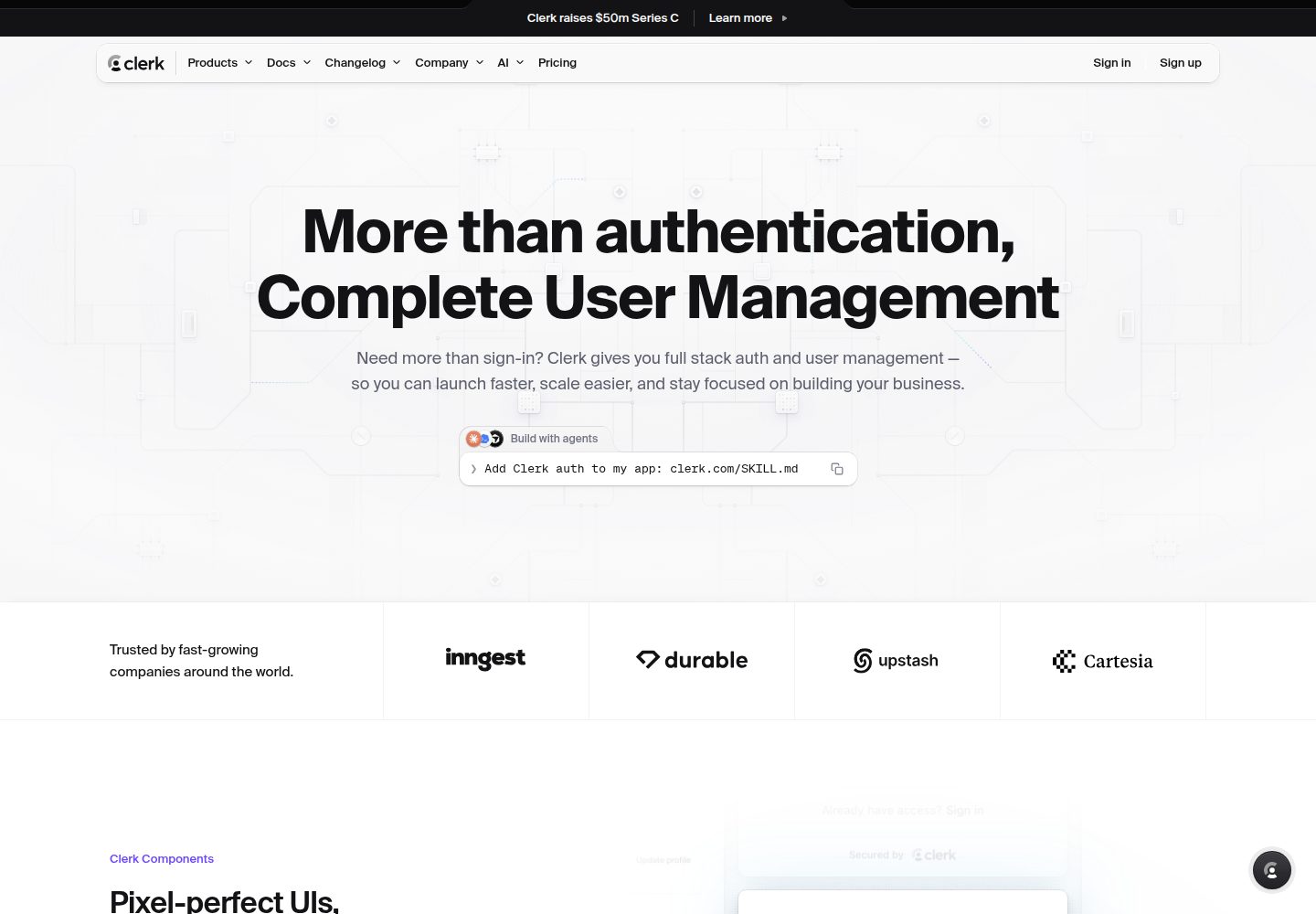
Actual screenshot captured by the server browser.
All pages & views 3
Screenshots show visual appearance; interactive behavior may differ.
Recorded 2026-10-02View source
What stands out
A quick read of the recorded project description.
Frontend uses the App Router, TypeScript, Tailwind CSS v4, and shadcn/ui components
Backend provides OpenAPI documentation, a Scalar API reference, health checks, and RFC 9457 problem details
The API fails at startup when Clerk configuration is missing and validates the token's azp claim
Includes xUnit authentication-surface tests that run without a Clerk account
Repository ships with GitHub Actions CI, Dependabot, and issue/PR templates
Template Details
The template demonstrates a decoupled authentication flow: the Next.js frontend uses Clerk to sign users in and, in server components, attaches the user session token to requests to the ASP.NET Core API; the API validates that token as a JWT and can query user profiles through the Clerk backend API.
The frontend includes the App Router, TypeScript, Tailwind CSS v4, shadcn/ui components, dark mode, and a dashboard that streams per-card rendering by API endpoint. The backend includes controllers, OpenAPI documentation with a Scalar interactive reference, health checks, and RFC 9457 problem details responses.
The template also provides xUnit tests covering the authentication surface that run without a Clerk account; the build configuration enables central package management, warnings as errors, NuGet vulnerability auditing, and dotnet format validation in CI. The repository ships with GitHub Actions, Dependabot, and issue and PR templates.
Before use, you must set up your own Clerk application and configure keys; the backend refuses to start when Clerk settings are missing. The sample WeatherForecast endpoint is only for verifying frontend-backend connectivity and should be replaced in a real project.
Next.jsReactStarter
Is it right for your project?
Use Cases
- Projects that need a unified authentication flow for a Next.js frontend and an ASP.NET Core backend
- Those wanting a reference implementation of passing a Clerk session token in server components and validating it as a JWT
- A .NET Web API starting point that includes OpenAPI documentation, health checks, and tests
- Frontend projects that want to build a dashboard with dark mode using Tailwind v4 and shadcn/ui
Suitable For
- Developers familiar with Next.js and ASP.NET Core who plan to use Clerk authentication
- Teams that need a decoupled frontend and backend starter template with end-to-end authentication
- Those who want to start a new project from a repository that includes CI, tests, and code style configuration
Getting started & customization
Use these recorded setup notes alongside the repository instructions for your chosen version.
- 1
Requires .NET SDK 10.0, Node.js 22 (Node 20.9+ also works), and a free Clerk application
- 2
The backend sets Clerk:SecretKey and Clerk:Authority via dotnet user-secrets; missing required values cause startup failure
- 3
The frontend copies .env.example to .env.local and fills in the Clerk keys and API_URL
- 4
Use http://localhost:5014 for the local API_URL because Node fetch does not trust the ASP.NET Core development certificate
- 5
After using the template, rename the solution and projects, regenerate the user-secrets id, and remove the sample WeatherForecast endpoint
License & source material
Usage conditions & limitations
Free to use · keep license noticeThis listing covers the free version in the public repository under the MIT license; the free scope is that version's code and does not imply that external services or third-party assets are free.
Must comply with when using
- You may use, modify, commercialize, and distribute this version's code for free.
- When distributing copies or substantial portions of the code, retain the original author's copyright notice and the full MIT license notice.
- The code is provided as is; warranties and limitations of liability are governed by the original license and applicable law.
Additional costs & items to verify
- Using this template requires registering a Clerk account and creating an application; authentication depends on Clerk, an external hosted service, and cannot run independently of Clerk.
- You need to sign in to the Clerk console to obtain the Publishable key, Secret key, and Frontend API URL, meaning you must have a Clerk account and API keys.
- The backend must be configured with Clerk keys and other sensitive credentials; the API refuses to start when required Clerk settings are missing.
- Clerk:AuthorizedParty must be set correctly to the frontend base URL, otherwise all requests return 401 due to azp claim validation failure.
- When deploying to production, switch to the keys of a Clerk production instance; test keys must not be used for a live launch.
- Demo images, fonts, icons, and other third-party assets must be checked against their respective licenses and cannot be judged solely by the code's MIT license.
- External services such as domains, hosting, databases, payments, or AI may incur separate charges.
View Original Text Basis
Permission is hereby granted, free of charge
Original License Text
A free [Clerk](https://clerk.com) application
Original README
From the [Clerk dashboard](https://dashboard.clerk.com):
Original README
dotnet user-secrets set "Clerk:SecretKey" "sk_test_..."
Original README
Clerk:AuthorizedParty` | yes | Base URL of the frontend allowed to call the API. Checked against the `azp` claim.
Original README
https://github.com/HilthonTT/nextjs-aspnetcore-clerk-starter/blob/main/LICENSEhttps://github.com/HilthonTT/nextjs-aspnetcore-clerk-starter/blob/main/README.mdUse your Clerk **production** instance, not the `_test_` keys.
Original README
Compiled by DeepSeek based on repository license and README ·2026-10-02. Results only cover the materials read; dependencies, images, fonts, and subsequent term changes are subject to their respective original texts.
Project checks & description sources
Template Information
- Source platforms
- GitHub
- Documentation and maintenance reference score
- More documented · 88 / 100
- Technologies
- Next.js · React
- Website type
- Starter
How this score is calculated
Our heuristic uses license records (up to 30), a demo link (12), a preview (10), stars (15), recorded maintenance (15), description completeness (8), feature records (5) and classification data (5). It is not a code, security or performance test, or a Google score. A link does not establish tested functionality.
What to verify for this project
- Repository update recorded
- 2026-10-01
- Screenshot last checked
- 2026-10-02
A demo link is listed. Check it with your own content and viewport sizes; its presence does not confirm that forms, authentication or payments work.
The catalog identifies Next.js as the primary stack. Check the actual dependency manifest and lockfile for versions and hosting requirements. These notes use recorded metadata, not a code audit or a deployment test.
Use a selection guide →How this description was prepared
AI-assisted description based on catalog records and repository material. Repository authors are not automatically the reviewers of this description.
Automatically checked against source and license rules; no manual editorial review.
Inspect the recorded source material
SHA-256: c175df12b83983bad11aa04cfbc9bdc717228293581ffde10cefcac6334d467c
2026-10-02T09:20:21.271Z
Source file / repository# Next.js + ASP.NET Core + Clerk
[](https://github.com/HilthonTT/nextjs-aspnetcore-clerk-starter/actions/workflows/ci.yml)
[](https://dotnet.microsoft.com/download)
[](https://nextjs.org)
[](LICENSE)
A starter template for a **Next.js** frontend calling an **ASP.NET Core Web API** that is locked
down with **Clerk** authentication. The frontend signs the user in with Clerk, then attaches their
session token to every API call; the API validates that token as a JWT against your Clerk instance
and can look the user up through Clerk's Backend API.
> **[Use this template](https://github.com/HilthonTT/nextjs-aspnetcore-clerk-starter/generate)** to
> start a new project from this repository, then work through [Make it yours](#make-it-yours).
---
## What you get
- **Next.js 16** — App Router, React 19, TypeScript, Tailwind CSS v4, shadcn/ui components,
dark mode, and a dashboard that streams one card per API endpoint
- **ASP.NET Core 10** Web API — controllers, built-in OpenAPI with a [Scalar](https://scalar.com)
API reference, health checks, and RFC 9457 problem details
- **Clerk on both sides** — hosted sign-in/sign-up pages on the frontend, JWT bearer validation on
the backend, including the `azp` check that stops tokens from other origins being replayed
- **Config that fails fast** — the API refuses to start if the Clerk settings are missing
- **Tests that guard the auth surface** — xUnit v3 + `WebApplicationFactory`, no Clerk account needed
- **A build that stays clean** — Central Package Management, warnings as errors, NuGet vulnerability
auditing, `dotnet format` verification in CI
- **Repo plumbing** — GitHub Actions CI for both apps, Dependabot, issue and PR templates
Auth on the .NET side is powered by [Hawxy's Clerk.Net](https://github.com/Hawxy/Clerk.Net).
## Repository layout
```
.
├─ Backend/
│ ├─ CsharpAPIClerk.slnx Solution (the XML .slnx format)
│ ├─ global.json Pinned SDK band + test runner
│ ├─ Directory.Build.props MSBuild settings shared by every project
│ ├─ Directory.Packages.props Every NuGet version, in one place
│ ├─ Dockerfile Multi-stage image for the API (build from repo root)
│ ├─ ClerkAPI/
│ │ ├─ Controllers/ WeatherForecast (sample data) and Users (/me via Clerk)
│ │ ├─ Extensions/ ClaimsPrincipal.GetUserId()
│ │ ├─ Infrastructure/ Exception handler, source-generated log messages
│ │ ├─ Models/ Response models
│ │ ├─ OpenApi/ Document transformer that declares bearer auth
│ │ ├─ Options/ Bound + validated configuration
│ │ ├─ Program.cs Middleware pipeline
│ │ └─ RegisterServices.cs DI registration: auth, Clerk client, CORS, OpenAPI
│ └─ ClerkAPI.Tests/ Auth-surface and OpenAPI tests
└─ Frontend/
└─ web/
├─ app/(auth)/ Clerk sign-in / sign-up
├─ app/(main)/ Authenticated area: navbar shell + one card per endpoint
├─ app/globals.css Tailwind v4 theme (there is no tailwind.config.ts)
├─ components/ui/ shadcn/ui primitives
├─ components/theme-*.tsx Dark mode, via next-themes
├─ lib/api.ts apiFetch — the only place that calls the API
├─ types/api.ts Mirrors of the backend models
└─ proxy.ts Clerk route protection
```
## Prerequisites
- [.NET SDK 10.0](https://dotnet.microsoft.com/download) (the exact band is pinned in
`Backend/global.json`)
- [Node.js 22](https://nodejs.org) (see `Frontend/web/.nvmrc`; Node 20.9+ works)
- A free [Clerk](https://clerk.com) application
## Getting started
### 1. Collect your Clerk values
From the [Clerk dashboard](https://dashboard.clerk.com):
| Value | Where to find it |
| ---------------- | ---------------------------------------------------------------------------- |
| Publishable key | **API Keys** — starts with `pk_` |
| Secret key | **API Keys** — starts with `sk_` |
| Frontend API URL | **API Keys → Show API URLs** — e.g. `https://verb-noun-00.clerk.accounts.dev` |
### 2. Configure and run the API
```bash
cd Backend/ClerkAPI
# Secrets stay out of source control — user-secrets writes outside the repo.
dotnet user-secrets set "Clerk:SecretKey" "sk_test_..."
dotnet user-secrets set "Clerk:Authority" "https://verb-noun-00.clerk.accounts.dev"
dotnet run
```
The API listens on `http://localhost:5014` and `https://localhost:7080`. In development the
OpenAPI document is at `/openapi/v1.json` and the interactive API reference at `/scalar`.
### 3. Configure and run the frontend
```bash
cd Frontend/web
cp .env.example .env.local # fill in your Clerk keys
npm install
npm run dev
```
Open <http://localhost:3000>, sign up, and the home page will render data fetched from the secured
API.
### 4. Run the checks
```bash
# Backend
cd Backend
dotnet test CsharpAPIClerk.slnx
# Frontend
cd Frontend/web
npm run lint && npm run typecheck && npm run build
```
The tests boot the real API in memory with throwaway settings, so they need neither a Clerk
account nor network access.
## Make it yours
After clicking **Use this template**, these are the things worth changing first:
1. **Rename the solution and project.** `CsharpAPIClerk.slnx`, `ClerkAPI/`, and the `ClerkAPI`
root namespace all carry the template's name. Rename the directories, then find-and-replace
`ClerkAPI` across `Backend/`.
2. **Generate a fresh user-secrets id.** Delete `<UserSecretsId>` from `ClerkAPI.csproj` and run
`dotnet user-secrets init`, so your secrets are not stored under the template's id.
3. **Delete the sample endpoint.** `WeatherForecastController`, `Models/WeatherForecast.cs`, the
matching type in `Frontend/web/types/api.ts`, and `ForecastCard` exist only to prove the wiring
works.
4. **Set your production origins.** `Clerk:AuthorizedParty` and, if a browser will ever call the
API directly, `Cors:AllowedOrigins`.
5. **Replace the metadata.** App title in `Frontend/web/app/layout.tsx`, the contact link in
`SECURITY.md`, and this README.
6. **Keep or drop the strictness.** `Backend/Directory.Build.props` turns warnings into errors and
enforces `.editorconfig` style at build time. It is easier to keep than to add later.
## Configuration reference
### Backend — `Backend/ClerkAPI/appsettings.json`
| Setting | Required | Description |
| ----------------------- | -------- | --------------------------------------------------------------------------------- |
| `Clerk:SecretKey` | yes | Clerk Backend API key (`sk_...`). Use user-secrets or an environment variable. |
| `Clerk:Authority` | yes | Your Clerk Frontend API URL. Tokens are validated against its JWKS. |
| `Clerk:AuthorizedParty` | yes | Base URL of the frontend allowed to call the API. Checked against the `azp` claim. |
| `Cors:AllowedOrigins` | no | Browser origins allowed to call the API directly. Empty by default. |
Every setting can also be supplied as an environment variable using `__` as the separator, e.g.
`Clerk__SecretKey`. If any required value is missing the app throws an
`OptionsValidationException` at startup naming the offending setting.
### Frontend — `Frontend/web/.env.local`
| Variable | Required | Description |
| ----------------------------------- | -------- | --------------------------------------------- |
| `NEXT_PUBLIC_CLERK_PUBLISHABLE_KEY` | yes | Clerk publishable key (`pk_...`) |
| `CLERK_SECRET_KEY` | yes | Clerk secret key (`sk_...`), server-side only |
| `NEXT_PUBLIC_CLERK_SIGN_IN_URL` | no | Defaults to `/sign-in` |
| `NEXT_PUBLIC_CLERK_SIGN_UP_URL` | no | Defaults to `/sign-up` |
| `API_URL` | yes | Base URL of the ASP.NET Core API |
`API_URL` deliberately has no `NEXT_PUBLIC_` prefix: the API is only ever called from server
components, so neither the URL nor the token reaches the browser.
## Endpoints
| Method | Route | Auth | Description |
| ------ | ---------------------- | ---- | ----------------------------------------- |
| GET | `/health` | no | Liveness probe |
| GET | `/api/WeatherForecast` | yes | Sample data |
| GET | `/api/Users/me` | yes | The Clerk profile behind the bearer token |
| GET | `/openapi/v1.json` | no | OpenAPI document (development only) |
| GET | `/scalar` | no | API reference UI (development only) |
`Backend/ClerkAPI/ClerkAPI.http` has ready-made requests for all of them.
## Why `API_URL` is HTTP
The Next.js app calls this API **server-to-server**, from a React Server Component — the request
comes out of Node, not the browser. Node's `fetch` does not trust the ASP.NET Core development
certificate, so pointing `API_URL` at `https://localhost:7080` fails with
`DEPTH_ZERO_SELF_SIGNED_CERT`. Nothing leaves your machine either way, so the template uses
`http://localhost:5014` locally.
For the same reason the API only calls `UseHttpsRedirection()` **outside** development — otherwise
a request to the HTTP URL would be redirected into the same untrusted certificate. In production,
where you terminate TLS with a real certificate, redirection and HSTS are both on.
If you do want HTTPS locally:
```bash
dotnet dev-certs https --trust # once, then restart your terminal
```
```jsonc
// Frontend/web/package.json
"dev": "node --use-system-ca ./node_modules/next/dist/bin/next dev"
```
and set `API_URL=https://localhost:7080`. `--use-system-ca` requires Node 22.15+ / 24+.
## How the auth flow works
1. Clerk middleware (`proxy.ts`) protects every route except the sign-in and sign-up pages.
2. A server component calls `apiFetch`, which grabs the current user's session token via
`(await auth()).getToken()` and sends it as `Authorization: Bearer <token>`.
3. The API validates the token's signature against Clerk's JWKS (`Clerk:Authority`) and rejects
tokens whose `azp` claim isn't `Clerk:AuthorizedParty`.
4. `User.GetUserId()` gives you the Clerk user id, which `UsersController` uses to fetch the full
profile from Clerk's Backend API.
## Adding your own endpoint
1. Add a controller under `Backend/ClerkAPI/Controllers` with `[Authorize]` and
`[Route("api/[controller]")]`; use `User.GetUserId()` for the caller's Clerk id.
2. Add the response model in `Backend/ClerkAPI/Models`.
3. Add the new route to `AuthorizationTests` so the build fails if it is ever left unsecured.
4. Mirror the model in `Frontend/web/types/api.ts`.
5. Call it from a server component with `apiFetch<YourType>("/api/YourController")`, and wrap that
component in its own `<Suspense fallback={<CardSkeleton />}>` so it streams independently.
## Deploying
The API ships a multi-stage `Backend/Dockerfile` (Alpine, non-root, listening on 8080).
Build it **from the repository root** — the root `.editorconfig` is part of the build:
```bash
docker build -t clerkapi -f Backend/Dockerfile .
docker run --rm -p 8080:8080 -e ASPNETCORE_ENVIRONMENT=Production -e Clerk__SecretKey="sk_live_..." -e Clerk__Authority="https://your-instance.clerk.accounts.dev" -e Clerk__AuthorizedParty="https://your-frontend.example.com" clerkapi
```
CI builds the image on every pull request and, on pushes to `main`, publishes it to
GitHub Container Registry as `ghcr.io/<owner>/<repo>/api`. Anything that can pull an OCI
image — Cloud Run, Fly.io, Azure Container Apps, Render — can deploy it from there.
Whatever you deploy to, four things change from local development:
| Setting | Why |
| ------------------------------------------- | ------------------------------------------------------------------------- |
| `Clerk__AuthorizedParty` | Must be the deployed **frontend** URL, or every request fails the `azp` check. |
| `Clerk__SecretKey` / `Clerk__Authority` | Use your Clerk **production** instance, not the `_test_` keys. |
| `ASPNETCORE_ENVIRONMENT=Production` | Enables HTTPS redirection and HSTS, and stops serving `/scalar` and `/openapi`. |
| `API_URL` (on the frontend host) | Points at the deployed API. Still server-side only — no `NEXT_PUBLIC_` prefix. |
Point your platform's health probe at `/health`, which is anonymous by design.
`Cors:AllowedOrigins` stays empty unless a browser calls the API directly — the Next.js app
calls it from the server, where CORS does not apply.
## Updating dependencies
- **NuGet:** every version lives in `Backend/Directory.Packages.props`. Nothing else carries a
version number. `dotnet list package --outdated` from `Backend/` shows what has moved.
- **npm:** `Frontend/web/package.json`, as usual.
- Dependabot opens grouped weekly PRs for both, plus GitHub Actions.
## Troubleshooting
| Symptom | Likely cause |
| ----------------------------------------------------- | --------------------------------------------------------------------------------------------- |
| API exits at startup with `OptionsValidationException` | A `Clerk:*` setting is missing — the message names it. |
| `401` with `AZP claim is invalid or missing` | `Clerk:AuthorizedParty` doesn't match the frontend's base URL (e.g. `http` vs `https`). |
| `401` on every request | `Clerk:Authority` points at the wrong instance, or frontend and API use different Clerk apps. |
| "Could not reach the API" card in the UI | The API isn't running, or `API_URL` points at the wrong port. |
| `fetch failed` / `DEPTH_ZERO_SELF_SIGNED_CERT` | `API_URL` points at HTTPS. Use `http://localhost:5014` — see [Why `API_URL` is HTTP](#why-api_url-is-http). |
| `dotnet test` complains about the VSTest runner | `Backend/global.json` opts into Microsoft.Testing.Platform — run the command from `Backend/`. |
| A `NU1903` warning after a `git pull` | A dependency picked up a published advisory. Bump it in `Directory.Packages.props`. |
## Contributing
See [CONTRIBUTING.md](CONTRIBUTING.md). Security issues go through
[SECURITY.md](SECURITY.md), not the public issue tracker.
## License
[MIT](LICENSE)
Explore similar templates
Compare previews and descriptions within the same stack and category.

Next.js SaaS Starter
The official Next.js SaaS starter template, integrating email/password authentication, Stripe Checkout subscriptions, a dashboard with user/team CRUD, basic Owner/Member RBAC, and activity logging.
Next.js · SaaS

Next.js Commerce
Vercel's officially maintained Next.js App Router ecommerce starter with deep Shopify integration, offering a complete product catalog, cart, and checkout flow. Core logic is modular for swapping backends, and community provider versions exist for BigCommerce, Medusa, and Saleor.
Next.js · E-commerce

Next-js-Boilerplate
A developer-first Next.js 16 starter with Tailwind CSS 4 and TypeScript, supporting both App Router and Page Router.
Next.js · Starter

tailwind-nextjs-starter-blog
A Next.js and Tailwind CSS blog starter template using Contentlayer for Markdown/MDX, with built-in SEO, code highlighting, and tags. It targets personal technical blogs and migration from Jekyll/Hugo to React, and supports one-click Vercel deployment.
Next.js · Blog

next-forge
next-forge is a Turborepo-based Next.js template maintained by Vercel, positioned as a starting point for SaaS products.
Next.js · Starter

SaaS-Boilerplate
SaaS-Boilerplate is an open-source SaaS starter template built with Next.js App Router, React 19, TypeScript, Tailwind CSS, and Shadcn UI.
Next.js · SaaS