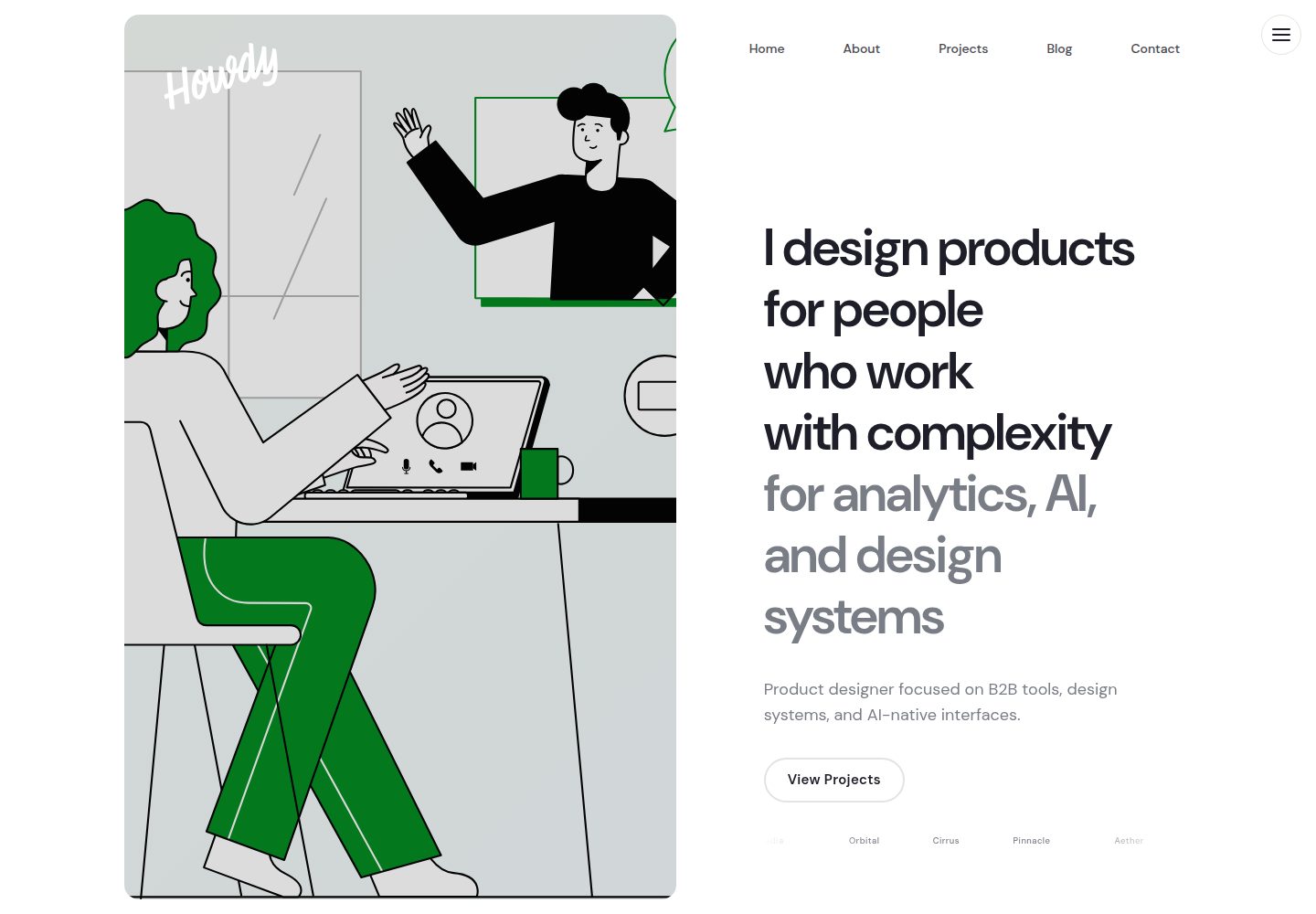
以 RubyGem 分发,通过 Gemfile 与 _config.yml 的 theme 字段安装
Jekyll作品集
howdy-jekyll-theme — Jekyll 作品集模板
作者 howdyitskyle
Howdy 是一个基于 Jekyll 的个人网站与作品集主题,采用 MIT 许可,支持浅色/深色模式、项目集合、分页博客与多种第三方服务配置。
看看你的网站会是什么样
浏览真实页面截图,比较内容排版与手机效果。点击下方缩略图切换,放大查看整页细节。
全部页面与视图 3
截图用于了解视觉与布局,交互效果请以实际项目为准。
采集于 2026-10-13查看来源
值得关注的模板亮点
从已有项目资料中,快速了解它的特点。
支持浅色/深色模式切换,偏好持久化并跟随系统设置
首页 Hero 支持单图或 2 张以上图片的触摸/滑动轮播
项目集合按年份排序,博客使用 jekyll-paginate-v2 分页并带分类色标
集成 jekyll-seo-tag、jekyll-feed、jekyll-sitemap,可选 Giscus/Disqus/Utterances 评论与 Mailchimp/Buttondown 订阅
提供 Playwright 端到端测试与 Rake 校验、Lighthouse 审计任务
模板详细介绍
Howdy 是一个面向个人网站与作品集的 Jekyll 主题,以 RubyGem 形式分发,可通过 Gemfile 与 _config.yml 中的 theme 字段安装到新建或已有 Jekyll 站点。主题提供首页 Hero 轮播(单图或 2 张以上图片启用触摸/滑动切换)、按年份排序的项目集合、带分页与分类色标的博客、自动目录、分享按钮、公司 Logo 跑马灯,以及浅色/深色模式切换(偏好持久化并跟随系统设置)。内容通过 _projects 与 _posts 目录中的 Markdown 文件管理,页面文案、导航、社交链接、字体、404 页等均在 _config.yml 中配置。主题集成 jekyll-seo-tag、jekyll-feed、jekyll-sitemap 与 jekyll-paginate-v2,并可选接入 Giscus/Disqus/Utterances 评论、Mailchimp/Buttondown/自定义表单的订阅,以及 Google Analytics 或 Plausible 统计。样式可通过覆盖 _sass 变量、_includes 与 _layouts 文件进行定制,强调色可在 colors.accent 中修改。仓库包含 Playwright 端到端测试与 Rake 任务,用于 HTML 校验、配置字段检查与 Lighthouse 审计;README 列出了 Chrome、Firefox、Safari、Edge 的兼容版本及若干浏览器已知差异。使用前需注意:主题代码为 MIT 许可,但演示图片、字体、图标等第三方素材需单独核对许可;评论、订阅、统计等外部服务可能产生额外费用。
Jekyll作品集
适合你的项目吗?
适用场景
- 搭建个人作品集网站,用 _projects 集合展示按年份排序的项目
- 建立带分页、分类与自动目录的个人博客
- 为个人站点配置浅色/深色模式、社交链接与分享按钮
- 在静态站点中接入第三方评论、邮件订阅或访问统计服务
适合人群
- 熟悉 Jekyll 与 Markdown 内容管理的个人开发者或设计师
- 需要作品集与博客并存的个人网站
- 希望以 RubyGem 方式安装并可通过 _config.yml 配置的主题使用者
- 接受自行核对演示图片、字体等第三方素材许可的站点搭建者
上手与定制指南
结合仓库当前版本的说明,按下面的资料检查内容、配置与运行要求。
- 1
需要 Ruby >= 3.0、Jekyll >= 3.9 与 Bundler >= 2.4;Node.js >= 18 仅用于 Lighthouse CI
- 2
新建站点可执行 jekyll new my-site --skip-bundle,再在 Gemfile 加入 gem "howdy-jekyll-theme" 并在 _config.yml 设置 theme: howdy-jekyll-theme
- 3
已有站点需移除 _config.yml 中的 theme 与 remote_theme 行,并删除 _layouts、_includes、_sass 目录后再安装
- 4
若遇权限或系统 gem 冲突,先执行 bundle config --local path .bundle 再 bundle install
- 5
评论、订阅、统计等外部服务需在 _config.yml 中填写对应 provider 与凭据,可能产生额外费用
授权与来源资料
使用条件与限制
免费使用 · 保留许可声明本次收录的是公开仓库中采用 MIT 许可的免费版本;免费范围为该版本代码,不代表外部服务或第三方素材免费。
使用时需要遵守
- 允许免费使用、修改、商用和分发该版本代码。
- 分发代码副本或实质性部分时,保留原作者版权声明和完整 MIT 许可声明。
- 代码按现状提供;担保与责任限制以原许可证及适用法律为准。
额外费用与待核对事项
- 演示图片、字体、图标及其他第三方素材需按各自许可核对,不能仅凭代码的 MIT 许可判断。
- 域名、托管、数据库、支付或 AI 等外部服务可能另外收费。
- 主题设计灵感来自并改编自 axeltmpl 的 Framer 模板,该模板本身并非本仓库的 MIT 代码,使用者需自行确认其设计来源的授权情况。
- 演示所用 SVG 插画来自 Illustration Kit 的 Ven 系列,属于第三方素材,其许可与主题的 MIT 代码许可相互独立,需单独核对。
- Logo 使用的 Chaumont Script 字体由 Måns Grebäck 提供,属于第三方字体素材,商用或再分发前需自行确认其字体许可。
- Node.js 18 及以上仅在运行 Lighthouse CI 审计时需要,普通站点构建与部署不依赖 Node.js。
- 启用邮件订阅需在 _config.yml 中配置 Mailchimp、Buttondown 或自定义表单的 provider 与 action_url,属于外部服务,可能产生费用或需注册账号。
- 启用评论需配置 Giscus、Disqus 或 Utterances,并填写仓库、分类等凭据,依赖 GitHub 或第三方评论服务。
- 启用访问统计需选择 Google Analytics 或 Plausible 并填写对应域名或凭据,属于外部服务,可能产生费用。
查看原文依据
Permission is hereby granted, free of charge
许可证原文
- **[axeltmpl](https://axeltmpl.framer.website/)** — Design inspired by and remixed from this Framer template
README 原文
- **[Ven from Illustration Kit](https://illustrationkit.com/illustrations/ven)** — Free SVG illustrations
README 原文
- **[Chaumont Script](https://fontmeme.com/fonts/chaumont-script-font/)** — by Måns Grebäck
README 原文
| [Node.js](https://nodejs.org/) | >= 18 | For Lighthouse CI only |
README 原文
newsletter: enabled: true provider: buttondown # mailchimp, buttondown, custom action_url: "https://..." # form action URL
README 原文
comments: enabled: false provider: giscus # giscus, disqus, utterances giscus: repo: "user/repo" repo_id: "R_XXXXXXXX" category: "Announcements" category_id: "DIC_XXXXXXXX"
README 原文
https://github.com/howdyitskyle/howdy-jekyll-theme/blob/main/LICENSEhttps://github.com/howdyitskyle/howdy-jekyll-theme/blob/main/README.mdanalytics: provider: plausible # google, plausible plausible_domain: "yoursite.com"
README 原文
DeepSeek 根据仓库许可证和 README 整理 ·2026-10-13。结果仅覆盖已读取资料,依赖、图片、字体及后续条款变更以各自原文为准。
项目核对记录与介绍依据
模板资料
- 来源平台
- GitHub
- 资料与维护参考分
- 资料较完整 · 80 / 100
- 技术栈
- Jekyll
- 网站类型
- 作品集
这个分数如何计算
本站按许可资料(最高30分)、演示链接(12分)、预览图(10分)、Star数(15分)、记录的维护时间(15分)、描述完整度(8分)、功能记录(5分)和分类资料(5分)计算。它不是代码、安全或性能测试,也不是 Google 评分;有链接不代表已实测可用。
这个项目需要核对什么
- 记录的仓库更新时间
- 2026-09-14
- 截图检查日期
- 2026-10-13
已收录演示链接。请用你的内容与屏幕尺寸检查;有演示不代表表单、认证或支付已经可用。
目录记录的主要技术栈是 Jekyll。请通过依赖清单和锁文件核对实际版本与托管要求。这些说明基于收录资料,不代表代码审计或部署实测。
查看具体选型方法 →介绍的制作与核对状态
介绍由 AI 辅助整理目录与仓库资料。仓库作者不等于这篇介绍的审核者。
审核声明: [email protected] · 2026-10-13
查看当时使用的来源资料
SHA-256: 09a0e0f2b9635fad3b85afae1e566c4ec6dd046cfd60f7c78752c569a29445f2
2026-10-13T08:33:19.545Z
来源文件 / 仓库# Howdy Jekyll Theme > A clean, modern, and minimalist Jekyll theme for personal websites and portfolios. [](https://rubygems.org/gems/howdy-jekyll-theme) [](https://rubygems.org/gems/howdy-jekyll-theme) [](https://github.com/howdyitskyle/howdy-jekyll-theme/actions/workflows/ci.yml) [](https://jekyllrb.com/) [](https://www.ruby-lang.org/) [](LICENSE) [](lighthouserc.json) [**Live Demo**](https://howdyitskyle.github.io/howdy-jekyll-theme/) · [**Installation**](#installation) · [**Configuration**](#configuration) · [**Contributing**](#contributing) --- ## Requirements | Dependency | Version | Required | |---|---|---| | [Ruby](https://www.ruby-lang.org/) | >= 3.0 | Yes | | [Jekyll](https://jekyllrb.com/) | >= 3.9 | Yes | | [Bundler](https://bundler.io/) | >= 2.4 | Yes | | [Node.js](https://nodejs.org/) | >= 18 | For Lighthouse CI only | ## Screenshots | Light Mode | Dark Mode | |---|---| |  |  | ## Features | Feature | Description | |---|---| | **Gem-based** | Easy installation via RubyGems | | **Light & Dark** | Toggle with persistent preference, respects system preference | | **Responsive** | Desktop, tablet, and mobile optimized | | **Hero Carousel** | Touch/swipe-enabled, Swiper.js powered, fade transitions, autoplay | | **Projects** | Portfolio collection sorted by year with dedicated layouts | | **Blog** | jekyll-paginate-v2 powered with category color accents | | **SEO** | jekyll-seo-tag integration | | **RSS** | Automatic feed via jekyll-feed | | **TOC** | Auto-generated table of contents with configurable heading levels | | **Share** | Twitter, LinkedIn, Facebook, Reddit, Hacker News, WhatsApp, Telegram, Email, and copy-link buttons | | **Newsletter** | Mailchimp, Buttondown, or custom form support | | **Comments** | Giscus, Disqus, or Utterances | | **Analytics** | Google Analytics or Plausible | | **Company Logos** | Configurable marquee section | | **Fonts** | Local DM Sans variable font + Chaumont Script logo font. Configurable via `fonts.primary` and `fonts.mono` | ## Browser Compatibility | Browser | Version | Supported | |---|---|---| | Chrome | 120+ | ✅ | | Firefox | 115+ | ✅ | | Safari | 16+ | ✅ | | Edge | 120+ | ✅ | ### Known Quirks - **Firefox scrollbars**: Uses `scrollbar-color` and `scrollbar-width` (native thin scrollbars). `::-webkit-scrollbar` rules are ignored. - **Safari `scroll-margin-top`**: Fully supported in Safari 15+. Older versions may require `padding-top` workaround on headings. - **Safari SVG `loading="lazy"`**: SVG images do not support lazy loading in Safari; they load eagerly regardless of attribute. ## Automated Testing This theme includes Playwright end-to-end tests covering: | Test Suite | Coverage | |---|---| | `nav.spec.js` | Hamburger toggle, ESC/overlay close, desktop hide | | `theme.spec.js` | Light/dark toggle, localStorage persistence, reload restore | | `carousel.spec.js` | Dot navigation, swipe gestures, slide dimensions | | `toc.spec.js` | Anchor scroll, scroll-margin offset, TOC presence | | `transitions.spec.js` | Page fade-out, external/hash link exclusion | ```bash npm test # Run all tests npm run test:ui # Interactive UI mode ``` ## Installation ### New Jekyll Site ```bash jekyll new my-site --skip-bundle cd my-site ``` ### Add the Theme Add to your `Gemfile`: ```ruby gem "howdy-jekyll-theme" ``` Add to your `_config.yml`: ```yaml theme: howdy-jekyll-theme ``` Then install: ```bash bundle config --local path .bundle bundle install ``` > **Troubleshooting:** If you run into permission issues or conflicts with system gems, run `bundle config --local path .bundle` before `bundle install`. This vendors all gems into the project's `.bundle/` directory, keeping your environment isolated. ### Existing Site Remove any `theme:` and `remote_theme:` lines from `_config.yml`, delete `_layouts`, `_includes`, and `_sass` directories, then follow the steps above. ## Configuration ### Minimal Setup ```yaml # _config.yml title: "Your Name" description: "Your site description" lang: "en" author: "Your Name" email: "[email protected]" url: "https://yoursite.com" baseurl: "" theme: howdy-jekyll-theme plugins: - jekyll-seo-tag - jekyll-feed - jekyll-sitemap - jekyll-paginate-v2 collections: projects: output: true permalink: /projects/:slug/ sort_by: year pagination: enabled: true per_page: 5 permalink: "/blog/page:num/" sort_reverse: true ``` ### Hero Carousel Single image or multi-image carousel: ```yaml # Single image hero_image: /assets/images/hero.png # Carousel (2+ images enables touch/swipe) hero_images: - /assets/images/hero-1.jpg - /assets/images/hero-2.jpg - /assets/images/hero-3.jpg ``` ### Navigation ```yaml navigation: - title: "Home" url: "/" - title: "Projects" url: "/projects/" - title: "Blog" url: "/blog/" - title: "About" url: "/about" ``` ### Social Links ```yaml social: github: "https://github.com/yourusername" twitter: "https://x.com/yourusername" linkedin: "https://linkedin.com/in/yourusername" instagram: "https://instagram.com/yourusername" dribbble: "https://dribbble.com/yourusername" ``` ### Homepage Hero ```yaml hero: headline: "I shape product strategy<br>& design experiences<br><span class=\"text-muted\">at scale</span>" subtitle: "Your tagline or short description." cta_text: "View case studies" cta_url: "/projects/" ``` ### About Page ```yaml about_bio: "Your intro paragraph. <strong>HTML</strong> supported." about_headline: "Building products that<br>sit at the intersection<br><span class=\"text-muted\">of design and intelligence</span>" about_paragraph_2: "Your second paragraph." about_paragraph_3: "Your third paragraph." about_hero_image: "/assets/illustrations/designer.svg" about_resume: enabled: true text: "Download Resume" url: "/assets/resume.pdf" # Testimonials (shown on about page) testimonials: - quote: "A great testimonial quote." name: "Jane Doe" role: "Title, Company" ``` ### Pagination ```yaml pagination: enabled: true per_page: 5 permalink: "page:num/" sort_reverse: true prev_text: "Prev" next_text: "Next" ``` ### 404 Page ```yaml page_404: title: "Page Not Found" message: "The page you're looking for doesn't exist or has been moved." button_text: "Go Home" button_url: "/" ``` ### Fonts ```yaml fonts: primary: "DM Sans" # DM Sans, Inter, Plus Jakarta Sans, Instrument Sans, Space Grotesk, Work Sans, Outfit, Manrope, Sora mono: "Fragment Mono" # Fragment Mono, JetBrains Mono, Fira Code ``` ### Company Logos Marquee ```yaml company_logos: enabled: true items: - name: "Company 1" width: 120 url: "https://company1.com" - name: "Company 2" width: 100 url: "https://company2.com" ``` ### Newsletter, Comments, Analytics ```yaml # Newsletter newsletter: enabled: true provider: buttondown # mailchimp, buttondown, custom action_url: "https://..." # form action URL title: "Stay updated" # Comments comments: enabled: false provider: giscus # giscus, disqus, utterances giscus: repo: "user/repo" repo_id: "R_XXXXXXXX" category: "Announcements" category_id: "DIC_XXXXXXXX" # Analytics analytics: provider: plausible # google, plausible plausible_domain: "yoursite.com" ``` ## Content Types ### Projects Create files in `_projects/`: ```yaml --- layout: project title: "Project Name" subtitle: "Brief description" category: "Web Design" year: "2025" image: /assets/images/project.jpg --- Project content with markdown... ``` ### Blog Posts Create files in `_posts/` with naming format `YYYY-MM-DD-slug.md`: ```yaml --- layout: post title: "Post Title" category: "Tutorials" # Tutorials, Inspiration, Freebies, Interviews image: /assets/images/post.jpg --- Post content... ``` > **Tip:** Use `<!--more-->` to define the excerpt shown on the blog index. ## Customization ### Override Styles Create `assets/css/main.scss` in your site: ```scss --- --- @use "variables"; @use "base"; @use "typography"; @use "layout"; @use "components"; @use "dark-mode"; // Your styles here ``` ### Override Partials Copy any `_includes/` or `_layouts/` file into your site's directory with the same path. Jekyll will use your version instead of the theme's. ### User Color Palette Override the accent color in your `_config.yml`: ```yaml colors: accent: "#e63946" ``` ## Development ```bash git clone https://github.com/howdyitskyle/howdy-jekyll-theme.git cd howdy-jekyll-theme bundle config --local path .bundle bundle install bundle exec jekyll serve ``` Visit `http://localhost:4000`. ### Testing ```bash bundle exec rake test # HTML validation (links, images, scripts) bundle exec rake validate_config # Config field checks bundle exec rake lighthouse # Performance & accessibility audits bundle exec rake all # All of the above ``` Lighthouse CI asserts accessibility >= 0.9 across 5 pages. ### Build the Gem ```bash gem build howdy-jekyll-theme.gemspec gem install ./howdy-jekyll-theme-1.0.0.gem ``` ## File Structure ``` ├── _includes/ # 12 partials (nav, hero-carousel, toc, share, etc.) ├── _layouts/ # 7 layouts (default, home, page, post, project, blog, collection) ├── _sass/ # 7 stylesheets (variables, base, typography, layout, components, dark-mode, user-colors) ├── assets/ │ ├── css/ # main.scss, swiper-bundle.min.css │ ├── js/ # hero-carousel.js, mobile-nav.js, theme-toggle.js, swiper-bundle.min.js │ ├── fonts/ # ChaumontScript-Regular.otf, DMSans-Variable.ttf, DMSans-Italic-Variable.ttf │ ├── images/ │ └── illustrations/ ├── _projects/ # Demo portfolio items ├── _posts/ # Demo blog posts ├── blog/ # Blog index with pagination ├── lib/ # Gem entry point ├── _config.yml # Fully documented configuration ├── Rakefile # Test runner └── lighthouserc.json # Lighthouse CI assertions ``` ## Contributing 1. Fork the repo 2. Create a feature branch (`git checkout -b feature/amazing-feature`) 3. Commit your changes (`git commit -m 'Add amazing feature'`) 4. Push to the branch (`git push origin feature/amazing-feature`) 5. Open a Pull Request Bug reports and feature requests are welcome at [Issues](https://github.com/howdyitskyle/howdy-jekyll-theme/issues). ## License This theme is available under the [MIT License](LICENSE). ## Acknowledgments - **[axeltmpl](https://axeltmpl.framer.website/)** — Design inspired by and remixed from this Framer template - **[Ven from Illustration Kit](https://illustrationkit.com/illustrations/ven)** — Free SVG illustrations - **[Swiper.js](https://swiperjs.com/)** — Touch-enabled carousel (MIT) - **[Chaumont Script](https://fontmeme.com/fonts/chaumont-script-font/)** — by Måns Grebäck - **[Jekyll](https://jekyllrb.com/)** — Static site generator
看看同类模板
对比同技术栈与用途的模板,找到更适合的视觉与内容结构。

al-folio
al-folio 是一个面向学者与研究人员的 Jekyll 作品集主题,设计简洁、响应式,适合搭建个人学术主页。
Jekyll · 作品集

minimal-mistakes
:triangular_ruler: Jekyll theme for building a personal site, blog, project documentation, or portfolio.
Jekyll · 作品集

Beautiful Jekyll
Beautiful Jekyll 是一个在 Jekyll 生态中经过长期打磨的博客主题,由 Dean Attali 维护,自 2015 年起积累了超过 5 万用户。
Jekyll · 博客

So Simple
So Simple 是 Michael Rose 开发的 Jekyll 主题,定位清晰:为文字和图片提供一个干净、可读性强的展示框架。
Jekyll · 博客
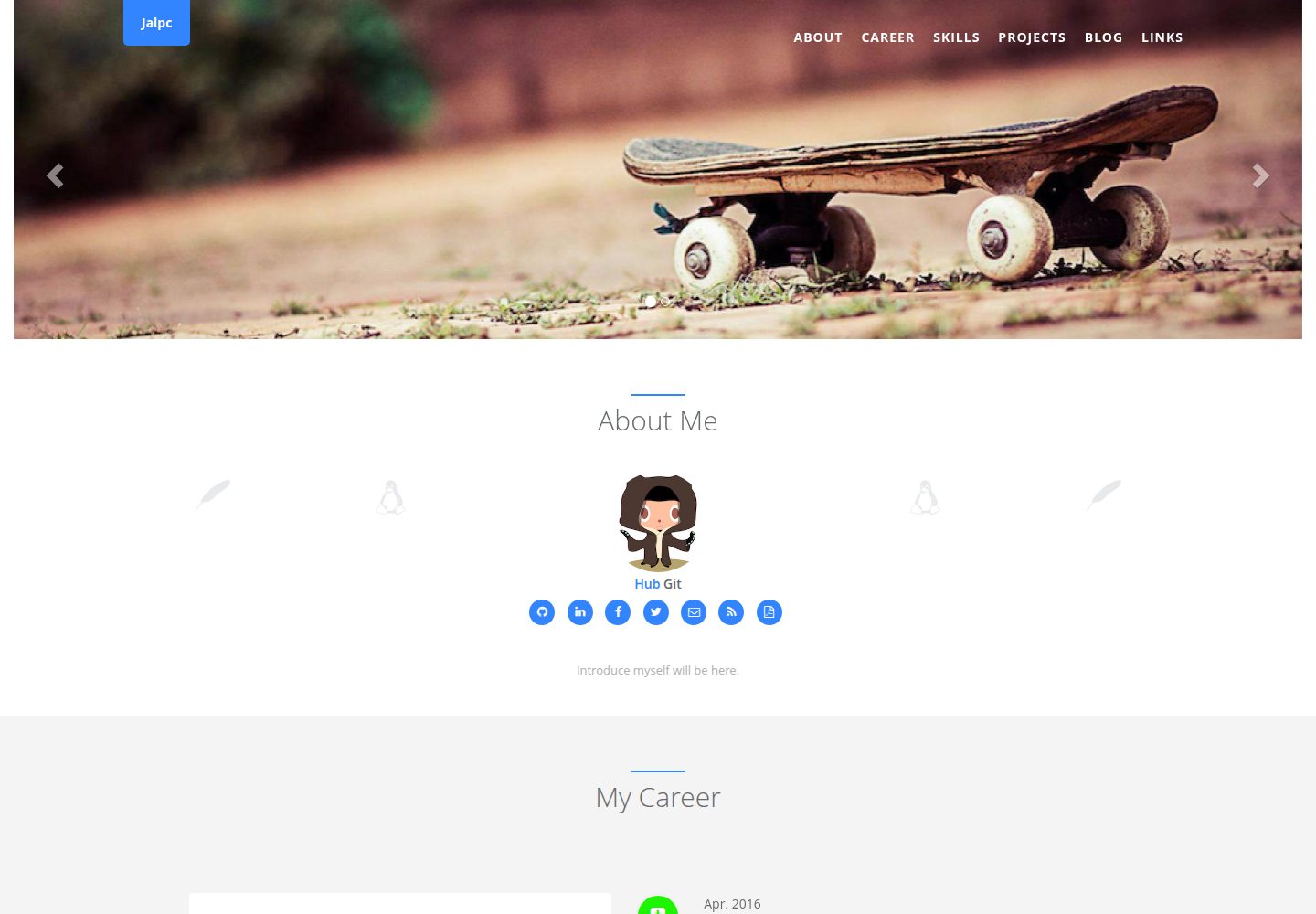
Jalpc
🍎Jalpc -- A flexible Jekyll theme, 3 steps to build your website.
Jekyll · 作品集
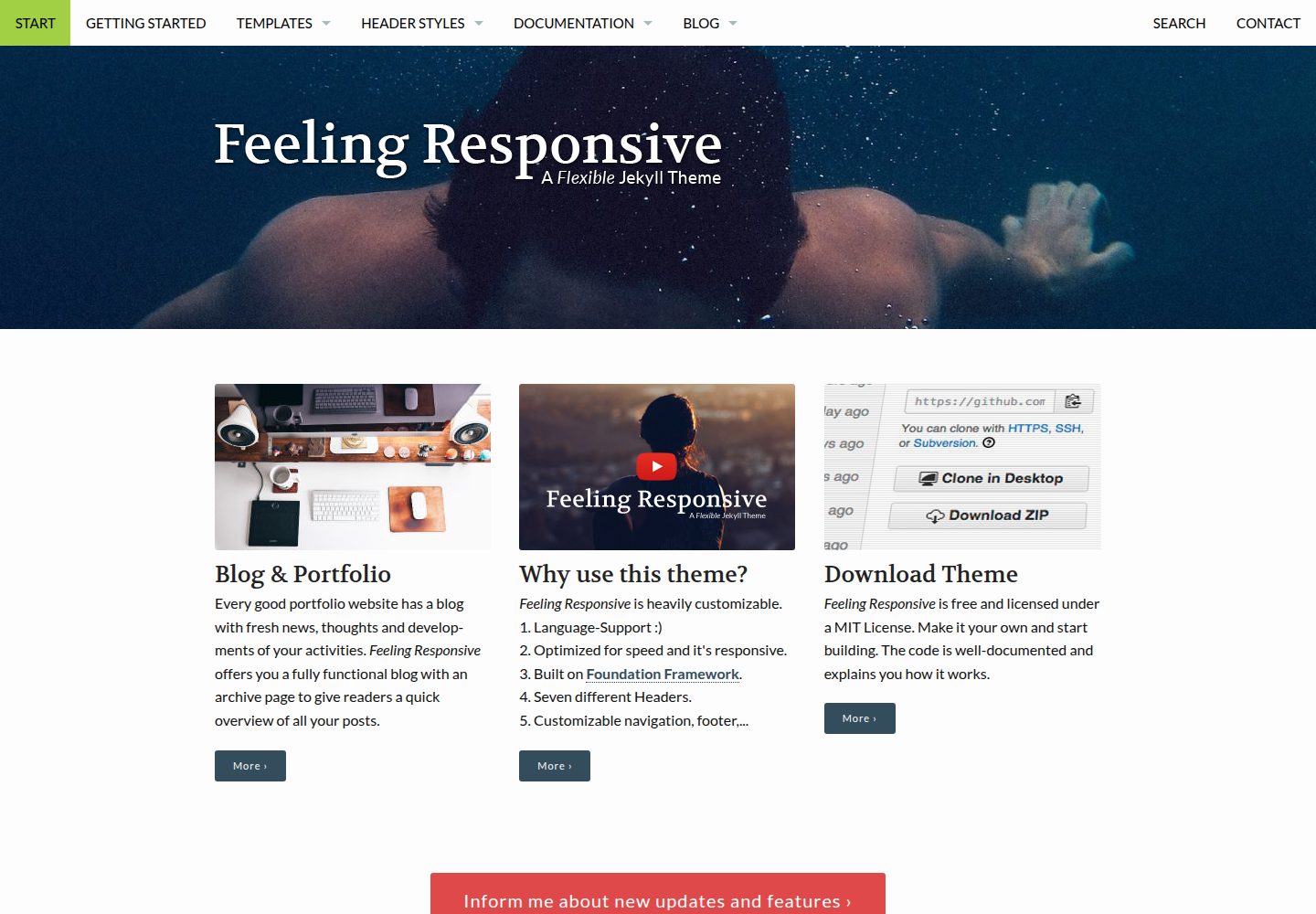
feeling-responsive
»Feeling Responsive« is a free flexible theme for Jekyll built on Foundation framework. You can use it for you…
Jekyll · 作品集