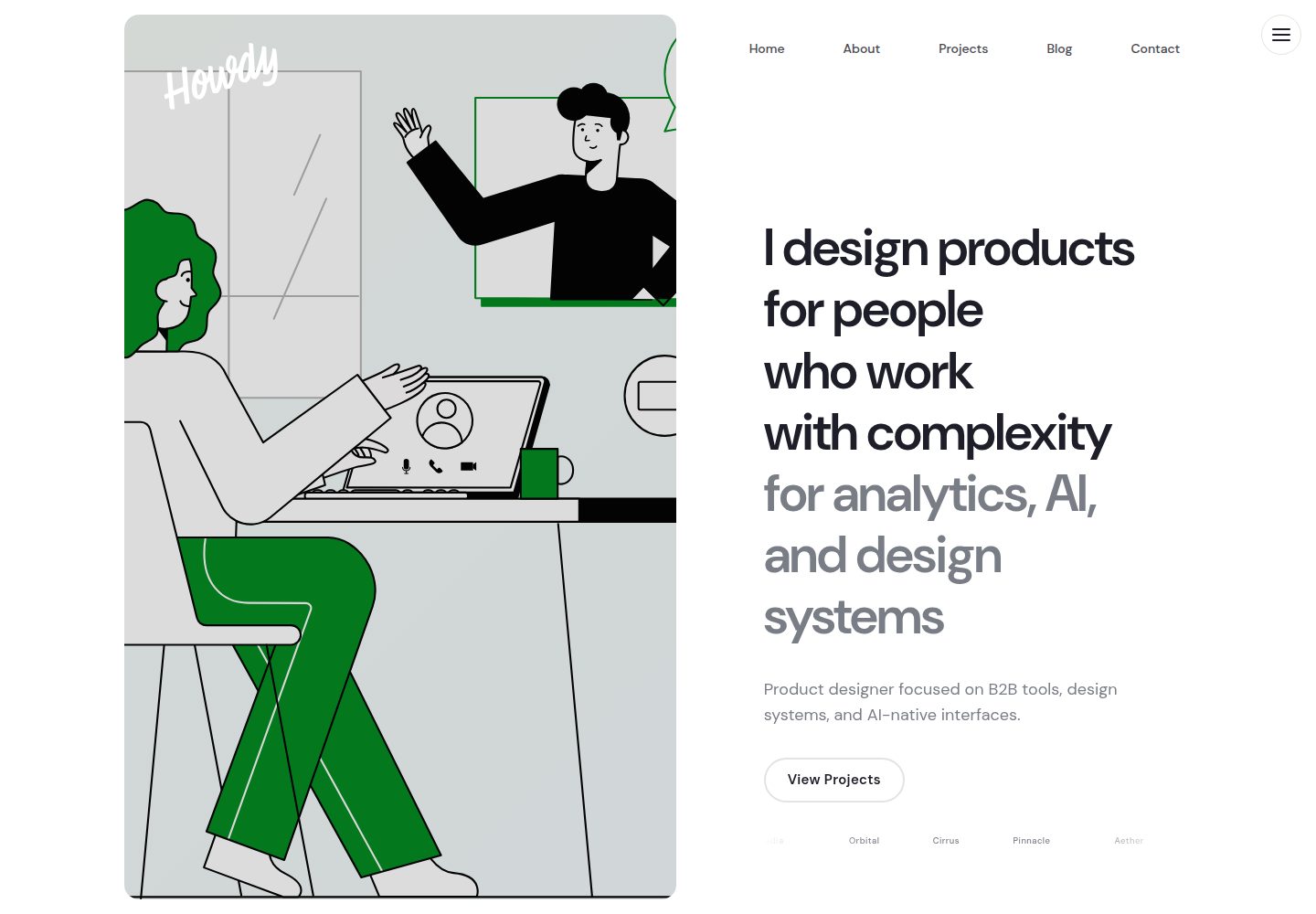
Distributed as a RubyGem, installed via Gemfile and the theme field in _config.yml
JekyllPortfolio
howdy-jekyll-theme — Jekyll Portfolio Template
By howdyitskyle
Howdy is a Jekyll theme for personal websites and portfolios, MIT licensed, with light/dark mode, project collections, paginated blog, and configuration for various third-party services.
Explore the design
Compare the page layouts and mobile experience. Open any screenshot for a closer look.
Desktop homepage1 / 3
Desktop captureTop of page
Actual screenshot captured by the server browser.
All pages & views 3
Screenshots show visual appearance; interactive behavior may differ.
Recorded 2026-10-13View source
What stands out
A quick read of the recorded project description.
Supports light/dark mode toggle, with preference persisted and following system settings
Homepage hero supports single image or touch/swipe carousel with 2 or more images
Project collection sorted by year; blog uses jekyll-paginate-v2 pagination with category color tags
Integrates jekyll-seo-tag, jekyll-feed, jekyll-sitemap; optional Giscus/Disqus/Utterances comments and Mailchimp/Buttondown subscriptions
Provides Playwright end-to-end tests and Rake validation, Lighthouse audit tasks
Template Details
Howdy is a Jekyll theme for personal websites and portfolios, distributed as a RubyGem and installable into new or existing Jekyll sites via the Gemfile and the theme field in _config.yml. The theme provides a homepage hero carousel (single image or touch/swipe switching when 2 or more images are provided), a project collection sorted by year, a blog with pagination and category color tags, automatic table of contents, share buttons, a company logo marquee, and light/dark mode toggle (preference persisted and follows system settings). Content is managed through Markdown files in the _projects and _posts directories; page copy, navigation, social links, fonts, 404 page, and more are configured in _config.yml. The theme integrates jekyll-seo-tag, jekyll-feed, jekyll-sitemap, and jekyll-paginate-v2, and optionally supports Giscus/Disqus/Utterances comments, Mailchimp/Buttondown/custom form subscriptions, and Google Analytics or Plausible analytics. Styling can be customized by overriding _sass variables, _includes, and _layouts files; the accent color can be changed in colors.accent. The repository includes Playwright end-to-end tests and Rake tasks for HTML validation, configuration field checks, and Lighthouse audits; the README lists compatible versions for Chrome, Firefox, Safari, and Edge, along with several known browser differences. Before use, note: the theme code is MIT licensed, but third-party assets such as demo images, fonts, and icons require separate license verification; external services such as comments, subscriptions, and analytics may incur additional costs.
JekyllPortfolio
Is it right for your project?
Use Cases
- Build a personal portfolio website, using the _projects collection to display projects sorted by year
- Create a personal blog with pagination, categories, and automatic table of contents
- Configure light/dark mode, social links, and share buttons for a personal site
- Integrate third-party comments, email subscriptions, or analytics services into a static site
Suitable For
- Individual developers or designers familiar with Jekyll and Markdown content management
- Personal websites that need both a portfolio and a blog
- Theme users who want to install via RubyGem and configure through _config.yml
- Site builders who accept verifying licenses for third-party assets such as demo images and fonts themselves
Getting started & customization
Use these recorded setup notes alongside the repository instructions for your chosen version.
- 1
Requires Ruby >= 3.0, Jekyll >= 3.9, and Bundler >= 2.4; Node.js >= 18 is only needed for Lighthouse CI
- 2
For a new site, run jekyll new my-site --skip-bundle, then add gem "howdy-jekyll-theme" to the Gemfile and set theme: howdy-jekyll-theme in _config.yml
- 3
For an existing site, remove the theme and remote_theme lines from _config.yml, and delete the _layouts, _includes, and _sass directories before installing
- 4
If permission or system gem conflicts occur, first run bundle config --local path .bundle then bundle install
- 5
External services such as comments, subscriptions, and analytics require filling in the corresponding provider and credentials in _config.yml, and may incur additional costs
License & source material
Usage conditions & limitations
Free to use · keep license noticeThis entry covers the free version from the public repository under the MIT license; the free scope is the code of this version and does not imply that external services or third-party assets are free.
Must comply with when using
- Free use, modification, commercial use, and distribution of this version's code are permitted.
- When distributing copies or substantial portions of the code, retain the original author's copyright notice and the full MIT license notice.
- The code is provided as is; warranties and limitations of liability are governed by the original license and applicable law.
Additional costs & items to verify
- Demo images, fonts, icons, and other third-party assets must be checked under their respective licenses; they cannot be assumed to be covered solely by the code's MIT license.
- External services such as domains, hosting, databases, payments, or AI may incur additional charges.
- The theme design is inspired by and adapted from axeltmpl's Framer template, which itself is not part of this repository's MIT code; users must verify the licensing status of its design source.
- The SVG illustrations used in the demo are from Illustration Kit's Ven series, which are third-party assets; their license is independent of the theme's MIT code license and must be checked separately.
- The Chaumont Script font used in the logo is provided by Måns Grebäck and is a third-party font asset; its font license must be verified before commercial use or redistribution.
- Node.js 18 and above is only required for running Lighthouse CI audits; normal site building and deployment do not depend on Node.js.
- Enabling email subscriptions requires configuring the provider and action_url for Mailchimp, Buttondown, or a custom form in _config.yml; this is an external service that may incur costs or require account registration.
- Enabling comments requires configuring Giscus, Disqus, or Utterances and filling in credentials such as repository and category; it depends on GitHub or a third-party comment service.
- Enabling analytics requires choosing Google Analytics or Plausible and filling in the corresponding domain or credentials; this is an external service that may incur costs.
View Original Text Basis
Permission is hereby granted, free of charge
Original License Text
- **[axeltmpl](https://axeltmpl.framer.website/)** — Design inspired by and remixed from this Framer template
Original README
- **[Ven from Illustration Kit](https://illustrationkit.com/illustrations/ven)** — Free SVG illustrations
Original README
- **[Chaumont Script](https://fontmeme.com/fonts/chaumont-script-font/)** — by Måns Grebäck
Original README
| [Node.js](https://nodejs.org/) | >= 18 | For Lighthouse CI only |
Original README
newsletter: enabled: true provider: buttondown # mailchimp, buttondown, custom action_url: "https://..." # form action URL
Original README
comments: enabled: false provider: giscus # giscus, disqus, utterances giscus: repo: "user/repo" repo_id: "R_XXXXXXXX" category: "Announcements" category_id: "DIC_XXXXXXXX"
Original README
https://github.com/howdyitskyle/howdy-jekyll-theme/blob/main/LICENSEhttps://github.com/howdyitskyle/howdy-jekyll-theme/blob/main/README.mdanalytics: provider: plausible # google, plausible plausible_domain: "yoursite.com"
Original README
Compiled by DeepSeek based on repository license and README ·2026-10-13. Results only cover the materials read; dependencies, images, fonts, and subsequent term changes are subject to their respective original texts.
Project checks & description sources
Template Information
- Source platforms
- GitHub
- Documentation and maintenance reference score
- More documented · 80 / 100
- Technologies
- Jekyll
- Website type
- Portfolio
How this score is calculated
Our heuristic uses license records (up to 30), a demo link (12), a preview (10), stars (15), recorded maintenance (15), description completeness (8), feature records (5) and classification data (5). It is not a code, security or performance test, or a Google score. A link does not establish tested functionality.
What to verify for this project
- Repository update recorded
- 2026-09-14
- Screenshot last checked
- 2026-10-13
A demo link is listed. Check it with your own content and viewport sizes; its presence does not confirm that forms, authentication or payments work.
The catalog identifies Jekyll as the primary stack. Check the actual dependency manifest and lockfile for versions and hosting requirements. These notes use recorded metadata, not a code audit or a deployment test.
Use a selection guide →How this description was prepared
AI-assisted description based on catalog records and repository material. Repository authors are not automatically the reviewers of this description.
Review declaration: [email protected] · 2026-10-13
Inspect the recorded source material
SHA-256: 09a0e0f2b9635fad3b85afae1e566c4ec6dd046cfd60f7c78752c569a29445f2
2026-10-13T08:33:19.545Z
Source file / repository# Howdy Jekyll Theme > A clean, modern, and minimalist Jekyll theme for personal websites and portfolios. [](https://rubygems.org/gems/howdy-jekyll-theme) [](https://rubygems.org/gems/howdy-jekyll-theme) [](https://github.com/howdyitskyle/howdy-jekyll-theme/actions/workflows/ci.yml) [](https://jekyllrb.com/) [](https://www.ruby-lang.org/) [](LICENSE) [](lighthouserc.json) [**Live Demo**](https://howdyitskyle.github.io/howdy-jekyll-theme/) · [**Installation**](#installation) · [**Configuration**](#configuration) · [**Contributing**](#contributing) --- ## Requirements | Dependency | Version | Required | |---|---|---| | [Ruby](https://www.ruby-lang.org/) | >= 3.0 | Yes | | [Jekyll](https://jekyllrb.com/) | >= 3.9 | Yes | | [Bundler](https://bundler.io/) | >= 2.4 | Yes | | [Node.js](https://nodejs.org/) | >= 18 | For Lighthouse CI only | ## Screenshots | Light Mode | Dark Mode | |---|---| |  |  | ## Features | Feature | Description | |---|---| | **Gem-based** | Easy installation via RubyGems | | **Light & Dark** | Toggle with persistent preference, respects system preference | | **Responsive** | Desktop, tablet, and mobile optimized | | **Hero Carousel** | Touch/swipe-enabled, Swiper.js powered, fade transitions, autoplay | | **Projects** | Portfolio collection sorted by year with dedicated layouts | | **Blog** | jekyll-paginate-v2 powered with category color accents | | **SEO** | jekyll-seo-tag integration | | **RSS** | Automatic feed via jekyll-feed | | **TOC** | Auto-generated table of contents with configurable heading levels | | **Share** | Twitter, LinkedIn, Facebook, Reddit, Hacker News, WhatsApp, Telegram, Email, and copy-link buttons | | **Newsletter** | Mailchimp, Buttondown, or custom form support | | **Comments** | Giscus, Disqus, or Utterances | | **Analytics** | Google Analytics or Plausible | | **Company Logos** | Configurable marquee section | | **Fonts** | Local DM Sans variable font + Chaumont Script logo font. Configurable via `fonts.primary` and `fonts.mono` | ## Browser Compatibility | Browser | Version | Supported | |---|---|---| | Chrome | 120+ | ✅ | | Firefox | 115+ | ✅ | | Safari | 16+ | ✅ | | Edge | 120+ | ✅ | ### Known Quirks - **Firefox scrollbars**: Uses `scrollbar-color` and `scrollbar-width` (native thin scrollbars). `::-webkit-scrollbar` rules are ignored. - **Safari `scroll-margin-top`**: Fully supported in Safari 15+. Older versions may require `padding-top` workaround on headings. - **Safari SVG `loading="lazy"`**: SVG images do not support lazy loading in Safari; they load eagerly regardless of attribute. ## Automated Testing This theme includes Playwright end-to-end tests covering: | Test Suite | Coverage | |---|---| | `nav.spec.js` | Hamburger toggle, ESC/overlay close, desktop hide | | `theme.spec.js` | Light/dark toggle, localStorage persistence, reload restore | | `carousel.spec.js` | Dot navigation, swipe gestures, slide dimensions | | `toc.spec.js` | Anchor scroll, scroll-margin offset, TOC presence | | `transitions.spec.js` | Page fade-out, external/hash link exclusion | ```bash npm test # Run all tests npm run test:ui # Interactive UI mode ``` ## Installation ### New Jekyll Site ```bash jekyll new my-site --skip-bundle cd my-site ``` ### Add the Theme Add to your `Gemfile`: ```ruby gem "howdy-jekyll-theme" ``` Add to your `_config.yml`: ```yaml theme: howdy-jekyll-theme ``` Then install: ```bash bundle config --local path .bundle bundle install ``` > **Troubleshooting:** If you run into permission issues or conflicts with system gems, run `bundle config --local path .bundle` before `bundle install`. This vendors all gems into the project's `.bundle/` directory, keeping your environment isolated. ### Existing Site Remove any `theme:` and `remote_theme:` lines from `_config.yml`, delete `_layouts`, `_includes`, and `_sass` directories, then follow the steps above. ## Configuration ### Minimal Setup ```yaml # _config.yml title: "Your Name" description: "Your site description" lang: "en" author: "Your Name" email: "[email protected]" url: "https://yoursite.com" baseurl: "" theme: howdy-jekyll-theme plugins: - jekyll-seo-tag - jekyll-feed - jekyll-sitemap - jekyll-paginate-v2 collections: projects: output: true permalink: /projects/:slug/ sort_by: year pagination: enabled: true per_page: 5 permalink: "/blog/page:num/" sort_reverse: true ``` ### Hero Carousel Single image or multi-image carousel: ```yaml # Single image hero_image: /assets/images/hero.png # Carousel (2+ images enables touch/swipe) hero_images: - /assets/images/hero-1.jpg - /assets/images/hero-2.jpg - /assets/images/hero-3.jpg ``` ### Navigation ```yaml navigation: - title: "Home" url: "/" - title: "Projects" url: "/projects/" - title: "Blog" url: "/blog/" - title: "About" url: "/about" ``` ### Social Links ```yaml social: github: "https://github.com/yourusername" twitter: "https://x.com/yourusername" linkedin: "https://linkedin.com/in/yourusername" instagram: "https://instagram.com/yourusername" dribbble: "https://dribbble.com/yourusername" ``` ### Homepage Hero ```yaml hero: headline: "I shape product strategy<br>& design experiences<br><span class=\"text-muted\">at scale</span>" subtitle: "Your tagline or short description." cta_text: "View case studies" cta_url: "/projects/" ``` ### About Page ```yaml about_bio: "Your intro paragraph. <strong>HTML</strong> supported." about_headline: "Building products that<br>sit at the intersection<br><span class=\"text-muted\">of design and intelligence</span>" about_paragraph_2: "Your second paragraph." about_paragraph_3: "Your third paragraph." about_hero_image: "/assets/illustrations/designer.svg" about_resume: enabled: true text: "Download Resume" url: "/assets/resume.pdf" # Testimonials (shown on about page) testimonials: - quote: "A great testimonial quote." name: "Jane Doe" role: "Title, Company" ``` ### Pagination ```yaml pagination: enabled: true per_page: 5 permalink: "page:num/" sort_reverse: true prev_text: "Prev" next_text: "Next" ``` ### 404 Page ```yaml page_404: title: "Page Not Found" message: "The page you're looking for doesn't exist or has been moved." button_text: "Go Home" button_url: "/" ``` ### Fonts ```yaml fonts: primary: "DM Sans" # DM Sans, Inter, Plus Jakarta Sans, Instrument Sans, Space Grotesk, Work Sans, Outfit, Manrope, Sora mono: "Fragment Mono" # Fragment Mono, JetBrains Mono, Fira Code ``` ### Company Logos Marquee ```yaml company_logos: enabled: true items: - name: "Company 1" width: 120 url: "https://company1.com" - name: "Company 2" width: 100 url: "https://company2.com" ``` ### Newsletter, Comments, Analytics ```yaml # Newsletter newsletter: enabled: true provider: buttondown # mailchimp, buttondown, custom action_url: "https://..." # form action URL title: "Stay updated" # Comments comments: enabled: false provider: giscus # giscus, disqus, utterances giscus: repo: "user/repo" repo_id: "R_XXXXXXXX" category: "Announcements" category_id: "DIC_XXXXXXXX" # Analytics analytics: provider: plausible # google, plausible plausible_domain: "yoursite.com" ``` ## Content Types ### Projects Create files in `_projects/`: ```yaml --- layout: project title: "Project Name" subtitle: "Brief description" category: "Web Design" year: "2025" image: /assets/images/project.jpg --- Project content with markdown... ``` ### Blog Posts Create files in `_posts/` with naming format `YYYY-MM-DD-slug.md`: ```yaml --- layout: post title: "Post Title" category: "Tutorials" # Tutorials, Inspiration, Freebies, Interviews image: /assets/images/post.jpg --- Post content... ``` > **Tip:** Use `<!--more-->` to define the excerpt shown on the blog index. ## Customization ### Override Styles Create `assets/css/main.scss` in your site: ```scss --- --- @use "variables"; @use "base"; @use "typography"; @use "layout"; @use "components"; @use "dark-mode"; // Your styles here ``` ### Override Partials Copy any `_includes/` or `_layouts/` file into your site's directory with the same path. Jekyll will use your version instead of the theme's. ### User Color Palette Override the accent color in your `_config.yml`: ```yaml colors: accent: "#e63946" ``` ## Development ```bash git clone https://github.com/howdyitskyle/howdy-jekyll-theme.git cd howdy-jekyll-theme bundle config --local path .bundle bundle install bundle exec jekyll serve ``` Visit `http://localhost:4000`. ### Testing ```bash bundle exec rake test # HTML validation (links, images, scripts) bundle exec rake validate_config # Config field checks bundle exec rake lighthouse # Performance & accessibility audits bundle exec rake all # All of the above ``` Lighthouse CI asserts accessibility >= 0.9 across 5 pages. ### Build the Gem ```bash gem build howdy-jekyll-theme.gemspec gem install ./howdy-jekyll-theme-1.0.0.gem ``` ## File Structure ``` ├── _includes/ # 12 partials (nav, hero-carousel, toc, share, etc.) ├── _layouts/ # 7 layouts (default, home, page, post, project, blog, collection) ├── _sass/ # 7 stylesheets (variables, base, typography, layout, components, dark-mode, user-colors) ├── assets/ │ ├── css/ # main.scss, swiper-bundle.min.css │ ├── js/ # hero-carousel.js, mobile-nav.js, theme-toggle.js, swiper-bundle.min.js │ ├── fonts/ # ChaumontScript-Regular.otf, DMSans-Variable.ttf, DMSans-Italic-Variable.ttf │ ├── images/ │ └── illustrations/ ├── _projects/ # Demo portfolio items ├── _posts/ # Demo blog posts ├── blog/ # Blog index with pagination ├── lib/ # Gem entry point ├── _config.yml # Fully documented configuration ├── Rakefile # Test runner └── lighthouserc.json # Lighthouse CI assertions ``` ## Contributing 1. Fork the repo 2. Create a feature branch (`git checkout -b feature/amazing-feature`) 3. Commit your changes (`git commit -m 'Add amazing feature'`) 4. Push to the branch (`git push origin feature/amazing-feature`) 5. Open a Pull Request Bug reports and feature requests are welcome at [Issues](https://github.com/howdyitskyle/howdy-jekyll-theme/issues). ## License This theme is available under the [MIT License](LICENSE). ## Acknowledgments - **[axeltmpl](https://axeltmpl.framer.website/)** — Design inspired by and remixed from this Framer template - **[Ven from Illustration Kit](https://illustrationkit.com/illustrations/ven)** — Free SVG illustrations - **[Swiper.js](https://swiperjs.com/)** — Touch-enabled carousel (MIT) - **[Chaumont Script](https://fontmeme.com/fonts/chaumont-script-font/)** — by Måns Grebäck - **[Jekyll](https://jekyllrb.com/)** — Static site generator
Explore similar templates
Compare previews and descriptions within the same stack and category.

al-folio
A Jekyll academic homepage theme for scholars and researchers, with a clean responsive design and out-of-the-box support for publication lists, project showcases, CVs, and blogs.
Jekyll · Portfolio

minimal-mistakes
Minimal Mistakes is a two-column Jekyll theme for personal sites, blogs, project documentation, or portfolios.
Jekyll · Portfolio

Beautiful Jekyll
Beautiful Jekyll is a mature, easy-to-use Jekyll blog theme maintained by Dean Attali since 2015, with over 50,000 users.
Jekyll · Blog

So Simple
A minimal reading-oriented Jekyll theme by Michael Rose for personal blogs, portfolios, and long-form reading. It offers multiple layouts, microformat markup, Disqus comments, Google Analytics, Jekyll SEO Tag, three skins, and aggregation by year, category, and tag with a grid view.
Jekyll · Blog
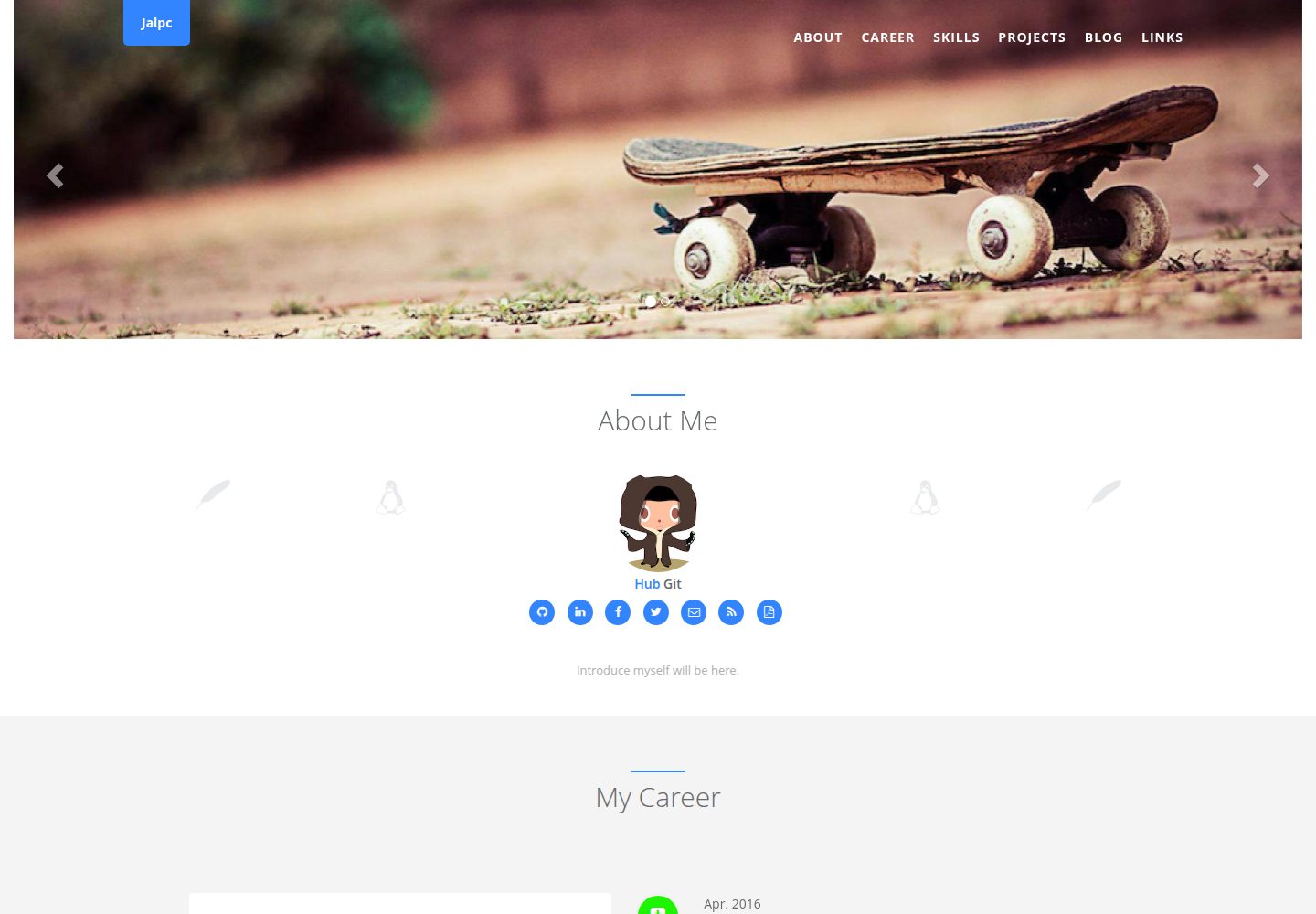
Jalpc
Jalpc is a Jekyll theme for a combined personal homepage and blog. The homepage is split into sections driven by YAML files under _data, so content changes usually do not require editing HTML.
Jekyll · Portfolio
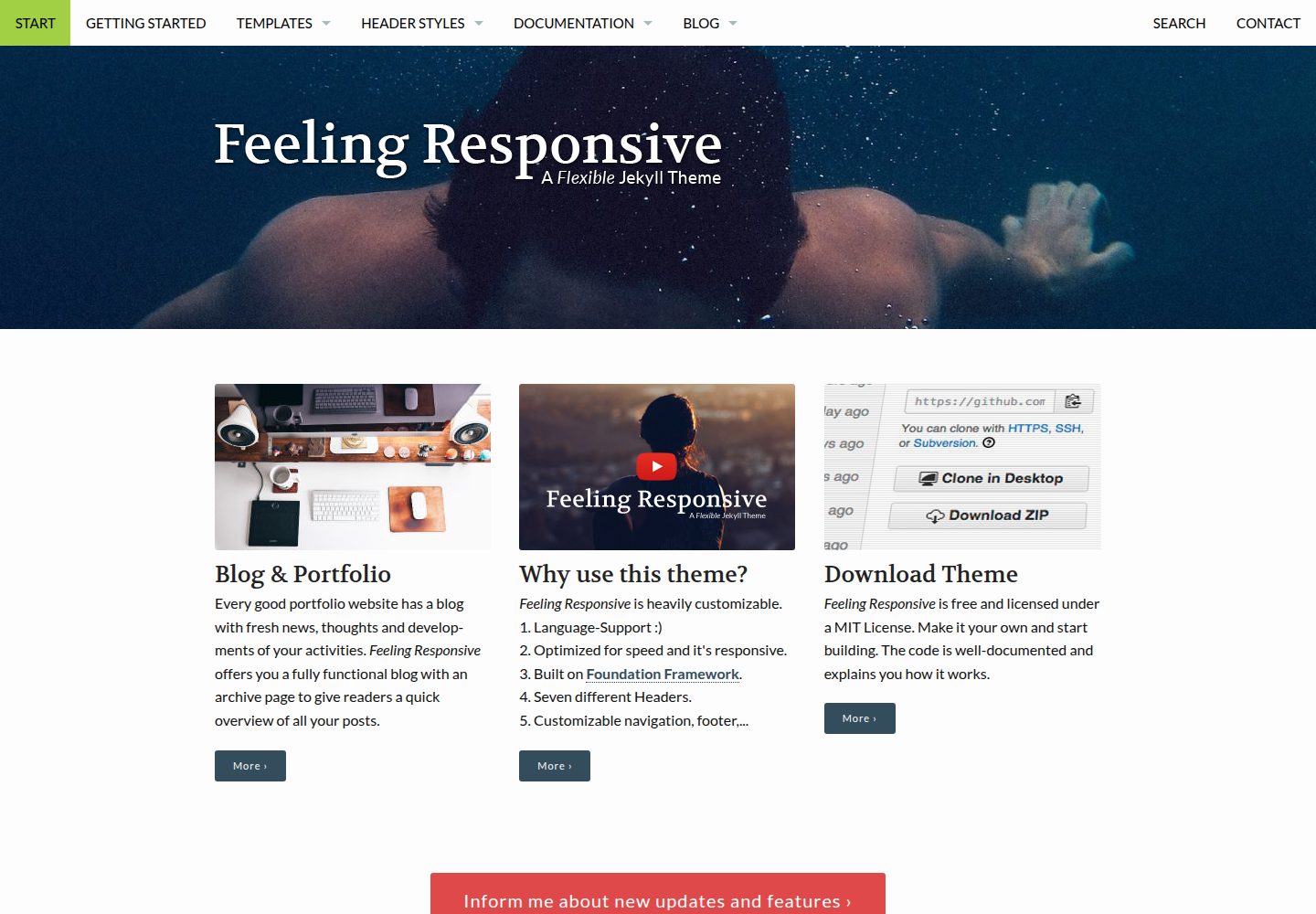
feeling-responsive
A free responsive Jekyll theme built on the Foundation framework, suitable for company sites, portfolios, or blogs. It offers language support, six header styles, customizable navigation and footer, plus documentation and an online demo.
Jekyll · Portfolio