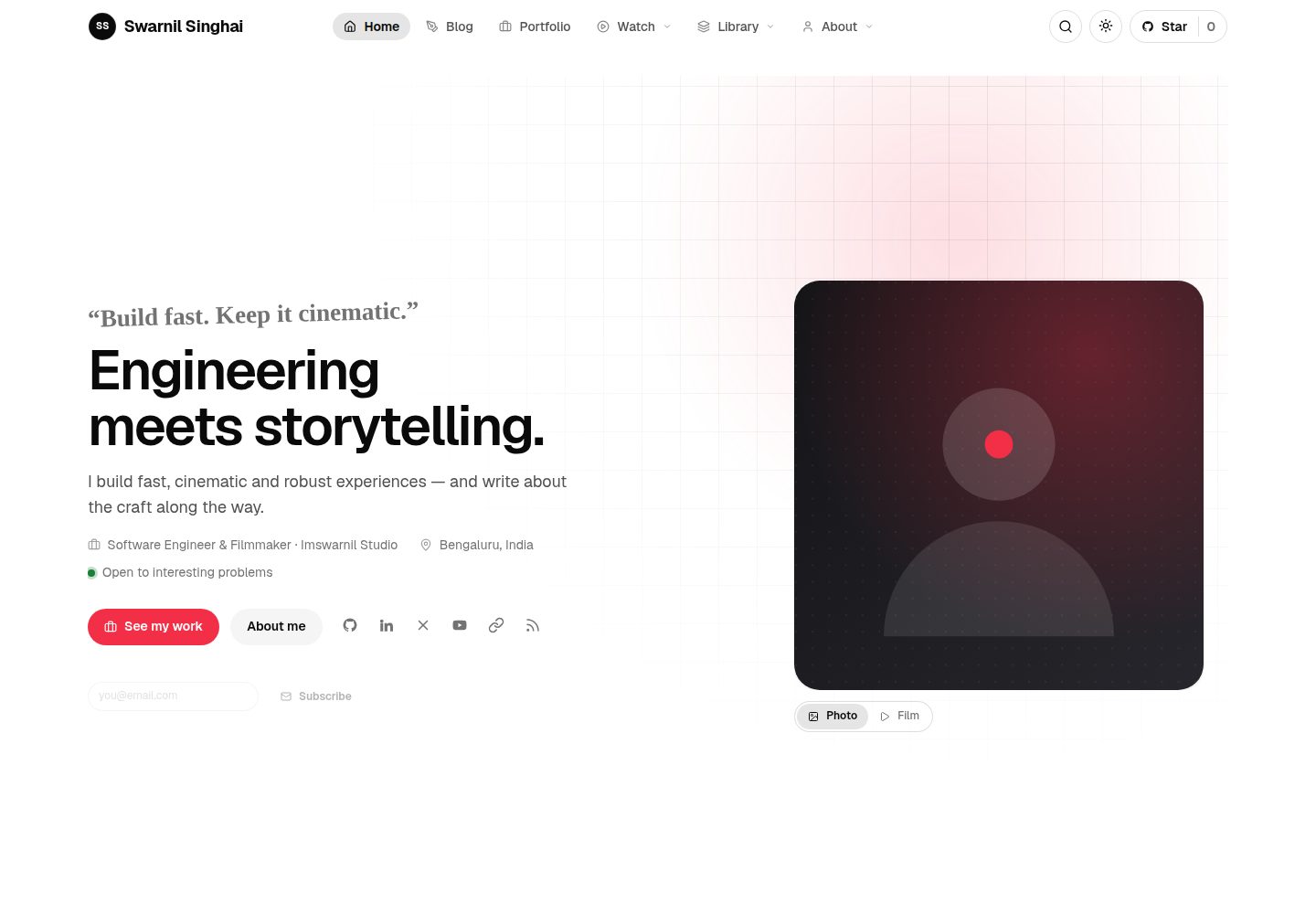
页面由 _config.yml 中的 shell、lead、parts、widgets 列表组合而成,新增区块只需添加同名 include 文件
Jekyll作品集
Personal-Website-Jekyll-Theme — Jekyll 作品集模板
作者 imswarnil
基于 Jekyll 的个人网站主题,通过 _config.yml 组合页面结构,内置 13 个内容集合、简历页、标签索引与多种列表视图。
看看你的网站会是什么样
浏览真实页面截图,比较内容排版与手机效果。点击下方缩略图切换,放大查看整页细节。
全部页面与视图 3
截图用于了解视觉与布局,交互效果请以实际项目为准。
采集于 2026-10-02查看来源
值得关注的模板亮点
从已有项目资料中,快速了解它的特点。
内置 13 个内容集合,每个集合的色调由 accent_color 旋转色相统一生成
列表页提供 card、grid、list、simple 四种视图,卡片标记不变且读者选择会被记住
简历页去掉站点框架、滚动时收起为 island bar,并可打印为 PDF
提供安装表单、配置 doctor 和测试套件,可检查会导致构建失败的配置错误
模板详细介绍
这是一个 Jekyll 个人网站主题,核心思路是把页面结构写成 _config.yml 里的列表,而不是固定模板。每个条目页由 shell(页面骨架)、lead(标题下引导块)、parts(正文区块)和 widgets(侧栏组件)四部分组成,分别对应 _includes 下的同名文件;新增一个区块只需放入对应文件并命名,无需修改布局,单个条目也可在 front matter 中覆盖这四项。
主题提供五种 shell:reading(居中阅读栏)、aside(阅读栏加侧栏)、wide(全宽容器)、split(70/30 且侧栏粘性)、course(左侧目录加正文),分别用于文章、播客、视频、作品集和课程等场景。内容侧预设 13 个集合,覆盖文章、作品集、视频、网络剧与剧集、课程与课时、播客、newsletter、代码片段、提示词、旅行、uses 和文档;每个集合的色调由站点 accent_color 旋转色相得到,改一个变量即可整体联动。不需要的集合可以通过安装表单连同文件夹、落地页和配置项一起移除,并会先做备份。
列表页支持 card、grid、list、simple 四种视图,卡片标记不变,由 feed 决定形状,读者的选择会在站内记住。此外还包含独立简历页(可打印为 PDF)、按标签跨集合聚合的标签页、每篇文章的 Ask an AI 入口、giscus/utterances/Disqus 评论位、命令面板与整页搜索、无图内容的 SVG 生成封面、无闪烁暗色模式,以及安装表单、配置检查 doctor 和对应的测试套件。
使用上有明确限制:需要 Ruby 3.4 和 Node 18+,macOS 系统自带的 Ruby 2.6 无法构建,需通过 bin/serve 和 bin/build 配置正确工具链;部署到 GitHub Pages 时由工作流传入 base path,用户页和项目页都无需手动设置 baseurl。代码采用 MIT 许可,但演示内容与品牌标识归作者所有,第三方素材需单独核对许可。
Jekyll作品集
适合你的项目吗?
适用场景
- 搭建包含文章、作品集、视频、播客、课程等多种内容类型的个人站点
- 用一份配置驱动页面结构,减少为不同栏目重复编写布局的工作
- 需要独立简历页并希望直接打印为 PDF 的个人求职或展示场景
- 希望按标签跨全部内容集合聚合浏览,而不只是按文章标签筛选
- 部署到 GitHub Pages 用户页或项目页,并希望自动处理 base path
适合人群
- 熟悉 Jekyll 并愿意通过 _config.yml 和 include 文件组织页面的开发者
- 需要在一个站点内管理多种内容集合的个人创作者
- 希望以 MIT 许可使用并自行修改代码的用户
- 能自行准备 Ruby 3.4 与 Node 18+ 环境的开发者
上手与定制指南
结合仓库当前版本的说明,按下面的资料检查内容、配置与运行要求。
- 1
可通过 npx imprint-theme my-site 克隆主题、清除演示内容并打开安装表单
- 2
本地开发使用 npm run dev,生产构建使用 npm run build,输出到 _site/
- 3
需要 Ruby 3.4 和 Node 18+;macOS 系统 Ruby 2.6 无法构建,可用 bin/serve 和 bin/build 配置工具链
- 4
部署到 GitHub Pages 时将 Settings → Pages → Source 设为 GitHub Actions,工作流会传入 base path,无需手动设置 baseurl
- 5
代码为 MIT 许可,但演示内容与品牌标识归作者所有,第三方素材需按各自许可核对
授权与来源资料
使用条件与限制
免费使用 · 保留许可声明本次收录的是公开仓库中采用 MIT 许可的免费版本;免费范围为该版本代码,不代表外部服务或第三方素材免费。
使用时需要遵守
- 允许免费使用、修改、商用和分发该版本代码。
- 分发代码副本或实质性部分时,保留原作者版权声明和完整 MIT 许可声明。
- 代码按现状提供;担保与责任限制以原许可证及适用法律为准。
额外费用与待核对事项
- 使用需 Ruby 3.4 与 Node 18+ 环境;macOS 系统自带 Ruby 2.6 无法构建,须通过 bin/serve 和 bin/build 配置正确工具链。
- 代码为 MIT 许可可自由使用,但演示内容与品牌标识归作者所有,不在 MIT 授权范围内,不可直接挪用。
- 评论功能依赖 giscus、utterances 或 Disqus 等第三方服务,需自行选择并配置对应账号,未选择前仅显示占位。
- Ask an AI 入口会跳转 Claude、ChatGPT 或 Perplexity 等外部服务,使用受这些第三方服务条款与可用性约束。
- 演示图片、字体、图标及其他第三方素材需按各自许可核对,不能仅凭代码的 MIT 许可判断。
- 域名、托管、数据库、支付或 AI 等外部服务可能另外收费。
查看原文依据
Permission is hereby granted, free of charge
许可证原文
Ruby 3.4 and Node 18+. The macOS system Ruby (2.6) cannot build this site;
README 原文
MIT. The demo content and the brand marks are the author's; the code is yours to use.
README 原文
**Comments** via giscus, utterances or Disqus, with an honest placeholder until you pick one.
README 原文
https://github.com/imswarnil/Personal-Website-Jekyll-Theme/blob/main/LICENSEhttps://github.com/imswarnil/Personal-Website-Jekyll-Theme/blob/main/README.md**Ask an AI** on every entry: opens Claude, ChatGPT or Perplexity with the page's URL and a prompt to read it and answer you.
README 原文
DeepSeek 根据仓库许可证和 README 整理 ·2026-10-03。结果仅覆盖已读取资料,依赖、图片、字体及后续条款变更以各自原文为准。
项目核对记录与介绍依据
模板资料
- 来源平台
- GitHub
- 资料与维护参考分
- 资料一般 · 72 / 100
- 技术栈
- Jekyll
- 网站类型
- 作品集
这个分数如何计算
本站按许可资料(最高30分)、演示链接(12分)、预览图(10分)、Star数(15分)、记录的维护时间(15分)、描述完整度(8分)、功能记录(5分)和分类资料(5分)计算。它不是代码、安全或性能测试,也不是 Google 评分;有链接不代表已实测可用。
这个项目需要核对什么
- 记录的仓库更新时间
- 2026-09-27
- 截图检查日期
- 2026-10-03
已收录演示链接。请用你的内容与屏幕尺寸检查;有演示不代表表单、认证或支付已经可用。
目录记录的主要技术栈是 Jekyll。请通过依赖清单和锁文件核对实际版本与托管要求。这些说明基于收录资料,不代表代码审计或部署实测。
查看具体选型方法 →介绍的制作与核对状态
介绍由 AI 辅助整理目录与仓库资料。仓库作者不等于这篇介绍的审核者。
已完成服务器许可规则与 AI 来源核对;未经过人工编辑审核。
查看当时使用的来源资料
SHA-256: 3c2f9f6c59c875c0e5d645d9bb0532139aff2885458bcaaac2969517a53ffff6
2026-10-03T08:18:03.593Z
来源文件 / 仓库<div align="center">
<img src="assets/img/brand/logo.svg" width="72" height="72" alt="">
# Imprint
**A personal site on Jekyll, composed from config rather than templates.**
Thirteen content collections, a resume that stands on its own, a tag index,
four ways to look at every listing, and a setup form that writes the config
for you.
[Live demo](https://dev.imswarnil.com) · [Docs](https://dev.imswarnil.com/docs/) · [Style guide](https://dev.imswarnil.com/styleguide/)
</div>
---
## Start one in a minute
```bash
npx imprint-theme my-site
```
It clones the theme, drops the history so the first commit is yours, clears
the demo content, and opens the setup form. Then:
```bash
cd my-site
npm run dev # http://localhost:4000
```
Push to a repo named `username.github.io`, set **Settings → Pages → Source:
GitHub Actions**, and you are live. The workflow passes GitHub's own base
path to Jekyll, so the same setup is correct for a user page and a project
page — you never set `baseurl` by hand.
---
## What a page is made of
This is the idea the whole theme hangs on. **An entry page is a list in
`_config.yml`, not a template**: which parts to stack, which widgets sit
beside them, which lead block goes under the title, and how wide the page is.
<img src="assets/img/readme/composition.svg" alt="A collection's single: block on the left — shell, lead, parts, widgets — and the page it produces on the right" width="100%">
Every name is a file. `parts` are `_includes/single/<name>.html`, `widgets`
are `_includes/widgets/<name>.html`, `lead` is `_includes/leads/<name>.html`.
**To invent a part, drop a file in and name it.** No layout is edited, and any
single entry can override all four in its own front matter.
### Five shells
| `shell` | What it is | Used by |
| --- | --- | --- |
| `reading` | A reading column, centred, nothing beside it | posts, snippets, prompts, newsletter |
| `aside` | A reading column with a rail beside it | podcast |
| `wide` | The full fluid container | videos, web series, episodes, courses |
| `split` | 70 / 30, the rail sticky | portfolio, travel, uses |
| `course` | Contents on the **left**, the page beside them | lessons, the docs |
---
## Thirteen collections, one colour each
Every collection's hue is the site accent with its hue rotated, so changing
`accent_color` moves all of them together. The chips, the cover art, the
kickers and the card rules all read the same variable.
<img src="assets/img/readme/collections.svg" alt="The collections and the hue rotation that gives each one its colour" width="100%">
| Folder | What it is | Card |
| --- | --- | --- |
| `_posts/` | Essays and notes | editorial |
| `_portfolio/` | Projects, films, design | repo card |
| `_videos/` | Films — 9:16 entries become reels | player |
| `_webseries/` + `_episodes/` | A series and its episodes | portrait poster |
| `_courses/` + `_lessons/` | A course and its curriculum | course card |
| `_podcast/` | Audio episodes | episode with a player |
| `_newsletter/` | Issues, in full | issue row |
| `_snippets/` | Copy-pasteable code | code window |
| `_prompts/` | Prompts, **and what they produced** | chat window |
| `_travel/` | Trips | photo card |
| `_uses/` | Hardware, software, gear | product card |
| `_docs/` | The manual | doc row |
Delete any you do not want — the setup form retires the folder, the landing
page and the config entry together, and backs them up first.
---
## Four ways to look at a listing
| View | What it does |
| --- | --- |
| **card** | The newest entry leads across the top, the rest in a grid |
| **grid** | Every card the same |
| **list** | One column, the picture beside the words |
| **simple** | One column, a title and a date — an index, not a feed |
The cards never change markup; the feed decides their shape, and a reader's
choice is remembered across the site. Cards in a row are always the same
height, whatever they carry.
---
## What else is in the box
- **A resume** that drops the site chrome entirely, opens on its own hero, and
collapses into an island bar as you scroll. Prints to a clean PDF.
- **A tag page per tag**, across every collection — not just posts.
- **Ask an AI** on every entry: opens Claude, ChatGPT or Perplexity with the
page's URL and a prompt to read it and answer you.
- **Comments** via giscus, utterances or Disqus, with an honest placeholder
until you pick one.
- **Search** — a command palette on `/` and a full page.
- **Generated cover art** for anything without a picture: the collection's
colour, pattern and mark, drawn as SVG. No title inside the picture.
- **Dark mode**, with no flash, and a toggle in the header.
- **A setup form**, a doctor that catches the mistakes that break a build, and
a test suite for both.
---
## The commands
| Command | What it does |
| --- | --- |
| `npm run setup` | The browser setup form |
| `npm run dev` | Local server with live reload |
| `npm run build` | Production build into `_site/` |
| `npm run new` | Scaffold an entry in any collection |
| `npm run thumbs` | Redraw the cover art from your accent colour |
| `npm run doctor` | Check the config for the mistakes that break a build |
| `npm run test` | The config and wizard test suite |
| `npm run check` | Doctor + build — what CI runs |
Ruby 3.4 and Node 18+. The macOS system Ruby (2.6) cannot build this site;
`bin/serve` and `bin/build` put the right toolchain on your PATH.
---
## House style
The CSS follows the [Im Design System](https://design.imswarnil.com), and it
has exactly two interactions:
- **Hover** — the thing *fills*. Nothing sharpens a border, nothing grows
three per cent, nothing rests on a drop shadow.
- **Current** ("you are here") — a stronger fill and a bolder label. Never a
change of colour.
The accent belongs to the primary button, a link's hover, the focus ring, text
selection and each collection's hue. Nothing else.
---
## Docs
- **[/docs/](https://dev.imswarnil.com/docs/)** — setting it up, deploying,
writing a post, adding a collection, composing a page, cards and views,
styling.
- **[/styleguide/](https://dev.imswarnil.com/styleguide/)** — every card,
component and colour on one page, drawn from the real content.
- **`.claude/skills/personal-site/SKILL.md`** — the same ground, written for
an AI assistant. If you use one, point it there.
## Licence
MIT. The demo content and the brand marks are the author's; the code is yours
to use.
看看同类模板
对比同技术栈与用途的模板,找到更适合的视觉与内容结构。

al-folio
al-folio 是一个面向学者与研究人员的 Jekyll 作品集主题,设计简洁、响应式,适合搭建个人学术主页。
Jekyll · 作品集

minimal-mistakes
:triangular_ruler: Jekyll theme for building a personal site, blog, project documentation, or portfolio.
Jekyll · 作品集

Beautiful Jekyll
Beautiful Jekyll 是一个在 Jekyll 生态中经过长期打磨的博客主题,由 Dean Attali 维护,自 2015 年起积累了超过 5 万用户。
Jekyll · 博客

So Simple
So Simple 是 Michael Rose 开发的 Jekyll 主题,定位清晰:为文字和图片提供一个干净、可读性强的展示框架。
Jekyll · 博客
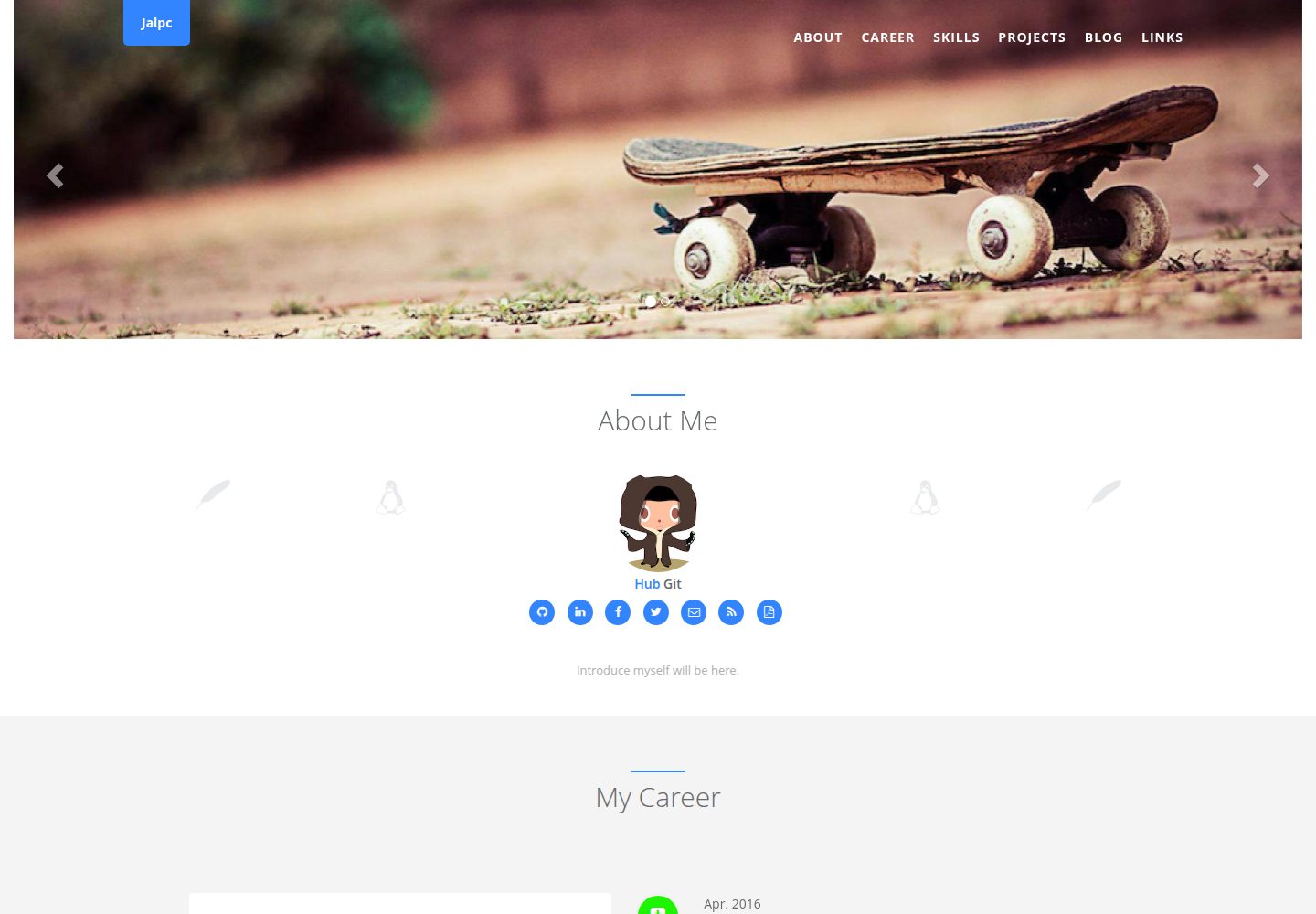
Jalpc
🍎Jalpc -- A flexible Jekyll theme, 3 steps to build your website.
Jekyll · 作品集
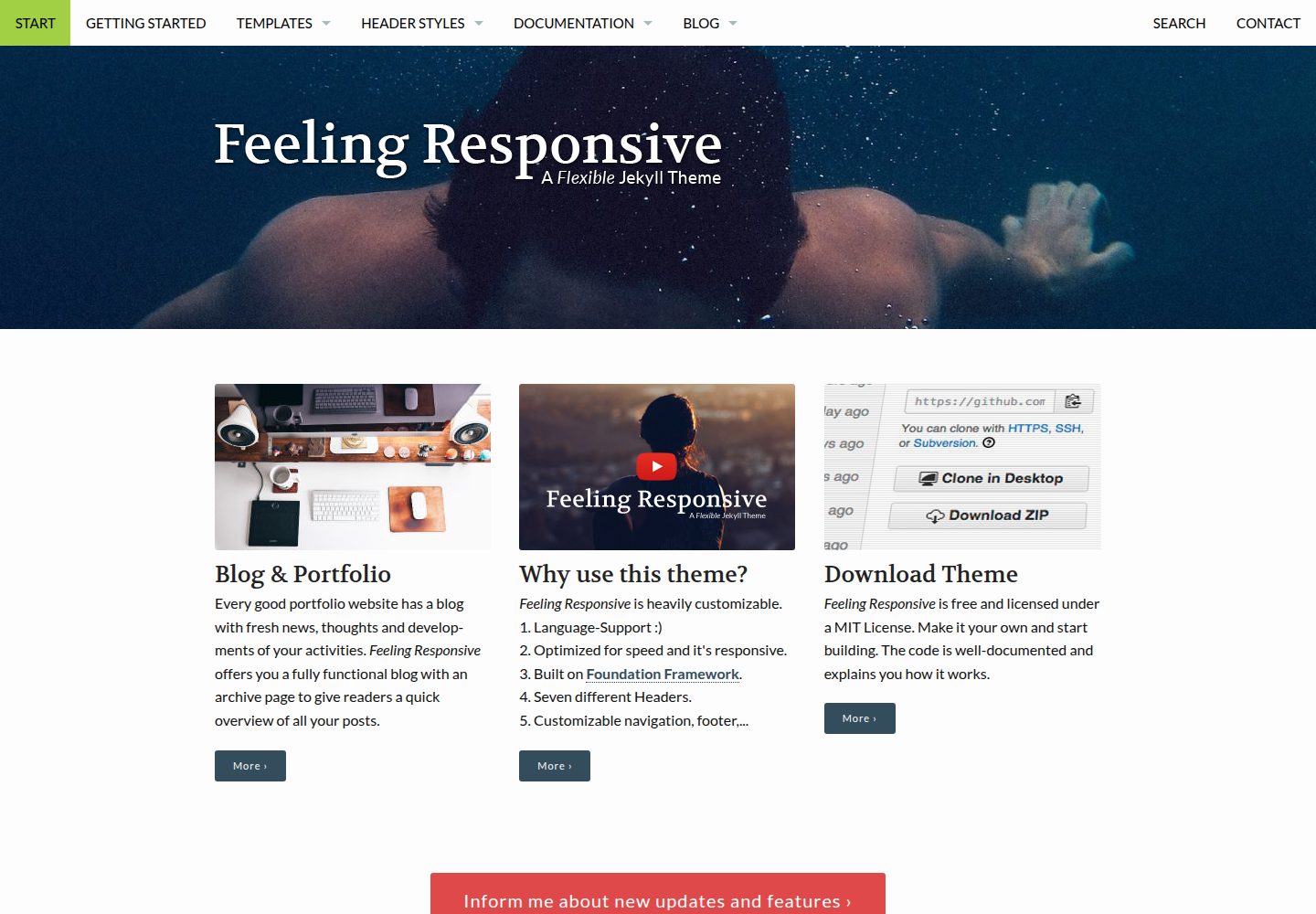
feeling-responsive
»Feeling Responsive« is a free flexible theme for Jekyll built on Foundation framework. You can use it for you…
Jekyll · 作品集