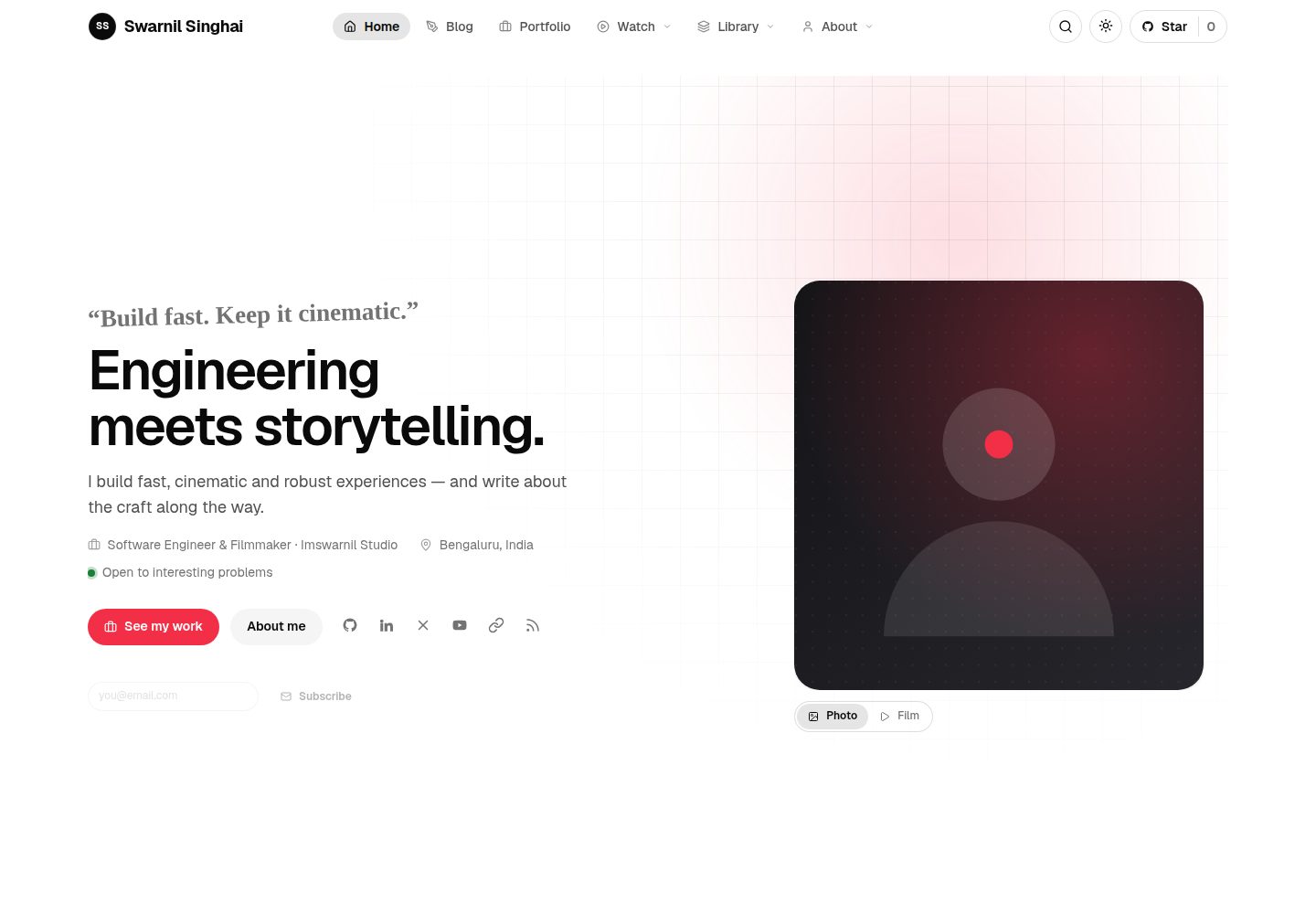
Pages are composed from shell, lead, parts, and widgets lists in _config.yml; adding a section only requires adding an include file with the same name.
JekyllPortfolio
Personal-Website-Jekyll-Theme — Jekyll Portfolio Template
By imswarnil
A Jekyll-based personal website theme that composes page structure through _config.yml, with 13 built-in content collections, a resume page, tag indexes, and multiple list views.
Explore the design
Compare the page layouts and mobile experience. Open any screenshot for a closer look.
Desktop homepage1 / 3
Desktop captureTop of page
Actual screenshot captured by the server browser.
All pages & views 3
Screenshots show visual appearance; interactive behavior may differ.
Recorded 2026-10-02View source
What stands out
A quick read of the recorded project description.
13 content collections are built in, and each collection's hue is generated uniformly by rotating accent_color.
List pages offer four views: card, grid, list, and simple; the card markup stays the same and the reader's choice is remembered.
The resume page removes the site frame, collapses into an island bar on scroll, and can be printed to PDF.
Provides an installation form, a configuration doctor, and a test suite that can check for configuration errors that would cause build failures.
Template Details
This is a Jekyll personal website theme whose core idea is to write page structure as lists in _config.yml rather than fixed templates. Each entry page consists of four parts: shell (page skeleton), lead (introductory block below the title), parts (body sections), and widgets (sidebar components), corresponding to files of the same names under _includes. Adding a section only requires placing a file with the corresponding name; no layout changes are needed, and a single entry can override these four items in its front matter.
The theme provides five shells: reading (centered reading column), aside (reading column plus sidebar), wide (full-width container), split (70/30 with a sticky sidebar), and course (left-side table of contents plus body), used for scenarios such as articles, podcasts, videos, portfolios, and courses. On the content side, 13 collections are preset, covering articles, portfolios, videos, web series and episodes, courses and lessons, podcasts, newsletters, code snippets, prompts, travel, uses, and documentation; each collection's hue is generated by rotating the site accent_color, so changing one variable updates everything together. Unneeded collections can be removed via the installation form along with their folders, landing pages, and configuration items, with a backup made first.
List pages support four views: card, grid, list, and simple. The card markup stays the same, the feed determines the shape, and the reader's choice is remembered across the site. It also includes a standalone resume page (printable to PDF), tag pages that aggregate across collections by tag, an Ask an AI entry for each article, comment slots for giscus/utterances/Disqus, a command palette and full-page search, SVG-generated covers for content without images, flicker-free dark mode, as well as an installation form, a configuration doctor, and a corresponding test suite.
There are clear usage constraints: Ruby 3.4 and Node 18+ are required; the Ruby 2.6 bundled with macOS cannot build it, so the correct toolchain must be configured via bin/serve and bin/build. When deploying to GitHub Pages, the workflow passes in the base path, so neither user pages nor project pages require manually setting baseurl. The code is MIT-licensed, but the demo content and brand identity belong to the author, and third-party assets must be checked separately for licensing.
JekyllPortfolio
Is it right for your project?
Use Cases
- Building a personal site with multiple content types such as articles, portfolios, videos, podcasts, and courses.
- Driving page structure from a single configuration to reduce the work of writing separate layouts for different sections.
- Personal job-seeking or showcase scenarios that need a standalone resume page and want to print it directly to PDF.
- Wanting to browse aggregated by tag across all content collections, not just filter by article tags.
- Deploying to GitHub Pages user pages or project pages and wanting the base path handled automatically.
Suitable For
- Developers familiar with Jekyll who are willing to organize pages through _config.yml and include files.
- Individual creators who need to manage multiple content collections within one site.
- Users who want to use and modify the code under the MIT license.
- Developers who can prepare a Ruby 3.4 and Node 18+ environment themselves.
Getting started & customization
Use these recorded setup notes alongside the repository instructions for your chosen version.
- 1
You can clone the theme, clear the demo content, and open the installation form via npx imprint-theme my-site.
- 2
Use npm run dev for local development and npm run build for production builds, outputting to _site/.
- 3
Ruby 3.4 and Node 18+ are required; the Ruby 2.6 bundled with macOS cannot build it, but bin/serve and bin/build can configure the toolchain.
- 4
When deploying to GitHub Pages, set Settings → Pages → Source to GitHub Actions; the workflow passes in the base path, so there is no need to set baseurl manually.
- 5
The code is MIT-licensed, but the demo content and brand identity belong to the author, and third-party assets must be checked under their respective licenses.
License & source material
Usage conditions & limitations
Free to use · keep license noticeThis entry covers the free version under the MIT license in the public repository; the free scope is the code of that version and does not mean external services or third-party assets are free.
Must comply with when using
- You may use, modify, commercially use, and distribute the code of this version for free.
- When distributing copies or substantial portions of the code, retain the original author's copyright notice and the complete MIT license notice.
- The code is provided as is; warranties and limitations of liability are governed by the original license and applicable law.
Additional costs & items to verify
- Usage requires a Ruby 3.4 and Node 18+ environment; the Ruby 2.6 bundled with macOS cannot build it, and the correct toolchain must be configured via bin/serve and bin/build.
- The code is MIT-licensed and can be used freely, but the demo content and brand identity belong to the author, are not covered by the MIT license, and cannot be reused directly.
- Comment functionality depends on third-party services such as giscus, utterances, or Disqus; you must choose and configure the corresponding account yourself, and until then only a placeholder is shown.
- The Ask an AI entry redirects to external services such as Claude, ChatGPT, or Perplexity, and use is subject to those third-party services' terms and availability.
- Demo images, fonts, icons, and other third-party assets must be checked under their respective licenses and cannot be judged solely by the code's MIT license.
- External services such as domains, hosting, databases, payments, or AI may incur additional charges.
View Original Text Basis
Permission is hereby granted, free of charge
Original License Text
Ruby 3.4 and Node 18+. The macOS system Ruby (2.6) cannot build this site;
Original README
MIT. The demo content and the brand marks are the author's; the code is yours to use.
Original README
**Comments** via giscus, utterances or Disqus, with an honest placeholder until you pick one.
Original README
https://github.com/imswarnil/Personal-Website-Jekyll-Theme/blob/main/LICENSEhttps://github.com/imswarnil/Personal-Website-Jekyll-Theme/blob/main/README.md**Ask an AI** on every entry: opens Claude, ChatGPT or Perplexity with the page's URL and a prompt to read it and answer you.
Original README
Compiled by DeepSeek based on repository license and README ·2026-10-03. Results only cover the materials read; dependencies, images, fonts, and subsequent term changes are subject to their respective original texts.
Project checks & description sources
Template Information
- Source platforms
- GitHub
- Documentation and maintenance reference score
- Partly documented · 72 / 100
- Technologies
- Jekyll
- Website type
- Portfolio
How this score is calculated
Our heuristic uses license records (up to 30), a demo link (12), a preview (10), stars (15), recorded maintenance (15), description completeness (8), feature records (5) and classification data (5). It is not a code, security or performance test, or a Google score. A link does not establish tested functionality.
What to verify for this project
- Repository update recorded
- 2026-09-27
- Screenshot last checked
- 2026-10-03
A demo link is listed. Check it with your own content and viewport sizes; its presence does not confirm that forms, authentication or payments work.
The catalog identifies Jekyll as the primary stack. Check the actual dependency manifest and lockfile for versions and hosting requirements. These notes use recorded metadata, not a code audit or a deployment test.
Use a selection guide →How this description was prepared
AI-assisted description based on catalog records and repository material. Repository authors are not automatically the reviewers of this description.
Automatically checked against source and license rules; no manual editorial review.
Inspect the recorded source material
SHA-256: 3c2f9f6c59c875c0e5d645d9bb0532139aff2885458bcaaac2969517a53ffff6
2026-10-03T08:18:03.593Z
Source file / repository<div align="center">
<img src="assets/img/brand/logo.svg" width="72" height="72" alt="">
# Imprint
**A personal site on Jekyll, composed from config rather than templates.**
Thirteen content collections, a resume that stands on its own, a tag index,
four ways to look at every listing, and a setup form that writes the config
for you.
[Live demo](https://dev.imswarnil.com) · [Docs](https://dev.imswarnil.com/docs/) · [Style guide](https://dev.imswarnil.com/styleguide/)
</div>
---
## Start one in a minute
```bash
npx imprint-theme my-site
```
It clones the theme, drops the history so the first commit is yours, clears
the demo content, and opens the setup form. Then:
```bash
cd my-site
npm run dev # http://localhost:4000
```
Push to a repo named `username.github.io`, set **Settings → Pages → Source:
GitHub Actions**, and you are live. The workflow passes GitHub's own base
path to Jekyll, so the same setup is correct for a user page and a project
page — you never set `baseurl` by hand.
---
## What a page is made of
This is the idea the whole theme hangs on. **An entry page is a list in
`_config.yml`, not a template**: which parts to stack, which widgets sit
beside them, which lead block goes under the title, and how wide the page is.
<img src="assets/img/readme/composition.svg" alt="A collection's single: block on the left — shell, lead, parts, widgets — and the page it produces on the right" width="100%">
Every name is a file. `parts` are `_includes/single/<name>.html`, `widgets`
are `_includes/widgets/<name>.html`, `lead` is `_includes/leads/<name>.html`.
**To invent a part, drop a file in and name it.** No layout is edited, and any
single entry can override all four in its own front matter.
### Five shells
| `shell` | What it is | Used by |
| --- | --- | --- |
| `reading` | A reading column, centred, nothing beside it | posts, snippets, prompts, newsletter |
| `aside` | A reading column with a rail beside it | podcast |
| `wide` | The full fluid container | videos, web series, episodes, courses |
| `split` | 70 / 30, the rail sticky | portfolio, travel, uses |
| `course` | Contents on the **left**, the page beside them | lessons, the docs |
---
## Thirteen collections, one colour each
Every collection's hue is the site accent with its hue rotated, so changing
`accent_color` moves all of them together. The chips, the cover art, the
kickers and the card rules all read the same variable.
<img src="assets/img/readme/collections.svg" alt="The collections and the hue rotation that gives each one its colour" width="100%">
| Folder | What it is | Card |
| --- | --- | --- |
| `_posts/` | Essays and notes | editorial |
| `_portfolio/` | Projects, films, design | repo card |
| `_videos/` | Films — 9:16 entries become reels | player |
| `_webseries/` + `_episodes/` | A series and its episodes | portrait poster |
| `_courses/` + `_lessons/` | A course and its curriculum | course card |
| `_podcast/` | Audio episodes | episode with a player |
| `_newsletter/` | Issues, in full | issue row |
| `_snippets/` | Copy-pasteable code | code window |
| `_prompts/` | Prompts, **and what they produced** | chat window |
| `_travel/` | Trips | photo card |
| `_uses/` | Hardware, software, gear | product card |
| `_docs/` | The manual | doc row |
Delete any you do not want — the setup form retires the folder, the landing
page and the config entry together, and backs them up first.
---
## Four ways to look at a listing
| View | What it does |
| --- | --- |
| **card** | The newest entry leads across the top, the rest in a grid |
| **grid** | Every card the same |
| **list** | One column, the picture beside the words |
| **simple** | One column, a title and a date — an index, not a feed |
The cards never change markup; the feed decides their shape, and a reader's
choice is remembered across the site. Cards in a row are always the same
height, whatever they carry.
---
## What else is in the box
- **A resume** that drops the site chrome entirely, opens on its own hero, and
collapses into an island bar as you scroll. Prints to a clean PDF.
- **A tag page per tag**, across every collection — not just posts.
- **Ask an AI** on every entry: opens Claude, ChatGPT or Perplexity with the
page's URL and a prompt to read it and answer you.
- **Comments** via giscus, utterances or Disqus, with an honest placeholder
until you pick one.
- **Search** — a command palette on `/` and a full page.
- **Generated cover art** for anything without a picture: the collection's
colour, pattern and mark, drawn as SVG. No title inside the picture.
- **Dark mode**, with no flash, and a toggle in the header.
- **A setup form**, a doctor that catches the mistakes that break a build, and
a test suite for both.
---
## The commands
| Command | What it does |
| --- | --- |
| `npm run setup` | The browser setup form |
| `npm run dev` | Local server with live reload |
| `npm run build` | Production build into `_site/` |
| `npm run new` | Scaffold an entry in any collection |
| `npm run thumbs` | Redraw the cover art from your accent colour |
| `npm run doctor` | Check the config for the mistakes that break a build |
| `npm run test` | The config and wizard test suite |
| `npm run check` | Doctor + build — what CI runs |
Ruby 3.4 and Node 18+. The macOS system Ruby (2.6) cannot build this site;
`bin/serve` and `bin/build` put the right toolchain on your PATH.
---
## House style
The CSS follows the [Im Design System](https://design.imswarnil.com), and it
has exactly two interactions:
- **Hover** — the thing *fills*. Nothing sharpens a border, nothing grows
three per cent, nothing rests on a drop shadow.
- **Current** ("you are here") — a stronger fill and a bolder label. Never a
change of colour.
The accent belongs to the primary button, a link's hover, the focus ring, text
selection and each collection's hue. Nothing else.
---
## Docs
- **[/docs/](https://dev.imswarnil.com/docs/)** — setting it up, deploying,
writing a post, adding a collection, composing a page, cards and views,
styling.
- **[/styleguide/](https://dev.imswarnil.com/styleguide/)** — every card,
component and colour on one page, drawn from the real content.
- **`.claude/skills/personal-site/SKILL.md`** — the same ground, written for
an AI assistant. If you use one, point it there.
## Licence
MIT. The demo content and the brand marks are the author's; the code is yours
to use.
Explore similar templates
Compare previews and descriptions within the same stack and category.

al-folio
A Jekyll academic homepage theme for scholars and researchers, with a clean responsive design and out-of-the-box support for publication lists, project showcases, CVs, and blogs.
Jekyll · Portfolio

minimal-mistakes
Minimal Mistakes is a two-column Jekyll theme for personal sites, blogs, project documentation, or portfolios.
Jekyll · Portfolio

Beautiful Jekyll
Beautiful Jekyll is a mature, easy-to-use Jekyll blog theme maintained by Dean Attali since 2015, with over 50,000 users.
Jekyll · Blog

So Simple
A minimal reading-oriented Jekyll theme by Michael Rose for personal blogs, portfolios, and long-form reading. It offers multiple layouts, microformat markup, Disqus comments, Google Analytics, Jekyll SEO Tag, three skins, and aggregation by year, category, and tag with a grid view.
Jekyll · Blog
Jalpc
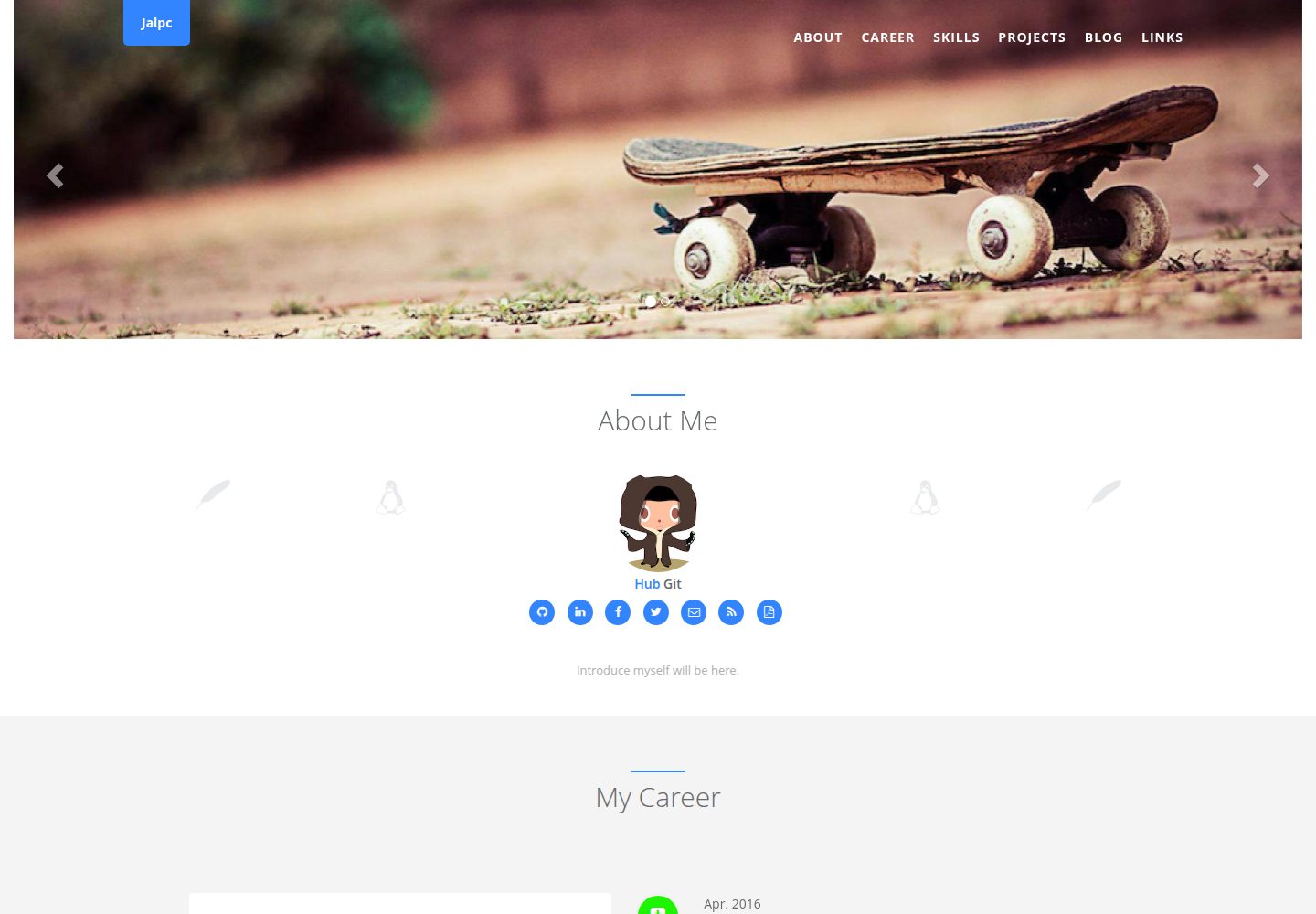
Jalpc is a Jekyll theme for a combined personal homepage and blog. The homepage is split into sections driven by YAML files under _data, so content changes usually do not require editing HTML.
Jekyll · Portfolio
feeling-responsive
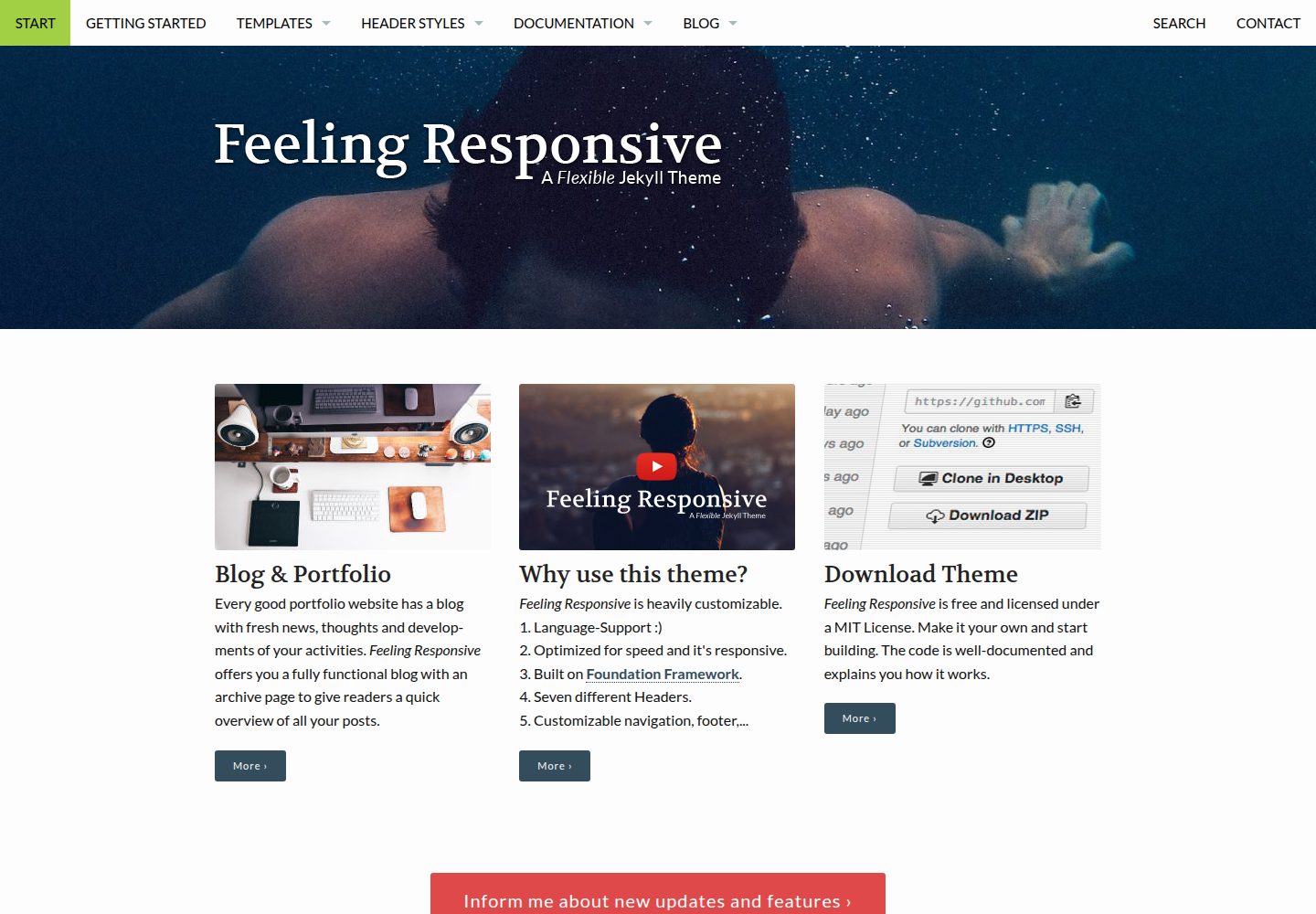
A free responsive Jekyll theme built on the Foundation framework, suitable for company sites, portfolios, or blogs. It offers language support, six header styles, customizable navigation and footer, plus documentation and an online demo.
Jekyll · Portfolio